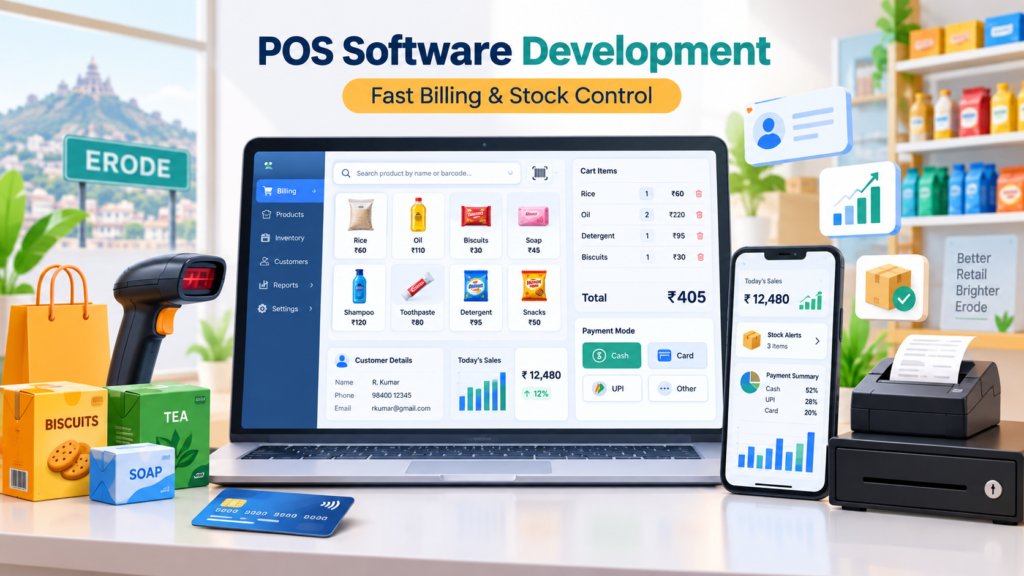
POS software development for retail shops in Erode is becoming increasingly important for shop owners who want faster billing, accurate inventory updates, better payment tracking, customer management and clear sales reports from one system.
Retail shops handle many daily activities, including billing customers, checking stock, accepting payments, updating products, managing returns and preparing reports. When these operations are managed manually or through disconnected tools, businesses can face slow billing, stock mismatch, calculation mistakes and limited visibility into daily sales.
A modern Point of Sale system connects billing with products, inventory, payments, customers and reports. This helps shop staff complete transactions quickly while giving business owners better control over store operations.
At Greap Technologies, we provide custom POS software development for retail shops in Erode, helping textile stores, supermarkets, grocery shops, electronics stores and other retailers build POS systems based on their actual billing and store-management workflow.
Why POS Software Development for Retail Shops in Erode Is Important
Retail businesses need speed, accuracy and visibility.
Customers expect quick checkout, while shop owners need to understand sales, inventory and payment information without manually checking multiple registers or spreadsheets.
Without a proper POS system, businesses may face:
- Slow customer billing
- Manual price and calculation mistakes
- Stock mismatches
- No barcode-based billing
- No clear payment breakdown
- Limited customer purchase history
- No low-stock alerts
- Difficult return and exchange management
- No cashier-wise reporting
- Manual daily closing calculations
- Difficulty managing discounts and offers
- Poor visibility across branches
A well-designed retail POS system can help businesses:
- Create bills quickly
- Scan products using barcodes
- Automatically fetch product prices
- Update inventory after every sale
- Track cash, UPI and card payments
- Manage customer information
- Handle returns and exchanges
- Track staff billing activity
- Manage offers and discounts
- Generate daily and monthly sales reports
- Monitor low-stock products
- Improve overall store control
For retail businesses, POS software is more than an invoice tool. It can become the central system used to manage everyday store transactions.
What Is POS Software?
POS stands for Point of Sale.
POS software is used at the retail billing counter to process customer purchases, create invoices, receive payments and update stock.
Depending on the business requirement, POS software can also manage:
- Products
- Categories
- Inventory
- Customers
- Suppliers
- Purchases
- Returns
- Discounts
- Employees
- Branches
- Reports
A POS dashboard can help business owners answer important questions such as:
- How much did we sell today?
- How many bills were generated?
- Which products are selling fastest?
- Which products need to be reordered?
- How much cash was collected?
- How much came through UPI or card?
- Which employee handled each bill?
- How many products were returned?
- Which customers purchase regularly?
- What is the current inventory position?
Who Needs POS Software in Erode?
1. Textile Shops
Textile stores can use POS software to manage billing, fabrics, garment categories, sizes, colours, pricing, inventory and customer purchases.
2. Grocery Stores
Grocery shops often handle large numbers of fast-moving products, making barcode billing and stock updates especially useful.
3. Supermarkets
Supermarkets may require:
- Multiple billing counters
- Barcode scanning
- Large product catalogues
- Inventory tracking
- Cashier management
- Offers
- Daily settlement reports
4. Medical Stores
Pharmacies may require product, batch, expiry and purchase tracking depending on their operational and applicable compliance requirements.
5. Electronics Shops
Electronics retailers can manage product models, serial-related information, warranty notes, invoices and customer purchase history.
6. Hardware Stores
Hardware businesses can use POS software to handle products, supplier purchases, prices, stock movement and customer invoices.
7. Gift Shops
Gift stores can manage product billing, seasonal offers, discounts, customer details and sales reports.
8. Garment Stores
Garment retailers can manage variations such as:
- Size
- Colour
- Brand
- Style
- Category
- Stock quantity
9. Footwear Stores
Footwear businesses can maintain size-wise and model-wise inventory while processing fast billing through the same system.
10. Cosmetics and Beauty Stores
Cosmetic retailers can organize brands, categories, offers and stock levels.
11. Furniture Shops
Furniture retailers can use POS-related systems for quotations, advance payments, invoices, customer orders and delivery tracking.
12. Stationery and Book Stores
Book and stationery shops can manage products, bulk orders, stock, barcode billing and payment records.
Major Benefits of POS Software for Retail Shops
1. Faster Billing
A fast checkout process is one of the biggest advantages of a retail POS system.
The billing interface can include:
- Product search
- Barcode scan
- Quantity update
- Automatic price calculation
- Discount entry
- Tax calculation
- Customer selection
- Payment method
- Invoice print
This can reduce waiting time at the billing counter.
2. Barcode Billing
Barcode support can make checkout faster for businesses with large product catalogues.
Barcode functionality can include:
- Barcode generation
- Barcode printing
- Scanner integration
- Automatic product lookup
- Automatic price retrieval
- Stock deduction after billing
3. Accurate Billing Calculations
POS software can automatically calculate quantities, discounts, applicable taxes and invoice totals based on configured rules.
This reduces dependence on manual calculation.
4. Automatic Inventory Updates
POS and inventory systems can work together.
A simple workflow is:
Product Scanned → Bill Created → Sale Confirmed → Stock Reduced → Inventory Report Updated
This helps businesses maintain more accurate stock records.
5. Multiple Payment Modes
Retail shops can record payments through:
- Cash
- UPI
- Debit card
- Credit card
- Bank transfer
- Supported wallets
- Credit payment
- Partial payment
Payment-wise reporting helps owners understand daily collections clearly.
6. Better Customer Management
POS software can store customer information such as:
- Name
- Phone number
- Address
- Purchase history
- Total purchase value
- Outstanding balance
- Returns
- Loyalty points
7. Better Sales Reports
A POS system can generate useful reports such as:
- Daily sales report
- Weekly sales report
- Monthly sales report
- Product-wise sales
- Category-wise sales
- Payment-mode report
- Staff-wise sales
- Discount report
- Return report
8. Staff-Wise Billing Control
When multiple employees work at the counter, individual user accounts can help management track activity.
Staff reports can include:
- Bills created
- Total sales
- Discounts applied
- Returns processed
- Cancelled bills
- Cash handled
9. Offer and Discount Management
POS software can support different promotional pricing strategies such as:
- Product discounts
- Category discounts
- Bill-level discounts
- Coupon codes
- Festival offers
- Customer-specific offers
- Combo promotions
10. Better Retail Business Control
A centralized POS dashboard can give owners visibility into:
- Sales
- Inventory
- Payments
- Customers
- Employees
- Purchases
- Returns
- Reports
Need Faster Billing for Your Retail Shop?
Greap Technologies can help you build a custom POS system with barcode billing, inventory, payments, customers and sales reports.
Important Features Needed in Retail POS Software
1. Quick Billing Screen
The POS billing screen should make frequent billing actions easily accessible.
Important elements include:
- Product search
- Barcode input
- Quantity
- Rate
- Discount
- Tax
- Customer
- Payment method
- Print bill
- Save transaction
2. Product Management
Product information can include:
- Product name
- SKU
- Barcode
- Category
- Sub-category
- Brand
- Size
- Colour
- Purchase price
- Selling price
- Stock quantity
- Supplier
3. Category Management
Proper categories make product search and reporting easier.
4. Barcode Management
Retailers can generate or assign barcodes and use compatible scanners for faster product identification.
5. Inventory Management
POS inventory functionality can include:
- Current stock
- Stock inward
- Stock outward
- Low-stock alerts
- Out-of-stock indicators
- Stock adjustments
- Damaged stock
- Returned stock
Businesses requiring more advanced stock control can connect POS functionality with a larger custom inventory system.
6. Customer Management
Customer records can help retailers understand repeat purchase activity and manage loyalty programs.
7. Payment Management
The system can maintain payment-mode information for every completed bill.
8. Return and Exchange Management
Retail stores commonly require returns and exchanges.
The module can include:
- Invoice lookup
- Returned product
- Exchange product
- Return reason
- Refund amount
- Inventory adjustment
- Return report
9. Purchase Management
Purchase modules can record supplier-side inventory transactions.
Features can include:
- Supplier
- Purchase invoice
- Products
- Quantity
- Purchase cost
- Payment status
- Stock update
10. Reports Dashboard
A management dashboard can show:
- Today’s sales
- Monthly revenue
- Total bills
- Average bill value
- Payment breakdown
- Top-selling products
- Low-stock products
- Return value
11. Role-Based User Access
User roles can include:
- Super Admin
- Owner
- Manager
- Cashier
- Billing Staff
- Inventory Manager
- Accounts Staff
12. Invoice Print and Digital Invoice
POS software can support:
- Thermal receipt printing
- Standard invoice printing
- PDF invoice
- Duplicate invoice
- Email sharing
- Supported WhatsApp sharing workflows
Advanced POS Software Features
1. Multi-Counter POS
Large shops and supermarkets may need multiple checkout counters connected to one central system.
Multi-counter functionality can include:
- Separate cashier login
- Counter-wise sales
- Cashier closing
- Shared inventory
- Central reports
2. Multi-Branch POS
Retail businesses operating multiple locations may need:
- Branch-wise billing
- Branch stock
- Branch employees
- Stock transfers
- Branch reports
- Centralized management dashboard
3. Customer Loyalty System
Loyalty features can include:
- Points per purchase
- Point redemption
- Membership levels
- Customer-specific offers
- Repeat-purchase tracking
4. Expense Tracking
Retail businesses can optionally record expenses such as:
- Rent
- Employee salary
- Electricity
- Transport
- Maintenance
- Packaging
5. Tax and Invoice Configuration
Where required, POS software can support structured tax fields, invoice formats and product tax information based on the business’s current accounting requirements.
6. Offline and Online POS Architecture
Some businesses need billing to continue even when internet connectivity is unstable.
Depending on business requirements, POS architecture can be planned around:
- Cloud-based access
- Local network systems
- Offline-first operation
- Data synchronization
The correct architecture depends on the number of counters, branches, internet reliability and reporting requirements.
7. POS with Ecommerce Integration
Retail businesses selling both online and offline may want a connected product and inventory system.
A possible flow is:
Offline Sale → POS Stock Reduced → Ecommerce Availability Updated
Or:
Online Order → Ecommerce Sale Confirmed → Central Inventory Updated → Store POS Reflects New Quantity
Businesses moving into online sales can also explore Greap’s ecommerce development services.
8. POS with Mobile App Integration
POS data can also support mobile applications such as:
- Owner dashboard app
- Customer loyalty app
- Retail ordering app
- Staff application
- Delivery application
9. POS with CRM Integration
A POS system can connect customer purchase data with a larger customer-management workflow.
Businesses that need broader customer or sales management can explore Greap’s CRM and ERP development services.
10. API Integration
POS software may need to connect with payment systems, ecommerce platforms, accounting software, CRM applications or other tools.
Greap Technologies provides API integration services for businesses that need connected software workflows.
POS Software vs Billing Software
POS software and billing software overlap, but the scope is usually different.
| Feature | Billing Software | Retail POS Software |
|---|---|---|
| Invoice Creation | Yes | Yes |
| Barcode Billing | Optional | Common |
| Inventory Update | May be basic | Usually integrated |
| Cashier Management | Limited | Designed for retail counters |
| Returns & Exchanges | Optional | Common |
| Daily Counter Closing | Limited | Common |
| Multi-Counter Support | Not always required | Can be supported |
For businesses that mainly need invoice generation, billing software may be sufficient. Shops handling frequent retail counter transactions generally benefit more from a complete POS workflow.
POS Software vs Manual Billing
| Requirement | Manual Billing | POS Software |
|---|---|---|
| Billing Speed | Slower | Fast counter billing |
| Calculations | Manual | Automatic |
| Inventory Update | Separate | Can update with sales |
| Customer History | Limited | Centralized |
| Sales Reports | Manual | System generated |
| Cashier Tracking | Difficult | User-wise reports |
Custom POS Software vs Ready-Made POS Tools
Ready-made software can work well for businesses with standard retail requirements.
Ready-Made POS Can Be Suitable When:
- Your billing workflow is straightforward
- Standard reports are enough
- You need quick deployment
- Your business can follow predefined workflows
- No special integrations are needed
Custom POS Can Be Better When:
- Your shop has a unique workflow
- You need special invoice formats
- You need custom reports
- You require unusual barcode or inventory rules
- You operate multiple branches
- You need POS and ecommerce integration
- You need CRM integration
- You require custom staff permissions
- You want future modules added later
POS Software Development Process at Greap Technologies
Step 1: Retail Workflow Analysis
We understand your shop type, number of products, billing counters, inventory process, payment methods and reporting requirements.
Step 2: Feature Planning
Required modules are identified, such as:
- POS Billing
- Products
- Barcodes
- Customers
- Inventory
- Purchases
- Returns
- Employees
- Reports
Step 3: UI/UX Design
The billing screen is designed to minimize the number of steps required for common transactions.
Step 4: Database and Backend Development
Products, invoices, payments, inventory, customers and employee activities are structured through the backend system.
Step 5: POS Development
The approved billing, inventory and store-management functionality is developed.
Step 6: Hardware and Integration Setup
Depending on project scope, supported devices and services can include:
- Barcode scanners
- Receipt printers
- Barcode printers
- Payment integrations
- Ecommerce platforms
- Other business software
Step 7: Testing
Testing can cover:
- Bill calculations
- Barcode scans
- Inventory deduction
- Returns
- Payment records
- User permissions
- Reports
- Invoice printing
Step 8: Initial Setup
Products, categories, users and required store settings can be configured based on project scope.
Step 9: Training and Launch
Staff can be trained to process bills, manage returns, update products and access reports.
Step 10: Maintenance and Upgrades
Future features and integrations can be added as retail operations expand.
SEO for POS Software Development in Erode
Primary SEO Keyword
POS software development Erode
Supporting SEO Keywords
- POS software development for retail shops in Erode
- Retail POS software in Erode
- POS billing software in Erode
- Shop POS software Erode
- Barcode billing software Erode
- Retail billing software Erode
- Inventory POS software Erode
- Supermarket POS software Erode
- Custom POS software Erode
- Point of sale software Erode
Supporting Blog Topics
Future supporting content can target:
- POS Software for Textile Shops in Erode
- Supermarket POS Software in Erode
- Barcode Billing Software for Retail Shops
- POS Software vs Billing Software
- Retail POS Software with Inventory Management
- Best Features for Grocery Store POS Software
- Multi-Branch POS Software for Retail Businesses
How Greap Technologies Helps Retail Shops in Erode
Greap Technologies provides custom software solutions for retailers that need faster billing, better stock visibility and structured reporting.
Our POS software development can include:
- Fast POS billing screen
- Barcode scanning
- Barcode generation
- Product management
- Category management
- Inventory management
- Low-stock alerts
- Customer management
- Payment tracking
- Returns and exchanges
- Purchase management
- Supplier management
- Cashier accounts
- Role-based permissions
- Daily sales reports
- Payment reports
- Invoice printing
- PDF invoices
- Multi-counter support
- Multi-branch systems
- Owner dashboard
- Ecommerce integration
- API integrations
- Maintenance and future upgrades
Businesses requiring broader software automation can also explore our custom software development services.
Planning a POS System for Your Retail Shop?
Tell us your products, billing counters, barcode requirements, inventory flow and reports. Greap Technologies can help you plan a POS system around your actual store operations.
Areas We Serve in Erode District
Greap Technologies provides POS software, custom software, CRM and ERP development, ecommerce development and business automation services across Erode and nearby locations.
- Erode
- Perundurai
- Bhavani
- Anthiyur
- Gobichettipalayam
- Sathyamangalam
- Modakkurichi
- Kodumudi
- Nambiyur
- Thalavadi
- Chennimalai
- Nearby areas
Why Choose Greap Technologies for POS Development?
Retail-Focused Planning
We understand your actual checkout and stock workflow before defining the software.
Custom POS Features
Features can be built around your product catalogue, payment methods, offers, users and reports.
Fast and Simple Billing Interface
Retail billing interfaces are designed around speed and ease of daily use.
Inventory Integration
Billing and inventory can work together to reduce duplicate stock entry.
Ecommerce Integration
Businesses selling online and offline can connect the POS workflow with Greap’s ecommerce solutions where required.
CRM and ERP Expansion
Growing businesses can extend the system into broader CRM and ERP workflows.
API Integration
External systems can be connected through supported API integrations.
Future Upgrade Support
The system can be planned to support additional branches, counters, users, integrations and business modules.
POS Software Development for Retail Shops in Erode – Conclusion
Retail shops in Erode need fast checkout, accurate billing, reliable stock information and clear sales reports to manage growing operations effectively.
Manual billing or disconnected tools may be manageable for very small shops, but they can become difficult as transaction volume, products and employees increase.
For textile shops, supermarkets, grocery stores, pharmacies, electronics shops, hardware businesses, garment retailers, gift stores and other product-based retailers, a POS system can improve both customer checkout and internal store control.
Greap Technologies provides POS software development for retail shops in Erode, including billing, barcode scanning, inventory management, payment tracking, customer records, returns, employee management and reporting dashboards.
The objective of a good retail POS system is simple: make every sale faster while keeping the business data organized.
Need Custom POS Software in Erode?
Greap Technologies can help you build POS software with barcode billing, stock management, payments, customers, cashier controls and retail reports.
Frequently Asked Questions About POS Software
1. What is POS software?
POS software is a Point of Sale system used by retail businesses to create bills, process transactions, record payments, update inventory and generate sales reports.
2. Why does a retail shop in Erode need POS software?
A retail shop may need POS software to speed up checkout, reduce calculation errors, track stock, record different payment methods and provide better daily sales visibility.
3. What features should POS software include?
Common features include quick billing, barcode scanning, product management, inventory, payment tracking, customer records, returns, purchase management, staff accounts and reporting dashboards.
4. Can POS software include barcode billing?
Yes. Barcode scanners can be connected so products can be identified quickly during billing, with price and product information retrieved from the software.
5. Can POS software manage inventory?
Yes. POS and inventory can work together so stock quantities change automatically after completed sales, returns or purchases.
6. Is POS software different from billing software?
Billing software mainly focuses on invoices and payment records, while retail POS software typically adds barcode billing, cashier workflows, inventory updates, returns, daily closing and broader retail-store management.
7. Can POS software support multiple payment methods?
Yes. POS software can record cash, UPI, cards, credit and other supported payment methods according to business requirements.
8. Can POS software support multiple branches?
Yes. Custom POS systems can be built with branch-wise inventory, users, billing and centralized reporting.
9. Can POS software connect with an ecommerce website?
Yes. Depending on the ecommerce platform and system architecture, POS products, orders and inventory can be connected with online store operations.
10. Can Greap Technologies build POS software in Erode?
Yes. Greap Technologies provides custom POS and business software development for retail shops, supermarkets, textile stores and other businesses in Erode and nearby areas.