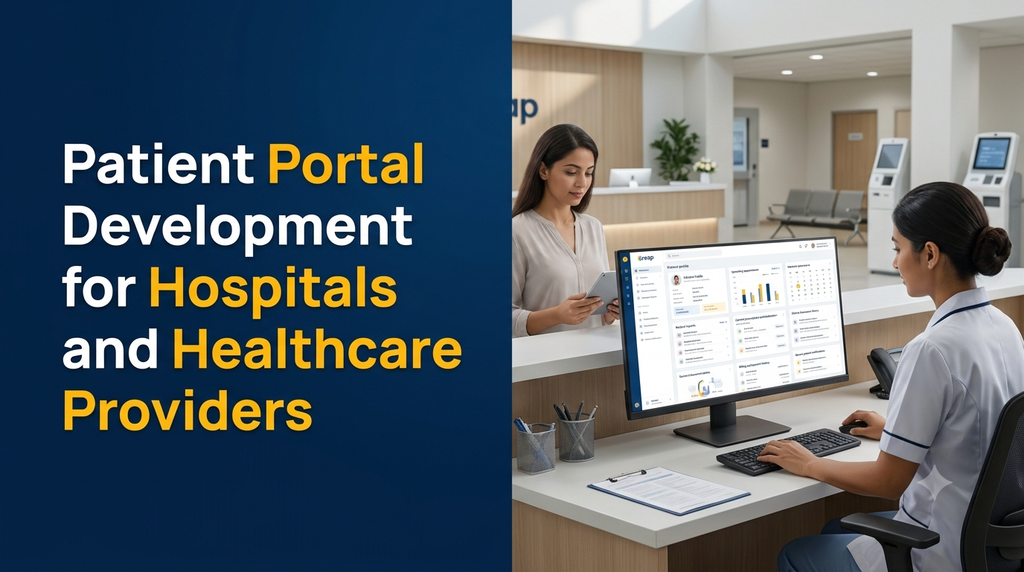
Patient Portal Development for Hospitals and Healthcare Providers
Patient portal software gives patients a secure digital place to access hospital services, manage appointments, view available medical records, download reports, review prescriptions and communicate with authorised healthcare teams. Hospitals and clinics can use a custom patient portal to improve access to administrative services and organise patient-facing workflows.
What Is a Patient Portal?
A patient portal is a secure online application through which patients interact with a hospital, clinic, diagnostic centre or other healthcare provider. It provides a patient-facing interface for selected services and information maintained by the healthcare organisation.
Instead of relying entirely on phone calls, paper documents and in-person visits for administrative tasks, patients can use the portal to request appointments, access released reports, review available records and receive service updates.
A patient portal may be developed as:
- A responsive website accessible through a browser.
- A dedicated Android or iOS mobile application.
- A web portal connected to an existing hospital management system.
- A patient-facing module within a larger healthcare application.
- A multi-branch platform for hospitals with multiple locations.
Why Do Hospitals Need Patient Portal Software?
Hospitals handle large volumes of appointments, registrations, reports, prescriptions, billing records and patient communication. When these activities are managed through disconnected systems, patients may need to contact different departments for routine information.
Common operational challenges include:
- Patients repeatedly calling the hospital to check appointment details.
- Difficulty providing convenient access to released laboratory reports.
- Paper-based document collection and fragmented patient histories.
- Repeated manual entry of patient information.
- Limited visibility into follow-up appointments.
- Scattered billing and payment records.
- Difficulty sending consistent service notifications.
- Separate patient-facing systems across departments or branches.
A well-designed patient portal can organise these interactions and provide a consistent digital experience. It does not replace clinical judgement, hospital staff or the systems used by medical professionals.
Who Can Use a Patient Portal?
1. Multi-Speciality Hospitals
Large hospitals can provide a common patient interface for appointments, department information, reports, prescriptions, billing and follow-up services.
2. Clinics and Specialist Practices
Individual clinics can use a simpler portal for patient registration, appointment requests, consultation history and authorised document access.
3. Diagnostic and Pathology Centres
Diagnostic providers can offer secure access to released laboratory reports, test history, appointment information and billing documents.
4. Dental Hospitals and Clinics
Dental providers can organise appointment details, treatment-related documents, authorised reports, invoices and follow-up schedules.
5. Eye Hospitals and Specialty Centres
Specialty healthcare providers can configure portal services around their department workflows, patient documents and appointment processes.
6. Hospital Groups and Healthcare Networks
Organisations operating multiple branches can offer a unified patient experience while maintaining appropriate separation of branch data, staff permissions and operational responsibilities.
Essential Features of Patient Portal Software
1. Patient Registration and Secure Login
The portal should provide a secure process for creating and accessing patient accounts.
- Patient registration forms.
- Verified mobile number or email workflows.
- Secure login and password recovery.
- Multi-factor authentication where appropriate.
- Patient profile management.
- Session and device security controls.
- Account recovery and access revocation.
Account verification should be designed to avoid exposing patient information to unauthorised people. Sensitive records should not be accessible simply because someone knows a patient’s phone number or appointment reference.
2. Patient Profile Management
Patients can view and update permitted profile information through a dedicated account section.
- Basic patient details.
- Contact information.
- Emergency contact details where appropriate.
- Communication preferences.
- Linked dependants or caregiver access where authorised.
- Profile update requests.
Changes to important identity or clinical information may require staff verification before they become part of the official hospital record.
3. Online Appointment Booking
Patients can request or book appointments through the portal, subject to the hospital’s scheduling rules.
- Doctor and department listings.
- Available appointment slots.
- Consultation type and location.
- New and returning patient options.
- Appointment confirmation.
- Rescheduling and cancellation requests.
- Appointment history.
- Follow-up reminders.
4. Medical Records Access
A patient portal can provide authorised access to selected medical records maintained by the hospital.
- Consultation summaries.
- Available diagnosis records.
- Medical history information.
- Allergy information where maintained.
- Discharge summaries.
- Clinical documents released for patient access.
- Previous visit information.
Record availability should follow the hospital’s release, verification, correction and access policies. The portal should not silently overwrite official clinical records when a patient edits a profile field.
5. Laboratory and Diagnostic Reports
Hospitals and diagnostic centres can make released reports available through a secure document section.
- Laboratory report lists.
- Report date and test category.
- Secure PDF viewing or download.
- Report status, such as pending or released.
- Imaging report documents where supported.
- Previous report history.
- Notifications when a report is released.
Report access should be restricted to the correct patient account or properly authorised representative. The portal should clearly identify whether a report is preliminary, final or corrected when that information is provided by the source system.
6. Digital Prescription Management
Where supported by the hospital’s clinical system, patients can access prescriptions issued and authorised by registered healthcare professionals.
- Prescription history.
- Prescribing clinician details.
- Issue date and consultation reference.
- Downloadable prescription documents.
- Medication list information where maintained.
- Prescription correction or cancellation history where applicable.
The portal should display prescriptions as issued by authorised professionals. It must not independently generate clinical instructions or change prescribed medicines.
7. Billing and Online Payments
Patients can review permitted billing information and complete supported payments through an integrated payment gateway.
- Consultation and service invoices.
- Payment history.
- Pending balance information.
- Online payment integration.
- Payment confirmation.
- Receipt downloads.
- Refund status where supported.
Payment gateway charges, settlement processes, refund policies and accounting integration should be defined separately during development. The portal should not store raw card details unless the system is specifically designed and authorised to handle them.
8. Follow-Up and Appointment Reminders
The portal can help patients view upcoming appointments and receive reminders configured by the healthcare provider.
- Upcoming appointment notifications.
- Follow-up appointment requests.
- Appointment change alerts.
- Department or clinic announcements.
- Configurable communication preferences.
9. Secure Patient Communication
A portal can include a controlled communication channel for administrative questions and service-related requests.
- General patient enquiries.
- Appointment-related questions.
- Billing support requests.
- Document access requests.
- Request status tracking.
- Notifications when staff respond.
Clinical questions should be routed to an appropriate healthcare professional. A general support inbox should not be presented as an emergency service or a substitute for medical consultation.
10. Discharge Summary and Hospital Documents
Authorised patients may access released discharge summaries and other documents through the portal.
- Discharge summary access.
- Visit-related documents.
- Patient instruction documents issued by the hospital.
- Selected consent and administrative documents.
- Secure document download history where required.
11. Caregiver and Family Access
Some patients may need an authorised family member or caregiver to help manage appointments and access permitted information.
A carefully designed caregiver feature can support:
- Authorised representative registration.
- Patient-approved access permissions.
- Defined access scopes.
- Permission expiry and revocation.
- Audit records of representative access.
Caregiver access should be based on an appropriate legal and consent process. Family relationships alone should not automatically grant unrestricted access to another person’s medical information.
12. Notifications and Alerts
Notifications can keep patients informed about administrative events and documents made available by the hospital.
- Appointment confirmations.
- Appointment reminders.
- Report availability notifications.
- Payment receipts.
- Document access updates.
- Follow-up reminders.
- Important hospital announcements.
SMS, email and WhatsApp notifications may require third-party services, approved templates and additional usage charges. Sensitive medical details should not be unnecessarily exposed in notification previews.
Important Modules in a Hospital Patient Portal
| Module | Main purpose | Primary users |
|---|---|---|
| Patient Registration | Create and manage patient accounts. | Patients and registration staff |
| Appointment Management | Request, book and manage appointments. | Patients and reception teams |
| Medical Records | Provide authorised access to released records. | Patients and authorised clinicians |
| Diagnostic Reports | Publish and access approved test reports. | Patients and laboratory teams |
| Prescription Access | Display authorised prescription records. | Patients and clinicians |
| Billing and Payments | Display invoices, receipts and payment status. | Patients and accounts staff |
| Patient Communication | Manage enquiries and service requests. | Patients and support teams |
| Caregiver Access | Manage approved representative permissions. | Patients and authorised caregivers |
| Notifications | Send service and appointment updates. | Patients and hospital staff |
| Administration | Manage users, permissions and portal settings. | Hospital administrators |
Patient Portal vs Hospital Management System vs EHR
These systems are connected but have different roles. A patient portal should not be confused with the complete software used by hospital employees or the clinical record system.
| System | Main purpose | Typical functionality |
|---|---|---|
| Patient Portal | Patient-facing access to selected hospital services. | Appointments, reports, prescriptions, invoices and requests. |
| Hospital Management System | Manage hospital-wide administrative operations. | Registration, billing, departments, appointments and operations. |
| Electronic Health Record System | Maintain structured clinical information. | Clinical history, diagnoses, treatment records and other health data. |
| Laboratory Information System | Manage laboratory workflows and results. | Test orders, sample tracking, validation and report generation. |
A patient portal may connect to these systems through APIs or other approved integration methods. The source system should remain responsible for its official records and business rules.
How Patient Portal Integration Works
Hospitals often already use software for registration, billing, appointments, laboratory operations or clinical records. The portal needs a reliable method to retrieve and display information that patients are authorised to access.
A typical integration process includes:
- Patient identity matching: Link the portal account to the correct hospital patient record using an approved verification process.
- Data retrieval: Request permitted information from the hospital’s source systems.
- Access validation: Check the user’s identity, role and permissions before returning data.
- Record presentation: Display the available appointment, report, prescription or billing information.
- Audit logging: Record relevant access and administrative actions.
- Data updates: Send permitted changes to the appropriate source system through controlled workflows.
Integration should be designed around documented APIs, data ownership, error handling and reconciliation. Direct database access to a hospital’s production system should not be assumed to be available or appropriate.
ABDM and ABHA Integration for Patient Portals in India
India’s Ayushman Bharat Digital Mission (ABDM) aims to support an interoperable digital health ecosystem. Hospitals and software providers planning a patient portal may evaluate whether ABDM-related capabilities are relevant to their services and integration roadmap.
Ayushman Bharat Health Account
An ABHA is a digital health account identifier within the ABDM ecosystem. It can support linking and sharing health records with participating healthcare providers through applicable consent-based processes.
Health Information Exchange
ABDM provides an ecosystem for exchanging health information between intended participants using common standards and consent mechanisms. A portal that plans to participate must follow the applicable technical and onboarding requirements.
Patient Consent
Health record sharing through the ABDM ecosystem is designed around patient consent. The portal should clearly explain what information is being requested, who will receive it and the purpose of sharing.
Integration and Validation
ABDM integration is not simply a matter of adding an ABHA number field. Depending on the intended role and functionality, the application may need relevant technical integration, sandbox validation, security assessment and compliance with applicable ABDM policies.
ABHA or ABDM integration should be treated as a defined project scope, not an automatic feature of every patient portal.
Privacy, Security and Compliance Requirements in India
Patient portals handle sensitive and personal information. Privacy and security should be considered during architecture, development, testing and deployment rather than added only after the software is completed.
1. Digital Personal Data Protection Framework
The Digital Personal Data Protection Act, 2023 and the Digital Personal Data Protection Rules, 2025 form an important part of India’s personal data protection framework. The Rules were notified in November 2025 with a phased enforcement timeline.
Healthcare organisations and technology providers should assess their respective roles, applicable obligations, implementation timelines, notices, consent requirements, security safeguards, data retention practices and procedures for handling individual rights requests.
2. Patient Consent and Transparency
The portal should explain why personal information is collected, how it is used, which services require it and how patients can exercise applicable choices and rights.
- Clear privacy notices.
- Purpose-specific data collection.
- Appropriate consent records where required.
- Documented consent withdrawal workflows where applicable.
- Controlled sharing with authorised parties.
- Processes for handling data-related requests.
3. Role-Based Access Control
Patients, doctors, nurses, laboratory staff, receptionists, accounts teams and administrators should have different permissions. Access should be limited to the information and actions required for each role.
4. Encryption and Secure Storage
Use appropriate encryption for data transmission and storage, secure authentication, protected file storage and managed access to databases. Sensitive reports should not be placed in publicly accessible folders or exposed through predictable document URLs.
5. Audit Trails
Important activities should be recorded, including account access, document access, permission changes, administrative actions and relevant record updates. Logs should be protected against unauthorised alteration.
6. Data Backup and Recovery
Define backup frequency, restoration testing, disaster recovery responsibilities and business continuity procedures. Backup copies should receive security protection appropriate to the information they contain.
7. Medical Record Governance
Hospitals should define record ownership, correction procedures, retention periods, release approvals and archival processes with reference to applicable laws, professional requirements and hospital policies.
8. Security Testing
Conduct suitable security assessments before launch and periodically afterwards. Testing should cover authentication, authorisation, session management, file access, APIs, database security and common web application vulnerabilities.
Compliance is not established simply by adding a privacy policy or enabling encryption. Hospitals should obtain appropriate legal, regulatory and information-security advice for their actual operations.
Important Considerations for Telemedicine Features
A patient portal may include access to teleconsultation appointments, consultation links and authorised consultation records. However, telemedicine functionality introduces additional requirements.
Where telemedicine services are provided, the platform and healthcare provider should consider applicable Indian Telemedicine Practice Guidelines, including practitioner and patient identification, appropriate consent, suitability of the communication mode, documentation and privacy.
- Appointment and consultation scheduling.
- Secure access to an authorised consultation session.
- Practitioner identity and credentials.
- Patient identification and consent records.
- Appropriate consultation documentation.
- Secure handling of prescriptions and related records.
The portal should not independently diagnose conditions, recommend medicines or replace the judgement of a registered medical practitioner. Emergency instructions and escalation arrangements must be clear.
Mobile App Development for Patient Portals
A mobile application can make patient-facing services more accessible, especially for patients who regularly use smartphones for appointments and hospital communication.
Useful mobile features include:
- Secure patient login.
- Appointment booking and reminders.
- Medical report access.
- Prescription document viewing.
- Billing and receipt history.
- Push notifications.
- Patient profile management.
- Language selection.
- Accessibility-friendly interfaces.
A responsive web portal can be a practical first release. Android and iOS applications can be introduced when the hospital has a clear need for app-specific functionality.
Technology Stack for Custom Patient Portal Development
The technology stack should be selected based on the hospital’s existing software, integration requirements, expected usage, security needs and maintenance capabilities.
| Technology area | Possible options | Purpose |
|---|---|---|
| Frontend | React or Next.js | Responsive patient and administration interfaces. |
| Backend | Laravel or Node.js | Authentication, workflows and integration APIs. |
| Database | PostgreSQL or MySQL | Patient account and portal application data. |
| Mobile application | Flutter or native development | Android and iOS patient experiences. |
| File storage | Protected object storage | Reports, prescriptions and documents. |
| Notifications | Email, SMS and supported messaging APIs | Appointments and service notifications. |
| Integrations | Documented APIs and supported health data standards | Hospital systems and eligible health ecosystem connections. |
Technology selection alone does not make an application secure or interoperable. Architecture, implementation quality, configuration, operational controls and ongoing testing are equally important.
How Much Does Patient Portal Development Cost in India?
Patient portal development cost depends on the number of modules, existing hospital systems, security requirements, patient volume, user roles, document workflows, mobile apps and third-party integrations.
The following figures are illustrative planning estimates for custom software development in India. They are not fixed Greap quotations or guaranteed market prices.
| Development scope | Illustrative cost estimate |
|---|---|
| Basic patient registration and secure login portal | ₹30,000–₹50,000 |
| Patient profile and appointment booking portal | ₹45,000–₹80,000 |
| Appointment and medical document access | ₹60,000–₹1,10,000 |
| Reports, prescriptions and notification modules | ₹75,000–₹1,40,000 |
| Complete patient portal with hospital integrations | ₹1,20,000–₹2,50,000+ |
| Patient portal with Android and iOS applications | ₹2,00,000–₹4,00,000+ |
| Advanced multi-branch healthcare platform with integrations | ₹3,50,000–₹7,00,000+ |
These estimates are scope-dependent. A project involving complex hospital system integration, large-scale data migration, ABDM onboarding, specialised security testing or advanced mobile applications may require a different budget.
Additional expenses may include:
- Domain registration and hosting.
- Cloud infrastructure and protected file storage.
- Backup and disaster recovery services.
- SMS, email and messaging provider charges.
- Payment gateway fees.
- Third-party hospital software integration.
- Security audits and professional assessments.
- Mobile app publishing and maintenance.
- Data migration and legacy system cleanup.
- Taxes, support and future enhancements.
How to Choose a Patient Portal Development Company
A patient portal is more than a standard website with a login page. The development partner should understand healthcare workflows, sensitive data handling and integration requirements.
Consider the following checklist:
- Healthcare workflow understanding: Can the developer map registration, appointment, report and document release workflows?
- Security architecture: Are authentication, permissions, file protection and audit trails included in the design?
- Integration capability: Can the team work with the hospital’s existing software through documented and supported interfaces?
- Patient experience: Is the portal easy to use on mobile devices and accessible to different user groups?
- Data governance: Are record ownership, retention, access and correction workflows clearly defined?
- Testing: Are access-control and security scenarios tested before launch?
- Documentation: Will the hospital receive deployment documentation and technical handover?
- Ongoing support: Are maintenance, updates, backups and incident response responsibilities defined?
- Ownership: Are source code, hosting accounts, API credentials and project deliverables covered in the agreement?
Patient Portal Development in Erode and Tamil Nadu
Hospitals, clinics, diagnostic centres and specialty healthcare providers across Tamil Nadu can use patient portals to organise patient-facing services and provide convenient access to selected information.
Healthcare organisations in Erode, Perundurai, Bhavani, Gobichettipalayam, Anthiyur, Chennimalai and nearby areas may consider a custom portal when they need a digital platform connected to their appointment, billing, reporting or hospital management workflows.
A portal should be planned around the actual organisation. A small clinic may need registration, appointments and report access, while a multi- speciality hospital may require several departments, multiple user roles, document release workflows and integrations with existing systems.
Why Consider Custom Patient Portal Development from Greap Technologies?
Greap Technologies provides website development, software development and digital growth solutions for businesses. A custom patient portal project can be planned around the services, workflows and integration requirements of a healthcare organisation.
Depending on project scope, a solution can include:
- Secure patient registration and login.
- Patient profile management.
- Appointment booking and follow-up requests.
- Medical report and document access.
- Prescription and discharge document access.
- Billing and payment history.
- Patient notifications and communication.
- Hospital administration dashboard.
- Responsive web portal and mobile applications.
- Integration with existing healthcare systems where supported.
The recommended starting point is a requirement assessment covering patient workflows, source systems, data access permissions, security controls and expected integrations. Development can then be organised into manageable phases.
Frequently Asked Questions
1. What is patient portal development?
Patient portal development is the process of building a secure web or mobile application that allows patients to access selected hospital services, manage appointments, view released medical documents and communicate with authorised healthcare teams.
2. What features should a hospital patient portal include?
Common features include secure login, patient profiles, appointment booking, medical record access, laboratory reports, prescriptions, billing history, notifications, patient enquiries and administration controls.
3. Can a patient portal connect with hospital management software?
Yes. It can connect with an existing hospital management system through supported APIs or other approved integration methods. The integration must define data ownership, permissions, synchronisation and error handling.
4. Can patients download laboratory reports through a portal?
Yes. A portal can provide secure access to reports that have been validated and released by the authorised hospital or diagnostic team.
5. Can a patient portal support online appointment booking?
Yes. It can display doctor or department information, available appointment slots, booking confirmations, cancellation requests and follow-up appointment options.
6. Is ABHA integration possible in a patient portal?
ABDM-related integration may be possible when the healthcare organisation and application meet the applicable eligibility, technical, onboarding, sandbox validation and security requirements. It should be planned as a specific integration scope.
7. Is ABHA mandatory for every patient portal?
ABHA should not be treated as a universal prerequisite for building a patient portal. Whether ABDM or ABHA functionality is needed depends on the healthcare organisation’s intended services and integration requirements.
8. How is patient information protected?
Appropriate safeguards include secure authentication, role-based access, encryption, protected document storage, audit logging, backups, controlled data sharing and regular security testing. The organisation must also assess its applicable privacy and data protection obligations.
9. Can patients access prescriptions online?
Yes. The portal can display prescriptions issued and authorised by healthcare professionals, subject to the hospital’s document release and access policies.
10. Can family members access a patient’s portal?
A portal can support caregiver or representative access through an appropriate authorisation process. Permissions should be limited, documented and revocable.
11. Can patient portal software include telemedicine?
Yes. It can include teleconsultation scheduling and secure consultation access. Any telemedicine service must be designed around applicable professional guidelines, consent, practitioner identification, documentation and privacy requirements.
12. How much does patient portal software cost in India?
Cost depends on the required modules, integrations, mobile applications, security controls and complexity. A basic portal costs less than a multi-branch platform connected to hospital systems. A detailed requirement assessment is needed for a reliable quotation.
13. How long does patient portal development take?
The timeline depends on the number of features, design requirements, integrations, security testing and data migration. A focused first version can be developed in phases, with additional capabilities introduced later.
14. Can a patient portal be developed for a small clinic?
Yes. A smaller portal can focus on patient registration, appointments, report access and basic notifications. It does not need every feature used by a large hospital network.
15. Does a patient portal replace a hospital management system?
No. A patient portal is generally the patient-facing layer. A hospital management system supports internal hospital operations, while an electronic health record system manages clinical information. These systems can be connected as part of a wider healthcare software architecture.
Planning a Patient Portal for Your Hospital?
Build a patient-facing digital platform for appointments, medical documents, reports, prescriptions and hospital communication.
Contact Greap Technologies to discuss a custom patient portal designed around your healthcare organisation’s workflows and technical requirements.
Website: www.greap.in
WhatsApp: Discuss Your Software Requirement
Call: 70923 30168