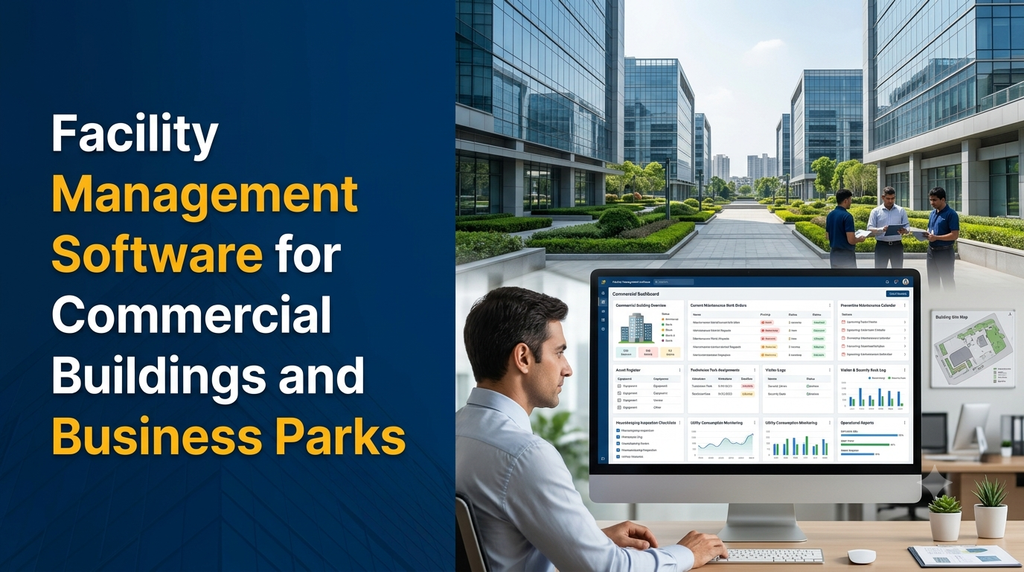
Facility Management Software for Commercial Buildings and Business Parks
Facility management software helps commercial building owners, property managers and business park operators coordinate maintenance, assets, service requests, vendors, visitors, inspections and everyday building operations through a central digital platform.
What Is Facility Management Software?
Facility management software is a digital platform used to organise and monitor the services, infrastructure, equipment and daily operations of commercial properties. It supports the people responsible for keeping buildings safe, functional, clean and properly maintained.
A commercial facility management system can be configured for office complexes, IT parks, industrial business parks, shopping centres, commercial campuses, coworking buildings and mixed-use developments.
Depending on the property, the platform may include maintenance management, asset tracking, housekeeping, visitor management, vendor coordination, utility monitoring, parking administration and tenant service requests.
Why Do Commercial Buildings Need a Facility Management System?
A commercial property may have multiple floors, departments, tenants, equipment rooms, service providers and maintenance teams. Managing these activities independently can make it difficult to understand what is happening across the property.
Common operational challenges include:
- Maintenance requests getting lost between phone calls and messages.
- No central record of equipment, installation dates or service history.
- Missed preventive maintenance and inspection schedules.
- Difficulty assigning work to the correct technician or vendor.
- Limited visibility into housekeeping and common-area cleaning.
- Slow responses to tenant or occupant complaints.
- Difficulty comparing vendor performance and service completion.
- Scattered electricity, water and utility consumption records.
- Limited reporting across multiple buildings or business park locations.
A centralised platform helps facility managers record activities, assign responsibilities, track progress and review operational information without depending entirely on disconnected manual records.
Who Can Use Commercial Facility Management Software?
1. Commercial Office Buildings
Office building managers can coordinate lift maintenance, HVAC servicing, electrical inspections, housekeeping, security requests, common-area maintenance and tenant complaints.
2. IT Parks and Business Parks
Large business parks may have several buildings, shared infrastructure, parking areas, security teams and common facilities. Facility software can provide centralised oversight while allowing building-level teams to manage their assigned operations.
3. Shopping Centres and Commercial Complexes
Shopping centres can use the platform to manage cleaning schedules, equipment maintenance, common-area inspections, service requests and contractor activities.
4. Coworking Spaces
Coworking operators can coordinate meeting-room maintenance, internet complaints, access-related service requests, housekeeping and shared facility operations.
5. Educational and Healthcare Campuses
Campus administrators can maintain equipment records, schedule building inspections, track repair requests and coordinate maintenance across departments. These systems should be configured around each organisation’s operational and privacy requirements.
6. Industrial and Mixed-Use Business Parks
Industrial estates and mixed-use properties may need building maintenance, common infrastructure records, contractor coordination, utility tracking and multi-location reporting.
Essential Features of Facility Management Software
1. Building and Property Management
Maintain structured information about every property, building, floor, unit and common area.
- Property and building profiles.
- Floor and room records.
- Common-area and facility information.
- Building-wise operational dashboards.
- Tenant or occupant mapping.
- Property documents and maintenance records.
2. Maintenance Request Management
Employees, occupants or authorised representatives can submit requests when they notice equipment problems or building maintenance requirements.
- Online maintenance request forms.
- Issue categories and priority levels.
- Photo and document attachments.
- Request assignment to technicians.
- Status tracking and completion notes.
- Requester notifications and feedback.
For example, an office occupant can submit a request about an air conditioning issue. The facility manager can review it, assign a technician, monitor the progress and record the resolution.
3. Work Order Management
Work orders convert maintenance requirements into assigned and trackable tasks. Each work order can contain the location, equipment, issue description, assigned team, priority, due date and completion details.
Useful capabilities include:
- Work order creation and assignment.
- Technician allocation.
- Priority and due-date management.
- Work progress updates.
- Parts and material usage records.
- Completion notes and attachments.
- Approval and closure workflows.
4. Preventive Maintenance Scheduling
Preventive maintenance helps teams plan routine servicing instead of relying only on repairs after equipment failures.
A configurable schedule can cover:
- HVAC and air conditioning systems.
- Lifts and escalators.
- Electrical panels and backup power systems.
- Water pumps and plumbing systems.
- Fire protection equipment.
- Generator and utility equipment.
- Common-area infrastructure.
Schedules should be based on manufacturer recommendations, qualified maintenance plans and applicable inspection requirements. The system can generate reminders and retain service records.
5. Asset and Equipment Management
Maintain a central asset register for equipment installed across the property.
- Asset identification number.
- Equipment category and description.
- Building, floor and location.
- Manufacturer and model information.
- Purchase and installation details.
- Warranty and service information.
- Maintenance and repair history.
- Asset status and lifecycle records.
QR-code or barcode labels can be added to selected assets so authorised staff can quickly open the relevant equipment record.
6. Vendor and Contractor Management
Commercial properties often depend on external service providers for maintenance, cleaning, security, pest control and equipment servicing. Vendor management features help organise these relationships.
- Vendor profiles and contact details.
- Service categories and assigned locations.
- Contract and document records.
- Work assignment and completion tracking.
- Service-level target monitoring.
- Invoice and service history references.
- Vendor performance reports.
7. Housekeeping and Cleaning Management
Facility managers can create cleaning schedules for washrooms, lobbies, meeting rooms, corridors, parking areas and shared facilities.
- Area-wise cleaning schedules.
- Staff assignment and attendance records.
- Routine inspection checklists.
- Cleaning completion updates.
- Complaint registration.
- Supervisor verification.
8. Visitor and Security Desk Management
A facility platform can include a visitor management module or connect with a dedicated visitor system.
- Visitor registration.
- Host or department details.
- Visit purpose and appointment information.
- Entry and exit records.
- Visitor approval workflows.
- Temporary access or pass records.
Personal visitor information should be collected only when necessary, protected through suitable access controls and retained according to the organisation’s policies.
9. Utility and Energy Monitoring
Commercial buildings consume electricity, water and other utilities. Facility managers can record and review usage to understand consumption patterns.
- Building-wise utility records.
- Electricity and water meter readings.
- Monthly consumption reports.
- Meter-wise history.
- Configurable consumption alerts.
- Utility expense summaries.
Automatic readings and real-time monitoring require compatible meters, sensors, gateways or building management system integrations. Without these connections, the software can still support manual readings and periodic reporting.
10. Tenant and Occupant Service Portal
A tenant portal allows authorised occupants to interact with the facility management team without repeatedly contacting the administration desk.
- Secure tenant login.
- Maintenance and service requests.
- Complaint status tracking.
- Common-area issue reporting.
- Facility announcements.
- Document and notice access.
- Request history.
11. Parking and Common Facility Management
Properties with shared parking and common facilities may need additional modules for:
- Parking space and zone records.
- Vehicle registration references.
- Parking allocation records.
- Meeting rooms and shared-space bookings.
- Common facility availability.
- Parking-related maintenance requests.
Automated vehicle recognition, access barriers and payment collection require suitable hardware and integration work.
12. Reports and Management Dashboard
A central dashboard helps management review operations across buildings, departments and service providers.
- Open and completed work orders.
- Maintenance requests by category.
- Overdue tasks and pending approvals.
- Asset service history.
- Preventive maintenance completion records.
- Vendor activity summaries.
- Housekeeping inspection records.
- Utility consumption reports.
- Building-wise operational summaries.
Important Modules in a Facility Management Platform
| Module | Primary purpose | Main users |
|---|---|---|
| Property Management | Manage buildings, floors, units and common areas. | Property administrators |
| Maintenance Management | Record and coordinate maintenance requests. | Facility managers |
| Work Order Management | Assign and monitor maintenance tasks. | Supervisors and technicians |
| Asset Management | Maintain equipment details and service history. | Asset and maintenance teams |
| Vendor Management | Coordinate contractors and service providers. | Procurement and facility teams |
| Housekeeping | Schedule cleaning and record inspections. | Housekeeping supervisors |
| Visitor Management | Maintain authorised visitor records. | Security teams |
| Tenant Portal | Receive requests and share updates. | Tenants and occupants |
| Utility Monitoring | Record and analyse building consumption. | Facility and finance teams |
| Reports and Analytics | Review property-level operational performance. | Management |
How a Facility Management Workflow Operates
A typical maintenance workflow can connect occupants, facility managers, technicians and external vendors.
- Issue registration: An occupant or authorised staff member submits a maintenance request.
- Initial review: The facility manager checks the issue, location and priority.
- Task assignment: A technician or approved vendor receives the work order.
- Work execution: The assigned person updates the task status and records relevant work details.
- Verification: The supervisor checks the submitted completion information.
- Closure: The request is closed and the service history is retained.
- Reporting: Management reviews completion records, pending work and recurring issues.
The workflow can be adapted for different maintenance categories, approval levels and building operations.
Example: Managing Maintenance Across a Business Park
Consider a business park with three office buildings, shared parking, common utilities, multiple tenants and an internal facility management team. A central system can organise operations in the following way:
| Operational requirement | Software functionality |
|---|---|
| Air conditioning complaint | Tenant request, technician assignment and resolution tracking. |
| Lift servicing | Preventive maintenance schedule and vendor service history. |
| Common-area cleaning | Daily task schedule and supervisor inspection. |
| Electrical equipment records | Asset register and maintenance history. |
| Visitor entry | Security desk registration and entry/exit records. |
| Water consumption | Meter readings and building-wise reports. |
| Contractor service | Vendor assignment and work completion records. |
This approach gives the property management team a consistent way to review work across buildings while maintaining separate responsibilities for each location.
Facility Management Software vs Property Management Software
These systems can overlap, but they usually focus on different operational needs.
| Area | Facility Management Software | Property Management Software |
|---|---|---|
| Main focus | Building services and operational maintenance. | Property administration and occupancy-related activities. |
| Maintenance | Detailed work orders and preventive schedules. | May support basic maintenance requests. |
| Assets | Equipment register and service history. | May track property-related assets. |
| Tenants | Service requests and facility communication. | Lease, occupancy and tenant records. |
| Vendors | Maintenance contractors and service assignments. | Property service and administration vendors. |
| Typical users | Facility managers and operations teams. | Property owners and property administrators. |
A commercial property operator may need both. A custom platform can integrate property administration with facility operations when the business requirements justify it.
Mobile App for Facility Managers and Technicians
Facility teams frequently work across different floors, buildings and equipment locations. A mobile-friendly application can help staff update work records directly from the site.
Useful mobile features include:
- Assigned work order lists.
- Maintenance request notifications.
- Asset lookup using QR codes.
- Task status updates.
- Before-and-after photo attachments.
- Inspection checklists.
- Technician work history.
- Supervisor approvals.
The system can be developed as a responsive web application, a dedicated Android app or a combination of web and mobile interfaces, depending on staff requirements and deployment budget.
Advanced Features for Large Commercial Properties
Multi-Building and Multi-Location Management
Manage multiple properties from a central administration panel while restricting individual teams to their assigned buildings.
Building Management System Integration
Where compatible equipment and interfaces are available, the platform can connect with building management systems to receive selected equipment or environmental data. Integration requirements depend on the existing infrastructure, supported protocols and vendor access.
IoT Sensor Integration
Suitable sensors and gateways can provide data such as temperature, humidity, equipment status or selected utility readings. The software can display connected readings and generate configurable alerts.
Automated Notifications
Email, SMS or supported WhatsApp integrations can notify users about new requests, assigned tasks, due dates, approvals and completed maintenance. Messaging provider charges and API requirements should be considered.
Role-Based Access Control
Different users should have access only to the information and actions needed for their responsibilities. A platform may support separate permissions for administrators, facility managers, technicians, vendors, security staff and tenants.
Service-Level Tracking
Configurable service targets can help teams monitor response and resolution timelines. Reports should clearly distinguish between actual completion times, paused requests and agreed service targets.
Security Requirements for Facility Management Software
Facility platforms may store tenant details, employee information, visitor records, property documents, equipment information and operational records. Appropriate security controls are important.
- HTTPS for data transmission.
- Secure authentication and password storage.
- Role-based permissions.
- Server-side access validation.
- Separation of data between buildings or customers where required.
- Audit logs for important actions.
- Secure document and attachment storage.
- Regular database and file backups.
- Software updates and vulnerability testing.
- Access revocation when staff or vendors leave.
- Defined data retention and deletion policies.
If the platform integrates with access control, security or building infrastructure, those connected systems should also be reviewed for permissions, reliability and operational safety.
Technology Stack for Custom Facility Management Software
A suitable technology stack depends on expected user volume, integration requirements, reporting needs and long-term maintenance plans.
| Technology area | Possible options | Purpose |
|---|---|---|
| Frontend | React or Next.js | Web dashboards and user interfaces. |
| Backend | Laravel or Node.js | Business logic, workflows and APIs. |
| Database | PostgreSQL or MySQL | Operational records and relationships. |
| Mobile application | Flutter or native Android | Technician and facility staff workflows. |
| Notifications | Email, SMS and supported messaging APIs | Task and request communication. |
| File storage | Secure cloud or object storage | Documents, images and attachments. |
| Integrations | REST APIs, compatible device gateways | Connected business and building systems. |
How Much Does Facility Management Software Development Cost in India?
The development cost depends on the number of modules, buildings, user roles, mobile requirements, integrations, reporting complexity and security requirements.
The following figures are illustrative planning estimates for custom software development in India. They are not fixed Greap quotations or guaranteed market prices.
| Software scope | Illustrative development estimate |
|---|---|
| Basic facility dashboard and building records | ₹30,000–₹50,000 |
| Maintenance requests and work order management | ₹45,000–₹80,000 |
| Asset register and preventive maintenance | ₹60,000–₹1,10,000 |
| Vendor, housekeeping and inspection modules | ₹75,000–₹1,40,000 |
| Complete facility management web platform | ₹1,20,000–₹2,50,000+ |
| Advanced platform with mobile apps and integrations | ₹2,50,000–₹5,00,000+ |
| Large multi-location platform with advanced integrations | ₹5,00,000+ depending on scope |
Additional expenses may include domain registration, hosting, cloud infrastructure, backup storage, SMS and WhatsApp services, map services, IoT hardware, sensor installation, building system integration, mobile app publishing, data migration, third-party licences, taxes and ongoing maintenance.
A detailed requirement analysis is recommended before selecting a final budget. Businesses can begin with essential maintenance and asset modules and introduce additional functionality in later phases.
How to Choose a Facility Management Software Development Company
Selecting the right development partner involves more than comparing feature lists or initial project prices. The software should match actual building operations and remain maintainable as the property expands.
- Understand operational workflows: Confirm that the developer understands maintenance requests, work orders, asset records and vendor coordination.
- Check customisation options: Ensure building-specific approval processes and responsibilities can be configured.
- Review mobile usability: Technicians should be able to update tasks conveniently from their work locations.
- Evaluate reporting: Check whether building-wise and management-level reports are supported.
- Discuss integrations: Identify the exact systems, APIs and hardware that need to connect.
- Review security: Understand authentication, access control, backups and audit logging.
- Confirm ownership: Clarify source-code ownership, documentation, hosting access and handover terms.
- Plan maintenance: Agree on bug fixes, updates, support responsibilities and future enhancements.
Facility Management Software Development in Erode and Tamil Nadu
Commercial buildings, office complexes, industrial estates and business parks need organised processes for maintaining shared infrastructure and coordinating service teams.
Businesses in Erode and nearby locations such as Perundurai, Bhavani, Gobichettipalayam, Chennimalai, Modakkurichi and other parts of Tamil Nadu can consider custom facility management software when their property operations require more than basic spreadsheets or general-purpose administration tools.
A suitable system can be designed around the property’s actual structure: individual buildings, floors, common areas, equipment, contractors, maintenance staff and authorised occupants. The modules can be selected according to the size and operating model of the property.
Why Consider Custom Facility Management Software from Greap Technologies?
Greap Technologies provides website development, software development and digital growth solutions for businesses. A custom facility management application can be planned around the workflows and reporting requirements of commercial property operators.
Depending on project scope, a solution can include:
- Centralised facility administration dashboard.
- Building and floor management.
- Maintenance request and work order workflows.
- Equipment and asset tracking.
- Preventive maintenance schedules.
- Vendor and contractor coordination.
- Tenant or occupant service portal.
- Mobile-friendly technician interfaces.
- Custom reports and operational dashboards.
- Third-party integrations where technically supported.
The recommended approach is to document the current facility workflow, identify the most important operational problems and develop the platform in manageable phases.
Frequently Asked Questions
1. What is facility management software used for?
Facility management software is used to manage building maintenance, work orders, equipment assets, vendor services, housekeeping, inspections, tenant requests and facility operations through a central platform.
2. Can facility management software manage multiple commercial buildings?
Yes. A custom system can support multiple properties and buildings with separate floors, teams, assets, service requests and building-level reports under a central administration dashboard.
3. What is the difference between CAFM and CMMS software?
CAFM generally refers to computer-aided facility management and can cover a wider range of property and facility operations. CMMS focuses mainly on maintenance activities such as work orders, equipment records and preventive maintenance. The exact functionality depends on the product.
4. Can the software track maintenance requests?
Yes. Users can submit maintenance requests, attach supporting images, select categories and view request status. Facility managers can assign technicians, monitor progress and record completion details.
5. Does facility management software support preventive maintenance?
Yes. It can schedule recurring maintenance activities for equipment such as HVAC systems, lifts, generators, pumps and electrical infrastructure. Reminders and service history help teams organise scheduled work.
6. Can tenants submit complaints through a portal?
Yes. An authorised tenant portal can provide secure login, maintenance request submission, complaint tracking, notifications and request history.
7. Can the system manage vendors and contractors?
Yes. Vendor modules can store service provider details, contracts, assigned work, completion records and service performance information.
8. Can facility management software integrate with IoT sensors?
Yes, when compatible sensors, gateways and communication interfaces are available. Integrations can provide selected equipment, environmental or utility readings. Hardware and integration requirements need to be evaluated separately.
9. Can the software include a mobile app for maintenance staff?
Yes. A mobile application can provide assigned tasks, notifications, asset lookup, inspection checklists, photo uploads and work order status updates.
10. How much does custom facility management software cost in India?
The cost depends on the modules and complexity. A basic solution may require a smaller development budget, while multi-building platforms with mobile apps, IoT connections and advanced reporting require more development effort. A requirement-based quotation is the best way to determine the actual cost.
11. Can visitor management be included?
Yes. Visitor registration, host details, visit purpose, entry and exit records and approval workflows can be included or connected to a dedicated visitor management system.
12. How long does facility management software development take?
Development time depends on the number of modules, user roles, integrations, mobile applications and testing requirements. A clearly scoped initial version can be delivered in phases, with additional functionality introduced as requirements evolve.
13. Can facility management software integrate with existing accounting or ERP systems?
It may be possible through supported APIs, data exports or other integration methods. Compatibility, data mapping, authentication and licensing requirements should be checked before development.
14. Is custom facility management software suitable for small commercial properties?
It can be suitable when the property has specific workflows that general tools do not handle effectively. Smaller properties can start with essential modules such as maintenance requests, asset records and preventive maintenance.
15. Can the platform be expanded when a business park adds more buildings?
Yes. A properly planned architecture can support additional buildings, users, assets, workflows and reporting requirements as the property expands. Capacity and infrastructure should be reviewed as usage grows.
Looking for Custom Facility Management Software?
Organise commercial building maintenance, asset tracking, vendor coordination and facility operations with a software solution designed around your business requirements.
Contact Greap Technologies to discuss a custom facility management platform for your commercial building, office complex or business park.
Website: www.greap.in
WhatsApp: Discuss Your Software Requirement
Call: 70923 30168