Electronic Medical Records (EMR) Software Development for Clinics and Hospitals
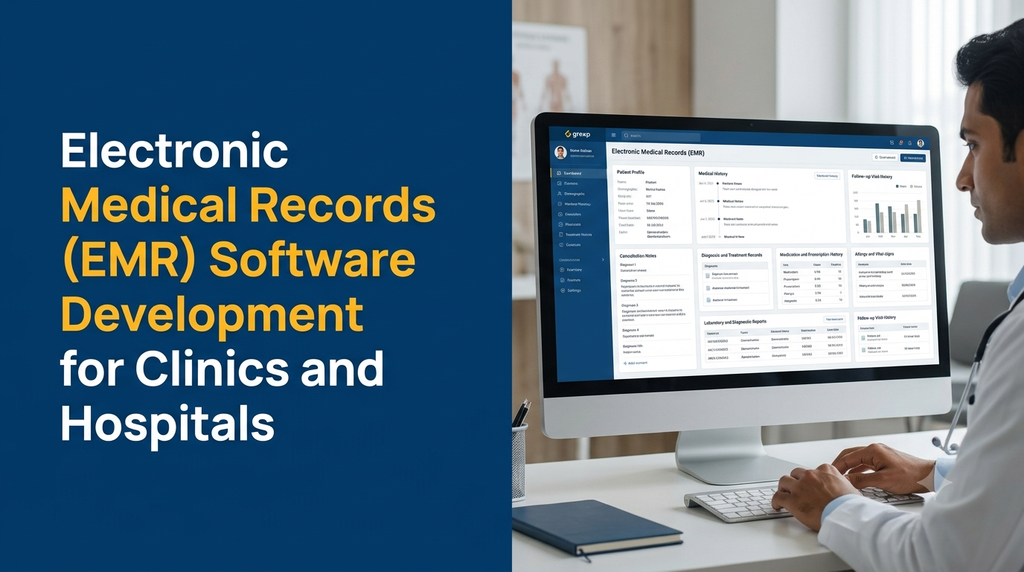
Electronic Medical Records (EMR) software helps clinics and hospitals create, maintain and access patient clinical records digitally. A custom EMR system can organise patient registration, consultation notes, medical history, diagnoses, prescriptions, laboratory results and follow-up records within a structured clinical application.
What Is Electronic Medical Records (EMR) Software?
Electronic Medical Records software is an application used by healthcare providers to record and manage patient information electronically. It replaces or supplements paper-based clinical records with structured digital documentation.
An EMR system may contain information such as patient demographics, consultation notes, diagnosis records, medication history, allergies, vital signs, investigation results and treatment-related documentation.
The system can be designed for a single doctor clinic, a speciality practice, a diagnostic centre, a multi-speciality hospital or a healthcare network operating across multiple locations.
Depending on the organisation’s requirements, EMR software may be delivered as:
- A web-based clinical records application.
- A desktop or tablet-friendly doctor interface.
- A mobile application for authorised healthcare professionals.
- A module within a hospital management system.
- A multi-branch clinical records platform.
- An integrated system connected to laboratories, pharmacies and patient portals.
Why Do Clinics and Hospitals Need EMR Software?
Healthcare organisations create clinical information during registrations, consultations, investigations, treatments and follow-up visits. When these records are maintained in separate files or disconnected applications, retrieving complete patient information can become difficult.
Common challenges include:
- Searching through paper files for previous consultation details.
- Scattered patient history across different departments.
- Repeated manual entry of patient information.
- Difficulty reviewing previous prescriptions and diagnoses.
- Inconsistent clinical documentation formats.
- Limited visibility into investigation and follow-up history.
- Difficulty tracking changes to clinical records.
- Challenges exchanging information between healthcare applications.
- Limited access to structured reports for authorised staff.
An EMR system provides a structured way to create, retrieve and maintain clinical documentation. It can help healthcare teams access relevant information more consistently, subject to appropriate permissions and operational procedures.
Who Can Use Electronic Medical Records Software?
1. General Physician Clinics
General practitioners can maintain patient profiles, consultation notes, medical history, diagnoses, prescriptions and follow-up information.
2. Multi-Speciality Hospitals
Hospitals can configure clinical workflows for multiple departments, doctors, nursing teams and authorised support staff. Department-wise access can help keep clinical information organised.
3. Dental Clinics and Hospitals
Dental practices can maintain patient profiles, dental consultation notes, treatment history, procedure records, prescriptions and follow-up appointments.
4. Eye Hospitals
Ophthalmology centres can configure clinical templates for speciality consultations, examination records, investigation reports and treatment documentation.
5. Diagnostic Centres
Diagnostic providers can connect report records with patient information, test orders and authorised report access workflows.
6. Paediatric and Specialty Clinics
Speciality practices can create structured documentation templates based on their professional workflows, while controlling access to sensitive records.
7. Healthcare Networks
Organisations operating multiple branches can use a shared platform with appropriate branch-level permissions, patient record matching and centralised administration.
Essential Features of EMR Software
1. Patient Registration and Profile Management
Patient registration is the starting point for maintaining electronic clinical records.
- Patient registration and unique record identification.
- Basic demographic information.
- Contact details and communication preferences.
- Emergency contact information where appropriate.
- Patient profile history.
- Duplicate record identification and review workflows.
- Patient search and record retrieval.
The system should include a process for checking duplicate patient records and correcting identity mismatches. A patient should not accidentally receive another person’s clinical information because of an incorrect record match.
2. Electronic Patient Medical History
The medical history section provides authorised professionals with a structured view of relevant information recorded during earlier encounters.
Depending on the clinic’s requirements, it may include:
- Previous consultations.
- Medical and surgical history.
- Known allergies and recorded reactions.
- Medication history.
- Family and social history where clinically relevant.
- Previous diagnoses.
- Investigation and laboratory history.
- Relevant clinical documents.
3. Doctor Consultation and Clinical Notes
Doctors need a convenient interface to document consultations. An EMR can provide structured templates as well as free-text documentation.
Common consultation fields include:
- Visit date and consultation type.
- Presenting complaint.
- Relevant history.
- Clinical observations.
- Examination notes.
- Assessment and diagnosis.
- Plan and follow-up documentation.
- Doctor identification and record status.
Templates should be configurable by speciality. They should support professional documentation without forcing every consultation into an unsuitable generic form.
4. Diagnosis Management
Diagnosis records help organise clinical assessments within the patient chart.
- Diagnosis descriptions.
- Primary and additional diagnosis fields.
- Diagnosis date and consultation reference.
- Doctor identification.
- Relevant coding support where configured.
- Historical diagnosis review.
Clinical coding systems should be selected according to the organisation’s requirements and the applicable standards. The software should not independently assign a diagnosis as a substitute for professional assessment.
5. Digital Prescription Management
An EMR can provide a structured way for authorised practitioners to create and maintain prescription records.
- Medicine name and formulation.
- Dosage and frequency fields.
- Duration and relevant instructions.
- Prescription date.
- Prescribing practitioner information.
- Prescription history.
- Print or document export options.
Prescriptions should be issued and authorised by appropriately qualified healthcare professionals. The system should preserve the original prescription and maintain an appropriate history if corrections or cancellations are required.
6. Allergy and Medication Records
The system can maintain structured records of reported allergies, medication history and relevant clinical alerts.
- Recorded allergy and reaction details.
- Medication history.
- Medication status and dates.
- Relevant clinical warnings.
- Source and verification status of information.
- Updates made by authorised users.
Alerts must be designed carefully and reviewed by clinical stakeholders. The presence of an alert does not replace a professional medication review.
7. Vital Signs and Clinical Observations
Depending on the speciality and workflow, the EMR may record clinical observations such as:
- Blood pressure.
- Pulse rate.
- Temperature.
- Respiratory rate.
- Oxygen saturation.
- Height and weight.
- Other speciality-specific observations.
Records should include the observation date, relevant units, source and the person or device responsible for entering the information. Clinical interpretation remains the responsibility of qualified professionals.
8. Laboratory and Diagnostic Integration
EMR software can connect patient records with laboratory and diagnostic information when the relevant systems provide compatible interfaces.
- Investigation order references.
- Test category and date.
- Sample or order status where integrated.
- Released laboratory reports.
- Diagnostic document access.
- Report history and correction references.
Integration with a Laboratory Information System or Radiology Information System should be planned around documented APIs, supported data formats and the responsibilities of each source system.
9. Clinical Document Management
Hospitals may need to store or reference documents associated with a patient’s clinical history.
- Previous medical documents.
- Consultation attachments.
- Investigation reports.
- Discharge summaries.
- Referral documents.
- Authorised clinical correspondence.
- Document date and source information.
Files should be stored securely with appropriate access permissions, retention controls and audit records. Publicly accessible file URLs should not be used for sensitive patient documents.
10. Follow-Up and Visit History
The EMR can maintain a chronological record of patient encounters and follow-up information.
- Consultation history.
- Follow-up date and appointment reference.
- Clinical notes associated with each visit.
- Investigation and document references.
- Previous prescription records.
- Visit status and department information.
11. Clinical Templates and Speciality Workflows
Different medical specialities have different documentation needs. A configurable EMR can support separate templates for departments and practitioners.
Examples include:
- General medicine consultation template.
- Dental examination and treatment record.
- Eye examination record.
- Paediatric consultation template.
- Orthopaedic assessment documentation.
- Physiotherapy session records.
- Speciality-specific follow-up notes.
12. Clinical Reports and Record Search
Authorised staff can search and review clinical records using suitable filters and reporting tools.
- Patient-wise encounter history.
- Doctor-wise consultation records.
- Department-wise record summaries.
- Visit date filters.
- Diagnosis-based search where permitted.
- Document and report retrieval.
- Clinical record activity history.
Reporting access should be controlled. Operational reports should not expose more identifiable clinical information than the user’s role requires.
Important Modules in an EMR Platform
| Module | Primary purpose | Typical users |
|---|---|---|
| Patient Registration | Create and maintain patient profiles. | Reception and registration staff |
| Patient Chart | View clinical history and related records. | Authorised clinicians |
| Consultation Notes | Document clinical encounters. | Doctors |
| Diagnosis Management | Maintain diagnosis records. | Doctors and authorised staff |
| Prescription Management | Create and review authorised prescriptions. | Doctors |
| Clinical Documents | Store and retrieve related documents. | Authorised hospital staff |
| Laboratory Integration | Connect investigation and report information. | Laboratory and clinical teams |
| Appointment Integration | Connect encounters with appointment records. | Reception and clinical teams |
| Audit and Access Control | Manage permissions and record important activities. | Administrators and security teams |
| Reports and Analytics | Provide permitted clinical and operational summaries. | Authorised management |
How an EMR Workflow Operates in a Clinic or Hospital
A typical EMR workflow connects patient registration, consultation, clinical documentation and follow-up records.
- Patient registration: Staff create or retrieve the correct patient profile.
- Encounter creation: The system creates a visit or consultation record.
- Clinical assessment: The practitioner reviews relevant history and documents the consultation.
- Diagnosis entry: The authorised practitioner records the clinical assessment.
- Prescription and orders: Appropriate prescription or investigation records are created.
- Documentation: Supporting notes and documents are linked to the encounter.
- Review and completion: The practitioner finalises the record according to the organisation’s workflow.
- Follow-up: The encounter remains available as part of the patient’s authorised clinical history.
The software should support draft, signed, amended and corrected record states as appropriate. It should not silently overwrite a completed clinical record without retaining the required history.
EMR vs EHR vs Hospital Management System
EMR, EHR and hospital management systems are related healthcare software categories, but they do not always refer to the same functionality.
| System | Main focus | Typical functionality |
|---|---|---|
| EMR | Clinical records within a healthcare organisation. | Consultation notes, diagnoses, prescriptions and patient history. |
| EHR | A broader electronic health record intended to support continuity and information exchange. | Longitudinal health information and interoperable records. |
| Hospital Management System | Hospital-wide administrative and operational management. | Registration, appointments, billing, departments and other operations. |
| Patient Portal | Patient-facing access to selected services and records. | Appointments, reports, prescriptions and communication. |
| Laboratory Information System | Laboratory operations and diagnostic reporting. | Test orders, sample tracking, validation and results. |
In practice, product boundaries can overlap. A healthcare organisation may use one integrated platform or several connected applications. The important requirement is that each system has clear ownership of records, defined permissions and reliable data exchange.
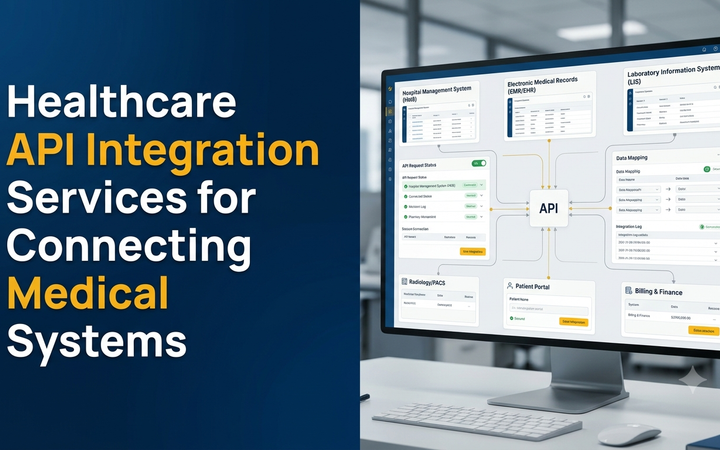
EMR Integration with Other Healthcare Systems
An EMR becomes more useful when it can exchange relevant information with other applications used by the healthcare organisation.
Hospital Management System Integration
Patient registration, department, appointment and encounter references can be connected to the hospital’s operational platform.
Laboratory Information System Integration
Investigation orders and released reports can be linked to the correct patient and clinical encounter through supported interfaces.
Pharmacy System Integration
Where required, prescription records can be connected to pharmacy workflows. The integration should preserve the distinction between prescriptions issued by a practitioner and dispensing records maintained by the pharmacy.
Radiology and Imaging Integration
EMR applications may connect to imaging systems to reference diagnostic reports and, where supported, images. DICOM and compatible imaging workflows may be relevant depending on the existing infrastructure.
Patient Portal Integration
A patient portal can display selected records released by the hospital, such as appointments, prescriptions and diagnostic documents, subject to the patient’s identity verification and access permissions.
ABDM and ABHA Integration
Healthcare providers planning participation in India’s Ayushman Bharat Digital Mission may evaluate relevant identity, health record and interoperability capabilities. The scope should be based on the organisation’s intended ABDM role and the applicable technical and onboarding requirements.
Healthcare Data Standards and Interoperability in India
Healthcare systems need consistent ways to represent and exchange clinical information. Without suitable standards, data from different applications may be difficult to interpret or reuse reliably.
India’s Electronic Health Record Standards
The Ministry of Health and Family Welfare notified Electronic Health Record Standards for India, Version 2016, to support greater standardisation and interoperability in healthcare information systems. EMR developers should review the relevant recommendations when planning clinical data structures and exchange workflows.
HL7 and FHIR
Health Level Seven (HL7) standards and Fast Healthcare Interoperability Resources (FHIR) can support structured exchange of healthcare information between compatible systems.
FHIR resources can represent information such as patients, practitioners, encounters, conditions, observations, medications and diagnostic reports. The specific implementation should be agreed with the systems being integrated.
Clinical Terminologies and Coding
Structured clinical terminology and coding can improve consistency across records. Depending on the use case, standards such as SNOMED CT and suitable diagnosis or procedure classification systems may be considered.
A software developer should not assume that every coding system is interchangeable. Clinical terminology choices should be reviewed with qualified healthcare stakeholders.
ABDM and ABHA: What EMR Developers Should Consider
The Ayushman Bharat Digital Mission aims to support an interoperable digital health ecosystem in India. An EMR application may be designed with relevant interoperability capabilities where the healthcare organisation intends to participate.
Important considerations include:
- Reviewing the applicable ABDM integration documentation.
- Understanding the intended role of the healthcare application.
- Using supported health data standards and interfaces.
- Implementing appropriate patient identity and consent workflows.
- Planning sandbox integration and validation where required.
- Reviewing applicable security and privacy requirements.
- Maintaining appropriate records of data access and exchange.
ABHA should not be treated as a mandatory field for every EMR deployment. The requirement depends on the organisation’s intended services and participation in the digital health ecosystem.
Security and Privacy Requirements for EMR Software
EMR systems contain sensitive personal and clinical information. Security must be included in the application architecture, database design, user interface, integrations and ongoing maintenance.
1. Role-Based Access Control
Different users need different permissions. Doctors, nurses, reception staff, laboratory personnel, pharmacists and administrators should only access the information required for their authorised responsibilities.
2. Secure Authentication
Use secure login processes, appropriate multi-factor authentication, protected password storage, session controls and account recovery workflows.
3. Encryption and Secure Data Storage
Use appropriate encryption for information transmitted between users, servers and connected systems. Sensitive documents and databases should be protected against unauthorised access.
4. Audit Trails
Record important activities such as patient record access, clinical documentation, prescription creation, amendments, permission changes and administrative actions.
5. Clinical Record Integrity
Completed clinical records should have suitable finalisation and amendment workflows. The system should preserve the relevant history of changes rather than silently replacing earlier entries.
6. Backup and Disaster Recovery
Define backup schedules, restoration tests, recovery objectives and responsibility for maintaining backup infrastructure. Backups should be protected with controls appropriate to the data they contain.
7. Secure APIs and Integrations
API access should use suitable authentication, authorisation, input validation and monitoring. Integration credentials should not be exposed in browser-side code or public application files.
8. Data Retention and Access Policies
Healthcare organisations should establish appropriate policies for record retention, archival, correction, access requests and secure disposal in line with applicable legal and professional requirements.
Compliance Considerations for EMR Software in India
EMR software is not made compliant merely by adding a consent checkbox or enabling encryption. Healthcare organisations should assess the requirements that apply to their operations, data processing and participation in digital health programmes.
Digital Personal Data Protection Act and Rules
India’s Digital Personal Data Protection Act, 2023 and the Digital Personal Data Protection Rules, 2025 are important considerations for organisations processing digital personal data.
The Rules were notified in November 2025 with a phased commencement schedule. EMR projects should assess the applicable provisions, commencement dates, privacy notices, lawful processing, security safeguards, data retention and procedures for handling individual rights requests. Healthcare organisations should obtain appropriate legal advice for their specific activities.
Clinical and Professional Requirements
The system should support the clinical documentation and record management processes required by the healthcare provider’s professional responsibilities and applicable rules.
Clinical Establishments Requirements
Hospitals and clinics should assess the rules and record-keeping requirements applicable to their establishment, state and category. Software workflows should be reviewed with the organisation’s compliance and clinical administration teams.
ABDM Participation Requirements
Applications integrating with the ABDM ecosystem should follow the relevant technical documentation, consent and security requirements, including applicable validation and onboarding processes.
Telemedicine Requirements
If the EMR includes teleconsultation functionality, the related workflows should also be assessed against applicable Indian telemedicine guidelines. Practitioner identification, patient identification, consent, consultation documentation and privacy need to be considered.
Compliance requirements can change. Obtain current advice from qualified legal, clinical and information-security professionals before deploying an EMR system.
Mobile App Development for Doctors and Clinical Staff
A mobile-friendly interface can help authorised healthcare professionals access selected clinical information and complete permitted tasks while working across departments.
Potential mobile features include:
- Secure staff authentication.
- Assigned patient and encounter lists.
- Patient history review.
- Consultation documentation.
- Clinical observation entry.
- Prescription record creation by authorised practitioners.
- Investigation and report status viewing.
- Follow-up record access.
- Notifications for assigned administrative tasks.
Mobile access should be carefully controlled, especially on shared devices. Local storage of sensitive clinical information should be minimised and protected.
How Much Does EMR Software Development Cost in India?
EMR development cost depends on the number of clinical modules, specialities, users, locations, integrations, security requirements and deployment architecture.
The following figures are illustrative planning estimates for custom software development in India. They are not fixed Greap quotations or guaranteed market prices.
| Development scope | Illustrative development estimate |
|---|---|
| Basic patient records and consultation notes | ₹30,000–₹50,000 |
| Patient history, diagnosis and prescription modules | ₹45,000–₹80,000 |
| Clinical records with laboratory report management | ₹60,000–₹1,10,000 |
| Multi-doctor EMR with speciality templates and reports | ₹80,000–₹1,50,000 |
| Complete clinic or hospital EMR platform | ₹1,20,000–₹2,50,000+ |
| EMR with mobile apps and third-party integrations | ₹2,00,000–₹4,00,000+ |
| Advanced multi-branch healthcare records platform | ₹3,50,000–₹7,00,000+ |
A complex hospital deployment with multiple departments, legacy data migration, laboratory and imaging integrations, advanced clinical templates, ABDM-related implementation or specialised security assessments may require a separate estimate.
Additional project expenses may include:
- Domain and cloud hosting.
- Database and secure document storage.
- Backup and disaster recovery services.
- Third-party API and software licences.
- SMS, email and notification services.
- Data migration and data cleansing.
- Laboratory and imaging system integrations.
- Security assessments and penetration testing.
- Mobile app publishing and maintenance.
- Taxes, support and future enhancements.
The final budget should be based on a documented feature list, integration assessment, security requirements and agreed delivery milestones.
How to Choose an EMR Software Development Company
EMR software directly supports clinical documentation and access to patient information. The development partner should understand the importance of record integrity, clinical workflows and privacy.
- Clinical workflow analysis: Can the developer understand patient encounters, consultation notes and record finalisation?
- Configurable templates: Can different departments use suitable documentation formats?
- Access controls: Are doctor, nurse, reception and administrative permissions separated?
- Record history: Are amendments and important activities traceable?
- Interoperability: Can the platform work with documented healthcare standards and supported APIs?
- Data migration: Is there a safe approach for importing and validating existing records?
- Security testing: Are application, API, database and document-access controls tested?
- Technical ownership: Are source code, documentation and deployment access covered in the agreement?
- Ongoing support: Are updates, backups, maintenance and incident responsibilities defined?
EMR Software Development in Erode and Tamil Nadu
Clinics, speciality hospitals, diagnostic centres and healthcare networks across Tamil Nadu can consider EMR software when they need a structured digital approach to patient records and clinical documentation.
Healthcare providers in Erode, Perundurai, Bhavani, Gobichettipalayam, Anthiyur, Chennimalai and nearby locations may have different requirements depending on their speciality, number of doctors, patient volume and existing software.
A small clinic may begin with patient registration, consultation notes, prescriptions and follow-up history. A larger hospital may need department-wise clinical templates, diagnostic integration, multiple locations, advanced permissions and structured record exchange.
The right approach is to map the organisation’s clinical workflows first and select modules that support those workflows without introducing unnecessary complexity.
Why Consider Custom EMR Software Development from Greap Technologies?
Greap Technologies provides website development, software development and digital growth solutions for businesses. A custom EMR project can be planned around the clinical documentation, patient record and integration requirements of a healthcare organisation.
Depending on the agreed project scope, a solution can include:
- Patient registration and profile management.
- Electronic patient history.
- Doctor consultation and clinical notes.
- Diagnosis and prescription records.
- Laboratory and diagnostic document integration.
- Clinical templates for different specialities.
- Role-based access and audit trails.
- Reports and patient record search.
- Responsive web and mobile interfaces.
- Integration with existing healthcare systems where supported.
A practical first step is to document the existing patient record workflow, identify the systems already in use, define user permissions and agree on the clinical documentation requirements. Development can then proceed in clearly defined phases.
Frequently Asked Questions
1. What is EMR software in healthcare?
EMR software is an electronic system used by healthcare providers to create and maintain patient clinical records, including consultation notes, diagnoses, prescriptions, medical history and relevant investigation information.
2. What is the difference between EMR and EHR?
EMR generally refers to electronic clinical records maintained within a healthcare organisation. EHR is a broader concept intended to support a more longitudinal view of health information and interoperability across healthcare providers and systems.
3. What features should clinic EMR software include?
A clinic EMR may include patient registration, medical history, consultation notes, diagnosis records, prescriptions, document management, follow-up history, secure access and reporting.
4. Can EMR software support multiple doctors?
Yes. A multi-doctor system can support separate practitioner accounts, consultation records, department permissions and authorised access to shared patient histories.
5. Can EMR software connect with a hospital management system?
Yes. EMR software can integrate with a hospital management system through documented APIs or other supported interfaces. The project should define which system owns each record and how information is synchronised.
6. Can laboratory reports be connected to an EMR?
Yes. Compatible laboratory systems can exchange investigation and report information so that authorised clinical users can access relevant results within the patient record.
7. Can EMR software generate digital prescriptions?
It can support prescription creation and record management by authorised healthcare professionals. The application should preserve the issuing practitioner’s details and the appropriate prescription history.
8. Is ABHA integration mandatory for EMR software?
ABHA should not be treated as a universal requirement for every EMR application. ABDM integration depends on the healthcare provider’s intended participation and the relevant technical and onboarding requirements.
9. Can EMR software support HL7 and FHIR?
Yes, when the application is designed and implemented with the appropriate standards and compatible interfaces. The exact HL7 or FHIR version, resources and exchange workflow should be agreed with the systems being connected.
10. How is patient information secured in an EMR?
Appropriate safeguards include secure authentication, role-based permissions, encryption, protected document storage, audit trails, backups, secure APIs and regular security testing.
11. Can EMR software be developed for a dental clinic?
Yes. A dental EMR can include patient profiles, consultation notes, dental history, treatment records, prescriptions, relevant reports and follow-up documentation.
12. How much does EMR software development cost in India?
Cost depends on the number of modules, specialities, users, integrations, mobile requirements and security controls. A basic clinic application will generally require a different budget from a multi-department hospital platform.
13. Can existing paper records be migrated into an EMR?
Existing records can be digitised and migrated through a planned process. The scope depends on document quality, data format, validation requirements, available resources and the hospital’s record governance policies.
14. Does EMR software work on mobile devices?
Yes. An EMR can include responsive web interfaces or dedicated mobile applications for authorised healthcare professionals. Device security and access controls should be considered carefully.
15. How long does custom EMR development take?
The timeline depends on clinical workflows, the number of modules, integration requirements, data migration and testing. A focused initial version can be developed in phases, with more advanced functionality added later.
Planning Custom EMR Software for Your Clinic or Hospital?
Organise patient records, clinical notes, diagnoses, prescriptions and healthcare workflows through a digital platform designed around your organisation’s requirements.
Contact Greap Technologies to discuss custom Electronic Medical Records software development for your healthcare organisation.
Website: www.greap.in
WhatsApp: Discuss Your Software Requirement
Call: 70923 30168