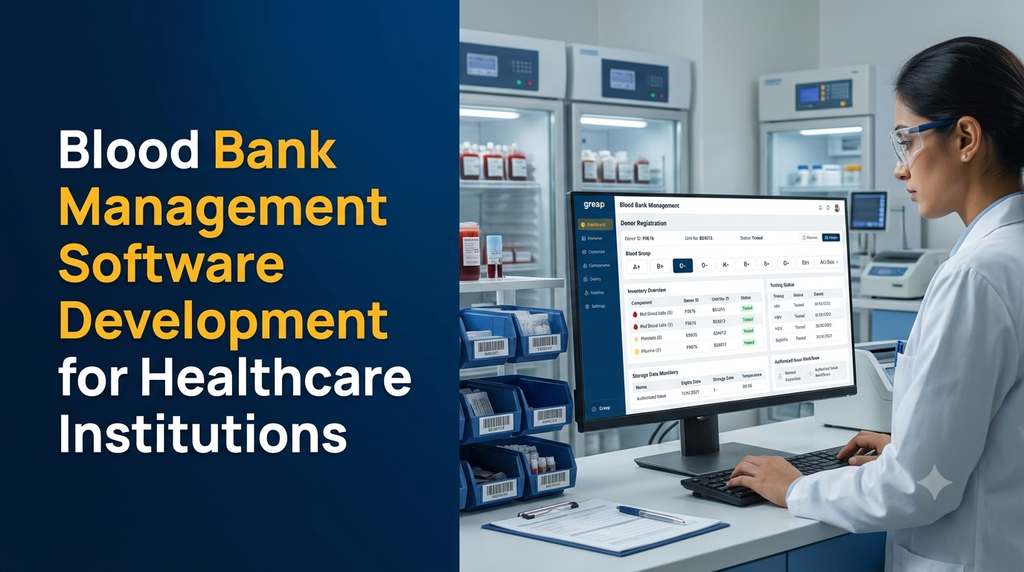
Blood bank management software is a digital system that helps healthcare institutions manage blood donors, donation records, collected units, laboratory testing records, blood components, inventory, storage information and authorised blood issue workflows. It connects different operational activities through traceable records, helping staff maintain accurate information and coordinate blood bank operations.
For hospitals, standalone blood banks, medical colleges and healthcare networks, managing blood-related information across registers, spreadsheets and disconnected applications can make coordination difficult. A custom blood bank management system can bring these activities into one controlled platform while supporting the institution’s approved clinical and quality procedures.
This guide explains the essential modules, development considerations, integrations, security requirements and estimated planning costs for blood bank management software in India.
What Is Blood Bank Management Software?
Blood bank management software is a specialised healthcare application used to record and coordinate the administrative, laboratory, inventory and distribution activities associated with blood collection and blood components.
Depending on the institution’s scope, the platform may support:
- Donor registration and donor history.
- Donation appointments and collection records.
- Blood grouping and laboratory testing records.
- Blood component processing and identification.
- Component inventory and storage-location tracking.
- Expiry monitoring and stock reconciliation.
- Hospital requests, reservation and issue documentation.
- Quality records, audit trails and operational reports.
The exact functionality should be defined according to the institution’s licence, approved procedures, staffing structure and applicable requirements. Software should support qualified professionals rather than independently make clinical decisions.
Who Needs a Blood Bank Management System?
1. Hospital blood banks
Hospital blood banks need coordinated records for donor-related activities, component inventory, requests from clinical departments, issue documentation and transfusion-related records.
2. Standalone blood centres
Independent blood centres may need donor management, collection records, component processing documentation, inventory control, hospital coordination and management reports.
3. Medical colleges and teaching hospitals
Teaching institutions may require separate access for authorised staff, laboratory teams, departments and administrators, alongside detailed operational and audit records.
4. Multi-location healthcare organisations
Organisations operating multiple approved facilities may need central reporting with controlled access to each facility’s records, inventory and transactions.
5. Blood donation organisations
Organisations coordinating donation programmes may use donor registration, event scheduling and communication modules. Their activities and permissions must be configured to match their authorised role and applicable rules.
Essential Features of Blood Bank Management Software
1. Donor registration and profile management
A donor management module maintains structured donor records and relevant donation history. It can help authorised staff retrieve records without repeatedly entering the same information.
- Donor registration and unique identification.
- Contact and demographic information.
- Donation history and previous visit records.
- Consent and required documentation records.
- Appointment and visit history.
- Controlled access to confidential donor information.
Any donor eligibility assessment must remain under the responsibility of authorised healthcare personnel using approved procedures. A software record alone must not be treated as a clinical eligibility decision.
2. Donation appointment management
Appointment scheduling helps coordinate donor visits and staff availability. Administrators can view planned appointments, record attendance, manage cancellations and maintain visit histories.
3. Blood collection records
The collection module records relevant information associated with a donation event. Each collected unit should have a unique identifier that connects its records throughout subsequent approved processes.
Possible records include:
- Donation reference and collection date.
- Donor reference and authorised staff details.
- Collection location and associated facility.
- Collection documentation and status.
- Unit identification and barcode reference.
- Collection-related quality observations.
4. Blood grouping and testing records
The system can maintain laboratory results and testing documentation entered or received through authorised workflows. It may also support integration with compatible laboratory equipment or laboratory information systems.
Depending on the institution’s approved testing processes, records may include:
- ABO and Rh blood grouping results.
- Required screening test records.
- Laboratory result status and verification.
- Repeat-test and discrepancy documentation.
- Authorised review and approval history.
5. Blood component management
A blood collection process may lead to different components, depending on the institution’s authorised processing activities. The software should maintain separate records for each component created from a parent collection record.
Component records may include:
- Red blood cell components.
- Platelet components.
- Plasma components.
- Other components supported by the facility.
Each component should retain its relationship with the original collection reference, processing records, identification details and applicable storage and expiry information.
6. Inventory and stock management
Blood component inventory requires more detailed tracking than ordinary product stock. A custom system can provide an organised view of available, reserved, issued, quarantined, expired and otherwise restricted records.
- Component-wise inventory overview.
- Blood group and component categorisation.
- Unique unit identification.
- Facility and storage-location records.
- Expiry-date monitoring.
- Reserved and unavailable stock visibility.
- Stock movement and reconciliation history.
7. Storage and temperature documentation
The software can record storage equipment, location assignments, temperature observations and related monitoring events. Where compatible monitoring devices are available, integration can help import readings and create alerts.
Temperature limits and handling procedures must be configured according to the component type and applicable approved standards. The system should retain the source and timestamp of readings and document any authorised response to an alert.
8. Hospital requests and reservation management
Hospitals and clinical departments may submit requests through an internal portal or an authorised connected system. The blood bank team can record request details, review status and manage reservations under its established procedures.
- Request registration and reference number.
- Requesting hospital or department.
- Authorised request details.
- Request status and priority documentation.
- Reservation and allocation history.
- Communication and status updates.
9. Compatibility and crossmatch documentation
Where required, the system can maintain compatibility-testing records, associated sample references, results, review history and approval status. These records should be handled by authorised laboratory professionals.
Software should not automatically approve a transfusion based only on blood group information. Compatibility assessment and final decisions require the institution’s validated procedures and qualified personnel.
10. Blood issue and return records
The issue module maintains the transaction history when an authorised blood bank team releases a component. It can connect the component identifier with the request, recipient-related reference, issue details and responsible personnel.
Where applicable, the system may also record returns, return assessments, rejected issues and other status changes. These workflows must follow the facility’s documented procedures.
11. Expiry, discard and wastage documentation
The system can help staff identify records approaching their configured expiry dates and maintain documentation for expired, damaged, unsuitable or otherwise discarded components.
- Expiry-date alerts.
- Discard reason and authorisation records.
- Wastage reports by component category.
- Stock adjustment history.
- Audit records for status changes.
12. Reports and management dashboard
A management dashboard provides an operational overview without requiring staff to combine multiple spreadsheets manually.
Useful reports may include:
- Donor registration and donation activity.
- Collection records by period.
- Component-wise inventory.
- Available, reserved and restricted stock.
- Expiry and discard summaries.
- Hospital request and issue history.
- Storage monitoring exceptions.
- Facility-wise operational reports.
- User activity and audit reports.
Important Modules in a Blood Bank Management System
| Module | Primary purpose |
|---|---|
| Donor management | Maintain donor profiles, consent records and donation history. |
| Appointment management | Coordinate donor visits and appointment schedules. |
| Collection management | Record collection events and unique unit references. |
| Laboratory records | Maintain test results, verification and review history. |
| Component management | Track components and their relationship to parent collection records. |
| Inventory management | Maintain component availability, location and stock movement. |
| Storage monitoring | Record storage equipment, observations and alerts. |
| Request management | Record hospital requests, reservations and status updates. |
| Issue management | Maintain authorised issue, return and transaction records. |
| Quality and audit | Maintain quality documentation, user actions and traceability. |
| Reports and dashboard | Provide operational and management-level information. |
How Blood Unit Traceability Works
Traceability is one of the most important design considerations in a blood bank application. The system should maintain a connected history of a unit and its resulting components across the institution’s authorised workflow.
- Donor record: An authorised donor profile and relevant donation history are maintained.
- Collection record: A unique collection reference is generated and linked to the donation documentation.
- Testing documentation: Laboratory records and their review status are connected to the relevant unit.
- Component records: Processing records establish the relationship between the original collection and resulting components.
- Storage history: Location changes and applicable monitoring records are maintained.
- Request and reservation: Hospital requests and reservations are documented.
- Issue or other final status: Authorised issue, return, discard or other status changes are recorded with their supporting history.
This connected record structure helps authorised staff retrieve the history of a component and investigate documented events when necessary.
Example: Blood Bank Unit Tracking Record
The following is a fictional demonstration of how a software record might be structured. It is not a clinical record, release decision or recommended operating procedure.
| Record field | Illustrative value |
|---|---|
| Collection reference | BB-DEMO-00125 |
| Unit identifier | UNIT-DEMO-00125 |
| Component category | Red blood cell component |
| Blood group record | ABO/Rh result on file |
| Testing status | Recorded for authorised review |
| Storage location | Facility storage location A |
| Inventory status | Illustrative: under review |
| Audit reference | AUDIT-DEMO-00125 |
Web Application, Mobile App and User Portals
A custom blood bank platform can be developed with different interfaces for each authorised user group. The exact access model should reflect the institution’s responsibilities and operating structure.
Administrator dashboard
- Facility configuration and user management.
- Module permissions and workflow settings.
- Inventory and operational overview.
- Reports, audit records and configuration history.
Laboratory staff interface
- Collection and laboratory record access.
- Testing documentation and result entry.
- Verification and review workflows.
- Component processing records.
Blood bank operations interface
- Inventory and storage-location management.
- Request and reservation records.
- Issue and return documentation.
- Expiry and exception alerts.
Hospital or department portal
- Authorised request submission.
- Request status visibility.
- Reservation and communication records.
- Access to relevant transaction information.
Mobile application
A mobile application may support authorised staff with selected tasks such as notifications, appointment coordination, stock visibility and approved operational updates. Sensitive functions should require suitable authentication and access controls.
Advanced Features for Modern Blood Bank Software
Barcode and QR code integration
Barcode or QR code support can help staff retrieve a unit’s authorised software record and reduce repeated manual entry. Scanning should be supported by validation, clear error handling and controlled status updates.
Equipment and laboratory integration
Where compatible, the platform can exchange data with laboratory systems, testing equipment and storage-monitoring devices. Each integration should be assessed for interface compatibility, data validation, error handling and auditability.
Automated notifications
Notifications can inform authorised users about appointments, pending reviews, configured expiry alerts, equipment-monitoring exceptions and request status changes. Messages should avoid exposing unnecessary confidential information.
Multi-facility management
Healthcare networks may need facility-wise inventory views, central reporting and controlled access between locations. Cross-facility visibility and movement should be configured according to institutional permissions and applicable requirements.
Analytics and operational insights
Business intelligence features can help management review donation activity, inventory patterns, expiry records, wastage documentation and operational workload. Reports should distinguish recorded facts from estimates and projections.
Integration with Hospital and Laboratory Systems
Blood bank software often needs to exchange information with other healthcare applications. Integration can reduce duplicate data entry and improve coordination, but it must be planned carefully.
- Hospital Information System (HIS): Relevant patient, department and request references.
- Electronic Medical Records (EMR): Appropriate transfusion-related documentation where authorised.
- Laboratory Information System (LIS): Testing records and laboratory workflow integration.
- Billing software: Approved service and transaction information where applicable.
- Barcode scanners: Unit identification and record retrieval.
- Storage monitoring equipment: Compatible temperature readings and event alerts.
- Notification providers: Appointment and operational communication.
Integration standards and interfaces should be selected based on the systems involved. HL7 and FHIR may be relevant in healthcare interoperability projects, but support must be verified for each specific system and workflow.
Security, Privacy and Regulatory Considerations in India
Blood bank software handles sensitive donor, laboratory and healthcare-related information. Security, privacy and accountability should therefore be part of the initial architecture rather than features added after development.
Role-based access control
Permissions should be assigned according to job responsibilities. Administrators, laboratory professionals, inventory staff and hospital users should not automatically receive identical access.
Authentication and session security
- Strong authentication for authorised users.
- Secure password storage and account recovery.
- Session timeout and access revocation.
- Additional authentication for sensitive actions where appropriate.
Encryption and data protection
Use HTTPS for data transmission and suitable encryption for sensitive stored information. Backups, document storage, application logs and integrations should also be included in the security design.
Audit trails
Important actions should record the user, timestamp, affected record and action performed. Changes to critical records should preserve appropriate history rather than silently overwrite earlier information.
Indian regulatory alignment
Development teams should review the institution’s applicable licensing, blood centre requirements, testing and documentation procedures, quality systems and relevant directions issued by competent authorities. The Drugs and Cosmetics framework, applicable rules and requirements administered by the relevant licensing authorities may be relevant to the project.
India’s Digital Personal Data Protection framework should also be assessed for applicability, obligations and commencement provisions relevant to the organisation. Healthcare data exchange and ABDM-related integrations require their own eligibility, consent, technical and compliance assessments.
Blood Bank Management Software Development Process
1. Requirement analysis
Identify the institution type, operating locations, user roles, existing systems, approved procedures and reporting requirements. Document which workflows are included in the first release.
2. Workflow and database design
Design the relationships between donors, collection records, laboratory records, components, inventory, requests, issues and audit events. Unit identity and parent-child component traceability should be considered early.
3. UI/UX design
Create clear interfaces for laboratory staff, inventory teams and administrators. High-priority tasks should be easy to locate, and sensitive actions should have appropriate confirmations and permissions.
4. Application development
Develop the web application, backend services, database, reporting modules and any required mobile interfaces. Build permissions and audit logging into the application architecture.
5. Integration and testing
Test integrations, data validation, role permissions, audit trails, backup restoration and exception handling. Validate workflows using controlled test records before production use.
6. Deployment and staff training
Configure the production environment, migrate approved data where applicable, train authorised users and document operational support arrangements.
7. Maintenance and improvement
Plan security updates, backups, monitoring, issue resolution and periodic review of system performance and institutional requirements.
How Much Does Blood Bank Management Software Development Cost in India?
The cost of developing custom blood bank management software depends on the number of modules, user roles, facilities, integrations, reporting requirements and the level of validation required before deployment.
The following figures are illustrative early-stage planning estimates, not fixed Greap quotations or guaranteed market prices.
| Development scope | Illustrative estimate |
|---|---|
| Basic donor records and appointment management | ₹35,000–₹60,000 |
| Donor, collection and laboratory record management | ₹60,000–₹1,00,000 |
| Component inventory and traceability modules | ₹80,000–₹1,40,000 |
| Blood bank operations with requests and issue records | ₹1,20,000–₹2,00,000 |
| Complete custom blood bank management platform | ₹1,80,000–₹3,50,000+ |
| Advanced multi-facility platform with integrations | ₹3,50,000–₹7,00,000+ |
Additional expenses may include:
- Domain registration and cloud hosting.
- Database, document storage and backup infrastructure.
- Barcode printers, scanners and related equipment.
- Laboratory equipment and monitoring-device integration.
- Third-party APIs, messaging and notification services.
- Existing data migration and cleanup.
- Security assessments and independent validation.
- Mobile application publishing and maintenance.
- Applicable taxes and ongoing technical support.
A final quotation should follow a detailed requirement and workflow assessment. Clinical validation, regulatory review and institutional approval activities may need separate specialist involvement.
How to Choose a Blood Bank Software Development Company
Choosing a development partner requires more than comparing interface designs or initial prices. Evaluate whether the team can understand the institution’s workflows and build a reliable, maintainable application.
- Healthcare workflow understanding: Can the team document donor, laboratory, inventory and issue workflows correctly?
- Traceability design: Can every unit and resulting component retain a connected history?
- Access controls: Can permissions be configured for each authorised role?
- Auditability: Can important changes and approvals be reviewed later?
- Integration capability: Can the application connect with the institution’s existing systems?
- Security planning: Are encryption, backups, access reviews and incident handling considered?
- Testing approach: Will workflows, edge cases and recovery procedures be tested?
- Support: Are maintenance, updates, issue response and documentation included in the agreement?
- Ownership: Are source code, deployment access, documentation and data-export arrangements clearly defined?
Why Healthcare Institutions in Tamil Nadu May Consider Custom Blood Bank Software
Healthcare institutions across Tamil Nadu operate with different staffing arrangements, laboratory systems, hospital applications and reporting requirements. A configurable software platform can help bring selected workflows together without forcing every institution into an identical process.
Hospitals and healthcare organisations in Erode, Coimbatore, Salem, Tiruppur, Chennai and other districts may have different requirements depending on their facilities and operating models.
For institutions in Erode and nearby locations, a custom development project can begin with a focused assessment of existing registers, inventory processes, laboratory documentation and hospital coordination. The resulting scope can then be planned around actual operational needs.
Frequently Asked Questions
1. What is blood bank management software?
Blood bank management software is a digital platform for maintaining donor records, collection information, laboratory documentation, blood component inventory, storage records, requests and authorised issue transactions.
2. Who can use blood bank management software?
Hospital blood banks, standalone blood centres, medical colleges, teaching hospitals and eligible healthcare organisations can use software designed for their authorised activities and operational requirements.
3. Can the software manage blood donors?
Yes. A donor module can maintain profiles, donation histories, appointment records, consent documentation and relevant administrative information. Eligibility decisions must remain with authorised personnel.
4. Can blood bank software track individual blood units?
Yes. Unique identifiers, barcode support and linked records can help track collection, testing documentation, component processing, storage, reservation, issue and other status changes.
5. Can the system manage different blood components?
Yes. It can maintain separate component records, inventory categories and traceability relationships for the components supported by the institution’s authorised operations.
6. Can blood bank software integrate with laboratory equipment?
Potentially. Integration depends on equipment compatibility, available interfaces, data formats, vendor documentation and validation requirements. It should be assessed for each device.
7. Does blood bank software provide expiry alerts?
A system can generate alerts based on configured expiry information and component records. The institution must define and verify the relevant rules and ensure staff follow approved procedures.
8. Can hospitals submit blood requests online?
Yes. An authorised hospital portal or connected application can support request submission, status updates, reservation records and communication with the blood bank team.
9. Can the software manage compatibility-testing records?
It can maintain associated records, results, review status and approval history. Compatibility assessment and final clinical decisions must be performed by qualified personnel under validated procedures.
10. Is mobile app development possible for blood banks?
Yes. A mobile application can provide selected authorised functions such as notifications, appointment coordination and operational record access, with appropriate security controls.
11. Can one system manage multiple blood bank locations?
Yes. A multi-facility platform can provide central reporting, location-specific inventory and controlled access. Each facility’s records and transactions should follow its approved operational arrangements.
12. How much does custom blood bank software cost in India?
Illustrative development estimates can range from around ₹35,000 for a limited donor and appointment application to several lakhs for a complete platform with traceability, integrations and multi-facility functionality. A detailed scope is needed for accurate pricing.
13. How long does blood bank software development take?
Timelines depend on the scope, integrations, validation requirements and availability of stakeholders. A focused administrative application may take less time than a complete system with laboratory and equipment integrations. A project schedule should be agreed after requirement analysis.
14. Is cloud hosting suitable for blood bank management software?
Cloud hosting may be suitable when the institution’s security, availability, data governance and operational requirements are addressed. Hosting architecture should be selected after assessing connectivity, backup, recovery and access requirements.
15. Can existing blood bank records be migrated?
Potentially. Existing digital records can be assessed, cleaned and mapped for migration. Paper records may require a separate digitisation process, verification and an agreed migration scope.
Build Custom Healthcare Software with Greap Technologies
Greap Technologies develops websites, business applications and custom software solutions for organisations. Healthcare institutions planning a blood bank management platform can discuss their donor management, inventory, traceability, reporting and integration requirements with our development team.
We can help plan a suitable application architecture, administrator dashboard, staff workflows, database structure and connected web or mobile interfaces based on the project scope.
Planning a Blood Bank Management Software Project?
Discuss your healthcare institution’s requirements with Greap Technologies and explore a custom software solution aligned with your operational workflows.
Website: www.greap.in
WhatsApp: Chat with Greap Technologies
Call: +91 70923 30168