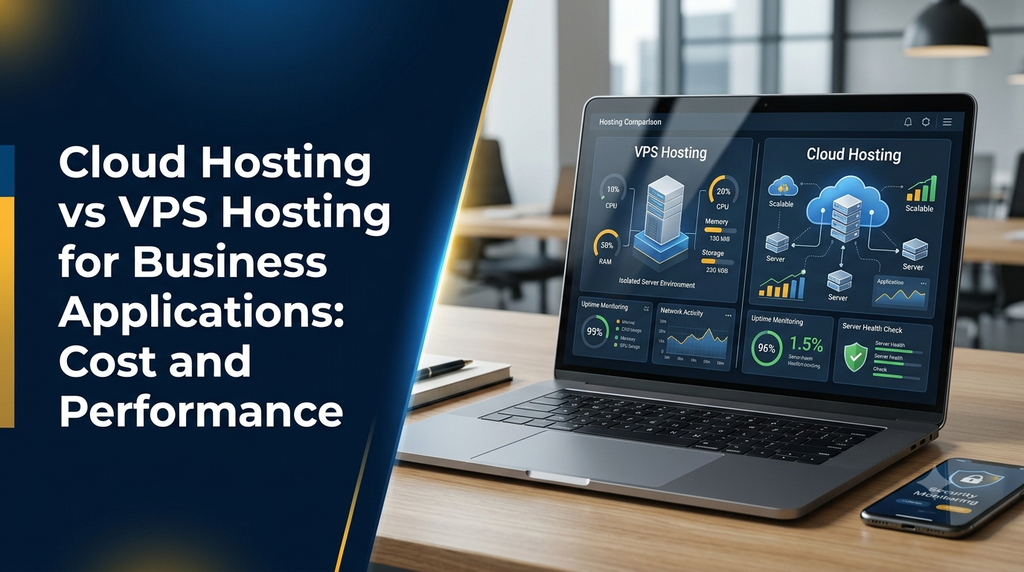
Cloud Hosting vs VPS Hosting for Business Applications: Cost and Performance
Choosing the right hosting infrastructure is an important decision when developing business applications. Whether a company operates an ERP system, CRM platform, inventory management application, customer portal or custom web application, hosting affects performance, availability, security and long-term operating costs.
Two commonly considered options are Virtual Private Server (VPS) hosting and cloud hosting. Both can support business applications, but they differ in infrastructure architecture, resource allocation, scalability, management and pricing.
In this guide, we compare cloud hosting vs VPS hosting for business applications, explain their technical differences, examine typical costs in India and help businesses choose an appropriate hosting model.
1. What Is VPS Hosting?
VPS stands for Virtual Private Server. It is a virtual server created by dividing a physical server into multiple isolated virtual environments. Each VPS receives an allocated share of computing resources, such as CPU, RAM and storage.
A business can use a VPS to host its website, database, backend APIs, admin dashboard and other application components. The customer generally receives server-level access and can configure the operating system, web server, database and required software.
How VPS hosting works
- A hosting provider operates a physical server.
- Virtualization software creates separate virtual server environments.
- Each VPS receives allocated computing resources.
- The business configures its application and server environment.
- Users access the application through its domain or application URL.
Common VPS hosting resources
- Virtual CPU cores for application processing.
- RAM for running application services and databases.
- SSD or NVMe storage for files and database records.
- Network bandwidth for user requests and data transfer.
- Operating system and server administration access.
- Optional managed support, backups and monitoring.
VPS hosting provides more control than many basic shared hosting plans. However, performance and availability still depend on the physical server, provider infrastructure and resource allocation.
2. What Is Cloud Hosting?
Cloud hosting uses virtualized computing resources delivered through a cloud infrastructure platform. Depending on the provider and service model, applications may use virtual machines, managed databases, object storage, load balancers, container services and other cloud components.
Instead of relying on one conventional server environment for every component, a cloud architecture can distribute application workloads across multiple resources. This can make it easier to increase capacity, deploy additional services and design for higher availability.
How cloud hosting works
- A cloud provider maintains a pool of computing and storage infrastructure.
- The business provisions virtual machines or managed cloud services.
- Application components are deployed to the selected resources.
- Resources can be adjusted as application requirements change.
- Additional services can support backups, monitoring, networking and availability.
Common cloud hosting components
- Cloud virtual machines and compute instances.
- Managed relational and NoSQL databases.
- Object storage for documents, images and backups.
- Load balancing and traffic distribution.
- Auto-scaling services where supported and configured.
- Monitoring, logging, networking and security services.
Cloud hosting is not automatically distributed or highly available. A cloud application running on one virtual machine can still have a single point of failure. High availability requires an appropriate architecture and configuration.
3. Cloud Hosting vs VPS Hosting: Key Differences
Both hosting options can run production business software. The main differences are in how infrastructure is provisioned, how resources are managed and how applications scale.
| Comparison | VPS Hosting | Cloud Hosting |
|---|---|---|
| Infrastructure | Virtual server hosted on a physical host or provider cluster | Virtualized resources provided through cloud infrastructure |
| Resource allocation | Usually defined by the selected VPS plan | Can be adjusted through provider services and configurations |
| Scalability | Often requires resizing or migrating to a larger plan | Can support flexible scaling and additional services |
| Performance | Depends on allocated resources and host performance | Depends on selected compute, storage, network and architecture |
| Availability | Depends on provider infrastructure and backup arrangements | Can support multi-zone or distributed designs when configured |
| Management | Self-managed or provider-managed | Self-managed, managed or service-based |
| Pricing | Often a predictable monthly or annual plan | May use pay-as-you-go or committed-use pricing |
| Customization | Good server-level control | Broad infrastructure and service configuration options |
| Maintenance | May require manual server maintenance | Depends on whether infrastructure or managed services are used |
| Best suited for | Stable workloads and controlled server requirements | Variable workloads and applications requiring flexible infrastructure |
4. Performance Comparison: Which Hosting Is Faster?
There is no universal rule that cloud hosting is always faster than VPS hosting. A properly configured VPS can outperform an inefficient cloud deployment. Similarly, a well-designed cloud environment can support workloads that would be difficult to handle on one small VPS.
CPU and processing performance
CPU performance affects application processing, background jobs, report generation, API requests and database operations. A VPS with sufficient dedicated or fairly allocated CPU resources can deliver consistent performance for a stable workload.
Cloud platforms provide different compute instance types and configurations. Businesses can select resources based on workload requirements and scale them when needed. However, the actual performance depends on the instance type, CPU generation, resource limits and workload.
RAM and application performance
RAM is important for database caching, application workers, background processes and concurrent user sessions. Insufficient memory can cause slow responses or application failures in either hosting environment.
Businesses should monitor memory usage during normal and peak workloads before selecting a server plan.
Storage performance
Storage performance influences database queries, file uploads, report generation and application response times. SSD and NVMe storage can improve performance compared with slower storage options, but actual results depend on storage limits, IOPS, throughput and database design.
Network performance
Network latency and bandwidth affect the time taken for users to communicate with the application server. Server location, routing, CDN configuration, application payload size and database connections all influence the experience.
5. Scalability: Handling Business Growth
A business application may initially serve a small team and later support hundreds or thousands of users. Its hosting infrastructure should be able to accommodate growth without unnecessary downtime or major redevelopment.
VPS scalability
VPS providers usually offer different resource plans. When an application needs more CPU, RAM or storage, the business can upgrade its plan if the provider supports it.
This approach works well when application growth is gradual and predictable. However, moving to a larger plan may involve a restart, migration or service interruption, depending on the provider.
Cloud scalability
Cloud infrastructure can support vertical scaling, where a virtual machine receives more resources, and horizontal scaling, where additional application instances are deployed.
Auto-scaling can add or remove resources based on defined conditions. This requires compatible application architecture, monitoring rules and careful cost controls.
Example: Growing ERP application
Consider a manufacturing company using an ERP application for inventory, purchase orders, production records and accounting.
- Initial stage: A VPS may be sufficient for a small number of office users.
- Growth stage: Additional RAM, CPU and database optimization may be required.
- Expansion stage: Separate application and database servers may improve resource management.
- Large deployment: Cloud services, load balancing and managed databases may support more complex availability and scaling requirements.
6. Reliability, Uptime and Disaster Recovery
Hosting reliability matters because employees and customers may depend on business applications throughout the working day. A hosting outage can interrupt orders, billing, inventory updates and customer service.
VPS reliability
- Depends on the physical host and provider infrastructure.
- Provider maintenance can affect service availability.
- Backups must be configured and tested.
- Recovery may require restoring the server or migrating to another host.
Cloud reliability
- Can support deployment across multiple availability zones or regions, depending on the provider.
- Can use load balancers and redundant application instances.
- Can support automated snapshots and managed backup services.
- Requires proper architecture, testing and operational monitoring.
Important disaster recovery considerations
Regardless of hosting type, businesses should plan for data loss, accidental deletion, server failure, application errors and security incidents.
- Schedule regular database and file backups.
- Store backups separately from the production server.
- Define a recovery point objective (RPO).
- Define a recovery time objective (RTO).
- Test restoration procedures periodically.
- Document who is responsible for recovery.
A backup is useful only when it can be restored successfully. Businesses should test their recovery process rather than assuming that an automated backup job guarantees recoverability.
7. Security Comparison: Cloud vs VPS
Both VPS and cloud hosting can support secure business applications. Security depends on infrastructure configuration, application development practices, access control, patching, monitoring and data protection.
VPS security responsibilities
- Operating system and package updates.
- Firewall and network access configuration.
- SSH access protection and key management.
- Database access restrictions.
- SSL/TLS configuration.
- Malware monitoring and security logs.
Cloud security responsibilities
- Identity and access management.
- Network security groups and firewall rules.
- Encryption for data in transit and at rest where supported.
- Secure storage and backup permissions.
- Audit logs and security monitoring.
- Correct configuration of cloud resources.
Cloud providers generally secure the underlying infrastructure, but customers remain responsible for many application, account and configuration controls. The exact responsibility depends on the service model.
8. Cloud Hosting vs VPS Hosting: Cost in India
Hosting cost depends on resource requirements, provider, server location, operating system, storage, bandwidth, support level and additional services. VPS plans often have a straightforward monthly or annual price, while cloud infrastructure may include separate charges for compute, storage, networking, backups and managed services.
Illustrative VPS hosting costs
| VPS category | Typical configuration | Illustrative monthly budget |
|---|---|---|
| Entry-level VPS | Small CPU and RAM allocation, SSD storage | ₹500–₹1,500 |
| Business VPS | Moderate CPU, RAM and storage | ₹1,500–₹4,000 |
| Higher-resource VPS | More CPU, memory and storage capacity | ₹4,000–₹10,000+ |
| Managed VPS | Server resources with provider management | ₹3,000–₹12,000+ |
Illustrative cloud hosting costs
| Cloud hosting category | Typical usage | Illustrative monthly budget |
|---|---|---|
| Small cloud instance | Development, testing or small applications | ₹800–₹2,500 |
| Business cloud server | Production application with moderate usage | ₹2,500–₹8,000 |
| Scalable cloud deployment | Multiple services and higher resource needs | ₹8,000–₹25,000+ |
| Managed cloud infrastructure | Managed compute, database or operational support | ₹10,000–₹40,000+ |
These figures are illustrative planning ranges, not live provider prices, guaranteed market rates or fixed Greap Technologies quotations. Actual costs can be lower or higher depending on the provider, region, resource configuration, billing commitments and workload.
Additional hosting expenses
The advertised server price may not represent the complete infrastructure cost. Businesses should account for:
- Domain registration and renewal.
- Managed database services.
- Backup storage and snapshots.
- Data transfer and outbound bandwidth.
- CDN and traffic protection services.
- SSL certificates, where not included.
- Monitoring and logging services.
- Server administration and technical support.
- Application maintenance and security updates.
- Taxes and applicable currency conversion charges.
Which option is more cost-effective?
VPS hosting can be cost-effective when resource usage is stable and the business needs a predictable server plan. Cloud hosting can provide better operational flexibility, but unnecessary services, idle resources and unmonitored data transfer can increase monthly spending.
Compare the total monthly cost of the complete architecture, not only the virtual server price.
9. Which Hosting Is Better for Different Business Applications?
ERP Software
A small or medium ERP application with predictable usage may work well on a properly sized VPS. Larger ERP deployments with multiple departments, integrations and varying workloads may benefit from cloud infrastructure.
CRM Applications
A CRM used by a small sales team may need only a modest VPS. A larger CRM with multiple branches, customer portals and integrations may need a more flexible cloud deployment.
Inventory Management
A warehouse or retail inventory application with steady transaction volumes can run on VPS hosting. Multi-location inventory systems with integrations may benefit from cloud services.
Ecommerce Platforms
A small online store may use VPS hosting with suitable caching and database resources. Stores experiencing seasonal traffic spikes may need cloud scaling and CDN services.
Customer and Supplier Portals
A limited-access portal may work on a VPS. A portal supporting many users, document uploads and external integrations may benefit from cloud storage and additional application services.
SaaS Applications
A SaaS MVP can start with a VPS or a small cloud instance. A growing multi-tenant platform may need a more modular cloud architecture as usage and operational requirements increase.
10. Managed Hosting vs Self-Managed Hosting
The hosting infrastructure is only one part of the decision. Businesses must also decide who will manage the server.
Self-managed hosting
With self-managed hosting, the business or its technical team handles server configuration, software updates, monitoring, backups, security and troubleshooting.
Suitable for: Businesses with in-house system administrators or developers who can manage infrastructure operations.
Managed hosting
Managed hosting includes some level of technical administration from the hosting provider or a specialist service team. Depending on the plan, this may include server setup, updates, monitoring, backup management and support.
Suitable for: Businesses that want to reduce day-to-day server administration responsibilities.
Always check the scope of managed support. A managed server plan does not necessarily include application bug fixes, custom development, database optimization or business software support.
11. How to Choose the Right Hosting for Your Business
Before selecting a hosting provider, document your application’s current requirements and expected growth. The following checklist can help.
Application requirements
- What application framework and runtime are being used?
- Which database does the application require?
- How many concurrent users are expected?
- How much storage is needed for files and records?
- Does the application run background jobs or scheduled tasks?
Business requirements
- Is the application required during all business hours?
- How much downtime can the business tolerate?
- Are there seasonal or unpredictable traffic spikes?
- Does the application handle confidential business information?
- Is there a defined budget for monthly infrastructure?
Provider evaluation
- Check server locations and network quality.
- Review CPU, RAM, storage and bandwidth limits.
- Understand backup and restoration options.
- Check support availability and response arrangements.
- Review upgrade, migration and cancellation policies.
- Understand billing, overage and data transfer charges.
- Confirm whether the provider supports your software stack.
12. Common Hosting Selection Mistakes
- Choosing only by price: The cheapest plan may not provide sufficient resources or support.
- Ignoring database requirements: Database workloads can become a performance bottleneck.
- Overestimating cloud scalability: Auto-scaling does not happen automatically unless the application and infrastructure are configured for it.
- Ignoring backup restoration: A backup process should be tested through actual recovery exercises.
- Using one server for everything: Combining application, database and background workloads without resource planning can create bottlenecks.
- Ignoring security updates: Unpatched server software and application dependencies can create vulnerabilities.
- Not monitoring resource usage: CPU, memory, storage and network usage should be reviewed regularly.
- Overengineering too early: A small application may not need a complex multi-service cloud architecture.
13. Can You Migrate from VPS Hosting to Cloud Hosting?
Yes. A business can migrate an application from VPS hosting to cloud infrastructure when its performance, scalability or availability requirements change.
Typical migration process
- Application assessment: Review the existing application, dependencies, database and server configuration.
- Infrastructure planning: Select suitable cloud compute, storage, networking and database services.
- Backup: Create and verify backups before migration.
- Environment setup: Configure the cloud server, security rules, runtime and deployment environment.
- Data migration: Move application files, databases and required documents.
- Testing: Verify login, APIs, database operations, reports, integrations and performance.
- DNS and deployment switch: Move traffic to the new environment using a planned cutover.
- Monitoring: Observe application health and resolve migration issues.
A migration plan should include rollback arrangements, downtime communication and data consistency checks. The exact process depends on the application’s architecture and database.
14. Why Hosting Architecture Matters During Software Development
Hosting should be considered during application planning rather than only after development is complete. The right architecture can make deployment, maintenance and future scaling easier.
For example, a custom business application may include:
- Frontend interface for employees and customers.
- Backend APIs for business operations.
- Database for application records.
- Object storage for documents and images.
- Background workers for notifications and scheduled tasks.
- Monitoring and backup services.
These components do not always need separate servers. A smaller application can begin with a simpler deployment and evolve as actual usage increases.
Businesses planning custom ERP, CRM, inventory, ecommerce or SaaS platforms should discuss infrastructure requirements with their software development team before choosing a hosting plan.
15. Cloud Hosting vs VPS Hosting: Final Recommendation
| Business requirement | Suggested starting point |
|---|---|
| Small internal business application | VPS hosting or a small cloud instance |
| Predictable user traffic | VPS hosting with sufficient resources |
| Growing SaaS product | Cloud infrastructure designed for future scaling |
| Variable ecommerce traffic | Cloud hosting with suitable caching and scaling |
| Multi-service business platform | Cloud infrastructure or a carefully designed hybrid setup |
| Limited technical administration capacity | Managed VPS or managed cloud services |
VPS hosting is a practical option for businesses that need a dedicated virtual environment with predictable resources and manageable costs. Cloud hosting is useful when flexibility, additional infrastructure services and more advanced scaling options are important.
Neither option is automatically the best for every business. The right decision comes from matching the infrastructure to application requirements, expected growth, security needs and total operating budget.
Planning a Business Application or Hosting Upgrade?
Greap Technologies helps businesses plan and develop websites, custom software and digital solutions. If you are building an ERP, CRM, inventory system, ecommerce platform or custom web application, selecting a suitable hosting architecture is an important part of the project.
Discuss your application requirements, infrastructure options and development plans with the Greap Technologies team.
Visit Greap Technologies Discuss on WhatsApp Call +91 70923 30168Frequently Asked Questions
1. What is the main difference between cloud hosting and VPS hosting?
VPS hosting provides an isolated virtual server with allocated resources. Cloud hosting provides computing resources through cloud infrastructure and can offer additional services for scaling, storage, networking and availability.
2. Is cloud hosting faster than VPS hosting?
Not always. Performance depends on CPU, RAM, storage, network, application code and configuration. A well-optimized VPS can perform better than an inadequately configured cloud deployment.
3. Is VPS hosting suitable for business applications?
Yes. VPS hosting can support ERP, CRM, inventory management, internal portals and custom web applications when the selected resources meet the application’s requirements.
4. Is cloud hosting more expensive than VPS hosting?
It can be, but not in every situation. A small cloud instance may be affordable, while additional services such as managed databases, backups, load balancing and data transfer can increase the total cost.
5. Which hosting is better for ERP software?
A small ERP deployment may work well on VPS hosting. Larger ERP systems with multiple branches, integrations, higher availability requirements or changing workloads may benefit from cloud infrastructure.
6. Can I host a SaaS application on a VPS?
Yes. A SaaS MVP or smaller application can run on a VPS if its resource and operational requirements are met. As usage grows, the architecture can be expanded or migrated to cloud infrastructure.
7. Does cloud hosting provide automatic backups?
Backup availability depends on the provider and services selected. Businesses should verify backup schedules, retention periods, restoration procedures and whether backups are stored separately.
8. Is managed VPS hosting better for small businesses?
Managed VPS hosting can be useful for small businesses that want a virtual server without handling every server administration task themselves. The included support and maintenance scope should be checked before purchasing.
9. Can I migrate my application from VPS to cloud hosting?
Yes. Migration generally involves assessing the application, preparing the cloud environment, transferring data, testing functionality and switching production traffic. A rollback plan is recommended.
10. How do I choose the right hosting plan for my business software?
Evaluate concurrent users, CPU and memory usage, database size, storage, traffic, backup requirements, security needs, support and monthly budget. Select a plan based on measured requirements rather than assumptions.
Conclusion
Cloud hosting and VPS hosting both provide useful infrastructure options for modern business applications. VPS hosting offers a straightforward virtual server environment that can suit stable workloads and predictable budgets. Cloud hosting offers a wider range of infrastructure services and can support more flexible scaling and availability designs.
Before making a decision, assess your application’s current workload, future growth, security requirements and total hosting costs. A properly planned hosting environment helps businesses maintain application performance while keeping infrastructure manageable.
For businesses planning custom software or upgrading existing applications, infrastructure planning should be part of the overall development strategy.