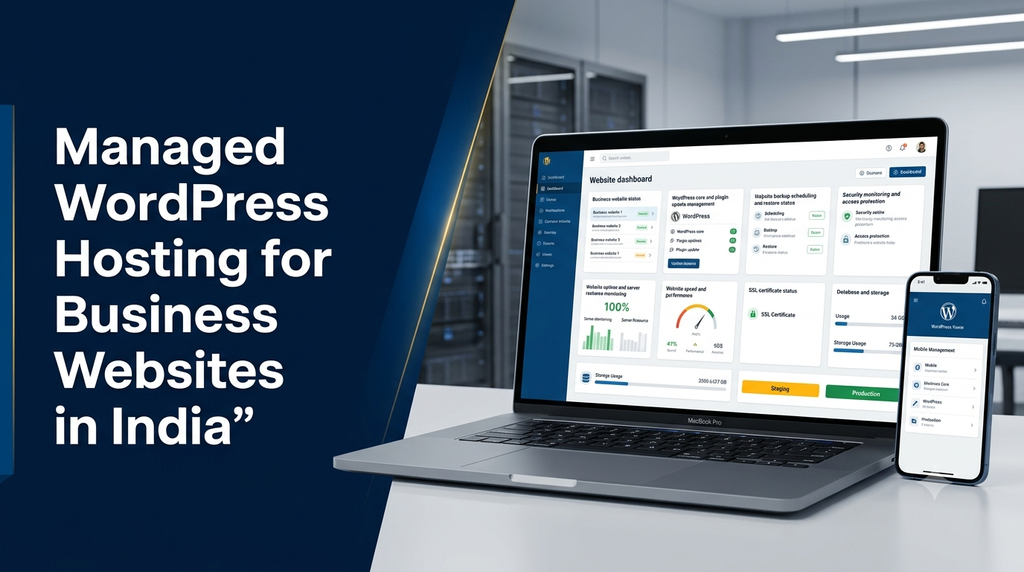
Managed WordPress Hosting for Business Websites in India
WordPress is a popular platform for business websites, service websites, blogs and online stores. However, running a WordPress website involves more than publishing pages and uploading images. Businesses also need to manage hosting resources, software updates, backups, security and website performance.
Managed WordPress hosting for business websites in India combines WordPress-compatible hosting infrastructure with an agreed set of technical management services. Depending on the provider and plan, these services may include automatic backups, WordPress updates, security monitoring, performance optimisation and technical support.
This guide explains managed WordPress hosting, its features, benefits, pricing considerations and how Indian businesses can select a suitable hosting solution.
What Is Managed WordPress Hosting?
Managed WordPress hosting is a hosting service designed specifically for WordPress websites. The hosting provider manages the server environment and may also handle selected WordPress maintenance tasks.
Unlike basic hosting, where website owners may need to manage most technical responsibilities themselves, a managed service can provide additional support for keeping the WordPress environment updated, secure and operational.
Depending on the service agreement, managed WordPress hosting may include:
- WordPress-compatible server configuration.
- Automatic WordPress core updates.
- Plugin and theme update management.
- Scheduled website and database backups.
- SSL/TLS certificate support.
- Website caching and performance optimisation.
- Security monitoring and malware scanning.
- Staging environments for testing changes.
- Technical support and troubleshooting.
Why Do Businesses in India Need Managed WordPress Hosting?
Many Indian businesses use their websites as an important communication and customer acquisition channel. A company website may receive enquiries, display product information, publish articles, collect appointment requests or process online orders.
When the website becomes important to daily operations, hosting and maintenance require regular attention.
- Less server administration: The hosting provider can handle agreed infrastructure tasks.
- Consistent maintenance: Updates and backups can follow a planned schedule.
- Performance support: WordPress-specific caching and server configuration can improve website responsiveness.
- Security management: Monitoring and access controls can help reduce common website risks.
- Technical assistance: Support can help resolve hosting-related issues.
- Business continuity: Backup and recovery arrangements can help restore website services after certain failures.
For small and medium businesses, managed hosting can reduce the need to handle every technical task internally. The actual benefit depends on what the provider includes and how well the service matches the website’s requirements.
Essential Features of Managed WordPress Hosting
1. WordPress-Optimised Server
The hosting environment should support WordPress requirements, compatible PHP versions, databases and suitable server configuration.
2. Automatic WordPress Updates
Supported plans may automate WordPress core updates. A proper update process should consider compatibility and recovery options.
3. Plugin and Theme Management
Update management helps keep extensions current. Businesses should confirm whether updates are automated, tested or handled on request.
4. Automatic Backups
Regular website and database backups help protect content, settings and business information against certain incidents.
5. SSL/TLS Support
HTTPS encrypts communication between the visitor’s browser and the website. Check certificate provisioning and renewal arrangements.
6. Performance Caching
Server-side caching and compatible WordPress caching tools can reduce repeated processing and improve response times.
7. Security Monitoring
Security features may include malware scanning, firewall controls, suspicious activity alerts and access protection.
8. Staging Environment
A staging website allows authorised users to test updates, design changes and new features before publishing them to the live website.
9. Resource Monitoring
Monitoring helps identify CPU, memory, storage and database resource usage before it becomes a major operational problem.
10. Technical Support
Support arrangements should clearly state available channels, response times, escalation procedures and what types of issues are covered.
11. Website Migration Assistance
Some providers offer migration assistance for transferring existing WordPress files, databases and configuration to the new hosting environment.
12. Scalability Options
Hosting resources should be upgradeable when traffic, content, ecommerce activity or application requirements increase.
Benefits of Managed WordPress Hosting for Business Websites
1. Reduces Technical Management Work
Businesses do not always have an in-house team to manage server updates, backups and hosting configuration. Managed hosting can transfer agreed infrastructure responsibilities to a service provider.
2. Helps Maintain Website Security
Outdated WordPress software, vulnerable plugins, weak passwords and insecure server settings can create website security risks. Regular maintenance and monitoring help address these areas.
3. Supports Website Performance
WordPress-compatible server configuration, caching, database optimisation and appropriate resource allocation can improve the visitor experience. Actual speed also depends on themes, plugins, images, scripts and website design.
4. Provides a Backup and Recovery Process
Automated backups can help restore website files and databases after accidental changes, software problems or certain security incidents. Businesses should understand backup frequency and test restoration periodically.
5. Supports Business Website Growth
As a business publishes more content, receives more enquiries or expands its online services, hosting resources may need to increase. A suitable managed hosting provider should offer a practical upgrade path.
6. Improves Maintenance Consistency
A planned maintenance schedule can help prevent WordPress core, plugin and theme updates from being ignored for long periods.
7. Provides Access to Technical Support
Businesses can contact the hosting provider for issues covered by the service agreement instead of investigating every infrastructure problem independently.
8. Helps Protect Online Business Operations
For websites that receive customer enquiries, publish important company information or accept orders, reliable hosting and a recovery plan support business continuity.
Managed WordPress Hosting vs Regular Web Hosting
| Feature | Regular Web Hosting | Managed WordPress Hosting |
|---|---|---|
| Server environment | General-purpose hosting | Configured for WordPress workloads |
| WordPress updates | Often handled by the website owner | May be included, depending on plan |
| Backups | Depends on the hosting package | Often included with defined retention |
| WordPress security | Basic infrastructure protection may be provided | May include WordPress-specific monitoring |
| Performance tools | General server features | May include WordPress-specific caching |
| Technical support | Usually focused on hosting infrastructure | May include WordPress-related support |
| Cost | Often lower entry-level cost | Usually higher for additional management |
Regular hosting can be suitable for websites with simple requirements and an available person to manage updates. Managed WordPress hosting is worth considering when businesses prefer an agreed service for WordPress-specific infrastructure and maintenance tasks.
Managed WordPress Hosting vs Shared, VPS and Cloud Hosting
Managed WordPress hosting describes a service and management model, while shared, VPS and cloud hosting describe infrastructure arrangements. A managed WordPress service can operate on different types of infrastructure.
| Hosting Option | Infrastructure | Typical Management Model |
|---|---|---|
| Shared WordPress Hosting | Shared server environment | Provider manages the hosting platform; WordPress support varies |
| Managed VPS Hosting | Virtual private server | Provider or service partner manages agreed server tasks |
| Managed Cloud Hosting | Cloud infrastructure | Provider manages selected cloud and application tasks |
| Self-Managed VPS | Virtual private server | Customer handles most server administration |
Businesses should compare both the infrastructure and the management scope before selecting a plan. The word “managed” alone does not describe resource limits, server architecture or the exact support provided.
Managed WordPress Hosting for Different Business Types
Corporate and Company Websites
Company websites usually need dependable page delivery, contact forms, SSL configuration, backups and regular software updates. A managed WordPress plan may help simplify these tasks.
Service-Based Business Websites
Consultants, agencies, professional service providers and local businesses often use WordPress to publish service pages, collect enquiries and share company information. Hosting should support the site’s plugins, forms and expected traffic.
Content and Blog Websites
Publishing-focused websites may need efficient caching, image optimisation, database maintenance and regular backups as their content library grows.
WooCommerce Ecommerce Websites
Online stores have additional hosting requirements because product catalogues, customer accounts, shopping carts and checkout processes create more application activity.
WooCommerce hosting should be evaluated for:
- Appropriate PHP and database resources.
- Checkout and cart compatibility with caching rules.
- Secure payment gateway integrations.
- Database performance and storage capacity.
- Backups that include orders and customer-related records.
- Traffic and resource limits during promotions.
Membership and Learning Websites
Membership websites and learning platforms may need additional database resources, user access management, scheduled tasks and careful backup planning.
Multi-Language Business Websites
Websites serving different language audiences may use translation plugins and additional content. Hosting resources should be reviewed as the website expands.
WordPress Security Features Businesses Should Check
Hosting security is a shared responsibility between the infrastructure provider, website administrator and development team. A managed plan should be evaluated based on the actual protections it offers.
- SSL/TLS configuration and renewal.
- Firewall and network-level protection.
- Malware scanning and suspicious activity monitoring.
- Secure administrative access.
- Multi-factor authentication support.
- Regular WordPress core and plugin updates.
- Database and website file backups.
- Access logs and security notifications.
- Recovery assistance and incident escalation.
Businesses should also use trusted themes and plugins, remove unused extensions, maintain strong passwords and review user permissions. No hosting plan can guarantee that a website will never be compromised.
WordPress Website Backup and Disaster Recovery
Backups are one of the most important components of a managed hosting service. They provide a recovery option when a website experiences accidental deletion, a failed update, a database issue or a security incident.
What Should Be Included in a WordPress Backup?
- WordPress core files where required.
- Uploaded images and media files.
- Active themes and plugins.
- WordPress database.
- Important configuration files.
- Relevant ecommerce or membership data.
Important Backup Questions
- How frequently are backups created?
- How many backup versions are retained?
- Are backups stored separately from the main server?
- Can the website owner download a copy?
- Is restoration included or charged separately?
- How is ecommerce order data protected?
- Are restoration procedures tested?
For ecommerce and business-critical websites, backup frequency should reflect how often important data changes. A daily backup may not be sufficient for every store or application.
How Managed WordPress Hosting Improves Website Performance
Hosting can influence website response time, but overall performance depends on several technical factors. Managed hosting may provide tools and configuration options to support an efficient WordPress environment.
Server-Side Caching
Caching stores suitable page or data responses so that repeated requests do not require the same processing every time. Caching rules must be configured carefully for login pages, shopping carts and checkout workflows.
Content Delivery Network
A CDN distributes supported website assets through a network of locations. This can help deliver images, stylesheets and scripts more efficiently to visitors in different regions.
Image Optimisation
Large images can slow down websites. Appropriate image dimensions, modern formats and compression help reduce unnecessary page weight.
Database Optimisation
WordPress databases store content, settings, user information and plugin data. Regular review of database performance can help identify inefficient queries and unnecessary data accumulation.
PHP and Server Configuration
Compatible software versions and appropriate server settings help WordPress applications run efficiently. Changes should be tested against the website’s themes and plugins.
How to Migrate an Existing WordPress Website to Managed Hosting
Moving an existing WordPress website to managed hosting requires planning. The migration should preserve the website’s content, database, domain configuration and important integrations.
- Review the current website: Identify WordPress version, themes, plugins, database size and hosting configuration.
- Check compatibility: Confirm that the new hosting environment supports the website’s software requirements.
- Create complete backups: Save the website files and database before migration.
- Prepare the new environment: Configure WordPress, PHP, database and required hosting settings.
- Transfer website data: Migrate files, media, plugins, themes and database content.
- Test the staging website: Check pages, contact forms, login, ecommerce features and integrations.
- Configure SSL and DNS: Ensure HTTPS and domain settings are correctly configured.
- Switch the live website: Update DNS according to the migration plan.
- Verify after migration: Check forms, emails, redirects, analytics, search indexing and website availability.
For ecommerce websites, plan the migration carefully so that new orders and customer updates are not lost during the transition.
How Much Does Managed WordPress Hosting Cost in India?
Managed WordPress hosting costs depend on server resources, storage, traffic allowances, backup retention, security features, support scope and the provider’s infrastructure.
| Hosting Category | Illustrative Planning Range | Typical Use |
|---|---|---|
| Basic managed WordPress hosting | ₹3,000 – ₹8,000 per year | Small company websites |
| Business managed WordPress hosting | ₹6,000 – ₹15,000 per year | Growing business websites |
| Higher-resource managed WordPress hosting | ₹12,000 – ₹30,000+ per year | Content-heavy and larger websites |
| Managed WooCommerce hosting | ₹15,000 – ₹50,000+ per year | Online stores and ecommerce websites |
| Managed cloud WordPress infrastructure | ₹2,000 – ₹10,000+ per month | Resource-intensive or scalable applications |
Pricing note: These figures are illustrative planning estimates, not live provider quotations, fixed Greap Technologies prices or guaranteed market rates. Actual charges depend on the provider, server configuration, resource limits, billing term and support inclusions.
Domain registration, premium plugins, themes, CDN services, business email, advanced security tools, migration, additional backups, maintenance and applicable taxes may cost extra.
Factors That Influence Hosting Cost
- Number of websites hosted.
- Expected website traffic and resource usage.
- Storage and database requirements.
- Backup frequency and retention period.
- Security monitoring and malware cleanup scope.
- Staging and development environments.
- Technical support availability.
- WooCommerce and other application requirements.
How to Choose the Right Managed WordPress Hosting Provider in India
Before purchasing a managed hosting service, businesses should evaluate the provider’s technical capabilities and service agreement.
- Check server location and network performance for your target audience.
- Confirm supported WordPress, PHP and database versions.
- Review CPU, memory, storage and traffic limits.
- Understand what WordPress updates are included.
- Check automatic backup frequency and restoration terms.
- Review security monitoring and incident support.
- Confirm whether staging is included.
- Check the technical support response process.
- Compare first-year and renewal pricing.
- Review migration support and cancellation policies.
- Clarify whether the provider supports WooCommerce if needed.
- Understand data ownership and export options.
Managed WordPress Hosting vs WordPress Maintenance Services
Hosting management and website maintenance are related, but they are not the same service.
| Responsibility | Managed Hosting | Website Maintenance |
|---|---|---|
| Server infrastructure | Usually included | Usually outside scope |
| Server monitoring | May be included | Depends on agreement |
| WordPress core updates | May be included | May be included |
| Plugin and theme updates | Plan-dependent | Often part of maintenance |
| Content updates | Usually not included | Can be included |
| Design improvements | Usually not included | Can be included |
| Custom feature development | Usually not included | Typically quoted separately |
| Malware cleanup | Depends on plan | May be a separate service |
Businesses should clarify responsibilities before signing up. Some providers offer a combined hosting and maintenance package, while others separate infrastructure management from WordPress application support.
Common Managed WordPress Hosting Mistakes to Avoid
- Assuming every task is included: Managed hosting plans have different service boundaries.
- Ignoring renewal pricing: Promotional rates may not apply after the first billing period.
- Choosing insufficient resources: A plan should match the website’s actual workload.
- Not checking backup restoration: Confirm that backups can be restored and test the process.
- Updating without compatibility checks: Major plugin and theme changes can affect website functionality.
- Installing unnecessary plugins: Too many or poorly maintained plugins can increase complexity and risk.
- Ignoring ecommerce requirements: Checkout, orders and customer data need careful hosting and backup planning.
- Neglecting website content performance: Hosting alone cannot fix oversized images, inefficient themes or poorly written code.
Why Consider Greap Technologies for WordPress Website Hosting and Maintenance?
Greap Technologies provides website development, custom software development and digital growth solutions for businesses. WordPress hosting requirements can be considered alongside website design, development, security and long-term maintenance needs.
Depending on the agreed project scope, support may include:
- WordPress hosting requirement assessment.
- Hosting provider and plan selection guidance.
- WordPress website deployment and migration planning.
- Domain, DNS and SSL configuration assistance.
- Website backup and maintenance planning.
- WordPress core, plugin and theme update support.
- Website security and performance improvements.
- WooCommerce website development and support.
Businesses across India, including Erode, Perundurai, Bhavani, Coimbatore, Chennai and other locations, can discuss their WordPress website requirements with the Greap team.
Hosting charges, third-party subscriptions and ongoing maintenance responsibilities should be clearly specified in the project agreement.
Frequently Asked Questions
1. What is managed WordPress hosting?
Managed WordPress hosting is a hosting service designed for WordPress websites that includes an agreed set of infrastructure management and WordPress-related support tasks.
2. Is managed WordPress hosting suitable for business websites in India?
Yes. It can be suitable for company websites, service websites, blogs and online stores when the provider’s resources, support and management features match the website’s requirements.
3. Is managed WordPress hosting better than shared hosting?
It depends on the service scope. Managed WordPress hosting may include WordPress-specific tools and support, while regular shared hosting may provide only basic hosting features. Some managed WordPress services also use shared infrastructure.
4. Does managed WordPress hosting include automatic backups?
Many plans include scheduled backups, but frequency, retention, storage location and restoration support vary. Always check the backup policy before purchasing.
5. Does managed WordPress hosting include plugin updates?
Some providers manage plugin and theme updates, while others only manage WordPress core or server infrastructure. Confirm whether updates are automatic, tested or handled on request.
6. Can I host a WooCommerce store on managed WordPress hosting?
Yes, provided the plan supports WooCommerce and offers sufficient database, storage and processing resources. Checkout and cart caching rules must also be configured correctly.
7. How much does managed WordPress hosting cost in India?
Pricing varies by provider, resources and management scope. Basic plans may cost a few thousand rupees annually, while ecommerce and higher-resource services can cost considerably more.
8. Can I migrate my existing WordPress website to managed hosting?
Yes. Website files, databases, media, settings and domain configuration can be migrated after compatibility checks and a complete backup.
9. Does managed hosting guarantee that my WordPress website will never be hacked?
No hosting service can guarantee complete protection. Security monitoring, updates, strong authentication, secure plugins and regular backups help reduce risks.
10. Do I still need website maintenance with managed WordPress hosting?
Possibly. Hosting may cover server and selected WordPress tasks, while content changes, design improvements, custom development and additional application support may require a separate maintenance service.
Conclusion
Managed WordPress hosting can simplify the technical management of business websites by combining WordPress-compatible infrastructure with services such as updates, backups, security monitoring and performance tools.
For Indian businesses, the right hosting plan should be selected according to website size, traffic, ecommerce requirements, security needs, support expectations and long-term budget. Reviewing the exact service scope is just as important as comparing the hosting price.
A suitable hosting environment, supported by secure WordPress development and regular maintenance, can help businesses maintain a dependable online presence as their requirements grow.
Planning a WordPress Business Website?
Need help with WordPress website development, hosting selection, migration, security or ongoing maintenance? Contact Greap Technologies to discuss a solution based on your business requirements.
Visit Greap Technologies Discuss on WhatsApp Call +91 70923 30168Related Topics to Explore
- Business Website Hosting Services in Erode
- WordPress Website Development Services in India
- WordPress Website Maintenance Services
- Business Website Malware Removal and Security Hardening
- Website Backup and Disaster Recovery Services
- WooCommerce Website Development for Online Stores
- Website Speed Optimization Services
Link these suggestions only to the corresponding live, published pages on the Greap website. Verify each URL before adding an internal link.