
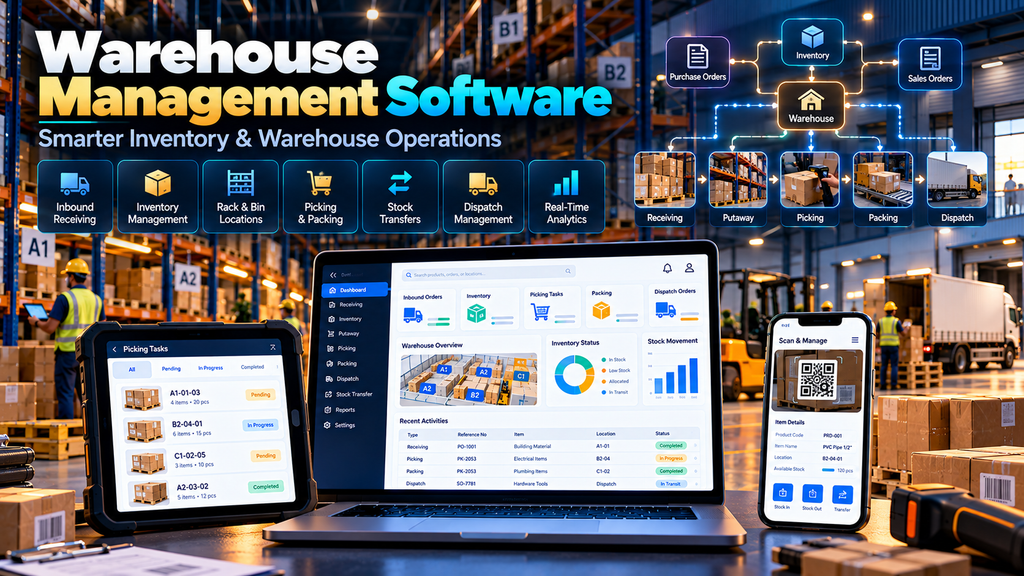
Warehouse Management Software Development in Erode can help manufacturers, wholesalers, distributors, ecommerce businesses and other inventory-based companies organize receiving, storage, stock movements, picking, packing, dispatch and warehouse reporting through a centralized digital system.
As inventory operations grow, warehouse management can become difficult when information is spread across spreadsheets, paper registers, WhatsApp messages, accounting software and manual stock records.
A purchase team may know what was ordered.
The warehouse team may know what physically arrived.
The sales team may need to know what is available.
The accounts or ERP system may contain another stock figure.
When these processes are disconnected, employees can spend significant time checking information between departments.
A properly planned Warehouse Management System (WMS) can help structure warehouse operations around clearly defined digital workflows.
At Greap Technologies, we develop custom business software, inventory systems, ecommerce solutions and digital platforms for businesses in Erode and nearby areas.
What Is Warehouse Management Software?
Warehouse Management Software is a system designed to manage and record activities occurring inside a warehouse or storage operation.
Depending on business requirements, a WMS can support:
- Inbound receiving
- Purchase receipt workflows
- Warehouse locations
- Zones
- Racks
- Bins
- Inventory visibility
- Stock movements
- Putaway
- Picking
- Packing
- Dispatch
- Stock transfers
- Cycle counting
- Returns
- Barcode workflows
- Batch or lot tracking
- Serial-number tracking
- Warehouse reports
- ERP integrations
- Ecommerce integrations
The required modules depend on how the business physically receives, stores and dispatches inventory.
Who Can Use Warehouse Management Software?
Warehouse management software can be relevant for businesses that handle physical inventory through one or more storage locations.
Examples can include:
- Manufacturers
- Wholesalers
- Distributors
- Ecommerce businesses
- Retail distribution businesses
- Industrial suppliers
- Building material suppliers
- Textile businesses
- Engineering businesses
- Electrical suppliers
- Automotive component suppliers
- FMCG distribution businesses
The complexity of the system should match the complexity of the warehouse operation.
Warehouse Management Software vs Basic Inventory Software
| Basic Inventory Software | Warehouse Management Software |
|---|---|
| Tracks stock quantities | Can manage physical warehouse workflows |
| Product-level inventory | Can track warehouse, zone, rack or bin locations |
| Basic stock in and stock out | Can support receiving, putaway, picking, packing and dispatch |
| Simple stock reports | Can provide operational warehouse reports |
| May support one location | Can be designed for multiple warehouses |
| Limited workflow control | Can include task and approval workflows |
A small business may only need inventory software.
A more complex warehouse operation may benefit from dedicated WMS functionality.
1. Map the Existing Warehouse Process
Warehouse software development should begin with the physical process, not the dashboard design.
Document what happens when inventory:
- Arrives at the warehouse
- Is checked
- Is accepted
- Is assigned a location
- Moves between locations
- Is reserved for an order
- Is picked
- Is packed
- Is dispatched
- Is returned
The software should reflect the real operational flow.
2. Product and SKU Master
The WMS needs reliable product information.
A product master may contain:
- Product name
- SKU
- Product code
- Category
- Unit of measure
- Barcode
- Dimensions
- Weight
- Pack size
- Tracking method
- Storage-related information
The business should define which system owns this master data when ERP, ecommerce or other software is also used.
3. Multi-Warehouse Management
Businesses operating multiple storage facilities may need to manage inventory separately for each warehouse.
The system can potentially show:
- Warehouse-wise stock
- Available inventory
- Reserved inventory
- Stock movements
- Transfers
- Warehouse-specific orders
Access can also be limited according to employee responsibility where required.
4. Warehouse Zone Management
A large warehouse can be divided into logical zones.
Examples might include:
- Receiving area
- Bulk storage
- Fast-moving products
- Picking area
- Packing area
- Dispatch staging
- Returns area
The actual zone structure should reflect the physical warehouse.
5. Rack and Bin Location Management
Knowing that a product is “in the warehouse” may not be enough.
Employees may need to know exactly where it is stored.
A location structure could follow:
Warehouse → Zone → Aisle → Rack → Shelf → Bin
The level of detail should match operational needs.
6. Bin-Level Inventory Visibility
A WMS can maintain inventory by storage location.
For example, the same SKU may exist in several bins.
The system can help warehouse users understand:
- Which locations contain the SKU
- Quantity at each location
- Relevant batch or serial information
- Available and reserved quantities where configured
This can be especially useful in larger warehouse environments.
7. Inbound Receiving
Receiving is one of the first important warehouse workflows.
A typical process may be:
Expected Receipt → Vehicle/Shipment Arrival → Item Verification → Quantity Check → Receipt Confirmation
The exact process depends on procurement and warehouse policies.
8. Purchase Order Receiving
Where the WMS integrates with an ERP or purchasing system, warehouse employees may receive goods against an existing purchase order.
The receiving screen can show relevant information such as:
- Purchase order
- Supplier
- Expected products
- Expected quantities
- Received quantities
- Pending quantities
The system should define how partial receipts and discrepancies are handled.
9. Receiving Discrepancies
The physical quantity received may not always match the expected quantity.
The workflow should define what happens when there is:
- Short quantity
- Excess quantity
- Incorrect product
- Damaged product
- Rejected inventory
Exceptions should be recorded rather than silently changing expected values.
10. Quality Check Workflow
Some businesses need inventory to pass inspection before it becomes available.
A workflow might follow:
Received → Quality Check → Accepted / Rejected / Hold → Available Inventory
Quality workflows should only be included when they match the company’s operations.
11. Putaway Management
After receiving, accepted stock needs to be placed into storage.
Putaway functionality can help employees record where goods are stored.
Depending on complexity, the software may:
- Allow manual location selection
- Suggest configured locations
- Validate locations
- Record stock movement
Putaway rules should reflect warehouse layout and product-storage requirements.
12. Barcode-Based Receiving
Barcode workflows can help users identify products during receiving where products and processes are suitable for scanning.
A receiving workflow could include:
Scan Product → Verify SKU → Enter/Scan Quantity → Confirm Receipt
Barcode implementation should use a consistent identification strategy across products and locations.
13. Barcode and QR Code Support
A warehouse system can potentially use barcodes or QR codes for:
- Products
- Storage locations
- Cartons
- Pallets
- Orders
- Picking tasks
The appropriate technology depends on the information that needs to be encoded and the scanning hardware or devices used.
14. Stock Movement Tracking
Inventory can move several times inside a warehouse before dispatch.
The WMS can record movements such as:
- Receiving to storage
- Bin to bin
- Zone to zone
- Storage to picking
- Picking to packing
- Packing to dispatch
Recording movements can improve visibility into where stock is expected to be located.
15. Internal Stock Transfers
Employees may need to move inventory between locations within the same warehouse.
A transfer workflow can record:
- Source location
- Destination location
- Product
- Quantity
- User
- Time
This creates a clearer history of warehouse movements.
16. Inter-Warehouse Transfers
Businesses operating multiple warehouses may also move stock between facilities.
A workflow can follow:
Transfer Request → Approval → Dispatch from Source → In Transit → Receipt at Destination
The system should clearly define when inventory leaves one location and becomes available at another.
17. Real-Time Inventory Visibility
Teams may need an updated view of inventory across warehouse operations.
Depending on architecture, the system can present:
- Physical stock
- Available stock
- Reserved stock
- Stock on hold
- Stock in transfer
The meaning of each inventory status should be clearly defined.
18. Stock Reservation
When an order is confirmed, the business may need to reserve inventory so it is not allocated to another order.
Reservation logic can depend on:
- Order status
- Warehouse
- Product availability
- Customer priority
- Business rules
Reservation behaviour should be agreed before development because it directly affects inventory availability.
19. Sales Order Integration
The WMS may receive approved sales orders from another system.
For example:
ERP / Dealer Portal / Ecommerce → Sales Order → WMS → Pick → Pack → Dispatch
This can reduce duplicate order entry when systems are properly integrated.
20. Picking Management
Picking is the process of collecting inventory required for an order.
A picking task may include:
- Order number
- SKU
- Quantity
- Storage location
- Batch or serial information where applicable
The interface should be simple enough for warehouse employees to use efficiently.
21. Pick Lists
Instead of manually reading an entire sales order, warehouse employees can work from a dedicated pick list.
A pick list can organize products according to:
- Order
- Warehouse
- Zone
- Location
- Priority
The best organization depends on warehouse layout and fulfilment volume.
22. Barcode-Based Picking
Scanning can be used during picking to verify that the employee selected the intended product or location.
A workflow might be:
Open Pick Task → Scan Location → Scan Product → Confirm Quantity → Complete Pick
This should be designed around the actual scanning devices and warehouse environment.
23. Picking Strategies
Different warehouses may use different picking methods.
Depending on operational requirements, software may support concepts such as:
- Single-order picking
- Batch picking
- Zone-based workflows
- Wave-based workflows
Advanced picking logic should only be introduced when it solves a real warehouse requirement.
24. Packing Management
After picking, products may need to be verified and packed before dispatch.
A packing workflow can include:
- Order verification
- Product verification
- Quantity verification
- Package creation
- Package information
- Dispatch preparation
Requirements vary significantly depending on product type.
25. Dispatch Management
Dispatch workflows can help organize orders leaving the warehouse.
The system may record:
- Order
- Packages
- Dispatch date
- Transport or courier information
- Reference information
- Dispatch status
Relevant information can then be passed to other business systems where required.
26. Order Fulfilment Status
Operations teams can use clearly defined statuses such as:
- Awaiting allocation
- Allocated
- Picking
- Picked
- Packing
- Ready for dispatch
- Dispatched
The exact workflow should match the warehouse’s real process.
27. Batch and Lot Tracking
Some industries need to identify inventory by batch or lot.
The WMS can potentially record:
- Batch number
- Received quantity
- Current quantity
- Location
- Relevant dates
Batch requirements should be defined according to the products and industry processes involved.
28. Serial Number Tracking
Products that require individual identification may need serial-number tracking.
The system can associate a serial number with relevant:
- Receipt
- Warehouse location
- Movement
- Order
- Dispatch
This provides item-level traceability when required.
29. Expiry Date Management
Businesses handling expiry-sensitive products may need to record relevant dates.
The software can help identify inventory approaching configured expiry thresholds.
The actual stock-rotation and disposal policies should be defined by the business.
30. FIFO and FEFO Workflows
Some warehouse operations use inventory-rotation strategies.
Examples include:
- FIFO – First In, First Out
- FEFO – First Expired, First Out
Where appropriate, picking suggestions can be designed around the selected business rule.
31. Stock Adjustment Management
Sometimes the recorded quantity needs to be adjusted after verification.
Adjustments should include relevant information such as:
- Product
- Location
- Previous quantity
- Adjustment
- Reason
- User
- Date and time
Sensitive adjustments can also require approval where appropriate.
32. Cycle Counting
Cycle counting allows selected inventory to be physically counted on a recurring basis rather than depending only on a single large stock count.
A WMS can help create count tasks for:
- Selected products
- Selected bins
- Selected categories
- Configured schedules
Differences can then be reviewed according to company policy.
33. Physical Stock Count
The system can also support broader physical stock verification.
A structured workflow can include:
Count Plan → Physical Count → Difference Review → Approval → Adjustment
Clear controls are important because inventory adjustments affect business records.
34. Low-Stock Alerts
Businesses may configure alerts when inventory reaches defined thresholds.
Alerts can help relevant employees identify products requiring attention.
Thresholds should be based on business requirements rather than arbitrary numbers.
35. Overstock Visibility
Warehouse reports can also help identify inventory that remains above expected levels.
Whether inventory is genuinely overstocked depends on factors such as:
- Demand
- Lead time
- Seasonality
- Order commitments
- Business policy
The WMS can provide data, while inventory decisions remain business decisions.
36. Slow-Moving Inventory Reports
Businesses can define criteria for identifying products that have had limited movement over a chosen period.
This can support purchasing and inventory review.
The report should clearly state the date range and criteria used.
37. Returns Management
Returned inventory should not automatically be treated as normal available stock.
A return workflow may include:
Return Received → Verification → Accept / Reject / Hold → Restock or Other Resolution
The process should reflect the company’s return policy.
38. Damaged Inventory Management
Damaged goods can be assigned to a separate status or location so they are not accidentally allocated to normal customer orders.
The system can record:
- Product
- Quantity
- Damage reason
- Location
- Resolution status
39. Supplier Returns
When inventory needs to be returned to a supplier, the WMS can record the relevant movement and references.
This can help distinguish supplier returns from customer returns and ordinary stock adjustments.
40. Warehouse User Roles
Different employees may require different system permissions.
| User Role | Example Responsibility |
|---|---|
| Receiver | Inbound receiving |
| Picker | Picking tasks |
| Packer | Packing and verification |
| Warehouse Supervisor | Operational oversight and approvals |
| Manager | Reports and warehouse performance |
| Administrator | Configured system administration |
Users should receive only the access required for their responsibilities.
41. Warehouse Dashboard
A dashboard can summarize important operational information.
Depending on requirements, it may display:
- Pending receipts
- Open putaway tasks
- Orders awaiting picking
- Orders awaiting packing
- Ready-to-dispatch orders
- Inventory alerts
- Stock transfers
Dashboards should prioritize actionable information rather than filling the screen with unnecessary charts.
42. Warehouse Reports
Useful reports can include:
- Inventory by warehouse
- Inventory by location
- Stock movement history
- Receiving report
- Picking report
- Dispatch report
- Transfer report
- Adjustment report
- Cycle count report
- Slow-moving inventory report
The reports should answer real operational questions.
43. Audit Trail
Important inventory actions can be recorded in an audit history.
Depending on the system, the audit trail can record:
- User
- Action
- Previous value
- Updated value
- Date and time
This can be useful for reviewing sensitive stock changes.
44. ERP Integration
A WMS often needs to work with an existing ERP rather than replacing it.
A possible architecture could be:
ERP → Products / Purchase Orders / Sales Orders → WMS → Receipts / Inventory / Fulfilment → ERP
Exact data ownership and synchronization rules should be defined before development.
45. Ecommerce Integration
Ecommerce orders can be sent to the warehouse system for fulfilment when the systems are integrated appropriately.
For example:
Ecommerce Store → Confirmed Order → WMS → Pick → Pack → Dispatch → Order Status Update
Explore our Ecommerce Development Services for broader ecommerce requirements.
46. Dealer Management Software Integration
Businesses operating through dealer networks can connect dealer ordering with warehouse fulfilment.
A possible workflow is:
Dealer Portal → Approved Dealer Order → Inventory Allocation → Warehouse Picking → Dispatch
Read our Dealer and Distributor Management Software Development in Erode guide.
47. B2B Ecommerce Integration
Manufacturers and wholesalers can also connect B2B ecommerce workflows with warehouse operations.
This can help connect product ordering with fulfilment processes.
Read our B2B Ecommerce Website Development for Wholesalers and Manufacturers in Erode guide.
48. Accounting System Integration
Some warehouse projects may exchange relevant information with accounting systems.
However, responsibilities should be clearly separated.
The WMS may manage physical inventory operations while accounting or ERP software remains responsible for financial records.
Integration feasibility depends on the external software and supported interfaces.
49. Mobile Warehouse Interface
Warehouse employees usually perform tasks away from desktop computers.
A mobile-friendly interface can support activities such as:
- Receiving
- Location lookup
- Putaway
- Picking
- Transfers
- Counting
The interface should be designed for practical warehouse usage rather than simply shrinking a desktop dashboard.
50. Handheld Scanner Integration
Some warehouse operations use dedicated barcode-scanning devices.
Before implementation, confirm:
- Device type
- Operating environment
- Barcode standards
- Connectivity
- Browser or application requirements
The software should be tested with the actual devices intended for warehouse use.
51. Warehouse Software Security
A WMS can contain commercially important inventory, supplier and order information.
Security planning can include:
- User authentication
- Role-based authorization
- Secure communication
- Input validation
- Audit logging
- Backup processes
- Software updates
- Integration security
Security should be considered throughout the software lifecycle.
52. Backup and Recovery
Warehouse information can change frequently throughout the day.
A backup and recovery strategy should consider:
- Database
- Configuration
- Uploaded documents
- Relevant application data
- Recovery procedures
Backup frequency and retention should reflect business requirements and system architecture.
53. Performance and Scalability
The WMS should be designed around realistic operational volume.
Planning can consider:
- Number of warehouses
- Number of SKUs
- Number of bins
- Daily receipts
- Daily orders
- Concurrent users
- Scan volume
- Integration traffic
- Reporting requirements
Architecture should be based on measurable requirements rather than vague claims of unlimited scalability.
Warehouse Management Software Modules
| Module | Purpose |
|---|---|
| Product Master | Manage warehouse product information |
| Warehouse Locations | Manage warehouses, zones, racks and bins |
| Receiving | Record inbound inventory |
| Putaway | Assign received stock to storage |
| Inventory | Track stock by relevant locations and statuses |
| Transfers | Manage internal and inter-warehouse movements |
| Picking | Manage order-picking tasks |
| Packing | Verify and prepare orders |
| Dispatch | Manage outgoing shipments |
| Counting | Support cycle and physical counts |
| Returns | Manage returned inventory workflows |
| Reports | Provide warehouse operational information |
| Integrations | Connect ERP, ecommerce and other systems |
Warehouse Management Software vs ERP
WMS and ERP software can have overlapping inventory functionality, but their primary focus can differ.
An ERP may cover broader business functions such as:
- Finance
- Accounting
- Procurement
- Sales
- Production
- Inventory
A WMS can focus more deeply on the physical execution of warehouse operations such as receiving, putaway, locations, picking, packing and dispatch.
For many businesses, the two systems can be integrated.
Warehouse Management Software vs Inventory Management Software
Inventory software may be sufficient when a business mainly needs to know stock quantities.
A WMS becomes more relevant when the business needs to manage where inventory is located and how it moves through warehouse operations.
The appropriate solution depends on operational complexity.
Custom WMS vs Ready-Made Warehouse Software
Ready-made warehouse software can be suitable when its existing workflows match the business.
Custom WMS development can be considered when the business requires:
- Unique warehouse workflows
- Existing ERP integration
- Special location structures
- Custom barcode processes
- Industry-specific inventory rules
- Custom approval processes
- Special reports
- Integration with existing dealer or ecommerce systems
Custom software should solve genuine operational requirements rather than simply recreating standard WMS functionality unnecessarily.
How Much Does Warehouse Management Software Development Cost in Erode?
There is no single price for every warehouse management system.
Development cost can depend on:
- Number of warehouses
- Location complexity
- Number of SKUs
- Receiving workflows
- Putaway rules
- Picking requirements
- Barcode functionality
- Batch or serial tracking
- Reporting
- ERP integration
- Ecommerce integration
- Mobile interfaces
- Data migration
- Security requirements
A simple inventory and bin-location system has a different development scope from a multi-warehouse platform with scanning, advanced picking and ERP integration.
How Long Does WMS Development Take?
The development timeline depends on the scope and complexity of warehouse operations.
Important factors include:
- Requirement analysis
- Warehouse process mapping
- UI/UX design
- Number of modules
- Barcode workflows
- External integrations
- Data migration
- Testing
- User acceptance
A realistic timeline should be prepared after the warehouse workflows are documented.
Should a WMS Be Developed in Phases?
For a complex warehouse project, phased implementation can be considered.
For example:
- Product and warehouse master
- Locations and bins
- Receiving
- Putaway
- Inventory movements
- Picking
- Packing and dispatch
- Barcode workflows
- ERP integration
- Advanced reports and additional modules
The actual phases should follow business priorities and technical dependencies.
Warehouse Management Software for Manufacturers in Erode
Manufacturers may need warehouse software to manage raw materials, components, finished goods or distribution inventory.
Depending on requirements, useful functionality can include:
- Multiple warehouses
- Bin locations
- Batch tracking
- Inventory transfers
- Order fulfilment
- ERP integration
- Barcode workflows
- Warehouse reports
The WMS should complement production and ERP processes rather than creating disconnected inventory records.
Warehouse Management Software for Wholesalers and Distributors
Wholesalers and distributors often handle large product catalogues and frequent order fulfilment.
A WMS can support workflows such as:
- SKU lookup
- Bulk inventory
- Bin locations
- Dealer orders
- Picking
- Packing
- Dispatch
- Stock transfers
Integration with dealer management or B2B ordering systems can further connect sales and warehouse operations.
Warehouse Management Software for Ecommerce Businesses
Ecommerce fulfilment can involve a large number of individual orders.
Depending on order volume, warehouse software can support:
- Order import
- Stock allocation
- Picking
- Packing
- Dispatch
- Inventory updates
- Return workflows
The appropriate architecture depends on the ecommerce platform and fulfilment model.
Warehouse Management Software Development in Erode and Nearby Areas
Greap Technologies can develop custom warehouse and inventory management systems for businesses in Erode, Perundurai, Bhavani, Gobichettipalayam, Sathyamangalam, Anthiyur, Chennimalai, Modakkurichi, Kavindapadi, Nambiyur, Kodumudi and nearby areas.
The software should be designed around the warehouse operation and business requirements rather than creating artificial differences for each nearby location.
Why Choose Greap Technologies for Warehouse Management Software Development in Erode?
Greap Technologies provides custom software development, ecommerce development, website development and business technology solutions for companies in Erode and nearby areas.
Depending on project requirements, warehouse management software can include:
- Warehouse process analysis
- Product and SKU management
- Multi-warehouse management
- Zone, rack and bin management
- Inbound receiving
- Putaway
- Inventory visibility
- Stock movements
- Warehouse transfers
- Picking
- Packing
- Dispatch
- Barcode workflows
- Batch and serial tracking
- Cycle counting
- Returns management
- Role-based access
- Dashboards and reports
- ERP integration
- Ecommerce integration
- Dealer management integration
- Responsive warehouse interfaces
- Ongoing software support
The objective is to understand how inventory physically moves through the business and then develop software around workflows that need better visibility and control.
Explore our Greap Technologies, Ecommerce Development Services, Website Development Services and SEO Services in Erode.
Conclusion
Warehouse management software can help businesses create a structured digital workflow around physical inventory operations.
A useful WMS should not begin with dashboards and charts.
It should begin with understanding how products actually move through the warehouse:
Receive → Verify → Put Away → Store → Allocate → Pick → Pack → Dispatch
Depending on the operation, the system can then add:
- Multiple warehouses
- Rack and bin locations
- Barcode workflows
- Batch or serial tracking
- Stock transfers
- Cycle counting
- Returns
- Reports
- ERP integration
- Ecommerce integration
- Dealer portal integration
The objective is not simply to digitize a stock register.
It is to build a warehouse system that reflects how inventory is received, stored, moved and fulfilled within the business.
Need Warehouse Management Software in Erode?
If your business currently manages warehouse inventory using spreadsheets, paper registers, manual stock checks and disconnected systems, a custom warehouse management platform may help centralize the workflows that matter.
Greap Technologies develops custom warehouse management software, inventory systems, dealer portals, B2B ecommerce platforms and business integrations for companies in Erode and nearby areas.
Discuss Your Warehouse Software Project on WhatsApp
Frequently Asked Questions
1. What is warehouse management software?
Warehouse management software is a system for managing warehouse activities such as receiving, storage locations, inventory movements, picking, packing, dispatch, stock counting and related operational workflows.
2. What is the difference between WMS and inventory software?
Inventory software often focuses mainly on stock quantities, while a WMS can additionally manage physical warehouse locations and operational processes such as receiving, putaway, picking, packing and dispatch.
3. Can warehouse software manage multiple warehouses?
Yes. A custom WMS can be designed to maintain inventory and workflows across multiple warehouses when the business requires it.
4. Can the software track rack and bin locations?
Yes. Warehouse locations can be structured using warehouses, zones, aisles, racks, shelves or bins depending on the physical operation.
5. Can a WMS use barcode scanning?
Yes. Barcode or QR-based workflows can be developed for suitable processes such as receiving, location identification, picking, transfers and stock counting.
6. Can warehouse management software integrate with ERP?
Potentially. Integration depends on the ERP’s APIs or supported integration methods, the required data flows and which system should own each type of information.
7. Can the WMS connect with our ecommerce website?
Yes, when the ecommerce platform and warehouse architecture provide suitable integration methods. Confirmed orders can potentially flow into warehouse fulfilment workflows, with relevant inventory or order-status information synchronized back.
8. Can warehouse software integrate with a dealer portal?
Yes. Approved dealer orders can potentially be passed into warehouse allocation, picking, packing and dispatch workflows when the systems are integrated appropriately.
9. Can a WMS track batch and serial numbers?
Yes. Batch, lot or serial tracking can be included when products and business processes require that level of traceability.
10. Do we need custom WMS software?
Not necessarily. Ready-made software can be suitable when its existing workflows match the business. Custom development can be considered when unique warehouse processes, integrations or reporting requirements justify a tailored system.
11. How much does warehouse management software development cost in Erode?
Cost depends on warehouse count, SKU volume, location structure, workflows, barcode requirements, tracking methods, reports, integrations, mobile requirements, data migration and overall system complexity.
12. Does Greap Technologies develop warehouse management software in Erode?
Yes. Greap Technologies develops custom warehouse and inventory management software, B2B systems and related business integrations for companies in Erode and nearby areas.