
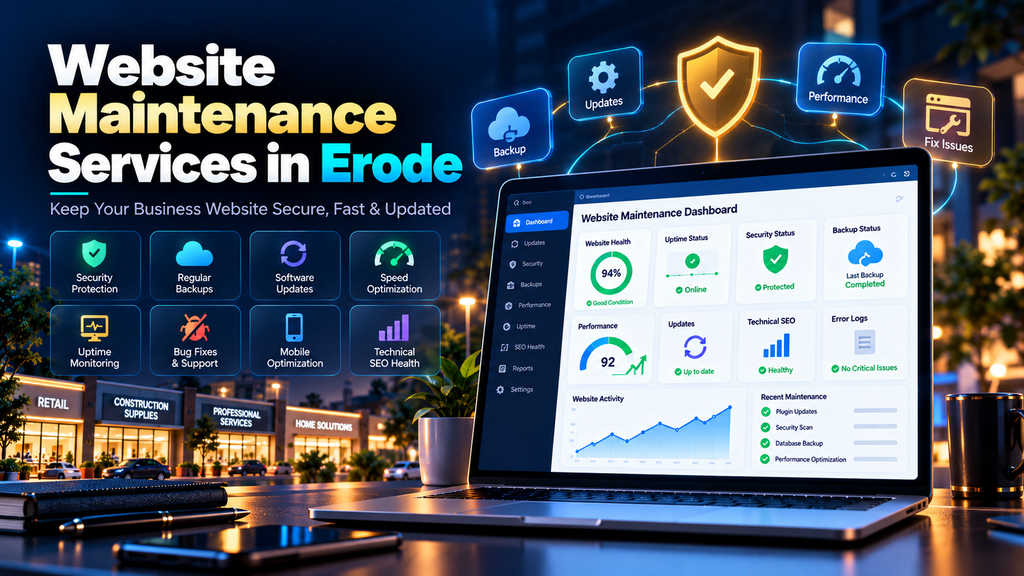
Website Maintenance Services in Erode help businesses keep their websites secure, updated, fast, functional and useful after the initial website development project is completed.
Launching a website is not the final step.
Over time, software requires updates, contact forms can stop working, plugins may develop compatibility issues, images can slow down pages, links may break and important business information can become outdated.
For a business, these are not just technical problems.
A broken enquiry form can mean a lost lead. A slow mobile website can frustrate potential customers. An outdated product page can give customers incorrect information.
That is why ongoing website maintenance should be treated as part of running a professional business website.
At Greap Technologies, we provide website development services, website maintenance, performance optimization and SEO services in Erode for business websites.
Quick Answer: What Does Website Maintenance Include?
Website maintenance can include regular checks, updates and improvements required to keep a website working properly.
Depending on the website, maintenance may involve:
- Website backups
- Security monitoring
- CMS updates
- Plugin updates
- Theme updates
- Software and dependency updates
- Bug fixes
- Broken link checks
- Contact form testing
- Website speed optimization
- Mobile responsiveness checks
- Technical SEO monitoring
- Content updates
- Product updates
- Uptime monitoring
- Database maintenance
- Analytics checks
- Search Console monitoring
The exact maintenance plan should depend on the type, size, technology and importance of the website.
Why Do Erode Businesses Need Website Maintenance?
Businesses in Erode increasingly use their websites for much more than displaying a company profile.
A website may generate:
- Phone calls
- WhatsApp enquiries
- Quote requests
- Contact form submissions
- Product enquiries
- Appointments
- Online orders
- Job applications
If the website develops problems, these customer journeys can be interrupted.
Website maintenance helps identify and fix issues before they become larger business problems.
Website Development Is Not the Same as Website Maintenance
Website development focuses mainly on creating or significantly rebuilding a website.
Website maintenance focuses on keeping the existing website healthy after launch.
| Website Development | Website Maintenance |
|---|---|
| Creates new website functionality | Maintains existing functionality |
| Creates layouts and pages | Checks existing layouts and pages |
| Initial development and testing | Ongoing testing and monitoring |
| Initial performance optimization | Ongoing performance checks |
| Initial SEO setup | Ongoing technical SEO monitoring |
| Launches the website | Keeps the website operating after launch |
Businesses often need both at different stages.
1. Regular Website Backups
Backups are one of the most important parts of website maintenance.
If something goes wrong during an update or technical issue, a usable backup can make recovery significantly easier.
Depending on the website, backups may include:
- Website files
- Database
- Images
- Configuration files
- Uploaded content
The appropriate backup frequency depends on how often the website changes.
A small company website updated once a month has different backup requirements from an ecommerce website receiving new orders every day.
2. Test Your Backups
Creating backups is only half the job.
A backup is useful only if it can actually be restored when required.
Businesses should periodically verify that:
- Backups are completing successfully
- Important files are included
- Database backups are available
- Backup storage is accessible
- A recovery process exists
Do not wait until the website has a serious problem to discover that your backup system stopped working months ago.
3. Keep the CMS Updated
Content management systems evolve over time.
Updates may include:
- Security improvements
- Bug fixes
- Compatibility changes
- Performance improvements
- New functionality
However, major updates should not always be installed blindly on a live business website.
For important websites, create an appropriate backup and test significant changes where practical before deploying them.
4. Update Plugins and Extensions
Websites built using systems such as WordPress may rely on plugins for:
- Forms
- SEO
- Security
- Backups
- Page building
- Ecommerce
- Analytics
- Caching
Outdated plugins can create compatibility, functionality or security problems.
At the same time, updating several plugins without testing can occasionally create conflicts.
A maintenance process should therefore include both updates and verification.
5. Remove Unused Plugins and Software
Many websites accumulate unnecessary software over time.
A developer tests one plugin.
Another developer installs a different plugin.
The old one gets disabled but never removed.
A year later, the website contains software nobody remembers using.
Review unused:
- Plugins
- Themes
- Extensions
- Tracking scripts
- Third-party integrations
Keep the website environment as clean as reasonably possible.
6. Monitor Website Security
Business websites should be monitored for security-related issues.
Maintenance can include checks involving:
- Software updates
- Unusual login activity
- Unauthorized changes
- Malware indicators
- Suspicious files
- Spam submissions
- User permissions
- HTTPS configuration
Security is not something that should be checked only once when the website launches.
7. Use Strong Access Controls
Website maintenance should also include reviewing who can access the administration area.
Businesses often forget to remove old developer, employee or agency accounts.
Review:
- Administrator accounts
- Editor accounts
- Old employee accounts
- Developer accounts
- Agency access
Give users only the permissions they actually need.
Remove accounts that no longer require access.
8. Check SSL and HTTPS
Your business website should load securely over HTTPS.
Website maintenance should check for issues such as:
- Expired certificates
- Mixed-content problems
- Incorrect HTTP redirects
- Broken HTTPS resources
- Multiple inconsistent website versions
Visitors should reach the correct secure version of the website consistently.
9. Monitor Website Uptime
If your website goes offline, customers may not be able to access your services or contact information.
Uptime monitoring can help identify periods when the website becomes unavailable.
When downtime occurs, investigate the underlying reason.
Possible causes can include:
- Hosting problems
- Server errors
- Software conflicts
- Configuration problems
- Expired services
- Resource limitations
No maintenance provider should casually promise that a website will never experience downtime.
The practical goal is to monitor availability and respond appropriately when problems occur.
10. Test Contact Forms Regularly
This is one of the most important maintenance checks for lead-generation websites.
A contact form may look perfectly normal while submissions are failing behind the scenes.
Test:
- Contact forms
- Quote request forms
- Appointment forms
- Job application forms
- Newsletter forms
- Product enquiry forms
Confirm that:
- The form submits successfully
- The customer sees the correct confirmation
- The business receives the enquiry
- Required fields work properly
- Spam protection is functioning appropriately
A broken form can quietly cost a business leads without anyone noticing.
11. Test Call and WhatsApp Buttons
For many local businesses, phone and WhatsApp actions are important conversion points.
Check these buttons on mobile devices.
Make sure:
- The phone number is correct
- The WhatsApp number is correct
- The link opens correctly
- Buttons are easy to tap
- Buttons do not cover important content
If your phone number changes, update it throughout the website rather than only on the contact page.
12. Fix Broken Links
Websites naturally develop broken links over time.
This can happen when:
- Pages are deleted
- URLs change
- Products are removed
- External websites change
- Old campaigns are discontinued
Regularly check important internal and external links.
Where a removed page has a genuine replacement, use an appropriate redirect and update internal links.
13. Check 404 Errors
A 404 page is not automatically a serious problem.
Sometimes a URL genuinely no longer exists.
But repeated 404 errors from important internal links can frustrate users and make website navigation messy.
Monitor missing URLs and fix important broken paths.
14. Manage Redirects Properly
When pages move permanently, appropriate redirects can send visitors from an old URL to a relevant new URL.
Review for:
- Broken redirects
- Redirect chains
- Redirect loops
- Old unnecessary redirects
- Redirects to irrelevant pages
Avoid automatically redirecting every deleted page to the homepage.
15. Monitor Website Speed
Websites can become slower over time even if they were fast when originally launched.
Why?
Because businesses keep adding:
- Large images
- Videos
- Plugins
- Tracking scripts
- Chat widgets
- Marketing tools
- Animations
- New pages
Regular performance monitoring can identify what is slowing the website down.
16. Optimize New Images
A website may start with perfectly optimized images and become slow six months later because new images were uploaded directly from a phone or camera.
Before uploading images:
- Resize them appropriately
- Compress them
- Use suitable modern formats where practical
- Use descriptive filenames
- Add useful ALT text where appropriate
- Specify suitable dimensions
Image optimization should be part of the ongoing publishing process.
17. Monitor Core Web Vitals
Core Web Vitals help measure important aspects of page experience.
The main metrics include:
- Largest Contentful Paint (LCP)
- Interaction to Next Paint (INP)
- Cumulative Layout Shift (CLS)
Website changes can affect these metrics over time.
For example, adding a huge hero image, heavy JavaScript widget or poorly sized banner can affect performance even if the original website was optimized.
18. Check Mobile Responsiveness
Every significant website change should be tested on mobile.
Check:
- Navigation
- Headings
- Paragraphs
- Images
- Tables
- Forms
- Popups
- Buttons
- WhatsApp controls
- Product pages
A desktop-only maintenance process is not enough for a modern business website.
19. Maintain Website Content
Outdated content can damage customer trust even when the website technically works.
Regularly review:
- Phone numbers
- Email addresses
- Team information
- Services
- Products
- Pricing where displayed
- Opening hours
- Office addresses
- Project information
- Policies
If a service has been discontinued, do not continue advertising it accidentally for years.
20. Update Old Blog Content
Blog content also requires maintenance.
Review older articles for:
- Outdated information
- Broken links
- Old screenshots
- Missing internal links
- Changed recommendations
- Incorrect service information
- Weak or outdated calls to action
Update content when there is a genuine reason to improve its accuracy and usefulness.
21. Maintain Internal Links
As your website grows, new service pages and blog posts should be connected logically.
For example, an article about website maintenance can naturally connect to:
- Website Development Services
- SEO Services in Erode
- Ecommerce Development
- Technical SEO Checklist for Business Websites in Erode
Internal linking helps visitors discover relevant information and creates a clearer website structure.
22. Monitor Technical SEO
Website maintenance and technical SEO overlap in several important areas.
Regular checks can include:
- Indexing
- XML sitemap
- Robots.txt
- Canonical tags
- Redirects
- Broken links
- Mobile usability
- Core Web Vitals
- Structured data
- Internal linking
Read our Technical SEO Checklist for Business Websites in Erode for a deeper technical SEO checklist.
23. Monitor Google Search Console
Google Search Console can help identify search and technical issues affecting your website.
Review areas such as:
- Search performance
- Indexing
- Sitemaps
- Core Web Vitals
- HTTPS
- Manual actions
- Security issues
Significant unexpected changes should be investigated rather than ignored.
24. Check Analytics and Conversion Tracking
If your business relies on website leads, verify that analytics and important conversion tracking continue to work after website updates.
You may want to monitor actions such as:
- Contact form submissions
- Phone clicks
- WhatsApp clicks
- Quote requests
- Appointment requests
- Product enquiries
A website can technically remain online while important measurement scripts stop working.
25. Maintain Structured Data
Structured data should also be reviewed when website content changes.
Depending on the website, relevant structured data can include:
- Organization
- LocalBusiness
- BreadcrumbList
- Article or BlogPosting
- Product
If business details change, update relevant structured data too.
Do not leave outdated addresses, phone numbers or other business information hidden inside old markup.
26. Maintain Ecommerce Websites Carefully
Ecommerce websites generally require more maintenance than simple informational websites because more systems are involved.
Maintenance may include:
- Product pages
- Category pages
- Shopping cart
- Checkout
- Payment integrations
- Order notifications
- Customer accounts
- Inventory-related functionality
- Shipping settings
- Coupons
- Transactional emails
- Product structured data
- Website security
- Backups
Important ecommerce workflows should be tested after significant updates.
Learn more about Ecommerce Development at Greap Technologies.
27. Test the Ecommerce Checkout Process
An ecommerce homepage can look perfect while checkout is broken.
Regularly test important purchase steps:
- Open a product
- Add it to the cart
- Update quantity where relevant
- Proceed to checkout
- Test required fields
- Verify shipping behaviour
- Verify payment flow appropriately
- Check confirmation behaviour
- Verify relevant notifications
Do not assume checkout works just because the website loads.
28. Maintain WordPress Websites
WordPress websites can require ongoing maintenance involving the WordPress core, plugins, themes, forms, backups and security.
A WordPress maintenance checklist may include:
- Core updates
- Plugin updates
- Theme updates
- Backups
- Security checks
- Spam management
- Database review
- Form testing
- Broken link checks
- Performance monitoring
Updates should be managed carefully on business-critical websites.
29. Maintain Custom-Built Websites
Custom-developed websites also need maintenance.
Depending on the technology stack, maintenance may involve:
- Framework updates
- Package and dependency updates
- Server maintenance
- Database maintenance
- API integrations
- Security patches
- Bug fixes
- Performance optimization
- Deployment monitoring
Custom websites may require developers familiar with the technology used to build them.
30. Review Hosting Performance
Sometimes the website code is not the main problem.
Hosting infrastructure can also affect:
- Loading speed
- Availability
- Database performance
- Resource limits
- Backup options
- Security configuration
If a website repeatedly experiences server-related problems, investigate whether the hosting environment is suitable for the website’s requirements.
31. Check Domain and Important Service Renewals
A surprisingly simple maintenance task is checking renewals.
Monitor important services such as:
- Domain registration
- Hosting
- SSL services where applicable
- Premium plugins
- Third-party APIs
- Email services
- Other business-critical subscriptions
An expired domain can take an entire business website offline.
32. Review User Experience Regularly
Website maintenance should not focus only on software.
Review the actual customer experience.
Ask:
- Can visitors quickly understand what we offer?
- Can they find our phone number?
- Is the navigation clear?
- Are forms easy to complete?
- Does the website work well on mobile?
- Are important service pages easy to find?
- Are calls to action clear?
Sometimes the website is technically working but still difficult to use.
33. Monitor Lead Generation Features
For a business website, maintenance should protect the complete customer journey.
That journey might look like:
Google Search → Website → Service Page → Contact Form / WhatsApp / Call → Enquiry
If any step breaks, potential leads can be lost.
That is why conversion testing belongs in website maintenance.
Website Maintenance Checklist for Erode Businesses
| Maintenance Task | What to Check | Suggested Attention |
|---|---|---|
| Backups | Files and database | Regularly |
| Security | Updates, access and suspicious activity | Regularly |
| CMS | Available updates and compatibility | Regularly |
| Plugins | Updates and unused plugins | Regularly |
| Forms | Submission and notification flow | Regularly |
| Uptime | Website availability | Ongoing |
| Speed | Page performance | Regularly |
| Mobile | Responsive layouts and interactions | After major changes |
| Broken Links | Internal and important external links | Periodically |
| Content | Outdated business information | Periodically |
| Technical SEO | Indexing, sitemap, canonicals and redirects | Regularly |
| Analytics | Tracking and conversions | Regularly |
| Ecommerce | Cart, checkout and notifications | Regularly |
| Renewals | Domain, hosting and important services | Before expiry |
Daily, Weekly, Monthly and Quarterly Website Maintenance
Not every maintenance task needs to happen at the same frequency.
Ongoing or Automated Monitoring
- Website availability
- Security alerts where configured
- Backup completion where automated
Weekly Checks
- Important forms
- Website functionality
- Important ecommerce functions
- Available critical updates
- Major errors
Monthly Checks
- Website speed
- Broken links
- Search Console
- Analytics
- Conversion tracking
- Content changes
- Software updates
Quarterly Checks
- Full website health review
- Technical SEO audit
- User access review
- Website architecture
- Internal linking
- Structured data
- Mobile usability
- Content quality
- Lead-generation journey
The appropriate schedule should be adjusted based on the website’s complexity and business importance.
Common Website Maintenance Mistakes
Avoid these common problems:
- Never backing up the website
- Never testing backups
- Ignoring software updates for long periods
- Installing updates without appropriate precautions
- Keeping unused plugins
- Leaving old admin accounts active
- Ignoring security alerts
- Never testing contact forms
- Ignoring website speed
- Uploading huge images
- Ignoring mobile users
- Leaving broken links for years
- Ignoring Search Console
- Forgetting domain renewals
- Assuming the website is fine because the homepage opens
Signs Your Business Website Needs Maintenance
Your website may need professional attention if you notice:
- Pages loading slowly
- Contact forms not working
- Broken layouts
- Website errors
- Broken links
- Outdated content
- Mobile display problems
- Security warnings
- Frequent downtime
- Old software
- Checkout problems
- Declining website functionality
Do not wait for several problems to accumulate before reviewing the website.
Website Maintenance for Erode Small Businesses
A small business website may not need the same maintenance plan as a large ecommerce platform.
However, even a simple website should keep important areas working:
- Contact details
- Service pages
- Contact forms
- Mobile layout
- Security
- Backups
- Software
- Website speed
A smaller website can use a simpler maintenance plan while still protecting essential business functionality.
Website Maintenance for Erode Manufacturers
Manufacturing businesses may use websites for product enquiries, dealer enquiries, supplier communication, catalogues and B2B lead generation.
Maintenance should keep:
- Product information current
- PDF catalogues accessible
- Enquiry forms functional
- Phone and email details accurate
- Product images optimized
- Important technical pages indexable
An outdated manufacturing website can create the wrong impression before a potential B2B customer even contacts the company.
Website Maintenance for Erode Ecommerce Businesses
Ecommerce businesses generally need closer monitoring because website problems can directly affect orders.
Prioritize:
- Product availability
- Cart functionality
- Checkout
- Payment integration
- Shipping
- Order emails
- Security
- Backups
- Performance
- Mobile usability
A maintenance plan should reflect how frequently products, orders and integrations change.
How Much Does Website Maintenance Cost in Erode?
There is no single maintenance price suitable for every website.
Cost can depend on:
- Website size
- Technology used
- Number of pages
- Ecommerce functionality
- Custom integrations
- Maintenance frequency
- Security requirements
- Content update requirements
- Backup requirements
- Response and support requirements
A small informational business website will generally have different maintenance requirements from a custom web application or large ecommerce store.
Before comparing maintenance plans, check exactly what each plan includes.
What Should a Website Maintenance Plan Include?
Before choosing a website maintenance provider, ask whether the plan includes:
- Backups
- Updates
- Security checks
- Uptime monitoring
- Form testing
- Bug fixes
- Speed monitoring
- Mobile checks
- Technical SEO monitoring
- Content updates
- Support response terms
- Reporting
Also understand what is not included.
For example, complete website redesigns, new custom features or major integrations may be separate development projects rather than normal maintenance work.
Website Maintenance vs Website Redesign
Sometimes maintenance is enough.
Sometimes the website has reached the point where a redesign makes more sense.
| Choose Maintenance When | Consider Redesign When |
|---|---|
| Existing design still works well | Design is significantly outdated |
| Problems are relatively limited | Major structural problems exist |
| Technology remains maintainable | Technology is obsolete or difficult to support |
| Website meets current business needs | Business requirements have changed significantly |
| Performance can be improved | Current architecture severely limits performance |
If your website requires a larger rebuild, explore our Website Development Services.
Why Choose Greap Technologies for Website Maintenance in Erode?
Greap Technologies provides website development, maintenance, SEO and digital solutions for businesses in Erode and nearby areas.
Our website support can include:
- Website health checks
- Website backups
- CMS updates
- Plugin and software updates
- Bug fixing
- Security review
- Contact form testing
- Website speed optimization
- Mobile responsiveness fixes
- Broken link fixes
- Technical SEO checks
- Content updates
- Ecommerce maintenance
- Website performance monitoring
The exact maintenance scope can be planned according to the website’s technology, complexity and business requirements.
Explore our Website Development Services, Ecommerce Development, SEO Services in Erode and Digital Marketing Services.
Conclusion
A business website should not be launched and forgotten.
Regular website maintenance helps keep important functionality working, business information current, software updated, backups available and customer journeys usable.
For Erode businesses, prioritize the areas that directly affect customers and enquiries: website security, backups, forms, mobile usability, speed, content accuracy, technical SEO and conversion functionality.
The right maintenance plan depends on your website.
A small company website, ecommerce store and custom web application do not need identical maintenance schedules.
The goal is simple: keep the website reliable enough to continue doing its job for your business.
Need Website Maintenance Services in Erode?
If your business website is outdated, slow, showing errors or simply has not been properly maintained for a long time, start with a website health review.
Greap Technologies provides website maintenance, website development, technical SEO, speed optimization and ecommerce support for businesses in Erode and nearby areas.
Contact Greap Technologies on WhatsApp
Frequently Asked Questions
1. What is website maintenance?
Website maintenance is the ongoing process of checking, updating and improving a website after launch. It can include backups, security updates, bug fixes, form testing, performance monitoring, content updates and technical SEO checks.
2. Why does my Erode business need website maintenance?
A maintained website is more likely to keep important customer-facing functions working properly. Maintenance can help identify issues involving forms, security, speed, mobile usability, outdated information and website software.
3. How often should a business website be maintained?
The right frequency depends on the website. A small informational website may require fewer changes than an ecommerce store or frequently updated website. Some areas, such as availability and security alerts, may also be monitored continuously using appropriate systems.
4. Does website maintenance include SEO?
Maintenance and SEO can overlap in areas such as broken links, speed, mobile usability, indexing, redirects, structured data and technical website health. Ongoing content and broader SEO campaigns may be separate services depending on the maintenance plan.
5. Does website maintenance include content updates?
It can. A maintenance plan may include updating text, images, services, products and business information. The amount of included content work depends on the agreed scope.
6. Does a WordPress website need regular maintenance?
Yes. WordPress websites may require core, plugin and theme updates along with backups, security checks, form testing and performance monitoring.
7. Do ecommerce websites need more maintenance?
Ecommerce websites often require closer monitoring because they include products, carts, checkout, payments, customer accounts and order-related functionality. Problems in these areas can directly affect sales.
8. Can website maintenance improve website speed?
Performance optimization can be part of website maintenance. This may involve identifying oversized images, unnecessary scripts, software problems, caching issues or hosting limitations that affect loading performance.
9. What happens if I never maintain my website?
Over time, a neglected website may develop outdated content, software compatibility issues, broken forms, performance problems, security risks or other errors. The exact risks depend on the website technology and how it is used.
10. Is website maintenance the same as redesigning a website?
No. Maintenance keeps an existing website healthy, while redesign generally involves significant changes to the website’s design, structure, technology or functionality.
11. How much does website maintenance cost in Erode?
Website maintenance costs depend on factors such as website size, technology, ecommerce functionality, update frequency, support requirements, security needs and the amount of ongoing development work required.
12. Does Greap Technologies provide website maintenance services in Erode?
Yes. Greap Technologies provides website maintenance, website development, ecommerce support, technical SEO and website performance services for businesses in Erode and nearby areas.


