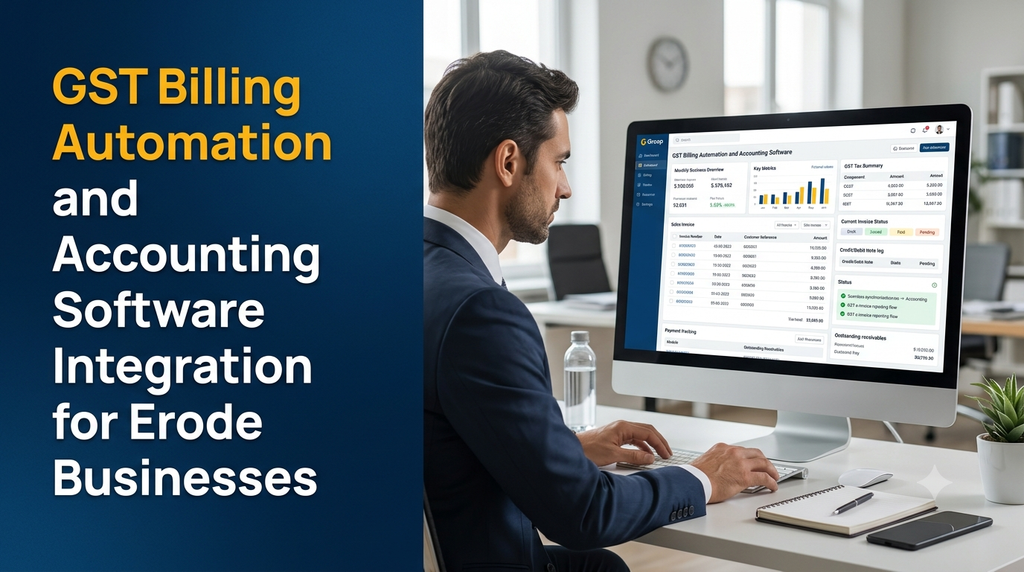
Businesses in Erode handle sales invoices, purchase bills, customer payments, supplier transactions and tax-related records every day. When billing and accounting activities are maintained in separate spreadsheets or disconnected applications, teams may need to enter the same information more than once and spend additional time checking records.
GST billing automation and accounting software integration help businesses organise invoice generation, tax calculations, payment records and accounting entries through connected digital workflows. A properly designed system can reduce repetitive data entry, improve transaction visibility and make financial records easier to review.
What Is GST Billing Automation?
GST billing automation is the use of billing software to create, manage and track invoices with configured GST-related information. It can automate repetitive activities such as customer selection, item entry, tax calculation, invoice numbering, PDF generation, payment status updates and sales reporting.
Depending on the business and its tax obligations, the application may also support credit notes, debit notes, purchase records, GST invoice data exports and integration with an authorised e-invoice service provider or Invoice Registration Portal (IRP).
The objective is to make everyday billing workflows more consistent. Businesses still need to verify their GST treatment, document requirements and filing obligations with their accountant or qualified tax professional.
Why Erode Businesses Need Billing and Accounting Automation
Erode has businesses across textiles, manufacturing, wholesale trading, retail, transport, distribution, engineering and professional services. Each business may have a different billing process, but many share common requirements: accurate invoices, customer records, payment tracking and organised accounts.
Manual processes can become difficult when a business handles multiple customers, product categories, branches, sales teams or accounting systems.
- Faster invoice preparation: Reuse customer and product information instead of entering it repeatedly.
- Consistent tax calculations: Apply configured tax rules to eligible transactions.
- Organised invoice records: Search invoices by number, customer, date or status.
- Connected accounts: Transfer approved transactions into supported accounting software.
- Payment visibility: Track paid, partially paid and outstanding invoices.
- Reduced duplicate entry: Avoid manually recreating the same transaction in multiple systems.
- Better reporting: Review sales, purchases, tax summaries and receivables.
Common GST Billing Challenges for SMEs
Repeated Data Entry
Some businesses create an invoice in one application and enter the same details again in accounting software. This creates extra work and can introduce inconsistencies in invoice values, customer references and dates.
Incorrect or Incomplete Invoice Details
Missing customer information, incorrect GSTIN details, unsuitable HSN or SAC classification and inconsistent invoice numbering can create problems during review. A well-designed billing application can validate required fields before an invoice is issued.
Disconnected Sales and Accounting Records
When invoice data does not flow into accounting records, finance teams may need to reconcile transactions manually. This can become more challenging when a business has multiple billing counters, branches or sales channels.
Unclear Payment Status
An invoice may be issued but remain unpaid, partially paid or adjusted later through an appropriate transaction. Businesses need a clear way to distinguish invoice status from payment status.
Manual Reconciliation
Comparing sales registers, purchase records, accounting entries and payment references can take time when the underlying data is stored in different places.
Essential Features of GST Billing Automation Software
1. Customer and Supplier Management
Maintain customer and supplier profiles with business names, addresses, contact details, GSTIN where applicable, state information and transaction history.
The system should validate the format of important fields and provide a way for authorised staff to review changes to customer tax details.
2. Product and Service Management
Create a catalogue of products and services with descriptions, units, item codes, configured tax classifications and pricing information. Depending on the business, this may include HSN or SAC references, product variants and price lists.
3. GST Invoice Generation
Generate invoices using business information, customer details, invoice dates, serial numbers, item descriptions, quantities, taxable values and configured tax information.
The application should support the invoice formats and mandatory particulars applicable to the business. Requirements may differ according to transaction type and the taxpayer’s circumstances.
4. Configurable Tax Calculation
The billing engine can calculate configured CGST, SGST or IGST amounts according to the applicable transaction details. Tax treatment depends on the nature of supply, place of supply, registration details, exemptions and current GST rules.
The software should not blindly apply a fixed tax rate to every item. Tax classifications and rules should be reviewed and maintained by authorised personnel.
5. Credit Notes and Debit Notes
Businesses may need to issue credit notes or debit notes to record eligible adjustments to earlier transactions. The application should link these documents to their original invoices where appropriate and maintain a clear adjustment history.
6. Invoice PDF and Printing
Generate printable invoices and downloadable PDF documents using the business’s approved invoice layout. The design can include company information, customer details, item descriptions, tax breakdowns, totals, payment terms and relevant document references.
7. Invoice Search and Status Tracking
Allow authorised users to filter invoices by date, customer, invoice number, branch, salesperson and status. Useful statuses include draft, issued, partially paid, paid, cancelled or adjusted, depending on the system’s workflow.
8. Sales and Purchase Registers
Maintain organised sales and purchase transaction records. Finance users can review transaction dates, suppliers, customers, tax values and accounting references before exporting or reconciling information.
9. Payment and Outstanding Balance Tracking
Record payment dates, amounts, methods and references against invoices. The system can show outstanding balances and overdue invoices without treating an invoice as paid simply because a payment entry has been created elsewhere.
10. Business Reports
Provide sales summaries, purchase summaries, customer balances, tax breakdowns, outstanding invoices and period-based transaction reports. Report access should be controlled according to user roles.
What Is Accounting Software Integration?
Accounting software integration connects a billing application with an accounting system so that relevant transaction information can move between them through an agreed process.
Instead of manually entering every invoice again, a business may send approved invoice details to its accounting software. The receiving system can then record the transaction using its configured ledgers, tax accounts and accounting rules.
Integration may be implemented through documented APIs, supported connectors, structured import/export files or another method permitted by the software provider.
Information That May Be Synchronized
- Customer and supplier references.
- Sales invoice numbers and dates.
- Item descriptions and quantities.
- Taxable values and tax components.
- Credit notes and debit notes.
- Purchase transaction details.
- Payment records and references.
- Ledger or account mappings.
- Branch, department or cost-centre references where supported.
Not every accounting product supports every field or transaction type. The exact integration scope must be checked against the relevant product version, API documentation, licence and permissions.
Popular Accounting Integration Requirements for Indian Businesses
Tally Integration
Businesses already using Tally may want their custom billing application to exchange customer records, sales vouchers, purchase entries, tax details and payment references with the accounting environment.
The integration method depends on the Tally product, version, configuration, available interfaces and the business’s data-mapping requirements. A development team should verify the supported interface before estimating the work.
Zoho Books Integration
A billing platform may connect with Zoho Books through authorised APIs to exchange supported customer, invoice, item and payment information. The integration should handle authentication, field mapping, API limits, errors and duplicate prevention.
Other Accounting Systems
Some businesses use other accounting products or internally developed financial applications. Integration feasibility depends on whether the system offers a documented API, supported import format or another approved connection method.
How GST Billing and Accounting Integration Works
A typical connected workflow can be organised into the following stages:
- Customer selection: The billing user selects an existing customer or creates a new approved customer profile.
- Invoice preparation: Products or services, quantities, prices and relevant tax details are entered.
- Validation: The system checks required information, invoice numbering and configured tax rules.
- Invoice issue: The authorised user issues the invoice through the business’s approved process.
- Integration queue: The application prepares the transaction for accounting synchronisation.
- Accounting transfer: The integration sends supported fields to the accounting system.
- Response handling: The system records whether the transfer succeeded or needs attention.
- Reconciliation: Finance users compare the billing record with the accounting entry and resolve differences.
GST E-Invoicing Integration: IRN and QR Code
GST e-invoicing is different from simply generating a PDF invoice. Under the e-invoice system, taxpayers covered by the applicable mandate report specified invoice details to an authorised Invoice Registration Portal (IRP). After successful validation, the IRP returns an Invoice Reference Number (IRN) and a digitally signed QR code.
Businesses continue to create invoices through their own billing, accounting or ERP software. The software can then connect with the IRP using an authorised method to report eligible documents and receive the response.
Possible E-Invoice Integration Features
- Preparation of invoice data in the required schema.
- Validation of mandatory fields before submission.
- Secure communication with an authorised IRP service.
- Capture of the returned IRN and signed QR code.
- Storage of IRP response details and timestamps.
- Error handling and authorised correction workflows.
- Invoice printing with the required e-invoice details.
The software must distinguish between an invoice generated internally and an e-invoice successfully registered with the IRP. It should not display an IRN or QR code as valid until the required response has been received and verified.
Who Needs GST E-Invoicing in India?
E-invoicing applicability depends on the notified turnover threshold, the relevant preceding financial years, the type of taxpayer and applicable exemptions. It should not be assumed that every GST-registered SME must generate e-invoices.
The current general mandate covers taxpayers whose aggregate annual turnover exceeds the notified threshold of ₹5 crore in any preceding financial year from 2017–18 onwards, subject to applicable exclusions and notifications. Businesses should verify their eligibility against the latest official GST and e-invoice guidance before implementation.
A separate reporting time restriction applies to taxpayers with annual aggregate turnover of ₹10 crore or more: from 1 April 2025, the IRP does not accept covered documents reported more than 30 days after their document date. This is a reporting deadline for that category, not the general e-invoicing eligibility threshold.
Because GST notifications and applicability can change, businesses should ask their tax professional to confirm their current position.
GST Billing Automation for Different Erode Industries
Textile and Garment Businesses
Textile businesses may need product descriptions, units, quantities, customer-specific prices, sales invoices, credit notes and accounting entries. A tailored billing system can also connect with inventory or production software where required.
Manufacturing Companies
Manufacturers may require billing integration with sales orders, finished goods, dispatch records, customer accounts and purchase transactions. The integration should preserve transaction references so that finance teams can trace invoices back to the relevant business activity.
Wholesale and Trading Businesses
Wholesalers may handle large numbers of customer invoices, supplier bills, payment collections and outstanding balances. Searchable invoice records and customer-wise reports can help manage these transactions.
Retail and Distribution Businesses
Retailers and distributors may need billing counters, product catalogues, barcode-based item selection, payment records and branch-wise sales summaries. Tax invoice and bill-of-supply workflows should be configured according to the business’s actual transaction requirements.
Professional and Service Businesses
Service providers may need customer billing, service descriptions, SAC references, recurring invoices, payment tracking and accounting integration. Invoice timing and applicable tax treatment should be reviewed for the relevant service arrangements.
Important GST Invoice Information to Capture
The exact invoice particulars depend on the transaction and applicable GST rules. A billing system should support the fields required for the business’s invoice type.
| Information | Purpose |
|---|---|
| Supplier name, address and GSTIN | Identifies the supplier issuing the invoice. |
| Consecutive invoice serial number | Provides a unique invoice reference for the financial year. |
| Invoice date | Records when the document was issued. |
| Recipient details | Identifies the customer and relevant registration information. |
| HSN or SAC information | Classifies goods or services as applicable. |
| Description and quantity | Explains what was supplied. |
| Taxable value | Records the value used for applicable tax calculation. |
| Tax details | Records applicable tax components and amounts. |
| Place of supply, where applicable | Supports the relevant tax treatment. |
| IRN and QR code, when required | Records the e-invoice authentication details. |
This is a software planning checklist, not a complete statement of statutory invoice requirements. Confirm the applicable particulars under current GST rules.
Accounting Data Synchronisation and Error Handling
A reliable integration should do more than send data from one application to another. It must handle failed requests, duplicate attempts, missing account mappings and differences between systems.
Important Integration Controls
- Field mapping: Match billing fields with the correct accounting fields and ledgers.
- Duplicate prevention: Use stable transaction references or idempotency controls where supported.
- Sync status: Display pending, successful and failed synchronisation states.
- Error logs: Record technical failures and validation messages for authorised review.
- Retry handling: Allow safe retries without creating duplicate accounting entries.
- Reconciliation: Compare source transactions with the receiving accounting records.
- Access control: Restrict integration credentials and administrative settings.
- Audit trail: Record who initiated or modified important integration activities.
The system should not silently mark a transaction as synchronised when the accounting platform has rejected it. A clear exception queue helps finance users investigate and resolve problems.
Custom GST Billing Software vs Ready-Made Accounting Software
Not every business needs custom billing software. A ready-made accounting or billing product may be sufficient when its features already match the company’s requirements.
| Consideration | Ready-made product | Custom billing application |
|---|---|---|
| Initial setup | Often quicker with predefined features | Requires requirement analysis and development |
| Billing workflow | Uses available product settings | Can be designed around specific operations |
| Integration | Depends on available connectors | Can be developed for supported documented interfaces |
| Industry-specific modules | Limited to product features | Can include tailored workflows |
| Ownership | Subject to provider’s terms | Depends on the development and source-code agreement |
| Maintenance | Mostly provider-managed | Requires an agreed support arrangement |
A custom billing application can also work alongside an existing accounting product. Businesses do not necessarily need to replace their accounting system to improve billing workflows.
Security Requirements for Billing and Accounting Integration
Billing applications handle customer details, supplier information, invoices and financial transaction records. The system should protect these records throughout their lifecycle.
- Role-based access for billing, sales, finance and administrators.
- Secure authentication and appropriate session management.
- Encryption for data transmission and suitable protection at rest.
- Restricted access to accounting API credentials and tokens.
- Audit logs for invoice changes, cancellations and approvals.
- Protected document storage for invoices and supporting files.
- Regular backups and tested recovery procedures.
- Secure API validation and error monitoring.
- Software updates and periodic security testing.
Access should be removed or adjusted when employees change roles or leave the organisation. Integration credentials should not be shared through spreadsheets, chat messages or source-code repositories.
Custom GST Billing and Accounting Integration Development Process
- Business assessment: Understand invoice volumes, customer types, business branches and current accounting tools.
- GST workflow review: Identify applicable invoice types, tax classifications and any e-invoicing requirements with the business’s tax adviser.
- Integration feasibility: Verify the accounting product’s APIs, connectors, licences and supported transaction types.
- Module planning: Define customers, products, billing, tax settings, payments, reports and administration.
- Database and mapping design: Define invoice references, ledgers, tax fields and synchronisation identifiers.
- UI development: Build responsive billing screens, invoice templates and finance dashboards.
- Integration development: Implement authorised connections and secure data exchange.
- Testing: Test tax calculations, document formats, duplicate handling, error recovery and reconciliation.
- Deployment: Configure hosting, access controls, backups and monitoring.
- Training and maintenance: Train users and maintain the application as software interfaces and business requirements change.
How Much Does GST Billing Software Development Cost in India?
Custom GST billing and accounting integration costs depend on the number of users, invoice formats, tax workflows, reporting requirements, accounting software and integration complexity.
The following are illustrative planning estimates for custom development, not fixed Greap quotations or guaranteed market prices. Tax configuration and statutory review should be handled with the business’s accountant or qualified tax professional.
| Project scope | Illustrative development estimate |
|---|---|
| Basic sales billing and invoice PDF generation | ₹25,000–₹45,000 |
| Customer, product and configured GST billing | ₹40,000–₹70,000 |
| Billing with purchase records and payment tracking | ₹55,000–₹95,000 |
| Billing, finance dashboard and business reports | ₹70,000–₹1.2 lakh |
| Custom billing with one accounting integration | ₹85,000–₹1.6 lakh |
| Billing with supported e-invoice integration | ₹1.2–₹2.5 lakh+ |
| Advanced multi-branch billing and accounting platform | ₹2.5–₹5 lakh+ |
Additional Costs to Consider
- Cloud hosting, domain and database services.
- Third-party accounting software subscriptions or licences.
- Authorised IRP or integration service provider charges, where applicable.
- API usage, messaging and email services.
- Barcode printers, billing terminals or other hardware.
- Data migration and accounting reconciliation.
- Security assessments and technical maintenance.
- Training, support and applicable taxes.
A reliable quotation should specify the number of integrations, supported invoice types, transaction volume assumptions, error-handling scope and post-launch support.
How to Choose a Billing Software Development Company in Erode
Businesses should evaluate software developers based on their ability to understand billing operations and build reliable accounting integrations—not simply on the appearance of the invoice template.
- Experience developing billing and accounting applications.
- Understanding of sales, purchase and payment workflows.
- Ability to implement configurable tax rules and validation.
- Experience with documented accounting APIs or supported connectors.
- Knowledge of integration errors, retries and reconciliation.
- Secure handling of business and customer information.
- Clear testing and deployment procedures.
- Source-code ownership and data-export arrangements.
- Post-launch maintenance and upgrade support.
GST applicability and tax treatment should be reviewed with a qualified tax professional. The development company should implement approved requirements rather than independently interpreting complex tax positions.
Frequently Asked Questions
1. What is GST billing automation?
GST billing automation uses software to create, validate, issue and track business invoices with configured GST-related details. It can also support payment tracking, reports and accounting integration.
2. Can GST billing software integrate with accounting software?
Yes. A billing application can exchange supported customer, invoice, tax and payment information with accounting software through documented APIs, connectors or supported import/export processes.
3. Can custom billing software integrate with Tally?
Integration may be possible using supported interfaces and configurations. The exact method depends on the Tally product, version, access permissions and required transaction types.
4. Can billing software integrate with Zoho Books?
A custom application may connect with Zoho Books through authorised APIs. Available operations, field mapping and access permissions should be confirmed before development.
5. Does GST billing software automatically file GST returns?
Not necessarily. Billing software may prepare reports or exchange eligible invoice information with supported systems. Return preparation, verification and filing require the appropriate authorised process and should be reviewed by the taxpayer or their professional adviser.
6. What is the difference between GST invoicing and e-invoicing?
GST invoicing is the creation of a tax invoice under applicable rules. E-invoicing is a separate reporting and authentication process for specified documents of taxpayers covered by the mandate, through an authorised Invoice Registration Portal.
7. What is an IRN in GST e-invoicing?
IRN stands for Invoice Reference Number. It is a unique reference returned by the Invoice Registration Portal after successful validation of a covered e-invoice submission.
8. Do all GST-registered businesses need e-invoicing?
No. E-invoicing applicability depends on the notified turnover threshold, preceding financial years, taxpayer category and applicable exclusions. Businesses should verify current requirements with official guidance and their tax professional.
9. Can billing software generate GST invoices in PDF format?
Yes. It can generate printable or downloadable invoices using an approved layout containing the applicable supplier, recipient, item, tax and document information.
10. Can a business manage credit notes and debit notes?
Yes. A billing system can record credit notes and debit notes, link them to relevant invoices and maintain adjustment histories according to the business’s approved process.
11. Can GST billing software manage multiple branches?
Yes. A custom application can support multiple branches, users, invoice series, reporting permissions and consolidated dashboards, subject to the organisation’s requirements and applicable rules.
12. Can a textile or manufacturing company use custom GST billing software?
Yes. Custom software can be designed around product catalogues, customer-specific prices, quantities, sales orders, dispatch references, invoices and accounting workflows relevant to the business.
13. What happens when accounting synchronisation fails?
A well-designed integration records the failure, displays an appropriate status and allows authorised users to investigate and retry safely. Duplicate-prevention controls help avoid creating repeated accounting entries.
14. How much does custom GST billing software cost in Erode?
Illustrative custom development estimates may start around ₹25,000 for basic sales billing and invoice generation. Accounting integration, e-invoicing, multi-branch support and advanced reports increase the project cost.
15. How long does it take to develop billing and accounting integration software?
A basic billing application may take several weeks. A more advanced platform with accounting integration, e-invoice workflows, reporting and multi-branch support may require several months, depending on scope and testing.
Planning GST Billing Automation for Your Erode Business?
Greap Technologies develops custom websites, business applications and software solutions. If your business needs GST billing workflows, invoice management, accounting integration, payment tracking or branch-wise reports, start by discussing your current billing process and software requirements.
We can help define the modules, accounting connections, user permissions and technical scope for your project. Tax rules and statutory requirements should be confirmed with your accountant or qualified tax professional.
Discuss Your Project on WhatsApp Call Greap TechnologiesWebsite: www.greap.in