
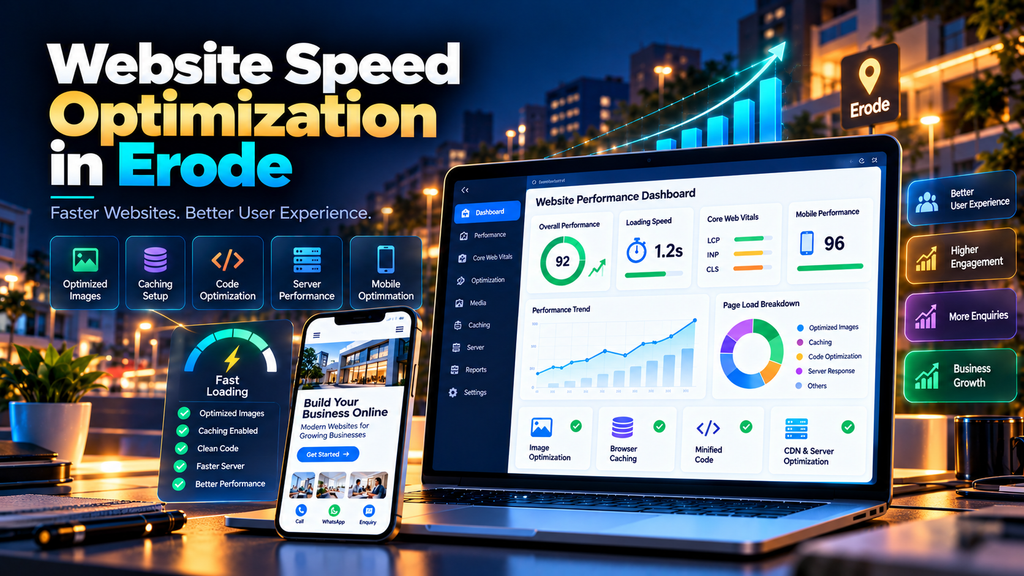
Website Speed Optimization Services in Erode help businesses identify and fix performance problems that make websites slow to load, slow to respond or frustrating to use on mobile and desktop devices.
A business website may have an attractive design, useful content and strong services, but if visitors have to wait too long for pages to load, the overall experience can suffer.
Slow performance can become particularly important for businesses using their websites to generate:
- Phone calls
- WhatsApp enquiries
- Contact form submissions
- Quote requests
- Product enquiries
- Online orders
- Appointments
Website speed optimization is therefore not simply about chasing a perfect performance score.
The real objective is to create a website that loads efficiently, responds quickly and provides a better experience for real visitors.
At Greap Technologies, we provide website development services, website performance optimization, maintenance and SEO services in Erode for business websites.
What Is Website Speed Optimization?
Website speed optimization is the process of identifying and improving technical factors that affect how quickly a website loads and responds to user interactions.
Depending on the website, optimization can involve:
- Image optimization
- JavaScript optimization
- CSS optimization
- Font optimization
- Caching
- Server improvements
- Database optimization
- Third-party script reduction
- Lazy loading
- Code splitting
- Resource compression
- CDN configuration
- Core Web Vitals improvements
There is no single speed fix suitable for every website.
The correct approach starts by measuring the website and identifying its actual performance bottlenecks.
Why Website Speed Matters for Erode Businesses
Potential customers may discover an Erode business through Google Search, Google Maps, social media, advertisements, referrals or direct links.
After clicking through to the website, performance becomes part of their experience.
A slow website can make it harder for visitors to:
- Read service information
- Browse products
- View images
- Use navigation
- Submit forms
- Contact the business
- Complete purchases
Speed optimization should therefore focus on making important customer journeys easier and more reliable.
Does Website Speed Affect Google SEO?
Website performance and page experience can contribute to search performance, but website owners should avoid oversimplifying the relationship.
Google uses Core Web Vitals in its ranking systems and recommends providing a good overall page experience.
However, achieving good Core Web Vitals or a high performance-tool score does not guarantee that a page will rank at the top of Google.
Search visibility also depends on many other factors, including the relevance and usefulness of the page.
For businesses, website speed optimization should therefore support both users and technical SEO, rather than being treated as a guaranteed ranking shortcut.
What Are Core Web Vitals?
Core Web Vitals are metrics designed to measure important aspects of real-world user experience.
The three main Core Web Vitals are:
- Largest Contentful Paint (LCP) – loading performance
- Interaction to Next Paint (INP) – responsiveness to user interaction
- Cumulative Layout Shift (CLS) – visual stability
Understanding these metrics can help businesses identify different types of performance problems instead of looking only at a single overall score.
1. Start with a Website Speed Audit
Do not begin by randomly installing optimization plugins or deleting code.
Start by measuring the website.
A performance audit can examine:
- Page loading behaviour
- Core Web Vitals
- Large images
- JavaScript execution
- CSS delivery
- Fonts
- Third-party scripts
- Server response
- Caching
- Network requests
- Mobile performance
The audit helps determine which optimizations are actually worth doing.
2. Test Important Pages, Not Only the Homepage
A common mistake is optimizing the homepage while ignoring the pages customers actually use.
Test important page types such as:
- Homepage
- Service pages
- Landing pages
- Blog articles
- Contact page
- Product pages
- Category pages
- Cart
- Checkout
Different templates can have completely different performance problems.
3. Optimize Large Images
Oversized images are a common source of unnecessary page weight.
A website may display an image at a relatively small size while downloading a much larger original file.
Image optimization can include:
- Resizing images appropriately
- Compressing files
- Using suitable modern image formats
- Providing responsive image sizes
- Lazy-loading suitable off-screen images
- Defining image dimensions
Image quality should remain appropriate for the business while unnecessary file size is reduced.
4. Use Modern Image Formats Where Appropriate
Modern formats such as WebP and AVIF can help reduce image file sizes in suitable situations.
However, simply converting every image does not automatically solve every speed problem.
Image dimensions, compression, loading priority and responsive delivery still matter.
5. Avoid Lazy-Loading Critical Above-the-Fold Images
Lazy loading can be useful for images further down a page because those resources do not necessarily need to load immediately.
But important above-the-fold content requires more careful treatment.
For example, incorrectly lazy-loading a main hero image can delay the content users expect to see first.
Optimization should prioritize the resources needed for the initial visible experience.
6. Reduce Unnecessary JavaScript
Modern websites can accumulate large amounts of JavaScript from:
- Page builders
- Analytics
- Chat widgets
- Advertising scripts
- Animations
- Popups
- Tracking systems
- Third-party integrations
JavaScript can affect loading and interaction responsiveness.
Review which scripts are genuinely necessary.
Depending on the website, improvements may involve:
- Removing unused scripts
- Reducing unnecessary libraries
- Deferring non-critical scripts
- Loading functionality only where required
- Splitting large application bundles
7. Optimize CSS
Large or inefficient stylesheets can also affect page rendering.
CSS optimization may involve:
- Removing unused CSS where safe
- Minifying production stylesheets
- Reducing unnecessary framework code
- Prioritizing important styles
- Avoiding excessive duplicate styles
CSS should be optimized carefully so performance changes do not break the website design.
8. Optimize Web Fonts
Custom fonts can improve branding, but poor font implementation can add unnecessary requests or delay visible text.
Font optimization can include:
- Using only required font families
- Reducing unnecessary font weights
- Using suitable font formats
- Loading fonts efficiently
- Using appropriate fallback fonts
A business website rarely needs ten different font weights just because they are available.
9. Enable Appropriate Browser Caching
Caching can reduce the need to repeatedly download unchanged website resources.
Depending on the technology and hosting environment, caching may apply to:
- Images
- CSS
- JavaScript
- Fonts
- Generated pages
- Server responses
Caching should be configured according to the website architecture rather than copied blindly from another website.
10. Use Server-Side Caching Where Appropriate
Dynamic websites may benefit from appropriate server-side or page caching.
This can reduce repeated processing for content that does not need to be regenerated for every request.
The correct caching approach depends on whether the website is:
- A static website
- A WordPress website
- An ecommerce store
- A custom web application
- A personalized application
Ecommerce and logged-in experiences require particularly careful caching rules.
11. Improve Server Response Performance
Front-end optimization cannot completely compensate for an overloaded or poorly configured server.
Server-related performance issues can involve:
- Slow hosting
- Insufficient resources
- Database delays
- Application processing
- Network latency
- Poor caching configuration
- Slow external services
When server response is a bottleneck, the underlying infrastructure should be investigated.
12. Review Your Hosting Environment
The cheapest hosting package is not always suitable for every business website.
Hosting requirements can depend on:
- Traffic
- Website technology
- Database usage
- Ecommerce activity
- Media files
- Server-side processing
- Third-party integrations
If performance problems repeatedly originate at the server level, hosting may need to be upgraded or reconfigured.
13. Use a CDN When It Makes Sense
A Content Delivery Network (CDN) can distribute suitable website resources across a network of servers.
This can help reduce delivery distance for some visitors and can provide additional performance benefits depending on the setup.
However, a CDN does not automatically repair:
- Huge images
- Heavy JavaScript
- Slow database queries
- Broken code
- Poor application architecture
Use a CDN as part of an overall performance strategy, not as a substitute for fixing the website.
14. Compress Website Resources
Text-based resources can often be compressed during transfer.
Depending on server support and configuration, compression can reduce the amount of data transferred for resources such as:
- HTML
- CSS
- JavaScript
- Other suitable text resources
Compression should be configured at the appropriate server or delivery layer.
15. Reduce Unnecessary HTTP Requests
Every page resource can create additional work for the browser and network.
A page may request:
- Images
- Stylesheets
- JavaScript
- Fonts
- Tracking scripts
- Widgets
- Third-party APIs
The goal is not to achieve an arbitrary minimum number of requests.
Instead, remove resources that provide little or no value.
16. Review Third-Party Scripts
Third-party code deserves special attention because businesses often add it over time without reviewing its performance impact.
Examples include:
- Live chat
- Analytics
- Advertising tags
- Heatmaps
- Social widgets
- Embedded videos
- Marketing automation
Ask whether every third-party script is still required.
Removing an unnecessary widget can sometimes be more effective than trying to optimize around it.
17. Optimize Video Content
Large autoplay videos can make pages significantly heavier.
If video is important to the design:
- Compress it appropriately
- Avoid unnecessarily large resolutions
- Consider poster images
- Load video resources appropriately
- Avoid forcing visitors to download unnecessary media immediately
The visual effect should justify the performance cost.
18. Improve Largest Contentful Paint (LCP)
LCP measures loading performance for the largest relevant content element in the viewport.
Depending on the page, poor LCP can be related to:
- Slow server response
- Large hero images
- Render-blocking resources
- Slow resource discovery
- Heavy client-side rendering
The exact fix depends on which element is being measured and what is delaying it.
19. Improve Interaction to Next Paint (INP)
INP measures responsiveness to user interactions.
Poor responsiveness can occur when the browser is busy with heavy work.
Potential causes can include:
- Large JavaScript tasks
- Heavy event handlers
- Excessive client-side processing
- Complex third-party scripts
- Unnecessary application code
Optimization can involve reducing the amount of work required on the main browser thread.
20. Improve Cumulative Layout Shift (CLS)
CLS measures unexpected visual movement while a page is being used.
For example, a customer may try to tap a button and suddenly the layout shifts because an image or banner appears above it.
Common improvements can include:
- Defining image dimensions
- Reserving space for embedded content
- Handling fonts carefully
- Avoiding unexpected content insertion
- Stabilizing dynamic UI elements
21. Optimize Mobile Website Speed
Mobile performance deserves specific attention.
A website that feels fast on an office computer and broadband connection may perform very differently on a mobile device or slower network.
Test:
- Mobile homepage
- Service pages
- Menus
- Forms
- WhatsApp buttons
- Product pages
- Cart
- Checkout
Mobile optimization should consider both loading performance and usability.
22. Optimize WordPress Website Speed
WordPress performance can be affected by several layers of the website.
Common areas to investigate include:
- Theme
- Page builder
- Plugins
- Images
- Database
- Caching
- Hosting
- Third-party scripts
Installing another speed plugin is not always the answer.
Sometimes too many plugins are part of the problem.
23. Remove Unused WordPress Plugins
Old websites can accumulate plugins that are no longer necessary.
Review:
- Active plugins
- Inactive plugins
- Duplicate functionality
- Plugins loading assets site-wide
- Outdated extensions
Remove unnecessary software carefully after confirming that it is not required by the website.
24. Optimize the WordPress Database
Long-running WordPress websites can accumulate unnecessary database data.
Depending on the site, this can include:
- Old revisions
- Transient data
- Plugin-generated data
- Unused tables
Database changes should be backed up and performed carefully.
25. Optimize Ecommerce Website Speed
Ecommerce performance can be more complicated because pages may contain:
- Product images
- Filters
- Dynamic pricing
- Customer accounts
- Cart functionality
- Checkout functionality
- Payment integrations
- Analytics and marketing scripts
Speed optimization must preserve the functionality required to complete purchases.
Explore our Ecommerce Development Services for larger ecommerce development requirements.
26. Optimize Product Images
Ecommerce websites often contain hundreds or thousands of product images.
Establish an image process covering:
- Appropriate dimensions
- Compression
- Modern formats where suitable
- Responsive images
- Lazy loading where appropriate
- ALT text where relevant
Otherwise, new product uploads can gradually make the website slower again.
27. Protect Checkout Performance
Do not optimize an ecommerce site only for its homepage.
Test:
- Product page
- Add to cart
- Cart
- Checkout
- Payment flow
- Order confirmation
Performance improvements should never break important purchase functionality.
28. Optimize Custom Websites and Web Applications
Custom websites can require application-level optimization.
Depending on the technology, work may involve:
- Code splitting
- Bundle optimization
- API performance
- Database queries
- Server rendering
- Caching
- Asset optimization
- Dependency review
The correct optimization strategy depends on the architecture.
29. Measure Real-World Performance
Laboratory testing is useful for diagnosing technical issues, but it should not be the only information considered.
Real users experience websites across different:
- Devices
- Browsers
- Networks
- Locations
- Pages
Where sufficient real-user data is available, use it alongside controlled testing to understand actual visitor experience.
30. Don’t Chase a 100/100 Score Blindly
A perfect performance score can look impressive in a screenshot, but it should not become the only business objective.
A website can have a strong tool score and still have:
- Poor content
- Weak navigation
- Broken forms
- Confusing calls to action
- Poor search relevance
- Weak conversion performance
Optimize for real users and business outcomes rather than a screenshot of a number.
Website Speed Optimization Checklist
| Optimization Area | What to Check | Priority |
|---|---|---|
| Performance Audit | Identify actual bottlenecks | High |
| Images | Size, compression and delivery | High |
| JavaScript | Unused and heavy scripts | High |
| CSS | Unused and render-impacting styles | Medium |
| Fonts | Families, weights and loading | Medium |
| Caching | Browser and server caching | High |
| Hosting | Server response and resources | High |
| Third-Party Scripts | Remove unnecessary integrations | High |
| LCP | Loading performance | High |
| INP | Interaction responsiveness | High |
| CLS | Visual stability | High |
| Mobile | Performance and usability | High |
| Ecommerce | Product, cart and checkout performance | High |
Common Reasons Business Websites Become Slow
- Unoptimized images
- Too many plugins
- Heavy themes
- Large JavaScript bundles
- Unused CSS
- Multiple custom fonts
- Third-party tracking scripts
- Chat widgets
- Autoplay videos
- Poor caching
- Slow hosting
- Database problems
- External API delays
- Too many marketing integrations
Signs Your Website Needs Speed Optimization
Your website may need a performance audit if:
- Pages visibly take too long to load
- Mobile visitors experience delays
- Buttons respond slowly
- Images appear late
- The page shifts while loading
- Checkout feels slow
- Forms become sluggish
- Performance reports repeatedly identify poor experiences
- The website becomes slower after adding plugins or scripts
Website Speed Optimization vs Website Maintenance
| Speed Optimization | Website Maintenance |
|---|---|
| Targets performance problems | Covers broader website health |
| Optimizes loading and responsiveness | Can include backups and updates |
| Works on Core Web Vitals | Can monitor Core Web Vitals |
| Can be a focused project | Usually ongoing |
| May involve code changes | Includes routine technical support |
Read our Website Maintenance Services in Erode guide to understand ongoing website maintenance.
Website Speed Optimization vs Website AMC
A speed optimization project can fix current performance problems.
A Website AMC can help monitor and maintain website health after improvements have been implemented.
For example:
Performance Audit → Speed Optimization → Testing → Website AMC → Ongoing Monitoring
Read our Website AMC Services in Erode: Cost, Scope and Benefits guide for more information.
Website Speed Optimization and Technical SEO
Website performance overlaps with technical SEO, but technical SEO includes additional areas.
These can include:
- Crawling
- Indexing
- Canonical URLs
- XML sitemaps
- Robots.txt
- HTTPS
- Redirects
- Structured data
- Internal linking
Read our Technical SEO Checklist for Business Websites in Erode for a broader technical SEO review.
How Much Does Website Speed Optimization Cost in Erode?
There is no single price suitable for every website.
The cost can depend on:
- Website technology
- Number of templates and pages
- Current performance problems
- Hosting environment
- Number of plugins
- Custom code
- Ecommerce functionality
- Third-party integrations
- Amount of optimization required
A simple business website with oversized images may require significantly less work than a large ecommerce store with complex scripts, integrations and database queries.
A performance audit should normally come before a detailed optimization estimate.
Can Website Speed Optimization Guarantee a 100/100 Score?
No responsible provider should guarantee a perfect performance score for every website, device and testing condition.
Performance measurements can vary depending on the page, environment and testing conditions.
Some business functionality also carries a legitimate performance cost.
The goal should be meaningful improvement without breaking important functionality.
Can Speed Optimization Guarantee Better Google Rankings?
No.
Improving page experience and Core Web Vitals can support a stronger website experience, but speed optimization alone cannot guarantee a particular Google ranking.
A complete SEO strategy can also involve:
- Search intent
- Useful content
- On-page SEO
- Technical SEO
- Internal linking
- Local SEO
- Authority and reputation
Explore our SEO Services in Erode for broader search optimization.
Website Speed Optimization for Erode Businesses
Performance optimization can be useful for different types of businesses, including:
- Manufacturing companies
- Retail businesses
- Ecommerce stores
- Construction companies
- Educational institutions
- Professional services
- Hotels and hospitality businesses
- Digital businesses
- B2B companies
The optimization strategy should be based on the website technology and customer journey rather than using the same checklist blindly for every business.
Website Speed Optimization for Erode and Nearby Areas
Greap Technologies can support businesses in Erode, Perundurai, Bhavani, Gobichettipalayam, Sathyamangalam, Anthiyur, Chennimalai, Modakkurichi, Kavindapadi, Nambiyur, Kodumudi and nearby areas with website development and performance requirements.
Website performance itself is primarily a technical issue, so optimization should focus on actual user experience and website architecture rather than artificially repeating location keywords.
Why Choose Greap Technologies for Website Speed Optimization in Erode?
Greap Technologies provides website development, website maintenance, ecommerce development, technical SEO and website performance services for businesses in Erode and nearby areas.
Depending on the website, our performance work can include:
- Website performance audit
- Core Web Vitals review
- Image optimization
- JavaScript review
- CSS optimization
- Font optimization
- Caching review
- Server performance analysis
- Third-party script review
- Mobile performance optimization
- WordPress optimization
- Ecommerce performance optimization
- Technical SEO review
The optimization approach should be based on measured performance problems rather than installing unnecessary tools or promising artificial scores.
Explore our Website Development Services, Ecommerce Development, SEO Services in Erode and Digital Marketing Services.
Conclusion
A fast website can provide a smoother experience for customers researching your business, browsing products, completing forms or making purchases.
Effective website speed optimization starts with measurement.
Identify what is actually slowing the website down, then prioritize improvements involving images, JavaScript, CSS, fonts, caching, hosting, third-party scripts, mobile performance and Core Web Vitals.
Do not optimize only for a performance-score screenshot.
Optimize for the people using the website.
For Erode businesses, the strongest approach combines website performance with useful content, mobile usability, technical SEO and a clear customer journey from search to enquiry.
Need Website Speed Optimization Services in Erode?
If your business website feels slow, performs poorly on mobile or has Core Web Vitals issues, start with a website performance audit.
Greap Technologies provides website speed optimization, website development, website maintenance, ecommerce support and technical SEO services for businesses in Erode and nearby areas.
Contact Greap Technologies on WhatsApp
Frequently Asked Questions
1. What is website speed optimization?
Website speed optimization involves identifying and improving technical factors that affect page loading, responsiveness and visual stability.
2. Why is my business website slow?
Common causes can include oversized images, heavy JavaScript, unnecessary plugins, third-party scripts, poor caching, slow hosting, database issues and inefficient website code.
3. What are Core Web Vitals?
Core Web Vitals measure important aspects of real-world page experience. The main metrics are Largest Contentful Paint (LCP), Interaction to Next Paint (INP) and Cumulative Layout Shift (CLS).
4. Does website speed affect SEO?
Google uses Core Web Vitals in its ranking systems and recommends a good overall page experience. However, speed and Core Web Vitals alone do not guarantee high search rankings.
5. Can you guarantee a 100/100 performance score?
A perfect score should not be treated as the main goal or guaranteed for every website and testing condition. The priority should be meaningful performance improvements for real users while preserving required functionality.
6. How can WordPress website speed be improved?
WordPress optimization can involve reviewing plugins, themes, images, caching, fonts, JavaScript, CSS, database performance, hosting and third-party scripts.
7. Can image optimization make a website faster?
Yes, when oversized or poorly delivered images are contributing to page weight. Appropriate sizing, compression, responsive images and suitable formats can improve image delivery.
8. Does changing hosting improve website speed?
It can when server performance or available resources are part of the bottleneck. Hosting changes will not automatically fix problems caused by heavy images, JavaScript or inefficient application code.
9. How much does website speed optimization cost in Erode?
Cost depends on the website technology, complexity, current performance problems, hosting, ecommerce functionality, integrations and amount of development work required.
10. How long does website speed optimization take?
The required time depends on the problems identified during the performance audit. Simple image and caching improvements can differ significantly from application-level or ecommerce performance work.
11. Do ecommerce websites need speed optimization?
Ecommerce websites can particularly benefit from performance monitoring because customers interact with product pages, carts, checkout, payments and other dynamic functionality.
12. Does Greap Technologies provide website speed optimization in Erode?
Yes. Greap Technologies provides website performance optimization, website development, website maintenance, ecommerce support and technical SEO services for businesses in Erode and nearby areas.


