
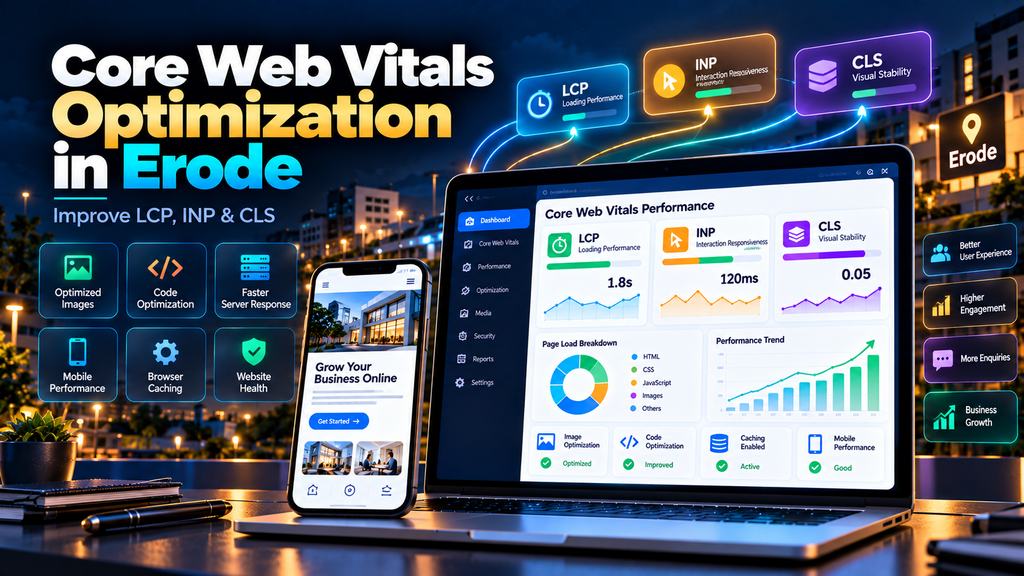
Core Web Vitals Optimization for Business Websites in Erode focuses on improving three important aspects of website experience: loading performance, interaction responsiveness and visual stability.
A business website may look modern and professional but still provide a frustrating experience if the main content takes too long to appear, buttons respond slowly or the page unexpectedly shifts while someone is trying to use it.
Core Web Vitals help website owners measure these types of real-world experiences.
The three Core Web Vitals are:
- Largest Contentful Paint (LCP) – measures loading performance
- Interaction to Next Paint (INP) – measures interaction responsiveness
- Cumulative Layout Shift (CLS) – measures visual stability
For businesses in Erode using websites to generate enquiries, calls, WhatsApp messages, appointments or online sales, improving these areas can contribute to a faster and more usable customer experience.
At Greap Technologies, we provide website development services, website performance optimization and SEO services in Erode for business websites.
What Are Core Web Vitals?
Core Web Vitals are performance metrics designed to measure important aspects of the experience users receive when visiting a web page.
| Metric | Measures | Good Experience |
|---|---|---|
| LCP | Loading performance | 2.5 seconds or less |
| INP | Interaction responsiveness | 200 milliseconds or less |
| CLS | Visual stability | 0.1 or less |
These targets should be evaluated using the appropriate measurement methodology and real-user data where available.
Why Core Web Vitals Matter for Erode Business Websites
Imagine a potential customer searching for a service in Erode.
They click your website.
Several things can happen:
- The main content appears quickly
- The page takes several seconds before useful content appears
- The menu responds immediately
- The menu freezes after being tapped
- The page remains visually stable
- A banner suddenly moves the contact button while the visitor tries to tap it
These experiences can influence whether a visitor continues using the website.
Core Web Vitals provide measurable ways to investigate some of these problems.
Do Core Web Vitals Affect Google Rankings?
Google states that Core Web Vitals are used by its ranking systems and recommends achieving good Core Web Vitals for users and Search.
However, this needs an important qualification.
Good Core Web Vitals do not guarantee that a page will rank at the top of Google.
Search relevance, content quality and many other factors still matter.
Core Web Vitals optimization should therefore focus primarily on providing a better website experience while supporting the site’s broader technical SEO foundation.
Core Web Vitals vs Website Speed
Website speed and Core Web Vitals are related, but they are not identical concepts.
| Website Speed | Core Web Vitals |
|---|---|
| Broad performance concept | Specific user-experience metrics |
| Can include server speed | Includes LCP, INP and CLS |
| Can include page weight | Measures specific experience dimensions |
| Can include caching and CDN | Focuses on loading, responsiveness and stability |
A complete performance strategy can consider both.
Understanding Largest Contentful Paint (LCP)
Largest Contentful Paint measures how quickly the largest relevant visible content element is rendered.
Depending on the page, the LCP element could be:
- A hero image
- A large heading
- A banner
- A large content block
- Another prominent visible element
A good LCP experience is generally considered to be 2.5 seconds or less.
Common Causes of Poor LCP
Poor LCP can have several causes.
- Slow server response
- Large hero images
- Render-blocking CSS
- Heavy JavaScript
- Slow resource discovery
- Client-side rendering delays
- Poor resource prioritization
- Slow third-party resources
Finding the actual LCP element and understanding what delays it should come before applying fixes.
1. Optimize the LCP Image
For many business websites, the largest visible element is a hero or banner image.
If that image is several megabytes, the browser may spend unnecessary time downloading it.
Possible improvements include:
- Resize the image appropriately
- Compress it
- Use a suitable modern format
- Serve responsive image sizes
- Prioritize the important image appropriately
Do not reduce image quality so aggressively that the business website looks unprofessional.
2. Avoid Lazy-Loading the LCP Image
Lazy loading is useful for many below-the-fold images.
However, an important image visible immediately when the page opens generally should not be delayed unnecessarily.
If your hero image becomes the LCP element, incorrectly lazy-loading it can make the metric worse.
3. Improve Server Response
Sometimes the browser cannot start displaying important content quickly because the server itself takes too long to respond.
Potential causes can include:
- Slow hosting
- Insufficient server resources
- Slow database queries
- Application processing
- Poor caching
- Slow external dependencies
Front-end optimization alone cannot solve every server-side bottleneck.
4. Reduce Render-Blocking Resources
Some CSS and JavaScript resources can delay initial rendering.
Optimization may involve:
- Removing unnecessary code
- Loading non-critical resources appropriately
- Reducing unused CSS
- Deferring suitable scripts
- Prioritizing critical page resources
Changes should be tested carefully to avoid breaking the website.
5. Optimize Fonts
Fonts can also affect how quickly important text becomes visible.
Review:
- Number of font families
- Number of weights
- Font file sizes
- Font loading strategy
- Fallback fonts
Use the fonts the design actually needs instead of loading every available variation.
Understanding Interaction to Next Paint (INP)
Interaction to Next Paint measures how responsive a page is to user interactions.
Examples of interactions include:
- Clicking a button
- Tapping a mobile menu
- Selecting an option
- Opening an interactive component
A good INP experience is generally considered to be 200 milliseconds or less.
INP replaced First Input Delay (FID) as a Core Web Vital, so older optimization guides focusing only on FID may be outdated.
Common Causes of Poor INP
INP problems can occur when the browser has too much work to perform around an interaction.
Potential causes include:
- Large JavaScript tasks
- Heavy event handlers
- Complex page rendering
- Third-party scripts
- Large application bundles
- Excessive DOM work
- Slow client-side processing
6. Reduce Heavy JavaScript
JavaScript is useful for interactive websites, but excessive JavaScript can affect responsiveness.
Review code coming from:
- Page builders
- Animations
- Popups
- Chat widgets
- Analytics
- Advertising
- Third-party integrations
Remove scripts that no longer provide enough business value to justify their performance cost.
7. Break Up Long JavaScript Tasks
Large blocks of JavaScript can keep the browser’s main thread busy.
When practical, long tasks can be divided into smaller pieces so the browser has more opportunities to respond to user interactions.
The exact implementation depends on the website’s code and framework.
8. Reduce Unnecessary Main-Thread Work
The browser’s main thread handles important tasks related to rendering and interactions.
Heavy work can make buttons or menus feel delayed.
Potential improvements include:
- Reducing unnecessary JavaScript
- Simplifying expensive rendering
- Optimizing event handlers
- Reducing unnecessary DOM updates
- Loading functionality only when required
9. Review Third-Party Scripts
Third-party scripts can create INP problems even when your own website code is efficient.
Review:
- Live chat
- Analytics tools
- Heatmaps
- Social widgets
- Advertising scripts
- Marketing automation
Keep the tools that genuinely help the business and reconsider unnecessary ones.
10. Optimize Interactive Components
Pay particular attention to components visitors use frequently.
Examples include:
- Navigation menus
- Mobile menus
- Forms
- Product filters
- Search
- Accordions
- Tabs
- Cart controls
These interactions should feel responsive even on less powerful devices.
Understanding Cumulative Layout Shift (CLS)
Cumulative Layout Shift measures unexpected movement of visible page content.
A good CLS experience is generally considered to be 0.1 or less.
Imagine trying to tap a “Contact Us” button.
Just before your finger reaches it, an image loads above the button and pushes everything downward.
That is the kind of frustrating visual instability CLS is designed to identify.
Common Causes of Poor CLS
- Images without dimensions
- Advertisements without reserved space
- Embeds without reserved space
- Dynamic banners
- Late-loading fonts
- Unexpected content insertion
- Third-party widgets
11. Set Image Dimensions
When the browser knows an image’s dimensions, it can reserve the required layout space before the image finishes loading.
This can prevent surrounding content from suddenly moving when the image appears.
12. Reserve Space for Embeds
Embedded content can include:
- Videos
- Maps
- Social embeds
- Third-party widgets
If the final size is reasonably predictable, reserve suitable space so surrounding content does not unexpectedly shift.
13. Handle Banners and Dynamic Content Carefully
Cookie notices, promotional banners and other dynamic components can create visual movement when implemented poorly.
Design these elements so they do not unexpectedly push important page content around.
14. Optimize Font Loading for Visual Stability
Fonts can affect layout if fallback text and the final font use significantly different dimensions.
Use an appropriate font-loading strategy and sensible fallback fonts to reduce unnecessary visual changes.
15. Avoid Injecting Content Above Existing Content
Be careful when dynamically inserting content near the top of a page after the visitor has already started using it.
Examples include:
- Promotional bars
- Notifications
- Advertisements
- Dynamic recommendations
Where possible, reserve the required space or use a design that does not unexpectedly shift the main content.
Field Data vs Lab Data
Understanding this difference is important when optimizing Core Web Vitals.
Field Data
Field data represents experiences collected from real users under real conditions.
Those visitors may use different:
- Phones
- Computers
- Browsers
- Network speeds
- Locations
Lab Data
Lab testing runs under controlled conditions and is particularly useful for diagnosing performance problems.
Both can be useful.
Lab data helps identify technical opportunities, while field data can help show what eligible real users are actually experiencing.
Why Your Lab Score and Core Web Vitals May Differ
Business owners sometimes run a performance test and wonder why it differs from their Core Web Vitals report.
This can happen because the measurements may represent different conditions and data sources.
A single test is not the same as aggregated real-user experience.
Do not assume one test result represents every visitor.
Tools for Measuring Core Web Vitals
Core Web Vitals can be investigated using tools and data sources such as:
- Google Search Console Core Web Vitals report
- PageSpeed Insights
- Chrome DevTools
- Lighthouse
- Chrome User Experience Report data where available
- Real User Monitoring systems
Different tools serve different purposes, so use them together when diagnosing more complex performance problems.
Core Web Vitals Optimization for Mobile Websites
Mobile performance deserves special attention for business websites.
Test important customer journeys such as:
- Opening the homepage
- Viewing a service page
- Opening the mobile menu
- Tapping a phone button
- Opening WhatsApp
- Completing a form
- Browsing products
- Using cart and checkout
Performance improvements should make these interactions feel smoother rather than simply increasing a testing score.
Core Web Vitals for WordPress Websites
WordPress Core Web Vitals problems can originate from multiple layers.
Review:
- Theme
- Page builder
- Plugins
- Images
- Fonts
- JavaScript
- CSS
- Hosting
- Caching
- Third-party scripts
A single optimization plugin cannot guarantee that every WordPress performance problem will disappear.
Core Web Vitals for Ecommerce Websites
Ecommerce websites can be particularly challenging because they may contain:
- Large product images
- Product variations
- Search
- Filters
- Cart functionality
- Checkout
- Payment integrations
- Analytics
- Advertising scripts
Optimization should preserve essential purchasing functionality.
Test product pages, categories, cart and checkout rather than optimizing only the homepage.
Explore our Ecommerce Development Services for larger ecommerce development requirements.
Core Web Vitals for Custom Websites
Custom-developed websites may require deeper application-level optimization.
Depending on the technology stack, improvements can involve:
- Bundle optimization
- Code splitting
- Server rendering
- API performance
- Database optimization
- Resource prioritization
- Hydration behaviour
- Third-party dependencies
The correct solution depends on the architecture rather than the framework name alone.
Core Web Vitals Optimization Checklist
| Area | Check | Related Metric |
|---|---|---|
| Hero Image | Size, compression and priority | LCP |
| Server Response | Hosting, caching and processing | LCP |
| Critical Resources | CSS, JavaScript and fonts | LCP |
| JavaScript | Long tasks and unused code | INP |
| Event Handlers | Interaction processing | INP |
| Third-Party Scripts | Performance impact | LCP / INP |
| Images | Dimensions defined | CLS |
| Embeds | Space reserved | CLS |
| Fonts | Loading and fallback behaviour | LCP / CLS |
| Mobile | Real customer journeys | All |
| Field Data | Real-user performance | All |
Common Core Web Vitals Optimization Mistakes
Avoid these common mistakes:
- Optimizing only the homepage
- Chasing only a 100/100 performance score
- Ignoring field data
- Lazy-loading the main LCP image
- Installing multiple optimization plugins blindly
- Removing important JavaScript without testing
- Breaking website functionality for a better score
- Ignoring mobile performance
- Ignoring third-party scripts
- Ignoring server performance
- Assuming Core Web Vitals alone determine rankings
Can You Guarantee Perfect Core Web Vitals?
No responsible website performance provider should guarantee perfect Core Web Vitals results under every real-world condition.
Real users have different devices, networks and browsing conditions.
Websites also have different functional requirements.
The goal should be to identify genuine performance bottlenecks and create meaningful improvements without damaging important functionality.
Should You Chase a 100/100 PageSpeed Score?
A high performance score can be useful as a diagnostic result, but it should not become the entire objective.
A website with a strong performance score can still have:
- Weak content
- Poor navigation
- Broken forms
- Confusing service pages
- Weak calls to action
- Poor conversion performance
Performance optimization should support the complete website experience.
Core Web Vitals vs Technical SEO
| Core Web Vitals | Technical SEO |
|---|---|
| Focuses on LCP, INP and CLS | Covers broader search-related technical health |
| Measures user-experience dimensions | Includes crawling and indexing |
| Focuses heavily on performance | Includes canonicals and sitemaps |
| Includes interaction responsiveness | Includes redirects and structured data |
Read our Technical SEO Checklist for Business Websites in Erode for the broader technical SEO picture.
Core Web Vitals vs Website Speed Optimization
Core Web Vitals optimization is one important part of broader website performance work.
A full website speed optimization project may additionally address:
- Overall page weight
- Caching
- CDN configuration
- Compression
- Database performance
- Server configuration
- Application architecture
Read our Website Speed Optimization Services in Erode guide for the complete performance strategy.
Core Web Vitals and Website Maintenance
Performance can change after optimization.
For example, someone may later:
- Upload a huge banner
- Install a new plugin
- Add a chat widget
- Add advertising scripts
- Change the theme
- Add heavy animations
Regular website maintenance can help identify performance regressions after the initial optimization work.
Read our Website Maintenance Services in Erode guide for ongoing maintenance planning.
Core Web Vitals and Website AMC
For business-critical websites, ongoing performance monitoring can also form part of an appropriate Website AMC.
A practical workflow can look like:
Performance Audit → Core Web Vitals Optimization → Testing → Website Maintenance → Ongoing Monitoring
Read our Website AMC Services in Erode: Cost, Scope and Benefits guide for more information.
How Much Does Core Web Vitals Optimization Cost in Erode?
There is no single price suitable for every website.
Cost can depend on:
- Website technology
- Current Core Web Vitals problems
- Number of page templates
- Hosting environment
- Theme and page builder
- JavaScript complexity
- Third-party scripts
- Ecommerce functionality
- Custom integrations
- Amount of development required
A performance audit should normally identify the problems before a detailed optimization scope is prepared.
Core Web Vitals Optimization for Erode Businesses
Core Web Vitals optimization can support many types of Erode businesses, including:
- Manufacturing companies
- Ecommerce businesses
- Retail stores
- Construction companies
- Professional services
- Educational organizations
- Hotels and hospitality businesses
- B2B companies
- Service businesses
The optimization approach should be based on the website and its visitors rather than using the same fixes for every company.
Why Choose Greap Technologies for Core Web Vitals Optimization in Erode?
Greap Technologies provides website development, performance optimization, technical SEO, website maintenance and ecommerce support for businesses in Erode and nearby areas.
Depending on the website, Core Web Vitals optimization can include:
- Core Web Vitals audit
- LCP analysis
- INP analysis
- CLS analysis
- Image optimization
- JavaScript optimization
- CSS optimization
- Font optimization
- Server performance review
- Caching review
- Third-party script analysis
- Mobile performance optimization
- WordPress performance optimization
- Ecommerce performance review
Our focus is on meaningful website performance improvements rather than promising artificial scores or guaranteed search rankings.
Explore our Website Development Services, SEO Services in Erode, Ecommerce Development and Digital Marketing Services.
Conclusion
Core Web Vitals provide businesses with useful metrics for understanding important parts of website experience.
Focus on the three core areas:
- LCP – how quickly important content becomes visible
- INP – how quickly the website responds to interactions
- CLS – how visually stable the page remains
Do not treat optimization as a race to achieve a perfect score.
Instead, identify the actual bottlenecks affecting visitors and fix them without damaging useful website functionality.
For Erode businesses, the strongest approach combines Core Web Vitals optimization, website speed, mobile usability, technical SEO and ongoing maintenance to create a better experience from search to enquiry.
Need Core Web Vitals Optimization in Erode?
If your website has poor LCP, INP or CLS results, Greap Technologies can review the website and identify the technical factors affecting performance.
We provide Core Web Vitals optimization, website speed optimization, website development, website maintenance and technical SEO services for businesses in Erode and nearby areas.
Contact Greap Technologies on WhatsApp
Frequently Asked Questions
1. What are Core Web Vitals?
Core Web Vitals are metrics measuring important aspects of website user experience. The current metrics are Largest Contentful Paint (LCP), Interaction to Next Paint (INP) and Cumulative Layout Shift (CLS).
2. What is a good LCP score?
A good LCP experience is generally 2.5 seconds or less.
3. What is a good INP score?
A good INP experience is generally 200 milliseconds or less.
4. What is a good CLS score?
A good CLS experience is generally 0.1 or less.
5. Does Google use Core Web Vitals for rankings?
Google states that Core Web Vitals are used by its ranking systems. However, good Core Web Vitals do not guarantee top Google rankings because search relevance and other factors also matter.
6. What happened to First Input Delay?
Interaction to Next Paint, or INP, replaced First Input Delay as a Core Web Vital. Website owners should therefore use current performance guidance rather than relying only on older FID-focused recommendations.
7. How can LCP be improved?
LCP improvements can involve optimizing the LCP resource, improving server response, reducing render-blocking resources and improving resource prioritization. The appropriate fix depends on what is delaying the page’s LCP element.
8. How can INP be improved?
INP optimization can involve reducing heavy JavaScript, breaking up long tasks, improving event handlers, reducing unnecessary rendering and reviewing third-party scripts.
9. How can CLS be improved?
CLS improvements can include defining image dimensions, reserving space for embeds and dynamic elements, improving font loading and preventing unexpected content insertion.
10. Why does PageSpeed Insights show different results at different times?
Performance results can vary because tests and real-user data may represent different devices, networks, pages, periods and testing conditions. A single test should not be treated as the experience of every visitor.
11. Can Core Web Vitals optimization guarantee a 100/100 score?
No responsible provider should guarantee a perfect score under every testing and real-world condition. The goal should be meaningful improvements to actual website performance and user experience.
12. Does Greap Technologies provide Core Web Vitals optimization in Erode?
Yes. Greap Technologies provides Core Web Vitals optimization, website speed optimization, website development, technical SEO and website maintenance support for businesses in Erode and nearby areas.


