Web Application Development for Retail Businesses in Erode
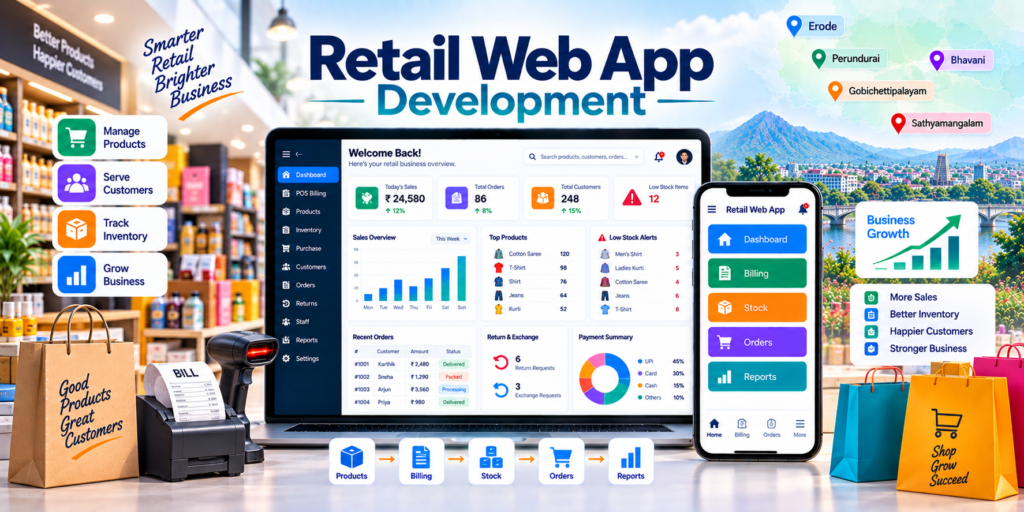
Web application development for retail businesses in Erode helps retail shops, supermarkets, textile stores, grocery businesses, jewellery shops, electronics stores, furniture stores, pharmacies, fashion outlets, hardware shops and other product-based businesses manage billing, inventory, purchases, customers, orders, staff and reports through one online system.
Retail businesses handle frequent stock movement, supplier purchases, counter billing, customer returns, staff transactions, online orders and payment records every day. When these activities are managed through notebooks, Excel sheets, separate billing tools and WhatsApp messages, it can become difficult for owners to maintain accurate business information.
A custom retail web application can connect POS billing, stock, purchases, customer data, online orders, staff access and reporting into one browser-based platform.
At Greap Technologies, we provide web application development for retail businesses in Erode, helping local retailers build practical, secure and scalable applications around their actual store workflow.
Quick Answer: What Is Web Application Development for Retail Businesses?
Retail web application development means creating custom browser-based business software that helps a retail company manage day-to-day store operations digitally.
A custom retail application can include:
- Admin dashboard
- POS billing
- Product management
- Category and brand management
- Barcode generation and scanning
- Inventory tracking
- Purchase management
- Supplier management
- Customer management
- Returns and exchanges
- Customer loyalty
- Online order management
- Ecommerce integration
- Staff login
- Role-based permissions
- Branch management
- Reports and analytics
The exact modules should depend on the store type, product structure, billing volume, number of users, branches and online-sales requirements.
Web Application Development for Retail Businesses in Erode: Service Overview
| Detail | Information |
|---|---|
| Service | Web Application Development for Retail Businesses |
| Company | Greap Technologies |
| Location | Erode, Tamil Nadu |
| Main Audience | Retail shops, supermarkets, textile stores, grocery shops, fashion stores, electronics stores and local product businesses |
| Main Goal | Digitize retail billing, stock, purchases, customers, orders and reporting |
| Core Modules | POS, products, inventory, purchase, customers, orders, returns, staff and reports |
| Best For | Textile, grocery, fashion, jewellery, electronics, furniture, pharmacy, hardware and multi-branch retail |
| Service Area | Erode District and nearby areas |
Why Retail Businesses in Erode Need Custom Web Applications
Retail businesses often manage hundreds or thousands of product transactions. As the store grows, owners may find it difficult to get a clear answer to basic questions.
For example:
- What is the current stock?
- Which products are low in stock?
- Which items are selling faster?
- What was purchased from each supplier?
- How much was sold today?
- Which staff member created a bill?
- Which products were returned?
- What stock is available in each branch?
- Which online orders are pending?
- What is the customer purchase history?
A retail web application can provide one centralized system for recording and reviewing these activities.
What Types of Retail Businesses Can Use Web Applications?
1. Textile Retail Shops
Textile shops can manage:
- Sarees
- Fabrics
- Garments
- Size variants
- Colour variants
- Barcode billing
- Returns
- Stock reports
2. Grocery Stores and Supermarkets
Grocery businesses can manage daily sales, supplier purchases, barcode products, low-stock items, expiry-related data where required and delivery orders.
3. Fashion and Clothing Stores
Fashion businesses can track:
- Sizes
- Colours
- Brands
- Collections
- Offers
- Returns
- Customer loyalty
4. Jewellery Stores
Jewellery businesses can manage product catalogues, customer enquiries, order history, appointments and billing-related workflows according to their business requirements.
5. Electronics Stores
Electronics shops can manage:
- Mobiles
- Laptops
- Accessories
- Appliances
- Serial numbers
- Warranty references
- Customer support
6. Furniture Stores
Furniture retailers can track catalogue products, custom orders, delivery schedules, installation status and payment follow-ups.
7. Pharmacies and Medical Stores
Pharmacy applications may include batch, expiry and supplier tracking where required. Any regulated pharmacy workflow should be implemented according to applicable legal and operational requirements.
8. Hardware and Electrical Stores
Hardware retailers can manage product codes, categories, supplier purchases, bulk sales and stock reports.
9. Home Décor and Gift Stores
Gift and décor shops can manage product catalogues, custom orders, stock, billing and online enquiries.
10. Multi-Branch Retail Businesses
Retail chains can manage branch-wise stock, transfers, users, sales and centralized reports.
Benefits of Web Application Development for Retail Businesses
1. One System for Daily Retail Operations
A retail web application can connect:
- Products
- Billing
- Inventory
- Purchase
- Suppliers
- Customers
- Returns
- Online orders
- Staff
- Reports
2. Better Inventory Visibility
Inventory can track:
- Opening stock
- Purchase stock
- Sold stock
- Returned stock
- Damaged stock
- Stock adjustment
- Low-stock products
- Branch-wise stock
Inventory accuracy depends on staff consistently recording purchases, sales, returns and adjustments.
3. Faster POS Billing
A retail POS interface can support:
- Barcode scanning
- Product search
- Quantity entry
- Customer selection
- Discounts
- Tax configuration where applicable
- Multiple payment modes
- Invoice printing
- Return or exchange billing
4. Better Customer Management
Customer records can include:
- Name
- Phone number
- Purchase history
- Return history
- Loyalty points
- Preferences
- Credit information where applicable
5. Better Purchase Management
Retail purchase workflows can include:
- Suppliers
- Purchase orders
- Purchase entries
- Product inward
- Cost price
- Purchase returns
- Payment status
6. Better Offline and Online Order Management
Retail businesses can receive orders from:
- Physical stores
- Website
- Shopify
- WooCommerce
- Phone calls
- Social media
A custom application can bring supported order sources into one workflow.
7. Better Owner Reports
Reports can include:
- Daily sales
- Monthly sales
- Purchases
- Current stock
- Product-wise sales
- Category-wise sales
- Staff-wise sales
- Returns
- Low-stock items
- Branch-wise performance
Important Modules in Retail Web Applications
1. Admin Dashboard
The dashboard can show:
- Today’s sales
- Number of bills
- Pending online orders
- Low-stock products
- Top-selling products
- Pending purchase orders
- Returns
- Branch performance
2. POS and Billing Module
The POS module can include:
- Fast product search
- Barcode scanning
- Customer selection
- Discounts
- Payment mode
- Invoice generation
- Billing history
- Return billing
- Exchange billing
3. Product Management
Product records can include:
- Product name
- SKU
- Category
- Brand
- Size
- Colour
- Variant
- Cost price
- Selling price
- Barcode
- Image
4. Barcode Management
Barcode functionality can include:
- Barcode generation
- Barcode label printing
- Scanner-based billing
- Product identification
- Stock verification
Barcode printer and scanner support depends on the selected hardware and implementation.
5. Inventory Management
The inventory module can include:
- Stock inward
- Stock outward
- Current stock
- Reserved stock
- Damaged stock
- Returned stock
- Stock adjustment
- Low-stock level
- Stock transfer
6. Purchase Management
Purchase records can include:
- Supplier
- Purchase order
- Purchase invoice
- Quantity
- Cost
- Product inward
- Purchase return
- Payment status
7. Supplier Management
Supplier profiles can include:
- Supplier name
- Contact details
- Products supplied
- Purchase history
- Outstanding references
- Remarks
8. Customer Management
Retail customer profiles can be connected with billing, loyalty, returns and online orders.
9. Order Management
Order statuses can include:
New → Confirmed → Packed → Ready for Delivery → Dispatched → Delivered → Closed
Returns, cancellations and exchanges can use separate workflows.
10. Return and Exchange Management
The module can include:
- Original invoice
- Returned item
- Return reason
- Replacement product
- Price difference
- Refund status
- Stock update
11. Staff Management
Staff accounts can include roles such as:
- Owner
- Manager
- Billing Staff
- Inventory Staff
- Purchase Staff
- Customer Support
12. Reports and Analytics
Reports can include:
- Sales report
- Purchase report
- Stock report
- Return report
- Customer report
- Supplier report
- Staff report
- Branch report
- Payment report
Best Web Application Structure for Retail Businesses
Textile Retail Store
- Dashboard
- Products
- Size / Colour Variants
- Inventory
- Barcode Billing
- Purchase
- Customers
- Returns
- Reports
Grocery / Supermarket
- Dashboard
- POS Billing
- Products
- Barcode
- Inventory
- Suppliers
- Purchases
- Low-Stock Alerts
- Delivery Orders
- Reports
Fashion Store
- Dashboard
- Product Variants
- Size-Wise Stock
- Colour-Wise Stock
- POS
- Returns / Exchanges
- Loyalty
- Reports
Electronics Store
- Dashboard
- Products
- Serial Numbers
- Warranty References
- Billing
- Customers
- Support
- Reports
Multi-Branch Retail
- Central Dashboard
- Branches
- Branch-Wise Inventory
- Stock Transfers
- Branch Billing
- Users
- Consolidated Reports
Website vs Web Application for Retail Businesses
| Feature | Website | Retail Web Application |
|---|---|---|
| Main Purpose | Marketing and customer discovery | Operational management |
| Main Users | Public visitors | Staff, admins and approved users |
| Billing | Usually not included | Can be included |
| Inventory | Usually limited | Can be detailed |
| Purchases | No | Can be included |
| Customer Data | Basic forms | Structured customer records |
| Reports | Limited | Operational reports |
A retail business may use a public website or ecommerce store for customers and a private web application for internal operations.
Retail Web Application vs Billing Software
| Feature | Billing Software | Retail Web Application |
|---|---|---|
| Main Purpose | Billing and invoices | Integrated retail operations |
| POS Billing | Core focus | Can be included |
| Inventory | Basic to moderate | Can be detailed |
| Purchases | Basic | Can be structured |
| Customers | Basic | Can include purchase history and loyalty |
| Online Orders | Usually limited | Can be integrated |
| Multi-Branch | Depends on software | Can be custom-developed |
| Reports | Billing-focused | Custom business reports |
Retail Web Application vs ERP Software
| Feature | Retail Web Application | ERP Software |
|---|---|---|
| Main Meaning | Custom browser-based retail software | Broader integrated business system |
| POS | Can be core | Can be included |
| Inventory | Can be detailed | Core module |
| Purchase | Can be included | Core module |
| Production | Usually not required for pure retail | Can be included |
| Accounting Integration | Can connect | Broader integration |
A retail business can start with POS, stock and purchases and later expand into more ERP-style modules if operations become more complex.
Multi-Branch Retail Management
Retail businesses with multiple locations can use one centralized application while maintaining branch-specific information.
Features can include:
- Branch master
- Branch-wise users
- Branch-wise inventory
- Stock transfer
- Branch-specific billing
- Branch purchase records
- Branch-wise sales
- Centralized owner reports
Permissions should prevent staff from accessing branches or information outside their assigned responsibilities unless specifically authorized.
Customer Loyalty and Membership Features
Retail applications can include customer retention features such as:
- Loyalty points
- Membership tiers
- Coupon codes
- Customer-specific offers
- Purchase history
- Reward redemption
Offers and rewards should follow clearly defined business rules so billing and reporting remain consistent.
Ecommerce Integration for Retail Businesses
Web application development for retail businesses in Erode becomes more useful when offline store operations are connected with online selling.
Possible integrations include:
- Shopify
- WooCommerce
- Custom ecommerce websites
- Order management systems
- Customer portals
- Payment gateways
A possible workflow can be:
Central Inventory → Retail POS + Ecommerce Orders → Updated Stock
Stock synchronization depends on the ecommerce platform, API availability and business rules.
Explore ecommerce development services for online-store requirements.
Retail Web Application Security
A retail application may contain sales, stock, supplier, customer and staff information. Appropriate security controls should therefore be planned from the beginning.
Depending on the project, controls can include:
- HTTPS
- Secure password storage
- Role-based access
- Session management
- Audit logs
- Staff activity history
- Restricted price/cost access
- Secure backups
- Input validation
- Rate limiting where appropriate
Cost prices, sensitive customer information and administrative settings should only be available to authorized users.
Retail Web Application Design Style
| User Type | Primary Requirement |
|---|---|
| Business Owner | Dashboard, sales, stock and branch reports |
| Billing Staff | Fast POS and barcode scanning |
| Inventory Staff | Product and stock management |
| Purchase Team | Suppliers and purchases |
| Store Manager | Staff, stock and sales visibility |
| Customer Support | Orders, returns and customer history |
Useful interface principles include:
- Fast billing screens
- Minimal clicks for common actions
- Clear search
- Barcode-friendly design
- Keyboard-friendly POS operation
- Mobile-responsive dashboards
- Role-specific menus
- Easy report exports
Advanced Features for Retail Web Applications
- POS billing
- Barcode generation
- Barcode printing
- QR support
- Multiple counters
- Multi-branch management
- Stock transfers
- Batch tracking
- Serial-number tracking
- Expiry tracking
- Loyalty points
- Membership plans
- Coupons
- Offer management
- Customer credit tracking
- Supplier payment tracking
- Ecommerce synchronization
- Customer portal
- Vendor portal
- WhatsApp notifications
- Email notifications
- Audit logs
- Analytics dashboard
- Mobile application
Advanced modules should be added according to actual operational requirements.
Retail Web Application Development Process
Step 1: Requirement Analysis
Important questions include:
- What type of retail store do you operate?
- How many products are available?
- Do products have variants?
- Do you need barcode billing?
- How many counters are used?
- Do you have multiple branches?
- Do you sell online?
- Do you need customer loyalty?
- How are returns handled?
- How many staff users need access?
- What reports does management need?
Step 2: Workflow Mapping
A standard retail flow may be:
Purchase → Product Inward → Stock → Barcode → Billing → Stock Reduction → Return / Exchange → Reports
Step 3: Product Structure Planning
Define:
- Categories
- Brands
- SKUs
- Variants
- Units
- Barcodes
- Pricing
Step 4: User Role Planning
Define permissions for owner, manager, billing staff, inventory staff and other users.
Step 5: UI/UX Design
Frequently used screens should be optimized for speed and clarity.
Step 6: Web Application Development
Core modules can be developed first before optional features are added.
Step 7: Existing Data Migration
Existing data can include:
- Products
- Categories
- Opening stock
- Suppliers
- Customers
- Barcodes
- Staff users
Existing product and stock data should be cleaned and validated before import.
Step 8: Hardware and Integration Testing
Where applicable, test:
- Barcode scanners
- Barcode printers
- Billing printers
- Payment integrations
- Ecommerce synchronization
Step 9: Staff Training
Users should be trained according to their actual roles and permissions.
Step 10: Launch and Improvement
After launch, reports, workflows and optional modules can be improved based on real usage.
Retail Web Application Features Checklist
| Feature | Recommendation |
|---|---|
| Admin Dashboard | Required |
| Staff Login | Required |
| Role-Based Access | Recommended |
| POS Billing | Recommended |
| Product Management | Required |
| Category Management | Required |
| Inventory Management | Required |
| Purchase Management | Recommended |
| Supplier Management | Recommended |
| Customer Management | Recommended |
| Barcode Support | Based on store type |
| Returns / Exchanges | Recommended |
| Loyalty System | Based on requirement |
| Order Management | Based on requirement |
| Ecommerce Integration | Based on requirement |
| Multi-Branch Management | Based on requirement |
| Stock Transfer | Based on branch structure |
| Reports | Required |
| Audit Logs | Recommended |
| Mobile Responsive Design | Required |
| Accounting Integration | Based on requirement |
| Mobile App | Based on requirement |
Common Mistakes Retail Businesses Should Avoid
1. Using Only Basic Billing Software When Operations Have Grown
Billing software may not be enough when stock, purchases, branches, staff and online orders need to work together.
2. Poor Product Master Data
Duplicate products, inconsistent SKUs and incorrect variants can create stock confusion.
3. No Stock Adjustment History
Manual stock changes should include reason, user and timestamp where appropriate.
4. No Return and Exchange Workflow
Returns should update the correct inventory and billing records.
5. No Role-Based Access
Billing staff should not automatically receive access to sensitive cost, administrative or financial settings.
6. No Barcode Planning
Barcode structure, label format and hardware should be planned before rollout.
7. No Multi-Branch Data Rules
Businesses should clearly define which stock belongs to each branch and how transfers are recorded.
8. No Ecommerce Stock-Sync Rules
The business should define when stock is reserved or reduced to avoid overselling.
9. Complicated POS Interface
Billing screens should remain fast and simple during busy store hours.
10. No Staff Training
Accurate reports depend on staff using the application consistently.
Erode District Retail Web Application Development Strategy
Greap Technologies supports retail businesses across:
Erode, Perundurai, Bhavani, Anthiyur, Gobichettipalayam, Sathyamangalam, Modakkurichi, Kodumudi, Nambiyur, Thalavadi, Chennimalai, Kavindapadi, Ammapettai, Arachalur, Sivagiri, Punjai Puliampatti, Solar, Surampatti, Veerappanchatram, Nasiyanur and nearby areas.
Location-specific SEO pages should only be created for genuine service areas and should provide unique, locally useful information instead of simply replacing place names.
How Greap Technologies Helps Retail Businesses
Greap Technologies can develop custom web applications around the actual retail workflow of the business.
Our retail web application development services can include:
- Requirement analysis
- Workflow mapping
- UI/UX design
- Admin dashboard
- Staff login
- Role-based access
- POS billing
- Product management
- Category management
- Barcode support
- Inventory management
- Purchase management
- Supplier management
- Customer management
- Returns and exchanges
- Order management
- Loyalty systems
- Multi-branch management
- Ecommerce integration
- Payment integration
- Customer portal
- API integrations
- Reports and analytics
- Data migration
- Testing and training
- Maintenance support
Explore related Greap services:
- Web Application Development
- Custom Software Development
- Ecommerce Development
- API Integration Services
- Mobile App Development
- Website Development Services
Why Choose Greap Technologies?
Retail Workflow-Based Development
We can design the application around purchase, stock, billing, customers, returns, orders and branch operations.
Custom Web Application Development
The system can match your store process instead of forcing staff into a generic workflow.
Fast and Practical User Experience
POS, product search, barcode and stock screens can be designed for frequent daily use.
Scalable Architecture
Businesses can begin with billing and inventory and later add ecommerce, loyalty, branch management, portals or mobile apps.
Secure Role-Based Access
Different employees can receive only the permissions required for their responsibilities.
Complete Digital Support
Greap Technologies also provides ecommerce, CRM, ERP, inventory software, mobile apps, SEO and digital marketing services.
Conclusion
Web application development for retail businesses in Erode can help retailers connect billing, products, inventory, purchases, customers, orders, returns, staff and reporting in one structured online system.
A good retail application should be fast enough for daily counter operations, simple enough for staff to use consistently and scalable enough to support ecommerce, loyalty, multi-branch operations and advanced integrations later.
The best software should match the actual store workflow instead of simply adding every available feature.
Greap Technologies helps retail businesses in Erode develop custom web applications based on their products, billing process, inventory structure, staff roles and growth requirements.
Need a Custom Web Application for Your Retail Business in Erode?
Greap Technologies can help you build a retail web application with POS billing, barcode support, inventory, purchase, customers, returns, staff access, ecommerce integration and reports.
Frequently Asked Questions
1. What is web application development for retail businesses?
It is the development of browser-based custom software for managing retail billing, products, inventory, purchases, customers, staff, orders, returns and reports.
2. Why do retail businesses in Erode need a web application?
A retail web application can help centralize daily shop operations, improve stock visibility, organize billing and give owners clearer business reports.
3. What features can a retail web application include?
A retail web application can include POS billing, products, inventory, purchase, suppliers, customers, barcode support, orders, returns, staff management and reports.
4. Can a retail web application include POS billing?
Yes. POS features can include product search, barcode scanning, customer selection, discounts, payment modes, invoice generation and return billing.
5. Can a retail web application manage inventory?
Yes. It can track stock inward, sales, returns, damaged stock, adjustments, low-stock levels and branch-wise inventory where required.
6. Can retail web applications connect with ecommerce websites?
Yes. Integration may be possible with Shopify, WooCommerce and custom ecommerce systems depending on API availability and synchronization requirements.
7. Can Greap Technologies build custom retail web applications?
Yes. Greap Technologies can develop applications based on the shop type, products, billing workflow, inventory structure and reporting requirements.
8. Can a retail web application support multiple branches?
Yes. Branch-wise stock, users, billing, transfers and reports can be included based on the business structure.
9. Is barcode support useful for retail businesses?
Yes. Barcode workflows can improve product identification and billing speed for businesses with larger product catalogues.
10. Can a retail web application improve business operations?
A properly designed system can improve operational visibility and consistency when employees record stock, billing, purchase and return transactions accurately.