
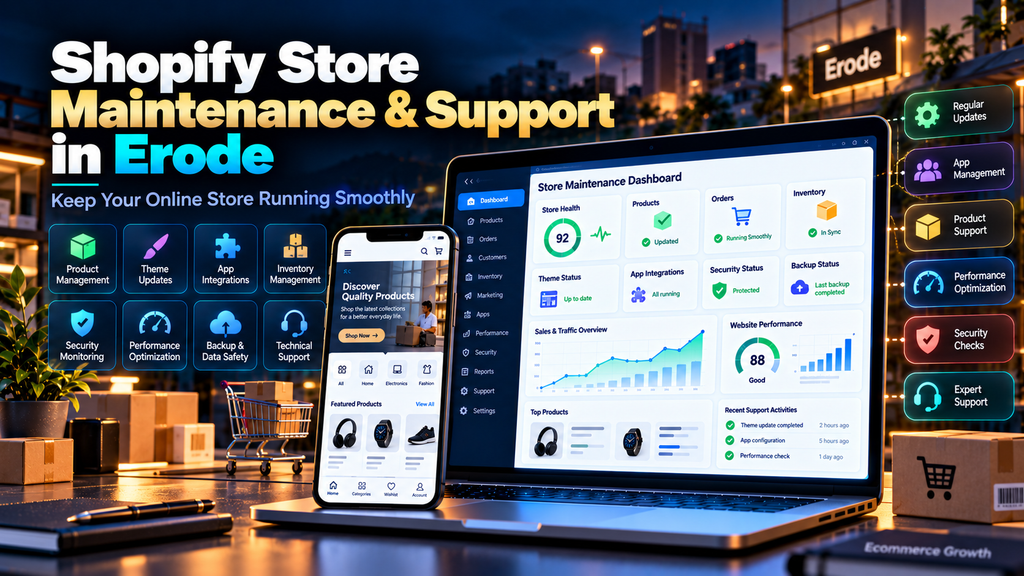
Shopify Store Maintenance and Support Services in Erode help ecommerce businesses keep their online stores updated, functional, fast and ready for customers after the initial store development and launch.
Launching a Shopify store is not the end of an ecommerce project.
Products change. Prices change. Apps require attention. Themes are modified. Marketing scripts are added. Payment and shipping requirements evolve. New collections are created. Tracking configurations can change.
Over time, all of these changes can affect the customer experience.
For an ecommerce business, a technical problem can affect much more than the appearance of a website.
It can interfere with product discovery, add-to-cart actions, checkout or customer enquiries.
That is why ongoing Shopify maintenance should focus on protecting the complete customer journey.
At Greap Technologies, we provide ecommerce development services, Shopify support, website maintenance, performance optimization and SEO services in Erode for business websites and online stores.
What Is Shopify Store Maintenance?
Shopify store maintenance is the ongoing process of reviewing, updating and supporting an existing Shopify ecommerce store after launch.
Depending on the store, maintenance can include:
- Theme maintenance
- App management
- Product updates
- Collection updates
- Navigation maintenance
- Content changes
- Bug fixes
- Mobile responsiveness checks
- Store speed optimization
- Checkout testing
- Payment configuration checks
- Shipping configuration checks
- Analytics and tracking checks
- Technical SEO monitoring
- Third-party integration support
- Ongoing technical assistance
The actual maintenance scope should depend on the complexity of the Shopify store and how important ecommerce is to the business.
Why Do Erode Businesses Need Shopify Support?
An ecommerce store can operate as a sales channel throughout the day.
Customers may use it to:
- Discover products
- Compare options
- View prices
- Check product information
- Add products to cart
- Complete checkout
- Contact the business
- Track or manage relevant account activity
If an important part of this journey stops working, customers may leave without completing their intended action.
Regular Shopify support helps businesses identify and address these problems instead of waiting for customers to report them.
Shopify Maintenance vs Shopify Development
Shopify maintenance and Shopify development are related but different.
| Shopify Maintenance | Shopify Development |
|---|---|
| Maintains an existing store | Creates or significantly changes store functionality |
| Fixes routine problems | Builds new features |
| Updates existing content | Creates new templates and experiences |
| Monitors performance | Can involve major performance redevelopment |
| Checks existing integrations | Can implement new integrations |
Routine maintenance should not automatically be treated as unlimited Shopify development.
1. Review Shopify Store Health Regularly
Start maintenance with an overall review of the store.
Check important areas such as:
- Homepage
- Collections
- Product pages
- Navigation
- Search
- Cart
- Checkout journey
- Contact pages
- Mobile experience
- Installed apps
- Analytics
The goal is to identify problems affecting customers before they become larger issues.
2. Maintain the Shopify Theme
The theme controls a large part of the store’s customer-facing design and experience.
Theme maintenance can involve:
- Layout checks
- Template checks
- Theme configuration
- Section maintenance
- CSS fixes
- JavaScript fixes
- Responsive design fixes
- Compatibility checks
Custom theme modifications should be documented and managed carefully.
3. Be Careful with Theme Changes
Before making significant changes to a live ecommerce theme, understand what will be affected.
Test areas such as:
- Header
- Navigation
- Homepage sections
- Collections
- Product templates
- Cart
- Mobile layout
A visually small theme change can sometimes affect multiple templates.
4. Review Installed Shopify Apps
Apps can add useful ecommerce functionality, but stores can accumulate apps over time.
Review:
- Apps currently being used
- Apps no longer required
- Duplicate functionality
- App costs
- Performance impact
- Customer-facing scripts
- Integration dependencies
Keep apps because they provide business value, not simply because they were installed years ago.
5. Remove Unnecessary App Functionality Carefully
Removing an app may require more than uninstalling it.
Depending on how the store was configured, app-related elements or integrations may need additional review.
After removing unnecessary functionality, test:
- Storefront pages
- Product pages
- Cart
- Theme layout
- Tracking
- Related integrations
6. Maintain Product Information
Product information should remain accurate.
Regularly review:
- Product names
- Descriptions
- Prices
- Variants
- Images
- Availability information
- SKUs where used
- Product categories or collections
Outdated product information can create customer confusion even when the store is technically working correctly.
7. Optimize Product Images
Ecommerce stores can become image-heavy very quickly.
Product image maintenance should consider:
- File size
- Image dimensions
- Compression
- Appropriate formats
- Consistent presentation
- ALT text where appropriate
A repeatable image-upload process can prevent new products from gradually making the store unnecessarily heavy.
8. Maintain Product Collections
Collections help customers browse related products.
Review:
- Collection names
- Products assigned to collections
- Collection descriptions
- Images
- Navigation links
- SEO information where relevant
Remove outdated or empty collections when they no longer serve customers.
9. Review Store Navigation
Navigation should reflect the products the business currently sells.
As stores grow, navigation can become cluttered.
Check:
- Main menu
- Collection links
- Footer links
- Mobile navigation
- Policy links
- Contact links
Customers should not need to understand your internal product structure to find what they want.
10. Test Shopify Search
If customers frequently search for products, test the search experience.
Try:
- Popular product names
- Common product terms
- Relevant categories
- Common spelling variations where applicable
Search should help customers reach useful products rather than becoming a dead end.
11. Test Add-to-Cart Functionality
Regularly test important product pages.
Check:
- Add-to-cart buttons
- Product variants
- Quantity controls
- Cart drawer where used
- Cart page
- Discount-related behaviour where relevant
Do not assume cart functionality works simply because the homepage loads.
12. Test the Customer Checkout Journey
Checkout is one of the most important areas of an ecommerce store.
A maintenance review should periodically walk through the customer journey:
- Open a product
- Select required options
- Add the product to cart
- Open the cart
- Proceed toward checkout
- Review required customer information
- Check available shipping behaviour
- Verify relevant payment configuration appropriately
- Check confirmation behaviour
Testing should be performed carefully so normal store operations are not disrupted.
13. Review Payment Configuration
Payment requirements can change as an ecommerce business evolves.
Store maintenance should include appropriate checks of configured payment options and related customer-facing behaviour.
Review:
- Available payment options
- Customer-facing instructions
- Payment-related messaging
- Relevant integration status
Payment issues should be treated as high-priority ecommerce problems.
14. Review Shipping Settings
Shipping configuration should reflect how the business currently fulfils orders.
Check relevant:
- Shipping areas
- Shipping rates
- Free-shipping conditions
- Product-specific requirements
- Customer-facing shipping information
Incorrect shipping information can create checkout friction and customer-service problems.
15. Maintain Store Policies
Business policies can change over time.
Review applicable pages such as:
- Shipping policy
- Return or refund policy
- Privacy policy
- Terms and conditions
- Contact information
Policy content should accurately reflect the business’s current practices and applicable requirements.
16. Monitor Shopify Store Speed
Ecommerce stores can gradually become slower as apps, tracking scripts, videos and new functionality are added.
Performance maintenance can review:
- Images
- Theme code
- JavaScript
- Third-party apps
- Tracking scripts
- Fonts
- Videos
- Customer-facing widgets
Read our Website Speed Optimization Services in Erode guide for a broader performance strategy.
17. Monitor Core Web Vitals
Core Web Vitals measure important aspects of page experience.
The current metrics are:
- LCP – loading performance
- INP – interaction responsiveness
- CLS – visual stability
Adding apps, large images or new customer-facing widgets can affect these metrics over time.
Read our Core Web Vitals Optimization for Business Websites in Erode guide for more detail.
18. Optimize Shopify Store Images
Large product, collection and banner images can add unnecessary page weight.
Before uploading new media:
- Use appropriate dimensions
- Compress images appropriately
- Avoid unnecessarily large source files
- Use descriptive filenames where useful
- Add meaningful ALT text where appropriate
The goal is to maintain good visual quality without unnecessarily increasing page weight.
19. Review Third-Party Scripts
Ecommerce stores often use multiple marketing and analytics tools.
Examples include:
- Analytics
- Advertising pixels
- Live chat
- Review widgets
- Heatmaps
- Marketing automation
- Social integrations
Each additional script can add functionality, but it can also add complexity and performance cost.
Review whether every integration is still useful.
20. Check Mobile Store Performance
Shopify maintenance should include mobile testing.
Check important areas such as:
- Homepage
- Navigation
- Collection pages
- Product pages
- Product images
- Variant selectors
- Add-to-cart buttons
- Cart
- Forms
- Contact buttons
The mobile store should be easy to browse and interact with, not merely technically responsive.
21. Fix Broken Links
Ecommerce websites can develop broken links when:
- Products are removed
- Collections change
- Pages are deleted
- Campaign URLs expire
- External resources change
Monitor important links and update them when appropriate.
22. Manage Removed Products Carefully
When a product is permanently discontinued, consider what experience is most useful for customers.
Depending on the situation, options may include:
- Keeping useful product information available
- Suggesting relevant alternatives
- Updating internal links
- Using an appropriate redirect when there is a genuine replacement
Do not automatically redirect every removed product to the homepage.
23. Maintain Shopify Technical SEO
Shopify maintenance and technical SEO can overlap in areas such as:
- Indexability
- Canonical URLs
- Internal links
- Broken links
- Redirects
- Page titles
- Meta descriptions
- Structured data
- Core Web Vitals
- Mobile performance
Read our Technical SEO Checklist for Business Websites in Erode for a broader technical SEO checklist.
24. Maintain Product SEO
Product pages should remain useful to both customers and search engines.
Review important elements such as:
- Product title
- Product description
- Page title
- Meta description
- Product images
- ALT text where appropriate
- Internal links
- Relevant structured data
Avoid copying the same thin description across many products when meaningful unique information is available.
25. Maintain Collection SEO
Collection pages can help customers and search engines understand important product groups.
Review:
- Collection title
- Useful description
- Internal links
- Product selection
- Page title
- Meta description
Do not add unnecessary keyword-heavy text simply to make a collection page longer.
26. Review Structured Data
Ecommerce stores may use structured data relating to products, organization information, breadcrumbs and other supported content types.
When products, themes or apps change, review relevant structured data to ensure it remains accurate and appropriate.
Do not add misleading values simply to make a structured-data test appear more complete.
27. Monitor Google Search Console
Search Console can help identify issues involving a store’s Google Search presence.
Review relevant areas such as:
- Search performance
- Indexing
- Sitemaps
- Core Web Vitals
- HTTPS
- Security issues
- Manual actions
Unexpected changes should be investigated rather than ignored.
28. Maintain Analytics and Ecommerce Tracking
Analytics and conversion tracking should continue working as themes, apps and marketing systems change.
Depending on the business, important actions can include:
- Product views
- Add-to-cart actions
- Checkout activity
- Purchases
- Contact enquiries
- Phone clicks
- WhatsApp clicks
Store maintenance should include checking important measurement functionality after significant changes.
29. Avoid Duplicate Tracking
As different agencies or marketing teams work on a store, duplicate analytics or advertising tags can sometimes accumulate.
This can create:
- Incorrect measurements
- Duplicate events
- Unnecessary scripts
- Performance overhead
Periodically audit the store’s tracking setup.
30. Maintain Third-Party Integrations
Shopify stores may connect to other business systems.
Examples can include:
- CRM platforms
- Inventory systems
- Shipping services
- Accounting systems
- Email marketing platforms
- Customer support systems
Integrations should be tested when either side of the connection changes.
31. Test Important Forms
In addition to checkout, ecommerce stores may use forms for:
- Contact enquiries
- Wholesale enquiries
- Product enquiries
- Newsletter signup
- Custom quote requests
Verify that submissions and relevant notifications work correctly.
32. Maintain Contact Information
Review business information throughout the store.
Check:
- Phone number
- Email address
- Business address where applicable
- WhatsApp links
- Customer-support information
- Business hours where displayed
Update the information consistently when business details change.
33. Review User and Staff Access
As team members and service providers change, review who still requires access to the store.
Remove unnecessary access and maintain appropriate permissions for people who continue working on the business.
Access management should form part of ongoing store administration.
34. Document Custom Store Changes
If developers add custom theme code or integrations, maintain reasonable documentation.
This can help future developers understand:
- Why the customization exists
- Which templates it affects
- Which integrations depend on it
- What should be tested after changes
Documentation can make future maintenance safer and more efficient.
35. Test After Significant Changes
Whenever significant theme, app or integration changes are made, test the customer-facing store again.
Prioritize:
- Homepage
- Navigation
- Product page
- Variants
- Add to cart
- Cart
- Checkout journey
- Mobile layout
- Analytics
Publishing a change successfully does not automatically mean every customer journey still works.
Shopify Store Maintenance Checklist
| Maintenance Area | What to Check | Priority |
|---|---|---|
| Theme | Layouts, templates and customizations | High |
| Apps | Usage, compatibility and performance | High |
| Products | Content, price, images and variants | High |
| Collections | Products, links and content | Medium |
| Cart | Add-to-cart and cart functionality | High |
| Checkout Journey | Customer purchase flow | High |
| Payments | Configuration and customer-facing behaviour | High |
| Shipping | Rates, areas and information | High |
| Speed | Images, apps, scripts and theme | High |
| Mobile | Browsing and purchasing experience | High |
| SEO | Metadata, links and technical health | Medium |
| Analytics | Tracking and ecommerce events | High |
| Integrations | Third-party connections | High when applicable |
How Often Should a Shopify Store Be Maintained?
The appropriate maintenance frequency depends on the store.
A business processing orders every day may require closer monitoring than a small store with limited activity.
Regular Operational Checks
- Product functionality
- Cart
- Checkout journey
- Important integrations
- Customer-facing errors
Periodic Technical Checks
- Theme health
- Apps
- Performance
- Mobile usability
- Broken links
- Analytics
- Search Console
After Significant Changes
- Test affected templates
- Test mobile layout
- Test cart functionality
- Test checkout journey
- Verify tracking
Common Shopify Maintenance Mistakes
- Installing too many apps
- Never reviewing unused apps
- Making live theme changes without adequate testing
- Ignoring mobile users
- Uploading unnecessarily large images
- Never testing cart functionality
- Ignoring checkout issues
- Keeping outdated product information
- Ignoring broken links
- Ignoring website speed
- Adding too many third-party scripts
- Never reviewing analytics tracking
- Leaving unnecessary staff access active
- Assuming Shopify itself handles every store-specific maintenance task
Signs Your Shopify Store Needs Maintenance
Your store may need professional attention if:
- Pages have become noticeably slower
- Mobile layouts have problems
- Product pages contain outdated information
- Apps are no longer being used
- Cart functionality behaves unexpectedly
- Checkout-related problems are reported
- Analytics data appears incorrect
- Broken links are increasing
- Theme sections have display problems
- Third-party integrations fail
- Nobody regularly reviews the store’s technical health
Shopify Maintenance vs WordPress Maintenance
| Shopify Maintenance | WordPress Maintenance |
|---|---|
| Focuses on Shopify stores | Focuses on WordPress websites |
| Theme and app maintenance | Core, theme and plugin maintenance |
| Shopify manages the underlying hosted platform | Hosting and software environment may require separate management |
| Strong ecommerce focus | Can support content, business sites and WooCommerce |
| Product, cart and checkout journeys are central | Requirements depend heavily on the type of WordPress site |
If your business uses WordPress instead, read our WordPress Maintenance Services in Erode guide.
Shopify Maintenance vs General Website Maintenance
General website maintenance can apply to almost any website technology.
Shopify maintenance focuses specifically on the needs of an ecommerce store running on Shopify.
This includes additional attention to:
- Products
- Collections
- Apps
- Cart
- Checkout journey
- Payments
- Shipping
- Ecommerce analytics
Read our Website Maintenance Services in Erode guide for the broader maintenance topic.
Shopify Support vs Website AMC
Shopify support can be provided as needed or through an ongoing maintenance arrangement.
A broader Website AMC can define:
- Support scope
- Maintenance frequency
- Included technical work
- Content update allowance
- Response expectations
- Exclusions
Read our Website AMC Services in Erode: Cost, Scope and Benefits guide for more information.
How Much Does Shopify Maintenance Cost in Erode?
There is no single maintenance price suitable for every Shopify store.
Cost can depend on:
- Store size
- Number of products
- Theme customization
- Number of apps
- Custom code
- Third-party integrations
- Content update requirements
- Performance issues
- SEO requirements
- Support frequency
A small store using a standard theme and a few apps will generally have different support requirements from a highly customized ecommerce store with multiple integrations.
What Should a Shopify Maintenance Plan Include?
Before selecting a maintenance provider, clarify whether the plan includes:
- Theme support
- App support
- Product updates
- Collection updates
- Bug fixes
- Cart testing
- Checkout journey testing
- Mobile checks
- Performance monitoring
- Technical SEO checks
- Analytics checks
- Integration support
- Content updates
- Reporting
Also clarify what requires separate development work.
What May Not Be Included in Routine Shopify Maintenance?
Depending on the support agreement, routine maintenance may not include:
- Complete store redesign
- Custom theme development
- Major new functionality
- Complex custom applications
- Large data migration projects
- New advanced integrations
- Full SEO campaigns
- Paid advertising management
- Large content-production projects
Defining these boundaries prevents maintenance and new development from becoming confused.
Shopify Maintenance for Small Businesses in Erode
A smaller Shopify store may need a focused support plan covering:
- Products
- Theme
- Apps
- Cart
- Checkout journey
- Mobile experience
- Performance
- Tracking
The maintenance plan should match the actual complexity of the store.
Shopify Maintenance for Growing Ecommerce Businesses
As an ecommerce business grows, maintenance requirements can become more complex.
Growth can introduce:
- More products
- More collections
- Additional apps
- More marketing scripts
- New integrations
- Additional sales campaigns
- Higher customer expectations
A maintenance process should evolve alongside the store rather than remaining unchanged indefinitely.
Shopify Maintenance for Erode and Nearby Areas
Greap Technologies can support ecommerce businesses in Erode, Perundurai, Bhavani, Gobichettipalayam, Sathyamangalam, Anthiyur, Chennimalai, Modakkurichi, Kavindapadi, Nambiyur, Kodumudi and nearby areas.
The technical maintenance strategy should be based on the Shopify store itself rather than creating artificial differences for every nearby town.
Why Choose Greap Technologies for Shopify Support in Erode?
Greap Technologies provides ecommerce development, website maintenance, website performance optimization, technical SEO and digital solutions for businesses in Erode and nearby areas.
Depending on the Shopify store and agreed scope, support can include:
- Shopify store health checks
- Theme support
- App review
- Product and collection updates
- Bug fixes
- Mobile responsiveness fixes
- Store performance optimization
- Core Web Vitals review
- Cart testing
- Checkout journey testing
- Analytics checks
- Technical SEO checks
- Third-party integration support
- Ongoing ecommerce technical support
The support scope should be based on the store’s actual functionality, customization and business requirements.
Explore our Ecommerce Development Services, Website Development Services, SEO Services in Erode and Digital Marketing Services.
Conclusion
A Shopify store needs ongoing attention after launch, especially when it is an active sales channel for the business.
A practical maintenance strategy should focus on the parts customers actually depend on: products, theme, apps, navigation, cart, checkout journey, payments, shipping, mobile usability, performance, tracking and technical SEO.
Do not judge store health only by whether the homepage opens.
Test the complete customer journey.
For Erode ecommerce businesses, ongoing Shopify maintenance and support can help keep the store aligned with changing products, marketing campaigns, integrations and customer requirements.
Need Shopify Store Maintenance and Support in Erode?
If your Shopify store has theme issues, unnecessary apps, slow pages, mobile problems, tracking errors or ongoing technical support requirements, start with a store health review.
Greap Technologies provides Shopify support, ecommerce development, website performance optimization, technical SEO and ongoing website maintenance for businesses in Erode and nearby areas.
Contact Greap Technologies on WhatsApp
Frequently Asked Questions
1. What is Shopify store maintenance?
Shopify store maintenance is the ongoing process of reviewing and supporting an existing Shopify store, including its theme, apps, products, cart, customer journey, performance, tracking and technical SEO.
2. Does a Shopify store need regular maintenance?
Shopify manages much of the underlying hosted platform, but individual stores still require ongoing attention to themes, apps, products, integrations, content, performance, analytics and customer-facing functionality.
3. What is included in Shopify maintenance services?
Depending on the support agreement, maintenance can include theme support, app review, product updates, bug fixes, mobile testing, performance monitoring, cart and checkout journey testing, analytics checks and technical SEO.
4. Does Shopify maintenance include product updates?
Product updates can be included when defined in the maintenance scope. The agreement should clarify how much ongoing product and content work is covered.
5. Can Shopify apps make my store slower?
Apps can add scripts and customer-facing functionality, so some can affect performance. The actual impact depends on how the app works and what resources it loads.
6. Does Shopify maintenance include SEO?
Technical SEO checks can form part of maintenance. Broader SEO work such as keyword research, content creation, link building and ongoing search strategy may be provided separately.
7. Can Shopify maintenance improve store speed?
Maintenance can help identify unnecessary apps, heavy images, theme issues and third-party scripts. More significant performance problems may require a dedicated speed optimization project.
8. How much does Shopify maintenance cost in Erode?
Cost depends on store size, theme customization, apps, products, integrations, content-update requirements, performance issues and the amount of ongoing technical support required.
9. Can you maintain a Shopify store developed by another company?
In many cases, an existing store can be supported after reviewing its theme, installed apps, custom code, integrations, product structure and current technical condition.
10. What should be tested after changing a Shopify theme?
Important areas include navigation, homepage sections, collection pages, product pages, variants, add-to-cart functionality, cart, mobile layouts, integrations and analytics.
11. Is Shopify maintenance the same as Shopify development?
No. Maintenance focuses on supporting an existing store, while development generally involves creating significant new functionality, custom designs, integrations or larger structural changes.
12. Does Greap Technologies provide Shopify support in Erode?
Yes. Greap Technologies provides Shopify support, ecommerce development, website performance optimization, technical SEO and ongoing website maintenance services for businesses in Erode and nearby areas.


