
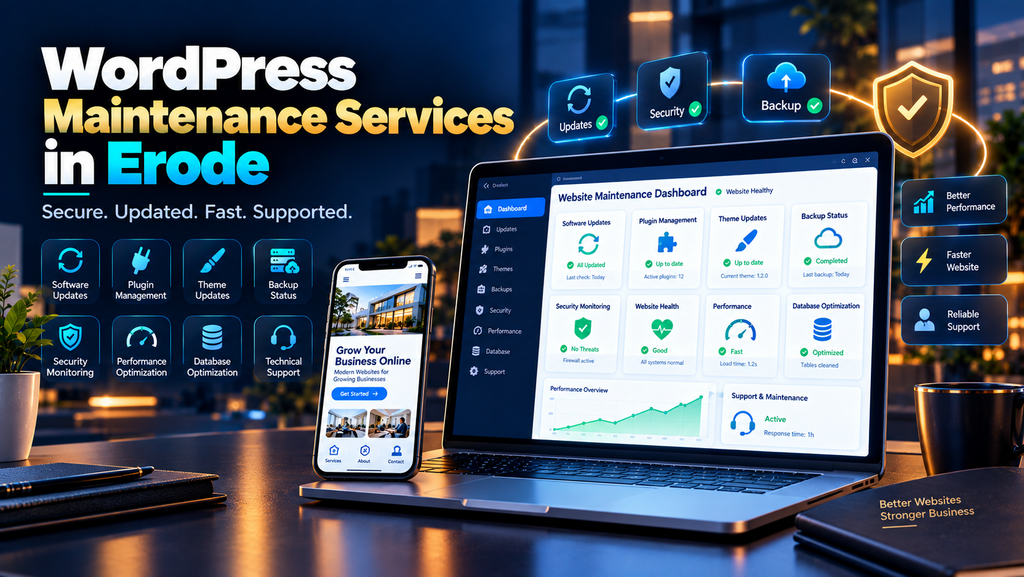
WordPress Maintenance Services in Erode help businesses keep their WordPress websites updated, secure, backed up, functional and performing properly after the initial website launch.
Building a WordPress website is only the beginning.
Over time, WordPress core, plugins and themes receive updates. Business information changes. Contact forms need testing. New images can make pages slower. Plugins can conflict. Old administrator accounts may remain active. Backups can fail without anyone noticing.
For an Erode business using its website to generate enquiries, phone calls, WhatsApp messages or online sales, these issues can have a direct business impact.
That is why ongoing WordPress maintenance should focus on more than simply clicking an “Update” button.
At Greap Technologies, we provide website development services, WordPress maintenance, website performance optimization and SEO services in Erode for business websites.
What Is WordPress Maintenance?
WordPress maintenance is the ongoing process of keeping a WordPress website technically healthy after it has been developed and launched.
Depending on the website, maintenance can include:
- WordPress core updates
- Plugin updates
- Theme updates
- Website backups
- Security monitoring
- Malware checks
- Contact form testing
- Bug fixes
- Website speed optimization
- Database maintenance
- Broken link checks
- Mobile responsiveness checks
- Technical SEO monitoring
- Content updates
- Uptime monitoring
- WooCommerce maintenance
The exact maintenance requirements depend on the size, functionality, traffic and business importance of the WordPress website.
Why Do WordPress Websites Need Regular Maintenance?
A WordPress website often depends on several connected components.
These can include:
- WordPress core
- Theme
- Plugins
- Hosting environment
- Database
- Forms
- Analytics
- Third-party integrations
Changes to one component can sometimes affect another.
Regular maintenance helps businesses identify problems and keep important website functionality working properly.
Why WordPress Maintenance Matters for Erode Businesses
Many business websites are expected to work continuously as digital sales and enquiry channels.
A WordPress website may help an Erode business:
- Generate enquiries
- Receive quote requests
- Show products and services
- Generate phone calls
- Generate WhatsApp enquiries
- Accept appointments
- Publish content
- Support SEO campaigns
- Sell products online
If a form stops sending enquiries or a plugin breaks an important page, the problem is no longer purely technical.
It can affect customers and leads.
1. Keep WordPress Core Updated
WordPress core receives updates over time.
Updates may include:
- Security fixes
- Bug fixes
- Compatibility improvements
- Performance improvements
- New functionality
However, business-critical websites should not treat every significant update as a blind one-click process.
Before major changes, consider:
- Current backup status
- Plugin compatibility
- Theme compatibility
- Custom functionality
- Testing requirements
2. Update WordPress Plugins
Plugins extend WordPress functionality.
A business website may use plugins for:
- Contact forms
- SEO
- Security
- Caching
- Backups
- Page building
- Ecommerce
- Analytics
- Image optimization
Plugins can receive updates for security, compatibility, bug fixes and functionality.
Maintenance should include reviewing available updates and testing important website features after relevant changes.
3. Update the WordPress Theme
The website theme can also require updates.
Theme updates may affect:
- Design
- Templates
- Compatibility
- Security
- Performance
If a website contains custom theme modifications, updates should be handled carefully so those changes are not unexpectedly lost or broken.
4. Remove Unused Plugins
WordPress websites often accumulate plugins over time.
A plugin gets installed for testing.
Another plugin later replaces it.
The old plugin gets deactivated but remains on the website indefinitely.
Regularly review:
- Active plugins
- Inactive plugins
- Duplicate functionality
- Abandoned plugins
- Plugins that are no longer required
Keep only the software the website genuinely needs.
5. Review Plugin Quality Before Installing New Plugins
Not every WordPress feature requires another plugin.
Before installing one, consider:
- Whether the feature is genuinely required
- Whether existing functionality already provides it
- Whether the plugin is actively maintained
- Whether it is compatible with the website
- Its potential performance impact
Adding plugins without evaluating them can gradually make a website more complicated to maintain.
6. Maintain Reliable Website Backups
Backups are a critical part of WordPress maintenance.
A backup can include:
- WordPress files
- Database
- Uploads
- Theme files
- Plugin-related data
- Configuration files
The appropriate backup frequency depends on how often the website changes.
A WooCommerce store receiving orders every day may need a different backup strategy from a small company website that changes only occasionally.
7. Test WordPress Backups
A backup is useful only when it is available and recoverable when needed.
Maintenance should verify:
- Backups are completing
- Important website files are included
- Database backups are available
- Backup storage is accessible
- A restoration process exists
Do not discover that your backup system failed only after the website has a serious problem.
8. Monitor WordPress Security
Security should be an ongoing part of WordPress maintenance.
Depending on the website, checks may include:
- WordPress version
- Plugin versions
- Theme versions
- User accounts
- Login activity
- Suspicious files
- Malware indicators
- Spam activity
- HTTPS configuration
Security is a process, not a one-time setting completed when the website launches.
9. Review WordPress User Accounts
Old user accounts can remain active long after employees, developers or agencies stop working on a website.
Review:
- Administrator accounts
- Editor accounts
- Author accounts
- Developer accounts
- Old agency access
Remove access that is no longer required and give users only the permissions they need.
10. Protect WordPress Login Access
Administrator access deserves additional attention.
Good account practices can include:
- Strong unique passwords
- Appropriate user permissions
- Removing unused accounts
- Using additional authentication controls where appropriate
- Monitoring suspicious login activity
Do not share one administrator account across everyone working on the website when separate controlled access is practical.
11. Check SSL and HTTPS
A WordPress business website should consistently use its intended secure HTTPS version.
Maintenance can check for:
- Certificate issues
- Mixed content
- Incorrect HTTP redirects
- Broken HTTPS resources
- Incorrect canonical website versions
Visitors should not encounter unnecessary browser security warnings while trying to contact your business.
12. Monitor WordPress Website Uptime
If the website becomes unavailable, potential customers may not be able to access services, products or contact information.
Possible causes of downtime can include:
- Hosting problems
- Server errors
- Plugin conflicts
- Theme errors
- Configuration problems
- Resource limits
Uptime monitoring can help identify availability problems so they can be investigated.
13. Test Contact Forms
Contact forms are one of the most important areas to test on a lead-generation WordPress website.
A form can look perfectly normal while its email notification is failing.
Test:
- Contact forms
- Quote request forms
- Appointment forms
- Product enquiry forms
- Job application forms
- Newsletter forms
Confirm that:
- The form submits correctly
- Validation works
- The user receives appropriate confirmation
- The business receives the enquiry
- Spam protection functions appropriately
14. Check WordPress Email Delivery
Some WordPress websites depend on email for:
- Contact enquiries
- Password resets
- Order notifications
- Account emails
- Form confirmations
Maintenance should verify that important transactional and enquiry-related emails are functioning as expected.
15. Test Phone and WhatsApp Links
For local business websites, calls and WhatsApp messages can be important conversion actions.
Check:
- Phone number links
- WhatsApp links
- Floating buttons
- Header contact buttons
- Footer contact information
Test these especially on mobile devices.
16. Fix Broken Links
WordPress websites can develop broken links as content changes.
This may happen when:
- Pages are deleted
- URLs change
- Products are removed
- Blog posts are moved
- External resources disappear
Regularly check important internal links and update them when necessary.
17. Manage WordPress Redirects
If an important URL changes permanently, an appropriate redirect can help visitors reach the relevant replacement page.
Review for:
- Broken redirects
- Redirect chains
- Redirect loops
- Old unnecessary redirects
- Incorrect redirect destinations
Do not automatically redirect every removed page to the homepage.
18. Optimize WordPress Website Speed
WordPress websites can become slower as new plugins, images and marketing tools are added.
Performance optimization can involve:
- Image optimization
- Caching
- JavaScript optimization
- CSS optimization
- Font optimization
- Database maintenance
- Plugin review
- Hosting review
- Third-party script review
Read our Website Speed Optimization Services in Erode guide for a complete performance checklist.
19. Monitor Core Web Vitals
WordPress maintenance can also include monitoring important page-experience metrics.
The current Core Web Vitals are:
- LCP – loading performance
- INP – interaction responsiveness
- CLS – visual stability
A new plugin, banner, image or third-party script can affect performance after a website was originally optimized.
Read our Core Web Vitals Optimization for Business Websites in Erode guide for more detail.
20. Optimize WordPress Images
One common way WordPress websites gradually become slower is through new image uploads.
Before uploading large images:
- Resize appropriately
- Compress files
- Use suitable formats
- Provide appropriate dimensions
- Use descriptive filenames
- Add useful ALT text where appropriate
Do not upload extremely large original photographs when the website only displays them at a fraction of that size.
21. Review WordPress Caching
Caching can improve performance by reducing unnecessary repeated processing and downloads.
Depending on the website, caching may involve:
- Browser caching
- Page caching
- Server caching
- Object caching
- CDN caching
The appropriate caching strategy depends on the website.
WooCommerce, logged-in areas and personalized content can require different caching rules from a simple company website.
22. Maintain the WordPress Database
WordPress databases can accumulate data over time.
Depending on the website, this can include:
- Post revisions
- Transient data
- Plugin-created records
- Old settings
- Unused tables
Database cleanup should be performed carefully and with an appropriate backup.
23. Review Third-Party Scripts
Business websites often accumulate third-party tools.
Examples include:
- Analytics
- Advertising tags
- Chat widgets
- Heatmaps
- Social embeds
- Marketing automation
Review whether each tool is still necessary and whether it is affecting website performance or functionality.
24. Check Mobile Responsiveness
Every significant WordPress change should be checked on mobile devices.
Test:
- Navigation
- Mobile menu
- Headings
- Images
- Tables
- Forms
- Popups
- Contact buttons
- Product pages
- Checkout
A desktop-only maintenance process can miss important customer-facing problems.
25. Maintain WordPress Content
Technical maintenance is only one part of keeping a business website current.
Review important information such as:
- Phone numbers
- Email addresses
- Business address
- Opening hours
- Services
- Products
- Team members
- Project information
- Calls to action
Outdated business information can confuse visitors even when the website itself works perfectly.
26. Update Old WordPress Blog Posts
Older articles can become outdated.
Review them for:
- Outdated information
- Broken links
- Old screenshots
- Missing internal links
- Outdated service information
- Old calls to action
Update content when changes genuinely improve accuracy and usefulness.
27. Maintain WordPress Technical SEO
WordPress maintenance and technical SEO overlap in several areas.
Checks can include:
- Indexing
- XML sitemap
- Robots.txt
- Canonical URLs
- Redirects
- Broken links
- HTTPS
- Core Web Vitals
- Structured data
- Internal linking
Read our Technical SEO Checklist for Business Websites in Erode for a broader technical SEO review.
28. Check SEO Plugin Configuration
WordPress SEO plugins can make many technical settings easier to manage, but installing an SEO plugin does not automatically optimize a website.
Review relevant settings involving:
- Titles and descriptions
- Canonical URLs
- XML sitemaps
- Indexing controls
- Structured data
- Social metadata
Be careful when multiple plugins attempt to manage the same SEO functionality.
29. Monitor Google Search Console
Search Console can help identify important search-related issues.
Review areas such as:
- Indexing
- Search performance
- Sitemaps
- Core Web Vitals
- HTTPS
- Security issues
- Manual actions
Significant unexpected changes should be investigated.
30. Maintain Analytics and Conversion Tracking
Website updates can sometimes affect analytics or conversion tracking.
Depending on the business, verify tracking for:
- Contact form submissions
- Phone clicks
- WhatsApp clicks
- Quote requests
- Appointment requests
- Product enquiries
- Purchases
A WordPress website can remain online while important measurement functionality stops working.
31. Maintain Structured Data
Depending on the website, structured data can include:
- Organization
- LocalBusiness
- BreadcrumbList
- Article or BlogPosting
- Product
If website content or business information changes, relevant structured data should also remain accurate.
32. Maintain WooCommerce Websites
WooCommerce websites generally require more maintenance than simple WordPress business websites because more customer and transaction functionality is involved.
WooCommerce maintenance can include:
- WooCommerce updates
- Product functionality
- Cart testing
- Checkout testing
- Payment integration checks
- Shipping functionality
- Order notifications
- Customer accounts
- Coupons
- Backups
- Security
- Performance
Explore our Ecommerce Development Services for larger ecommerce development requirements.
33. Test WooCommerce Checkout
A WooCommerce homepage can work perfectly while checkout contains a serious problem.
Test the complete customer journey:
- Open a product
- Add the product to cart
- Open the cart
- Proceed to checkout
- Test required fields
- Check shipping behaviour
- Verify payment flow appropriately
- Check confirmation behaviour
- Verify relevant order notifications
Test important ecommerce workflows after significant updates.
34. Use a Staging Environment for Significant Changes
For important websites, major updates or development changes may be safer to test away from the live website first.
A staging environment can be useful for testing:
- Major WordPress updates
- Plugin updates
- Theme changes
- PHP compatibility
- Design changes
- New functionality
After testing, changes can be deployed to the live website using an appropriate process.
35. Check Hosting and PHP Compatibility
WordPress performance and functionality also depend on the hosting environment.
Maintenance can involve reviewing:
- Server resources
- PHP compatibility
- Database performance
- Storage
- Memory limits
- Server errors
- Backup systems
If the hosting environment repeatedly causes problems, infrastructure changes may be required.
WordPress Maintenance Checklist for Erode Businesses
| Maintenance Area | What to Check | Priority |
|---|---|---|
| WordPress Core | Updates and compatibility | High |
| Plugins | Updates, compatibility and unused plugins | High |
| Theme | Updates and customizations | High |
| Backups | Files, database and recovery | High |
| Security | Access, updates and suspicious activity | High |
| Forms | Submission and notifications | High |
| Speed | Images, scripts, caching and hosting | High |
| Mobile | Layouts and interactions | High |
| Technical SEO | Indexing, sitemap, redirects and canonicals | Medium |
| Database | Health and unnecessary data | Medium |
| Analytics | Tracking and conversions | Medium |
| WooCommerce | Cart, checkout and orders | High when applicable |
How Often Should You Maintain a WordPress Website?
There is no single schedule suitable for every WordPress website.
A practical maintenance plan may include different frequencies.
Ongoing Monitoring
- Website availability
- Security alerts where configured
- Automated backup status
Regular Checks
- WordPress updates
- Plugin updates
- Theme updates
- Forms
- Backups
- Security
- Important website functionality
Periodic Reviews
- Website speed
- Core Web Vitals
- Broken links
- Database
- Technical SEO
- Content accuracy
- User accounts
- Analytics
A high-traffic ecommerce website will generally need closer attention than a small brochure-style website.
Common WordPress Maintenance Mistakes
- Never updating WordPress
- Blindly updating everything on the live website
- Not creating backups
- Never testing backups
- Keeping unnecessary plugins
- Using too many plugins for simple tasks
- Leaving old administrator accounts active
- Ignoring security alerts
- Never testing contact forms
- Uploading huge images
- Ignoring mobile performance
- Ignoring Core Web Vitals
- Ignoring database health
- Never testing WooCommerce checkout
Signs Your WordPress Website Needs Maintenance
Your website may need professional maintenance if you notice:
- WordPress or plugin updates have been ignored for a long time
- Pages load slowly
- Contact forms fail
- Website emails are not arriving
- Layouts appear broken
- Mobile pages have problems
- Plugins generate errors
- Website downtime occurs repeatedly
- Security warnings appear
- Checkout has problems
- Business information is outdated
- Nobody knows whether backups are working
WordPress Maintenance vs General Website Maintenance
| WordPress Maintenance | General Website Maintenance |
|---|---|
| Specifically focuses on WordPress | Can apply to any website technology |
| Includes WordPress core | Depends on website framework |
| Includes plugin management | May involve packages or extensions instead |
| Includes theme maintenance | May use custom front-end code |
| Can include WooCommerce | Can include other ecommerce platforms |
Read our Website Maintenance Services in Erode guide for the broader website maintenance topic.
WordPress Maintenance vs WordPress AMC
WordPress maintenance describes the actual technical work.
A WordPress AMC generally describes an ongoing agreement covering an agreed set of maintenance services.
An AMC can define:
- Maintenance frequency
- Included updates
- Backup responsibilities
- Support scope
- Content update allowance
- Bug-fixing scope
- Exclusions
Read our Website AMC Services in Erode: Cost, Scope and Benefits guide to understand AMC planning.
WordPress Maintenance vs Speed Optimization
Maintenance keeps the website healthy over time.
Speed optimization is a more focused process of identifying and improving performance bottlenecks.
A useful workflow can be:
WordPress Audit → Performance Optimization → Testing → Maintenance → Ongoing Monitoring
Read our Website Speed Optimization Services in Erode guide for detailed performance optimization.
How Much Does WordPress Maintenance Cost in Erode?
WordPress maintenance costs vary depending on the website.
Factors can include:
- Website size
- Number of plugins
- Theme complexity
- Custom code
- WooCommerce functionality
- Backup frequency
- Security requirements
- Content updates
- Performance requirements
- Support requirements
A simple company website should not automatically have the same maintenance scope as a WooCommerce store with frequent orders and third-party integrations.
What Should a WordPress Maintenance Plan Include?
Before selecting a provider, check whether the plan includes:
- WordPress updates
- Plugin updates
- Theme updates
- Backups
- Backup verification
- Security checks
- Form testing
- Bug fixes
- Speed monitoring
- Mobile checks
- Technical SEO checks
- Content updates
- WooCommerce support where applicable
- Reporting
Also ask what is not included.
What Is Usually Not Included in Routine WordPress Maintenance?
Depending on the agreement, routine maintenance may not include:
- Complete website redesign
- New custom functionality
- Large landing page projects
- Custom plugin development
- Major WooCommerce redevelopment
- Large content-writing projects
- Full SEO campaigns
- Paid advertising
The provider should clearly define maintenance work versus new development.
WordPress Maintenance for Small Businesses in Erode
A small WordPress business website may need a relatively simple maintenance plan focusing on:
- Updates
- Backups
- Security
- Contact forms
- Phone and WhatsApp links
- Speed
- Mobile usability
- Content accuracy
Maintenance should match the actual business requirement rather than adding unnecessary complexity.
WordPress Maintenance for Erode Manufacturers
Manufacturing websites may use WordPress for product information, catalogues and B2B lead generation.
Important maintenance areas can include:
- Product pages
- PDF catalogues
- Enquiry forms
- Contact details
- Product images
- Website performance
- Technical SEO
- Security
For a manufacturer, a broken enquiry form can mean losing a potential B2B lead.
WordPress Maintenance for WooCommerce Stores in Erode
WooCommerce websites generally require a more comprehensive maintenance process.
Prioritize:
- Backups
- Security
- WooCommerce updates
- Product functionality
- Cart
- Checkout
- Payments
- Shipping
- Order emails
- Customer accounts
- Performance
- Mobile usability
Updates should be tested against important customer purchase journeys.
WordPress Maintenance for Erode and Nearby Areas
Greap Technologies can support WordPress websites for businesses in Erode, Perundurai, Bhavani, Gobichettipalayam, Sathyamangalam, Anthiyur, Chennimalai, Modakkurichi, Kavindapadi, Nambiyur, Kodumudi and nearby areas.
The technical maintenance requirements should be determined by the website itself rather than artificially changing the maintenance approach for every location.
Why Choose Greap Technologies for WordPress Maintenance in Erode?
Greap Technologies provides website development, WordPress maintenance, website performance optimization, ecommerce support and SEO services for businesses in Erode and nearby areas.
Depending on the website and agreed maintenance scope, our WordPress support can include:
- WordPress health checks
- WordPress core updates
- Plugin updates
- Theme updates
- Website backups
- Security checks
- Bug fixing
- Contact form testing
- WordPress speed optimization
- Core Web Vitals review
- Mobile responsiveness checks
- Broken link fixes
- Technical SEO checks
- Content updates
- WooCommerce maintenance
The maintenance plan should be based on the website’s actual technology, functionality and business requirements rather than using the same package for every website.
Explore our Website Development Services, Ecommerce Development, SEO Services in Erode and Digital Marketing Services.
Conclusion
WordPress makes it possible for businesses to build flexible websites, but those websites still need ongoing attention after launch.
A practical WordPress maintenance process should prioritize updates, backups, security, forms, performance, mobile usability, technical SEO and important customer journeys.
Do not treat maintenance as simply clicking every available update.
Back up important data, understand what is changing, test business-critical functionality and continue monitoring the website after updates.
For Erode businesses using WordPress to generate leads or sales, regular maintenance can help keep the website reliable and useful as the business grows.
Need WordPress Maintenance Services in Erode?
If your WordPress website has outdated plugins, speed issues, errors, security concerns or has not been properly maintained for a long time, start with a website health check.
Greap Technologies provides WordPress maintenance, WordPress speed optimization, website development, WooCommerce support and technical SEO services for businesses in Erode and nearby areas.
Contact Greap Technologies on WhatsApp
Frequently Asked Questions
1. What is WordPress maintenance?
WordPress maintenance is the ongoing process of keeping WordPress core, plugins, themes, backups, security, forms, performance and other important website functionality properly maintained.
2. How often should I update my WordPress website?
There is no single update schedule suitable for every website. Available updates should be reviewed regularly, with the urgency and testing process depending on factors such as security, compatibility and website importance.
3. Is it safe to update all WordPress plugins at once?
Updates can occasionally introduce compatibility problems. For important business websites, maintain appropriate backups and test significant changes rather than assuming every update can be applied blindly.
4. Does WordPress maintenance include backups?
Backups are commonly an important part of WordPress maintenance. The required frequency and retention strategy depend on how frequently the website changes.
5. Does WordPress maintenance improve security?
Regular updates, access reviews, backups and security monitoring can form part of a broader WordPress security process. No maintenance process can responsibly guarantee that a website will never experience a security incident.
6. Does WordPress maintenance improve website speed?
Maintenance can help identify performance problems and prevent unnecessary software, images or scripts from accumulating. More significant speed problems may require a dedicated performance optimization project.
7. Does WordPress maintenance include SEO?
Technical SEO checks can be included in maintenance, while ongoing keyword research, content strategy, local SEO and broader search campaigns may be separate services.
8. Does WooCommerce require regular maintenance?
WooCommerce stores can require ongoing maintenance because products, cart, checkout, payments, shipping, customer accounts and third-party integrations all need to continue functioning properly.
9. How much does WordPress maintenance cost in Erode?
Cost depends on the size of the website, number of plugins, theme complexity, WooCommerce functionality, custom code, backup requirements, security needs, content changes and level of technical support required.
10. Can you maintain a WordPress website developed by another company?
In many cases, an existing WordPress website can be maintained by a new provider after reviewing its current setup, access, theme, plugins, customizations, hosting and overall technical condition.
11. What happens if I stop maintaining WordPress?
A neglected website can gradually develop outdated software, compatibility issues, broken functionality, performance problems or increased security risk. The exact impact depends on the website and its components.
12. Does Greap Technologies provide WordPress maintenance in Erode?
Yes. Greap Technologies provides WordPress maintenance, website development, WooCommerce support, website performance optimization and technical SEO services for businesses in Erode and nearby areas.


