Invoice processing is an essential activity for almost every business. Finance departments receive supplier invoices, purchase bills, service invoices and expense documents regularly. Employees must review these documents, extract financial information, verify details and enter the data into accounting software.
When invoice volumes increase, manual data entry can create delays, repeated work and avoidable mistakes. Managing different invoice formats from multiple suppliers makes the process even more challenging.
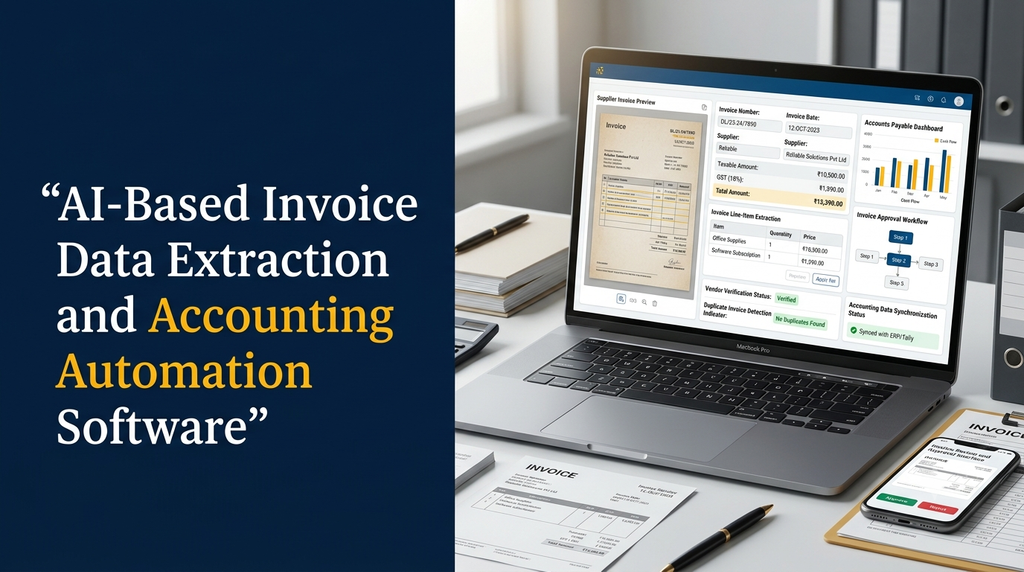
AI-based invoice data extraction and accounting automation software helps businesses convert invoice documents into structured financial information using OCR, artificial intelligence and configurable validation rules.
For Indian businesses, this technology can support supplier invoice management, accounts payable workflows, GST-related field extraction, approval processes and integration with existing accounting and ERP applications.
What Is AI-Based Invoice Data Extraction?
AI-based invoice data extraction is the process of using document recognition technologies and artificial intelligence to identify and collect important information from invoice documents.
An invoice may contain supplier information, invoice number, date, purchase details, quantities, taxable values, tax information and total amounts. Instead of entering every field manually, an AI-powered system can read the document and prepare the information in a structured format.
The extracted data can then be checked against business rules and existing supplier or purchase records before being transferred into accounting software.
A manufacturing company receives 150 supplier invoices every month. Its accounts team traditionally opens each invoice, checks the details and enters the information into accounting software.
With AI invoice processing software, employees can upload the invoices in batches. The application reads the documents, extracts relevant fields, identifies possible duplicates and prepares records for verification.
What Is Accounting Automation Software?
Accounting automation software helps businesses automate selected financial and administrative tasks that would otherwise require repeated manual work.
Depending on the application, automation may include invoice data entry, expense categorization, vendor matching, approval workflows, payment preparation, accounting record creation and financial reporting.
AI-based invoice extraction is one component of a broader accounting automation system. It helps convert incoming documents into usable data, while accounting rules and authorized users determine how that data is processed.
How AI Invoice Processing Software Works
A typical invoice automation workflow contains several stages, from receiving the original document to sending verified information into an accounting application.
1. Invoice collection
The system receives supplier invoices through PDF uploads, scanned documents, email attachments, mobile uploads or supported third-party integrations.
2. Document preprocessing
Scanned invoices may require image correction, rotation, noise reduction and page separation before text recognition. These steps help prepare documents for further processing.
3. OCR text recognition
Optical Character Recognition converts printed text in scanned invoice images into machine-readable text. Digital PDFs may also allow direct text extraction.
4. AI-based field extraction
AI models identify relevant invoice fields such as supplier name, invoice number, invoice date, tax values, line items and total amount.
5. Invoice classification
The application can identify document categories such as supplier invoices, credit notes, debit notes, expense bills and service invoices.
6. Data validation
Extracted information is checked using business rules. For example, the application can compare invoice totals with line-item calculations, check required fields and identify possible duplicate records.
7. Vendor and purchase matching
The software can compare extracted supplier details with existing vendor records and, where configured, match invoice information with purchase orders or goods receipt records.
8. Human review and approval
Uncertain or mismatched records can be sent to an accounts employee for review. Authorized users can correct extracted information and approve the invoice.
9. Accounting system synchronization
Once approved, the invoice data can be transferred to supported accounting or ERP software through APIs or other integration methods.
Important Invoice Fields AI Can Extract
An invoice processing application should support the fields that matter to the organization’s accounting workflow. The exact fields depend on the document type and business requirements.
| Invoice field | Purpose |
|---|---|
| Supplier name | Identifies the vendor issuing the invoice. |
| Supplier GSTIN | Captures the supplier’s GST identification details. |
| Invoice number | Provides the supplier’s invoice reference. |
| Invoice date | Records the document date. |
| Purchase order number | Supports matching with purchase records. |
| Item description | Identifies goods or services billed. |
| Quantity and rate | Captures item-level purchase information. |
| Taxable value | Captures the value used for tax calculations. |
| CGST, SGST and IGST | Extracts tax amounts shown on the document. |
| Invoice total | Records the total amount payable as stated. |
| Payment terms | Captures the supplier’s payment conditions. |
| Bank details | Extracts payment-related information where required. |
Extracting a GST field does not automatically establish that the tax treatment is correct. Tax classification, eligibility and compliance decisions should be checked using applicable rules and qualified accounting review.
Essential Features of AI-Based Invoice Processing Software
1. Bulk invoice upload
Allow users to upload multiple invoices at once rather than processing every file individually. The application should track each document’s processing status.
2. Automated invoice data extraction
Extract invoice headers, supplier information, dates, amounts, taxes and line items using suitable OCR and AI technologies.
3. Multi-format invoice support
Support required file formats such as PDF, JPG and PNG. Additional formats can be included based on the organization’s document sources.
4. Multiple supplier invoice layouts
Suppliers may use different invoice templates. The application should support flexible field extraction through document models, configurable templates and validation rules.
5. GST field extraction
Extract GSTIN, taxable values, tax amounts and other relevant fields where present. The system can prepare these details for verification and accounting workflows.
6. Line-item extraction
Identify product descriptions, quantities, rates, discounts and item-level tax details from invoice tables. Complex tables may require specialized document layout processing.
7. Duplicate invoice detection
Identify potential duplicates using supplier information, invoice number, date, amount and other configured identifiers. This can help prevent accidental repeated processing.
8. Purchase order matching
Compare invoice details with existing purchase orders. Depending on the business process, the system may also compare received quantities and goods receipt records.
9. Vendor management
Maintain supplier profiles, vendor identifiers, payment terms and relevant accounting references. Extracted supplier details can be matched against these records.
10. Invoice approval workflows
Create approval stages based on department, invoice value, supplier or other business rules. The system should maintain approval history.
11. Exception handling
Send missing information, unusual amounts, failed extraction and mismatched purchase records to an exception queue for review.
12. Accounting integration
Transfer approved invoice information to connected accounting applications, ERP systems or internal financial databases.
13. Invoice search and reports
Search by supplier, invoice number, date, status, amount and purchase reference. Provide reports for processed, pending, rejected and approved invoices.
GST Invoice Processing Automation for Indian Businesses
Indian businesses often receive invoices containing GST-related information. An invoice automation system can extract and organize relevant fields for accounting review.
Depending on the invoice format, these fields may include:
- Supplier GSTIN.
- Recipient GSTIN, where applicable.
- Invoice number and date.
- Place of supply information.
- Taxable value.
- CGST, SGST and IGST amounts.
- CESS and other relevant charges, where present.
- Total invoice value.
The application can organize extracted information and apply configured validation checks. It should not treat OCR output as verified GST compliance data without appropriate checks.
GST validation considerations
- Check whether required invoice fields are present.
- Validate field formats and configured business rules.
- Compare extracted values with available vendor records.
- Identify possible differences in tax amounts and totals.
- Provide an exception workflow for accounting review.
- Maintain supporting document references and audit history.
GST return preparation, input tax credit eligibility and statutory reporting require appropriate verification against current regulations and authoritative records. Invoice extraction alone does not establish compliance.
Automated Accounts Payable Workflow
Accounts payable automation helps businesses manage supplier invoices from receipt through verification, approval and accounting entry.
- Supplier sends an invoice to the company’s designated email.
- The software collects the attachment and creates a document record.
- OCR and AI extract the invoice information.
- The system identifies the supplier and checks possible duplicates.
- Invoice details are compared with available purchase records.
- Exceptions are assigned to the accounts team.
- An authorized employee reviews and approves the invoice.
- Approved information is transferred to accounting software.
- The invoice remains available for payment tracking and audit review.
Two-Way and Three-Way Invoice Matching
Two-way matching
Two-way matching compares an invoice with the related purchase order. It checks details such as item, quantity, price and other configured fields.
Three-way matching
Three-way matching compares the supplier invoice, purchase order and goods receipt record. It helps businesses check whether billed items correspond with what was ordered and received.
| Document | Information checked |
|---|---|
| Purchase order | Ordered items, quantities and agreed prices. |
| Goods receipt | Received items and accepted quantities. |
| Supplier invoice | Billed items, quantities, rates and totals. |
Matching rules should allow for legitimate differences, such as approved price variations, partial deliveries, freight charges and agreed tolerances. Unexplained mismatches should be reviewed before approval.
AI Invoice Extraction vs Traditional Manual Data Entry
| Area | Manual processing | AI-assisted processing |
|---|---|---|
| Data entry | Employees enter fields manually. | Software extracts fields for review. |
| Document classification | Usually performed by employees. | Can be automated using AI and rules. |
| Duplicate identification | Depends on manual checks or existing software. | Can flag possible duplicate records. |
| Validation | Employees check document details. | Rules can identify exceptions for review. |
| System integration | May involve repeated data entry. | Can transfer approved data through integrations. |
| Audit history | Depends on the accounting process. | Can maintain extraction and approval activity logs. |
AI-assisted processing does not eliminate the need for accounting expertise. It helps reduce repetitive work while employees focus on verification, exceptions and financial decisions.
Integration with Accounting and ERP Software
Invoice extraction becomes more useful when verified information is connected to the applications a business already uses.
Accounting software integration
Send approved invoice details to supported accounting applications. Integration may include supplier records, purchase entries, expense categories and document references.
ERP software integration
Connect invoice data with procurement, inventory, vendor management and financial modules. This is particularly useful for manufacturers, distributors and businesses with multiple departments.
Inventory management integration
Connect purchase invoice details with inventory records where the business workflow requires it. Appropriate checks are needed to avoid treating an invoice as proof that goods have been received.
CRM and vendor portal integration
Connect supplier information and supporting documents with vendor management applications or supplier portals.
AI Technologies Used in Invoice Automation
Optical Character Recognition (OCR)
OCR recognizes text from scanned invoice images and converts it into machine-readable content.
Machine learning
Machine learning can support invoice classification, pattern recognition and field extraction across different document layouts.
Natural Language Processing
NLP helps identify entities and interpret relevant information within invoice text.
Large language models
LLMs can help extract structured information from complex documents when provided with suitable instructions and output schemas. Their results should be checked using deterministic validation rules and, where necessary, human review.
Document layout analysis
Layout analysis identifies tables, headings, text blocks and the relationships between invoice fields. It is especially useful for invoices with multiple line items.
Rule-based validation
Business rules check required fields, arithmetic, vendor matching and configured tolerances. Combining rules with AI extraction helps create a more dependable workflow.
Technology Stack for Custom Invoice Automation Software
| Application layer | Possible technologies |
|---|---|
| Frontend | React, Next.js, Vue.js |
| Backend | Laravel, Node.js, Python, Django |
| Database | PostgreSQL, MySQL |
| OCR engine | Tesseract or suitable commercial OCR services |
| Document AI | Cloud document AI services or custom models |
| AI integration | Suitable LLM APIs or self-hosted models |
| Background jobs | Redis queues and background workers |
| File storage | Secure object storage or managed file storage |
| Integration | REST APIs, webhooks and supported connectors |
The final technology stack should be selected based on document volume, integration needs, security, deployment preferences and operating costs.
Invoice Automation for Different Industries in India
Manufacturing companies
Manufacturers process raw material invoices, supplier bills, purchase orders and transport charges. Invoice automation can connect with procurement, inventory and ERP workflows.
Textile and garment businesses
Textile businesses may receive invoices for yarn, fabric, dyes, chemicals, accessories, job work and transportation. A custom system can organize these documents and connect extracted information with supplier and purchase records.
Wholesale and distribution companies
Distributors process invoices from multiple suppliers and manage large product catalogues. Automation can support supplier matching, invoice entry and purchase record verification.
Retail businesses
Retail companies can organize supplier bills, operating expenses and store-level invoices. Centralized processing can provide better visibility across branches.
Logistics companies
Logistics businesses may process fuel bills, vehicle maintenance invoices, transport charges and service invoices. Automated extraction can help organize expense information.
Professional service companies
Service businesses can automate vendor invoices, recurring service bills and expense documentation, with approval workflows based on departments or project references.
Security Requirements for Accounting Automation
Invoice documents contain financial and sometimes personal information. A secure system should protect the documents and the extracted records throughout their lifecycle.
- Use role-based access for finance and management teams.
- Protect API credentials and authentication tokens.
- Encrypt document transfers and stored files.
- Maintain invoice upload, edit and approval audit logs.
- Restrict sensitive vendor and banking information.
- Configure document retention and deletion policies.
- Maintain secure backups and recovery procedures.
- Review third-party OCR and AI provider data policies.
- Require appropriate approval before accounting entries are posted.
Businesses should assess applicable Indian privacy, tax and sector-specific requirements with qualified professionals. The system should be designed to support the organization’s compliance process rather than assume that automation alone guarantees compliance.
Common Challenges in AI Invoice Data Extraction
Different invoice formats
Every supplier may use a different layout. The application should be tested with documents from multiple suppliers and support flexible extraction methods.
Low-quality scanned invoices
Blurred text, folded pages and poor scans can affect OCR quality. Document preprocessing and better scanning practices can help.
Complex invoice tables
Multi-page invoices, merged columns and detailed line items may require specialized layout recognition and validation.
Incorrect tax or amount extraction
An OCR or AI model may misread decimal values, tax amounts or invoice totals. Arithmetic checks and human verification are important.
Duplicate invoice records
Duplicate files can enter the system through repeated emails or uploads. The application should check invoice identifiers and maintain processing history.
Integration compatibility
Different accounting applications expose different integration options. API availability, data formats and permissions should be checked before development.
How to Measure Invoice Automation Performance
Businesses should measure actual results using representative invoice samples rather than relying on broad claims about AI accuracy.
| Performance metric | What it measures |
|---|---|
| Field extraction accuracy | Correctness of extracted invoice fields. |
| Line-item extraction quality | Correct recognition of item descriptions and values. |
| Human review rate | Share of invoices requiring employee verification. |
| Processing time | Time from document receipt to the required processing stage. |
| Duplicate detection | Effectiveness of identifying repeated invoice records. |
| Exception rate | Share of invoices requiring additional investigation. |
| Integration success rate | Successful transfer of approved records to connected software. |
AI-Based Invoice Processing Software Development Cost in India
The development cost depends on the number of invoice formats, extraction requirements, document volume, accounting integrations, approval workflows and security requirements.
| Software scope | Illustrative planning estimate |
|---|---|
| Basic invoice OCR and data extraction | ₹40,000 – ₹80,000 |
| AI extraction with supplier and GST field validation | ₹80,000 – ₹1,50,000 |
| Invoice processing with approval and accounting workflows | ₹1,50,000 – ₹3,00,000 |
| Advanced accounting automation with ERP integrations | ₹3,00,000 onwards |
Note: These are illustrative planning estimates, not fixed Greap Technologies quotations or guaranteed market prices. Actual costs depend on technical requirements, invoice complexity and approved project scope.
Additional costs to consider
- OCR and AI API usage charges.
- LLM API or model hosting expenses.
- Cloud hosting and document storage.
- Accounting and ERP integration fees.
- Security and infrastructure requirements.
- Ongoing maintenance and API updates.
- Additional document templates and language support.
How to Choose an Invoice Automation Software Development Company
A good development partner should understand both document processing technology and the practical requirements of accounting departments.
Evaluate whether the development company can:
- Understand your existing invoice and accounting workflow.
- Test extraction using actual supplier invoice samples.
- Support multiple invoice layouts and document formats.
- Build OCR and AI-based data extraction.
- Implement GST field extraction and configurable validation.
- Develop vendor matching and duplicate detection.
- Build approval and exception management workflows.
- Integrate with existing accounting and ERP software.
- Provide security, testing and ongoing support.
AI Invoice Data Extraction and Accounting Automation by Greap Technologies
Greap Technologies provides website development, software development and digital growth solutions for businesses. We can help plan custom AI-based invoice processing and accounting automation applications around your existing financial workflows.
Depending on the approved project scope, development can include:
- AI-powered invoice reading and OCR extraction.
- Supplier and invoice data management.
- GST-related field extraction and validation workflows.
- Purchase order and goods receipt matching.
- Duplicate invoice detection.
- Accounts payable approval management.
- Accounting and ERP software integration.
- Finance dashboards and document reports.
- Role-based access and audit history.
We begin by understanding your invoice formats, accounting process, document volume and integration requirements. This helps define a practical solution that supports your finance team instead of adding unnecessary complexity.
Automate Invoice Processing with AI
Looking to reduce manual invoice entry and connect supplier documents with your accounting software? Discuss your requirements with Greap Technologies.
Visit Greap Technologies Discuss on WhatsApp Call UsFrequently Asked Questions
1. What is AI-based invoice data extraction?
It is the process of using OCR and AI technologies to identify and extract information such as supplier details, invoice numbers, dates, line items, taxes and totals from invoice documents.
2. Can AI automatically read supplier invoices?
Yes. Suitable document processing systems can read digital PDFs and scanned invoices, extract relevant fields and prepare the information for verification.
3. Can invoice automation extract GST details?
Yes. It can extract GSTIN, taxable values, tax amounts and other fields shown on supported invoice formats. Extracted information should be verified before being used for compliance or reporting.
4. Can AI invoice software process invoices from different suppliers?
Yes. It can be designed to handle different supplier layouts using AI extraction, document classification and configurable templates. Testing with actual supplier invoices is important.
5. Can invoice data be transferred to accounting software?
Yes. Approved invoice information can be transferred through supported APIs or integration methods, depending on the accounting application’s capabilities.
6. What is accounts payable automation?
Accounts payable automation helps businesses manage supplier invoices, verification, purchase matching, approvals and accounting entries through a coordinated software workflow.
7. Can AI identify duplicate supplier invoices?
Yes. A system can flag potential duplicates by comparing supplier details, invoice numbers, dates, amounts and other configured identifiers. Employees should review uncertain matches.
8. Is human verification required for AI invoice processing?
It depends on document quality and business risk. Human review is recommended for uncertain extractions, mismatched records and sensitive financial decisions.
9. How much does invoice automation software cost in India?
A basic invoice OCR and extraction application may start around ₹40,000 as an illustrative planning estimate. Advanced approval workflows and ERP integrations require a larger budget.
10. Can custom invoice automation software be developed for manufacturers?
Yes. A custom application can connect supplier invoices, purchase orders, goods receipt records, inventory and accounting workflows according to the manufacturer’s operational requirements.
Conclusion
AI-based invoice data extraction and accounting automation can help businesses organize supplier invoices, reduce repetitive data entry and improve accounts payable workflows. OCR, AI extraction, validation rules and accounting integrations work together to turn invoice documents into structured business information.
However, reliable automation requires more than extracting text. Businesses should implement duplicate checks, purchase matching, exception handling, employee approvals and secure accounting integrations.
Whether you operate a manufacturing company, textile business, wholesale distribution company or service organization, a custom invoice automation application can be designed around your actual financial processes.