Modern web applications contain multiple features, user roles, integrations and business workflows. As applications grow, manually checking every feature after each update becomes time-consuming. A small change to a login page, checkout process or database integration can also affect functionality elsewhere in the application.
Automated web application testing uses software tools and scripts to execute predefined tests, verify application behaviour and identify defects. It helps development teams repeat important checks more consistently during development and before software releases.
Businesses developing ecommerce platforms, SaaS products, CRM systems, ERP applications, customer portals and custom websites can use test automation to improve their quality assurance processes.
1. What Is Automated Web Application Testing?
Automated web application testing is the process of using testing software to execute predefined test cases against a web application. Instead of manually performing every testing step, a script interacts with the application, submits inputs, checks responses and compares actual results with expected outcomes.
For example, an automated test can open a website, navigate to the login page, enter test credentials, submit the form and verify whether the correct dashboard appears.
Automated web testing can evaluate:
- User registration and login workflows.
- Forms, validation messages and input handling.
- Product search and shopping cart functionality.
- Checkout and order processing.
- Dashboard and user-role permissions.
- API requests and application responses.
- Browser compatibility and responsive behaviour.
- Existing features after software updates.
2. Why Do Businesses Need Web Test Automation?
As a web application becomes more complex, its testing requirements increase. New modules, integrations and user roles create more combinations that need to be verified.
Faster repeatable testing
Automated scripts can repeat selected test cases without manually performing every step.
Consistent execution
Scripts follow defined steps, helping teams perform the same checks consistently.
Earlier defect detection
Automated checks can run during development and identify problems before a release.
Better regression coverage
Existing application features can be checked again after code changes.
Support for frequent releases
Automation can support development teams that deploy updates regularly.
Improved testing visibility
Test reports help developers understand which checks passed and where failures occurred.
3. Types of Automated Web Application Testing
3.1 Automated Functional Testing
Functional automation verifies whether individual application features work according to defined requirements.
Common test scenarios include:
- Submitting registration forms.
- Logging in with valid and invalid credentials.
- Creating and updating customer records.
- Searching and filtering products.
- Adding items to a shopping cart.
- Submitting orders and verifying order details.
3.2 Automated Regression Testing
Regression automation checks whether previously working functionality continues to operate after application changes. It is particularly useful for applications that receive frequent feature updates.
For example, when a developer modifies an ecommerce discount calculation, automated regression tests can recheck cart totals, tax calculations and order summaries.
3.3 End-to-End Testing
End-to-end testing verifies complete user workflows across multiple application components.
An ecommerce workflow might begin with product selection, continue through checkout and payment confirmation, and finish with an order record appearing in the customer account.
3.4 Automated API Testing
API automation tests communication between the frontend, backend and connected services. It can verify request formats, response data, validation, authentication and error handling.
3.5 Cross-Browser Testing
Cross-browser automation checks whether important web application features work across supported browsers. Depending on the project, testing may cover Chrome, Firefox, Safari and Microsoft Edge.
3.6 Responsive Web Testing
Responsive testing checks application layouts and interactions across different screen sizes. It helps identify issues involving mobile navigation, forms, tables, buttons and responsive components.
3.7 Automated Accessibility Testing
Accessibility testing tools can identify certain issues involving semantic structure, accessible names, contrast and other common requirements. Automated checks should be supplemented with manual keyboard and assistive-technology testing.
3.8 Performance Test Automation
Performance testing tools can simulate workloads and measure application response behaviour. Load, stress and endurance tests help teams understand how systems behave under different traffic conditions.
4. Popular Automated Web Application Testing Tools
Several testing tools are available for browser automation, API testing, performance evaluation and continuous integration. The right selection depends on application technology, team experience and testing objectives.
| Tool | Primary purpose | Common use case |
|---|---|---|
| Playwright | Browser automation | End-to-end and cross-browser testing. |
| Selenium | Browser automation | Automated web application testing. |
| Cypress | Web application testing | Frontend and browser-based test automation. |
| Puppeteer | Browser control | Automating tasks in Chromium-based browsers. |
| Postman | API testing | Request validation and API test workflows. |
| JMeter | Performance testing | Load and stress testing. |
| k6 | Performance testing | Scripted load testing and performance checks. |
| Jest | JavaScript testing | Unit and component-level tests. |
| GitHub Actions | CI/CD automation | Running test workflows during development. |
Playwright
Playwright is a browser automation framework used for end-to-end testing. It supports major browser engines and provides features for handling page interactions, assertions, browser contexts and test execution.
Selenium
Selenium is a widely used browser automation framework. It supports multiple programming languages and browser environments, making it suitable for different application testing setups.
Cypress
Cypress is used for testing web applications, particularly frontend workflows. It provides browser-based test execution and debugging capabilities.
Postman
Postman supports API testing through requests, assertions, collections and reusable workflows. It can help verify backend services independently of the browser interface.
JMeter and k6
JMeter and k6 are used for performance testing. They help teams evaluate how applications respond to simulated workloads and identify potential bottlenecks.
5. Playwright vs Selenium vs Cypress
These tools support browser automation, but their programming models, ecosystem integrations and workflows differ.
| Factor | Playwright | Selenium | Cypress |
|---|---|---|---|
| Primary focus | Modern browser automation. | Browser automation across ecosystems. | Web application testing. |
| Language ecosystem | JavaScript, TypeScript and other supported languages. | Multiple programming languages. | JavaScript and TypeScript workflows. |
| Browser coverage | Chromium, Firefox and WebKit. | Multiple browser implementations. | Supported browsers vary by version and configuration. |
| Typical strength | End-to-end automation and browser contexts. | Broad language and tooling ecosystem. | Frontend testing and developer workflow. |
| Selection consideration | Project requirements and team familiarity. | Existing infrastructure and ecosystem. | Application architecture and testing needs. |
There is no universally best testing tool. A development team should evaluate the application’s technology, required browsers, test complexity, maintenance effort and integration needs before selecting a framework.
6. Automated Web Application Testing Process
A successful automation project requires planning, test design, scripting, execution and maintenance. Simply installing a testing framework does not create a reliable QA process.
Step 1: Understand Application Requirements
Identify application features, user roles, business workflows, supported browsers, integrations and release requirements. Prioritize critical customer and business operations.
Step 2: Identify Automation Opportunities
Select test cases that are stable, repeatable and valuable to execute frequently. Login, registration, order creation, API validation and important regression workflows are common starting points.
Step 3: Select the Testing Framework
Choose an appropriate framework such as Playwright, Selenium or Cypress. Consider programming language, browser support, reporting, team experience and integration with the existing development environment.
Step 4: Prepare the Test Environment
Set up application versions, test accounts, permissions, test data and environment configuration. Use a dedicated test environment where possible instead of running experiments against live customer data.
Step 5: Write Automated Test Scripts
Create scripts that perform the required actions and verify expected results. Keep tests independent where practical and use reusable functions for common interactions.
Step 6: Execute Automated Tests
Run test scripts against the selected application environment. Depending on the project, tests may execute locally, on a testing server or through a CI/CD pipeline.
Step 7: Analyse Test Results
Review successful checks, failures, logs, screenshots and other available evidence. Identify whether a failure is caused by an application defect, test script problem, environment issue or test data problem.
Step 8: Fix and Retest Defects
Developers correct confirmed defects. The affected tests are rerun, followed by relevant regression checks.
Step 9: Integrate Testing into CI/CD
Connect suitable test suites to the development pipeline so that important checks run automatically during selected code changes, pull requests or deployment stages.
Step 10: Maintain the Automation Suite
Update test scripts when application features, selectors, workflows or business rules change. Remove obsolete tests and review unreliable tests that fail inconsistently.
7. Example: Automated Login Testing with Playwright
Consider a web application with a login page. An automated test can enter valid test credentials, submit the form and verify that the application displays the expected authenticated page.
The following is an illustrative Playwright test. The URL, selectors and expected page content must be adapted to the actual application and a dedicated test environment.
import { test, expect } from '@playwright/test';

test('user can log in successfully', async ({ page }) => {
  await page.goto('https://example.test/login');

  await page.getByLabel('Email').fill('qa@example.test');
  await page.getByLabel('Password').fill('TestPassword123!');

  await page.getByRole('button', {
    name: 'Login'
  }).click();

  await expect(page).toHaveURL(/dashboard/);

  await expect(
    page.getByRole('heading', {
      name: 'Dashboard'
    })
  ).toBeVisible();
});
This test illustrates a basic automated workflow:
- Open the application login page.
- Enter test account details.
- Submit the login form.
- Verify that the dashboard appears.
- Report a failure if the expected result is not reached.
In production test environments, credentials should be stored securely through environment configuration or a secrets manager rather than hardcoded in source files.
8. Automated Testing in CI/CD Pipelines
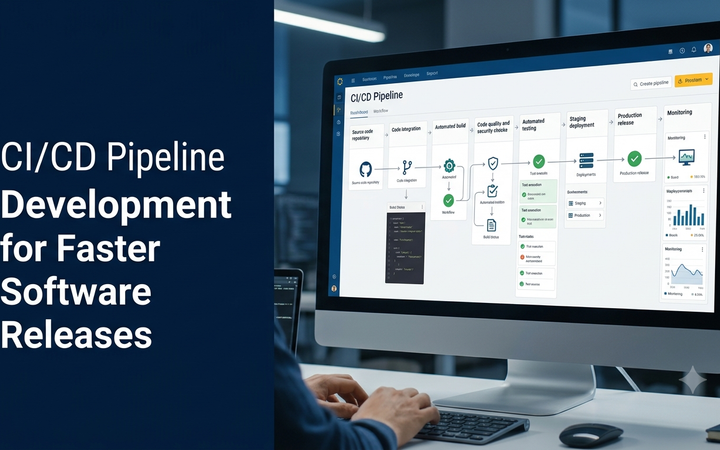
Continuous integration and continuous delivery (CI/CD) workflows help development teams automate selected quality checks during software changes.
A typical pipeline may perform the following activities:
- A developer submits a code change.
- The pipeline installs required dependencies.
- Unit and component tests are executed.
- Selected API and browser tests are run.
- Test reports are generated.
- Failures are reviewed before the next deployment stage.
- Approved changes continue through the release process.
Not every test suite needs to run after every code change. Teams can organize fast checks and longer-running tests into suitable pipeline stages.
9. Challenges in Automated Web Application Testing
Changing User Interfaces
Frequent interface changes can make browser automation scripts unreliable. Stable selectors and reusable test components help reduce maintenance work.
Unstable Tests
Tests that pass and fail without meaningful application changes are often called flaky tests. Teams should investigate timing, shared test data, environmental dependencies and asynchronous behaviour.
Test Data Management
Automated tests require predictable data. Tests should use controlled test accounts and clean up or isolate records where necessary.
Third-Party Dependencies
External APIs, payment gateways and communication services may be unavailable or behave differently in test environments. Mocking, sandbox services and controlled integration tests can help.
Automation Maintenance
Automation scripts require ongoing maintenance as application requirements evolve. Businesses should include test maintenance in their software development and support plans.
Over-Automation
Not every test should be automated. Visual judgement, exploratory testing and some accessibility checks still benefit from human evaluation.
10. Best Practices for Reliable Test Automation
- Start with high-value, frequently repeated test cases.
- Use stable selectors and meaningful test names.
- Keep automated tests independent where practical.
- Use separate test data and controlled environments.
- Store credentials securely.
- Use assertions to verify actual application behaviour.
- Capture useful logs and failure evidence.
- Avoid unnecessary fixed delays in browser tests.
- Run regression tests after relevant changes.
- Review flaky tests instead of ignoring repeated failures.
- Combine automation with manual and exploratory testing.
- Review test coverage as application features expand.
11. Manual Testing vs Automated Testing
Both approaches play important roles in software quality assurance. Businesses should choose a combination based on testing objectives rather than treating automation as a complete replacement for manual QA.
| Factor | Manual testing | Automated testing |
|---|---|---|
| Execution | Human tester performs the steps. | Scripts execute predefined steps. |
| Repeatability | Requires repeated manual execution. | Suitable tests can be rerun consistently. |
| Exploratory checks | Useful for investigating unexpected behaviour. | Limited to the scenarios programmed. |
| Initial setup | May require less automation infrastructure. | Requires framework and script setup. |
| Maintenance | Test procedures need updating. | Scripts need updating and debugging. |
| Best use | Usability, exploratory and visual testing. | Repeatable regression and workflow checks. |
12. How to Measure Automated Testing Success
Automation should be evaluated by its contribution to software quality and development efficiency, not simply by the number of scripts created.
- Automated test coverage: The defined requirements or workflows covered by automated checks.
- Test execution time: Time required to complete a test suite.
- Pass and failure trends: Results across repeated test runs.
- Defect detection: Defects identified through automated checks.
- Regression confidence: Coverage of important existing functionality.
- Flaky test rate: Frequency of inconsistent test outcomes.
- Maintenance effort: Time required to update and repair automation scripts.
- Release feedback time: How quickly teams receive useful test results.
A high automation percentage alone does not guarantee application quality. The relevance, reliability and maintenance of the tests are equally important.
13. Cost of Automated Web Application Testing in India
The cost of test automation depends on the application’s complexity, selected framework, number of workflows, browser coverage, integrations, reporting requirements and ongoing maintenance.
The following are illustrative project-planning estimates, not fixed Greap quotations or guaranteed market prices.
| Automation scope | Illustrative planning range |
|---|---|
| Basic browser automation setup | ₹10,000 – ₹20,000 |
| Functional test automation for a small website | ₹15,000 – ₹35,000 |
| Web application regression automation | ₹25,000 – ₹60,000 |
| API and browser automation setup | ₹30,000 – ₹70,000 |
| Advanced cross-browser automation | ₹40,000 – ₹90,000 |
| Complex SaaS or ERP automation suite | Based on technical assessment |
Actual costs depend on the number of test cases, application architecture, test data requirements, CI/CD integration, browser environments and expected maintenance.
Third-party tools, cloud browser services, performance testing infrastructure, device access, test reporting platforms, ongoing script maintenance and applicable taxes may be additional costs. Open-source tools may reduce licence expenses but still require setup and engineering effort.
14. When Should a Business Invest in Automated Testing?
Test automation becomes particularly useful when an application has repeated workflows, frequent releases or important business operations that must be checked consistently.
- When the application receives frequent feature updates.
- When manual regression testing takes considerable time.
- When ecommerce checkout and payment workflows are business-critical.
- When multiple browsers and devices are supported.
- When a SaaS platform has many user roles and account types.
- When API integrations are frequently updated.
- When development teams use CI/CD pipelines.
- When recurring defects affect customer experience.
15. Choosing a Web Application Test Automation Partner
Businesses should evaluate a testing partner based on technical knowledge, practical automation experience and the quality of testing deliverables.
- Experience with modern browser automation frameworks.
- Understanding of frontend and backend application architecture.
- Knowledge of API and integration testing.
- Ability to create maintainable automated test suites.
- Experience with CI/CD integration.
- Cross-browser and responsive testing capabilities.
- Clear test reports and defect documentation.
- Appropriate test data and environment management.
- Ongoing test maintenance and support arrangements.
- Transparent project scope and pricing.
16. Build and Improve Custom Applications with Greap Technologies
Reliable web applications require careful planning, development, testing and maintenance. Automated testing can help development teams verify important workflows more consistently and identify defects during software updates.
Greap Technologies provides website development, custom software development and digital growth solutions for businesses. We develop business websites, ecommerce platforms, ERP applications, CRM systems, SaaS products and custom web applications based on business requirements.
Whether you are planning a new application or improving an existing platform, the right combination of development practices, functional testing, regression checks and ongoing quality assurance can support a more dependable digital product.
Planning a Custom Web Application?
Discuss your software development and quality assurance requirements with Greap Technologies. Explore how structured testing can support your application’s reliability and future growth.
Visit Greap Technologies Discuss Your Project on WhatsApp Call GreapFrequently Asked Questions
1. What is automated web application testing?
Automated web application testing uses scripts and testing tools to verify website and web application functionality, browser behaviour, workflows and other defined requirements.
2. Which tool is best for automated web testing?
Playwright, Selenium and Cypress are popular choices. The right framework depends on programming language, browser requirements, application architecture, team experience and maintenance needs.
3. What is the difference between Selenium and Playwright?
Both support browser automation. Selenium has a broad language and browser ecosystem, while Playwright provides modern browser automation features and support for Chromium, Firefox and WebKit. Selection depends on project requirements.
4. Can automated testing replace manual testing?
No. Automation is useful for repeatable checks, while manual testing remains valuable for exploratory testing, usability evaluation and visual judgement.
5. What is automated regression testing?
Automated regression testing reruns selected tests after application changes to verify that existing features continue to behave as expected.
6. Can automated tests check APIs?
Yes. API automation can verify endpoints, request parameters, authentication, response data, status codes and error handling.
7. Can automated testing run in a CI/CD pipeline?
Yes. Suitable automated tests can run during selected code changes, pull requests or deployment stages through CI/CD platforms.
8. Is automated web testing suitable for small businesses?
It can be useful for small businesses with important repeatable workflows or frequent application updates. A focused automation suite may be more practical than automating every feature.
9. How much does automated web application testing cost in India?
Pricing depends on application complexity, number of workflows, framework selection, browser coverage, integrations and maintenance requirements. A technical assessment helps determine a suitable scope.
10. How often should automated web application tests run?
Important tests can run during relevant code changes and before releases. The exact schedule depends on execution time, application risk, development workflow and infrastructure.
Conclusion
Automated web application testing helps businesses verify important website and software workflows through repeatable test scripts. Tools such as Playwright, Selenium, Cypress, Postman and JMeter support different testing requirements, from browser automation to API and performance evaluation.
A successful automation strategy begins with high-value test cases, a suitable framework, reliable test data and maintainable scripts. Integrating selected tests into CI/CD workflows can also provide faster feedback during development.
By combining automated testing with manual QA and regular maintenance, businesses can improve testing consistency and make more informed software release decisions.