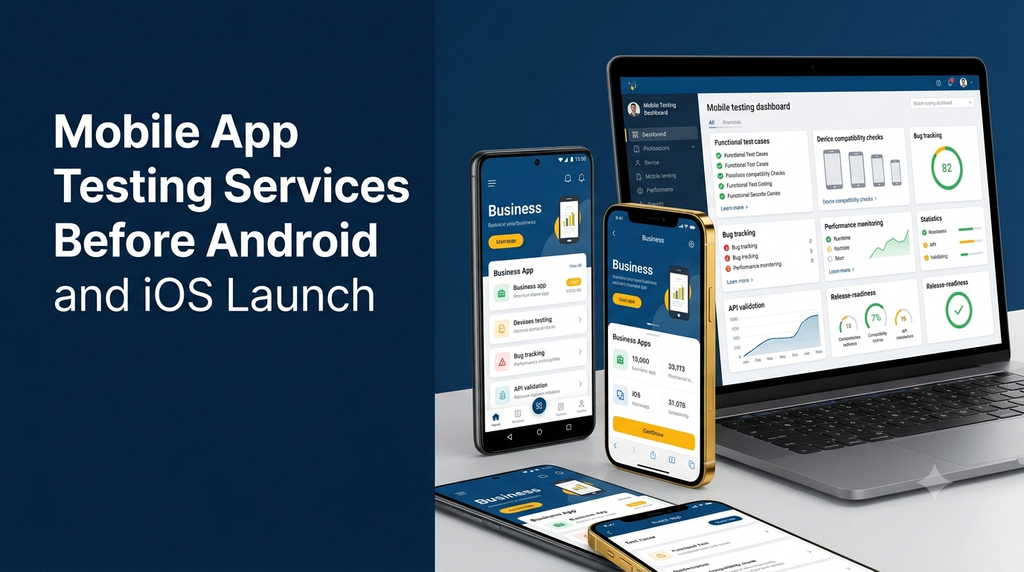
Mobile App Testing Services Before Android and iOS Launch
Developing a mobile application is only one part of launching a successful digital product. Before publishing an app on Google Play or Apple’s App Store, businesses need to confirm that it works correctly, performs reliably and provides a consistent experience across supported devices.
A mobile application that works perfectly on one development phone may behave differently on another smartphone, operating system version or screen size. Unexpected crashes, login problems, slow loading, payment errors and confusing navigation can affect users immediately after launch.
This is where mobile app testing services become important. A structured quality assurance process helps identify issues before release, reduce launch risks and improve the overall reliability of Android and iOS applications.
What Are Mobile App Testing Services?
Mobile app testing services involve evaluating an Android or iOS application to verify its functionality, usability, compatibility, performance and security before and after release.
Testing can be performed manually by quality assurance professionals, automatically through testing frameworks, or through a combination of both. The objective is to identify defects, confirm expected behaviour and check whether the application meets its agreed requirements.
Typical testing activities include:
- Checking registration, login and user account workflows.
- Testing navigation, forms, buttons and interactive elements.
- Validating APIs and backend communication.
- Checking compatibility across supported devices and OS versions.
- Testing application performance and network behaviour.
- Reviewing data protection and permission handling.
- Checking release builds before app-store submission.
Why Test a Mobile App Before Launch?
Finding problems before an app reaches users is generally easier and less disruptive than fixing them after release. A pre-launch testing process gives the development team an opportunity to correct defects while controlling the release schedule.
1. Reduce unexpected application crashes
Crashes may occur during login, navigation, file uploads, checkout or other important activities. Testing different user journeys helps identify conditions that cause the application to stop working.
2. Improve device compatibility
Android devices vary considerably in screen dimensions, hardware, manufacturer customisations and operating system versions. iOS devices also have different screen sizes and supported OS versions. Compatibility testing checks the app against the device range defined for the product.
3. Protect important business workflows
A business app may depend on customer registration, bookings, orders, payments, notifications or staff operations. Testing these workflows helps confirm that essential business activities function as intended.
4. Improve user experience
Usability testing can identify confusing navigation, unclear messages, difficult forms, layout problems and accessibility issues before users encounter them.
5. Identify performance issues
Testing can reveal slow screens, excessive resource usage, inefficient network requests and delays when loading large amounts of data.
6. Reduce release and maintenance risks
A documented testing process gives developers a clearer picture of application quality and helps prioritise fixes before publishing a new version.
Types of Mobile Application Testing
A complete mobile application testing plan should cover more than just opening the app and checking whether the screens load. Different testing methods examine different aspects of the product.
1. Functional Testing
Functional testing verifies whether each feature behaves according to its requirements. Testers follow expected user journeys and check the results.
Common examples include:
- User registration and login.
- Password reset and account verification.
- Profile updates and form submissions.
- Product browsing, search and filtering.
- Shopping cart and order placement.
- Appointment booking and cancellation.
- Payment confirmation and transaction history.
- Push notifications and in-app messages.
2. Android App Testing
Android testing checks how an application behaves across the supported Android versions, device manufacturers, screen resolutions and hardware configurations.
Important areas include:
- Installation, launch and application updates.
- Screen layout and responsive behaviour.
- Android permissions and notification handling.
- Back navigation and app lifecycle behaviour.
- Network switching and background operation.
- Compatibility with the declared Android version range.
3. iOS App Testing
iOS testing verifies the application’s behaviour on supported iPhone devices and iOS versions. It also checks platform-specific interactions and permission requirements.
Testing may include:
- Installation and first-time launch.
- Navigation and screen layout across supported iPhones.
- Camera, photo library and location permissions.
- Push notification behaviour.
- App backgrounding, resuming and interruption handling.
- Authentication and account management.
- Release-build behaviour on supported iOS versions.
4. Device and OS Compatibility Testing
Device compatibility testing checks whether the application works consistently across the devices and operating system versions selected for the target audience.
A testing matrix can include different screen sizes, OS versions, manufacturer interfaces, memory configurations and network conditions. The testing team should prioritise devices based on actual audience requirements rather than trying to test every device ever manufactured.
5. UI and Usability Testing
UI testing checks the visual presentation of the app, while usability testing examines how easily people can complete common tasks.
- Text alignment, spacing and visual consistency.
- Button sizes and touch interaction.
- Keyboard behaviour and form validation.
- Loading indicators and error messages.
- Dark mode or orientation behaviour, where supported.
- Accessibility labels and screen-reader support.
6. Performance Testing
Performance testing examines how the app responds under normal and demanding conditions. It can help identify slow operations, excessive resource consumption and unstable behaviour.
Typical areas include:
- Application startup time.
- Screen loading and navigation responsiveness.
- API response times.
- Memory and CPU usage.
- Battery and background resource usage.
- Behaviour during network interruptions.
7. API and Backend Testing
Most modern mobile applications communicate with backend servers through APIs. API testing verifies that requests, responses, authentication and data processing work correctly.
For example, when a customer places an order, the app should send the correct information to the backend, receive the expected response and display the correct order status.
8. Security and Privacy Testing
Security testing reviews how the app handles sensitive information, authentication, permissions and communication with backend services.
- Secure communication using appropriate HTTPS configurations.
- Authentication and session management checks.
- Appropriate storage of sensitive information.
- Permission requests and privacy-related behaviour.
- API access control and input validation.
- Review of exposed configuration and sensitive data.
Security testing should be planned according to the application’s architecture, data sensitivity and applicable requirements. A general functional test is not a substitute for a dedicated security assessment.
9. Regression Testing
Regression testing checks whether existing features continue to work after developers make changes or fix defects. This is particularly important when an application has several modules and frequent updates.
10. Installation and Update Testing
Testers should verify fresh installation, upgrades from supported previous versions, app permissions, stored data behaviour and recovery after interrupted updates where applicable.
Manual Testing vs Automated Mobile App Testing
Manual and automated testing serve different purposes. Many projects benefit from combining both approaches rather than choosing only one.
| Comparison | Manual Testing | Automated Testing |
|---|---|---|
| Execution | A tester performs test steps directly. | Scripts or testing tools execute predefined checks. |
| Best suited for | Exploratory testing, usability and visual review. | Repeated workflows and regression checks. |
| Initial setup | Usually requires less automation setup. | Requires framework setup and script development. |
| Repeatability | Depends on the tester and test procedure. | Can repeat the same scripted steps consistently. |
| Maintenance | Test cases need updating when features change. | Scripts and test environments also need maintenance. |
Popular Tools for Android and iOS App Testing
Testing tools depend on the application’s technology, testing objectives, development workflow and available devices. The following tools are commonly considered in mobile QA projects.
| Tool | Primary use |
|---|---|
| Appium | Automating native, hybrid and mobile web app tests. |
| Espresso | Android UI testing. |
| XCTest | Testing iOS applications and UI workflows. |
| Maestro | Mobile UI automation using readable test flows. |
| Firebase Test Lab | Testing Android and iOS apps on supported hosted devices. |
| BrowserStack App Live / App Automate | Real-device access and mobile app testing workflows. |
| Postman | API request validation and backend testing. |
| JMeter | Load and performance testing for relevant backend services. |
Tool availability, supported platforms, pricing and device coverage can change. The testing team should verify current product documentation before selecting a tool for a project.
Mobile App Testing Process Before Launch
A structured testing process makes it easier to identify defects, communicate findings and decide whether an application is ready for release.
Step 1: Understand the Application Requirements
Review the application purpose, user roles, features, supported devices, operating system requirements and important business workflows.
Step 2: Prepare the Test Plan
Define what needs to be tested, which devices and OS versions are in scope, how defects will be reported and what conditions must be met before release.
Step 3: Set Up the Testing Environment
Prepare suitable Android devices, iPhones, simulators or emulators, test accounts, backend environments and test data.
Step 4: Execute Functional Test Cases
Check essential features such as login, registration, navigation, payments, notifications, search, forms and data submission.
Step 5: Check Device Compatibility
Run the application on the selected device matrix and identify layout, hardware, OS and manufacturer-specific issues.
Step 6: Test APIs and Backend Workflows
Verify data exchange, authentication, API responses, error handling and server-side processing.
Step 7: Perform Performance and Security Checks
Examine loading behaviour, resource usage, network handling and relevant security and privacy controls.
Step 8: Report and Prioritise Defects
Record each issue with reproduction steps, expected behaviour, actual behaviour, device details, OS version and supporting evidence.
Step 9: Retest Fixes and Run Regression Tests
After developers resolve reported defects, verify the fixes and check related features for unexpected side effects.
Step 10: Prepare the Release Build
Verify the final release candidate, application configuration, version information, permissions, privacy disclosures and release documentation. App-store review and approval remain separate processes.
Mobile App Pre-Launch Testing Checklist
Before publishing an Android or iOS application, use a release checklist to review important workflows and technical requirements.
Core Functionality
- Registration and login work correctly.
- Password recovery and account verification work.
- All major navigation links open the correct screens.
- Forms validate input and display useful error messages.
- Important user actions save and retrieve the correct data.
- Payments, bookings or orders are tested where applicable.
Device Compatibility
- Supported Android versions have been checked.
- Supported iOS versions have been checked.
- Layouts work across the selected screen sizes.
- Keyboard, orientation and navigation behaviour are reviewed.
- Permission prompts behave as expected.
Performance and Reliability
- App launch and key screens respond appropriately.
- Network interruptions are handled gracefully.
- Repeated actions do not create unintended duplicate records.
- Memory and resource usage are reviewed.
- Crash and error reporting are configured where appropriate.
Security and Release Readiness
- Authentication and access control are reviewed.
- Sensitive data is handled appropriately.
- Privacy policy and permission disclosures are prepared.
- Production API endpoints and app configuration are verified.
- Application icons, screenshots and store descriptions are prepared.
- Final release builds are tested before submission.
This checklist is a starting point, not a guarantee of app-store approval or complete security. Additional checks may be necessary depending on the app’s features, audience and industry.
Common Mobile App Issues Found Before Launch
Testing often reveals problems that are not obvious during development on a single device.
| Common issue | Possible impact | Testing approach |
|---|---|---|
| Login failure | Users cannot access their accounts. | Authentication and API testing. |
| Incorrect screen layout | Content may be difficult to read or use. | Device and UI compatibility testing. |
| Slow loading | Users experience delays. | Performance and API testing. |
| Notification failure | Important updates may not reach users. | Push notification testing. |
| Duplicate transactions | Business records may become inconsistent. | Workflow and interruption testing. |
| App crash | Users cannot complete an activity. | Functional and stability testing. |
| Permission problems | Features may not work as expected. | Permission and lifecycle testing. |
How Much Do Mobile App Testing Services Cost in India?
Mobile app testing costs depend on the number of features, Android and iOS coverage, device matrix, testing depth, automation requirements and project complexity.
The following figures are illustrative planning estimates only. They are not fixed Greap Technologies quotations or guaranteed market prices. Actual project pricing requires a review of the application and its testing requirements.
| Testing scope | Illustrative estimate |
|---|---|
| Basic functional testing for a small app | ₹5,000–₹12,000 |
| Android app testing | ₹8,000–₹18,000 |
| iOS app testing | ₹8,000–₹18,000 |
| Android and iOS combined testing | ₹15,000–₹30,000 |
| Advanced compatibility and regression testing | ₹20,000–₹45,000 |
| Mobile automation testing setup | ₹20,000–₹60,000+ |
| Advanced performance and security assessment | Requires project-specific assessment |
Costs may increase when testing requires more devices, extensive test automation, complex payment integrations, multiple user roles, large backend workloads or specialised security assessments. Third-party device-cloud services, paid tools, infrastructure, taxes and ongoing maintenance may be additional.
For an accurate estimate, provide the app’s feature list, technology stack, supported platforms, available builds and expected launch date.
When Should You Start Mobile App Testing?
Testing should begin during development rather than being postponed until the final day before launch.
- During development: Test individual features as they are completed.
- After module integration: Check communication between app modules and backend services.
- Before beta release: Test complete user journeys and device compatibility.
- Before public launch: Test the final release candidate and resolve critical defects.
- After launch: Monitor crashes, user feedback and production issues, then test updates before rollout.
How to Choose a Mobile App Testing Company
Selecting a suitable testing partner is important, especially when an application includes business-critical workflows or separate Android and iOS releases.
Consider the following factors:
- Platform experience: Confirm experience with Android and iOS testing.
- Testing coverage: Check whether functional, compatibility, usability and regression testing are included.
- Device strategy: Ask how the team selects devices and OS versions.
- Automation capability: Understand which repetitive tests can be automated.
- Defect reporting: Request clear bug reports with reproduction steps and evidence.
- Security awareness: Confirm whether security checks are included or quoted separately.
- Communication: Agree on reporting frequency, responsibilities and defect priorities.
- Release support: Confirm whether final build verification is part of the engagement.
Mobile App Testing for Different Business Applications
Testing requirements differ depending on the purpose of the application. A simple information app does not need the same test coverage as a multi-role business platform.
Ecommerce Applications
Test product browsing, search, cart updates, checkout, payment status, order history, refunds and customer notifications.
Food Delivery Applications
Test restaurant selection, menu availability, order placement, delivery status, location-related features, notifications and payment workflows.
Healthcare and Appointment Applications
Test appointment booking, scheduling, user access, reminders, data handling and relevant privacy controls.
Business and ERP Applications
Test staff roles, approvals, inventory updates, reporting, synchronisation, offline behaviour where supported and backend integration.
Customer and Delivery Applications
Test customer orders, delivery assignments, status updates, location permissions, proof of delivery and communication between user roles.
Frequently Asked Questions
1. Why is mobile app testing important before launch?
It helps identify functional defects, crashes, compatibility problems, performance issues and usability concerns before the application is released to users.
2. Should Android and iOS apps be tested separately?
Yes. Both platforms need suitable testing because their operating systems, device configurations, permissions and user interactions differ. Shared business logic can also be tested across both platforms.
3. How many devices are required for mobile app testing?
The number depends on the target audience and supported OS versions. A carefully selected device matrix is more useful than choosing devices randomly.
4. What is the difference between manual and automated app testing?
Manual testing involves a person performing test cases directly. Automated testing uses scripts and tools to execute predefined checks. Both approaches can complement each other.
5. Can mobile app testing be performed before the app is published?
Yes. Testing can be performed using development builds, internal testing builds, beta releases and release candidates before public publication.
6. Does mobile app testing guarantee Google Play or App Store approval?
No. Testing helps improve quality and identify technical issues, but each store has its own review policies and approval process. Passing QA does not guarantee store approval.
7. What tools are used for Android and iOS app testing?
Tools may include Appium, Espresso, XCTest, Maestro, Firebase Test Lab, BrowserStack and API testing tools such as Postman. Selection depends on the application and testing goals.
8. How long does mobile app testing take?
Duration depends on the number of screens, features, platforms, devices, integrations and defects. A small app may need a shorter test cycle, while a complex business application may require multiple testing rounds.
9. Is security testing included in functional app testing?
Not necessarily. Functional testing verifies expected feature behaviour. Security testing requires additional checks for authentication, permissions, data handling, API access and other security concerns.
10. Should an app be tested again after an update?
Yes. Every meaningful update should receive suitable testing, including regression checks, to confirm that existing features continue to work.
Planning to Launch an Android or iOS App?
A reliable mobile application needs more than successful development. It should also be tested across important user journeys, supported devices and real-world usage conditions before release.
Greap Technologies provides website and software development solutions for businesses. Discuss your mobile application requirements, testing scope and release-readiness needs with our team.