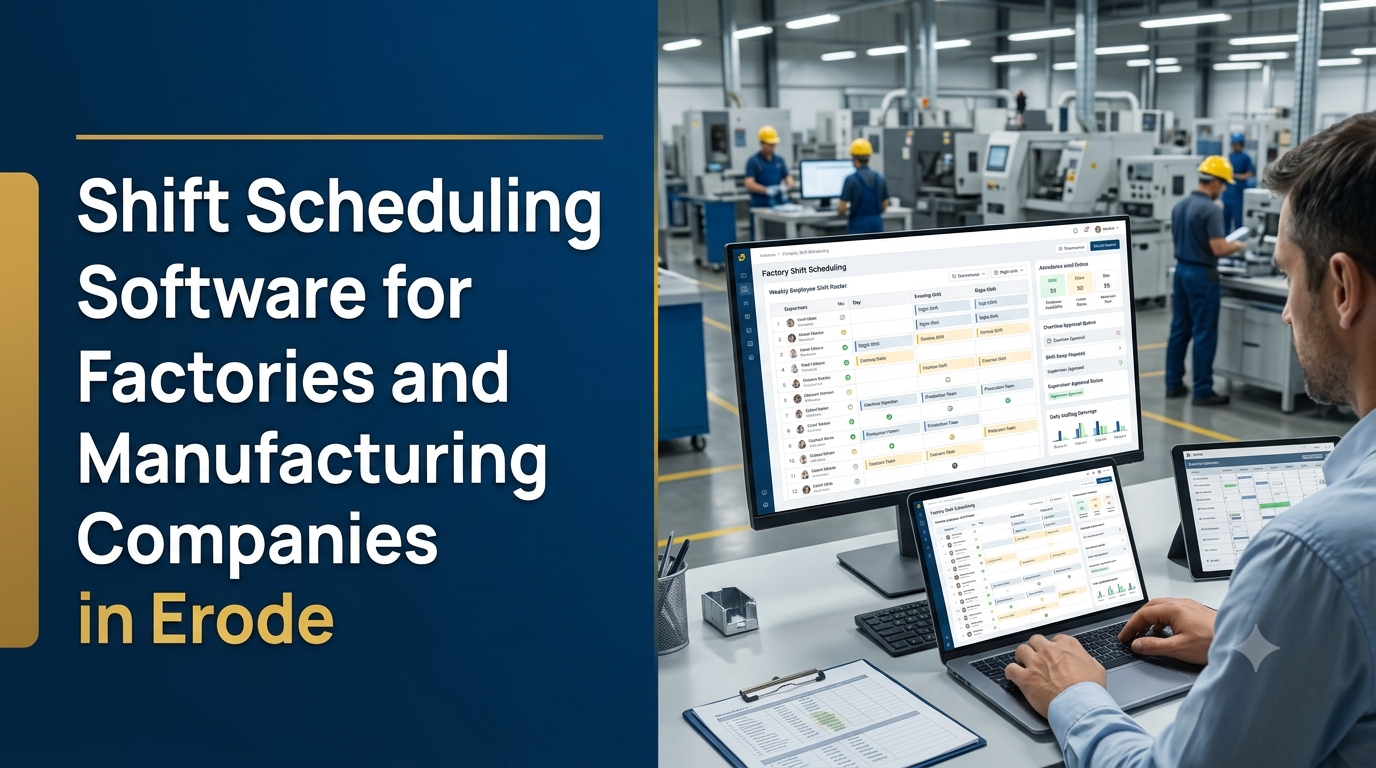
Shift scheduling software helps factories and manufacturing companies plan employee rosters, allocate workers to departments, manage rotating shifts and coordinate workforce availability. It gives HR teams and production supervisors a central place to prepare schedules, review shift changes and monitor staffing requirements.
Manufacturing operations often run across general, day, evening and night shifts. Depending on the factory, employees may work fixed schedules, rotating rosters, weekly shift patterns or department-specific timings. Managing these schedules manually can become difficult when leave requests, absenteeism, overtime and production requirements change.
A factory shift scheduling system brings these activities into a structured digital workflow. It helps businesses in Erode and across Tamil Nadu organise employee assignments while keeping shift plans visible to authorised supervisors and HR teams.
What Is Shift Scheduling Software for Factories?
Shift scheduling software is a digital application used to create, publish and manage employee work schedules. In a manufacturing environment, it can organise workers by department, production line, machine, skill category and shift.
Instead of preparing separate spreadsheets for every department, supervisors can work with a shared roster. The system can show who is assigned to each shift, which positions remain unfilled and whether an employee has an approved leave or shift change.
A factory-specific solution can also connect shift schedules with attendance, overtime, payroll or production planning systems, depending on the business requirements.
Why Do Manufacturing Companies Need Shift Scheduling Software?
Workforce scheduling is directly connected to daily factory operations. A shift plan must consider employee availability, required skills, departmental staffing and production coverage.
1. Organised employee allocation
Supervisors can assign employees to departments, workstations or production teams using a central schedule. This makes responsibilities easier to review and update.
2. Better visibility of staffing gaps
A roster can highlight shifts with missing assignments or insufficient planned coverage. Supervisors can review the gap and arrange an appropriate replacement.
3. Easier management of rotating shifts
Factories that rotate employees between shifts can use configurable schedules rather than manually recreating the roster every week or month.
4. Reduced scheduling conflicts
The system can flag overlapping assignments, approved leave conflicts and other scheduling issues before a roster is published.
5. Centralised shift records
Published rosters and approved changes create a consistent reference for employees, HR and production supervisors.
6. Improved workforce planning
Historical schedules and staffing reports can help managers understand workforce requirements across different production periods.
Essential Features of Factory Shift Scheduling Software
1. Employee and workforce management
The system needs an employee database that stores the information required for scheduling and workforce allocation.
- Employee name and employee ID
- Department and designation
- Work location and branch
- Employment category
- Assigned supervisor
- Relevant skills and job qualifications
- Employment and scheduling status
- Configured weekly-off information
Skill and qualification fields are especially useful when a production role requires specific training or authorisation. Assignment rules should reflect the factory’s actual job requirements.
2. Shift template management
Administrators should be able to configure reusable shift templates based on the factory’s operating hours.
- General shift
- Day shift
- Evening shift
- Night shift
- Rotational shift
- Department-specific shift
- Custom start and end times
- Break and weekly-off configuration
The application should support different shift patterns where departments follow different working hours.
3. Weekly and monthly roster planning
A roster calendar provides a visual representation of employee assignments. HR staff and supervisors can prepare schedules for selected dates and publish approved versions.
- Daily employee roster
- Weekly shift calendar
- Monthly scheduling view
- Department-wise roster
- Individual employee schedule
- Bulk employee assignment
- Roster copy and reuse
- Schedule publication and revision history
4. Rotational shift scheduling
Some factories rotate employees between day, evening and night shifts according to a defined pattern. A scheduling system can support configurable rotation rules.
For example, a business may use a three-team rotation. The exact rotation cycle, rest periods and changeover rules should be configured according to the factory’s operating policy and applicable employment requirements.
5. Department and production-line allocation
A factory may need different staffing levels for production, packing, quality control, maintenance, stores and dispatch. Department-based scheduling helps supervisors see how employees are distributed.
- Department-wise employee assignment
- Production-line allocation
- Machine operator assignment
- Skill-based role allocation
- Team and supervisor mapping
- Shift-wise staffing requirements
6. Attendance system integration
Connecting shift scheduling with attendance software allows planned schedules to be compared with recorded attendance.
- Scheduled shift start and end times
- Attendance records
- Late arrival and early departure indicators
- Absence records
- Shift-wise attendance summaries
- Attendance correction requests
Biometric devices, access-control systems or attendance terminals may be integrated where compatible. The integration should be tested with the actual device and software before deployment.
7. Leave and weekly-off management
Leave information should be considered during roster preparation. The system can display approved leave and identify employees who should not be assigned to a particular shift.
- Leave request and approval
- Approved leave calendar
- Weekly-off configuration
- Holiday calendar
- Leave and shift conflict alerts
- Replacement assignment workflow
8. Overtime tracking and approval
Factories may need to record overtime requests and approvals separately from normal shift assignments.
- Overtime request entry
- Supervisor approval
- Employee-wise overtime records
- Department-wise overtime reports
- Attendance comparison
- Payroll data export
The software should calculate payable overtime only according to the verified rules configured for the business. Legal limits, eligibility and applicable payment requirements should be reviewed by the employer’s HR or legal team.
9. Shift swap and replacement requests
Employees may occasionally request a shift exchange or a replacement due to availability changes. A controlled workflow allows the employee to submit a request and the supervisor to review it.
The system can check whether the proposed replacement meets the department’s skill and availability requirements before the change is approved.
10. Notifications and reminders
Automated notifications help employees and supervisors stay informed about schedule changes.
- New roster publication
- Upcoming shift reminders
- Approved or rejected shift swaps
- Roster modification alerts
- Pending overtime approvals
- Leave approval notifications
Notifications may be delivered through in-app messages, email or supported messaging integrations, depending on the application design.
11. HR and production dashboards
A dashboard gives managers a summary of planned workforce allocation and scheduling activity.
- Employees scheduled for each shift
- Department-wise staffing levels
- Unfilled shift assignments
- Employees on approved leave
- Pending shift change requests
- Overtime approval status
- Attendance exceptions
- Weekly and monthly roster reports
How Does Factory Shift Scheduling Software Work?
A typical scheduling workflow starts with employee records and department requirements. The supervisor prepares the roster, reviews conflicts and publishes the approved schedule.
- Configure the workforce: Add employee records, departments, roles and relevant skills.
- Create shift templates: Define shift timings, breaks, weekly offs and rotation patterns.
- Set staffing requirements: Specify the required workforce for each department or production line.
- Prepare the roster: Assign available employees to the required shifts.
- Check scheduling conflicts: Review leave, overlapping assignments and missing staffing positions.
- Obtain approval: Submit the schedule to the authorised supervisor or HR manager.
- Publish the roster: Make the approved schedule available to relevant employees.
- Monitor changes: Record attendance, shift swaps, replacements and approved overtime.
- Review reports: Compare planned schedules with actual attendance and workforce records.
Example of a Factory Shift Roster
The following is a simplified illustration of how a roster might look for a manufacturing department. Actual shift timings and rotation patterns vary by factory.
| Employee | Department | Monday | Tuesday | Wednesday |
|---|---|---|---|---|
| Employee A | Production | Day | Day | Evening |
| Employee B | Production | Evening | Evening | Night |
| Employee C | Quality Control | Day | Day | Day |
| Employee D | Maintenance | Night | Weekly Off | Night |
A production-ready system should also record the applicable dates, shift times, break rules, approval status and any changes made after publication.
Which Industries in Erode Can Use Factory Shift Scheduling Software?
Erode has a range of industrial and manufacturing businesses with different workforce scheduling requirements. A configurable application can support several types of operations.
Textile mills and spinning units
Textile operations may need shift schedules for spinning, weaving, processing, maintenance, quality and packing teams. Department-based rosters help coordinate workforce availability across production activities.
Engineering and CNC workshops
Engineering businesses may schedule machine operators, technicians, inspection staff and maintenance teams according to machine availability and production requirements.
Food processing companies
Food manufacturing units may need separate schedules for processing, packaging, quality checks, warehouse and dispatch operations.
Automobile component manufacturers
Component manufacturing businesses can use shift planning for production lines, assembly teams, quality inspection and maintenance operations.
Packaging and printing units
Packaging factories can plan staffing for machine operation, finishing, quality inspection, material handling and dispatch.
Shift Scheduling Software vs Manual Excel Scheduling
Spreadsheets can work for a small team with a simple schedule. However, a factory with multiple departments and frequent roster changes may benefit from a dedicated application.
| Requirement | Excel or manual roster | Dedicated scheduling software |
|---|---|---|
| Shift preparation | Manual entries and copying | Reusable templates and roster tools |
| Conflict checking | Usually requires manual review | Can flag configured conflicts |
| Employee access | File sharing or printed schedules | Authorised employee portal access |
| Approval tracking | Separate communication may be needed | Built-in approval workflow |
| Attendance integration | Often involves manual reconciliation | Can integrate with compatible systems |
| Change history | Depends on file and version management | Can maintain roster revision history |
| Multi-department reporting | Requires spreadsheet consolidation | Centralised reports and dashboards |
Mobile App for Factory Employees and Supervisors
A mobile-friendly application can make shift information easier to access for employees who do not regularly use a desktop computer.
Depending on the business requirements, an employee app may include:
- View personal shift schedules
- Receive roster change notifications
- Submit leave requests
- Request shift swaps
- View approved overtime details
- Access shift announcements
- Review attendance information
Supervisor features may include department rosters, replacement requests, approval queues, staffing summaries and shift publication controls.
Integration with Attendance, Payroll and Production Software
Shift scheduling becomes more valuable when it is connected to the factory’s other operational systems.
- Attendance software: Compare planned shifts with actual attendance records.
- Biometric devices: Import attendance data from compatible devices.
- Payroll software: Transfer approved shift, attendance and overtime records.
- HRMS: Reuse employee profiles, departments and employment information.
- Production planning: Compare staffing plans with production schedules.
- ERP software: Share relevant workforce and operational information.
Integration should include clear data ownership, field mapping, error handling and audit records. Payroll calculations should be verified against the employer’s approved rules before production use.
Important Scheduling Rules and Workforce Considerations
A shift scheduling application should not simply fill every available time slot. It must support the factory’s operating policies and applicable employment requirements.
- Review applicable working-hour and rest-period requirements.
- Configure weekly offs and holidays correctly.
- Consider employee availability and approved leave.
- Assign workers only to roles for which they are appropriately qualified.
- Maintain supervisor approval for schedule changes.
- Keep records of published rosters and subsequent revisions.
- Protect employee attendance and employment information.
Working-hour, overtime and rest-period rules can vary by establishment, employee category and applicable law. Factory management should obtain appropriate HR or legal review before configuring operational rules.
Security Features for Manufacturing Workforce Software
Employee schedules and attendance information are business records. A factory scheduling platform should include practical security and access controls.
- Individual employee and supervisor accounts
- Role-based access permissions
- Secure login and session management
- Audit logs for roster changes and approvals
- Secure communication with the server
- Scheduled database backups
- Backup restoration testing
- Restricted access to employee records
- Controlled export of workforce reports
How Much Does Shift Scheduling Software Development Cost in India?
The cost of custom factory shift scheduling software depends on the number of employees, departments, scheduling rules, user roles, mobile requirements and integrations.
The following are illustrative planning estimates for custom software development in India. They are not fixed market prices or a quotation from Greap Technologies.
| Development scope | Illustrative cost range |
|---|---|
| Basic employee roster and shift management | ₹25,000–₹45,000 |
| Weekly and monthly scheduling with departments | ₹40,000–₹70,000 |
| Rotational shifts, leave and approvals | ₹55,000–₹95,000 |
| Scheduling with attendance and overtime records | ₹70,000–₹1.2 lakh |
| Advanced factory workforce management system | ₹1.2–₹2.5 lakh+ |
| Multi-branch system with mobile apps and integrations | ₹2.5–₹5 lakh+ |
These ranges are indicative only. Biometric devices, attendance terminals, hosting, cloud services, mobile app publishing, third-party integrations, data migration, taxes and ongoing maintenance may involve additional costs.
A final estimate should be prepared after understanding the factory’s shift patterns, employee count, department structure, approval process and integration requirements.
How to Choose the Right Shift Scheduling Software
Before selecting a ready-made application or starting custom development, manufacturing companies should evaluate:
- Shift flexibility: Can the system support fixed and rotating schedules?
- Department management: Can each department maintain its own staffing requirements?
- Conflict detection: Can it flag overlapping shifts and approved leave conflicts?
- Employee access: Can workers view their schedules through mobile devices?
- Approval workflows: Can supervisors control roster publication and shift changes?
- Attendance integration: Can the software connect to the existing attendance system?
- Reporting: Can management review staffing and overtime records?
- Security: Can employee data be restricted to authorised users?
- Scalability: Can the platform support more employees, departments and branches?
- Support: Is maintenance and issue resolution clearly defined?
Custom Shift Scheduling Software Development in Erode
Manufacturing companies in Erode may operate textile units, engineering workshops, food-processing facilities, packaging operations and other industrial businesses. Each type of factory can have different shift structures, employee categories and production coverage requirements.
A textile mill may need department-wise rosters for spinning and weaving, while an engineering workshop may focus on machine operators, maintenance technicians and inspection staff. A food-processing unit may need separate schedules for processing, packaging and quality control.
Greap Technologies provides custom website and software development services for businesses. We can help manufacturing companies plan shift scheduling applications with employee management, roster calendars, rotating shifts, attendance integration, supervisor approvals and workforce reporting.
Need Custom Shift Scheduling Software for Your Factory?
Organise factory workforce schedules with a digital system designed around your departments, shift patterns, employee roles and production requirements.
Discuss your software requirements with Greap Technologies.
Visit Greap Technologies | Discuss on WhatsApp | Call 70923 30168
Frequently Asked Questions
1. What is shift scheduling software for factories?
It is a workforce management application that helps factories create employee rosters, assign workers to shifts, manage rotating schedules and track changes.
2. Can shift scheduling software manage day and night shifts?
Yes. A configurable system can support day, evening, night and general shifts, including different timings for separate departments.
3. Can the system automatically prepare employee rosters?
It can support template-based and rule-based roster generation. More advanced scheduling may consider employee availability, qualifications, approved leave and staffing requirements. Supervisors should review and approve generated schedules.
4. Can employees view their shift schedules on mobile?
Yes. A responsive employee portal or dedicated mobile app can allow workers to view assigned shifts and receive schedule notifications.
5. Can shift scheduling software integrate with biometric attendance machines?
Yes, where compatible. The integration depends on the device model, available communication method and the attendance software’s capabilities.
6. Can the software manage employee shift swaps?
Yes. Employees can submit shift swap requests, and authorised supervisors can review availability and approve or reject the request.
7. Can overtime be tracked through the software?
Yes. The system can record overtime requests, approvals and employee-wise reports. Payable overtime should follow the employer’s verified policies and applicable requirements.
8. Is shift scheduling software suitable for textile mills?
Yes. It can support department-wise employee allocation for spinning, weaving, processing, maintenance, quality and other textile operations.
9. Can one scheduling system support multiple factory branches?
Yes. A multi-location platform can support branch-specific shifts, employee records, supervisors, permissions and consolidated workforce reports.
10. How much does custom factory shift scheduling software cost?
Cost depends on the required features, employee count, scheduling complexity, attendance integrations and mobile applications. A basic roster system has a smaller development scope than an advanced multi-branch workforce management platform.
Conclusion
Shift scheduling software helps factories organise employee rosters, rotating shifts, department assignments, leave requests, attendance and overtime records. A well-designed system gives HR teams and production supervisors a clearer view of workforce availability and scheduling responsibilities.
The right solution should reflect the factory’s actual shift patterns, staffing requirements and employment policies. Starting with roster management and adding attendance integration, mobile access and reporting as needed can provide a practical path towards digital workforce management.
Greap Technologies can help manufacturing businesses plan and develop custom software solutions based on their operational requirements.