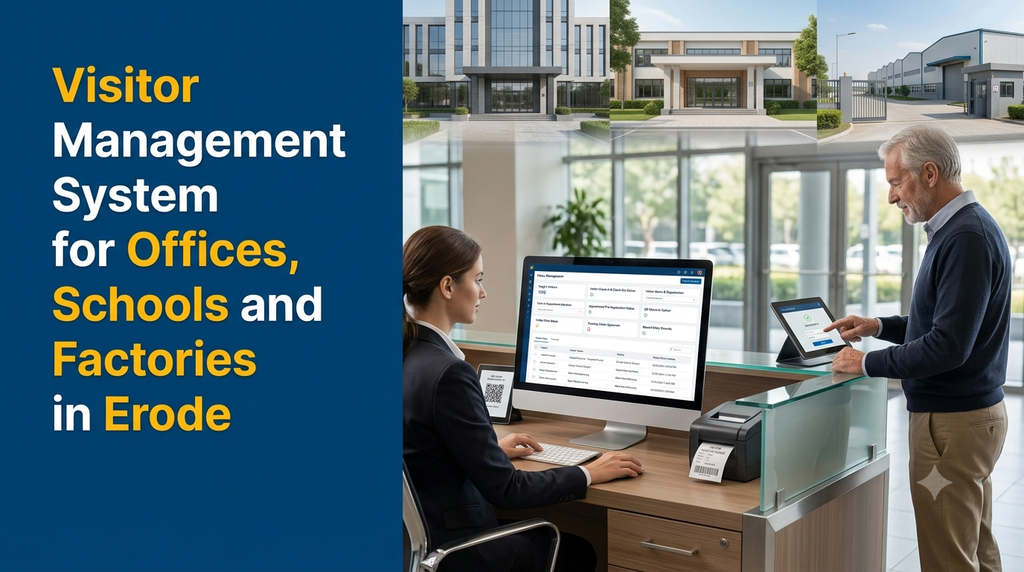
Visitor Management System for Offices, Schools and Factories in Erode
Offices, schools and factories receive visitors every day. Customers, parents, suppliers, delivery personnel, job applicants, contractors and business partners may enter the premises for different purposes. Maintaining their details in paper registers can make visitor records difficult to search, review and manage.
A visitor management system in Erode is a digital application that helps organizations register visitors, record entry and exit times, notify employees or authorized hosts, issue visitor passes and maintain searchable visitor history. It replaces or supplements traditional visitor registers with a structured digital process.
Businesses in Erode can use custom visitor management software to organize reception operations, school visitor registration, factory gate entry and contractor access according to their individual requirements.
Why Do Organizations Need a Digital Visitor Management System?
A manual visitor register may be sufficient for a location with very few visitors. However, organizations with multiple departments, reception desks, security personnel or separate entry gates may need a more structured process.
Digital visitor management provides a centralized way to record visitor information and make it available to authorized personnel. It can also help reception and security teams follow consistent registration procedures.
Common reasons to implement a visitor management system include:
- Reduce dependence on paper visitor registers.
- Maintain searchable visitor entry and exit records.
- Notify employees when their visitors arrive.
- Manage visitor approvals and appointments.
- Issue digital or printed visitor passes.
- Separate visitor categories such as guests, vendors and contractors.
- Review daily and monthly visitor reports.
- Maintain entry records across different departments or locations.
- Configure different registration workflows for different visitor types.
Who Can Use Visitor Management Software in Erode?
Visitor management is useful for organizations that need to control reception processes, maintain entry records or coordinate visitors with internal employees and departments.
1. Corporate Offices and Business Organizations
Offices receive customers, suppliers, consultants, interview candidates, business partners and other guests. A digital visitor management system can simplify reception registration and employee notifications.
Office-specific requirements may include:
- Employee and department directory.
- Visitor registration at reception.
- Appointment and meeting details.
- Host notification through email or messaging integrations.
- Visitor badge generation.
- Visitor check-in and check-out records.
- Daily visitor reports.
2. Schools and Educational Institutions
Schools receive parents, guardians, suppliers, maintenance personnel, education officials and other guests. A visitor management application can provide a structured registration process for school entrances.
School visitor management features may include:
- Parent and guardian visit registration.
- Purpose-of-visit selection.
- Meeting requests for teachers or administrators.
- Approval by authorized school personnel.
- Visitor badges and entry records.
- Separate workflows for vendors and service personnel.
- Emergency visitor and occupancy reports.
Schools should configure the system with appropriate access permissions and procedures for visitors interacting with students. Visitor data should only be available to authorized staff.
3. Factories and Manufacturing Companies
Factories receive suppliers, customers, auditors, service engineers, transport personnel, contractors and business visitors. Industrial visitor management may need additional checks based on the site’s operating procedures.
Factory-specific capabilities can include:
- Visitor registration at the main security gate.
- Vendor and contractor entry records.
- Purpose and department of visit.
- Host or employee approval.
- Vehicle number and material entry references, where required.
- Safety induction acknowledgement records.
- Temporary visitor passes.
- Exit confirmation and material return records.
Factories can configure separate workflows for visitors, delivery personnel, maintenance contractors and other authorized categories.
Essential Features of a Visitor Management System
1. Digital Visitor Registration
Digital registration is the foundation of a visitor management system. Reception staff or security personnel can enter visitor details through a computer, tablet or mobile device.
Typical registration fields include:
- Visitor name.
- Mobile number or contact information.
- Organization or company name.
- Purpose of visit.
- Person or department to be visited.
- Appointment reference, if available.
- Visitor category.
- Vehicle registration, where required.
- Entry time and registration date.
Organizations should collect only the personal information necessary for their visitor workflow and explain how it will be used.
2. Visitor Check-In and Check-Out
The system should record when a visitor enters and leaves the premises. Reception staff can complete check-in and check-out through a visitor record or supported QR workflow.
Useful capabilities include:
- Automatic entry timestamp.
- Visitor status such as expected, checked in or checked out.
- Exit timestamp.
- Pending check-out list.
- Searchable visitor history.
- Daily entry and exit reports.
These records help authorized administrators review visitor activity during a selected period.
3. QR Code Visitor Check-In
QR code check-in can make visitor registration more convenient when an organization uses pre-registration or appointment-based access.
A typical process works as follows:
- An employee or administrator creates an appointment.
- The system generates a visitor-specific QR code or check-in reference.
- The visitor presents the code at the reception or security desk.
- An authorized user verifies the appointment and required details.
- The system records the visitor’s entry.
- Check-out is recorded when the visitor leaves.
QR codes should be treated as check-in references, not as proof of identity by themselves. Organizations may still need a separate verification procedure.
4. Host and Employee Notifications
When a visitor arrives, the system can notify the employee or department they intend to meet.
Notification options may include:
- In-application notifications.
- Email alerts.
- SMS notifications.
- WhatsApp notifications through an approved provider integration.
- Dashboard alerts for pending visitor approvals.
Notification channels and delivery behaviour depend on the selected service providers, integrations and configuration.
5. Visitor Pass Generation
After registration and any required approval, the system can generate a temporary visitor pass.
A visitor pass may contain:
- Visitor name.
- Visitor category.
- Organization name.
- Host or department.
- Visit date.
- Pass number or QR code.
- Validity period, where applicable.
Depending on the reception setup, passes can be displayed digitally or printed using a compatible printer.
6. Visitor Approval Workflow
Some organizations require employee or management approval before visitors are allowed to proceed beyond reception.
An approval workflow can support:
- Visitor requests awaiting approval.
- Host confirmation.
- Department-level approval.
- Security verification.
- Approved, rejected or cancelled status.
- Approval timestamps and user history.
Different visitor categories can have different approval rules. For example, an office customer may follow a host confirmation process, while a factory contractor may require additional site authorization.
7. Appointment and Pre-Registration Management
Employees or administrators can register expected visitors before their arrival. This reduces repeated data entry at reception and helps teams prepare for scheduled meetings.
Appointment features can include:
- Visitor name and contact details.
- Meeting date and expected arrival time.
- Host employee and department.
- Meeting purpose.
- Appointment confirmation.
- Cancellation and rescheduling.
- Pre-registration reference or QR code.
8. Visitor History and Reports
A searchable visitor database allows authorized staff to review historical entries without manually searching paper registers.
Reports can include:
- Daily visitor count.
- Visitor category summary.
- Department-wise visitor records.
- Appointment versus walk-in visits.
- Pending check-outs.
- Visitor entry and exit history.
- Contractor and vendor visits.
- Location-wise visitor activity.
Visitor Management Workflow for Offices
An office visitor workflow typically begins when a visitor arrives at reception or has a scheduled appointment.
- The receptionist searches for an existing appointment or registers a new visitor.
- The visitor’s purpose and host details are recorded.
- The host receives a notification.
- The host confirms the visit if approval is required.
- The receptionist records check-in and issues a visitor pass.
- The visitor attends the scheduled meeting.
- The receptionist or authorized staff records check-out.
Visitor Management Workflow for Schools
School visitor workflows should reflect the institution’s visitor policies and student safeguarding procedures.
- The visitor arrives at the designated school entrance.
- Security staff record the visitor’s identity and purpose according to school policy.
- The relevant teacher, office staff or administrator is notified.
- The authorized school employee reviews and approves the visit where required.
- A visitor pass is issued according to the school’s procedure.
- The visit is recorded and check-out is completed when the visitor leaves.
Schools should define special workflows for parents, guardians, vendors, service personnel and other visitor categories. Access to student-related information must be carefully restricted.
Visitor Management Workflow for Factories
Industrial visitor management often involves a security desk at the factory entrance and may include additional site-specific requirements.
- The security team selects the visitor category.
- Visitor and organization details are recorded.
- The purpose of entry and department are selected.
- The concerned employee or authorized manager is notified.
- Required approvals and safety procedures are completed.
- A temporary visitor or contractor pass is issued.
- Entry and exit timestamps are maintained.
- The security team closes the visitor record after departure.
Where required, the system can also record vehicle details, material movement references, equipment brought onto the premises and safety acknowledgements.
Example Visitor Registration Record
A digital visitor record can organize the information needed by reception and security teams.
| Field | Illustrative Record |
|---|---|
| Visitor Name | Example Visitor |
| Organization | ABC Services |
| Visitor Category | Business Guest |
| Purpose | Business Meeting |
| Host Department | Administration |
| Entry Status | Checked In |
| Pass Status | Issued |
This is an illustrative record only. Actual visitor information should be collected and displayed according to the organization’s privacy and access-control policies.
Admin Dashboard and User Roles
A visitor management platform can provide separate interfaces for administrators, receptionists, security teams, employees and department managers.
Administrator Dashboard
- Manage organization details and locations.
- Create departments and employee accounts.
- Configure visitor categories and registration fields.
- Set approval workflows.
- Manage pass templates and notification settings.
- View visitor history and reports.
- Configure user permissions and retention policies.
Receptionist Dashboard
- Register walk-in visitors.
- Search pre-registered appointments.
- Notify hosts and departments.
- Record visitor check-in and check-out.
- Generate visitor passes.
- View pending approvals.
Security Team Dashboard
- Review authorized visitor entries.
- Verify visitor pass references.
- View expected visitors.
- Record entry and exit events.
- Review contractor and vendor visits.
- Generate authorized gate reports.
Employee and Host Portal
- Create visitor appointments.
- View expected visitors.
- Receive visitor arrival notifications.
- Approve or reject requests where authorized.
- Review relevant meeting information.
Visitor Management Software for Multiple Branches and Locations
Businesses with multiple offices, campuses, warehouses or factories may require a centralized visitor management platform.
Multi-location features can include:
- Separate visitor records for each location.
- Location-specific reception and security users.
- Centralized administration.
- Branch-wise visitor reports.
- Separate visitor pass formats.
- Location-specific approval workflows.
- Centralized access policies and audit records.
Role-based permissions should ensure that staff can access only the visitor records and functions relevant to their responsibilities.
Hardware and Software Integrations
Depending on the organization’s entry process, visitor management software can connect with selected hardware and third-party services.
- QR scanners: Scan visitor appointment or pass references.
- Badge printers: Print temporary visitor identification passes.
- Tablets and kiosks: Allow visitors to enter registration details.
- ID document scanners: Support approved identity verification workflows where legally appropriate.
- Access control systems: Exchange approved entry status where compatible.
- Email and SMS: Send host alerts and appointment confirmations.
- WhatsApp integrations: Send configured notifications through approved providers.
- Employee directories: Connect host and department information.
- CCTV or security systems: Link workflows only where supported and appropriately authorized.
Hardware integration should be confirmed before development because device protocols, SDK availability and vendor restrictions can affect implementation.
Visitor Data Privacy and Security
Visitor management applications handle personal information such as names, contact details, visit purposes and entry records. Organizations should design the system to protect this information and limit access to authorized users.
Important security considerations include:
- Role-based access control.
- Secure login and session management.
- HTTPS for data transmission.
- Restricted access to visitor identity documents.
- Audit logs for important record changes.
- Secure file storage and controlled downloads.
- Regular database backups.
- Defined data retention and deletion policies.
- Appropriate consent and privacy notices.
- Secure integration with third-party services.
Organizations should assess applicable privacy and data protection requirements before collecting identity documents, photographs or other sensitive visitor information. Collecting more data than necessary should be avoided.
Benefits of Visitor Management Software for Erode Businesses
Erode has a diverse business environment that includes offices, educational institutions, manufacturing units, textile-related businesses, warehouses and service organizations. Each type of establishment may have different visitor registration requirements.
A digital visitor management solution can help these organizations:
- Maintain structured visitor records.
- Organize reception and security desk activities.
- Coordinate visitors with employees and departments.
- Track contractor, supplier and customer visits.
- Maintain appointment and approval history.
- Review visitor activity across multiple locations.
- Reduce reliance on manual visitor registers.
- Generate reports for authorized management users.
Organizations in Erode, Perundurai, Bhavani, Chithode, Gobichettipalayam and nearby industrial and commercial areas can consider a digital visitor management system based on their reception and site-entry processes.
Manual Visitor Register vs Digital Visitor Management System
| Requirement | Manual Register | Digital System |
|---|---|---|
| Visitor registration | Handwritten entries | Digital form-based registration |
| Visitor search | Manual page-by-page search | Searchable records |
| Host notification | Phone call or manual message | Configurable notifications |
| Visitor pass | Manual pass creation | Digital or printable pass |
| Appointment tracking | Separate records | Integrated appointment records |
| Entry and exit | Manual timestamps | Recorded check-in and check-out |
| Management reports | Manual counting and compilation | Configurable digital reports |
| Multiple locations | Separate registers | Centralized or location-based access |
Custom Visitor Management Software Development in Erode
Ready-made visitor management applications may provide standard registration and check-in features. However, some organizations require additional workflows based on their industry, premises and internal approval structure.
Custom visitor management software can be developed around the organization’s requirements instead of forcing every location to follow the same registration process.
Possible Custom Development Modules
- Organization and branch management.
- Visitor registration and category management.
- Employee and department directory.
- Appointment and pre-registration system.
- QR code visitor check-in.
- Host notification and approval workflow.
- Visitor badge and gate pass generation.
- Check-in and check-out tracking.
- Contractor and vendor entry management.
- Visitor reporting and analytics.
- Mobile-friendly reception and security interfaces.
Technology Considerations
- Frontend: React or another suitable web technology.
- Backend: Laravel, Node.js or another suitable backend framework.
- Database: MySQL or PostgreSQL, depending on the application requirements.
- Mobile application: Flutter or native development where dedicated mobile apps are required.
- Hosting: Cloud or VPS infrastructure based on expected usage and operational requirements.
- Integrations: QR scanning, printers, messaging services and access control systems where supported.
How Much Does Visitor Management Software Development Cost in India?
Development cost depends on the number of locations, registration workflows, user roles, hardware integrations, mobile applications and reporting requirements.
The following are illustrative planning estimates for custom development in India, not fixed market prices or a Greap quotation.
| Development Scope | Illustrative Budget |
|---|---|
| Basic digital visitor registration and reports | ₹20,000–₹35,000 |
| Visitor check-in, check-out and host notifications | ₹30,000–₹50,000 |
| QR check-in, visitor passes and appointments | ₹40,000–₹70,000 |
| Office or school visitor management platform | ₹50,000–₹90,000 |
| Factory visitor and contractor entry management | ₹60,000–₹1.1 lakh |
| Multi-location platform with mobile apps and integrations | ₹1.2–₹3 lakh+ |
Actual cost depends on the final requirements and development scope. Hosting, domain registration, tablets, kiosks, QR scanners, badge printers, access-control hardware, SMS or WhatsApp services, third-party licences, taxes, migration and ongoing maintenance may be additional.
Factors That Affect the Development Budget
- Number of branches, buildings and entry gates.
- Visitor categories and registration fields.
- Number of employee, reception and security users.
- Approval levels and notification requirements.
- QR code and visitor pass functionality.
- Hardware and access control integration.
- Mobile application requirements.
- Reporting, audit and data retention requirements.
How to Choose the Right Visitor Management Software?
Before choosing a ready-made product or commissioning custom development, organizations should review their daily entry process.
- Can the software support the required visitor categories?
- Does it provide both walk-in registration and appointment management?
- Can employees receive visitor arrival notifications?
- Does it support check-in and check-out records?
- Can visitor passes be generated or printed?
- Can different departments approve visitor requests?
- Does it support multiple entry gates or branches?
- Can it integrate with existing devices and access control systems?
- Are visitor records protected with suitable access permissions?
- Can the organization export reports and manage data retention?
For schools and factories, review the actual entry process with reception staff, security personnel and management before finalizing the software requirements.
Why Consider Greap Technologies for Visitor Management Software?
Greap Technologies provides website development, software development and digital growth solutions for businesses. Organizations looking for a visitor management application can discuss their requirements for a custom web-based or mobile-enabled system.
Depending on the project scope, a solution can include:
- Digital visitor registration.
- Office, school and factory visitor workflows.
- QR-based check-in and visitor passes.
- Host notifications and approval management.
- Contractor and vendor entry tracking.
- Visitor history and reporting dashboards.
- Multi-location administration.
- Hardware and third-party integrations.
Businesses in Erode and across Tamil Nadu can contact Greap to discuss a visitor management system based on their reception, school administration or factory security requirements.
Frequently Asked Questions
1. What is a visitor management system?
A visitor management system is software that records visitor details, entry and exit times, visit purpose, host information and approval status. It helps offices, schools and factories manage visitor registration digitally.
2. Is visitor management software suitable for small offices in Erode?
Yes. Small offices can use a basic digital registration system with visitor records, host details, check-in, check-out and daily reports. The feature set can be expanded as the business grows.
3. Can schools use visitor management software?
Yes. Schools can use it to register parents, guardians, vendors and other visitors, notify authorized staff, manage approvals and maintain visitor entry records.
4. Can factories manage contractor and vendor entry?
Yes. A factory visitor management system can provide separate workflows for contractors, vendors, delivery personnel, maintenance teams and business visitors.
5. Does visitor management software support QR code check-in?
Yes. The software can generate visitor-specific QR references for pre-registered appointments. Authorized reception or security staff can scan the code and complete the check-in process after the required verification.
6. Can employees receive notifications when visitors arrive?
Yes. Depending on the configured integrations, employees can receive notifications through the application, email, SMS or supported WhatsApp services.
7. Can the system print visitor ID cards or passes?
Yes. Visitor pass generation can be included. Printing depends on compatible printer hardware and the required pass format.
8. Can visitor management software handle multiple branches?
Yes. A multi-location system can maintain separate entry records for each branch while allowing authorized administrators to review consolidated reports.
9. How much does custom visitor management software cost in India?
A basic custom visitor registration system may start around ₹20,000–₹35,000 as an illustrative planning estimate. Systems with QR check-in, approvals, hardware integration, mobile apps and multiple locations can require a larger budget.
10. Can visitor management software be customized for a factory?
Yes. Custom software can include contractor registration, vendor entry, employee host approvals, vehicle records, safety acknowledgement workflows, visitor passes and factory-specific reporting.
Looking for a Visitor Management System in Erode?
Manage office guests, school visitors, factory contractors and business appointments through a digital visitor registration and entry management platform designed around your organization.
Contact Greap Technologies to discuss a custom visitor management software solution.
Website: www.greap.in
WhatsApp: Chat with Greap Technologies
Call: 70923 30168
Conclusion
A visitor management system helps offices, schools and factories replace fragmented visitor records with a more organized digital registration process. Features such as appointment management, QR check-in, host notifications, visitor passes, approval workflows and entry reports can support different organizational requirements.
For businesses in Erode, the right solution depends on visitor volume, number of entry points, security procedures and internal approval requirements. A carefully planned custom application can bring these processes together in a centralized platform.