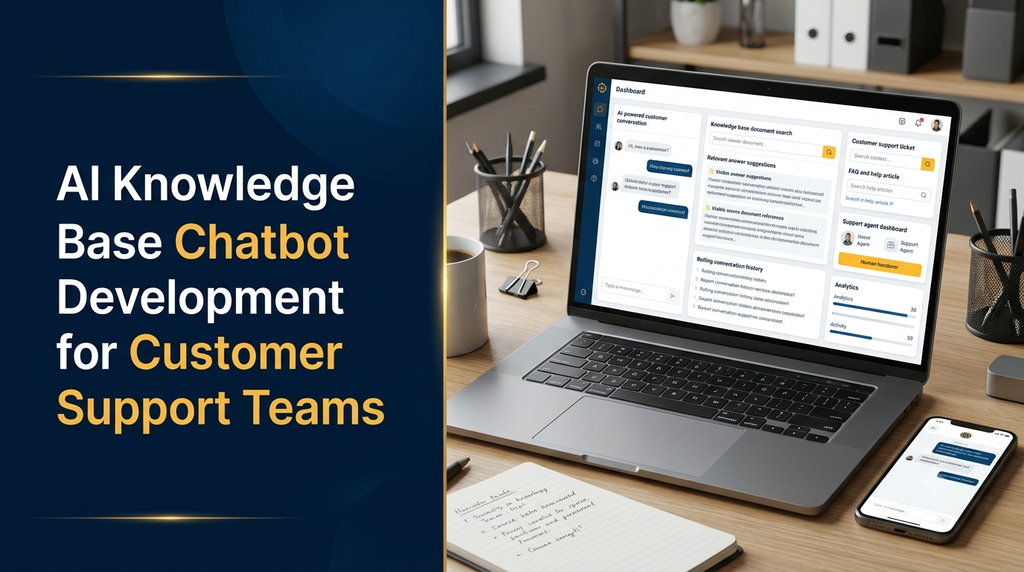
Customer support teams regularly handle repeated questions about products, services, orders, payments, policies and technical issues. When information is spread across documents, websites, PDFs and internal systems, finding the correct answer can take valuable time. AI knowledge base chatbot development helps businesses create intelligent assistants that retrieve relevant information and provide useful answers through natural language conversations.
What Is an AI Knowledge Base Chatbot?
An AI knowledge base chatbot is a software application that uses artificial intelligence to understand user questions and retrieve relevant information from an organisation’s knowledge resources.
Unlike a traditional rule-based chatbot that follows predefined conversation paths, an AI knowledge base chatbot can interpret different ways of asking the same question. It searches connected content, identifies relevant information and generates a response based on the available sources.
A business can connect the chatbot to product manuals, FAQs, help centre articles, company policies, service documentation, internal guides and approved support materials.
For example, a customer asking how to update an order address could receive an answer based on the company’s actual order modification policy rather than a generic response.
Why Do Customer Support Teams Need AI Knowledge Base Chatbots?
As a business grows, the number of customer enquiries usually increases. Support teams may spend considerable time answering similar questions instead of focusing on complex customer problems.
An AI knowledge base chatbot can help address these challenges:
- Repeated enquiries: Automatically answer common questions using approved knowledge resources.
- Information scattered across systems: Provide a central conversational interface for connected documentation.
- Long response times: Help customers find information without waiting for an agent for every routine question.
- Agent workload: Reduce repetitive lookup tasks and allow agents to focus on more complicated cases.
- Inconsistent answers: Retrieve responses from centrally maintained business documentation.
- Knowledge management: Make internal information easier for authorised employees to access.
How Does an AI Knowledge Base Chatbot Work?
An AI knowledge base chatbot typically combines document processing, semantic search, language models and application integrations. The system first prepares business information for searching and then retrieves relevant content whenever someone asks a question.
1. Knowledge Source Collection
The first step is identifying the information sources that the chatbot should use. These may include:
- PDF files and product manuals.
- Website pages and help centre articles.
- Frequently asked questions.
- Customer service documentation.
- Company policies and procedures.
- Product catalogues and technical documentation.
- Approved internal knowledge articles.
2. Document Processing and Content Extraction
The collected information is converted into searchable text. Depending on the source, the system may use document parsers, HTML extraction, OCR for scanned documents and other processing methods.
The content is then cleaned, divided into manageable sections and associated with useful metadata such as document name, category, access permissions and update date.
3. Embedding Generation
The processed text can be converted into numerical representations called embeddings. These representations help the system identify related concepts even when the customer’s wording does not exactly match the document.
For example, a customer asking “How can I get my money back?” may be matched with a knowledge article titled “Refund and Cancellation Policy”.
4. Vector Database Storage
The embeddings and associated content references are stored in a vector database or another suitable search infrastructure. This makes it possible to retrieve information based on semantic similarity.
5. Question Understanding and Retrieval
When a user submits a question, the application processes it, searches the knowledge base and retrieves relevant content. Filters can also be applied to respect categories, user permissions and document access rules.
6. AI Answer Generation
A language model receives the question and the retrieved information. It generates a natural-language answer grounded in the supplied context. A well-designed system should avoid presenting unsupported assumptions as confirmed business information.
7. Response and Human Handover
The answer is displayed in the chatbot interface. If the system cannot find reliable information, it can ask for clarification, explain the limitation or route the conversation to a support agent.
Key Features of AI Knowledge Base Chatbot Software
A custom AI chatbot should be designed around the actual support workflow. The following features are useful for customer service teams.
1. Natural Language Understanding
Understand questions expressed in different words, sentence structures and conversational styles.
2. Document-Based Answers
Retrieve information from approved business documents, FAQs, manuals and help articles.
3. Source References
Show the supporting document or article used to prepare an answer, where available.
4. Multi-Format Knowledge Upload
Support relevant file types such as PDF, DOCX, TXT, HTML and other supported business content.
5. Conversation History
Maintain conversation context so users can ask follow-up questions without repeating everything.
6. Human Agent Handover
Transfer unresolved conversations to an available customer support representative.
7. Knowledge Management Dashboard
Allow authorised administrators to upload, organise, update and remove knowledge sources.
8. Feedback Collection
Collect useful and not-useful feedback to identify incorrect, incomplete or outdated responses.
9. Multi-Language Support
Support customer conversations in selected languages based on the business’s requirements and model capabilities.
10. Analytics and Reporting
Track conversation volume, common questions, unresolved queries and knowledge gaps.
11. Role-Based Access
Control which documents and chatbot management features employees can access.
12. Third-Party Integrations
Connect the chatbot with CRM platforms, helpdesk software, websites and other business applications.
What Is RAG in AI Knowledge Base Chatbot Development?
Retrieval-Augmented Generation, commonly known as RAG, is an architecture that combines information retrieval with AI-generated responses. It is particularly useful when developing chatbots that must answer questions using a company’s own knowledge base.
Instead of depending only on information learned during model training, a RAG-based application retrieves relevant content from connected sources and provides that information to the language model as context.
How RAG Works
- Collect approved business documents.
- Extract and clean their content.
- Divide the content into searchable sections.
- Generate embeddings for the sections.
- Store the embeddings in a vector database.
- Convert the user’s question into a searchable representation.
- Retrieve relevant document sections.
- Send the question and retrieved context to the language model.
- Generate a response with appropriate source references.
RAG vs Traditional Chatbots
| Area | Traditional Chatbot | RAG-Based AI Chatbot |
|---|---|---|
| Answer method | Predefined rules and responses | Retrieved information with AI-generated responses |
| Question handling | Often requires specific input patterns | Can understand more natural variations |
| Knowledge updates | Rules may need manual changes | Connected knowledge sources can be re-indexed |
| Document search | Usually limited | Supports semantic retrieval |
| Source references | Usually predefined links | Can provide references to retrieved sources |
| Complexity | Generally lower | Requires additional AI and retrieval infrastructure |
RAG does not guarantee completely accurate answers. Retrieval quality, document quality, model behaviour and system instructions all affect the final response. Testing and monitoring remain essential.
Customer Support Use Cases
AI knowledge base chatbots can support different customer service environments. Their usefulness depends on the quality of connected information and the business processes they are allowed to access.
Ecommerce Customer Support
- Explain return and refund policies.
- Answer product specification questions.
- Provide delivery and shipping information from approved content.
- Explain payment methods and order procedures.
- Guide customers through account-related FAQs.
SaaS and Software Companies
- Explain software features and subscription plans.
- Guide users through setup and onboarding.
- Answer technical documentation questions.
- Provide troubleshooting guidance.
- Help users locate relevant support articles.
Healthcare Administration
- Explain administrative appointment procedures.
- Provide clinic service and contact information.
- Share approved patient preparation instructions.
- Answer general questions about administrative policies.
Healthcare deployments need additional safeguards. A general knowledge chatbot should not replace qualified medical professionals or be presented as a diagnostic service.
Education and Training
- Answer questions about institutional procedures.
- Help users find course and programme information.
- Provide access to approved learning resources.
- Support internal staff documentation searches.
Manufacturing and Industrial Businesses
- Retrieve product specifications.
- Search equipment manuals.
- Provide approved maintenance documentation.
- Help employees locate standard operating procedures.
Customer-Facing vs Internal Knowledge Base Chatbots
A business may need separate chatbot experiences for external customers and internal employees. Although both can use similar AI technology, their knowledge permissions and workflows are different.
| Area | Customer-Facing | Internal Assistant |
|---|---|---|
| Users | Customers and website visitors | Employees and authorised teams |
| Knowledge sources | Public FAQs, product guides and policies | Internal manuals, SOPs and company documents |
| Interface | Website, app or customer portal | Employee portal or internal application |
| Security | Customer data and account protection | Strict employee permissions and document access |
| Escalation | Customer support team | Relevant internal department |
AI Knowledge Base Chatbot Technology Stack
The technology stack depends on expected traffic, document volume, security requirements, integrations and the desired user experience.
| Technology Layer | Possible Technologies | Purpose |
|---|---|---|
| Frontend | React, Next.js, Vue.js | Chat interface and admin dashboard |
| Backend | Node.js, Python, Laravel | Business logic and integrations |
| AI Models | OpenAI API and other compatible models | Language understanding and response generation |
| AI Frameworks | LangChain, LlamaIndex or custom orchestration | Retrieval and AI workflow management |
| Vector Search | pgvector, Qdrant, Pinecone, Weaviate | Semantic document retrieval |
| Database | PostgreSQL, MySQL | Users, conversations and application data |
| File Storage | Cloud object storage | Document storage and processing |
| Infrastructure | Cloud hosting and container services | Application deployment and scaling |
These are possible technology choices rather than mandatory requirements. A smaller application may use a simpler architecture, while a large enterprise system may require dedicated search infrastructure and additional security controls.
Essential Admin Dashboard Modules
An effective knowledge base chatbot needs a management interface that allows authorised administrators to control the content and chatbot behaviour.
- Dashboard overview: Display conversation activity and system status.
- Knowledge source management: Upload, organise, update and remove documents.
- Document processing status: Monitor extraction, indexing and processing errors.
- Category management: Organise knowledge by product, department or topic.
- Chatbot configuration: Manage instructions, supported languages and response settings.
- Conversation management: Review conversations according to access permissions.
- Agent management: Manage support users, roles and escalation assignments.
- Feedback management: Review user ratings and reported answer problems.
- Analytics: Identify common enquiries and unanswered questions.
- Integration settings: Configure approved external services and connections.
Integrating AI Chatbots with Existing Customer Support Systems
A chatbot becomes more useful when it works with the business’s existing customer service tools. Integrations should be selected according to the actual support process.
CRM Integration
CRM integration can help authorised agents access relevant customer information and maintain a consistent support history. Customer records should only be retrieved when the user is authenticated and permitted to access them.
Helpdesk and Ticketing Integration
When an enquiry cannot be resolved, the chatbot can create or update a support ticket with the conversation summary and relevant context. This helps agents understand the issue before responding.
Website and Customer Portal Integration
A chatbot widget can be added to a business website, ecommerce store, customer portal or web application. The interface should be responsive and accessible across mobile and desktop devices.
WhatsApp Integration
Businesses may also connect chatbot workflows to supported messaging platforms, subject to provider requirements, approved APIs and applicable messaging policies.
Security and Data Privacy Considerations
Knowledge base chatbots may process internal documents, customer conversations and business information. Security must be considered during architecture design rather than added only after development.
- Use secure authentication and role-based access control.
- Restrict retrieval to documents that the current user is authorised to access.
- Encrypt data during transmission and where appropriate at rest.
- Protect API keys and credentials using secure secret management.
- Maintain suitable application and administrative audit logs.
- Define document retention and deletion policies.
- Review third-party AI provider data handling and retention terms.
- Apply safeguards against prompt injection and malicious document content.
- Prevent sensitive information from appearing in unauthorised responses.
- Regularly review access permissions and integration security.
For Indian businesses, data handling should also be reviewed against applicable privacy and data protection requirements, including relevant obligations under India’s Digital Personal Data Protection framework. Specific compliance requirements depend on the organisation and its processing activities.
Common Challenges in AI Knowledge Base Chatbot Development
AI chatbot development involves more than connecting a language model to a document folder. Businesses should plan for the following challenges.
1. Outdated Knowledge Sources
Old product manuals, duplicate policies and outdated FAQs can result in incorrect answers. Establish document ownership, review dates and a process for updating published content.
2. Poor Document Extraction
Complex tables, scanned PDFs and badly formatted documents may not produce accurate extracted text. Use suitable extraction methods and review important content before indexing.
3. Incorrect Retrieval
A system may retrieve content that is related to a question but does not actually answer it. Improve chunking, metadata, filters and retrieval evaluation.
4. AI Hallucinations
A language model may generate unsupported details. Provide relevant retrieved context, clear instructions, source references and a fallback when the evidence is insufficient.
5. Access Control Problems
Internal documents should not become available to every chatbot user. Apply permissions during retrieval rather than relying only on interface visibility.
6. Integration Complexity
Existing CRM and helpdesk systems may have different APIs, data formats and authentication requirements. Integration scope should be defined before development.
How to Measure AI Chatbot Performance
A chatbot should be evaluated using meaningful quality and service indicators rather than relying only on the number of conversations.
| Metric | What It Measures |
|---|---|
| Answer relevance | Whether responses address the actual user question |
| Retrieval quality | Whether the correct knowledge sections are retrieved |
| Resolution rate | How many enquiries are resolved without further support |
| Escalation rate | How frequently conversations require human assistance |
| Response time | How long users wait for a response |
| Feedback score | How users rate the usefulness of answers |
| Unanswered questions | Which topics need additional knowledge content |
| Cost per conversation | AI, infrastructure and related operating costs per interaction |
These metrics should be interpreted together. For example, a low escalation rate is not necessarily positive if customers are receiving inaccurate answers instead of being transferred to an agent.
AI Knowledge Base Chatbot Development Process
A structured development process helps businesses build a chatbot that matches their support requirements.
- Requirement analysis: Understand customer enquiries, support workflows and business goals.
- Knowledge audit: Identify available documents, content quality and access restrictions.
- Solution architecture: Choose the AI model, retrieval approach, database and hosting infrastructure.
- UI/UX design: Design the chatbot interface and administration dashboard.
- AI development: Implement document processing, retrieval, answer generation and fallback logic.
- Integration development: Connect selected websites, CRM platforms and support systems.
- Testing: Evaluate answer quality, security, permissions and real-world question scenarios.
- Deployment: Release the application with monitoring and operational controls.
- Continuous improvement: Update knowledge sources and improve the system using feedback.
AI Knowledge Base Chatbot Development Cost in India
The cost of developing an AI knowledge base chatbot depends on the number of knowledge sources, AI architecture, integrations, security requirements, user volume and administration features.
| Development Scope | Illustrative Cost Range |
|---|---|
| Basic AI chatbot with a small knowledge base | ₹40,000 – ₹80,000 |
| RAG chatbot with document uploads and admin dashboard | ₹80,000 – ₹1,50,000 |
| Advanced chatbot with CRM or helpdesk integrations | ₹1,50,000 – ₹3,00,000 |
| Enterprise AI knowledge platform with advanced access controls and integrations | ₹3,00,000 onwards |
These figures are illustrative project-planning estimates, not fixed Greap Technologies quotations or guaranteed market prices. Actual development costs depend on project requirements, document volume, integrations, infrastructure and testing scope.
Additional Operating Costs
Development is only one part of the overall investment. Businesses should also plan for recurring expenses such as:
- AI model API usage and token consumption.
- Embedding generation and document processing.
- Vector database and application hosting.
- File storage and data transfer.
- Third-party CRM and helpdesk subscriptions.
- Security reviews, maintenance and monitoring.
- Ongoing knowledge base updates.
A clear proposal should separate one-time development charges from recurring third-party and infrastructure expenses.
How to Choose an AI Chatbot Development Company
Selecting the right development partner is important because a knowledge base chatbot involves software architecture, AI integration, document management and business workflow design.
Before selecting a development company, evaluate the following:
- Experience in custom software and AI application development.
- Understanding of RAG and semantic search architectures.
- Ability to work with different document formats.
- Experience with APIs and third-party integrations.
- Knowledge of authentication and access control.
- Testing methods for answer quality and retrieval accuracy.
- Transparent pricing and clearly defined project scope.
- Post-launch maintenance and technical support.
Why Businesses Can Consider Greap Technologies
Greap Technologies provides website development, custom software development and digital growth solutions for businesses. Companies planning to introduce AI-powered customer support can explore a custom solution based on their existing workflows and technology requirements.
A project may include a customer-facing chatbot, an internal knowledge assistant, a document management dashboard, CRM integration or a custom support application.
Build an AI Knowledge Base Chatbot for Your Business
Looking to automate repetitive customer support enquiries and make business information easier to access? Greap Technologies can help plan a custom AI chatbot solution around your documents, support processes and integration requirements.
Visit Greap Technologies Discuss Your Project Call +91 70923 30168Frequently Asked Questions
1. What is an AI knowledge base chatbot?
An AI knowledge base chatbot is a conversational software application that searches connected business documents and uses artificial intelligence to generate answers based on relevant information.
2. How is an AI knowledge base chatbot different from a normal chatbot?
A traditional chatbot generally uses predefined rules and responses. An AI knowledge base chatbot can understand natural-language questions, retrieve relevant document content and generate contextual answers.
3. Can a chatbot answer questions from PDF documents?
Yes. A suitable document processing system can extract text from supported PDFs, prepare it for searching and make the information available to the chatbot. Scanned documents may require OCR.
4. What is RAG chatbot development?
RAG chatbot development combines document retrieval with AI response generation. It allows a chatbot to use relevant information from connected knowledge sources when answering user questions.
5. Can an AI chatbot be integrated with a website?
Yes. A custom chatbot can be integrated into a business website, ecommerce store, customer portal or web application using a suitable frontend widget and backend APIs.
6. Can AI chatbots support multiple languages?
Yes. Multi-language support can be implemented using suitable AI models and language-handling workflows. Actual performance depends on the selected model and the quality of the source content.
7. Can the chatbot transfer conversations to human agents?
Yes. A custom chatbot can identify unresolved or sensitive enquiries and transfer them to a support representative through an integrated helpdesk or agent dashboard.
8. How much does AI knowledge base chatbot development cost in India?
A basic implementation may start around ₹40,000–₹80,000 as an illustrative planning range. Advanced RAG features, integrations, security and enterprise requirements can increase the project cost.
9. Can businesses update the chatbot’s knowledge base?
Yes. An administration dashboard can allow authorised users to upload new documents, update existing content and remove outdated information. The system can then process and re-index the updated sources.
10. How long does it take to develop an AI knowledge base chatbot?
Development time depends on the application scope. A basic chatbot may require a few weeks, while a more advanced system with multiple integrations, complex permissions and enterprise features may take several months.
Conclusion
AI knowledge base chatbot development helps customer support teams make business information more accessible through natural-language conversations. By combining document processing, semantic search, RAG architecture and AI response generation, businesses can build chatbots that support common enquiries and help employees find relevant information.
However, a successful solution requires more than an AI model. Accurate knowledge sources, reliable retrieval, appropriate access permissions, human escalation and continuous testing are essential for delivering useful results.
Businesses planning to modernise customer service can start with a focused knowledge base chatbot and expand it with CRM, helpdesk and other business integrations as their requirements grow.