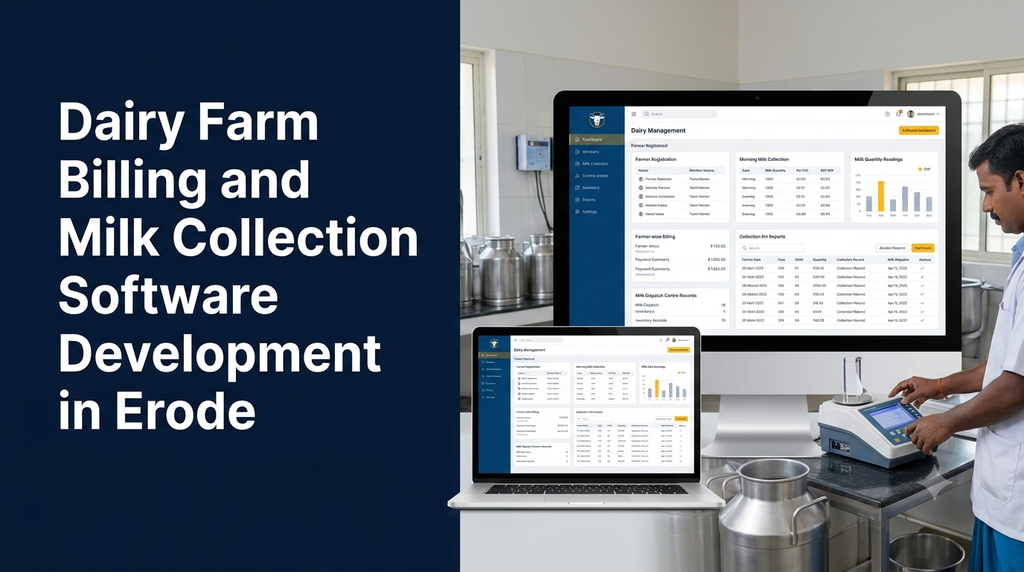
Dairy businesses manage a continuous flow of milk collection, quality testing, farmer payments, billing, transportation and daily accounting. For milk collection centres and dairy operators, even a small record-keeping error can create confusion when calculating farmer payments or preparing collection reports.
Dairy farm billing and milk collection software helps bring these activities into one organised digital system. It allows collection staff to record milk quantity and quality readings, calculate payments using configured rate rules, manage farmer accounts and generate daily reports. Business owners can review collection and payment information without depending entirely on handwritten registers and manual calculations.
For dairy businesses in Erode and other parts of Tamil Nadu, custom software can be designed around local collection workflows, multiple collection centres, morning and evening shifts, farmer payment cycles and milk distribution requirements.
This guide explains the features, modules, development process and estimated costs of building dairy billing and milk collection software in Erode.
What Is Dairy Farm Billing and Milk Collection Software?
Dairy farm billing and milk collection software is a business application used to record milk received from farmers, maintain quality readings, calculate collection values and manage payments. It can also support collection centres, chilling facilities, dairy processing units and milk distribution businesses.
A typical system connects several operational activities:
- Farmer registration and member management
- Morning and evening milk collection
- Milk quantity and quality recording
- Fat and SNF data entry or device integration
- Milk rate calculation
- Farmer-wise billing and payment management
- Collection centre and shift reports
- Milk dispatch and stock movement records
- Accounting and business reports
Why Do Dairy Businesses Need Milk Collection Software?
1. Reduce manual billing work
Manual calculations become difficult when a collection centre handles many farmers and multiple daily shifts. Software can calculate collection values using configured rates and generate consistent statements.
2. Maintain accurate farmer records
Each farmer can have a unique member ID and an account containing collection history, quality readings, deductions, advances and payment records.
3. Improve milk collection visibility
Collection centre managers can review quantity and quality information by farmer, shift, date and location. This makes it easier to identify missing entries and reconcile daily totals.
4. Organise farmer payments
The system can prepare payment statements for weekly, fortnightly or monthly cycles, depending on the business’s agreed payment process.
5. Manage multiple collection centres
Dairy businesses operating several collection points can maintain centre-wise records while providing authorised management users with consolidated reports.
6. Simplify accounting and reconciliation
Collection values, deductions, advances, expenses and payments can be maintained in a structured system. This helps accounts staff review outstanding amounts and payment history.
7. Improve operational reporting
Daily, weekly and monthly reports help owners understand collection volumes, farmer activity, payment obligations and centre-level performance.
Essential Features of Dairy Milk Collection Software
1. Farmer Registration and Member Management
The farmer management module stores information about the people supplying milk to the collection centre or dairy business.
- Unique farmer or member ID
- Farmer name and contact details
- Address and village information
- Assigned collection centre
- Bank or payment details, where required
- Supplier status and registration date
- Collection and payment history
- Advance and deduction records
Access to personal and financial information should be restricted to authorised users. The business should also define how farmer details are collected, verified and updated.
2. Daily Milk Collection Entry
The milk collection module records the quantity received from each farmer. It should support quick entry because collection staff may handle many transactions during short morning and evening periods.
- Collection date and time
- Farmer ID and name
- Collection centre and shift
- Milk category, such as cow or buffalo, where applicable
- Milk quantity
- Operator or staff member
- Entry status and correction history
- Farmer-wise collection history
3. Fat and SNF Quality Recording
Many dairy billing workflows use milk quality readings as part of the rate calculation. The software can record fat and Solids-Not-Fat (SNF) values along with the corresponding collection entry.
- Fat reading
- SNF reading, where measured or available
- Milk quantity
- Milk category
- Testing date and time
- Testing equipment or operator details
- Quality reading history
The system should support the quality parameters and calculation rules actually used by the dairy business. It should not automatically treat missing or estimated readings as verified test results.
4. Milk Rate Chart and Automatic Billing
Rate calculation is one of the most important features in a milk collection system. Different dairy businesses may use different pricing methods depending on milk category, quality readings, agreements and applicable business rules.
A configurable billing module may support:
- Milk category-wise rate settings
- Fat-based rate charts
- Fat and SNF-based pricing rules
- Quantity-based billing
- Effective dates for rate changes
- Different rates for collection centres, where agreed
- Manual adjustment with authorised approval
- Historical rate and billing records
5. Farmer Billing and Payment Management
The billing module converts collection records into farmer-wise payment statements. It should make the calculation understandable to both the accounts team and the farmer.
- Daily collection value
- Shift-wise and date-wise summaries
- Billing period selection
- Gross milk payment
- Approved deductions and adjustments
- Advance recovery entries
- Net payable amount
- Payment status and transaction reference
- Printable farmer statement
6. Farmer Payment and Advance Management
Dairy businesses may make payments through bank transfer or other agreed methods. The software can maintain payment records and show the outstanding balance for each farmer.
- Payment cycle configuration
- Farmer-wise payable summary
- Payment date and amount
- Payment method and reference number
- Advance payment records
- Approved deductions
- Pending and completed payment status
- Payment history and statements
7. Collection Centre Management
Businesses with multiple collection centres need location-based access and reporting.
- Collection centre registration
- Centre manager and staff assignment
- Morning and evening shift configuration
- Centre-wise farmer allocation
- Daily quantity and quality summaries
- Centre-level billing reports
- Milk transfer and dispatch records
8. Milk Stock and Dispatch Management
Once milk is collected, the business may transfer it to a chilling centre, processing unit or another destination. The system can record these movements to support reconciliation.
- Opening milk quantity
- Milk received during each shift
- Centre-wise collection totals
- Transfer and dispatch quantity
- Destination details
- Dispatch date and vehicle details
- Receiving confirmation
- Recorded quantity differences and adjustments
9. Supplier and Expense Management
Dairy businesses may also purchase packaging materials, cleaning supplies, equipment and other operational items.
- Supplier details
- Purchase invoices
- Inventory records
- Transport expenses
- Collection centre expenses
- Equipment maintenance expenses
- Payment and outstanding records
10. Reports and Management Dashboard
The dashboard should give owners and managers a quick view of the business’s collection and payment activities.
- Total milk collected by date and shift
- Farmer-wise quantity and quality summaries
- Centre-wise collection reports
- Milk category-wise summaries
- Farmer payment statements
- Outstanding payment reports
- Advance and deduction reports
- Milk dispatch and transfer reports
- Monthly collection comparisons
- Exportable PDF and spreadsheet reports
How Milk Billing Calculation Works in Software
The application should use the rate rules agreed by the dairy business. The calculation can be based on quantity alone, quality readings or a configured rate chart.
Illustrative quantity-based calculation
Suppose a collection entry contains 10 litres of milk and the configured example rate is ₹40 per litre.
Illustrative rate: ₹40 per litre
Collection value: 10 × ₹40 = ₹400
Illustrative quality-based billing
A dairy may instead use a configured rate chart that considers milk type and recorded quality readings. In this case, the software looks up the applicable rate using the approved business formula and multiplies it by the recorded quantity, subject to the configured billing rules.
The application should store the original readings, applicable rate, calculation result and any authorised adjustment. This makes later bill verification easier.
Farmer payment statement example
| Description | Illustrative amount |
|---|---|
| Total milk collection value | ₹12,000 |
| Approved advance adjustment | ₹1,000 |
| Other authorised deduction | ₹200 |
| Net payable | ₹10,800 |
These figures are examples only. The actual payment statement must follow the dairy’s approved rate chart, billing period and deduction policies.
Milk Testing Machine and Hardware Integration
Some collection centres use electronic weighing scales, milk analysers and other equipment to record quantity and quality information. Integrating these devices can reduce repeated manual entry, provided the equipment supports a compatible communication interface.
Possible integration requirements include:
- Digital weighing scale connectivity
- Milk analyser data import
- Fat and SNF reading capture
- USB, serial or network communication, depending on the device
- Operator confirmation before saving a reading
- Device and transaction reference records
- Manual entry fallback where permitted
Mobile App for Farmers and Collection Centre Staff
A mobile application can make collection operations easier for staff and provide farmers with convenient access to their own records.
Collection staff mobile app
- Secure staff login
- Farmer search by ID or name
- Milk quantity entry
- Quality reading entry
- Shift selection
- Collection confirmation
- Daily collection summary
- Correction request or approval workflow
Farmer mobile app or portal
- Farmer profile
- Daily milk collection history
- Quantity and quality records
- Billing period statement
- Payment status
- Advance and deduction history
- Notifications about payment updates
- Contact details for the collection centre
A farmer-facing application should display only that farmer’s records. For users who do not need a separate app, a secure web portal or printed statement may be a more practical option.
Admin Panel and User Roles
A web-based admin panel allows the dairy business to manage collection centres, farmer accounts, rate charts, billing periods and reports.
| User role | Possible responsibilities |
|---|---|
| Super Admin | Manage the platform, configuration and user access |
| Dairy Owner | Review collection, payments, expenses and overall reports |
| Centre Manager | Manage assigned collection centre operations |
| Collection Operator | Record milk quantity and quality readings |
| Accounts Staff | Prepare bills, record payments and manage deductions |
| Store Manager | Manage supplies and inventory, if included |
| Farmer | View personal collection and payment statements |
Permissions should be configured so that each user can access only the records required for their work. Changes to rates, farmer payment details and approved billing entries should have suitable authorisation and audit history.
Advanced Features for Dairy Management Software
1. WhatsApp and SMS Notifications
The system can send selected payment updates, collection summaries and important notifications through supported messaging services. Provider charges, template requirements and delivery limitations may apply.
2. Digital Receipt Generation
The application can generate printable or shareable receipts for milk collection, farmer payments and other transactions. Each receipt should include a unique reference number.
3. Accounting Software Integration
Where supported, collection and payment summaries can be transferred to an accounting application. The integration scope should specify how accounts, tax settings and transaction references are mapped.
4. Offline Collection Entry
Collection centres with unreliable connectivity may need an offline-capable interface. Entries can be stored locally and synchronised when internet access returns. Duplicate prevention and conflict handling are important parts of this feature.
5. Chilling Centre and Processing Management
Larger dairy operations may extend the system to include milk intake, chilling centre records, transfer movements, processing batches and dispatch documentation.
6. Multi-Branch Reporting
Owners can compare collection volumes, payment obligations and centre activity across different locations using authorised consolidated dashboards.
Recommended Technology Stack
The technology stack should be chosen according to the number of collection centres, users, devices, integrations and expected data volume.
| Application layer | Possible technologies |
|---|---|
| Web frontend | React, Next.js or Vue |
| Backend | Laravel, Node.js or Django |
| Database | MySQL or PostgreSQL |
| Mobile app | Flutter or native Android |
| API communication | REST APIs |
| Reports | Custom dashboards, PDF and spreadsheet exports |
| Hosting | Cloud or managed server infrastructure |
These are possible technology choices rather than mandatory requirements. The final architecture should support reliable billing, secure access, backups and future maintenance.
How to Develop Dairy Billing and Milk Collection Software
Step 1: Understand the dairy business workflow
Identify whether the customer operates a single collection centre, a dairy cooperative, a private dairy or a multi-centre procurement business. Understand the current collection and payment process.
Step 2: Define collection and billing rules
Document milk categories, shifts, quality parameters, rate charts, billing cycles, advances and deductions. Confirm how rate changes should apply to historical and future entries.
Step 3: Plan the database and user permissions
Design relationships between farmers, collection centres, milk entries, quality readings, rate charts, bills and payments. Define which users can create, edit, approve and view each record.
Step 4: Design the admin and collection interfaces
Prepare screens for farmer registration, quick collection entry, billing, payment management and reports. Collection screens should be easy to use during busy shifts.
Step 5: Develop and integrate required modules
Build the core system first, followed by selected mobile features, device integrations, messaging and accounting connections.
Step 6: Test billing calculations and collection workflows
Test different milk categories, quality readings, rate changes, shift records, corrections, deductions and payment cycles. Compare software calculations with approved sample bills before launch.
Step 7: Deploy and train collection staff
Configure hosting, backups, user access and reports. Train collection operators and accounts staff using realistic daily workflows.
Step 8: Provide ongoing maintenance
Monitor application performance, maintain backups, update dependencies and address user feedback. Review rate configuration and business rules whenever the dairy changes its operating process.
How Much Does Dairy Billing Software Cost in Erode?
Development cost depends on the number of collection centres, farmer accounts, billing rules, mobile applications, device integrations and reporting requirements. A basic milk collection application is different from a complete dairy ERP with farmer portals and hardware connectivity.
The following are illustrative planning estimates for discussing project scope. They are not fixed Greap quotations, guaranteed market prices or final offers.
| Software scope | Illustrative development estimate |
|---|---|
| Basic milk collection and farmer records | ₹25,000–₹45,000 |
| Milk collection with billing and reports | ₹40,000–₹75,000 |
| Fat/SNF-based configurable billing system | ₹55,000–₹95,000 |
| Admin panel with collection staff mobile app | ₹70,000–₹1,30,000 |
| Multi-centre dairy management platform | ₹1,00,000–₹2,00,000+ |
| Advanced dairy ERP with device integrations | ₹1,75,000–₹4,00,000+ |
The final quotation should be prepared after reviewing the number of users, collection centres, rate calculation rules, device compatibility, mobile requirements, data migration and testing scope. Hardware, SMS or WhatsApp provider charges, hosting, third-party licences, taxes and ongoing support may be additional.
Factors That Affect Development Cost
- Number of collection centres: Multi-centre access and consolidated reporting increase system complexity.
- Farmer account management: Large member databases may require bulk import, verification and additional reporting.
- Billing rules: Different milk categories, rate charts, effective dates and deductions need careful implementation.
- Device integration: Weighing scales and milk analysers require compatibility assessment and integration work.
- Mobile applications: Farmer and staff apps add interface, security and testing requirements.
- Offline support: Local storage and data synchronisation increase development complexity.
- Accounting integration: Third-party API availability and transaction mapping affect cost.
- Reports and exports: Custom statements, reconciliation and management dashboards need additional development.
Cloud-Based vs Local Dairy Collection Software
Businesses should choose a deployment model based on connectivity, data access requirements and available technical support.
| Factor | Cloud-based software | Local deployment |
|---|---|---|
| Access | Can be accessed from supported locations through the internet | Usually accessed through the configured local network |
| Infrastructure | Hosted on cloud or managed servers | Business manages local server infrastructure |
| Maintenance | Hosting and software responsibilities must be agreed | Local hardware and technical support are required |
| Scaling | Resources can often be adjusted as needs grow | May require additional local infrastructure |
| Connectivity | Internet is normally required unless offline features are provided | Can support local network workflows depending on design |
A cloud-based system can be useful for dairy owners managing several collection centres. Offline entry or local connectivity features may be considered where internet availability is inconsistent.
Important Considerations for Dairy Businesses in Erode
Dairy businesses in Erode may have different collection schedules, milk categories, farmer payment arrangements and centre structures. Software should be configured around the actual operating process instead of assuming that every collection centre follows identical rules.
- Local collection workflow: Understand the centre’s morning and evening collection process.
- Tamil and English interface: Consider bilingual labels for staff and farmer-facing screens.
- Farmer identification: Use consistent member IDs to avoid duplicate or incorrectly assigned entries.
- Rate configuration: Record approved rate charts, effective dates and calculation rules.
- Payment transparency: Provide clear statements showing collection values, deductions and net payments.
- Connectivity: Evaluate internet availability at each collection location.
- Hardware compatibility: Test the actual weighing scale or milk analyser before promising integration.
- Staff training: Train operators on entry corrections, shift closing and daily reconciliation.
- Data security: Restrict access to farmer contact details, bank information and financial records.
How to Choose a Dairy Software Development Company
Selecting the right development partner is important because collection and billing software becomes part of daily business operations. Before approving a project, review these points:
- Can the development team understand your milk collection workflow?
- Can it implement your approved fat and SNF rate calculations?
- Will it support multiple collection centres and user roles?
- Can it integrate with your actual testing and weighing equipment?
- Will farmer statements and payment reports be available?
- Are billing corrections and rate changes traceable?
- Will the software provide secure backups and access controls?
- Are source code, documentation and handover deliverables defined?
- Are hosting, hardware, third-party charges and maintenance explained separately?
Request a written project scope that defines modules, billing rules, deliverables, exclusions, testing criteria, estimated timeline and support responsibilities. This helps both the dairy business and the development team work with clear expectations.
Frequently Asked Questions
1. What is dairy farm billing software?
Dairy billing software records milk collection, calculates collection values using configured pricing rules, maintains farmer accounts and prepares payment statements and reports.
2. Can milk collection software calculate rates using fat and SNF?
Yes. A custom system can use configurable rate charts based on recorded fat and SNF readings, milk category and approved business rules.
3. Can the software manage multiple milk collection centres?
Yes. It can maintain separate farmer, shift and collection records for each centre while giving authorised owners consolidated reports.
4. Can farmers view their daily milk collection details?
Yes. A farmer mobile app or secure web portal can display personal collection history, quality readings, billing statements and payment status.
5. Can the software connect to a milk analyser?
It may be possible when the device supports a compatible data interface or communication protocol. The exact model and manufacturer specifications should be checked before development.
6. Can milk collection software work offline?
Offline collection entry can be developed for selected workflows. The application can store entries locally and synchronise them when internet access returns, with suitable duplicate and conflict checks.
7. Can the software manage farmer advances and deductions?
Yes. It can record advances, authorised deductions, payment adjustments and outstanding balances in each farmer’s account.
8. How much does dairy billing software cost in Erode?
The cost depends on the number of collection centres, billing rules, mobile features, device integrations and reports. A detailed estimate should be prepared after reviewing the business requirements.
9. Can the software generate farmer payment statements?
Yes. It can generate date-wise or billing-period statements showing milk quantity, quality readings, applicable rates, collection value, approved deductions and net payable amount.
10. How long does it take to develop milk collection software?
Development time depends on the project scope. A basic collection and billing system may take less time than a multi-centre application with farmer apps, hardware integration, offline support and advanced reporting. The timeline should be agreed after requirements are finalised.
Conclusion
Dairy farm billing and milk collection software can help businesses organise farmer records, milk quantity, quality readings, rate calculations, payments and daily collection reports. For dairy operators in Erode, a custom application can support individual collection centres as well as larger multi-location operations.
The right solution begins with understanding the existing collection process, confirming billing rules and identifying the devices and reports required by the business. With clear workflows, secure farmer records and reliable billing calculations, custom software can become a practical tool for managing dairy operations.
Looking for Custom Dairy Billing Software in Erode?
Greap Technologies develops custom websites and business software solutions. Discuss your milk collection workflow, farmer billing requirements, collection centre dashboard and mobile app needs with our team.