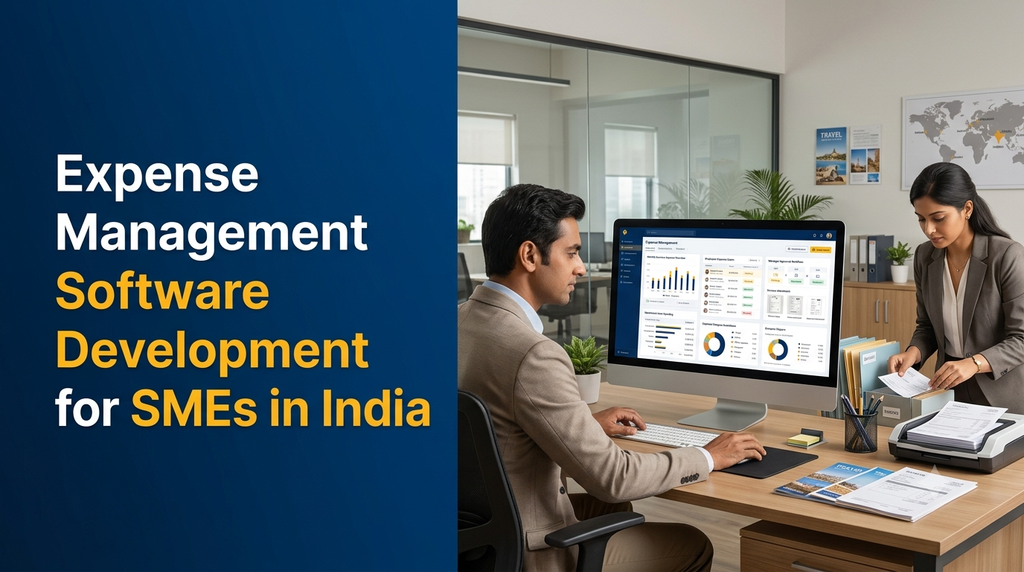
Small and medium-sized businesses handle many day-to-day expenses, including employee travel, office supplies, fuel, subscriptions, vendor purchases, maintenance and client-related spending. When these transactions are recorded through scattered spreadsheets, paper receipts and messages, tracking approvals and preparing expense reports can become difficult.
Expense management software helps SMEs record business spending, collect employee claims, attach receipts, route expenses for approval, manage reimbursements and review financial reports. Custom expense management software development allows a business to configure these workflows around its departments, approval policies and accounting processes.
What Is Expense Management Software?
Expense management software is a digital application used to record, review, approve, reimburse and report business expenses. It provides a structured process for employees and finance teams to manage spending information.
Depending on the business requirements, the system may include employee expense claims, receipt uploads, petty cash records, travel expenses, purchase requests, department budgets, manager approvals, reimbursement tracking and accounting exports.
A small business may need a simple web-based expense tracker, while a growing SME may require separate employee, manager, finance and administrator dashboards with mobile access and accounting integrations.
Why SMEs in India Need Expense Management Software
Many SMEs begin with spreadsheets, paper vouchers or messaging applications to record expenses. These methods may be manageable when transaction volumes are low, but become harder to maintain as teams, departments and branches grow.
- Centralised records: Maintain expense claims and supporting documents in one organised system.
- Clear approvals: Route expenses to the appropriate manager or finance reviewer.
- Better visibility: Review spending by employee, department, project, category or period.
- Receipt management: Attach supporting invoices, bills and vouchers to expense records.
- Reimbursement tracking: Identify claims that are submitted, approved, paid or returned for correction.
- Budget monitoring: Compare recorded spending against configured department or project budgets.
- Audit preparation: Maintain traceable records of submissions, approvals and changes.
The software does not replace accounting judgement or statutory review. It provides a more organised way to capture and process expense information.
Common Business Expenses an SME Can Manage
Expense categories should reflect the organisation’s accounting structure and internal spending policy. Common categories include:
| Expense category | Examples | Possible workflow |
|---|---|---|
| Travel and transport | Business travel, taxi, fuel and local transport | Employee claim and manager approval |
| Office expenses | Stationery, printing and office supplies | Purchase request and bill submission |
| Utilities | Internet, electricity and telephone bills | Recurring expense review |
| Maintenance | Equipment repairs and facility maintenance | Department approval and vendor bill record |
| Marketing | Advertising, promotional materials and campaign costs | Project or campaign budget tracking |
| Employee-related | Approved travel allowances and eligible reimbursements | Employee submission and finance verification |
| Professional services | Consulting, legal and external service charges | Invoice review and authorised approval |
| Petty cash | Small operational purchases | Cash issue, voucher and balance reconciliation |
Essential Features of Expense Management Software for SMEs
1. Employee Expense Submission
Employees should be able to create expense claims through a simple form. Useful fields include expense date, category, amount, payment method, business purpose, department, project reference and supporting receipt.
The form can also support draft claims, submission history, correction requests and claim status tracking.
2. Receipt and Invoice Upload
Users can attach photographs, scanned receipts, PDF invoices and other supporting documents to expense entries. The system should maintain a clear relationship between the uploaded file and the corresponding transaction.
Optional OCR or document extraction can help identify details such as supplier name, invoice date, invoice number and total amount. Extracted values should be reviewed by an authorised user before they are treated as verified financial records.
3. Expense Categories and Policies
Administrators can define expense categories and configure rules for different teams. For example, travel expenses may require a destination and business purpose, while office purchases may require a purchase request or vendor details.
Policies may include spending limits, mandatory attachments, eligible categories and approval requirements. Rules should be configurable rather than hard-coded for every department.
4. Multi-Level Expense Approval
An approval workflow sends expense claims to the relevant reviewer based on configured rules. The approval structure may depend on amount, department, project, employee or expense type.
- Employee submits an expense claim.
- Reporting manager reviews the business purpose and supporting documents.
- Department head approves where required.
- Finance team verifies the claim and accounting details.
- Authorised personnel record reimbursement or payment completion.
The application should record approval decisions, timestamps, remarks and returned claims. It should also support delegation or reassignment when an approver is unavailable.
5. Employee Reimbursement Management
The reimbursement module helps finance teams track approved claims that need to be paid to employees. Each claim can have a clear status, such as pending verification, approved, scheduled for payment, paid or returned.
Payment references and payment dates can be recorded for reconciliation. Actual fund transfers should use a separately authorised banking or payment workflow where required.
6. Petty Cash Management
SMEs often use petty cash for small operational purchases. A petty cash module can record opening balances, cash issued, vouchers, expenses, replenishments and closing balances.
Each transaction should have a date, category, description, responsible person and supporting document where applicable.
7. Purchase Requests
Some businesses need to approve a purchase before an expense is incurred. A purchase request module can capture the requested item or service, estimated amount, business reason, department and preferred vendor.
Once approved, the purchase can be linked to the invoice and final expense record. This helps distinguish planned purchases from employee reimbursement claims.
8. Department and Project Budgets
Businesses can define budgets for departments, projects, branches or selected expense categories. The dashboard can compare approved budgets with recorded and committed spending.
A useful system distinguishes submitted, approved, committed and paid amounts so that managers do not mistake an unapproved claim for a completed payment.
9. Travel and Business Expense Management
Businesses with field employees or frequent travel may require trip references, travel dates, destinations, transport expenses, accommodation bills and approved allowances.
Travel claims should follow the company’s reimbursement policy. The application can calculate configured allowances, but policy rules and tax treatment should be reviewed by the organisation’s finance team.
10. Finance Dashboard and Reports
A dashboard can summarise expense submissions, approval queues, reimbursement status, category-wise spending and budget utilisation.
- Daily, weekly and monthly expense summaries.
- Employee-wise and department-wise spending.
- Category-wise expense reports.
- Pending and overdue approvals.
- Reimbursement status and payment references.
- Petty cash balance and transaction history.
- Budget versus actual spending.
- Exportable reports for finance review.
11. Mobile Expense Management
A mobile-friendly application allows employees to submit expenses while travelling or working outside the office. They can capture receipts, enter transaction details and follow claim status.
Managers can review assigned approvals through a mobile interface. Access should be protected using appropriate authentication, device-session controls and permissions.
12. Notifications and Reminders
Email, in-app or supported messaging notifications can alert users about submitted claims, pending approvals, returned expenses and reimbursement updates.
Notification preferences should avoid unnecessary exposure of sensitive financial information in message previews.
Important Modules in a Custom SME Expense Management System
| Module | Main functions |
|---|---|
| Admin dashboard | Business configuration, users, departments, categories and policies |
| Employee portal | Expense submission, receipt uploads and claim tracking |
| Manager portal | Assigned approvals, remarks and returned claims |
| Finance module | Verification, reimbursements, payment references and exports |
| Petty cash module | Cash transactions, vouchers and balance reconciliation |
| Purchase request module | Purchase proposals, approvals and vendor references |
| Budget module | Department budgets, project budgets and spending summaries |
| Reports module | Expense analysis, approval status and financial exports |
| Audit module | User activities, status changes and configuration history |
How an Expense Approval Workflow Works
A consistent workflow helps employees understand what information is required and helps finance teams review claims in a predictable order.
- Expense incurred: An employee makes an eligible business purchase or pays an approved business expense.
- Claim creation: The employee enters the expense date, amount, category and business purpose.
- Receipt attachment: The supporting bill or receipt is uploaded.
- Policy validation: The application checks required fields, configured limits and duplicate claim indicators.
- Manager review: The reporting manager approves, rejects or returns the claim for correction.
- Finance verification: The finance team checks the supporting information and accounting classification.
- Reimbursement: Authorised personnel arrange payment and record the payment reference.
- Reporting: The completed transaction becomes available in the appropriate reports and exports.
Example Expense Record
The following fictional example illustrates the type of information a custom application may store for a submitted expense.
| Field | Example value |
|---|---|
| Claim reference | EXP-DEMO-00125 |
| Employee | Demo Employee |
| Department | Sales |
| Expense category | Business travel |
| Expense date | 10 November 2026 |
| Business purpose | Customer visit |
| Claim amount | ₹1,250 |
| Receipt attachment | Uploaded demo receipt |
| Approval status | Pending manager review |
| Reimbursement status | Not yet scheduled |
All names, references and amounts in this example are fictional demonstration data.
GST and Accounting Considerations for Indian SMEs
Expense management software can help businesses organise invoice details and supporting documents for accounting review. However, capturing an invoice does not automatically establish that an expense or input tax credit is eligible under GST rules.
Useful Invoice Information Fields
- Supplier or vendor name.
- Invoice number and invoice date.
- Supplier GSTIN, where applicable.
- Business expense category.
- Taxable value and tax components, where relevant.
- Total invoice amount.
- Supporting invoice attachment.
- Internal approval and accounting reference.
The software may provide fields for CGST, SGST and IGST values, but tax calculations and classifications should be configured according to the business’s accounting requirements and reviewed by qualified finance professionals.
Businesses should not treat every uploaded receipt as a valid GST tax invoice or assume that every recorded expense qualifies for input tax credit. Eligibility depends on applicable GST provisions and the specific transaction.
Accounting Software Integration
A custom expense platform may connect with existing accounting software through supported APIs, import/export formats or an approved integration service. Depending on the system, the integration can transfer expense categories, vendor references, invoice details, tax information and payment records.
Common integration requirements may include Tally-based accounting workflows, Zoho Books or other accounting applications. Availability depends on the product edition, API access, licensing and integration documentation.
Expense Management Software vs Accounting Software
Expense management software and accounting software are related but serve different purposes. An expense management application focuses on capturing and processing spending workflows, while accounting software maintains broader financial records and accounting operations.
| Area | Expense management software | Accounting software |
|---|---|---|
| Employee claims | Core function | May record approved transactions |
| Receipt collection | Claim-linked uploads and review | Invoice and voucher attachments, depending on product |
| Approval workflow | Configurable employee and manager approvals | May support selected transaction approvals |
| Reimbursement tracking | Claim and payment status management | Payment and accounting entries |
| Financial statements | Usually limited to expense reports | Broader accounting and financial reporting |
| Tax and ledger management | May capture information for export | Core accounting functionality, depending on configuration |
An SME may use both systems together. Expense claims are reviewed in the expense platform and approved transactions are transferred to the accounting system through an appropriate integration.
Security and Access Control in Expense Management Software
Expense systems contain financial documents, employee information, vendor details and business spending records. The application should protect these records from unauthorised access and changes.
- Role-based access: Separate employee, manager, finance and administrator permissions.
- Secure authentication: Use appropriate password storage, session controls and MFA where suitable.
- Document protection: Restrict access to uploaded receipts and invoices.
- Audit trails: Record claim edits, approvals, returns, exports and configuration changes.
- Data encryption: Protect data during transmission and at rest using suitable controls.
- Backup and recovery: Maintain protected backups and test restoration procedures.
- Secure integrations: Protect API credentials and validate access to connected accounting applications.
- Employee offboarding: Remove or adjust access when staff leave or change responsibilities.
Financial information should be collected and retained according to the organisation’s operational, contractual and legal requirements. Avoid collecting unnecessary personal information in expense forms.
Custom Expense Management Software vs Ready-Made Tools
SMEs can choose a ready-made expense product or develop a custom application. The right decision depends on workflow complexity, integration requirements, available budget and the need for business-specific features.
| Consideration | Ready-made software | Custom software |
|---|---|---|
| Initial setup | Often quicker with predefined features | Requires requirements and development work |
| Workflow flexibility | Limited to available configuration | Can be designed around business processes |
| Integrations | Depends on supported connectors | Can be developed for documented systems and APIs |
| Pricing model | May use subscriptions or per-user charges | Project development plus hosting and maintenance |
| Ownership and control | Subject to vendor terms and product limits | Depends on the development contract and source-code agreement |
| Ongoing maintenance | Managed largely by the product provider | Requires an agreed maintenance arrangement |
A custom solution may be useful when an SME needs specific approval rules, branch-level controls, specialised expense categories, existing software integration or a workflow that ready-made tools do not support.
Custom Expense Management Software Development Process
- Requirement discovery: Understand the company’s departments, expense types, employee roles and current approval process.
- Workflow mapping: Document claim submission, manager approval, finance verification and reimbursement stages.
- Module planning: Define employee, manager, finance, administration, reporting and integration modules.
- UI/UX design: Design clear forms and dashboards for desktop and mobile users.
- Database design: Structure users, claims, categories, receipts, approvals, payments and audit records.
- Application development: Build the web application, APIs and required mobile interfaces.
- Integration: Connect accounting or other business applications where supported.
- Testing: Verify calculations, approval rules, permissions, duplicate checks, exports and security.
- Deployment: Configure production hosting, backups, access settings and monitoring.
- Training and support: Help employees, managers and finance staff adopt the new workflow.
How Much Does Expense Management Software Development Cost in India?
The cost depends on the number of user roles, expense modules, approval levels, mobile requirements, accounting integrations, document storage and reporting complexity.
The following figures are illustrative planning estimates for custom development, not fixed Greap quotations or guaranteed market prices.
| Project scope | Illustrative development estimate |
|---|---|
| Basic expense entry and category management | ₹25,000–₹45,000 |
| Employee expense claims with receipt uploads | ₹40,000–₹70,000 |
| Claims with multi-level approval workflow | ₹55,000–₹95,000 |
| Expense, reimbursement and finance dashboard | ₹70,000–₹1.2 lakh |
| Complete SME expense platform with petty cash and reports | ₹90,000–₹1.8 lakh+ |
| Accounting integration and mobile employee application | ₹1.5–₹3 lakh+ |
| Advanced multi-branch expense management platform | ₹2.5–₹5 lakh+ |
Additional Costs to Consider
- Domain registration, cloud hosting and database services.
- Document storage and backup infrastructure.
- OCR or document-processing service charges.
- Accounting software licences and API charges.
- Email, SMS and messaging provider costs.
- Mobile application publishing and maintenance.
- Data migration, training and security assessments.
- Ongoing technical support, enhancements and applicable taxes.
A final quotation should be based on a documented scope, user roles, approval rules, integrations and deployment requirements.
How to Choose an Expense Management Software Development Company
SMEs should evaluate development partners based on their ability to understand financial workflows and build maintainable business applications.
- Experience with custom business software and database-driven applications.
- Understanding of expense claims, reimbursements and approval workflows.
- Ability to design employee, manager and finance dashboards.
- Experience with document uploads and secure file management.
- Knowledge of accounting integrations and API documentation.
- Clear access control, audit logging and backup plans.
- Transparent development milestones and project documentation.
- Defined source-code ownership and handover terms.
- Post-launch maintenance and support arrangements.
Expense Management Software for SMEs in Erode and Tamil Nadu
SMEs in Erode and other parts of Tamil Nadu operate across industries such as textiles, engineering, trading, manufacturing, logistics, retail, professional services and distribution. Their expense workflows can differ significantly.
A manufacturing business may need department-level purchase approvals and maintenance expense tracking. A sales organisation may need employee travel claims and field expense submissions. A trading company may prioritise petty cash, vendor invoices and branch-wise spending reports.
Businesses in Erode, Perundurai, Bhavani, Gobichettipalayam, Sathyamangalam and nearby areas can consider custom software when their current expense process involves repeated manual entry, unclear approvals or disconnected financial records.
A practical starting point is to digitise the existing expense process first, then add advanced features such as accounting integrations, budget monitoring and mobile submissions as the organisation grows.
Frequently Asked Questions
1. What is expense management software for SMEs?
It is a business application that helps small and medium-sized enterprises record expenses, collect employee claims, manage receipts, approve spending, track reimbursements and generate expense reports.
2. What features should an SME expense management system include?
Common features include employee expense submission, receipt uploads, expense categories, approval workflows, reimbursement tracking, petty cash, budget monitoring, finance dashboards and reports.
3. Can employees submit expenses using a mobile phone?
Yes. A responsive web application or mobile app can allow employees to enter expense details, upload receipt images and track claim status from supported devices.
4. Can expense management software support multiple approval levels?
Yes. Approval rules can be configured according to expense amount, employee, department, project or expense category. Claims can move through manager, department head and finance review stages.
5. Can the system manage employee reimbursements?
Yes. It can track submitted, approved, scheduled and paid claims, including payment references and dates. Actual fund transfers depend on the payment process or supported integration.
6. Can it manage petty cash expenses?
Yes. A petty cash module can record opening balances, cash issues, expense vouchers, replenishments and closing balances for authorised users.
7. Can expense management software integrate with Tally?
Integration may be possible through supported interfaces, APIs or structured import/export workflows. The exact approach depends on the Tally product, version, access arrangements and integration requirements.
8. Can it integrate with Zoho Books?
A custom platform may connect with Zoho Books through available APIs and authorised access. The required data mapping, permissions and supported operations should be confirmed before development.
9. Can the system capture GST invoice details?
Yes. It can store supplier details, GSTIN where applicable, invoice numbers, dates, tax values and supporting documents. Capturing these fields does not by itself establish GST compliance or input tax credit eligibility.
10. Can OCR automatically read expense receipts?
OCR can help extract text and selected invoice fields from uploaded receipts. Extracted information should be checked by an authorised user because document quality and formats can affect accuracy.
11. Can expense limits be configured for employees?
Yes. Businesses can configure spending limits by category, department, role, project or other policy conditions. The application can flag expenses that exceed configured limits for review.
12. Is expense management software different from accounting software?
Yes. Expense management focuses on capturing and processing business spending and reimbursement workflows. Accounting software manages broader accounting operations, ledgers and financial reporting. Both can work together through suitable integrations.
13. Is custom expense management software suitable for a small company?
It can be suitable when the company has specific workflows, approval requirements or integration needs that are not adequately supported by existing products. A smaller business should compare custom development costs with ready-made software subscriptions.
14. How much does expense management software development cost in India?
Illustrative custom development estimates may start around ₹25,000 for basic expense entry and category management. Advanced approval workflows, reimbursement tracking, mobile applications and accounting integrations increase the project cost.
15. How long does it take to develop expense management software?
A basic application may take several weeks, while a platform with multiple user roles, mobile applications, accounting integrations and advanced reporting may take several months. The actual timeline depends on scope and testing requirements.
Planning Custom Expense Management Software for Your Business?
Greap Technologies develops custom websites, business applications and software solutions. If your SME needs an organised system for employee expense claims, receipt management, approvals, reimbursements, petty cash or accounting integration, start with a discussion about your workflow.
We can help define the required modules, user roles, approval rules, dashboards and integration scope for your project.
Discuss Your Project on WhatsApp Call Greap TechnologiesWebsite: www.greap.in