Flutter App Development Services in Erode: Android and iOS Apps
Mobile applications have become an important digital channel for businesses that want to provide convenient customer experiences, streamline internal operations and offer services through smartphones.
Businesses in Erode and across Tamil Nadu may need mobile applications for ecommerce, appointment booking, inventory management, field sales, delivery operations, customer support and other business processes.
Developing separate Android and iOS applications can involve different codebases, development workflows and maintenance requirements. For suitable projects, cross-platform development provides an alternative.
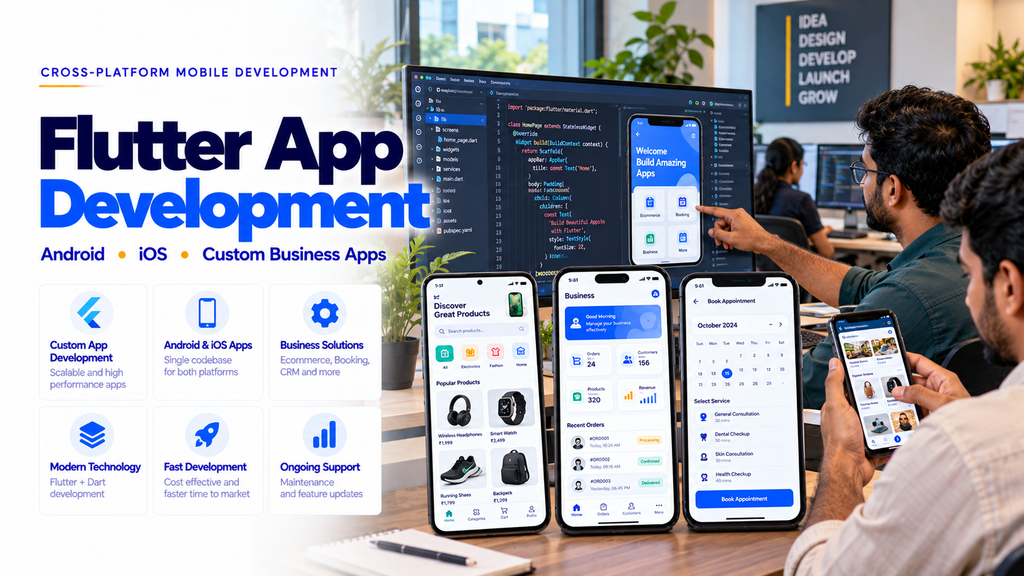
Flutter app development services in Erode help businesses plan and build mobile applications that can target Android and iOS from a shared codebase.
Flutter is an open-source UI framework supported by Google. It uses the Dart programming language and provides tools for building mobile application interfaces, managing application state and integrating with backend services.
For businesses looking for a Flutter app development company in Erode, understanding the technology, features, costs and long-term maintenance requirements is important before starting a project.
This guide explains Flutter development, its advantages, suitable business applications, backend integrations, development workflows and important cost factors.
What Is Flutter App Development?
Flutter app development is the process of creating applications using Google’s Flutter framework and the Dart programming language.
Flutter allows developers to share much of the application code across supported platforms while adapting the interface and functionality to platform-specific requirements.
Flutter applications may include:
- Android mobile applications
- iOS mobile applications
- Customer-facing business applications
- Employee applications
- Ecommerce applications
- Booking applications
- Delivery applications
- Selected web and desktop applications
Platform support and feature availability depend on the project requirements and integrations.
Why Businesses in Erode Consider Flutter
Businesses often need mobile applications that are practical to develop, maintain and update.
Flutter may be suitable when a project requires:
- Android and iOS support
- Consistent user interface design
- Shared application logic
- Reusable components
- Backend API integration
- Structured application maintenance
- Custom business workflows
Flutter is not automatically the best choice for every project. Applications requiring extensive platform-specific features, unusual hardware integrations or highly specialized native capabilities may require additional native development or a different approach.
1. Android App Development Using Flutter
Flutter can be used to build Android applications for customers, employees and business administrators.
Potential features include:
- Secure login
- Customer profiles
- Product catalogues
- Booking forms
- Order management
- Push notifications
- Location services
- Payment integration
- Camera and document uploads
- Backend synchronization
Android applications should be tested on supported devices and Android versions before release.
2. iOS App Development Using Flutter
Flutter also supports iOS application development.
Important considerations include:
- Supported iOS versions
- iPhone screen sizes
- Platform-appropriate navigation
- Application permissions
- Notification configuration
- Payment integration
- App Store requirements
- Security testing
iOS builds and App Store deployment generally require access to Apple’s development tools and an appropriate Apple Developer account.
3. Cross-Platform Mobile App Development
Cross-platform development allows developers to share application code between supported operating systems.
With Flutter, businesses may benefit from:
- Shared application components
- Reusable business logic
- Consistent design systems
- Coordinated feature updates
- Reduced duplicate development effort for suitable projects
Some platform-specific development, testing and maintenance may still be required.
4. Flutter vs Native App Development
| Factor | Flutter | Native Development |
|---|---|---|
| Primary Codebase | Shared across supported platforms | Usually platform-specific |
| Programming Languages | Dart | Kotlin / Java for Android; Swift / Objective-C for iOS |
| UI Development | Flutter widget system | Platform-native UI technologies |
| Code Reuse | High for suitable features | Typically lower across platforms |
| Platform Integration | Plugins and native integration where needed | Direct access to platform APIs |
| Maintenance | Shared and platform-specific work | Separate platform codebases |
The right choice depends on application requirements, technical complexity, team expertise and long-term maintenance plans.
5. Custom Flutter Mobile App Development
Custom Flutter development focuses on building applications around specific business requirements.
Potential modules include:
- User registration
- Role-based access
- Business dashboards
- Customer management
- Product management
- Booking management
- Order processing
- Payment records
- Reports
- Notifications
Modules should be selected based on actual business workflows rather than adding unnecessary features.
6. Flutter UI/UX Design Services
Good interface design helps customers and employees complete tasks with fewer unnecessary steps.
Flutter UI/UX planning may include:
- User journey mapping
- Wireframes
- Screen layouts
- Navigation design
- Reusable UI components
- Form design
- Responsive layouts
- Accessibility considerations
- Loading and error states
7. Flutter Ecommerce App Development
Retailers and ecommerce businesses may use Flutter for customer shopping applications.
Potential features include:
- Product categories
- Product search
- Product details
- Product variants
- Shopping cart
- Checkout
- Payment integration
- Order tracking
- Customer accounts
8. Flutter Grocery Delivery App Development
Grocery stores and supermarkets may require mobile ordering and delivery workflows.
Potential features include:
- Grocery catalogue
- Product availability
- Customer addresses
- Cart and checkout
- Order management
- Delivery scheduling
- Delivery status updates
9. Flutter Food Delivery App Development
Restaurants and food delivery businesses may use Flutter for ordering applications.
Potential features include:
- Restaurant profiles
- Digital menus
- Food categories
- Item customization
- Order placement
- Preparation status
- Delivery assignment
- Payment integration
10. Flutter Appointment Booking App Development
Service businesses may use appointment booking applications to manage customer reservations.
Potential features include:
- Service listings
- Staff profiles
- Available appointment slots
- Booking confirmation
- Rescheduling requests
- Appointment reminders
- Booking history
11. Flutter Healthcare App Development
Healthcare organizations may require mobile applications for administrative and patient-facing workflows.
Potential features include:
- Appointment booking
- Patient registration
- Authorized patient portals
- Appointment reminders
- Administrative notifications
- Secure document access
Healthcare applications require careful planning for privacy, access controls and applicable regulatory requirements.
12. Flutter School Management App Development
Schools and educational institutions may use Flutter applications for authorized communication and administration.
Potential features include:
- Student profiles
- Attendance records
- Timetables
- Homework notifications
- Parent communication
- Fee information
- School announcements
13. Flutter Field Sales App Development
Field sales teams may use mobile applications to maintain customer visits and sales activity records.
Potential features include:
- Employee login
- Customer profiles
- Visit schedules
- Lead updates
- Sales order entry
- Task management
- Daily reports
14. Flutter Inventory Management App Development
Businesses may use Flutter applications to access inventory records from mobile devices.
Potential features include:
- Product records
- Stock availability
- Stock updates
- Barcode scanning
- Warehouse information
- Stock movement history
- Inventory reports
15. Flutter CRM App Development
Customer relationship management applications help sales and service teams maintain organized customer information.
Potential features include:
- Lead management
- Customer profiles
- Follow-up tasks
- Sales pipeline
- Activity history
- Notifications
- Reports
16. Flutter Delivery Partner App Development
Delivery businesses may use Flutter to develop applications for delivery employees.
Potential features include:
- Secure login
- Assigned orders
- Pickup information
- Delivery addresses
- Navigation integration
- Order status updates
- Proof of delivery
- Delivery history
Delivery applications should minimize interaction while a vehicle is moving.
17. Flutter Taxi Booking App Development
Taxi operators may use Flutter for passenger and driver applications.
Potential features include:
- Pickup location
- Destination selection
- Ride booking
- Driver assignment
- Trip status
- Fare information
- Payment integration
18. Flutter Real Estate App Development
Real estate businesses may use Flutter applications to organize property listings and enquiries.
Potential features include:
- Property listings
- Property images
- Location details
- Search filters
- Enquiry forms
- Saved properties
- Agent contact options
19. Flutter Manufacturing Business Apps
Manufacturing companies may require mobile access to selected operational workflows.
Potential features include:
- Production status
- Inventory information
- Work order updates
- Quality inspection forms
- Employee tasks
- Operational reports
20. Flutter Textile Business Apps
Textile businesses in Erode and nearby industrial markets may use mobile applications for authorized business workflows.
Potential features include:
- Product catalogues
- Customer enquiries
- Sales order entry
- Stock availability
- Order status
- Dispatch updates
- Reports
21. Flutter Firebase Integration
Firebase provides backend services that may be useful for certain mobile applications.
Depending on project requirements, integrations may include:
- Firebase Authentication
- Cloud Firestore
- Firebase Cloud Messaging
- Crash reporting
- Analytics with appropriate privacy controls
Firebase service costs and usage limits depend on the selected services and plan.
22. Flutter Laravel API Integration
Flutter applications can communicate with a Laravel backend through APIs.
This architecture may be suitable for businesses that require a separate administration panel and centralized business database.
Potential features include:
- Secure API authentication
- Customer management
- Product management
- Order management
- Payment records
- Admin dashboards
- Role-based access
23. Flutter REST API Integration
Flutter applications can connect with backend services through REST APIs.
Common API-based workflows include:
- User authentication
- Profile management
- Product retrieval
- Order submission
- Booking confirmation
- Payment status updates
- Report retrieval
API design should include validation, authentication, authorization and error handling.
24. Flutter Payment Gateway Integration
Flutter applications may integrate supported payment providers.
Potential features include:
- Payment initiation
- Transaction confirmation
- Payment status
- Refund requests
- Transaction references
- Payment history
Payment provider onboarding, transaction charges and platform policies should be reviewed before implementation.
25. Flutter Push Notification Integration
Push notifications help applications communicate relevant updates to users.
Potential notification categories include:
- Order confirmations
- Booking reminders
- Delivery updates
- Payment confirmations
- Task assignments
- Account notifications
Notification permissions and user preferences should be respected.
26. Flutter Google Maps Integration
Location-based applications may use supported mapping services.
Potential features include:
- Address selection
- Map display
- Location search
- Route visualization
- Distance estimation
- Navigation integration
Map services may charge according to API usage, and applications must handle location permissions appropriately.
27. Flutter Barcode and QR Code Integration
Flutter applications may support barcode and QR scanning for suitable business workflows.
Potential use cases include:
- Inventory identification
- Product lookup
- Parcel tracking
- Attendance workflows
- Asset identification
- Order verification
28. Flutter Camera and Document Upload Features
Some business applications require camera access or document uploads.
Potential features include:
- Profile images
- Product photographs
- Document uploads
- Inspection photographs
- Image previews
- Secure file storage
Applications should request only the permissions needed for their functions.
29. Flutter Offline Data Support
Some business applications may need limited functionality when internet connectivity is unavailable.
Potential features include:
- Local data caching
- Offline form entry
- Pending synchronization
- Sync status indicators
- Conflict handling
Offline functionality requires careful planning to prevent duplicate or inconsistent records.
30. Flutter Application State Management
State management helps organize how an application stores, updates and displays information.
Flutter projects may use different state management approaches depending on complexity.
Selection considerations include:
- Application size
- Team experience
- Feature complexity
- Testing requirements
- Long-term maintainability
31. Flutter App Performance Optimization
Mobile applications should provide responsive interactions on supported devices.
Performance planning may include:
- Efficient screen rendering
- Optimized images
- Appropriate data loading
- Reduced unnecessary rebuilds
- API performance improvements
- Memory usage testing
- Startup performance testing
Performance should be measured on real devices rather than assumed from framework selection.
32. Flutter Application Security
Business applications may store customer details, employee information, orders and payment references.
Important safeguards include:
- Secure authentication
- Role-based permissions
- Protected API communication
- Secure token handling
- Input validation
- Appropriate encryption
- Secure local storage
- Backend authorization
- Security updates
Security must be implemented across both the mobile application and backend infrastructure.
33. Flutter Admin Panel Integration
Many Flutter business applications require a separate web-based administration panel.
Potential admin features include:
- User management
- Customer management
- Product management
- Order management
- Booking management
- Role permissions
- Reports
- System configuration
34. Flutter App Testing Services
Testing helps identify functional, usability and compatibility issues before launch.
Important testing areas include:
- Registration and login
- Navigation
- Form validation
- API integration
- Payment workflows
- Notifications
- Device compatibility
- Network interruptions
- Security controls
- Performance
35. Flutter Android App Publishing
Publishing an Android application generally involves preparing a release build and completing the relevant Google Play requirements.
Important considerations include:
- Release configuration
- App signing
- Application listing
- Privacy information
- Required declarations
- Testing requirements
- Store review
Google Play requirements may change and should be checked before submission.
36. Flutter iOS App Publishing
Publishing an iOS application involves Apple’s development and App Store submission processes.
Important considerations include:
- Apple Developer account
- iOS release build
- App signing
- Application listing
- Privacy information
- Required permissions
- App Store review
App Store approval is determined by Apple according to its applicable review requirements.
37. Flutter App Maintenance and Support
Mobile applications require maintenance after launch.
Potential maintenance activities include:
- Bug fixes
- Dependency updates
- Operating system compatibility
- Security patches
- Backend updates
- API compatibility checks
- Performance improvements
- Feature enhancements
38. Flutter App Modernization and Migration
Businesses with existing mobile applications may consider modernization or migration.
Potential activities include:
- Existing app assessment
- Feature inventory
- UI redesign
- Backend compatibility review
- Data migration planning
- Application rebuilding
- Testing
Migration feasibility depends on the existing application’s architecture and integrations.
39. Flutter App Development Cost in Erode
Flutter app development cost depends on the application type, required features, backend complexity and integrations.
Major cost factors include:
- Android and iOS platform requirements
- Number of application screens
- Custom UI/UX design
- User roles
- Backend development
- Database design
- Admin panel development
- Payment integration
- Map integration
- Push notifications
- Offline support
- Third-party APIs
- Security requirements
- Testing
- Deployment
- Maintenance
A simple business information application may require fewer development resources than an ecommerce marketplace, delivery platform or enterprise workflow application.
Businesses should request a feature-based quotation instead of relying on a universal Flutter app development price.
40. Flutter App Budget Planning
| Component | Typical Scope | Cost Consideration |
|---|---|---|
| UI/UX Design | App screens and user flows | Design complexity |
| Flutter App | Android and iOS interfaces | Features and integrations |
| Backend | Business logic and APIs | Workflow complexity |
| Database | Application data storage | Data structure and scale |
| Admin Panel | Business management dashboard | Administrative modules |
| Third-Party Services | Maps, SMS and payments | Provider pricing and usage |
| Hosting | Backend infrastructure | Usage and server requirements |
| Maintenance | Updates and support | Agreed service scope |
41. Flutter App Development Timeline
Development time depends on the number of screens, backend services, integrations, testing requirements and deployment processes.
A small application with limited features may take less time than a multi-role business platform with complex workflows.
Project milestones should be agreed upon before development begins.
42. Flutter App Development Process
- Requirement Analysis: Understand the business goals.
- Feature Planning: Define application modules.
- UI/UX Design: Design screens and user journeys.
- Architecture Planning: Choose suitable backend and data structures.
- Flutter Development: Build application interfaces and logic.
- API Integration: Connect backend services.
- Admin Development: Build required management panels.
- Testing: Verify features on supported devices.
- Security Review: Test authentication and authorization.
- Deployment: Prepare Android and iOS releases.
- Training: Train relevant business users.
- Maintenance: Support and improve the application.
43. Flutter App Development for Startups
Startups may use Flutter to build a minimum viable product when Android and iOS support is part of the initial plan.
A startup MVP may focus on:
- Core customer workflows
- Essential screens
- Secure registration
- Basic administration
- Required integrations
- Feedback collection
- Future feature planning
An MVP should validate the product concept before unnecessary complexity is introduced.
44. Flutter App Development for Small Businesses
Small businesses may use Flutter applications for customer ordering, appointment booking, staff operations and business communication.
Potential examples include:
- Retail ordering apps
- Salon booking apps
- Service request apps
- Delivery management apps
- Customer loyalty apps
- Employee task apps
45. Flutter App Development for Enterprises
Larger organizations may require Flutter applications integrated with existing business systems.
Potential integrations include:
- ERP systems
- CRM systems
- Inventory systems
- Employee management platforms
- Order management systems
- Reporting services
Enterprise applications require careful planning for authentication, permissions, system integration and maintenance.
46. Flutter App Development Across Erode District
Businesses across Erode district may explore Flutter application development for customer-facing and internal business requirements.
Relevant locations include:
- Erode
- Perundurai
- Bhavani
- Anthiyur
- Gobichettipalayam
- Sathyamangalam
- Modakkurichi
- Kodumudi
- Nambiyur
- Chennimalai
- Kavindapadi
- Ammapettai
- Arachalur
- Sivagiri
- Punjai Puliampatti
- Thalavadi
- Solar
- Surampatti
- Veerappanchatram
- Nasiyanur
Businesses in other Tamil Nadu markets, including Coimbatore, Tiruppur, Salem, Karur, Namakkal, Chennai, Madurai and Tiruchirappalli, may also require cross-platform mobile application solutions.
47. How to Choose a Flutter App Development Company in Erode
Before selecting a development provider, consider:
- Understanding of business requirements
- Flutter and Dart experience
- Android and iOS knowledge
- UI/UX design capabilities
- Backend development knowledge
- API integration experience
- Application security
- Testing procedures
- Source code ownership terms
- App publishing support
- Maintenance arrangements
Ask for relevant project examples, a clear feature scope and written delivery milestones.
48. Common Flutter App Development Mistakes
- Starting development without clear requirements
- Adding unnecessary features to the first release
- Ignoring Android and iOS interface differences
- Weak backend architecture
- Insufficient API security
- Missing loading and error states
- Ignoring slow internet connections
- Skipping real-device testing
- Unclear payment integration requirements
- Ignoring app store policies
- Failing to plan maintenance
- Unclear source code and licensing terms
49. Flutter App Launch Checklist
- Define the business objective.
- Identify target users.
- Choose Android and iOS requirements.
- Finalize core features.
- Prepare UI/UX designs.
- Plan backend architecture.
- Define API requirements.
- Configure authentication.
- Implement permissions.
- Test business workflows.
- Test supported devices.
- Review application security.
- Prepare privacy information.
- Review app store requirements.
- Prepare release builds.
- Plan customer support.
- Plan application maintenance.
50. How Greap Technologies Can Help
Greap Technologies can help businesses in Erode and Tamil Nadu discuss custom Flutter mobile application requirements for Android and iOS.
Depending on the agreed project scope, solutions may include:
- Flutter application requirement analysis
- Android application development
- iOS application development
- Cross-platform UI/UX design
- Custom business app development
- Ecommerce mobile applications
- Booking applications
- Delivery applications
- Employee applications
- Laravel API integration
- Firebase integration
- Payment gateway integration
- Push notification integration
- Web-based admin panels
- Application testing
- App publishing support
- Maintenance and updates
Explore Greap Technologies for mobile application development, website development and custom business software solutions.
Conclusion
Flutter app development services in Erode can help businesses build Android and iOS applications using a shared codebase.
Flutter may be suitable for ecommerce, delivery, booking, inventory, CRM, field sales and other custom business applications.
Development costs depend on application features, UI/UX requirements, backend architecture, API integrations, testing and deployment.
Before starting a Flutter project, businesses should define their goals, target users, essential features, preferred platforms and maintenance expectations.
A well-planned application should prioritize usability, security, maintainability and the business workflows it needs to support.
Planning a Flutter App in Erode?
Greap Technologies can help you discuss Android and iOS application development, Flutter UI/UX design, backend integration and custom business mobile app requirements.
Frequently Asked Questions
1. What is Flutter app development?
Flutter app development involves creating applications using Google’s Flutter framework and Dart programming language.
2. Can Flutter develop Android and iOS apps?
Yes. Flutter supports Android and iOS development using a shared codebase, although platform-specific configuration and development may still be required.
3. How much does Flutter app development cost in Erode?
Cost depends on application features, backend development, integrations, UI/UX design, testing and maintenance requirements.
4. Is Flutter suitable for business applications?
Yes. Flutter can be suitable for ecommerce, booking, delivery, inventory, CRM and other business applications depending on technical requirements.
5. Can Flutter integrate with Laravel?
Yes. Flutter applications can communicate with Laravel backend services through secure APIs.
6. Can Flutter integrate with Firebase?
Yes. Flutter supports integration with suitable Firebase services, including authentication, databases and messaging.
7. Can Flutter apps support online payments?
Yes. Supported payment providers can be integrated according to their technical requirements and applicable platform policies.
8. Can Flutter apps support GPS and maps?
Yes. Flutter applications can integrate supported mapping and location services with appropriate permissions.
9. Is Flutter better than native app development?
Flutter and native development serve different requirements. The right choice depends on platform features, performance needs, development resources and maintenance plans.
10. Can Flutter apps work offline?
Yes. Selected offline features can be developed using local storage, caching and synchronization workflows.
11. How long does Flutter app development take?
Development time depends on the number of screens, application features, integrations, testing and deployment requirements.
12. Does Greap Technologies offer Flutter app development in Erode?
Greap Technologies can assess Flutter application requirements and propose Android and iOS development according to the agreed project scope.