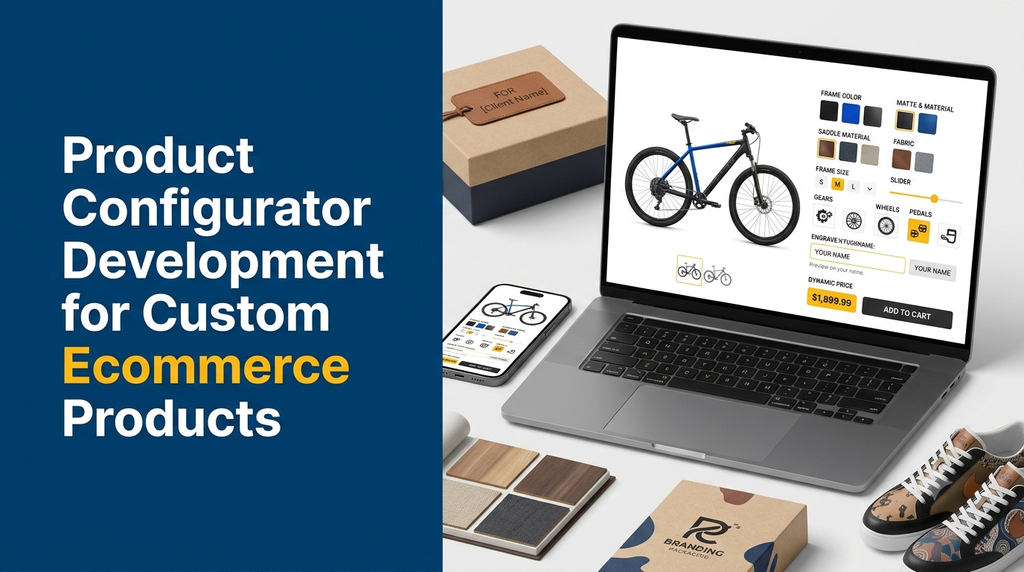
Product Configurator Development for Custom Ecommerce Products
Build interactive ecommerce experiences that allow customers to personalise products, preview their selections and place customised orders online.
Customers increasingly expect online shopping experiences that give them more control over what they purchase. Instead of choosing only from fixed product listings, they may want to select colours, sizes, materials, dimensions, accessories, components and personalised details.
A product configurator makes this possible by allowing shoppers to customise a product through an interactive interface before adding it to their cart. For businesses selling made-to-order products, this can simplify product selection, reduce manual communication and improve the ordering experience.
In this guide, we explain product configurator development, essential features, technology options, ecommerce integrations, development stages and estimated costs for businesses in India.
What Is Product Configurator Development?
Product configurator development is the process of building software that allows customers to customise a product using predefined options and business rules. The configurator updates the product preview, selected specifications and price based on the customer’s choices.
For example, a furniture business could allow customers to select a sofa model, fabric, colour, seating capacity and dimensions. The system can display the selected configuration and calculate the corresponding price before the customer places an order.
A product configurator can be developed as part of a custom ecommerce website, a Shopify or WooCommerce extension, or a standalone application connected to an existing online store.
Why Do Ecommerce Businesses Need a Product Configurator?
Traditional ecommerce product pages are suitable for products with fixed specifications. However, businesses selling personalised or configurable products often need a more flexible ordering process.
1. Give Customers More Customisation Options
Customers can select product attributes according to their preferences rather than contacting the business for every modification.
2. Reduce Manual Order Communication
Instead of collecting product specifications through phone calls, emails or messages, businesses can capture selections directly through the website.
3. Display More Accurate Product Pricing
Pricing rules can calculate the total based on selected materials, dimensions, accessories, quantities and additional services.
4. Improve the Shopping Experience
Interactive previews and clear configuration steps help customers understand what they are ordering before checkout.
5. Capture Detailed Order Specifications
The system can store configuration details with each order, helping sales and production teams understand customer requirements.
6. Support Made-to-Order Sales
Businesses can accept orders for customised products without creating separate product listings for every possible combination.
Types of Ecommerce Products That Benefit from Configurators
Product configurators are useful across several industries, particularly where products have multiple selectable specifications.
| Industry | Example Customisation Options |
|---|---|
| Furniture | Dimensions, fabric, colour, material and components |
| Fashion and Apparel | Size, colour, fitting, fabric and personalisation |
| Jewellery | Metal, stone, size, engraving and design options |
| Printing | Paper type, dimensions, finishing and print quantity |
| Gifts | Names, messages, photographs, packaging and themes |
| Industrial Products | Capacity, specifications, materials and components |
| Electronics | Storage, memory, accessories and compatible components |
| Packaging | Box dimensions, material, printing and finishing |
Essential Features of a Custom Product Configurator
A successful ecommerce product configurator should make customisation easy for customers while maintaining accurate product and pricing information for the business.
1. Interactive Product Selection
Allow customers to select product models, variants, materials, sizes, colours and other available attributes. Options should be presented in an understandable format using dropdowns, buttons, image swatches or selection cards.
2. Live Product Preview
Display a preview that changes when customers modify supported product options. Depending on the product, this may be a 2D image, layered visual preview or interactive 3D model.
3. Dynamic Pricing Calculation
Calculate the product price according to selected options and configured pricing rules. For example, additional material, larger dimensions, premium finishing or extra components may increase the price.
4. Conditional Product Options
Show or hide options based on previous selections. If a particular accessory is available only for one product model, the configurator should display it only when the selected model supports it.
5. Size and Dimension Selection
For products such as furniture, blinds, packaging and industrial components, customers may need to enter custom measurements. The system should validate supported dimensions and measurement units.
6. Add-ons and Accessories
Allow shoppers to select compatible accessories, additional components, installation services, premium packaging and other optional features.
7. Personalisation Fields
Support custom names, text, engraving instructions, uploaded images and other customer-specific details where relevant.
8. Product Configuration Summary
Before checkout, show a clear summary of the selected options, specifications, quantities and calculated price. Customers should be able to review or edit their choices.
9. Add to Cart and Checkout Integration
Save the configuration with the cart item and preserve it throughout checkout and order processing. The final order should contain the actual selected specifications, not just the standard product name.
10. Admin Configuration Management
Provide an administrative interface to manage products, options, pricing rules, dependencies, images, availability and customisation limits.
11. Mobile-Friendly Interface
Ensure the configurator works smoothly on smartphones, tablets and desktops. Touch-friendly controls and a simple step-by-step process are particularly important on mobile devices.
12. Configuration Validation
Prevent invalid combinations, unavailable options and unsupported measurements. Validation should happen on the server as well as in the customer interface.
How Does an Ecommerce Product Configurator Work?
A typical product configuration process follows a structured workflow.
- Choose a product: The customer opens a configurable product page.
- Select a model: The customer chooses the required product type or base model.
- Customise attributes: The customer selects colours, sizes, materials and other supported options.
- View the preview: The interface updates the product representation where preview functionality is supported.
- Calculate the price: The system applies the relevant pricing rules.
- Validate selections: The configurator checks whether the selected combination is allowed.
- Review the configuration: The customer checks the complete product specification.
- Add to cart: The selected configuration is saved with the cart item.
- Place the order: The customer completes checkout and the configuration is stored with the order.
- Process the order: The business team uses the saved specifications for production, fulfilment or further communication.
2D vs 3D Product Configurator Development
The right visualisation approach depends on the product, customer expectations, available product assets and development budget.
2D Product Configurator
A 2D configurator uses images, layered graphics, colour overlays or predefined product views to represent customisation choices.
- Suitable for products with straightforward visual changes.
- Can support colour, pattern and image personalisation.
- Usually requires fewer specialised visual assets than a 3D solution.
- Can be a practical option for an initial ecommerce configurator.
3D Product Configurator
A 3D configurator displays an interactive three-dimensional representation of a product. Customers may be able to rotate, zoom and inspect supported customisations.
- Useful for furniture, machinery, vehicles and complex products.
- Can display product shapes and components from multiple angles.
- Requires suitable 3D models, textures and rendering workflows.
- Needs careful performance optimisation, particularly for mobile devices.
| Comparison | 2D Configurator | 3D Configurator |
|---|---|---|
| Visual representation | Images and layered graphics | Interactive 3D models |
| Development complexity | Generally lower | Generally higher |
| Asset requirements | Product images and layers | 3D models and textures |
| Interaction | Option and image changes | Rotation, zoom and model changes |
| Best suited for | Simple visual customisation | Complex visual products |
Businesses do not always need 3D functionality. A well-designed 2D configurator can be sufficient when customers mainly need to select product options and confirm specifications.
Dynamic Pricing Logic for Custom Products
Pricing is one of the most important components of product configurator software. The system must calculate the price consistently whenever a customer changes an option.
Depending on the business model, pricing can be based on:
- Base product price.
- Selected material or colour category.
- Custom dimensions or measurements.
- Additional components and accessories.
- Personalisation or finishing charges.
- Order quantity and bulk discounts.
- Installation, delivery or other applicable services.
Assume a customised furniture product has a base price of ₹8,000. A premium material adds ₹1,500, additional components add ₹800 and a custom finishing option adds ₹500.
Illustrative configured price = ₹10,800
The actual pricing logic should be defined by the business. Taxes, discounts, shipping and other charges should be handled according to the store’s checkout and invoicing rules.
For products priced by area, weight, length or volume, the system may need more advanced calculation rules. These should be tested carefully against real business pricing examples.
Admin Panel for Product Configurator Management
An admin panel allows business owners and authorised employees to manage configurable products without changing the source code for every routine update.
Recommended Admin Features
- Product and category management.
- Configurable product attribute management.
- Option groups and selection types.
- Conditional option dependencies.
- Base price and additional charge management.
- Product images and 2D or 3D asset management.
- Minimum and maximum dimension settings.
- Stock and availability rules.
- Configuration templates.
- Custom order and specification management.
- Customer and order information.
- Role-based access and activity records.
For manufacturing businesses, the admin system may also provide production notes, internal approval status, material requirements and exportable order specifications.
Product Configurator Integration with Ecommerce Platforms
A configurator should work with the existing ecommerce infrastructure wherever possible. Integration planning is important because custom product information must remain available throughout cart, checkout, payment and order management.
WooCommerce Product Configurator
A custom WooCommerce plugin can add product configuration functionality to a WordPress ecommerce store. It may manage custom fields, conditional options, pricing rules, previews and order metadata.
Businesses with specialised product requirements can consider custom plugin development instead of relying entirely on multiple unrelated extensions.
Shopify Product Configurator
A Shopify-based configurator can be developed using a custom app, theme integration or supported product personalisation tools. The implementation should preserve configuration data when products move through the cart and checkout process.
Custom Ecommerce Platform
A custom ecommerce website provides greater control over the product configuration interface, pricing engine, database structure and integrations. It can be useful when product rules are too specialised for an existing platform.
Recommended Technology Stack
The technology stack depends on the required configurator complexity, ecommerce platform, expected traffic and integration needs.
| Technology Area | Possible Technologies |
|---|---|
| Frontend | React, Next.js, Vue.js |
| Backend | Laravel, Node.js, PHP |
| Database | MySQL, PostgreSQL |
| 3D Visualisation | Three.js, WebGL-based tools |
| 2D Visualisation | Canvas, SVG and image-layer techniques |
| Ecommerce | WooCommerce, Shopify or custom ecommerce |
| Integrations | Payment gateways, shipping APIs, ERP and CRM APIs |
Not every project needs all these technologies. The development team should select tools based on actual functional requirements rather than adding complexity without a business reason.
Important Integrations for Product Configurator Software
Payment Gateway Integration
Connect the ecommerce checkout to a suitable payment gateway so customers can pay for configured products using supported payment methods.
Inventory Management Integration
Check the availability of selected components, materials and product variants. This is especially important when a customised product depends on multiple inventory items.
ERP Integration
For manufacturing and wholesale businesses, configuration details can be transferred to ERP systems for purchasing, production planning and order processing.
CRM Integration
Customer enquiries and custom product requirements can be shared with CRM systems to support sales follow-ups.
Shipping Integration
For products with variable dimensions or weight, shipping calculations may need to use the final configured product specifications.
Analytics Integration
Track useful events such as configuration starts, option selections, preview interactions, abandoned configurations and completed orders. Avoid collecting unnecessary personal information.
SEO and Performance Considerations
A product configurator should not make an ecommerce website difficult for search engines or customers to use.
- Keep the main product information available as crawlable HTML wherever practical.
- Use descriptive product titles, URLs and metadata.
- Provide useful product descriptions, specifications and image alt text.
- Ensure important product information does not exist only inside an interactive canvas.
- Optimise images and 3D assets for faster loading.
- Use lazy loading where appropriate.
- Ensure the configurator works on mobile devices.
- Maintain clear canonical URLs for product pages.
- Use valid structured data only for information that is actually displayed and supported.
Interactive configuration options do not automatically need separate search-indexable URLs. The SEO structure should focus on meaningful product pages and useful content rather than generating large numbers of thin pages for every possible configuration.
Security and Validation Requirements
Product configurator software handles product specifications, pricing and customer order information. It should be developed with suitable security controls.
- Validate all customer inputs on the server.
- Calculate final prices using trusted server-side rules.
- Do not trust price values submitted directly by the browser.
- Restrict admin functions using role-based permissions.
- Validate uploaded images and documents.
- Protect customer and order information.
- Use secure API authentication and appropriate access controls.
- Maintain backups and error logs.
- Test invalid option combinations and unusual input values.
Product Configurator Development Process
A structured development process helps ensure that the final configurator meets both customer expectations and operational requirements.
- Requirement analysis: Understand the product types, available options, pricing rules and customer workflow.
- Configuration planning: Define option groups, dependencies, restrictions and valid combinations.
- UI/UX design: Create desktop and mobile layouts for the configuration experience.
- Frontend development: Build the interactive product selection and preview interface.
- Backend development: Develop configuration storage, pricing calculations and validation logic.
- Admin panel development: Build tools for managing products, options and pricing.
- Ecommerce integration: Connect the configurator to cart, checkout, orders and required business systems.
- Testing: Check calculations, invalid combinations, mobile usability, security and order accuracy.
- Deployment: Launch the application and monitor its performance.
- Maintenance: Update product rules, integrations and software as business needs change.
Product Configurator Development Cost in India
The cost of developing a product configurator depends on the number of configurable products, complexity of selection rules, visualisation requirements, ecommerce integrations and admin functionality.
| Development Type | Illustrative Cost Range |
|---|---|
| Basic 2D product configurator | ₹40,000 – ₹80,000 |
| Advanced configurator with dynamic pricing | ₹80,000 – ₹1,60,000 |
| Custom configurator with admin and ecommerce integration | ₹1,60,000 – ₹3,50,000 |
| Advanced 3D product configurator | ₹3,50,000 onwards |
Note: These are illustrative planning estimates, not fixed Greap quotations or guaranteed market prices. Actual project costs depend on requirements, available product assets, integrations, testing and deployment scope. Complex 3D modelling, ERP integration and extensive product rules may require additional investment.
How to Choose a Product Configurator Development Company
Selecting a development partner is important because a configurator involves more than building an attractive product selection screen.
Before selecting a development company, consider these points:
- Experience in ecommerce website and software development.
- Understanding of custom product pricing and option dependencies.
- Ability to develop responsive product configuration interfaces.
- Experience with WooCommerce, Shopify or custom ecommerce platforms.
- Knowledge of API and ERP integrations.
- Testing procedures for pricing and configuration accuracy.
- Clear project scope, delivery milestones and ownership terms.
- Availability of maintenance and technical support.
Why Consider Greap Technologies for Product Configurator Development?
Greap Technologies provides website development, custom software development and digital growth solutions for businesses.
We can help businesses plan and develop ecommerce solutions with product customisation workflows, configurable product options, dynamic pricing, admin management and integrations based on project requirements.
Whether you sell furniture, personalised gifts, apparel, packaging, industrial products or other made-to-order items, the right configuration workflow can make online ordering more organised.
Our development approach focuses on understanding your business process, selecting suitable technologies and building a practical solution that can grow with your requirements.
Planning a Custom Ecommerce Product Configurator?
Discuss your product options, pricing rules and ecommerce requirements with Greap Technologies.
Visit Greap Technologies Discuss Your Project on WhatsApp Call +91 70923 30168Frequently Asked Questions
1. What is an ecommerce product configurator?
An ecommerce product configurator is an interactive tool that allows customers to customise products by selecting options such as colour, size, material, dimensions and accessories before placing an order.
2. How much does product configurator development cost in India?
A basic 2D configurator may start around ₹40,000 in an illustrative project estimate. Advanced configurators with dynamic pricing, admin management, integrations or 3D visualisation can cost considerably more depending on the requirements.
3. Can I add a product configurator to my existing ecommerce website?
Yes. A configurator can be integrated into an existing WooCommerce, Shopify or custom ecommerce website, provided the platform supports the required functionality and integration approach.
4. What is the difference between a 2D and 3D product configurator?
A 2D configurator uses images and layered graphics to show customisation. A 3D configurator uses interactive three-dimensional models that customers can inspect from different angles.
5. Can product configurator software calculate prices automatically?
Yes. A configurator can calculate prices based on base product prices, materials, dimensions, components, accessories, quantities and other configured pricing rules.
6. Can customers upload images or add custom text?
Yes. The system can support image uploads, custom names, messages, engraving instructions and other personalisation fields, subject to validation and file restrictions.
7. Can a product configurator work on mobile devices?
Yes. A responsive configurator can support smartphones, tablets and desktops. Mobile performance and easy-to-use selection controls should be included in the design and testing process.
8. Can a product configurator integrate with inventory or ERP software?
Yes. Depending on the available APIs, the configurator can connect with inventory and ERP systems to share product specifications, component requirements and order information.
9. Is a 3D product configurator necessary for every ecommerce business?
No. A 2D configurator may be sufficient for businesses that mainly need customers to select colours, sizes, materials or simple product variations. 3D visualisation is useful when viewing product shape and components from multiple angles adds value.
10. How long does it take to develop a product configurator?
Development time depends on product complexity, number of options, visualisation requirements and integrations. A basic configurator may take a few weeks, while advanced 3D solutions and complex ecommerce integrations may require several months.
Conclusion
Product configurator development helps ecommerce businesses sell customised products through a structured online experience. Customers can select product specifications, view supported previews, understand pricing and submit detailed orders without relying entirely on manual communication.
From a simple 2D product builder to an advanced 3D configuration platform, the right solution depends on your products, customers and business workflow. With proper pricing logic, validation, admin management and ecommerce integration, a product configurator can become an important part of your online sales system.
If your business plans to sell personalised or made-to-order products online, contact Greap Technologies to discuss a suitable ecommerce product configurator solution.