
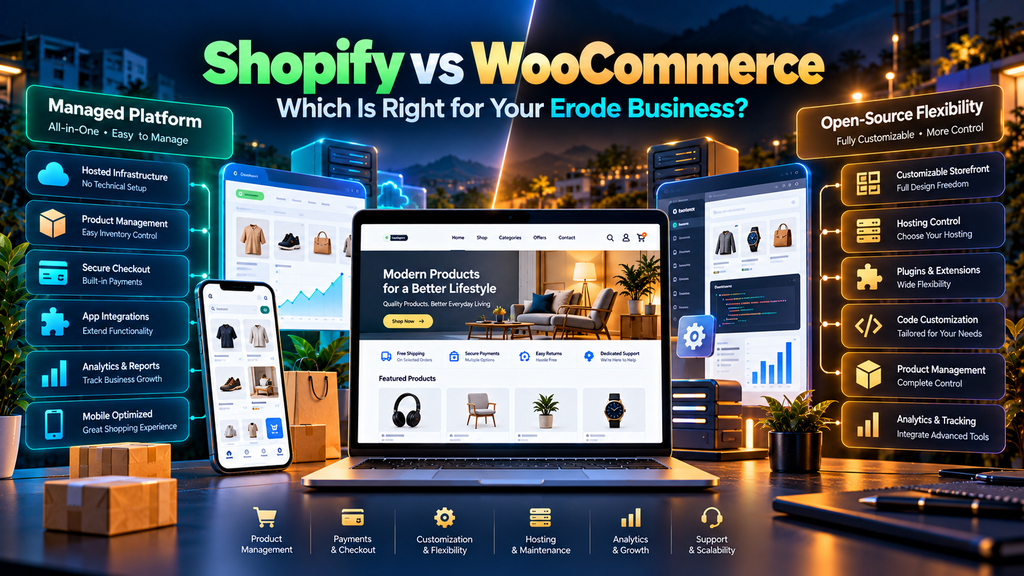
Shopify vs WooCommerce: Which Is Better for Erode Businesses? is an important question for companies planning to start or upgrade an ecommerce website.
Both platforms can be used to build professional online stores, but they take different approaches to ecommerce.
Shopify is a managed commerce platform where much of the underlying hosting and platform infrastructure is handled for the merchant.
WooCommerce is an open-source ecommerce platform built for WordPress. It gives businesses greater control over areas such as hosting, source code and customization, while also giving the website owner more responsibility for maintaining the technical environment.
For an Erode business, the decision should therefore not be based on statements such as “Shopify is always better” or “WooCommerce is always better.”
The right platform depends on your products, budget structure, customization requirements, technical resources, content strategy, integrations and long-term ecommerce plans.
At Greap Technologies, we provide ecommerce development services, website development, performance optimization and SEO services in Erode for businesses planning and growing ecommerce websites.
Quick Answer: Shopify or WooCommerce?
Consider Shopify when your business prefers a managed ecommerce platform and wants less responsibility for managing the underlying hosting and software environment.
Consider WooCommerce when your business wants a WordPress-based ecommerce website with extensive control over hosting, code, content and customization.
However, those are only starting points.
The final decision should consider the complete ecommerce project.
Shopify vs WooCommerce at a Glance
| Area | Shopify | WooCommerce |
|---|---|---|
| Platform Type | Managed commerce platform | Open-source ecommerce for WordPress |
| Hosting | Platform-managed | Business chooses and manages hosting |
| Technical Control | Within Shopify’s platform architecture | Extensive control over WordPress environment and source code |
| Customization | Themes, apps and platform development | Themes, plugins and custom development |
| Maintenance | Underlying platform managed by Shopify; store still needs maintenance | Website owner manages more of the software and hosting stack |
| Content Management | Built-in content capabilities | Built around WordPress CMS |
| Ecommerce Extensions | Apps | Plugins and extensions |
| Store Ownership Model | Hosted platform service | Open-source software with control over site and data |
| Developer Involvement | Depends on customization | Can increase with custom requirements and technical maintenance |
1. Understand the Fundamental Platform Difference
The biggest difference between Shopify and WooCommerce is their underlying approach.
Shopify
Shopify combines ecommerce software and managed hosting infrastructure into a single platform.
This reduces some of the infrastructure decisions a business needs to make independently.
WooCommerce
WooCommerce works with WordPress and is open source.
The business can choose its:
- Hosting provider
- WordPress setup
- Theme
- Plugins
- Development approach
- Technical architecture
This provides significant flexibility, but that flexibility also creates additional technical decisions.
2. Hosting: Managed vs Self-Managed Environment
Hosting is one of the clearest differences between the two approaches.
Shopify Hosting
Shopify provides the underlying hosting as part of its platform.
The merchant does not separately configure a traditional WordPress hosting environment for the Shopify store.
WooCommerce Hosting
WooCommerce businesses select their own compatible WordPress hosting.
This provides more choice over:
- Hosting provider
- Server resources
- Performance configuration
- Backup architecture
- Server-level tools
However, hosting quality and configuration can directly influence WooCommerce performance and reliability.
3. Setup and Store Management
Shopify is designed around a managed ecommerce experience.
Many infrastructure-level responsibilities are handled by the platform.
WooCommerce gives the business more control but can require management across WordPress, WooCommerce, hosting, themes, plugins and related systems.
For a business with limited technical resources, this operational difference can matter.
For a business that wants deeper control over its website environment, the same difference can be valuable.
4. Design Flexibility
Both platforms can produce professional ecommerce websites.
Design quality depends on:
- Theme selection
- Branding
- UX planning
- Product presentation
- Mobile implementation
- Custom development
Shopify Design
Shopify stores can use themes and platform-specific customization to create branded ecommerce experiences.
WooCommerce Design
WooCommerce benefits from the broader WordPress ecosystem and can be extensively customized through themes, blocks and custom development.
The amount of flexibility you need should influence the platform decision.
5. Custom Development
Some businesses need more than a standard ecommerce store.
They may require:
- Special product configurations
- Custom pricing logic
- B2B workflows
- Unique account functionality
- External integrations
- Special checkout requirements
Both platforms support customization, but the development model is different.
WooCommerce’s open-source architecture gives developers broad access to the WordPress and WooCommerce environment.
Shopify customization operates within Shopify’s platform, APIs, themes and app ecosystem.
The appropriate option depends on the actual customization required.
6. Products and Product Management
Both platforms can support common ecommerce requirements such as:
- Products
- Product images
- Pricing
- Variants
- Inventory
- Collections or categories
- Discounts
Before choosing a platform, consider the complexity of your catalogue.
Ask:
- How many products will we sell?
- How complex are the variations?
- Do we need special pricing?
- Do we need bulk product management?
- Will another system control inventory?
The answers are more useful than choosing a platform based only on popularity.
7. Content Management and Blogging
Content can be important for businesses using SEO and educational content to attract potential customers.
Shopify
Shopify provides content-management capabilities alongside its ecommerce functionality.
WooCommerce
WooCommerce is built around WordPress, giving businesses access to WordPress’s broader content-management ecosystem.
If the website will combine a substantial content strategy with ecommerce, evaluate how your team wants to create, organize and maintain that content.
8. Shopify vs WooCommerce for SEO
Both platforms can support SEO.
Neither platform automatically guarantees higher Google rankings.
Ecommerce SEO still depends on areas such as:
- Useful product content
- Category or collection architecture
- Search intent
- Page titles
- Meta descriptions
- Internal linking
- Canonicalization
- Structured data
- Website performance
- Mobile usability
- Technical SEO
Platform selection can influence how some of these elements are managed, but SEO success cannot be reduced to choosing Shopify or WooCommerce.
9. URL and Technical SEO Control
WooCommerce operates within WordPress and can provide significant control over the website’s technical implementation.
Shopify uses its own platform architecture and conventions.
For most businesses, the more important question is not whether every URL can be customized exactly as imagined.
Instead, determine whether the platform supports the technical SEO requirements that genuinely matter to the project.
Read our Technical SEO Checklist for Business Websites in Erode for a broader technical SEO review.
10. Website Performance
Performance can vary significantly depending on how a store is implemented.
Shopify Performance
Shopify manages the underlying hosting infrastructure, reducing the merchant’s direct responsibility for server configuration.
However, themes, apps, images and third-party scripts can still affect storefront performance.
WooCommerce Performance
WooCommerce performance can depend on:
- Hosting
- Theme
- Plugins
- Database
- Caching
- Images
- Custom code
- Third-party scripts
This gives businesses more infrastructure control but also creates more areas that may require optimization.
Read our Website Speed Optimization Services in Erode guide for more information.
11. Core Web Vitals
Core Web Vitals can be relevant regardless of which platform you select.
The key metrics include:
- LCP – loading performance
- INP – interaction responsiveness
- CLS – visual stability
A poorly optimized theme, excessive apps or plugins, large images and unnecessary third-party scripts can affect customer experience.
Read our Core Web Vitals Optimization for Business Websites in Erode guide.
12. Mobile Ecommerce
Regardless of platform, mobile customers should be able to:
- Navigate the store
- Search products
- Browse categories
- View product images
- Select variants
- Add products to cart
- Review their cart
- Proceed through checkout
A platform cannot compensate for poor mobile design and testing.
Test the actual customer journey rather than only checking whether the layout technically adapts to a smaller screen.
13. Apps vs Plugins
Both ecosystems can be extended.
Shopify Apps
Shopify businesses can add apps for additional ecommerce and marketing functionality.
WooCommerce Plugins and Extensions
WooCommerce businesses can use WordPress plugins and WooCommerce extensions to expand the store.
With either approach, avoid adding extensions simply because they exist.
Every additional dependency can add:
- Cost
- Complexity
- Performance overhead
- Maintenance requirements
14. Maintenance Requirements
The maintenance model differs considerably.
Shopify Maintenance
Shopify manages much of the underlying hosted platform.
Individual stores still require attention to:
- Themes
- Apps
- Products
- Content
- Integrations
- Performance
- Tracking
- Customer journeys
WooCommerce Maintenance
WooCommerce stores generally require additional responsibility for:
- WordPress core
- WooCommerce
- Plugins
- Themes
- Hosting
- Backups
- Security
- Performance
This difference should be considered when estimating long-term operational effort.
15. Security Responsibilities
Security responsibilities also differ between the two architectures.
Shopify manages substantial parts of its underlying platform and infrastructure.
With WooCommerce, the website owner and their providers have more responsibility for areas such as hosting, WordPress updates, plugin updates, backups and website-level security.
Neither approach means businesses should ignore account security, staff access, app permissions or operational security.
16. Backups and Recovery
Businesses should understand exactly what their chosen platform or support provider protects and what recovery options are available.
For WooCommerce, businesses commonly need a defined backup strategy covering files and database information.
For Shopify, businesses should still plan how important store information, theme changes and business data are protected or recoverable within the tools and processes they use.
Do not assume “cloud platform” means every accidental business change can always be instantly reversed.
17. Payments
Payment requirements can strongly influence ecommerce platform selection.
Before choosing either platform, identify:
- Which payment methods customers need
- Which payment providers support your business
- Provider fees
- Platform-related fees where applicable
- Refund workflows
- Settlement requirements
Payment-provider availability and commercial terms can change, so businesses should verify current requirements before implementation.
18. Shipping
Both platforms can support shipping workflows, but the implementation depends on business requirements and available integrations.
Consider:
- Local delivery
- Shipping across Tamil Nadu
- India-wide delivery
- Flat rates
- Free-shipping conditions
- Weight-based requirements
- Courier integrations
- Store pickup where applicable
Map the real fulfilment process before selecting extensions or apps.
19. Integrations
Erode businesses may need their ecommerce website to communicate with other systems.
Examples include:
- CRM
- ERP
- Inventory software
- Accounting systems
- Shipping platforms
- Email marketing
- Customer support systems
Check whether suitable integrations already exist or whether custom development will be required.
This can materially affect project cost and complexity.
20. Cost: Don’t Compare Only the Starting Price
A useful Shopify vs WooCommerce cost comparison should look at the total cost of operating the store, not simply one platform fee.
Potential costs can include:
- Platform subscription
- Hosting
- Domain
- Theme
- Apps or plugins
- Development
- Maintenance
- Performance optimization
- Security
- Backups
- Payment processing
- Third-party integrations
WooCommerce itself is open-source software, but operating a WooCommerce store can still involve hosting, extensions, development and maintenance costs.
Shopify uses paid platform plans and businesses may additionally pay for apps, themes, development and other services.
Compare the complete expected stack for your particular business.
21. Shopify Cost Structure
Shopify generally has a more predictable platform-subscription model because hosting is incorporated into the platform.
Additional costs can depend on:
- Selected plan
- Paid theme
- Apps
- Custom development
- Payment setup
- Marketing tools
- External services
Current Shopify pricing and commercial terms should be checked directly before making a purchasing decision because they can change over time.
22. WooCommerce Cost Structure
WooCommerce is open source and can be downloaded without a software purchase price for the core plugin.
However, the total store cost can include:
- Hosting
- Domain
- Premium themes
- Premium plugins or extensions
- Development
- Maintenance
- Security
- Backups
- Performance infrastructure
The advantage is flexibility in choosing the stack.
The trade-off is that businesses need to plan and manage more components.
23. Scalability
Both platforms can support growing ecommerce businesses when implemented appropriately.
Scalability depends on more than the platform name.
Consider:
- Product count
- Traffic
- Order volume
- Integrations
- Custom functionality
- International requirements
- B2B requirements
- Operational team
With WooCommerce, hosting and technical architecture become particularly important as requirements grow.
With Shopify, businesses should evaluate whether their required functionality fits the platform and relevant plan/app ecosystem as they scale.
24. Ownership and Control
WooCommerce’s open-source model gives businesses extensive control over the website, code, data and hosting environment.
Shopify provides a managed platform where the merchant operates within Shopify’s hosted ecosystem.
Some businesses prioritize technical control.
Others prioritize reducing infrastructure management.
Neither priority is automatically correct for every Erode business.
25. Technical Skills Required
The amount of technical knowledge required depends heavily on how customized the store becomes.
A straightforward Shopify store may allow a business team to handle many day-to-day tasks without managing a server.
A WooCommerce store may require more technical involvement for:
- Hosting
- Updates
- Plugins
- Performance
- Backups
- Security
Businesses with an internal technical team or ongoing development partner may view that additional control differently from businesses without technical support.
26. Shopify for Small Erode Businesses
A smaller business may consider Shopify when it values:
- Managed hosting
- A commerce-focused administration experience
- Less server management
- A structured app ecosystem
- Faster standard store setup
However, the business should still evaluate recurring platform, app and development costs.
27. WooCommerce for Small Erode Businesses
A smaller business may consider WooCommerce when it:
- Already uses WordPress
- Wants extensive website control
- Has strong content requirements
- Needs specific customization
- Has access to suitable technical support
The business should account for ongoing hosting and maintenance responsibilities.
28. Shopify vs WooCommerce for Erode Manufacturers
Manufacturing businesses can have requirements different from standard retail ecommerce.
They may need:
- Large catalogues
- Technical specifications
- Product enquiry workflows
- B2B functionality
- Customer-specific pricing
- Bulk ordering
- ERP integration
- Downloadable technical documents
The platform should be evaluated against those actual workflows rather than choosing based on a generic ecommerce comparison.
29. Shopify vs WooCommerce for Retail Businesses
Retail businesses should consider:
- Inventory
- Product management
- Online and offline workflows
- Mobile shopping
- Payments
- Shipping
- Promotions
- Customer support
If the business already uses physical-store systems, integration requirements can be especially important.
30. Shopify vs WooCommerce for Content-Heavy Businesses
Businesses planning a substantial combination of educational content, blogs, landing pages and ecommerce should compare the content workflows of both platforms carefully.
WooCommerce’s WordPress foundation can be attractive where WordPress content management is already central to the business.
Shopify also supports content and can be appropriate when the business prefers to keep commerce operations within its managed platform.
Shopify vs WooCommerce Comparison Checklist
| Question | Shopify Direction | WooCommerce Direction |
|---|---|---|
| Want managed hosting? | Strong consideration | Hosting selected separately |
| Already use WordPress? | Separate platform approach | Natural integration |
| Want source-code control? | Platform boundaries apply | Open-source control |
| Want less server management? | Managed infrastructure | Requires hosting management |
| Need deep WordPress content integration? | Requires different architecture | Native WordPress ecosystem |
| Need custom functionality? | Apps, APIs and custom development | Plugins, APIs and custom development |
| Need ongoing maintenance? | Store-level maintenance still required | Store and technical-stack maintenance required |
| Need SEO? | Supported | Supported |
Questions to Ask Before Choosing Shopify or WooCommerce
- What products are we selling?
- How many products will we manage?
- How complex are our product variations?
- Do we already have a WordPress website?
- How important is content marketing?
- How much custom functionality do we need?
- Which payment methods are required?
- How will shipping work?
- Which business systems need integration?
- Who will maintain the store?
- Do we have technical support available?
- What is our realistic total ecommerce budget?
- How might the business change over the next few years?
Common Platform Selection Mistakes
- Choosing only based on the cheapest starting price
- Choosing because another business uses the platform
- Ignoring ongoing maintenance
- Ignoring app or plugin costs
- Ignoring hosting requirements
- Ignoring integrations
- Ignoring mobile experience
- Ignoring SEO requirements
- Ignoring website performance
- Choosing before documenting business requirements
- Assuming migration later will always be simple
Is Shopify Easier to Maintain Than WooCommerce?
The maintenance responsibilities are different.
Shopify handles more of the underlying hosted platform, while merchants still need to maintain their theme, apps, products, content, integrations, tracking and storefront experience.
WooCommerce gives businesses more responsibility for the wider technical stack, including WordPress, WooCommerce, plugins, themes, hosting, backups and related website maintenance.
If reducing infrastructure management is a priority, that difference is important.
If having greater technical control is a priority, the same difference may favour a different architecture.
Is WooCommerce More Customizable Than Shopify?
WooCommerce’s open-source architecture gives developers extensive access to the underlying website environment and source code.
Shopify also supports substantial customization through its themes, APIs and app ecosystem, but development operates within Shopify’s platform architecture.
Instead of asking only which is “more customizable,” identify exactly what your business needs to customize.
Which Platform Is Better for SEO?
Neither Shopify nor WooCommerce should be selected solely because someone promises that one automatically ranks better on Google.
Both can support search optimization.
SEO performance depends on the complete implementation, including:
- Content quality
- Product information
- Site structure
- Internal links
- Technical SEO
- Performance
- Mobile experience
- Search intent
- Authority
Explore our SEO Services in Erode for broader search optimization.
Which Platform Is Cheaper?
There is no universal answer.
A Shopify store may have platform subscription and app costs, while a WooCommerce store can involve hosting, plugins, development, security and maintenance costs.
A simple store and a heavily customized store can have dramatically different total costs on either platform.
Prepare a realistic cost model based on the actual requirements rather than comparing “free plugin” against “monthly subscription” alone.
Which Platform Should an Erode Business Choose?
The decision can be narrowed down by identifying the business’s priorities.
Shopify may fit requirements centred on:
- Managed ecommerce infrastructure
- Reduced server-management responsibility
- A commerce-focused hosted ecosystem
- Standardized day-to-day store operations
WooCommerce may fit requirements centred on:
- WordPress integration
- Open-source control
- Hosting choice
- Extensive code-level customization
- Content-heavy WordPress workflows
Businesses with more complex requirements should evaluate both against a written requirements document before selecting either platform.
Can You Migrate from WooCommerce to Shopify?
Migration is possible, but it should be treated as a project rather than simply moving a few pages.
A migration may need to consider:
- Products
- Variants
- Customers
- Orders where appropriate
- Images
- URLs
- Redirects
- SEO metadata
- Content
- Integrations
- Analytics
SEO-sensitive URL changes should be planned carefully.
Can You Migrate from Shopify to WooCommerce?
Migration in the other direction is also possible.
The new WordPress and WooCommerce environment needs to be planned before moving data.
This can involve:
- Hosting
- Theme development
- Plugin selection
- Product migration
- Customer data
- Order data where required
- Payment setup
- Shipping
- Redirects
- SEO
Migration should include testing before the new store becomes the primary live website.
Shopify Support After Launch
A Shopify store still needs ongoing store-level support after development.
This can include:
- Theme support
- App review
- Product updates
- Performance monitoring
- Mobile testing
- Analytics
- Technical SEO
Read our Shopify Store Maintenance and Support Services in Erode guide.
WooCommerce Support After Launch
WooCommerce websites need ongoing WordPress and ecommerce maintenance.
This can include:
- WordPress updates
- WooCommerce updates
- Plugin updates
- Theme maintenance
- Backups
- Security
- Performance
- Checkout testing
Read our WordPress Maintenance Services in Erode guide.
Planning a WooCommerce Store?
If WooCommerce matches your business requirements, read our WooCommerce Website Development for Businesses in Erode guide for detailed planning around products, categories, payments, shipping, performance, SEO and maintenance.
Shopify vs WooCommerce for Erode and Nearby Areas
The same platform-selection principles apply to businesses in Erode, Perundurai, Bhavani, Gobichettipalayam, Sathyamangalam, Anthiyur, Chennimalai, Modakkurichi, Kavindapadi, Nambiyur, Kodumudi and nearby areas.
Your business location does not by itself determine the correct ecommerce platform.
Your products, customers, workflows, technical resources and business requirements matter more.
Why Work with Greap Technologies for Ecommerce Development in Erode?
Greap Technologies provides ecommerce development, website development, website maintenance, performance optimization, technical SEO and digital solutions for businesses in Erode and nearby areas.
Before beginning an ecommerce project, important requirements can be reviewed across areas such as:
- Business model
- Product catalogue
- Store architecture
- Platform requirements
- Design
- Mobile experience
- Payments
- Shipping
- Integrations
- SEO
- Performance
- Maintenance
The platform should be selected around the business instead of forcing the business around the platform.
Explore our Ecommerce Development Services, Website Development Services, SEO Services in Erode and Digital Marketing Services.
Conclusion
Shopify and WooCommerce can both support professional ecommerce websites for Erode businesses, but they solve the infrastructure and ownership problem differently.
Shopify provides a managed commerce environment that reduces much of the underlying infrastructure management.
WooCommerce provides an open-source WordPress ecommerce environment with extensive control over hosting, code and customization.
Before choosing, compare:
- Products
- Customization
- Content requirements
- Hosting
- Technical resources
- Apps or plugins
- Payments
- Shipping
- Integrations
- SEO
- Performance
- Maintenance
- Total cost
There is no platform that is automatically the right choice for every Erode business.
The useful question is: which architecture fits how your business needs to sell, operate and grow?
Need Help Choosing Shopify or WooCommerce in Erode?
If you are planning an ecommerce website but are unsure which platform fits your products, technical requirements and long-term business plans, start by defining the store requirements before development.
Greap Technologies provides ecommerce website development, WooCommerce development, website support, performance optimization and technical SEO services for businesses in Erode and nearby areas.
Discuss Your Ecommerce Project on WhatsApp
Frequently Asked Questions
1. What is the main difference between Shopify and WooCommerce?
Shopify is a managed commerce platform with hosted infrastructure. WooCommerce is an open-source ecommerce platform for WordPress where businesses have more control over hosting, code and the wider technical environment.
2. Is Shopify easier to manage than WooCommerce?
Shopify handles more of the underlying infrastructure, which can reduce server and software-management responsibilities. WooCommerce provides more control but generally requires more responsibility for WordPress, hosting, plugins, backups and maintenance.
3. Is WooCommerce free?
The core WooCommerce software is open source and can be downloaded without purchasing the core plugin. A functioning ecommerce website can still have costs for hosting, domain, themes, extensions, development, security and maintenance.
4. Which is better for SEO: Shopify or WooCommerce?
Both platforms can support SEO. Neither automatically ranks better simply because of the platform. Content, architecture, technical SEO, performance, internal linking and overall relevance remain important.
5. Which is more customizable?
WooCommerce provides extensive code-level flexibility because it is open source. Shopify also supports substantial customization through themes, apps and APIs within its platform architecture. The practical choice depends on what the business actually needs to customize.
6. Which is better for an existing WordPress website?
WooCommerce naturally integrates with WordPress. However, an existing WordPress site’s hosting, theme, plugins, performance and architecture should be reviewed before ecommerce functionality is added.
7. Which platform requires more maintenance?
The responsibilities differ. Shopify manages more of the underlying hosted infrastructure, while WooCommerce businesses generally manage more of the WordPress, hosting, plugin, backup, security and performance stack.
8. Can Shopify and WooCommerce both support mobile ecommerce?
Yes. Both can support responsive ecommerce experiences. The final quality depends on the theme, implementation, apps or plugins, content and testing.
9. Which is cheaper for an Erode business?
There is no universal answer. Compare total costs including subscriptions or hosting, themes, apps or plugins, development, payment costs, maintenance and integrations based on your actual requirements.
10. Can I migrate from WooCommerce to Shopify or Shopify to WooCommerce?
Yes, migration is possible in either direction. Products, customers, orders where applicable, content, images, URLs, redirects, SEO information and integrations may need to be planned and tested during migration.
11. Which platform is suitable for a growing ecommerce business?
Both platforms can support growing stores. Evaluate expected traffic, catalogue complexity, custom functionality, integrations, operational resources and long-term technical requirements before choosing.
12. Can Greap Technologies help choose an ecommerce platform in Erode?
Yes. Greap Technologies can review ecommerce requirements such as products, design, payments, shipping, integrations, SEO, performance and ongoing support before planning the website implementation.


