
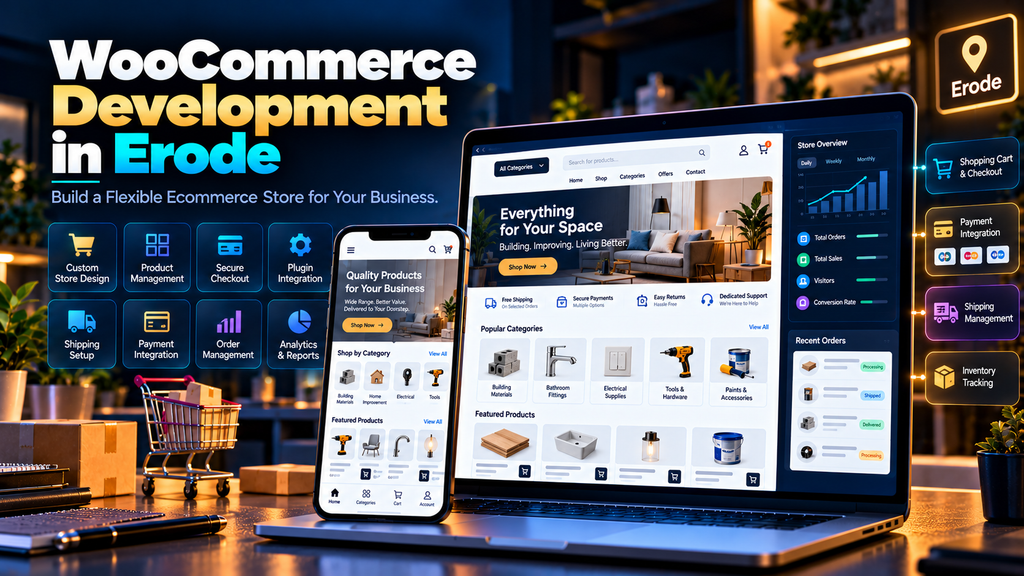
WooCommerce Website Development for Businesses in Erode can help companies build flexible ecommerce stores using WordPress for selling products, managing online orders and creating a digital sales channel tailored to their business requirements.
An ecommerce website involves much more than displaying products online.
Customers need to be able to discover products, understand pricing and options, add items to a cart, choose appropriate shipping options and complete the purchase journey smoothly.
Businesses also need practical ways to manage products, orders, customers, promotions and website content.
WooCommerce can provide a flexible foundation for these requirements when the store is properly planned and developed.
At Greap Technologies, we provide ecommerce development services, website development, performance optimization and SEO services in Erode for businesses building and growing their online presence.
What Is WooCommerce?
WooCommerce is an ecommerce solution built for WordPress websites.
It enables businesses to add ecommerce functionality such as:
- Products
- Product categories
- Product variations
- Shopping cart
- Checkout
- Customer accounts
- Orders
- Coupons
- Shipping options
- Tax configuration
- Payment integrations
Because WooCommerce works within the WordPress ecosystem, businesses can combine ecommerce functionality with content pages, blogs, landing pages and other website features.
Why Consider WooCommerce for an Erode Business?
Different ecommerce platforms suit different business requirements.
WooCommerce may be worth considering when a business wants:
- A WordPress-based ecommerce website
- Control over website content
- Custom page designs
- Flexible product structures
- Custom ecommerce functionality
- Content marketing capabilities
- SEO-friendly website architecture
- Integration with suitable third-party systems
The decision should be based on actual business requirements rather than choosing a platform simply because it is popular.
WooCommerce Website Development vs a Basic Business Website
| Business Website | WooCommerce Website |
|---|---|
| Primarily presents information | Supports ecommerce transactions |
| Service pages | Product and category pages |
| Contact forms | Cart and checkout |
| Lead generation | Online orders and lead generation |
| Relatively simple functionality | Requires additional ecommerce functionality |
An ecommerce project therefore needs additional planning around products, payments, shipping, orders and customer experience.
1. Start with Ecommerce Business Requirements
Before designing the website, define what the business actually needs to sell online.
Questions can include:
- What products will be sold?
- How many products are expected?
- Are products simple or configurable?
- Are there variations such as size or colour?
- Where will products be delivered?
- How will shipping be calculated?
- Which payment methods are required?
- Does the business need customer accounts?
- Are coupons or promotions required?
- Does the store need external integrations?
Good WooCommerce development begins with business requirements, not with selecting a theme.
2. Plan the Ecommerce Website Structure
A clear website structure helps customers browse the store.
A typical WooCommerce website may contain:
- Homepage
- Shop
- Product categories
- Product pages
- About page
- Contact page
- Cart
- Checkout
- Customer account area
- Shipping information
- Return or refund information
- Privacy information
- Terms
- Blog
The exact structure should reflect the products and customer journey.
3. Design a Professional Ecommerce Homepage
The homepage should quickly communicate what the business sells and help visitors reach important product categories.
Useful homepage elements may include:
- Clear value proposition
- Primary product categories
- Featured products
- Popular products
- Business benefits
- Trust information
- Important calls to action
A homepage should guide visitors rather than simply filling the screen with banners.
4. Create Clear Product Categories
Product categories should reflect how customers naturally browse products.
Avoid creating unnecessarily complicated category structures.
Good categories can help:
- Product discovery
- Navigation
- Internal linking
- SEO
- Store management
Category names should be understandable to customers rather than based only on internal company terminology.
5. Build Useful Product Pages
A product page should answer the questions a customer needs before making a decision.
Depending on the product, include:
- Product name
- Product images
- Price
- Useful description
- Important specifications
- Available options
- Stock or availability information where relevant
- Shipping information where useful
- Clear add-to-cart action
The objective is to help customers understand the product rather than simply filling the page with keywords.
6. Use High-Quality Product Images
Customers cannot physically inspect products when shopping online.
Product images therefore play an important role.
Use images that are:
- Clear
- Consistent
- Properly sized
- Optimized for web delivery
- Useful for understanding the product
Large original photographs should be optimized before being served unnecessarily to every website visitor.
7. Configure Product Variations Correctly
Some products have multiple options.
Examples include:
- Size
- Colour
- Material
- Capacity
- Configuration
WooCommerce development should make these options clear and easy for customers to select.
Complex variation structures should be tested carefully on both desktop and mobile.
8. Configure Inventory Management
Depending on the business, WooCommerce can be configured to help manage product stock.
Inventory planning can involve:
- Stock quantities
- Stock status
- Backorders where appropriate
- Low-stock notifications
- SKUs
- Variation-level inventory
The setup should reflect how the business actually manages inventory.
9. Build a Clear Shopping Cart Experience
The cart should make it easy for customers to review what they intend to purchase.
Check:
- Product information
- Quantity controls
- Pricing
- Product removal
- Coupons where applicable
- Cart totals
- Checkout call to action
Avoid unnecessary friction between adding a product and moving toward checkout.
10. Design the Checkout Around Customers
Checkout is one of the most important parts of an ecommerce website.
The checkout should request the information genuinely required to process the order while remaining easy to understand.
Review:
- Customer details
- Billing information
- Shipping information
- Shipping options
- Order summary
- Payment options
- Error messages
- Mobile usability
Test the complete checkout journey before launch.
11. Integrate Suitable Payment Options
The appropriate payment setup depends on the business and the markets it serves.
A WooCommerce project may require integration with suitable payment providers supporting methods relevant to customers.
Payment implementation should consider:
- Provider compatibility
- Customer experience
- Transaction flow
- Order status behaviour
- Failure handling
- Testing requirements
Businesses should also understand the fees, terms and account requirements of their selected payment providers.
12. Configure Shipping Properly
Shipping can become one of the more complex parts of ecommerce development.
Requirements can include:
- Local shipping
- Regional shipping
- National shipping
- Flat-rate shipping
- Free shipping conditions
- Weight-based requirements
- Product-specific shipping
- Store pickup where applicable
The configuration should match how the business actually fulfils orders.
13. Configure Taxes According to Business Requirements
Tax configuration should reflect the business’s applicable requirements.
Because tax obligations depend on the business, products, customer location and applicable rules, the ecommerce configuration should be based on guidance from the business’s qualified tax or accounting professional where necessary.
The website developer can then implement the agreed technical configuration.
14. Set Up Customer Accounts Where Useful
Depending on the store, customer accounts can allow users to access relevant information such as:
- Previous orders
- Addresses
- Account information
- Other enabled account features
Do not add unnecessary account requirements if they make the purchase process harder without providing customer value.
15. Add Coupon and Promotion Functionality
WooCommerce can support promotional workflows such as coupons.
Depending on business requirements, promotions may use:
- Percentage discounts
- Fixed discounts
- Usage conditions
- Minimum purchase requirements
- Product-specific conditions
Promotions should be tested before campaigns go live.
16. Build the Store for Mobile Users
A responsive ecommerce website needs more than simply shrinking the desktop design.
Mobile shoppers should be able to:
- Navigate categories
- Search products
- View product images
- Select variations
- Add products to cart
- Review the cart
- Complete checkout
- Contact the business
Test the entire shopping journey on mobile devices.
17. Optimize WooCommerce Website Speed
WooCommerce websites can become resource-intensive because they combine content, product images, dynamic functionality and ecommerce processes.
Performance optimization can involve:
- Image optimization
- Caching
- Theme optimization
- Plugin review
- JavaScript optimization
- CSS optimization
- Font optimization
- Database optimization
- Hosting review
- Third-party script review
Read our Website Speed Optimization Services in Erode guide for a broader performance strategy.
18. Optimize Core Web Vitals
Performance should also consider Core Web Vitals:
- LCP – loading performance
- INP – interaction responsiveness
- CLS – visual stability
Product images, themes, plugins, scripts and dynamic ecommerce elements can all influence the customer experience.
Read our Core Web Vitals Optimization for Business Websites in Erode guide for more detail.
19. Choose WooCommerce Plugins Carefully
WooCommerce stores can be extended with plugins, but every additional plugin adds another component to manage.
Before installing a plugin, ask:
- Is the functionality actually needed?
- Can the existing system already do it?
- Is the plugin actively maintained?
- Is it compatible with the store?
- What performance impact could it have?
- Will the business depend on it long term?
A store with dozens of unnecessary plugins becomes harder to maintain.
20. Use Custom Development When Appropriate
Sometimes a business requirement cannot be handled effectively through standard configuration.
Custom WooCommerce development may be appropriate for:
- Special product workflows
- Custom pricing logic
- Unique checkout requirements
- External system integrations
- Custom account functionality
- Special business processes
Custom development should solve a genuine business requirement rather than adding complexity simply because it is possible.
21. Plan WooCommerce SEO from the Beginning
SEO should not be considered only after the ecommerce website has been completed.
Development decisions can influence:
- URL structure
- Product categories
- Internal linking
- Page speed
- Mobile usability
- Canonical URLs
- Structured data
- Crawlability
Building a strong technical foundation can make ongoing ecommerce SEO easier to manage.
22. Optimize Product Pages for Search and Customers
Product SEO should start with useful product information.
Review:
- Product title
- Useful product description
- Page title
- Meta description
- Images
- ALT text where appropriate
- Internal links
- Product specifications
- Structured data where appropriate
Avoid creating hundreds of thin pages containing little more than a product name and price.
23. Optimize Product Category Pages
Category pages can be important for both product discovery and organic search.
A useful category page can include:
- Clear category title
- Relevant products
- Useful introductory information where appropriate
- Helpful filtering or sorting
- Internal links
- Optimized metadata
Keep category content useful rather than adding repetitive keyword-heavy paragraphs.
24. Handle Product URLs Carefully
Ecommerce stores can accumulate URL changes as products and categories evolve.
When important URLs change:
- Update internal links
- Review navigation
- Use appropriate redirects when a genuine replacement exists
- Avoid unnecessary redirect chains
URL changes should be planned rather than made casually on an established ecommerce website.
25. Use Canonical URLs Appropriately
Ecommerce websites can create multiple ways to reach related or similar content.
Canonical configuration can help communicate the preferred URL where appropriate.
Canonical tags should reflect the actual website structure and should not be used as a substitute for fixing every crawl or duplication problem.
26. Implement Appropriate Product Structured Data
Product pages can use supported structured data to help search engines understand relevant product information.
Structured data should accurately reflect visible page content and actual product information.
Do not insert fake prices, ratings, reviews or availability simply to make markup appear more complete.
27. Build Strong Internal Links
Internal links help users and search engines discover important ecommerce content.
Useful connections can include:
- Homepage to categories
- Categories to products
- Products to relevant categories
- Related products
- Blog articles to products or categories where genuinely relevant
- Buying guides to appropriate products
Internal linking should support navigation rather than becoming a keyword-stuffing exercise.
28. Add Breadcrumb Navigation
Breadcrumbs can help customers understand where a product sits within the store structure.
They can also support internal linking and structured site navigation.
Breadcrumb implementation should reflect the actual website hierarchy.
29. Set Up Analytics and Ecommerce Measurement
Businesses should understand how customers use the ecommerce website.
Depending on the analytics setup, useful events can include:
- Product views
- Add-to-cart actions
- Checkout activity
- Purchases
- Product enquiries
- Phone clicks
- WhatsApp clicks
Measurement requirements should be planned during development rather than treated as an afterthought.
30. Connect Google Search Console
Search Console can help monitor how the website performs in Google Search.
Relevant areas can include:
- Search performance
- Indexing
- XML sitemap
- Core Web Vitals
- HTTPS
- Security issues
- Manual actions
Search Console does not replace a complete SEO strategy, but it provides useful search-related information.
31. Configure Transactional Emails
Ecommerce websites may send important customer and business notifications relating to orders and accounts.
Review relevant emails such as:
- Order confirmation
- Order processing notifications
- Completed order notifications
- Account emails
- Password-related emails
Test important email workflows before launch.
32. Plan Website Security
Security should be considered throughout WooCommerce development.
Important areas can include:
- WordPress updates
- WooCommerce updates
- Plugin updates
- Theme updates
- User permissions
- Administrator access
- Backups
- HTTPS
- Security monitoring
Security is an ongoing process rather than a one-time development task.
33. Set Up an Appropriate Backup Strategy
WooCommerce stores contain dynamic business data, so backups require careful planning.
A backup strategy can consider:
- Website files
- Database
- Product information
- Uploaded media
- Configuration
- Backup frequency
- Retention
- Recovery process
The appropriate frequency depends on how frequently the store changes.
34. Choose Suitable WooCommerce Hosting
Hosting should match the website’s requirements.
Consider:
- Expected traffic
- Number of products
- Database activity
- Plugins
- Storage
- Server resources
- Backup requirements
- Support requirements
A growing ecommerce store may eventually require more resources than a small informational WordPress website.
35. Test Before Launch
Do not launch an ecommerce website after checking only the homepage.
Test the full shopping journey.
- Open the homepage
- Browse a category
- Open a product
- Select relevant options
- Add to cart
- Change quantities
- Proceed to checkout
- Test required customer information
- Check shipping behaviour
- Test payment flow appropriately
- Check order confirmation
- Verify relevant emails
Repeat important tests on mobile devices.
WooCommerce Development Checklist
| Development Area | What to Plan | Priority |
|---|---|---|
| Products | Types, categories and variations | High |
| Design | Brand and customer experience | High |
| Mobile | Complete shopping journey | High |
| Cart | Product and quantity management | High |
| Checkout | Simple purchase journey | High |
| Payments | Suitable payment integration | High |
| Shipping | Rates, zones and fulfilment | High |
| Speed | Images, plugins, code and hosting | High |
| SEO | Architecture, products and technical SEO | High |
| Analytics | Ecommerce and conversion measurement | High |
| Security | Updates, access and monitoring | High |
| Backups | Store data and recovery | High |
Common WooCommerce Development Mistakes
- Starting development without defining requirements
- Using too many unnecessary plugins
- Choosing a theme only because it looks impressive
- Ignoring mobile checkout
- Uploading huge product images
- Using thin product descriptions
- Creating confusing categories
- Ignoring website speed
- Ignoring Core Web Vitals
- Ignoring technical SEO
- Not testing transactional emails
- Not testing shipping configurations
- Not testing the complete checkout journey
- Launching without a backup strategy
- Failing to plan ongoing maintenance
WooCommerce vs Shopify for Erode Businesses
WooCommerce and Shopify can both support ecommerce, but they use different approaches.
| WooCommerce | Shopify |
|---|---|
| Built around WordPress | Hosted ecommerce platform |
| Hosting selected separately | Platform hosting included |
| Flexible WordPress ecosystem | Managed platform ecosystem |
| Plugins and custom development can extend functionality | Apps and platform customization extend functionality |
| Business manages more of the technical stack | More underlying platform management is handled by Shopify |
The better choice depends on products, customization, internal skills, integrations, maintenance expectations and business goals.
If your business already uses Shopify, read our Shopify Store Maintenance and Support Services in Erode guide.
WooCommerce vs Custom Ecommerce Development
WooCommerce can suit many businesses, but some projects require highly specialized workflows that may justify a custom ecommerce solution.
Consider factors such as:
- Product complexity
- Custom business processes
- Integration requirements
- Performance requirements
- Scalability requirements
- Administrative workflows
The platform should fit the business rather than forcing the business into an unsuitable architecture.
How Much Does WooCommerce Website Development Cost in Erode?
There is no single WooCommerce development price suitable for every business.
Cost can depend on:
- Number of products
- Design complexity
- Theme customization
- Product variations
- Payment integrations
- Shipping requirements
- Custom functionality
- Third-party integrations
- Content requirements
- SEO requirements
- Data migration
A small online store using standard functionality requires a different development scope from a large store containing custom pricing, integrations and complex product configurations.
How Long Does WooCommerce Development Take?
The development timeline depends on project scope.
Important factors include:
- Number of pages
- Number of products
- Design approval
- Product data availability
- Custom functionality
- Payment setup
- Shipping configuration
- Third-party integrations
- Testing
A realistic timeline should be established after the project requirements are understood.
Can an Existing WordPress Website Be Converted to WooCommerce?
In many situations, ecommerce functionality can be added to an existing WordPress website.
However, the existing website should first be reviewed for:
- Theme compatibility
- Hosting resources
- Existing plugins
- Website performance
- Current architecture
- Security
- Mobile usability
Sometimes improving or rebuilding parts of the existing website may be more appropriate than simply installing WooCommerce and hoping everything works.
WooCommerce Development for Erode Manufacturers
Manufacturers may use WooCommerce for direct sales, product catalogues or suitable online ordering workflows.
Potential requirements can include:
- Large product catalogues
- Product specifications
- Variations
- Bulk quantities
- Product enquiries
- Downloadable technical information
- Customer-specific workflows
The ecommerce strategy should match how customers actually purchase the manufacturer’s products.
WooCommerce Development for Retail Businesses in Erode
Retail businesses can use WooCommerce to create an additional online sales channel.
Important considerations include:
- Product organization
- Inventory
- Mobile shopping
- Payments
- Shipping
- Promotions
- Customer support
Online and offline processes should be planned together where the business operates through both channels.
WooCommerce Development for Erode and Nearby Areas
Greap Technologies can support ecommerce projects for businesses in Erode, Perundurai, Bhavani, Gobichettipalayam, Sathyamangalam, Anthiyur, Chennimalai, Modakkurichi, Kavindapadi, Nambiyur, Kodumudi and nearby areas.
The ecommerce solution should be based on the business model, products and customer requirements rather than creating artificial platform differences for each nearby location.
WooCommerce Maintenance After Development
Launching the store is the beginning of ongoing ecommerce operations.
After launch, maintenance can include:
- WordPress updates
- WooCommerce updates
- Plugin updates
- Theme updates
- Backups
- Security checks
- Checkout testing
- Performance monitoring
- Technical SEO checks
- Content updates
Read our WordPress Maintenance Services in Erode guide for ongoing WordPress maintenance planning.
WooCommerce and Website AMC
Businesses that rely heavily on their ecommerce website may also consider an ongoing website maintenance agreement.
An AMC can define areas such as:
- Maintenance responsibilities
- Updates
- Backups
- Technical support
- Bug-fixing scope
- Performance monitoring
- Content update allowance
Read our Website AMC Services in Erode: Cost, Scope and Benefits guide for more information.
Why Choose Greap Technologies for WooCommerce Development in Erode?
Greap Technologies provides ecommerce development, website development, website maintenance, performance optimization and SEO services for businesses in Erode and nearby areas.
Depending on project requirements, WooCommerce development can include:
- Ecommerce planning
- WooCommerce setup
- Custom website design
- Product and category configuration
- Product variations
- Cart development
- Checkout configuration
- Payment integration
- Shipping configuration
- Mobile optimization
- Website speed optimization
- Technical SEO
- Analytics setup
- Third-party integrations
- Ongoing maintenance
Our approach is to select and configure ecommerce functionality around the actual business requirements rather than adding unnecessary complexity.
Explore our Ecommerce Development Services, Website Development Services, SEO Services in Erode and Digital Marketing Services.
Conclusion
WooCommerce can provide Erode businesses with a flexible way to build ecommerce functionality around WordPress.
A successful WooCommerce project requires more than installing the plugin.
Businesses need to plan products, categories, design, mobile usability, cart, checkout, payments, shipping, performance, SEO, security, analytics and ongoing maintenance.
The right implementation should make the store easier for customers to use and practical for the business to manage.
Start with the business requirements, then build the technology around them.
Need WooCommerce Website Development in Erode?
If your business is planning a new online store or wants to add ecommerce functionality to an existing WordPress website, Greap Technologies can help plan and develop the project based on your products and requirements.
We provide WooCommerce development, ecommerce website development, WordPress development, performance optimization, technical SEO and ongoing website support for businesses in Erode and nearby areas.
Contact Greap Technologies on WhatsApp
Frequently Asked Questions
1. What is WooCommerce?
WooCommerce is an ecommerce solution for WordPress that enables businesses to manage products, shopping carts, checkout, orders, customer accounts and other ecommerce functionality.
2. Is WooCommerce suitable for businesses in Erode?
WooCommerce can suit Erode businesses that want a WordPress-based ecommerce website with flexible content, product and customization options. Suitability depends on the individual business requirements.
3. How much does WooCommerce website development cost in Erode?
Development cost depends on product count, design, functionality, payment and shipping requirements, integrations, customization, content, data migration and SEO requirements.
4. How long does it take to develop a WooCommerce website?
The timeline depends on the project scope, product data, design complexity, integrations, custom functionality and testing requirements. A timeline should be estimated after the project requirements are defined.
5. Can WooCommerce accept online payments?
WooCommerce can work with compatible payment solutions. The appropriate payment setup depends on the business, customers, provider availability and account requirements.
6. Can WooCommerce handle product variations?
Yes. WooCommerce can support products with variations such as size, colour and other attributes when they are configured appropriately.
7. Is WooCommerce mobile-friendly?
WooCommerce can be used to build responsive ecommerce websites, but the final mobile experience depends on the theme, custom development, plugins, content and implementation quality.
8. Is WooCommerce good for SEO?
WooCommerce provides a foundation on which ecommerce SEO can be implemented, but rankings are not automatic. Site architecture, product content, technical SEO, performance, internal linking and broader search relevance still need to be addressed.
9. WooCommerce or Shopify: which should I choose?
The appropriate platform depends on requirements such as customization, hosting preferences, internal technical resources, integrations, maintenance expectations and existing systems. Neither platform is automatically the right choice for every business.
10. Can WooCommerce be added to my existing WordPress website?
In many cases, yes. The existing website should first be reviewed for theme compatibility, hosting resources, plugins, performance, security and architecture.
11. Does a WooCommerce website require maintenance?
Yes. Ongoing maintenance can include WordPress and WooCommerce updates, plugin and theme maintenance, backups, security checks, performance monitoring, checkout testing and technical SEO reviews.
12. Does Greap Technologies provide WooCommerce development in Erode?
Yes. Greap Technologies provides WooCommerce development, ecommerce development, WordPress development, website performance optimization, technical SEO and ongoing website support for businesses in Erode and nearby areas.


