
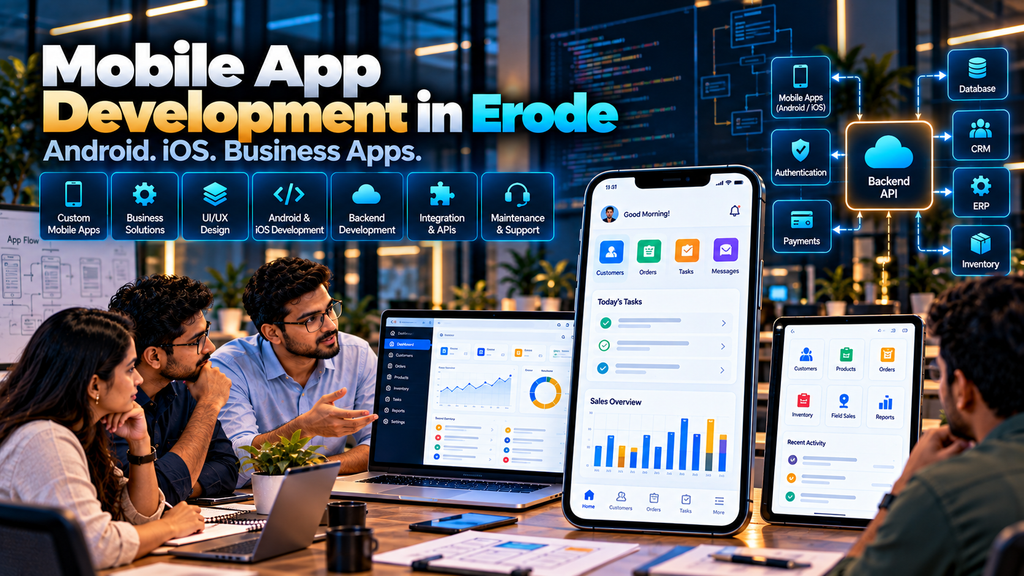
Choosing a mobile app development company in Erode should begin with a simple question: does your business actually need a mobile application?
For some businesses, a mobile app can provide customers, employees, dealers, sales representatives or service teams with a convenient way to interact with important business processes.
For others, a responsive website or web application may already provide everything required without the additional development and maintenance involved in operating a dedicated mobile app.
That is why mobile app development should begin with the business requirement rather than simply deciding that every company needs an app.
This guide explains what business owners should understand about Android and iOS applications, cross-platform development, backend systems, APIs, integrations, security, development cost, maintenance and choosing an app development partner.
At Greap Technologies, we provide mobile application, custom software, website and ecommerce development solutions for businesses in Erode and nearby areas based on project requirements.
What Is Mobile App Development?
Mobile app development is the process of planning, designing, developing, testing, deploying and maintaining software applications intended primarily for mobile devices.
A complete mobile app project can involve more than the screens visible on a smartphone.
Depending on the project, it may include:
- Android application
- iOS application
- Cross-platform application
- UI/UX design
- Backend application
- Database
- APIs
- Authentication
- Web administration panel
- Push notifications
- Payment integration
- Business-software integration
- Analytics
- Security controls
- Testing
- Deployment
- Maintenance and support
Why Do Businesses Develop Mobile Apps?
Businesses can consider mobile applications when customers or employees need convenient access to a recurring digital workflow.
Examples can include:
- Customer ordering
- Appointment booking
- Field sales
- Service requests
- Dealer ordering
- Delivery workflows
- Employee self-service
- Customer accounts
- Business dashboards
- Notifications
The app should solve a specific problem rather than exist only because competitors have mobile applications.
1. Start With the Business Requirement
Before selecting technology, define what users need to accomplish.
Ask:
- Who will use the app?
- Why will they use it?
- How frequently will they use it?
- What information will they need?
- What actions should they perform?
- Does the business already have software that the app must connect with?
- Could the requirement be handled effectively by a responsive website?
2. Identify the App Users
The type of user can completely change the application design.
Potential users include:
- Customers
- Employees
- Sales representatives
- Dealers
- Distributors
- Drivers
- Service technicians
- Managers
A customer ecommerce app and an internal field-sales application require very different experiences.
3. Decide Whether You Actually Need a Mobile App
A dedicated app is not automatically the right solution.
Businesses should compare three possibilities:
| Solution | Typical Use |
|---|---|
| Responsive Website | Public information, marketing, enquiries and browser-based customer journeys |
| Web Application | Interactive business workflows accessible through a browser |
| Mobile Application | Mobile-focused recurring workflows where app-specific functionality provides clear value |
4. Mobile App vs Responsive Website
A responsive website can work across phones, tablets and desktops without requiring users to install an application.
A mobile application can be considered when the business requires capabilities or usage patterns that justify a dedicated app experience.
The decision should consider:
- User frequency
- Required device capabilities
- Offline requirements
- Notification requirements
- Authentication
- Performance expectations
- Maintenance
- Budget
Explore Website Development Services if a responsive website may be sufficient for your requirement.
5. Mobile App vs Web Application
A web application runs through a browser, while a mobile application is typically installed on a device.
Internal business software often works well as a responsive web application.
Dedicated mobile applications can become more relevant when workflows depend heavily on mobile usage, device integration, offline behaviour or app-specific functionality.
6. Android App Development
An Android application is developed for supported Android devices.
Businesses considering Android development should think about:
- Target users
- Supported devices
- Operating-system compatibility
- Screen sizes
- Performance
- Permissions
- Testing
- Distribution requirements
7. iOS App Development
An iOS application targets supported Apple mobile devices.
Development should consider the required functionality, supported OS versions, device behaviour, permissions, testing and applicable distribution requirements.
8. Native Mobile App Development
Native development generally means developing specifically for a particular mobile platform using technologies designed for that platform.
It can be considered when the project requires platform-specific implementation or extensive use of particular device capabilities.
However, maintaining separate platform-specific applications can require additional development effort.
9. Cross-Platform Mobile App Development
Cross-platform frameworks allow developers to share significant parts of an application’s codebase across supported mobile platforms.
This can be useful for many business applications, but suitability depends on the app’s functionality, integrations, performance requirements and device capabilities.
10. Flutter App Development
Flutter is one approach developers may consider for cross-platform application development.
Technology selection should not be based only on framework popularity.
The development team should evaluate:
- Project requirements
- Required platforms
- Device features
- Backend architecture
- Third-party integrations
- Maintenance
- Team expertise
11. Native vs Cross-Platform App Development
| Factor | Native Development | Cross-Platform Development |
|---|---|---|
| Codebase | Typically platform-specific | Significant code can be shared |
| Platform Features | Direct platform-specific development | Depends on framework and available integrations |
| Development Scope | Separate platform work may be required | Can reduce duplicated implementation for suitable projects |
| Maintenance | Platform-specific maintenance | Shared and platform-specific maintenance may both be required |
| Suitability | Depends on requirements | Depends on requirements |
Neither approach is universally better.
12. Customer Mobile App Development
A customer-facing application can provide authorized customers with access to relevant services.
Features may include:
- Account creation
- Login
- Profile
- Products or services
- Orders
- Appointments
- Payments
- Notifications
- Support
The required features depend on the business model.
13. Business Mobile App Development
Not every mobile application needs to be public.
Businesses can develop applications for internal operations such as:
- Field sales
- Attendance
- Approvals
- Service teams
- Warehouse activities
- Delivery
- Management reporting
14. Field Sales Mobile Apps
Businesses with employees visiting customers may use a mobile application to support field workflows.
Features can include:
- Today’s visits
- Customer details
- Lead information
- Follow-up tasks
- Product catalogue
- Quotation requests
- Order entry
- Expenses
- Visit outcomes
Location information should only be collected when there is a legitimate business requirement, with suitable policies and controls.
Read Field Sales Management Software for Businesses in Erode.
15. Dealer and Distributor Mobile Apps
Manufacturers and brands may provide authorized dealers with an application for recurring business workflows.
Potential functionality includes:
- Dealer login
- Product catalogue
- Dealer pricing
- Order placement
- Order history
- Order status
- Claims
- Documents
- Notifications
Read Dealer and Distributor Management Software Development in Erode.
16. Ecommerce Mobile App Development
An ecommerce mobile application can allow customers to browse products and complete supported purchasing workflows.
Features can include:
- Product categories
- Search
- Filters
- Product pages
- Cart
- Checkout
- Payment
- Orders
- Customer account
- Notifications
However, an ecommerce business should first determine whether a dedicated app provides enough value beyond its responsive online store.
Explore Ecommerce Development Services.
17. Service Booking Mobile Apps
Service businesses may require mobile applications for customer bookings.
A typical workflow can be:
Customer → Service Selection → Date / Time → Booking → Confirmation → Service Status
The exact process should reflect how the business schedules and delivers services.
18. Employee Mobile Applications
An employee application can potentially provide self-service access to authorized HR information.
Depending on requirements, employees may access:
- Attendance information
- Shift information
- Leave requests
- Leave status
- Payslips
- Company announcements
Employee and payroll information requires appropriate privacy and access controls.
Read Employee Attendance and Payroll Software Development in Erode.
19. Delivery and Logistics Mobile Apps
Transport and delivery operations may use mobile applications for relevant driver or delivery workflows.
Potential features can include:
- Assigned trips
- Delivery information
- Delivery status
- Proof of delivery
- Documents
- Approved location-assisted functionality
Read Transport and Logistics Management Software Development in Erode.
20. Mobile App UI/UX Design
A mobile interface has limited screen space.
The most important actions should therefore be easy to identify.
UI/UX planning can include:
- Navigation
- Screen hierarchy
- Forms
- Buttons
- Search
- Filters
- Feedback messages
- Loading states
- Error states
21. Keep Mobile Workflows Focused
A common mistake is attempting to copy every screen from desktop software directly into a mobile application.
Mobile workflows should prioritize tasks users genuinely need while using a phone.
22. App Navigation
Navigation should help users reach common actions without unnecessary complexity.
The correct navigation pattern depends on the number of sections and user workflow.
23. Mobile Forms
Long forms can become difficult on small screens.
Forms should request only information required for the task and use appropriate input controls.
24. App Accessibility
Accessibility should be considered during interface design.
Relevant considerations can include:
- Readable text
- Clear labels
- Sufficient interaction target sizes
- Logical focus and navigation
- Meaningful feedback
- Appropriate contrast
25. Mobile App Backend Development
Many mobile applications depend on a backend system.
The backend can manage:
- Users
- Authentication
- Business rules
- Data
- Permissions
- Notifications
- Integrations
The mobile application and backend should be planned together.
26. Database Development
The database stores information required by the application.
Database design should consider:
- Data relationships
- Validation
- Access control
- Performance
- Backups
- Retention requirements
27. API Development for Mobile Apps
APIs commonly connect a mobile application with its backend or other systems.
An API may support actions such as:
- Login
- Retrieving products
- Creating orders
- Updating tasks
- Retrieving customer information
- Uploading approved files
APIs should use appropriate authentication, authorization, validation and security controls.
28. Admin Panel Development
Many customer-facing applications also need a web-based administration interface.
Depending on the app, administrators may manage:
- Users
- Products
- Orders
- Services
- Bookings
- Content
- Notifications
- Reports
29. CRM Integration
A mobile application can potentially exchange approved information with a CRM.
For example:
Mobile Enquiry → CRM → Sales Assignment → Follow-Up → Quotation
Integration feasibility depends on available APIs and system architecture.
30. ERP Integration
A business application may need information from an ERP.
Potential integration areas include:
- Customers
- Products
- Inventory
- Orders
- Order status
- Other approved business information
The development team should define which system is the source of truth for each type of information.
31. Inventory Integration
Applications displaying inventory should clearly define whether stock information is:
- Real-time
- Periodically synchronized
- Manually updated
Do not present delayed inventory information as live stock if the architecture does not support real-time synchronization.
32. Payment Gateway Integration
Customer-facing applications may integrate with supported payment providers.
Availability depends on:
- Payment provider
- Business eligibility
- Region
- Account configuration
- Technical support
Sensitive payment credentials should be handled through appropriate secure provider-supported workflows rather than stored unnecessarily by the application.
33. Push Notifications
Push notifications can communicate relevant updates to users who have granted the necessary permissions.
Examples can include:
- Order updates
- Appointment reminders
- Task updates
- Relevant account notifications
Notifications should provide value rather than becoming excessive or disruptive.
34. SMS and Email Integration
Applications can also connect with supported SMS and email providers for transactional communication.
Costs, delivery behaviour and capabilities depend on the selected provider.
35. Business Messaging Integration
Where a business requires messaging functionality, integration should use supported official business technologies and APIs.
A mobile application should not depend on unsupported automation methods for important business workflows.
36. Location Services
Some applications legitimately require location functionality.
Examples can include:
- Delivery workflows
- Customer-selected location
- Field-service visits
- Navigation-related functions
Location data should be collected only when required, with suitable permission handling, access controls and retention decisions.
37. Camera Integration
An application may require camera access for a specific workflow such as capturing approved business documents, delivery evidence or product information.
The application should request only permissions necessary for its functionality.
38. File and Document Uploads
Some business apps allow authorized users to upload files.
File-upload functionality should consider:
- Allowed file types
- File size
- Access control
- Storage
- Validation
- Security
39. Barcode and QR Workflows
Where suitable, device cameras or supported hardware can assist barcode or QR-based business workflows.
Possible uses include:
- Warehouse operations
- Inventory lookup
- Product identification
- Delivery processes
The implementation should match the barcode format and operational requirements.
40. Offline Mobile App Functionality
Some field applications need to continue selected tasks when connectivity is unavailable.
Offline functionality requires careful planning.
The development team needs to define:
- Which information is stored on the device
- Which actions can happen offline
- When synchronization occurs
- How conflicting edits are resolved
- How locally stored data is protected
41. Authentication
Applications containing user-specific information typically require authentication.
The appropriate method depends on the application’s security requirements and user experience.
42. Role-Based Access
Internal business applications can have several user roles.
| Role | Example Access |
|---|---|
| Administrator | Configured administrative functions |
| Manager | Authorized team information and approvals |
| Employee | Assigned operational functions |
| Dealer | Authorized dealer information |
| Customer | Own authorized account information |
43. Mobile App Security
Security should be considered throughout development.
Depending on the application, controls can include:
- Secure authentication
- Authorization
- Encrypted communications
- Secure API design
- Input validation
- Session and token management
- Secure data storage
- Dependency updates
- Logging
- Backend security
44. Protect Sensitive Business Data
Applications involving employee, customer, financial, healthcare or other sensitive information require additional care.
The organization should determine what information users genuinely need and limit access accordingly.
45. Avoid Storing Unnecessary Data on the Device
Mobile devices can be lost, shared or replaced.
Applications should avoid retaining sensitive information locally when it is not necessary for the workflow.
46. App Permissions
Applications should request permissions that are genuinely required.
Permissions may involve:
- Camera
- Location
- Notifications
- Photos or files
- Other device capabilities
The requirement and user experience should be considered before requesting each permission.
47. Mobile App Privacy
Businesses should understand:
- What information the app collects
- Why it is collected
- Where it is stored
- Who can access it
- How long it is retained
- Which external services receive it
Applicable privacy and legal requirements should be determined by the business with appropriate professional guidance where necessary.
48. Mobile App Performance
An application should be tested under realistic conditions.
Performance considerations can include:
- App startup
- API response behaviour
- Images
- Large lists
- Network conditions
- Background operations
- Device capabilities
49. Mobile App Testing
Testing should cover real user journeys rather than only individual screens.
Testing can include:
- Functional testing
- Device testing
- Screen-size testing
- API testing
- Permission testing
- Authentication testing
- Integration testing
- Network-condition testing
- Error handling
- Security-related testing
50. Test Different Devices
Mobile applications may behave differently across devices, screen sizes and supported operating-system versions.
The testing strategy should reflect the target user base.
51. Test Slow or Unstable Networks
Applications should not be tested only on fast office internet.
Where relevant, developers should verify how important workflows behave when network connectivity is slower or temporarily interrupted.
52. Test Error Scenarios
Testing should include what happens when:
- Login fails
- An API is temporarily unavailable
- A payment does not complete
- An upload fails
- Network connectivity disappears
- Invalid information is submitted
53. User Acceptance Testing
Selected real business users should validate whether the application supports the agreed workflow before broad production rollout.
This is particularly important for internal operational apps.
54. App Distribution
Distribution depends on the type of application and target users.
A public customer application and an internal business application may require different distribution approaches.
The development team should plan distribution requirements early rather than treating deployment as the final technical step.
55. App Store Submission
Public mobile applications may need to go through the applicable platform’s submission and review processes.
Businesses should understand that publication is subject to the platform’s current requirements and review process.
A development company should not promise guaranteed approval.
56. App Store Account Ownership
Where appropriate, businesses should clarify who owns and controls the accounts used to distribute their application.
This becomes important for:
- Future updates
- Application information
- Team access
- Long-term ownership
57. Mobile App Analytics
Analytics can help businesses understand how users interact with an application.
Depending on the app, measurement can include:
- Feature usage
- Important workflow completion
- Errors
- Other relevant product events
Analytics should be implemented with appropriate privacy considerations.
58. Crash and Error Monitoring
Production applications can benefit from appropriate technical monitoring so developers can investigate errors and stability problems.
Monitoring should avoid collecting unnecessary sensitive user information.
59. Mobile App Maintenance
Launching an application does not end development responsibilities.
Maintenance can include:
- Bug fixes
- Security updates
- Dependency updates
- Operating-system compatibility
- API changes
- Third-party integration changes
- Performance improvements
- Feature enhancements
60. Backend Maintenance
If an application depends on APIs, databases and servers, those systems also require ongoing maintenance.
The maintenance agreement should clarify responsibilities for both the mobile application and its backend infrastructure.
61. Plan for Operating-System Changes
Mobile operating systems, platform requirements and third-party SDKs evolve.
Applications may therefore require updates over time even when the business has not requested a new feature.
62. Third-Party SDK Maintenance
Apps may depend on third-party libraries or services for functionality such as payments, maps, analytics or notifications.
Those dependencies can introduce their own updates, policies and costs.
63. Mobile App Scalability
Scalability should be planned according to realistic usage expectations.
Growth can involve:
- More users
- More transactions
- More data
- More branches
- Additional features
- New integrations
Building for realistic growth is different from unnecessarily over-engineering the first release.
64. Build an MVP When Appropriate
An MVP, or Minimum Viable Product, can focus the first version on the workflows needed to validate the application.
A possible approach is:
Core Users → Core Workflow → Backend → Testing → Initial Release → Feedback → Planned Enhancements
An MVP should still meet the security, privacy and reliability requirements of the functionality it includes.
65. Avoid Building Every Feature in Version One
Trying to include every possible idea in the first version can increase complexity and delay validation of the core workflow.
Separate features into:
- Essential for launch
- Important but can follow
- Future possibilities
66. How Much Does Mobile App Development Cost in Erode?
There is no single price for mobile application development.
Cost can depend on:
- Android, iOS or both
- Native or cross-platform development
- Number of screens
- User roles
- UI/UX complexity
- Backend development
- Admin panel
- Database
- APIs
- Payment integration
- Location functionality
- Offline functionality
- Third-party integrations
- Data migration
- Security requirements
- Testing
- Deployment
- Maintenance
A simple internal application and a multi-role customer platform connected to ERP, payments and logistics are very different development projects.
67. Why App Development Quotations Can Differ
Two quotations labelled “mobile app development” may include completely different scopes.
One may include only the mobile interface, while another may include:
- UI/UX design
- Android application
- iOS application
- Backend
- Admin panel
- Database
- APIs
- Integrations
- Testing
- Deployment
- Support
Compare scope before comparing price.
68. Third-Party Mobile App Costs
Businesses should also identify external costs where applicable.
These can include:
- Cloud infrastructure
- Domain
- Messaging services
- Email services
- Mapping services
- Payment providers
- External APIs
- Licensed SDKs
- Distribution-related accounts or services
Third-party pricing and policies can change independently of the development company.
69. How Long Does Mobile App Development Take?
The timeline depends on the project’s scope.
Factors include:
- Requirement clarity
- UI/UX
- Number of platforms
- Backend development
- Integrations
- Offline requirements
- Testing
- Feedback
- Approval cycles
- Deployment requirements
A timeline should be estimated after the project requirements are understood.
70. Mobile App Development Process
A structured project can follow:
Discovery → Requirements → User Flows → UI/UX → Architecture → Development → APIs → Integrations → Testing → User Acceptance → Deployment → Maintenance
71. Requirement Discovery
The development company should understand:
- Business objective
- Target users
- User problems
- Core workflows
- Existing systems
- Required integrations
- Security considerations
72. User Flow Planning
Before visual design begins, important user journeys can be mapped.
For example:
Login → Customer → Product → Quantity → Order → Confirmation
Mapping the flow can reveal missing requirements early.
73. Wireframing
Wireframes can help define screen structure and workflow before detailed visual design and development.
This can reduce unnecessary rework when requirements are still being refined.
74. UI Design
After important flows are agreed, detailed mobile interfaces can be designed.
The design should consider usability, brand consistency, device constraints and the importance of each action.
75. Development and Integration
The mobile interface, backend, database, APIs and required integrations are developed according to the agreed architecture.
Complex integrations should be validated early where possible because external systems can introduce technical limitations.
76. Testing and User Acceptance
Developers should test technical behaviour while business users verify that the application supports the intended workflow.
Both are necessary before a wider rollout.
77. Deployment and Launch
Deployment can involve:
- Production backend
- Database configuration
- Environment configuration
- Distribution setup
- Monitoring
- Final production checks
78. Post-Launch Improvement
After launch, businesses can use genuine user feedback and product data to prioritize improvements.
Feature development should be driven by clear user and business requirements rather than adding functionality simply to make the application appear larger.
How to Choose a Mobile App Development Company in Erode
A development partner should be evaluated across business understanding, technical capability and long-term support.
Consider:
- Requirement analysis
- Relevant app-development experience
- UI/UX capability
- Android and iOS understanding
- Backend development
- API development
- Database experience
- Integration capability
- Security practices
- Testing process
- Deployment support
- Maintenance
Questions to Ask an App Development Company
- Does our requirement actually need a mobile app?
- Should we build Android, iOS or both?
- Would native or cross-platform development fit our project?
- What features should be included in the first version?
- Will the project require a backend and admin panel?
- How will APIs be developed?
- Can the app integrate with our existing software?
- How will authentication and permissions work?
- How will sensitive data be protected?
- Will offline functionality be required?
- What third-party services will be used?
- What testing is included?
- Who controls the distribution accounts?
- What ongoing costs should we expect?
- What maintenance is required after launch?
- How are future features estimated?
Mobile App Development Company Evaluation Checklist
| Area | What to Evaluate |
|---|---|
| Business Understanding | Does the team understand why the app is required? |
| Platform Strategy | Can they explain Android, iOS and cross-platform choices? |
| UI/UX | Are important mobile workflows simple and clear? |
| Backend | Can the team build and maintain the required backend? |
| APIs | Are integrations and data flows planned properly? |
| Security | Are authentication, permissions and data protection considered? |
| Testing | Will the app be tested across relevant devices and workflows? |
| Ownership | Are code, data and account responsibilities clear? |
| Maintenance | Is post-launch technical maintenance available? |
| Cost | Is pricing based on a clearly defined scope? |
Common Mobile App Development Mistakes
- Building an app without a clear business requirement
- Copying a website directly into an app
- Adding too many features initially
- Ignoring backend architecture
- Ignoring slow network conditions
- Requesting unnecessary device permissions
- Collecting unnecessary user data
- Ignoring security
- Assuming every third-party integration is possible
- Skipping real-user testing
- Not clarifying account ownership
- Not planning maintenance
Freelancer vs Mobile App Development Company
Both freelancers and development companies can deliver mobile applications.
The appropriate choice depends on project complexity.
Evaluate:
- UI/UX requirements
- Mobile development experience
- Backend capability
- API development
- Integrations
- Testing
- Deployment
- Maintenance
- Support
The provider type alone does not determine project quality.
Mobile App Development for Manufacturers in Erode
Manufacturers may use mobile applications for:
- Dealer ordering
- Field sales
- Approvals
- Inventory visibility
- Production updates
- Dispatch information
- Management dashboards
A mobile app can work as one interface within a larger business software system.
Mobile App Development for Wholesalers and Distributors
Wholesale and distribution businesses may require:
- Dealer apps
- Sales-representative apps
- Product catalogues
- Customer-specific pricing
- Order entry
- Order history
- Delivery status
Mobile App Development for Service Businesses
Service companies may use applications for:
- Appointments
- Customer requests
- Field-service tasks
- Service status
- Payments
- Customer support
Mobile App Development for Ecommerce Businesses
Ecommerce companies can consider dedicated applications when customer behaviour and business requirements justify an app alongside the website.
The website should not be neglected simply because a mobile application is introduced.
Mobile App Development in Erode and Nearby Areas
Greap Technologies provides mobile app, software, ecommerce and website development services for businesses in Erode and nearby areas including Perundurai, Bhavani, Gobichettipalayam, Sathyamangalam, Anthiyur, Chennimalai, Modakkurichi, Kavindapadi, Nambiyur, Kodumudi and surrounding locations.
Local content should represent genuine service coverage rather than creating many nearly identical location pages solely for search engines.
Why Consider Greap Technologies for Mobile App Development in Erode?
Greap Technologies provides mobile application and custom software development solutions based on business requirements.
Depending on project scope, development can involve:
- Requirement analysis
- User-flow planning
- UI/UX design
- Android applications
- iOS applications
- Cross-platform applications
- Business mobile applications
- Customer applications
- Backend development
- Admin dashboards
- Database development
- API development
- CRM integration
- ERP integration
- Payment integration
- Business-software integration
- Testing
- Deployment
- Maintenance and support
The technology and application architecture should be selected after understanding users, workflows, integrations, security requirements and long-term maintenance needs.
Explore Greap Technologies, Website Development Services, Ecommerce Development Services, SEO Services and Digital Marketing Services.
Final Checklist Before Starting Mobile App Development
Before approving the project, confirm:
- Why the app is required
- Who will use it
- Which workflows belong in the app
- Whether a responsive web application would be sufficient
- Android, iOS or both
- Native or cross-platform approach
- Backend requirements
- Admin-panel requirements
- API requirements
- Integrations
- Offline requirements
- Security requirements
- Data and privacy requirements
- Third-party costs
- Testing requirements
- Account and source-code arrangements
- Maintenance responsibilities
Conclusion
Choosing a mobile app development company in Erode should begin with understanding what users actually need to accomplish on a mobile device.
A successful mobile application is not simply a collection of attractive screens.
A complete system may involve:
Mobile App → API → Backend → Database → Business Software → External Integrations
For a field-sales application, the workflow might be:
Salesperson → Customer Visit → Follow-Up → Quotation → Order → CRM / ERP
For a customer application, it might be:
Customer → Product / Service → Order or Booking → Payment → Status → Support
The right solution may be a native app, cross-platform application, responsive web application or even an improved website. The decision should follow the business requirement rather than a technology trend.
Before choosing a development partner, compare its requirement-analysis process, UI/UX capability, mobile and backend development experience, integration approach, security practices, testing, ownership terms and post-launch support.
Looking for a Mobile App Development Company in Erode?
If your business is planning a customer app, field-sales application, dealer app, employee app, ecommerce app or another custom mobile solution, Greap Technologies can discuss your requirements and help define an appropriate development approach.
Discuss Your Mobile App Project on WhatsApp
Frequently Asked Questions
1. What does a mobile app development company in Erode do?
A mobile app development company can help with requirement analysis, UI/UX, Android and iOS development, cross-platform applications, backend systems, APIs, databases, integrations, testing, deployment and ongoing maintenance.
2. How much does mobile app development cost in Erode?
Cost depends on platforms, features, UI/UX, backend requirements, admin panel, APIs, integrations, offline functionality, security, testing and ongoing support. A meaningful estimate requires a defined project scope.
3. How long does it take to develop a mobile app?
The timeline depends on requirement complexity, number of platforms, UI/UX, backend development, integrations, testing, feedback cycles and deployment requirements.
4. Should my business build Android, iOS or both?
The decision should be based on your target users, device usage, required functionality, budget and product strategy rather than automatically developing for every platform.
5. Is Flutter suitable for business mobile apps?
Flutter can be considered for many cross-platform applications. Its suitability depends on required functionality, platform integrations, performance expectations, maintenance and the development team’s technical approach.
6. Is a mobile app better than a responsive website?
Not universally. A responsive website may be sufficient for many customer journeys. A dedicated app becomes more relevant when recurring mobile usage, offline functionality, notifications or other app-specific requirements provide meaningful value.
7. Can a mobile app connect with existing ERP or CRM software?
Potentially. Integration depends on the external system’s APIs, permissions, documentation and technical capabilities.
8. Can a mobile application work offline?
Selected workflows can be designed for offline use when required. The project must define local data storage, synchronization, conflict handling and security carefully.
9. Can a mobile app accept online payments?
Yes, where an appropriate supported payment provider is available and the business meets the provider’s requirements. Payment integration should follow secure provider-supported workflows.
10. Does a mobile app require maintenance after launch?
Yes. Maintenance can include bug fixes, security updates, operating-system compatibility, dependency updates, API changes, third-party integration maintenance and future enhancements.
11. What should I check before choosing an app development company?
Evaluate requirement analysis, UI/UX, Android and iOS capability, backend development, APIs, integrations, security, testing, deployment, ownership arrangements and post-launch maintenance.
12. Does Greap Technologies provide mobile app development in Erode?
Yes. Greap Technologies provides mobile application, custom software, web application, ecommerce and related development services for businesses in Erode and nearby areas.


