
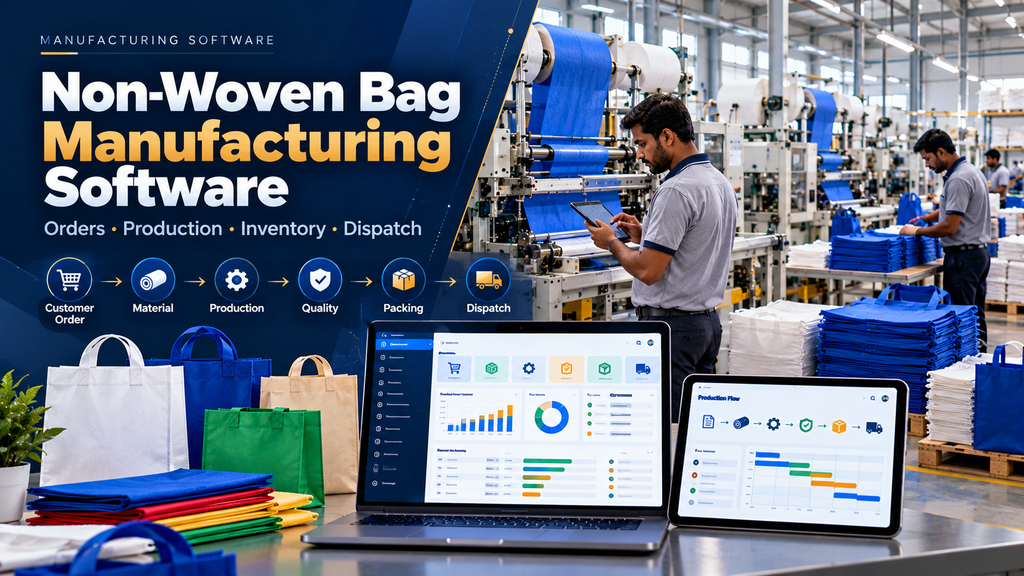
Non-woven bag manufacturing involves more than producing bags from fabric. Manufacturers may need to coordinate customer requirements, quotations, sales orders, raw materials, production planning, machines, printing, cutting, bag making, quality checks, packing, finished stock and dispatch.
When these activities are maintained through spreadsheets, notebooks, paper registers and separate applications, production and inventory information can become difficult to consolidate.
Non-woven bag manufacturing software development in Erode can help manufacturers organize these workflows through a custom digital system designed around their actual factory process.
A properly planned solution can connect sales, stores, production, quality, warehouse and management teams without forcing every manufacturer into the same generic ERP workflow.
At Greap Technologies, we develop custom manufacturing software for businesses in Erode and nearby areas based on their operational requirements.
What Is Non-Woven Bag Manufacturing Software?
Non-woven bag manufacturing software is a production and business management application designed around the workflows involved in manufacturing non-woven bags.
Depending on requirements, it can include:
- Customer management
- Quotation management
- Sales orders
- Product and bag specifications
- Raw-material management
- Purchase management
- Inventory
- Production planning
- Production orders
- Machine allocation
- Production tracking
- Work-in-progress
- Printing workflows
- Cutting and bag-making stages
- Quality workflows
- Packing
- Finished-goods inventory
- Warehouse management
- Dispatch
- Reports and dashboards
- ERP and accounting integrations
Typical Non-Woven Bag Manufacturing Workflow
A simplified workflow can look like:
Customer Requirement → Quotation → Sales Order → Material Planning → Production Order → Manufacturing → Quality → Packing → Finished Goods → Dispatch
The actual workflow depends on the manufacturer’s products, machinery and operating model.
1. Customer Management
Customer records can connect enquiries, quotations, sales orders, manufacturing requirements and dispatch history.
2. Customer Requirement Management
Different customers may require different bag sizes, designs, quantities, colours, printing requirements, packing arrangements or other specifications.
The system can maintain the approved information required for quotation and production.
3. Product Master
A structured product master can help standardize recurring products.
Depending on the business, product records can reference relevant information such as:
- Internal product code
- Bag type
- Approved dimensions
- Material reference
- Colour
- Printing requirement
- Packing configuration
- Other production specifications
The exact technical attributes should be defined by the manufacturer.
4. Custom Bag Specifications
Manufacturers producing customized bags should be able to associate customer-specific requirements with an order without incorrectly changing the standard product master.
5. Quotation Management
Customer requirements can move through a quotation workflow before becoming confirmed orders.
Enquiry → Requirement → Quotation → Customer Approval → Sales Order
Read Quotation and Invoice Management Software Development in Erode.
6. Sales Order Management
Once a customer confirms an order, the relevant information can move into the sales-order workflow.
A sales order can connect:
- Customer
- Product
- Quantity
- Approved pricing
- Required date
- Production requirements
- Packing requirements
- Order status
Read Sales Order Management Software for Manufacturing Businesses in Erode.
7. Make-to-Order Manufacturing
Many customized manufacturing requirements can follow:
Sales Order → Production Requirement → Material Check → Production → Finished Goods → Dispatch
8. Make-to-Stock Manufacturing
Standard products may instead be manufactured for inventory:
Demand / Stock Requirement → Production Plan → Production → Finished Stock → Customer Order
9. Raw Material Management
The software can maintain the raw-material information required by the factory.
Only attributes relevant to purchasing, stores and production should be included.
10. Non-Woven Fabric Roll Inventory
Where non-woven material is stored as rolls, inventory can be maintained according to the identification and unit structure used by the manufacturer.
11. Material Lot or Batch References
If the company requires lot-level traceability, relevant material references can remain connected to receipt, inventory and production transactions.
12. Printing Materials and Other Consumables
Where applicable, printing and other approved production consumables can be maintained within the inventory system.
13. Multiple Stores and Warehouses
Businesses operating separate raw-material and finished-goods storage locations can maintain location-specific inventory.
14. Purchase Management
Raw-material shortages can connect with procurement workflows.
Material Requirement → Stock Review → Purchase Request → Purchase Order → Goods Receipt → Inventory
Read Purchase Order Management Software Development in Erode.
15. Supplier Management
Approved suppliers can be maintained for legitimate purchasing workflows.
16. Goods Receipt
Received materials can be recorded against the appropriate purchase reference before being made available according to the company’s inventory and quality process.
17. Material Requirement Planning
A production requirement can be used to determine the materials required for manufacturing according to approved product and process information.
18. Avoid Blind Automatic Purchasing
A calculated material shortage should not necessarily create an immediate supplier order.
The purchasing process may need to consider existing purchase orders, reserved stock, approved alternatives, production priorities and delivery schedules before a purchase decision is made.
19. Production Planning
Production planners can organize confirmed manufacturing requirements according to materials, machinery, due dates and other relevant operational information.
20. Production Order Management
A production order can provide an internal reference connecting the sales or stock requirement with manufacturing activities.
21. Production Order Numbering
Structured production-order numbers can help connect materials, production entries, quality, packing and finished goods.
22. Machine Master
Relevant manufacturing machines can be represented in the system where machine-level planning or production tracking is required.
23. Machine Allocation
Authorized planners can associate production requirements with appropriate machinery according to the factory’s operational process.
24. Production Scheduling
Planned production orders can be organized into a schedule.
The schedule should remain adjustable by authorized users when production conditions change.
25. Material Issue to Production
Raw materials issued from stores can be associated with the relevant production order.
26. Material Return from Production
Unused material returned to stores should use a proper return transaction rather than directly changing the recorded stock balance.
27. Production Stage Management
The system can represent the manufacturing stages used by the specific factory.
A generalized example might be:
Material → Printing / Preparation → Cutting → Bag Making → Quality → Packing
Not every manufacturer follows this exact process, so the workflow should be configured from actual factory operations.
28. Printing Workflow
Where customer orders require printing, the approved artwork or printing reference can be connected with the production order.
Final artwork approval and production decisions should follow the company’s established process.
29. Artwork Version Control
Where artwork changes occur, version control can help prevent an outdated approved reference from being used unintentionally.
30. Cutting Workflow
If cutting is a separate manufacturing stage, the system can record relevant production progress against the order.
31. Bag-Making Production
The primary bag-production stage can record quantities and statuses according to the manufacturer’s process.
32. Additional Manufacturing Stages
If the business has additional production or finishing operations, those stages can be configured where required.
33. Production Tracking
Authorized users can review recorded progress for active production orders.
Read Production Tracking Software for Manufacturing Companies in Erode.
34. Planned Quantity
The production order can maintain the approved quantity planned for manufacturing.
35. Completed Quantity
Authorized production entries can update the quantity recorded as completed according to defined business rules.
36. Pending Quantity
Where appropriate, the system can calculate outstanding production quantities from approved planned and completed values.
37. Partial Production
A production order should support multiple production entries where manufacturing is completed over several runs or shifts.
38. Shift-Wise Production
Factories that operate multiple shifts can record production according to shift when that information supports genuine production-management requirements.
39. Daily Production
Businesses that do not require shift-level data can use simpler daily production records.
40. Work-in-Progress Tracking
Production that has started but has not reached the defined finished-goods stage can be represented as WIP.
41. Stage-Wise WIP
Where multiple production stages exist, WIP can be organized according to the stage currently recorded for the production order or quantity.
42. Production Hold
Authorized users can place a production order on hold where further operational review is required.
43. Production Exceptions
Software can highlight predefined production conditions requiring attention without automatically assigning blame or assuming a particular cause.
44. Machine-Wise Production Information
Where useful, production entries can be associated with the relevant manufacturing machine.
45. Machine Integration
Direct machine-data integration depends on the equipment, controller, supported communication methods, technical documentation and factory infrastructure.
Integration feasibility should therefore be checked for the actual machinery rather than assumed.
46. Manual vs Automated Production Data
Production data may be entered manually, imported from another system or captured from supported machinery.
The application should clearly reflect how the data was obtained.
47. Real-Time Production Tracking
Software should only describe production information as real-time when updates are actually captured and synchronized at the required frequency.
48. Quality Management
Quality workflows can be introduced at the manufacturing stages required by the company.
Inspection criteria and acceptance decisions should be defined by appropriate production and quality personnel.
49. Incoming Material Quality
If incoming raw materials require inspection, goods receipt can connect to an approved quality workflow.
50. In-Process Quality
Relevant production stages can include quality checks where required.
51. Finished Bag Quality
Completed products can move through the company’s final quality process before becoming dispatch-ready stock.
52. Quality Hold
Products requiring additional review can remain in an appropriate hold status.
53. Rework Workflow
Where a product can be reworked, the system can maintain the appropriate relationship between the original production record and the approved rework activity.
54. Quality Data Should Not Become Worker Scoring
Quality and production records should support process control and traceability. Individual production counts or defects should not automatically be treated as complete measures of employee performance.
55. Packing Management
Approved finished products can move into packing according to customer or product requirements.
56. Packing Configuration
Where the company uses standard packing configurations, these can be associated with relevant products or orders.
57. Finished Goods Management
The system should clearly define when manufactured bags become approved finished-goods inventory.
58. Finished Stock by Product
Finished inventory can be organized according to the manufacturer’s approved product structure.
59. Finished Stock by Customer Order
For make-to-order production, finished goods can remain associated with the corresponding customer order where required.
60. Warehouse Management
Finished products can move into the appropriate warehouse or dispatch-ready location.
Read Warehouse Management Software Development in Erode.
61. Dispatch Management
A connected order-to-dispatch flow can look like:
Sales Order → Production → Quality → Packing → Finished Goods → Dispatch
62. Partial Dispatch
When a customer order is delivered in multiple shipments, the system can maintain dispatched and outstanding quantities.
63. Dispatch Documentation
Relevant approved commercial and logistics documents can be associated with dispatch according to the company’s accounting and compliance process.
64. Transport Integration
Manufacturers with more extensive logistics requirements can connect dispatch with a transport-management system where supported.
Read Transport and Logistics Management Software Development in Erode.
65. Customer Order Tracking
Sales and management users can review the recorded operational status of customer orders without repeatedly collecting information from separate departments.
66. Order-Wise Production History
Relevant production transactions can remain connected to the originating sales or production order.
67. Material Traceability
Where required, raw-material references can remain connected with production transactions according to the manufacturer’s traceability needs.
68. Production Dashboard
A role-specific production dashboard can summarize information such as:
- Open production orders
- Planned production
- Active production
- Recorded WIP
- Orders on hold
- Products awaiting quality review
- Completed production
- Pending packing
- Pending dispatch
69. Sales Order Report
Authorized users can review active and completed sales orders according to relevant business dimensions.
70. Production Order Report
Production orders can be organized by status, product, date or other useful dimensions.
71. WIP Report
The WIP report can organize recorded production that has not yet reached the company’s finished-goods stage.
72. Raw Material Inventory Report
Stores users can review recorded material quantities according to the locations and units defined by the business.
73. Finished Goods Report
Finished-stock information can be organized according to product, customer order, warehouse or other useful dimensions.
74. Production vs Plan Information
Where planned and recorded production information exists, management can review differences in context.
Differences should not automatically be interpreted as employee failure because production results can be influenced by multiple operational factors.
75. Dispatch Report
Dispatch records can be organized by customer, order, product and date.
76. Role-Based Access Control
Users should receive access based on their legitimate business responsibilities.
Possible roles can include:
- Sales user
- Purchase user
- Stores user
- Production planner
- Production supervisor
- Quality user
- Warehouse user
- Dispatch user
- Management user
- Administrator
77. Approval Workflows
Where the business requires approvals for quotations, purchasing, pricing or other controlled transactions, the software can support those workflows.
Unnecessary approval layers should be avoided.
78. Audit Trails
Important changes and transactions can retain appropriate audit information.
79. Responsive Manufacturing Software
A responsive web application can support selected workflows on desktops, tablets and smartphones.
80. Shop-Floor Interface
Production screens should prioritize simple and relevant actions rather than displaying the entire ERP interface to shop-floor users.
81. Barcode and QR Workflows
Where operationally useful, barcode or QR identifiers can support raw materials, production orders, WIP, finished goods or warehouse workflows.
82. Multi-Unit Manufacturing
Manufacturers operating more than one production location can require unit-specific machinery, inventory, users and production information.
83. ERP Integration
Non-woven bag production software can operate as a specialized manufacturing module within a broader ERP architecture.
CRM / Sales → Sales Order → Material Planning → Purchase / Inventory → Production → Quality → Warehouse → Dispatch
Read Manufacturing ERP Software Development in Erode.
84. CRM Integration
Customer enquiries and follow-ups can connect with quotations and subsequent sales orders.
Lead → Requirement → Follow-Up → Quotation → Sales Order → Production
Read WhatsApp CRM and Lead Follow-Up Software for Businesses in Erode.
85. Purchase Order Integration
Material requirements can connect with the procurement process without duplicating purchase records across multiple applications.
86. Warehouse Integration
Raw-material and finished-goods inventory should have clearly defined ownership when manufacturing and warehouse systems are integrated.
87. Accounting Integration
If the manufacturer already uses accounting software, the production system does not necessarily need to recreate the complete financial application.
Relevant approved information can potentially be exchanged where supported.
88. Define the Source of Truth
Connected systems should have clearly defined ownership for important business data.
| Information | Possible Authoritative System |
|---|---|
| Customers | ERP / CRM |
| Sales Orders | ERP / Sales System |
| Purchasing | ERP / Procurement System |
| Raw Material Inventory | ERP / Warehouse System |
| Production Orders | Manufacturing System |
| Production Status | Manufacturing System |
| Finished Goods | ERP / Warehouse System |
| Financial Records | Accounting / Financial System |
89. API Integration
Integration with ERP, CRM, accounting or other applications depends on supported APIs or integration methods, documentation, authentication, permissions and technical architecture.
90. Data Migration
Existing customer, product, material and production information may currently be stored in spreadsheets or older systems.
Only required and reviewed information should be migrated.
91. Clean Master Data Before Migration
Review existing data for issues such as:
- Duplicate customers
- Duplicate products
- Inconsistent product names
- Duplicate material records
- Incorrect units
- Inactive suppliers
- Obsolete products
- Inconsistent warehouse names
92. Security and Backups
Customer, pricing, inventory and production information can be commercially sensitive.
Authentication, authorization, backups, software updates and recovery procedures should be included in implementation planning.
93. Software Performance and Scalability
The architecture should consider expected users, products, production transactions, inventory records, locations, reports and integrations.
94. Benefits of Non-Woven Bag Manufacturing Software
When correctly designed and implemented, potential operational benefits can include:
- Centralized customer-order information
- Structured raw-material records
- Connected production planning
- Production-order visibility
- Recorded WIP information
- Connected quality workflows
- Structured packing records
- Finished-goods visibility
- Connected dispatch information
- Role-specific reports
- Reduced duplicate entry where systems are integrated
Actual outcomes depend on process design, implementation, data quality and user adoption.
95. Custom Software vs Ready-Made Manufacturing ERP
Ready-made manufacturing software can be suitable when its workflows closely match the factory’s requirements.
Custom development can be considered where the company requires specialized product configurations, manufacturing stages, machine workflows, printing, packing, reports or integrations.
Neither approach is automatically better for every manufacturer.
96. Start With an MVP
A focused first version can include:
Customer → Sales Order → Materials → Production Order → Production → Quality → Packing → Dispatch
Additional automation and integrations can be introduced after the core workflow is validated.
97. Phased Implementation
A possible implementation sequence is:
Phase 1: Customers + Products + Sales Orders + Raw Materials
Phase 2: Production Planning + Production Orders + Production Tracking
Phase 3: Quality + Packing + Finished Goods + Dispatch
Phase 4: ERP + Accounting + Machine Integration + Advanced Reporting
98. Non-Woven Bag Manufacturing Software Development Cost in Erode
There is no universal fixed price for custom manufacturing software.
Cost can depend on:
- Number of modules
- Number of users
- Number of manufacturing locations
- Product complexity
- Raw-material workflows
- Production stages
- Machine-level requirements
- Quality workflows
- Packing requirements
- Reports
- Integrations
- Data migration
- Security requirements
- Training
- Maintenance and support
99. Software Development Process
A structured implementation can follow:
Business Study → Factory Workflow Mapping → Requirements → Architecture → UI/UX → Development → Integration → Migration → Testing → UAT → Training → Deployment → Support
100. User Acceptance Testing
Representative users should test realistic factory scenarios before full deployment.
Useful scenarios can include:
- Customer-order creation
- Custom product requirements
- Material receipt
- Production-order creation
- Material issue
- Partial production
- Production-stage updates
- Quality hold
- Rework
- Packing
- Finished-goods transfer
- Partial dispatch
- User permissions
- Reports
- Integrations
Common Non-Woven Bag Manufacturing Software Mistakes
- Starting development without studying the actual factory process
- Using a generic production workflow for every product
- Maintaining duplicate material records
- Ignoring custom customer specifications
- Ignoring artwork version control where printing is involved
- Ignoring partial production
- Ignoring WIP
- Confusing planned production with actual recorded production
- Calling periodic manual updates real-time production monitoring
- Using simplistic production data to score workers
- Ignoring quality-hold and rework workflows
- Maintaining conflicting stock values across applications
- Assuming every manufacturing machine supports direct integration
- Creating reports without clear business purposes
- Migrating unclean legacy data
- Trying to implement every possible feature in the first release
Non-Woven Bag Manufacturing Software in Erode and Nearby Areas
Greap Technologies develops custom manufacturing software for businesses in Erode and nearby areas including Perundurai, Chennimalai, Bhavani, Anthiyur, Gobichettipalayam, Sathyamangalam, Modakkurichi, Kavindapadi, Kodumudi, Nambiyur and surrounding locations.
The software can be planned around the manufacturer’s real order, inventory, production and dispatch workflows rather than simply adding generic ERP modules.
Why Consider Greap Technologies?
Greap Technologies develops custom software around business and manufacturing workflows.
Depending on project requirements, a non-woven bag manufacturing system can include customer management, quotations, sales orders, product specifications, raw materials, purchase management, production planning, machine allocation, production tracking, WIP, quality, packing, finished goods, warehouse, dispatch, dashboards, reports, integrations and role-based access.
Explore Greap Technologies for custom manufacturing software development.
Conclusion
Non-woven bag manufacturing software development in Erode can help manufacturers organize the information connecting customer requirements, materials, production, quality, packing and dispatch.
The complete digital workflow can be designed around:
Customer Enquiry → Quotation → Sales Order → Material Requirement → Purchase / Inventory → Production Planning → Production Order → Manufacturing → Quality → Packing → Finished Goods → Warehouse → Dispatch
The most useful solution is not necessarily the one with the most features. It is the system that accurately represents the factory’s workflow, keeps important information connected and gives each team the information required for its responsibilities.
For businesses requiring a wider connected system, this manufacturing module can form part of a broader Manufacturing ERP Software architecture.
Looking for Non-Woven Bag Manufacturing Software Development in Erode?
If your factory currently manages orders, materials, production, packing and dispatch through spreadsheets, paper records or disconnected applications, Greap Technologies can study your manufacturing workflow and plan a custom system around your requirements.
Discuss Your Manufacturing Software Requirements on WhatsApp
Frequently Asked Questions
1. What is non-woven bag manufacturing software?
It is software designed to organize workflows such as customer orders, raw materials, production planning, manufacturing, WIP, quality, packing, finished goods and dispatch for non-woven bag manufacturers.
2. Can the software manage custom bag orders?
Yes. Customer-specific product requirements can be associated with quotations, sales orders and production orders according to the manufacturer’s workflow.
3. Can it manage raw-material inventory?
Yes. Custom software can support relevant material receipt, inventory, reservation, issue, return and warehouse workflows.
4. Can it manage production orders?
Yes. Confirmed customer or internal requirements can be converted into production orders containing the relevant product, quantity, material and production references.
5. Can the software track production stages?
Yes. Production stages can be configured according to the actual factory workflow and updated through authorized production transactions.
6. Can it track work in progress?
Yes. Production that has started but has not reached the defined finished-goods stage can be represented as WIP according to the company’s workflow.
7. Can it manage quality and rework?
Yes. The application can organize approved quality checks, hold statuses and rework workflows. Technical acceptance criteria should be defined by the appropriate production and quality teams.
8. Can it manage packing and dispatch?
Yes. Finished products can move through packing, finished-goods inventory and full or partial dispatch workflows.
9. Can the software integrate with manufacturing machines?
Potentially. Feasibility depends on the actual equipment, controllers, supported communication methods and available technical documentation.
10. Can it integrate with ERP and accounting software?
Yes, where the external systems provide suitable supported integration methods. The architecture should clearly define which application owns each category of business data.
11. How much does non-woven bag manufacturing software cost in Erode?
Cost depends on modules, users, production workflows, inventory, quality, packing, reports, integrations, migration, security, training and support. A requirement study is needed before estimating a custom project.
12. Does Greap Technologies develop manufacturing software in Erode?
Yes. Greap Technologies develops custom manufacturing and business software for companies in Erode and nearby areas based on their operational and integration requirements.


