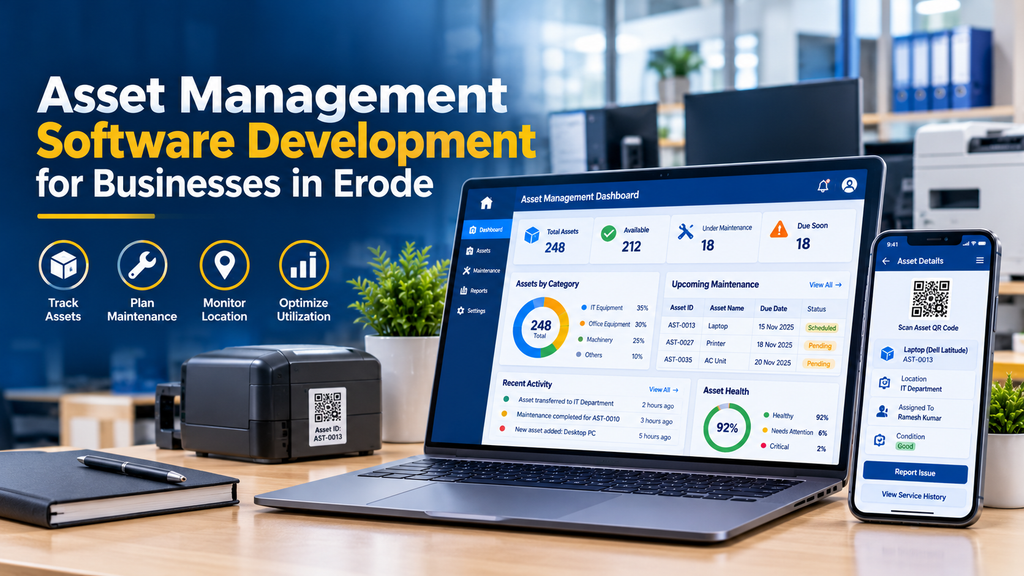
Businesses rely on physical and digital assets to carry out their daily operations. Computers, machinery, office equipment, tools, vehicles, furniture and other resources all require proper identification, allocation and maintenance. When asset records are maintained across spreadsheets, paper registers and separate applications, it can become difficult to identify where equipment is located, who is responsible for it and when it needs servicing.
Looking for asset management software development in Erode? Greap Technologies helps businesses explore custom software solutions for asset tracking, equipment allocation, maintenance scheduling, asset audits and lifecycle record management.
Asset management software provides a central system for recording assets and monitoring their movement throughout a business. Depending on the requirements, employees can register equipment, scan QR codes, request asset transfers, report maintenance issues and check assigned items. Administrators can manage records, review asset status and generate reports.
For growing businesses in Erode and across Tamil Nadu, a well-planned asset management system can make equipment information easier to maintain and support more consistent operational processes.
What Is Asset Management Software?
Asset management software is a business application used to register, track, maintain and manage assets throughout their useful lifecycle.
Each asset can have a unique identification number and a record containing its category, description, serial number, purchase date, location, assigned department, condition and relevant documents. Additional information may include warranty details, maintenance history, transfer records and disposal status.
For example, a manufacturing company may use the system to track production equipment, measuring instruments, computers and tools. An office may use it to manage laptops, printers, monitors, furniture and networking equipment.
The system can also support asset verification, maintenance planning and reporting. Financial depreciation and accounting treatment may require a separate module or integration with accounting software, depending on the business’s requirements.
Why Businesses in Erode Need Better Asset Tracking
As a company grows, its assets may be distributed across offices, departments, branches, warehouses or production areas. Without a consistent tracking process, records can become outdated when equipment is transferred, assigned to another employee, repaired or retired.
A central asset management system can help authorised staff answer practical questions:
- What assets does the business own or manage?
- Where is each asset currently located?
- Which employee or department is responsible for it?
- Is the asset available, assigned, under repair or retired?
- When was the asset purchased, and is its warranty still valid?
- When is its next maintenance activity due?
- When was the asset last physically verified?
For businesses operating across multiple locations, standardised records can also help improve visibility between branches. The actual benefit depends on keeping the data accurate and recording transfers, repairs and other changes consistently.
Which Businesses Can Benefit from Asset Management Software?
Manufacturing Companies
Track machinery, production tools, testing equipment, computers and assets assigned to production departments.
IT Companies and Offices
Manage laptops, desktops, monitors, networking equipment, software licences and employee-assigned devices.
Schools and Colleges
Maintain records for laboratory equipment, computers, projectors, furniture and classroom resources.
Hospitals and Clinics
Track medical equipment, office devices, maintenance schedules and relevant service documentation.
Warehouses and Logistics Businesses
Record material-handling equipment, scanners, tools, storage equipment and assets across facilities.
Retailers and Multi-Branch Businesses
Manage store equipment, point-of-sale devices, computers and assets transferred between branches.
Essential Features of Asset Management Software
1. Centralised Asset Register
An asset register provides a structured record of the equipment and other resources managed by the business.
Depending on the asset type, each record may contain:
- Unique asset ID
- Asset name, category and description
- Manufacturer, model and serial number
- Purchase date and purchase cost
- Supplier and invoice reference
- Current location and department
- Assigned employee or responsible team
- Warranty and maintenance details
- Asset condition and lifecycle status
- Photographs, invoices and supporting documents
Search and filtering tools can help users find assets by ID, category, serial number, employee, location or status. Bulk import from spreadsheets may also be useful when a company already maintains an asset register.
2. QR Code and Barcode Asset Tracking
Each asset can be assigned a QR code or barcode linked to its record. Staff can scan the label using a compatible mobile device or scanner to retrieve the relevant asset information, subject to their permissions.
QR code tracking can support:
- Quick asset identification
- Physical asset verification
- Equipment transfer workflows
- Maintenance request submission
- Access to asset details during inspections
Scanning a code should not automatically grant access to confidential information. The application should validate the user’s permissions before showing sensitive records or allowing changes.
3. Asset Allocation and Employee Assignment
Businesses often assign laptops, phones, tools, instruments and other equipment to individual employees or departments. The software can record who received an asset, when it was assigned and whether it has been returned.
An allocation workflow may include issue dates, handover acknowledgements, return dates, condition checks and transfer approvals. These records help maintain accountability when employees change roles, move between locations or leave the organisation.
4. Asset Location and Transfer Management
The system can record the location of an asset, such as a branch, floor, department, room, warehouse or production area.
When equipment moves between locations, authorised staff can submit a transfer request and update the record after approval. A transfer history can preserve the previous location, new location, date and responsible user.
For multi-branch businesses, access rules can restrict staff to their assigned locations while allowing authorised administrators to view the wider organisation.
5. Maintenance Scheduling and Service History
Some assets require periodic inspection, servicing, calibration or preventive maintenance. The software can store maintenance intervals and generate upcoming service tasks based on configured dates or usage rules.
Maintenance records may include:
- Scheduled maintenance date
- Service provider or assigned technician
- Reported fault or maintenance reason
- Inspection and repair notes
- Parts replaced, where applicable
- Service cost and supporting documents
- Next maintenance date
More advanced systems may support recurring maintenance plans, downtime tracking and integration with maintenance or inventory applications. These capabilities should be specified separately if they are required.
6. Warranty and Purchase Record Management
An asset record can include purchase information, supplier details, warranty start and expiry dates, and links to relevant invoices or warranty documents.
Administrators may receive reminders before warranty expiry or scheduled servicing. When an asset requires repair, staff can review its available purchase and warranty information before following the relevant supplier or service process.
Warranty information should be maintained accurately. The presence of a warranty date in the software does not itself establish that a particular repair is covered by the supplier’s terms.
7. Asset Audits and Physical Verification
Periodic verification helps businesses compare recorded assets with the items physically present at a location. An asset audit module can let staff scan asset labels, confirm locations, update condition and flag records that need investigation.
Possible audit outcomes include:
- Asset verified and location confirmed
- Asset found at a different location
- Asset assigned to a different employee
- Asset damaged or requiring inspection
- Asset not found during the audit
- Asset record requiring correction
Audit findings should be reviewed by authorised personnel before permanent changes are made to the asset register.
8. Asset Lifecycle and Disposal Records
Asset management extends beyond purchasing and allocation. Businesses may also need to record repairs, upgrades, transfers, decommissioning and disposal.
A lifecycle record can preserve important dates, condition updates, approvals and disposal documentation. This creates a clearer history of what happened to an asset during its time with the organisation.
9. User Roles and Approval Workflows
Different users need different levels of access. A practical system may provide separate roles for administrators, department managers, asset custodians, employees, technicians and auditors.
Depending on the workflow, the software can support approvals for:
- New asset registration
- Asset assignment and return
- Transfers between locations
- Maintenance requests
- Asset write-offs and disposal
- Changes to important asset records
Role-based access and activity logs can help protect records and make important changes easier to review.
10. Dashboard and Asset Reports
An administrative dashboard can summarise asset records and highlight activities that require attention.
- Total assets by category and location
- Assets assigned to employees or departments
- Assets awaiting return or transfer approval
- Upcoming maintenance activities
- Assets with approaching warranty expiry
- Assets marked damaged or under repair
- Audit verification status
- Retired and disposed assets
Reports may be exportable to spreadsheet or