Wholesale businesses often supply products to multiple dealers, retailers and resellers. As the dealer network grows, managing product enquiries, wholesale prices, bulk orders, stock availability and delivery updates through phone calls and spreadsheets can become difficult.
Dealer ordering portal development in Erode helps wholesalers, distributors and manufacturers create a centralised online platform where approved dealers can browse products, check their applicable prices, submit orders and track order progress. Instead of depending entirely on sales representatives for routine transactions, dealers can use the portal to manage many ordering activities themselves.
For businesses operating in Erode and across Tamil Nadu, a dealer ordering portal can support more organised communication between the main business, its sales team, warehouse staff and dealer network. The system can also integrate with inventory, accounting or ERP software when suitable integration options are available.
What Is a Dealer Ordering Portal?
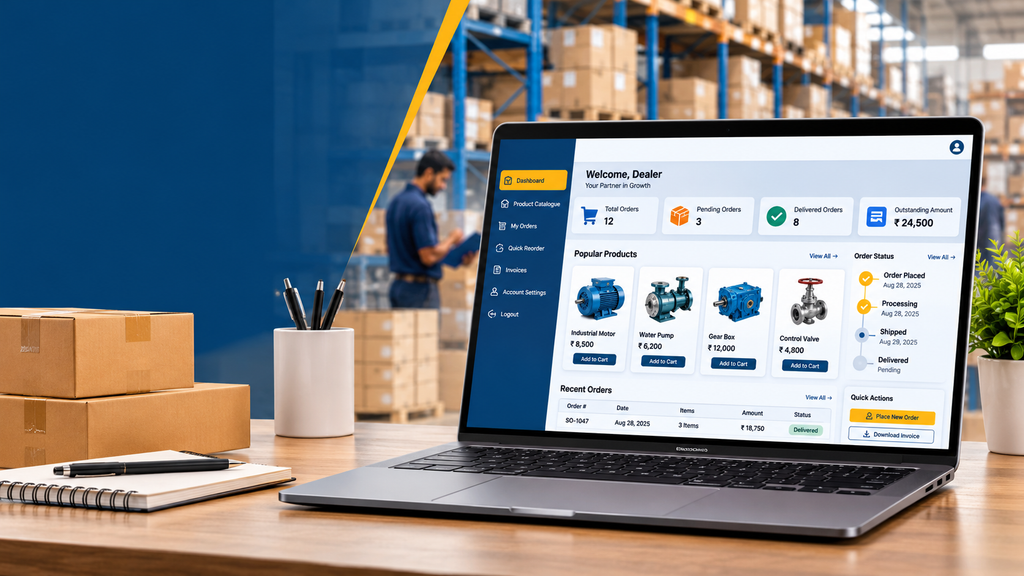
A dealer ordering portal is a business application designed for companies that sell products through an authorised dealer or reseller network. It allows the main business to manage dealer access and ordering rules while giving approved dealers a convenient way to purchase products.
For example, a wholesale distributor in Erode may supply products to retailers in several towns. Each dealer could have different pricing terms, order quantities, payment arrangements or delivery requirements. A dealer portal can display the relevant catalogue and commercial terms after an authorised dealer logs in.
Depending on the business requirements, a dealer ordering portal may include:
- Dealer registration and approval.
- Dealer-specific product catalogues and pricing.
- Bulk quantity ordering.
- Minimum order quantity rules.
- Previous order history and quick reorder.
- Order submission and approval workflows.
- Stock availability information.
- Dispatch and delivery status.
- Invoice and payment status.
- Dealer account and document management.
- Administrative reporting and sales order management.
Not every business requires all these features. The most effective solution is one that reflects the actual wholesale ordering process rather than adding unnecessary complexity.
Who Can Benefit from Dealer Ordering Portal Development in Erode?
A dealer ordering portal can support businesses that sell products through wholesale, distribution or authorised reseller channels. The specific features depend on the products, dealer relationships and order fulfilment process.
1. Textile and Garment Wholesalers
Manage dealer orders for fabrics, garments, uniforms, textile products and related supplies. Product variants, sizes, colours and minimum quantities can be incorporated into the ordering workflow.
2. Electrical and Electronics Distributors
Help approved dealers browse product catalogues, check applicable prices, submit bulk orders and review previous purchases.
3. Industrial Equipment Suppliers
Support dealer enquiries, equipment orders, spare-parts requests, technical documentation and order status tracking.
4. Agricultural Equipment Dealers
Manage orders for agricultural machinery, equipment, accessories and spare parts through a structured dealer interface.
5. FMCG and Consumer Goods Distributors
Provide repeat ordering, product quantity selection, carton or case ordering and delivery status visibility for authorised retailers.
6. Building Material Wholesalers
Coordinate dealer orders for construction supplies, tools, hardware and related products with quantity rules and dispatch updates.
Businesses serving customers in Erode, Perundurai, Bhavani, Gobichettipalayam and other areas can use a web-based portal to organise ordering across their dealer network. The portal should reflect the company’s actual service and delivery coverage.
Essential Features of Dealer Ordering Portal Development
1. Dealer Registration and Account Approval
A dealer portal commonly serves approved business customers rather than allowing unrestricted wholesale purchases. Dealer registration helps the company collect information and approve accounts before providing access to protected features.
Possible functions include:
- Dealer registration forms.
- Business name and contact details.
- Billing and delivery addresses.
- Dealer category or assigned sales region.
- Tax and business documents, where required.
- Internal account verification and approval.
- Account activation, suspension and updates.
- Secure login and password recovery.
For existing dealer networks, administrators may create accounts in bulk or invite dealers directly. The system should limit access to account information according to each user’s permissions.
2. Dealer-Specific Pricing
Wholesale businesses may offer different prices depending on dealer agreements, purchase quantities, product categories or sales arrangements. Displaying the same price to every dealer may not match the company’s commercial model.
A portal can support pricing rules such as:
- Dealer-specific price lists.
- Different prices for approved dealer categories.
- Quantity-based pricing.
- Volume discounts.
- Product-specific commercial terms.
- Minimum order quantities.
- Orders requiring a quotation before confirmation.
Pricing rules should be clearly defined before development. Confidential dealer prices must be protected so that one dealer cannot view another dealer’s negotiated rates.
3. Wholesale Product Catalogue
A well-organised catalogue helps dealers find products and prepare orders without repeatedly asking the sales team for basic information.
Product information may include:
- Product name, SKU or item code.
- Product images and descriptions.
- Sizes, colours, models or other variants.
- Pack size, carton quantity or unit of measurement.
- Minimum order quantity.
- Applicable dealer price.
- Stock or availability information, when reliable.
- Product categories and search filters.
Businesses selling products with multiple variants should pay particular attention to product data. Clear item codes, units and packaging rules help reduce ordering mistakes.
4. Bulk Order Placement
Wholesale buyers often order many products or large quantities at once. The portal should make bulk ordering straightforward rather than forcing dealers to add every item through a slow, repetitive process.
Depending on the requirements, ordering features can include:
- Quantity entry directly from product listings.
- Bulk quantity validation.
- Minimum and maximum order rules.
- Pack-size and carton quantity controls.
- Multiple products in one order.
- Purchase order reference fields.
- Order notes and delivery instructions.
- Draft orders and order confirmation.
For dealers who routinely purchase the same products, a quick-order page with item codes and quantity fields may be more useful than a traditional consumer-style shopping experience.
5. Quick Reorder and Order History
Many dealers make repeat purchases. A portal can display past orders and let authorised dealers use previous orders as a starting point for new ones.
Useful features include:
- Order history and order details.
- Reorder options for previous purchases.
- Frequently ordered products.
- Saved product lists.
- Order duplication with editable quantities.
- Order status and delivery references.
A reorder function should revalidate current prices, product availability and minimum order quantities. It should not blindly copy outdated pricing or assume that previously purchased products remain available.
6. Shopping Cart and Order Submission
The portal can provide a cart or order summary where dealers review their selections before submitting a purchase request.
Depending on the business process, this stage may include:
- Product and quantity review.
- Applicable pricing and discounts.
- Minimum order validation.
- Billing and delivery address selection.
- Purchase order number entry.
- Requested delivery date.
- Final order submission.
- Confirmation and order reference number.
Some wholesale businesses may allow orders to be confirmed automatically. Others may require internal review because of stock availability, credit terms, negotiated pricing or other commercial conditions.
7. Stock Availability and Inventory Integration
Dealers need useful information about product availability before placing orders. The portal can display stock information when it receives reliable data from the company’s inventory system.
Possible capabilities include:
- Available stock indicators.
- Out-of-stock product handling.
- Backorder requests, if supported.
- Expected replenishment information.
- Warehouse-specific availability, where relevant.
- Stock reservation rules during order processing.
Stock displayed in the portal should be clearly defined. For example, physical stock, available-to-promise stock and stock already reserved for other orders are not necessarily the same. An integration may be needed to keep this information accurate.
8. Order Tracking and Delivery Updates
After submitting an order, dealers often need to know whether it has been accepted, processed, dispatched or delivered. A portal can display these milestones and reduce routine status enquiries.
Typical order statuses include:
- Order submitted.
- Awaiting review.
- Order confirmed.
- Processing or packing.
- Ready for dispatch.
- Dispatched.
- Delivered or completed.
- Cancelled, where applicable.
If the business uses a separate warehouse or logistics system, integration may be required to keep delivery information current. Status labels should reflect actual operations and should not imply a delivery has occurred before it is verified.
9. Invoice and Payment Status
Dealers may need access to invoices, payment references and outstanding account information. A portal can provide a central place to review these records, depending on the company’s accounting workflow.
Potential features include:
- Invoice list and invoice downloads.
- Payment status.
- Payment reference details.
- Credit note access, where applicable.
- Account statements.
- Online payment links, if required.
- Notifications for relevant account updates.
Online payment is optional. A wholesale business may continue using its existing payment methods while offering digital access to invoices and order records.
Where balances or credit limits are displayed, the portal should use accurate data from the designated accounting system and restrict access to authorised users.
10. Dealer Credit and Approval Workflows
Some wholesale businesses allow approved dealers to purchase under agreed credit terms. If the portal supports this model, the rules should be carefully defined with the company’s finance team.
Depending on the requirements, the system may display approved payment terms, submit orders for review or flag transactions that require finance approval.
Credit checks, credit limits and payment authorisation should be handled according to the company’s policies. A portal should not automatically approve credit or promise a credit facility simply because a dealer has registered.
11. Notifications and Dealer Communication
Notifications help dealers stay informed about important events without constantly contacting sales representatives.
Possible notification events include:
- Dealer account approval.
- Order submission and confirmation.
- Changes to order status.
- Dispatch updates.
- Invoice availability.
- Payment confirmation.
- Product availability changes, where supported.
Email, in-portal notifications and WhatsApp integration may be considered according to the business requirements. External messaging services can require separate configuration and usage charges.
12. Admin Dashboard and Sales Team Management
The wholesale business needs an administrative interface to manage products, dealer accounts, prices and orders.
Common functions include:
- Dealer account management.
- Product and category management.
- Dealer price list management.
- Order review and approval.
- Inventory and availability visibility.
- Invoice and payment status access.
- Sales reports and order summaries.
- Employee roles and permissions.
- Audit history for important changes.
Permissions should reflect employee responsibilities. For example, a sales employee may manage dealer orders while only authorised finance staff can access sensitive account information or update payment records.
13. ERP, CRM and Accounting Integration
Integration becomes important when the company already manages products, inventory, dealer records, orders or accounts in other business systems.
Depending on the existing software, integration may support:
- Dealer and customer master data.
- Product catalogues and price lists.
- Stock availability.
- Sales order creation.
- Invoice and payment status.
- Customer relationship management records.
- Dispatch and delivery updates.
Integration feasibility depends on the existing software, available APIs, licensing, permissions and data quality. Legacy systems may require additional integration work.
Before development begins, define which system is the authoritative source for each data type. This helps prevent conflicting prices, duplicate orders and inconsistent stock information.
Benefits of a Dealer Ordering Portal for Wholesale Businesses
1. More Convenient Dealer Ordering
Dealers can browse products, enter quantities and submit orders online without relying entirely on phone calls or messages. This can make routine ordering more convenient when the catalogue and pricing information are kept up to date.
2. Better Order Accuracy
Structured product listings, item codes, quantity validation and minimum order rules can reduce errors caused by unclear product names or incomplete order messages.
3. Reduced Routine Follow-Ups
When dealers can check order history, invoices and order status themselves, sales staff may spend less time answering repetitive enquiries. Actual time savings depend on usage and data quality.
4. More Consistent Pricing
Defined pricing rules can help display the correct prices to approved dealers and reduce manual calculation. Staff should still be able to manage exceptions through controlled approval workflows when necessary.
5. Better Visibility Across the Dealer Network
A central dashboard can help authorised employees review incoming orders, pending approvals and order processing status across participating dealers.
6. Support for Repeat Orders
Order history, saved lists and quick reorder functions can make repeat purchasing easier for dealers who regularly buy the same products.
7. Improved Coordination Between Departments
Where suitable integrations are available, sales, warehouse and accounts teams can work with consistent transaction records rather than maintaining separate, conflicting spreadsheets.
8. A Platform That Can Grow With the Business
A portal can start with dealer accounts, product listings and ordering, then expand to include advanced pricing, reporting, integrations or additional dealer workflows as the business requires them.
Dealer Ordering Portal vs B2B Customer Portal
A dealer ordering portal is often a specialised type of B2B customer portal. The main distinction is its focus on repeat wholesale orders from an authorised dealer network.
| Feature | Dealer Ordering Portal | General B2B Customer Portal |
|---|---|---|
| Main purpose | Supports dealers placing wholesale orders. | Provides a wider range of business customer services. |
| Dealer-specific pricing | Often a core requirement. | May be included depending on the business model. |
| Bulk ordering | Usually a key feature. | Optional or dependent on the use case. |
| Repeat purchases | Often prioritised. | May be supported. |
| Quotations | May be included for selected products or orders. | Can be a central workflow. |
| Invoices and account records | Common for ongoing dealer relationships. | Can support broader customer self-service. |
| Dealer network management | Central to the system. | May support other customer types as well. |
A wholesale business may use one portal for dealers and other business customers, provided the pricing, permissions and workflows are configured appropriately.
Custom Dealer Ordering Portal vs Ready-Made Software
Before starting development, compare custom software with existing wholesale ecommerce, dealer management or ERP solutions.
When Ready-Made Software May Be Suitable
- Your wholesale ordering process is relatively standard.
- The software supports dealer-specific prices.
- Bulk ordering and repeat purchases are available.
- Existing inventory and accounting integrations meet your needs.
- Recurring fees and licensing terms fit your budget.
When Custom Development May Be Suitable
- Your dealer pricing rules are specialised.
- You have unique ordering or approval workflows.
- You need integration with existing business software.
- Your product catalogue contains complex variants or quantity rules.
- You require a tailored administrative dashboard.
- Existing products do not meet your operational requirements.
Custom development can provide flexibility but requires planning, testing, maintenance and ongoing support. A ready-made solution may be more economical if it already covers your essential requirements.
Dealer Ordering Portal Development Cost in Erode
The cost depends on the portal’s features, product catalogue complexity, pricing rules, number of user roles and integrations.
The following figures are illustrative planning estimates, not verified Erode market averages or an official Greap Technologies quotation. The final budget should be based on the agreed project scope.
| Portal Type | Illustrative Development Budget | Possible Scope |
|---|---|---|
| Basic Dealer Portal | ₹25,000–₹50,000 | Dealer login, product catalogue, basic order submission and admin dashboard. |
| Standard Wholesale Ordering Portal | ₹50,000–₹1,20,000 | Dealer-specific pricing, bulk ordering, order history and order status tracking. |
| Advanced Dealer Ordering System | ₹1,20,000–₹3,00,000 | Advanced pricing rules, approval workflows, invoice access, reports and more complex order management. |
| Integrated Wholesale Platform | ₹3,00,000 and above | Complex ERP integration, multi-branch operations, advanced business logic and custom reporting. |
These ranges are for preliminary budgeting only. A smaller portal with complex ERP integration can cost more than a larger portal using standard features.
Factors That Affect the Development Cost
- Number of features: Dealer accounts, product catalogues, pricing, order processing and reports each add design and testing work.
- Product complexity: Variants, packaging rules, units of measurement and large catalogues can increase implementation effort.
- Pricing rules: Multiple price lists, discounts and negotiated terms require clearly defined business logic.
- Integration: ERP, inventory, accounting and CRM connections depend on the existing software.
- Data migration: Importing dealer, product and historical order records may require data cleaning.
- Security requirements: Confidential pricing and account data need appropriate access controls.
- Notifications: Email, SMS and WhatsApp services may have additional configuration or usage charges.
- Hosting and maintenance: Infrastructure, monitoring, backups and ongoing support should be budgeted separately.
Other Costs to Consider
Confirm whether the development proposal includes:
- Domain and hosting.
- SSL and infrastructure setup.
- Email delivery services.
- SMS or WhatsApp messaging charges.
- Payment gateway fees, if applicable.
- Third-party software licences.
- ERP or accounting integration costs.
- Data migration and document storage.
- Maintenance, monitoring and backups.
Ask for one-time development charges and recurring costs to be listed separately. This makes it easier to estimate the portal’s total cost of ownership.
How Long Does Dealer Portal Development Take?
The timeline depends on the agreed features, availability of product and dealer data, integration complexity and testing requirements. The following are indicative estimates rather than guaranteed delivery dates.
| Project Scope | Indicative Timeline |
|---|---|
| Basic dealer portal | Approximately 2–4 weeks. |
| Standard wholesale ordering portal | Approximately 4–8 weeks. |
| Advanced dealer ordering system | Approximately 8–14 weeks. |
| Complex integrated wholesale platform | Approximately 3–6 months or longer. |
These estimates can change if the project requires extensive data migration, legacy integrations, complex credit workflows or substantial changes after development begins.
Dealer Ordering Portal Development Process
Step 1: Understand the Wholesale Ordering Workflow
Document how dealers currently browse products, receive prices, submit orders, make payments and receive deliveries. Identify the tasks that should move into the portal.
Step 2: Define Dealer and Employee Roles
Identify dealer types and internal users, such as sales staff, warehouse employees, accounts staff and administrators. Define who can view prices, approve orders and access account information.
Step 3: Prioritise Essential Features
Separate must-have features from future improvements. A first version might include dealer login, product listings, dealer pricing, bulk ordering and order history.
Step 4: Design the Interface
Plan the product catalogue, quick-order screen, cart, dealer dashboard and administrative interface. Prioritise fast ordering and clear product information over unnecessary visual effects.
Step 5: Develop the Portal
Build the frontend, backend, database, pricing rules and order workflows. Add appropriate validation for quantities, product codes, permissions and order submission.
Step 6: Integrate Existing Systems
Connect inventory, ERP or accounting systems where required and technically feasible. Define how prices, stock, orders and invoice information will be synchronised.
Step 7: Test Ordering and Security
Test dealer-specific prices, quantity rules, repeat orders, stock handling, order status, permissions and mobile usability. Ensure dealers cannot access another dealer’s confidential information.
Step 8: Launch and Train Users
Deploy the portal, configure backups and monitoring, and train the employees responsible for managing products, prices and orders. Provide dealers with clear instructions for accessing the system.
Step 9: Review and Improve
Monitor portal usage, ordering problems, customer feedback and integration errors. Use these findings to prioritise future improvements.
Security Requirements for a Dealer Ordering Portal
A dealer portal may contain confidential prices, customer information, purchase history, invoices and credit-related records. Security should be included from the beginning of development.
Important safeguards include:
- HTTPS for data transmission.
- Secure authentication and account recovery.
- Role-based permissions and server-side access checks.
- Protection against common web application vulnerabilities.
- Secure handling of documents and uploaded files.
- Appropriate session management.
- Audit logs for important administrative changes.
- Regular backups and tested recovery procedures.
- Software updates and security testing.
- Restricted access to confidential dealer and financial information.
Security requirements should be appropriate to the sensitivity of the data. The company should also review relevant contractual and regulatory obligations with qualified professionals where necessary.
Mobile-Friendly Dealer Ordering Portal
Dealers and sales representatives may need to place orders while travelling or working away from a desktop computer. A responsive portal can support these activities on smartphones, tablets and desktop screens.
Useful mobile features include:
- Quick access to frequently ordered products.
- Readable product prices and quantity fields.
- Simple bulk-order forms.
- Convenient access to previous orders.
- Clear order confirmation screens.
- Easy invoice downloads.
- Responsive layouts for order tables.
- Efficient loading on slower connections.
A responsive web portal may be sufficient for many wholesale businesses. A separate mobile app should be considered when there are specific requirements that justify the additional development and maintenance effort.
How to Choose a Dealer Portal Development Company in Erode
Choosing a developer involves more than comparing the initial price. The development team should understand wholesale ordering and be able to explain how the proposed system will support your business.
Before selecting a provider, consider the following questions:
- Can the system support dealer-specific prices?
- Does it handle bulk quantities and minimum order rules?
- Can dealers reorder previous purchases?
- How will stock and order status information remain accurate?
- Can the portal integrate with existing software where feasible?
- How will confidential dealer data be protected?
- Are features and exclusions documented in writing?
- Who owns the source code and project-specific assets under the contract?
- What hosting, maintenance and support are included?
- Will employees receive training and technical documentation?
Ask for a written proposal that defines the features, milestones, testing process, payment terms, third-party expenses and post-launch responsibilities.
Why Consider Greap Technologies?
Greap Technologies provides website development, software development and digital growth services for businesses. Wholesale companies considering a dealer ordering portal can begin by identifying their ordering challenges and deciding which processes should be managed through a dedicated digital platform.
A project discussion can cover:
- Dealer account management.
- Wholesale product catalogues.
- Dealer-specific pricing and bulk ordering.
- Repeat orders and order tracking.
- Invoice and payment status visibility.
- Administrative dashboards and employee permissions.
- ERP, inventory and accounting integration requirements.
- Hosting, maintenance and ongoing support.
The recommended scope, technology and budget should be based on the company’s actual workflow, dealer network and existing systems.
Planning a Dealer Ordering Portal for Your Wholesale Business?
Discuss your dealer accounts, wholesale pricing, bulk ordering, order tracking and software integration requirements with Greap Technologies.
Share your requirements to explore a suitable development scope and estimated budget.
Discuss Your Dealer PortalFrequently Asked Questions
1. What is a dealer ordering portal?
A dealer ordering portal is a secure online system that allows approved dealers to browse wholesale products, view applicable prices, place bulk orders, review order history and track order status.
2. How much does dealer ordering portal development cost in Erode?
The cost depends on the features and integrations required. For preliminary planning, a basic portal might be estimated at ₹25,000–₹50,000, while advanced systems can cost several lakhs. These are illustrative ranges, not verified local market averages or fixed quotations.
3. How long does it take to develop a dealer ordering portal?
A basic portal may take approximately two to four weeks, while a standard wholesale ordering portal may require four to eight weeks. Complex pricing rules and integrations can extend the timeline.
4. Can each dealer have a different product price?
Yes. The system can display dealer-specific prices, price lists, discounts and quantity-based rates according to configured business rules and permissions.
5. Can dealers place bulk orders online?
Yes. A portal can support bulk quantity entry, multiple products per order, minimum order quantities, pack-size rules and order submission workflows.
6. Can dealers reorder previous purchases?
Yes. Order history and quick reorder features can help dealers repeat common purchases. The system should validate current prices, stock availability and order rules before accepting a new order.
7. Can the portal integrate with inventory or ERP software?
Integration may be possible when the existing system provides suitable APIs or other supported integration methods. The feasibility, cost and timeline depend on the software and required data exchange.
8. Can dealers track order and delivery status?
Yes. The portal can show order milestones such as submitted, confirmed, processing, dispatched and delivered, provided the relevant status information is maintained accurately.
9. Is online payment mandatory?
No. A dealer portal can support order placement and invoice access while the business continues using its existing payment methods. Online payment integration can be added if required.
10. Can the portal manage multiple dealers and branches?
Yes. The system can support multiple dealer accounts and, where required, branch-specific users, delivery addresses, pricing rules and permissions. The exact setup depends on the business model.
11. Is a dealer ordering portal suitable for small wholesalers?
It can be useful for small wholesalers that handle repeat orders or many product enquiries. A simpler version with dealer login, product listings and order submission may be enough to begin with.
12. What should I prepare before requesting a development quote?
Prepare your dealer list, product catalogue, pricing rules, minimum order quantities, order workflow, existing software details, required integrations and expected launch timeline. Sample spreadsheets and order forms can help clarify the requirements.
Conclusion
Dealer ordering portal development in Erode can help wholesale businesses organise dealer accounts, product catalogues, wholesale pricing, bulk orders and order tracking through a centralised online platform.
The right solution depends on the company’s dealer network, product range, pricing model and existing business systems. A basic portal may be sufficient for order submission, while a larger distributor may require advanced pricing, inventory integration, approval workflows and detailed reporting.
Before starting development, document the essential features, define the ordering rules and establish a realistic budget. A well-planned dealer portal can become a practical part of a wholesale business’s wider sales and distribution operations.