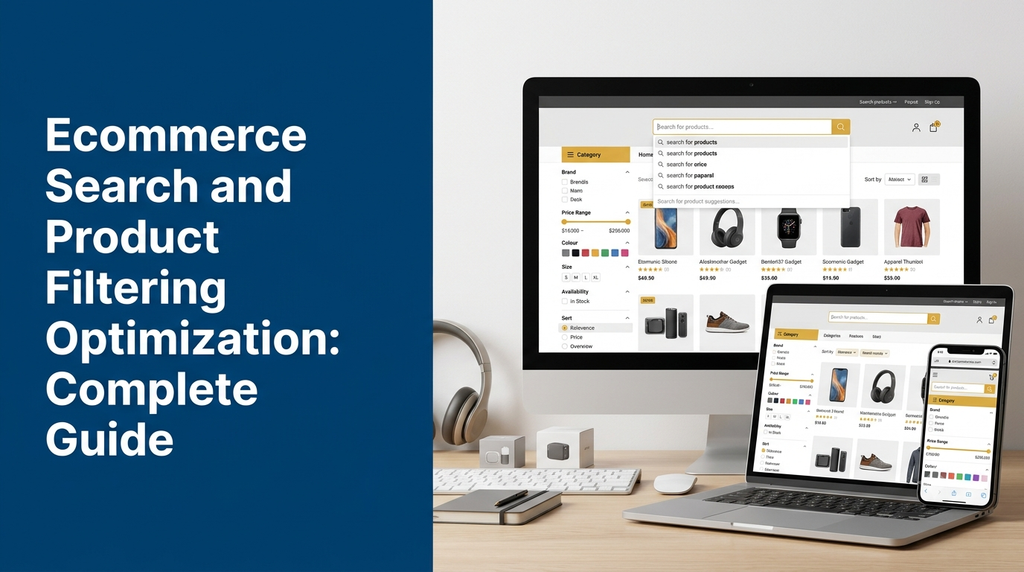
Ecommerce Search and Product Filtering Optimization: Complete Guide
Help online shoppers discover the right products faster with intelligent search, useful filters, relevant results and better ecommerce navigation.
Customers visiting an ecommerce website usually have a product or category in mind. Some know exactly what they want, while others need help comparing products based on price, brand, size, colour, specifications and availability.
If the website search returns irrelevant results or the filtering system is difficult to use, customers may struggle to find suitable products. A well-designed ecommerce search and product filtering system makes product discovery easier and helps shoppers navigate large product catalogues.
In this guide, we explain ecommerce search optimization, product filters, faceted navigation, smart search features, technical implementation, SEO considerations and development costs for online stores in India.
What Is Ecommerce Search and Product Filtering Optimization?
Ecommerce search and product filtering optimization is the process of improving how customers search, discover, narrow down and compare products on an online store.
It involves designing and developing search functionality, search suggestions, relevant result ranking, category navigation, product filters, sorting options and related product discovery features.
For example, a customer visiting an online clothing store may search for “men’s cotton shirts”. They can then narrow the results using filters such as:
- Brand
- Price range
- Size
- Colour
- Fabric
- Availability
- Customer rating, where reliable review data is available
Instead of browsing hundreds of products individually, customers can quickly narrow the catalogue to products that match their requirements.
Why Is Search Functionality Important for Ecommerce Websites?
Search is an important part of the shopping experience, especially for online stores with large product catalogues. A useful search system helps customers move from a query to relevant products with fewer steps.
1. Faster Product Discovery
Customers can find products using product names, categories, brands, model numbers or relevant keywords instead of navigating multiple category pages.
2. Better Shopping Experience
Search suggestions, useful filters and clear results make browsing more convenient across desktop and mobile devices.
3. Easier Product Comparison
Filters and sorting options help shoppers narrow down products based on the specifications that matter to them.
4. Improved Product Visibility
Relevant search results help customers discover suitable products that may otherwise be difficult to locate within a large catalogue.
5. Better Understanding of Customer Demand
Search analytics can reveal frequently searched products, popular attributes, common misspellings and searches that return no results.
6. More Efficient Catalogue Navigation
Structured categories, attribute filters and product sorting reduce unnecessary browsing and make large product collections easier to manage.
Essential Features of an Ecommerce Search System
A modern ecommerce search system should understand different customer queries and provide useful product results. The following features can be included based on the size and complexity of the store.
1. Search by Product Name
Customers should be able to search using complete product names or partial words. The system should handle common variations in how product names are entered.
2. Search by Product SKU and Model Number
For electronics, spare parts, industrial products and wholesale catalogues, customers may search using SKU codes, model numbers or manufacturer part numbers. Supporting these fields makes product identification easier.
3. Auto-Suggestions
Display relevant suggestions while customers type into the search bar. Suggestions can include product names, categories, brands and popular queries.
4. Autocomplete
Autocomplete helps customers complete common search terms quickly. It can be particularly useful for long product names and technical specifications.
5. Typo Tolerance
Customers sometimes enter misspelled words or incorrect characters. A search engine with suitable typo-tolerance settings can identify close matches and display useful results.
6. Synonym Support
Different customers may use different words for the same product. A synonym dictionary can connect common alternatives and improve search matching.
For example, a store may configure suitable equivalents for terms such as “mobile” and “smartphone”, depending on its catalogue and customer language.
7. Search by Category and Brand
Customers should be able to discover products by entering a category, brand or combination of search terms.
8. Relevant Search Ranking
Search results can be ordered using factors such as text relevance, product availability, configured business priorities and other suitable signals. Business rules should not hide important product information from customers.
9. No-Results Suggestions
When a query returns no matching products, show helpful alternatives such as related categories, suggested search terms or popular products.
10. Mobile Search Experience
Search should work smoothly on smaller screens with readable suggestions, convenient controls and an easy-to-access search field.
Essential Product Filtering Features
Product filters allow customers to narrow down a collection using specific product attributes. The available filters should match the type of products sold by the business.
1. Price Range Filter
Allow shoppers to select a minimum and maximum price or choose from predefined price ranges.
2. Brand Filter
Display available brands so customers can view products from selected manufacturers or labels.
3. Category and Subcategory Filters
Support category-based navigation that helps customers move between related product groups.
4. Colour Filter
Display colour swatches or clear colour labels for products where colour is an important selection attribute.
5. Size Filter
Allow shoppers to filter by available sizes, such as clothing sizes, shoe sizes or product dimensions.
6. Material Filter
Useful for furniture, apparel, jewellery, packaging and industrial products that offer different materials.
7. Availability Filter
Let customers view products that are in stock, available for preorder or currently available for purchase, based on the store’s inventory rules.
8. Rating Filter
Where genuine review data is available, customers may filter products using rating ranges.
9. Technical Specification Filters
Electronics, machinery and industrial product stores may need filters for capacity, dimensions, power, compatibility, performance or other technical attributes.
10. Custom Attribute Filters
Custom filters allow each category to display attributes that are relevant to its products rather than forcing the same filters across the entire store.
Understanding Faceted Navigation in Ecommerce
Faceted navigation is a product discovery method that allows customers to combine multiple filters to narrow down a product collection.
For example, a customer shopping for a laptop may select:
- Brand: selected manufacturer
- Price: preferred budget range
- RAM: required memory
- Storage: preferred capacity
- Processor: selected processor category
- Availability: in-stock products
The website updates the product results based on the combined selections.
Single-Select and Multi-Select Filters
A single-select filter allows one value to be selected at a time. A multi-select filter allows several values, such as multiple brands or colours, to be selected together.
Dependent Filters
Some filters depend on previous selections. For example, available sizes may change after a customer chooses a product category or variant.
Filter Count
Displaying the number of matching products beside filter values can help customers understand how each selection affects the result set.
Active Filter Indicators
Show selected filters clearly, with options to remove individual selections or clear all filters.
How Search and Product Filtering Work Together
Search and filters should work as one connected product discovery experience.
- Customer enters a query: The shopper searches for a product or category.
- Search engine processes the query: The system identifies matching products using configured fields and relevance rules.
- Relevant results appear: Products are displayed with useful names, images, prices and availability information.
- Filters are generated: Available filter options are based on the matching catalogue and supported product attributes.
- Customer applies filters: The shopper selects price, brand, colour, size or other options.
- Results are updated: The system returns products that match the selected conditions.
- Customer sorts results: Products can be arranged using supported sorting options.
- Customer opens a product: The shopper views product details and proceeds with the purchase if suitable.
Product Sorting Options for Online Stores
Sorting controls allow customers to arrange product results according to their preferences.
| Sorting Option | Purpose |
|---|---|
| Relevance | Displays products according to search matching rules. |
| Price: Low to High | Shows lower-priced products first. |
| Price: High to Low | Shows higher-priced products first. |
| Newest First | Displays recently added products first. |
| Popularity | Uses a defined popularity measure, such as sales activity. |
| Customer Rating | Uses available and valid review ratings. |
| Discount | Sorts products using the store’s defined discount calculation. |
Sorting rules should be transparent and consistent. For example, a popularity sort should use a clearly defined measure rather than an arbitrary ranking.
Advanced Ecommerce Search Optimization Techniques
1. Search Relevance Tuning
Give appropriate importance to product names, categories, brands, SKUs and other searchable fields. A search for an exact model number should generally prioritise the matching product rather than loosely related catalogue items.
2. Search Synonyms and Query Expansion
Configure relevant synonyms and alternative terms based on actual customer search behaviour. Review these rules regularly so unrelated terms do not produce misleading results.
3. Search Analytics
Record useful search events such as queries, result counts, selected suggestions and product clicks. This information can help identify search improvements.
4. No-Result Query Management
Identify frequently searched terms that return no results. These may reveal missing products, incorrect catalogue data, spelling variations or opportunities to improve synonyms.
5. Personalised Search
Where appropriate and privacy-compliant, search results can use a customer’s selected preferences or browsing context. Personalisation should not prevent shoppers from accessing the full catalogue.
6. Multilingual Search
Stores serving customers who use multiple languages may need language-aware search, alternative product names and suitable transliteration support. For businesses serving Tamil Nadu, consider whether Tamil and English search terms are both relevant to the customer base.
7. Search Performance Optimization
Use suitable indexing, caching, pagination and efficient queries to keep search responsive as the catalogue grows.
SEO Considerations for Ecommerce Filters and Search Pages
Product filtering improves usability, but it can also create technical SEO challenges. Every filter combination may generate a different URL or page state. Large catalogues can therefore produce many URLs with similar or overlapping product listings.
1. Manage Filter URL Generation
Use a consistent URL strategy for filter combinations. Avoid creating unnecessary URL variations caused by different parameter orders or repeated parameters.
2. Control Search Result Indexing
Internal search result pages are generally designed for shoppers rather than as standalone landing pages for search engines. Avoid allowing large numbers of low-value internal search URLs to become indexed.
3. Review Faceted Navigation Pages
Not every filter combination needs to be indexable. Decide which combinations provide genuinely useful, distinct landing pages and which should remain for user navigation only.
4. Use Canonical URLs Carefully
Canonical tags can help consolidate duplicate or substantially similar URL variations. They should point to an appropriate representative page, not automatically remove every useful filtered landing page from search consideration.
5. Avoid Crawl Traps
Uncontrolled combinations of filters, sorting parameters and pagination can create excessive crawlable URLs. Manage these patterns so search engines can focus on important pages.
6. Keep Product Information Accessible
Important product names, descriptions, prices and specifications should be available in crawlable page content. Do not rely entirely on JavaScript interactions to expose essential product information.
7. Maintain Strong Category Pages
Optimise important category pages with useful descriptions, clear navigation and relevant product listings. These pages can serve as stable entry points for organic search traffic.
Do not automatically block or index every filtered URL. Review the value of each page type, the URL structure, canonical signals and crawling behaviour. A carefully selected filter landing page can be useful when it serves a distinct search intent and provides meaningful content.
Technology Options for Ecommerce Search Development
The right search technology depends on catalogue size, query complexity, performance expectations, hosting infrastructure and budget.
| Technology | Possible Use |
|---|---|
| MySQL / PostgreSQL | Database queries and structured product catalogue data. |
| Laravel Search | Backend search integration in Laravel applications. |
| Elasticsearch | Advanced full-text search, relevance tuning and faceted search. |
| OpenSearch | Search and analytics workloads for larger catalogues. |
| Meilisearch | Fast product search, typo tolerance and filtering. |
| Algolia | Hosted search services and ecommerce discovery experiences. |
| React / Next.js | Interactive search, filtering and product listing interfaces. |
These technologies are options rather than mandatory requirements. A smaller store may work well with its existing ecommerce platform’s search capabilities, while a large or complex catalogue may benefit from a dedicated search engine.
WooCommerce Search and Product Filtering Optimization
WooCommerce stores can improve product discovery through better product attributes, category organisation, search functionality and filtering interfaces.
Important implementation areas include:
- Well-structured product categories and subcategories.
- Consistent product attributes and attribute values.
- Search by product title, SKU and selected custom fields.
- Price, brand, colour and size filters.
- AJAX-based product result updates where suitable.
- Mobile-friendly filter drawers and selection controls.
- Clear filter reset and active filter indicators.
- Search and filtering compatibility with product variations.
For specialised requirements, a custom WooCommerce plugin can provide additional search fields, advanced filter logic, category-specific attributes and custom result ranking.
Shopify Search and Product Filtering Optimization
Shopify stores can use their existing search and filtering capabilities or suitable apps and custom development for additional requirements.
Implementation considerations include:
- Accurate product titles, descriptions and tags.
- Structured product options and variant information.
- Metafields for additional product specifications.
- Relevant search suggestions.
- Filters based on supported product attributes.
- Custom search interfaces where required.
- Theme performance and mobile usability.
Businesses with complex catalogues should evaluate the available platform features and app compatibility before selecting a custom solution.
Custom Ecommerce Search and Filtering System Development
A custom ecommerce platform gives businesses greater control over search logic, filter structures, catalogue data and integrations.
A custom search and filtering solution may include the following modules:
Product Indexing Module
Maintains searchable product records and updates the search index when products, prices, stock or attributes change.
Search API
Receives customer queries, processes search parameters and returns matching products with relevant information.
Filter Management Module
Defines product attributes, filter types, available values and category-specific filtering rules.
Search Ranking Module
Applies relevance rules, exact matching, configured business priorities and other suitable ranking factors.
Product Listing Module
Displays matching products with pagination, sorting, selected filters and product information.
Analytics Module
Tracks useful search and filter events so businesses can understand how customers discover products.
Admin Management Module
Allows authorised users to manage searchable attributes, synonyms, product indexing settings and selected search rules.
Common Ecommerce Search and Filtering Mistakes
- Unstructured product data: Missing or inconsistent attributes make filtering unreliable.
- Too many irrelevant filters: Displaying unnecessary options makes navigation confusing.
- Weak search matching: Searching only product titles may miss useful matches in SKU, brand or specifications.
- No mobile filter design: Desktop-style sidebars may be difficult to use on smaller screens.
- Slow result updates: Inefficient queries and unoptimised indexing can make search frustrating.
- Incorrect stock information: Search results should reflect reliable availability data.
- Unclear active filters: Customers should be able to see and remove their selected filters.
- Uncontrolled filter URLs: Poor URL management can create duplicate or low-value crawlable pages.
- No search analytics: Without query analysis, businesses may miss common customer search problems.
How to Measure Ecommerce Search Performance
After implementing search and filtering improvements, businesses should monitor relevant metrics to understand whether the experience is working as intended.
| Metric | What It Helps Measure |
|---|---|
| Search usage | How often visitors use the search feature. |
| Search exit rate | How frequently visitors leave after a search interaction. |
| No-results rate | How often searches return no matching products. |
| Search click-through rate | How frequently visitors click products from search results. |
| Filter usage | Which filters customers use most frequently. |
| Search conversion rate | How often search users complete a purchase. |
| Time to product discovery | How long customers take to reach a relevant product. |
Use consistent event definitions and analyse results over suitable periods. Compare similar traffic sources and product categories rather than drawing conclusions from small or unrelated data samples.
Ecommerce Search and Product Filtering Development Cost in India
Development cost depends on the ecommerce platform, product catalogue size, search technology, filter complexity, UI design and integration requirements.
| Development Type | Illustrative Cost Range |
|---|---|
| Basic product search and filtering | ₹25,000 – ₹50,000 |
| Advanced filters with AJAX updates and sorting | ₹50,000 – ₹1,00,000 |
| Custom search with relevance tuning and admin management | ₹1,00,000 – ₹2,00,000 |
| Advanced search platform with dedicated indexing and integrations | ₹2,00,000 onwards |
Note: These are illustrative planning estimates, not fixed Greap quotations or guaranteed market prices. Actual costs depend on catalogue size, data quality, platform limitations, search engine infrastructure, integrations, design requirements and testing scope. Third-party search service fees and hosting costs may be additional.
How to Choose an Ecommerce Search Development Company
Selecting a development partner is important because search and filtering functionality connects product data, customer experience, website performance and SEO.
Before selecting a development company, consider the following:
- Experience with ecommerce website development.
- Knowledge of product attributes and catalogue structures.
- Experience with search engines and indexing systems.
- Ability to build responsive search and filtering interfaces.
- Understanding of faceted navigation and SEO.
- Experience with WooCommerce, Shopify or custom platforms.
- Testing of search relevance, filter combinations and performance.
- Clear project scope, maintenance and support arrangements.
Why Consider Greap Technologies for Ecommerce Search Development?
Greap Technologies provides website development, custom software development and digital growth solutions for businesses.
We can help businesses plan and develop ecommerce websites with product search, advanced filtering, category navigation, custom product attributes, dynamic result updates and platform integrations based on project requirements.
Whether you operate a fashion store, electronics shop, wholesale catalogue, furniture business or industrial product website, an organised search experience can make it easier for customers to find relevant products.
Our development approach focuses on understanding your catalogue, customer requirements and business workflow before selecting the right implementation.
Need Better Search and Filtering for Your Ecommerce Website?
Discuss your product catalogue, search requirements and ecommerce development plans with Greap Technologies.
Visit Greap Technologies Discuss Your Project on WhatsApp Call +91 70923 30168Frequently Asked Questions
1. What is ecommerce search optimization?
Ecommerce search optimization improves how an online store understands customer queries and displays relevant products. It can include autocomplete, typo tolerance, synonyms, search ranking and search analytics.
2. What is product filtering in ecommerce?
Product filtering allows customers to narrow down product listings using attributes such as price, brand, size, colour, material, specifications and availability.
3. What is faceted navigation?
Faceted navigation allows shoppers to combine multiple filters to narrow a product collection. For example, a customer can select a brand, price range, colour and size together.
4. How much does ecommerce search development cost in India?
Costs vary by requirements. A basic search and filtering implementation may start around ₹25,000 in an illustrative estimate, while advanced search platforms with dedicated indexing and integrations can require a larger budget.
5. Can I add advanced filters to my existing WooCommerce website?
Yes. Advanced product filters can be added to an existing WooCommerce store using suitable extensions or custom plugin development, depending on the catalogue and required functionality.
6. Can Shopify support product filtering?
Yes. Shopify supports product discovery and filtering capabilities, with additional options available through suitable apps or custom development depending on the store’s needs.
7. What is the difference between search and filtering?
Search helps customers find products by entering words, product names or codes. Filtering narrows an existing product collection using attributes such as price, size, brand or colour.
8. Which search engine is suitable for ecommerce websites?
The right option depends on the project. Built-in platform search may be sufficient for smaller stores, while Elasticsearch, OpenSearch, Meilisearch or hosted search services may suit more advanced requirements.
9. Do product filters affect ecommerce SEO?
They can. Filter combinations may generate many URLs with similar content. Proper URL management, canonical strategy, crawl controls and useful category pages help manage these SEO challenges.
10. How can I measure ecommerce search performance?
Track search usage, no-result searches, result clicks, filter interactions, search exits and purchases following search interactions. These metrics can help identify areas for improvement.
Conclusion
Ecommerce search and product filtering optimization helps customers discover products more efficiently. Features such as autocomplete, relevant search results, typo tolerance, category filters, sorting and faceted navigation can make online shopping easier.
For businesses with large or specialised product catalogues, a well-planned search system can also improve catalogue management and provide useful insights into customer demand.
The best solution depends on your ecommerce platform, product data, catalogue size and customer requirements. With the right combination of search technology, product attributes, responsive design and SEO controls, your online store can provide a more organised product discovery experience.
If you are planning to improve search and filtering on your ecommerce website, contact Greap Technologies to discuss a suitable development solution.