Website Uptime Monitoring and Server Management Services for Businesses
A business website needs more than attractive design and useful content. It must remain accessible, respond reliably and operate on a properly maintained server. Even a short period of downtime can interrupt customer enquiries, online orders, appointment bookings and other important business activities.
Website uptime monitoring and server management services help businesses identify technical problems, monitor infrastructure health and maintain reliable website operations. Instead of waiting for customers to report an unavailable website, businesses can use monitoring systems and planned maintenance to identify potential problems earlier.
This guide explains how website monitoring works, what server management includes, which monitoring metrics matter, how businesses can reduce operational risks and what to consider when selecting a service provider.
What Is Website Uptime Monitoring?
Website uptime monitoring is the process of checking whether a website or web application is accessible and responding correctly. Monitoring systems send automated requests to a website at configured intervals and record whether the website responds successfully.
When a website becomes unavailable or fails to respond within an expected period, the monitoring platform can send an alert to the responsible technical team.
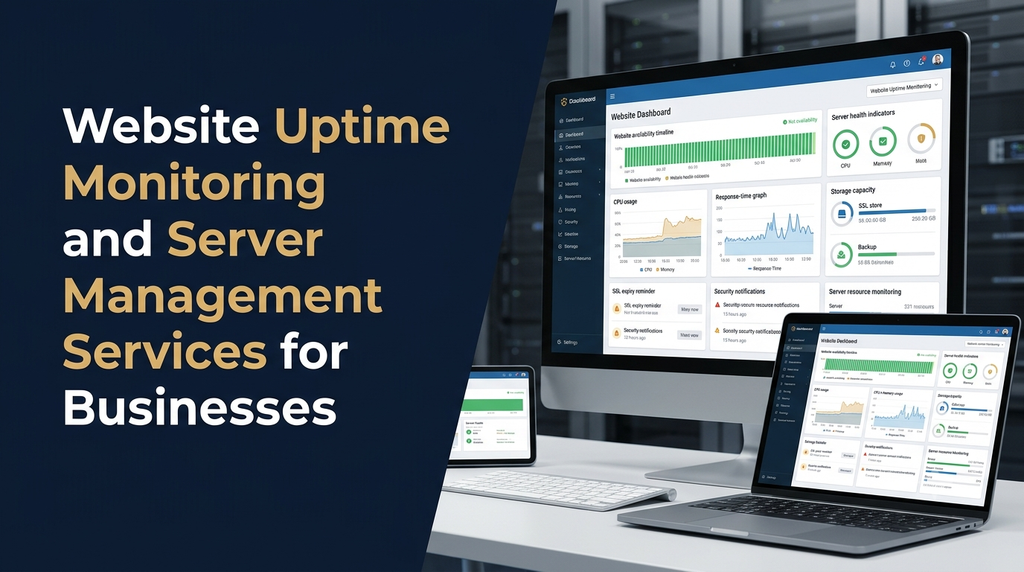
Monitoring can also cover more than basic availability. Depending on the configuration, it may check page response time, SSL certificate validity, DNS resolution, API availability, server resources and application errors.
What Are Server Management Services?
Server management involves configuring, maintaining, monitoring and supporting the infrastructure that runs a website or business application. A server may be a physical machine, virtual private server, cloud instance or managed hosting environment.
Server management services help maintain the operating environment, application dependencies, security settings, storage, backups and system performance.
Depending on the service agreement, server management may include:
- Server setup and configuration.
- Operating system and software updates.
- CPU, RAM, disk and network monitoring.
- Web server and database administration.
- Firewall and access-control configuration.
- Backup scheduling and restoration checks.
- SSL certificate and domain-related monitoring.
- Server error investigation and troubleshooting.
- Performance optimisation and resource planning.
- Technical support and maintenance reporting.
Why Is Uptime Monitoring Important for Businesses?
Customers expect business websites to be available when they need information, support or online services. A website that frequently becomes unavailable can create a poor experience and interrupt business operations.
1. Identify website downtime earlier
Automated checks help detect website availability problems without depending entirely on customer complaints or manual testing.
2. Protect customer enquiries and sales
A website may receive enquiries, appointment requests, product orders and service bookings. Monitoring helps businesses become aware of disruptions that could interrupt these activities.
3. Improve technical troubleshooting
Monitoring records can help technical teams understand when an issue started, how long it continued and whether response times changed before the failure.
4. Support website performance
Slow response times can indicate resource limitations, application errors, database problems or network issues. Performance monitoring helps identify areas that require investigation.
5. Improve operational planning
Server usage reports can help businesses plan upgrades, storage expansion and infrastructure changes before existing resources become insufficient.
6. Support customer confidence
A consistently accessible website creates a more dependable experience for customers, employees, suppliers and business partners.
Important Website Uptime and Server Monitoring Features
A useful monitoring setup should cover website availability as well as the infrastructure and application components responsible for delivering the website.
| Monitoring feature | What it checks | Business value |
|---|---|---|
| HTTP/HTTPS monitoring | Whether the website responds to web requests. | Helps identify website availability problems. |
| Response-time monitoring | How long the website takes to respond. | Highlights possible performance degradation. |
| Server resource monitoring | CPU, RAM, storage and other system resources. | Helps identify resource pressure. |
| SSL monitoring | Certificate validity and expiry dates. | Helps prevent unexpected certificate expiry. |
| DNS monitoring | Domain name resolution and DNS availability. | Helps identify domain configuration issues. |
| Database monitoring | Database availability and selected performance indicators. | Helps identify database-related application issues. |
| Backup monitoring | Backup execution status and storage availability. | Helps verify that recovery resources are available. |
| Application monitoring | Selected pages, APIs, scheduled tasks and application errors. | Helps detect failures beyond basic server availability. |
Understanding Website Uptime Percentage
Uptime percentage represents the proportion of a measurement period during which a service was available according to a defined monitoring method. It is commonly used to understand service reliability.
Basic formula:
The following table illustrates how different availability percentages translate into approximate monthly downtime over a 30-day month. These are mathematical examples, not promises about any particular hosting provider or monitoring service.
| Illustrative uptime | Approximate monthly downtime |
|---|---|
| 99% | 7 hours 12 minutes |
| 99.5% | 3 hours 36 minutes |
| 99.9% | 43 minutes 12 seconds |
| 99.95% | 21 minutes 36 seconds |
| 99.99% | 4 minutes 19 seconds approximately |
Actual service-level calculations may exclude scheduled maintenance or define availability differently. Businesses should read the monitoring method and hosting provider’s service-level agreement before comparing uptime figures.
Server Health Metrics Businesses Should Monitor
CPU utilisation
CPU usage indicates how much processing capacity is being used. Consistently high utilisation may be associated with heavy traffic, inefficient application processes or resource-intensive tasks.
RAM and memory usage
Memory monitoring helps identify resource pressure, unexpected application consumption and possible performance problems.
Disk space and storage health
Insufficient storage can affect uploads, logs, databases, backups and application operations. Monitoring available capacity helps teams plan storage expansion.
Network traffic
Network monitoring helps understand incoming and outgoing traffic, connectivity issues and unusual changes in usage.
Server response time
Response time provides an indication of how quickly a server handles requests. It should be reviewed alongside application performance, database queries and network conditions.
Error logs and system events
Server and application logs provide useful diagnostic information about failed requests, service restarts, software errors and other events. Access to logs should be restricted and sensitive information should be protected.
Website Monitoring vs Server Monitoring
Website monitoring and server monitoring are related, but they do not measure exactly the same things.
| Area | Website monitoring | Server monitoring |
|---|---|---|
| Main focus | Website availability and user-facing response. | Infrastructure and system health. |
| Typical checks | HTTP status, page response, SSL and selected user journeys. | CPU, memory, storage, processes and network. |
| Failure example | A website page returns an error. | A server service stops running. |
| Primary purpose | Understand what visitors experience. | Understand the condition of the hosting environment. |
A server can appear healthy while a website application is failing. Similarly, a homepage may load while a database-backed booking feature is unavailable. Combining both types of monitoring gives a more useful operational picture.
What Does Professional Server Management Include?
1. Initial server assessment
The process begins with reviewing the existing hosting environment, operating system, application stack, storage, database, network setup, access controls and business requirements.
2. Server configuration
Configuration may include web server settings, application runtimes, database services, domain connections, SSL certificates, firewall rules and system users. The exact work depends on the server environment.
3. Updates and patch management
Operating systems, server packages, frameworks and other dependencies should be reviewed for relevant updates. Updates should be planned with compatibility checks, backups and a recovery approach.
4. Security configuration
Server security may involve restricted administrative access, strong authentication, firewall policies, secure protocols, appropriate file permissions and removal of unnecessary services.
5. Backup and recovery management
Backups should cover the relevant website files, databases and configuration data. A backup schedule should reflect how frequently business information changes.
Backup completion should be monitored, and restoration should be tested periodically. A backup that has never been tested may not provide the recovery confidence a business expects.
6. Performance and resource optimisation
Server management may include reviewing caching, database performance, application processes, storage usage and infrastructure capacity. Optimisation should be based on observed issues rather than arbitrary configuration changes.
7. Incident response and troubleshooting
When a problem occurs, the technical team investigates its scope, identifies the likely cause, applies an appropriate fix and checks whether the service has recovered.
8. Reporting and maintenance records
Regular reports can summarise availability observations, incidents, resource trends, completed maintenance, backup status and recommended improvements.
Common Causes of Website Downtime
- Hosting resource limits: Available CPU, memory or storage may not be sufficient for current workloads.
- Application errors: Software bugs or incompatible updates can prevent pages and features from working.
- Database problems: Database service failures or connection issues can affect dynamic websites.
- DNS configuration issues: Incorrect records or DNS service problems can affect domain resolution.
- Expired SSL certificates: Certificate issues can cause browser security warnings or connection failures.
- Network or data-centre incidents: Connectivity or infrastructure problems may affect server accessibility.
- Unplanned maintenance: Updates and configuration changes without proper planning can interrupt service.
- Security incidents: Certain attacks or unauthorised changes may affect website availability.
- Traffic spikes: Unexpected visitor volume can exceed available application or server capacity.
Monitoring does not eliminate every cause of downtime. Its value is in improving visibility, shortening detection time and supporting a more organised response.
How Website Uptime Monitoring Works
- Configure monitoring targets: Add the website URL, API endpoint, server or other important service.
- Choose check intervals: Set an appropriate monitoring frequency based on the importance of the service and the monitoring plan.
- Define expected responses: Configure acceptable status codes, response thresholds or content checks where supported.
- Set alert conditions: Decide when a failed check should trigger an incident notification.
- Send notifications: Route alerts to the responsible technical contacts through supported channels such as email or messaging integrations.
- Investigate the issue: Review monitoring results, application logs, server resources and relevant infrastructure services.
- Confirm recovery: Verify that the website and important functions are working again.
- Review the incident: Record the cause, impact and preventive actions where appropriate.
Choosing a Server Monitoring and Management Setup
Different businesses have different infrastructure requirements. A small company website may need basic availability checks, while a business application with customer accounts and transactions may need deeper application, database and infrastructure monitoring.
| Monitoring approach | Typical use | Considerations |
|---|---|---|
| Basic uptime monitoring | Small business and informational websites. | Checks availability and sends basic alerts. |
| Website and application monitoring | Lead-generation websites, booking systems and ecommerce. | Checks important pages, APIs and selected user journeys. |
| Infrastructure monitoring | VPS and cloud-hosted applications. | Tracks server resources, services, logs and storage. |
| Managed server operations | Businesses that need ongoing technical administration. | Defines responsibilities for updates, security, backups and support. |
Important Considerations for Different Business Websites
Business and corporate websites
Focus on homepage and contact-page availability, enquiry forms, SSL, domain resolution and website response time. Form submissions should also be tested periodically.
Ecommerce websites
Monitor product pages, search, cart, checkout, payment gateway connectivity and order-processing functions. Payment workflows should be tested safely using the appropriate test environment and procedures.
Appointment and booking systems
Monitor booking pages, availability APIs, database connections, confirmation notifications and other essential booking functions.
ERP and business applications
Monitor authentication, dashboards, application services, database availability, integrations and scheduled background jobs. Access permissions and backup recovery are particularly important.
Content management websites
Monitor the public website as well as administrative access, database health, storage, backups and relevant application updates.
Popular Tools and Technologies for Website and Server Monitoring
Monitoring solutions range from simple website availability services to full infrastructure observability platforms. The right choice depends on the hosting environment, technical requirements, alerting needs and available budget.
- UptimeRobot: Commonly used for website and endpoint availability checks.
- Better Stack: Offers monitoring and incident-management capabilities.
- Prometheus: An open-source system commonly used to collect and query metrics.
- Grafana: Used to visualise metrics and build monitoring dashboards.
- Zabbix: Supports infrastructure and network monitoring.
- Netdata: Provides detailed system and infrastructure monitoring.
- Cloud provider monitoring: Services offered by hosting and cloud platforms can monitor resources within their environments.
Tool availability, pricing and features can change. Businesses should compare current documentation, supported integrations, data-retention limits and alerting options before selecting a platform.
Website Uptime Monitoring and SEO
Website availability contributes to the experience search-engine visitors receive. If important pages repeatedly become inaccessible, users may encounter errors instead of the information they expect.
Monitoring can support website operations by helping teams identify availability problems, server errors and slow responses. However, uptime monitoring alone does not guarantee higher Google rankings.
Businesses should also maintain:
- Reliable hosting and suitable server capacity.
- Working HTTPS and valid SSL configuration.
- Correct HTTP status codes and redirect behaviour.
- Fast-loading, technically accessible pages.
- Regular backups and tested recovery procedures.
- Search Console checks for crawling and indexing problems.
Technical availability and SEO should be managed as related but separate responsibilities. A technically accessible website still needs useful content, appropriate on-page optimisation and a strong user experience.
How Much Do Website Uptime Monitoring and Server Management Services Cost in India?
Pricing depends on the hosting environment, number of websites and servers, monitoring frequency, support hours, security requirements, backup arrangements and the responsibilities included in the service.
The following figures are illustrative planning estimates, not fixed Greap quotations or guaranteed market prices.
| Service type | Illustrative cost | Possible scope |
|---|---|---|
| Basic website uptime monitoring setup | ₹1,000–₹3,000 one-time | Initial website checks and basic alert configuration. |
| Website monitoring management | ₹500–₹2,000/month | Availability checks, alert review and basic reporting. |
| Basic VPS server management | ₹2,000–₹5,000/month | Routine server checks, updates and basic troubleshooting. |
| Business server management | ₹5,000–₹12,000/month | Monitoring, security maintenance, backups and support. |
| Advanced cloud or application management | ₹12,000–₹30,000+/month | More complex infrastructure, application and operational support. |
These estimates may not include hosting charges, cloud infrastructure, monitoring-tool subscriptions, premium security products, backup storage, third-party licences, taxes, major incident recovery or application redevelopment. Obtain a written scope before comparing quotations.
How to Choose a Website Monitoring and Server Management Provider
Selecting a provider involves more than comparing monthly prices. Businesses should understand what is monitored, who responds to alerts and what work is included in the agreement.
- Monitoring coverage: Confirm whether the service checks only the homepage or also important pages, APIs and server resources.
- Alert delivery: Understand how incidents are reported and who receives notifications.
- Support availability: Confirm support hours, response expectations and escalation procedures.
- Security responsibilities: Clarify who handles patches, firewall rules, access reviews and security incidents.
- Backup arrangements: Check backup frequency, retention, storage location and restoration testing.
- Reporting: Ask whether monitoring history, incident records and maintenance summaries are provided.
- Access control: Ensure administrative credentials are handled securely and access is limited to authorised people.
- Service agreement: Review exclusions, maintenance windows, third-party dependencies and service-level commitments.
- Scalability: Check whether the service can support additional websites, applications and infrastructure as the business grows.
Website and Server Management Checklist
Businesses can use this checklist when reviewing their current setup:
- Website availability checks are configured.
- Important pages and application endpoints are monitored.
- Alert notifications reach the responsible contacts.
- CPU, RAM and storage usage are reviewed.
- Server and application logs are accessible to authorised administrators.
- Operating system and application updates are reviewed.
- Firewall and administrative access settings are checked.
- SSL certificate validity is monitored.
- Website and database backups are scheduled.
- Backup restoration is tested periodically.
- Incident response responsibilities are documented.
- Monitoring and maintenance reports are reviewed.
Website Uptime Monitoring and Server Management Services by Greap Technologies
Greap Technologies provides website development, software development and digital growth solutions for businesses. Reliable website operations are an important part of maintaining a useful online presence.
Businesses looking for website and server support can discuss their existing hosting environment, monitoring requirements, maintenance needs and technical challenges with Greap Technologies.
Depending on the project scope, support requirements may include:
- Website availability and performance monitoring setup.
- Website hosting and server configuration assistance.
- Server health and resource monitoring.
- Website maintenance and technical troubleshooting.
- SSL and HTTPS configuration checks.
- Backup planning and recovery support.
- Website security hardening and maintenance planning.
- Business website and web application development.
The exact service scope, monitoring tools, support hours and pricing should be confirmed after reviewing the website and infrastructure.
Need Help Managing Your Business Website?
Discuss website monitoring, hosting, server management and ongoing technical maintenance requirements with Greap Technologies.
Frequently Asked Questions
1. What is website uptime monitoring?
Website uptime monitoring automatically checks whether a website or application endpoint is accessible. It records availability and can send alerts when configured checks fail.
2. Why does a business need server management services?
Server management helps businesses maintain their hosting environment through configuration, updates, security checks, resource monitoring, backups and technical troubleshooting.
3. How frequently should a website be monitored?
Monitoring frequency depends on the importance of the website and the service plan. Business-critical websites may require more frequent checks than simple informational websites. Monitoring intervals should also account for the tool’s limitations and alerting rules.
4. Can uptime monitoring prevent website downtime?
Monitoring cannot prevent every outage. It helps identify availability problems and notify the responsible team so investigation and recovery can begin sooner.
5. What is the difference between uptime monitoring and server monitoring?
Uptime monitoring checks whether a website or service is accessible. Server monitoring checks infrastructure metrics such as CPU, memory, disk space, processes and network activity. Both provide useful operational information.
6. Does server management include website backups?
It can, depending on the agreement. Businesses should confirm which files and databases are backed up, the backup frequency, retention period, storage location and restoration responsibilities.
7. Can small businesses use uptime monitoring?
Yes. Small businesses can use basic website monitoring to receive notifications when their websites become unavailable or respond unusually slowly.
8. Does website uptime affect SEO?
Availability problems can affect visitors and may interfere with search engine crawling when they occur repeatedly. Monitoring helps teams identify these issues, but uptime alone does not guarantee search ranking improvements.
9. How much do server management services cost in India?
Costs depend on server type, infrastructure complexity, support hours, security requirements and included maintenance. Basic arrangements may cost a few thousand rupees per month, while advanced cloud and application management can cost significantly more.
10. Can Greap Technologies help with website and server management?
Businesses can contact Greap Technologies to discuss website hosting, monitoring setup, server configuration, website maintenance and technical support requirements. The available scope should be confirmed after an assessment.
Conclusion
Website uptime monitoring and server management are important for businesses that depend on their websites and web applications. Monitoring provides visibility into availability, response times and server health, while server management helps maintain the infrastructure through configuration, updates, security checks, backups and troubleshooting.
The right approach depends on the type of website, business importance, hosting environment and technical support requirements. By combining suitable monitoring with planned maintenance and tested recovery procedures, businesses can manage their online operations more confidently.
If your business needs help with website hosting, server configuration or ongoing website maintenance, contact Greap Technologies to discuss a suitable technical solution.