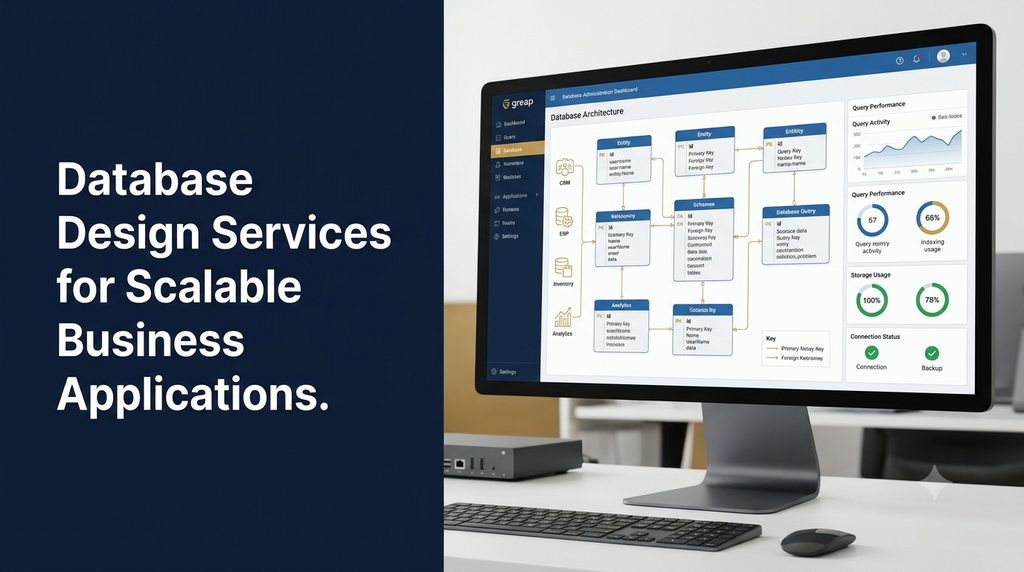
Database Design Services for Scalable Business Applications
Every business application depends on organised and reliable data. Whether a company operates an ERP system, customer relationship management platform, ecommerce website, inventory application or SaaS product, its database plays an important role in storing information and supporting daily operations.
As applications grow, the database must handle more users, transactions, records and integrations without becoming difficult to maintain. Poor database design can lead to duplicated information, slow queries, inconsistent records, complicated reporting and expensive redevelopment.
Database design services help businesses plan their data structures, relationships, constraints, indexes, access rules and storage architecture before or during software development. A well-designed database gives an application a stronger foundation for future growth.
What Is Database Design?
Database design is the process of organising business information into structured data models that applications can store, retrieve, update and manage reliably.
It involves identifying the information a business needs, defining entities and relationships, choosing suitable data types, creating tables or collections, establishing constraints and planning how applications will access the data.
A database design also considers future requirements such as additional users, new business modules, reporting, integrations, security and increased data volume.
Why Is Good Database Design Important for Businesses?
1. Organised business information
A structured database makes it easier to store customer details, transactions, inventory, employee information and operational records in a consistent format.
2. Better application performance
Suitable data types, relationships, indexes and query patterns help applications retrieve information efficiently. Performance still depends on the application, database engine, infrastructure and workload.
3. Reduced data duplication
Appropriate database normalisation can reduce unnecessary duplication and make updates more consistent.
4. Easier software maintenance
A clear schema and documented relationships make it easier for developers to understand the system, fix problems and introduce new features.
5. Improved data integrity
Primary keys, foreign keys, unique constraints and validation rules help prevent invalid or inconsistent records.
6. Support for business growth
A scalable design can accommodate additional application modules, users, records and integrations without requiring unnecessary structural changes every time the business expands.
7. Better reporting and analytics
Well-organised business data supports reporting, dashboards, financial summaries, operational analysis and data integration.
Types of Database Design
Database design is commonly approached at three levels. Each level describes the data architecture from a different perspective.
1. Conceptual database design
Conceptual design identifies the main business entities and their relationships without focusing on a particular database technology.
For example, an inventory application may include products, warehouses, suppliers, purchase orders and stock movements.
2. Logical database design
Logical design converts business requirements into a structured model. It defines attributes, relationships, primary keys, foreign keys and normalisation rules.
This stage explains how information should be organised independently of many physical storage decisions.
3. Physical database design
Physical design translates the logical model into implementation details for a selected database engine. It may include column data types, indexes, partitions, storage considerations, constraints and performance settings.
Understanding Database Schema Design
A database schema describes how information is structured within a database. In a relational database, it commonly defines tables, columns, data types, keys, relationships, constraints and indexes.
Tables
Tables store records about particular business entities. A customer table, for example, may store customer identifiers, names and contact information.
Columns and data types
Columns represent individual attributes. Selecting suitable data types helps define how information is stored and validated.
Primary keys
A primary key uniquely identifies each record in a table. It gives other parts of the application a reliable way to refer to that record.
Foreign keys
Foreign keys establish relationships between tables. For example, an order may contain a customer ID that refers to a customer record.
Constraints
Constraints enforce rules such as required values, uniqueness and valid relationships. They help protect data integrity at the database level.
Indexes
Indexes can improve the speed of selected queries by helping the database locate records more efficiently. However, indexes also consume storage and can increase the work required for data changes. They should be selected based on actual query patterns.
Database Normalisation and Its Benefits
Database normalisation is a method of organising relational data to reduce unnecessary duplication and improve consistency.
First Normal Form (1NF)
Each field should contain an appropriate single value rather than multiple unrelated values packed into one column. Records should also be identifiable.
Second Normal Form (2NF)
The design should satisfy 1NF and remove partial dependencies on part of a composite candidate key.
Third Normal Form (3NF)
The design should satisfy 2NF and avoid inappropriate transitive dependencies of non-key attributes on candidate keys.
Normalisation is useful for many transactional business systems. However, some reporting or high-volume workloads may benefit from carefully controlled denormalisation. Such decisions should be based on measured requirements rather than assumptions.
SQL vs NoSQL: Choosing the Right Database
One of the most important database architecture decisions is selecting an appropriate database model. SQL and NoSQL databases serve different requirements, and neither is automatically the best choice for every application.
| Comparison | SQL databases | NoSQL databases |
|---|---|---|
| Data model | Commonly structured around relational tables. | May use documents, key-value pairs, graphs or wide-column structures. |
| Schema | Usually defined with structured schemas. | May support more flexible data structures depending on the database. |
| Relationships | Supports relational joins and constraints. | Relationships may be handled through references, embedding or application logic. |
| Typical use cases | Orders, accounting, ERP, CRM and transactional applications. | Selected content, event, document and distributed data workloads. |
| Examples | PostgreSQL, MySQL, SQL Server and MariaDB. | MongoDB, Redis, Cassandra and Neo4j. |
When should a business choose SQL?
Relational databases are often suitable when applications need structured records, clear relationships, transactional consistency and complex queries.
When should a business consider NoSQL?
NoSQL may be suitable when the application has document-oriented information, particular distribution requirements, flexible data structures or specialised access patterns.
Some systems use both relational and NoSQL technologies for different workloads. This approach introduces additional operational complexity, so it should be justified by actual requirements.
Popular Database Technologies for Business Applications
PostgreSQL
PostgreSQL is an open-source relational database used for business applications that need structured data, transactions, advanced queries and extensible database capabilities.
MySQL
MySQL is a widely used relational database for websites, ecommerce platforms, content management systems and custom web applications.
Microsoft SQL Server
SQL Server is a relational database platform used in business and enterprise environments, including applications built around Microsoft technologies.
MongoDB
MongoDB is a document-oriented database that stores data in flexible document structures. It may suit applications with document-focused data models and appropriate access patterns.
Redis
Redis is commonly used for caching, fast data access, queues and other in-memory workloads. It can complement a primary database rather than replace one in every application.
MariaDB
MariaDB is a relational database platform used for web applications and business systems that require structured data storage.
Database Design for Different Business Applications
1. ERP software
ERP applications connect business operations such as finance, inventory, purchasing, sales, production and human resources. Their database architecture must account for relationships across modules and consistent transaction records.
Common database entities include:
- Companies and branches.
- Employees and departments.
- Products and inventory locations.
- Suppliers and purchase orders.
- Customers and sales orders.
- Invoices, payments and financial entries.
- Production orders and stock movements.
2. CRM software
CRM databases manage customer profiles, leads, contacts, activities, follow-ups, communication history and sales opportunities. Good relationships between these records help sales teams understand customer interactions.
3. Ecommerce applications
Ecommerce databases may include products, categories, variants, customers, carts, orders, payments, shipping details, returns and inventory records.
4. SaaS applications
SaaS database architecture needs to account for multiple customers or tenants, user roles, subscriptions, billing, permissions, audit records and tenant data separation.
5. Inventory management systems
Inventory databases track products, warehouses, stock levels, purchases, transfers, adjustments and stock movements. A clear transaction model helps businesses maintain an understandable inventory history.
6. Appointment and booking applications
Booking databases may store customers, staff, services, schedules, availability, reservations, payments and cancellation records. They should account for overlapping bookings and concurrent requests.
7. Business analytics platforms
Analytics applications may use reporting databases, data warehouses or specialised analytical systems to support summaries and historical business analysis without placing unnecessary reporting workloads on transactional databases.
Example: Database Structure for a Business Sales Application
Consider a sales application that manages customers, products and orders. A basic relational design could contain the following tables:
| Table | Example fields | Purpose |
|---|---|---|
| customers | customer_id, name, email, phone | Stores customer details. |
| products | product_id, product_name, price, status | Stores product information. |
| orders | order_id, customer_id, order_date, status | Stores order-level information. |
| order_items | item_id, order_id, product_id, quantity, unit_price | Stores products included in each order. |
| payments | payment_id, order_id, amount, payment_status | Stores payment records. |
The relationships connect each order to a customer, each order item to an order and product, and each payment to the relevant order. This allows the application to retrieve order information without repeatedly storing every customer and product detail in each record.
Essential Features of a Scalable Database Architecture
1. Well-defined data relationships
Tables and collections should reflect the actual business entities and how they interact.
2. Appropriate indexing strategy
Indexes should support frequently used filters, joins and sorting operations. Index selection should be validated using query plans and workload measurements.
3. Transaction management
Applications that process orders, payments or financial records need reliable transaction handling. The database should support the consistency requirements of important business operations.
4. Data validation and constraints
Validation rules, unique constraints and referential integrity help reduce invalid or inconsistent records.
5. Secure access management
Applications and administrators should have only the permissions necessary for their responsibilities. Sensitive operations should be controlled and recorded appropriately.
6. Backup and recovery planning
Backups, retention rules and tested restoration procedures support recovery from accidental deletion, infrastructure failures and other incidents.
7. Monitoring and observability
Database monitoring should cover connection usage, query performance, storage growth, errors, replication health where relevant and backup status.
8. Migration and version control
Database schema changes should be managed through documented migrations, testing and controlled deployment procedures.
9. Scalability planning
Architecture should consider future data volume, user concurrency, reporting workloads and geographic or infrastructure requirements.
Database Performance Optimisation Techniques
Database performance is influenced by schema structure, query design, indexes, hardware resources, application behaviour and workload. Optimisation should begin with measurement and diagnosis.
- Query optimisation: Review slow queries and reduce unnecessary database operations.
- Index optimisation: Add or adjust indexes based on actual query patterns.
- Connection pooling: Manage database connections efficiently in applications that support pooling.
- Pagination: Retrieve large result sets in manageable portions.
- Caching: Cache suitable frequently accessed information while planning how stale data is handled.
- Archiving: Move eligible historical records into suitable storage or reporting systems when required.
- Partitioning: Divide large datasets into manageable sections where the database and workload benefit from it.
- Read replicas: Use read replicas for appropriate read-heavy workloads while accounting for replication lag and consistency needs.
- Resource planning: Review memory, CPU, storage performance and network capacity.
Not every technique is necessary for every application. Adding infrastructure complexity without a measured need can increase maintenance costs and create new failure points.
Database Scalability: Vertical vs Horizontal Scaling
Vertical scaling
Vertical scaling increases the resources of an existing database server, such as CPU, RAM or storage capacity. It can be a practical approach when a system needs additional resources and the database platform supports the upgrade.
Horizontal scaling
Horizontal scaling distributes workloads across multiple database nodes or systems. Depending on the technology, this may involve replication, sharding or distributed database architecture.
| Factor | Vertical scaling | Horizontal scaling |
|---|---|---|
| Approach | Increase resources on a server. | Distribute workloads across multiple nodes. |
| Complexity | Often simpler to manage initially. | Usually requires more architecture and operational planning. |
| Typical use | Growing applications with manageable workloads. | Workloads requiring distributed capacity or availability. |
| Considerations | Hardware and platform limits. | Data distribution, consistency, failover and operational complexity. |
A scalable database design should choose a scaling strategy based on workload requirements rather than assuming that distributed architecture is always necessary.
Database Security and Data Protection
Business databases may contain customer information, employee records, financial details, orders and confidential operational data. Security must be considered throughout the design and development process.
- Role-based permissions: Give users and applications access only to the records and operations they require.
- Encryption in transit: Protect database connections using appropriate secure transport settings.
- Encryption at rest: Protect stored data through suitable database, storage or infrastructure encryption.
- Credential management: Avoid hardcoding database passwords in source code and use secure secret-management practices.
- Audit logging: Record important administrative and data access activities where appropriate.
- Input validation: Use parameterised queries and appropriate validation to reduce SQL injection and related risks.
- Backup protection: Restrict backup access and protect backup copies from unauthorised changes.
- Data retention: Define how long business records should be retained and when they should be securely disposed of.
- Privacy controls: Collect and process personal information according to applicable legal and contractual requirements.
Multi-Tenant Database Design for SaaS Applications
A multi-tenant SaaS application serves multiple customer organisations through one software platform. Its database design must ensure that each tenant’s information is accessed only by authorised users.
Common architecture approaches include:
Shared database and shared schema
Multiple tenants use the same database and table structures. Tenant identifiers are used to separate records logically. This can reduce infrastructure overhead but requires careful access controls and tenant-aware query design.
Shared database with separate schemas
Tenants may have separate schemas within a shared database. This can provide more organisational separation, although schema provisioning and maintenance need planning.
Separate database per tenant
Each tenant has an independent database. This can support stronger isolation and tenant-specific management, but may increase infrastructure and operational complexity.
Tenant architecture should consider security boundaries, backup and recovery, migrations, reporting, customer-specific requirements and expected tenant growth.
Database Design Process: From Requirements to Deployment
Step 1: Understand business requirements
Identify the application’s purpose, users, workflows, business rules, reports and expected data.
Step 2: Identify entities and relationships
List the main business objects and define how they connect. Entity Relationship Diagrams (ERDs) help visualise these relationships.
Step 3: Create the logical schema
Define tables, attributes, keys, constraints and relationship rules. Review the design for unnecessary duplication and unclear dependencies.
Step 4: Select the database technology
Compare relational and non-relational options based on transactions, query patterns, data structure, integrations, hosting and team capabilities.
Step 5: Prepare the physical design
Define implementation details such as data types, indexes, storage choices, constraints and performance-related settings.
Step 6: Implement the database
Create schemas, tables, relationships, migrations, access roles and required database objects.
Step 7: Test data integrity and performance
Validate application workflows, concurrent operations, important queries, error handling and expected data volumes.
Step 8: Deploy and monitor
Deploy through a controlled process, configure backups and monitoring, document the schema and review performance after launch.
Step 9: Maintain and improve
Review schema changes, performance trends, storage growth and new business requirements as the application evolves.
Common Database Design Mistakes to Avoid
- Designing without understanding business workflows: The database may not represent how the company actually operates.
- Using unsuitable data types: Incorrect types can cause validation problems, wasted storage or inaccurate calculations.
- Ignoring relationships: Poorly defined relationships make it harder to maintain consistent information.
- Overusing indexes: Too many indexes can increase storage and slow down write operations.
- Storing unrelated data together: Poor table structure can create unnecessary duplication and difficult updates.
- Ignoring transaction requirements: Important workflows may produce inconsistent records when operations are not handled correctly.
- Weak access controls: Excessive permissions can expose sensitive business information.
- No backup recovery testing: A backup strategy should be validated through restoration exercises.
- Ignoring future migrations: Schema changes should be planned, documented and tested.
- Choosing technology based only on trends: Database selection should match actual business and technical requirements.
How Much Do Database Design Services Cost in India?
Database design costs depend on the number of entities, business rules, application modules, integrations, data migration needs, performance requirements and security expectations.
The following are illustrative planning estimates, not fixed Greap quotations or guaranteed market prices.
| Database design scope | Illustrative cost | Possible deliverables |
|---|---|---|
| Basic database schema design | ₹5,000–₹15,000 | Requirements review, core entities and basic schema. |
| Business application database design | ₹15,000–₹35,000 | Detailed tables, relationships, keys and constraints. |
| Advanced ERP or CRM database architecture | ₹35,000–₹75,000 | Multiple modules, business rules and architecture planning. |
| SaaS or multi-tenant database architecture | ₹50,000–₹1,20,000+ | Tenant strategy, access boundaries and scalability planning. |
| Complex enterprise database architecture | ₹1,20,000 onwards | Advanced integrations, migration and specialised architecture. |
These figures are indicative planning ranges only. They are not fixed service prices. Full software development, data migration, hosting, cloud infrastructure, third-party licences, security audits, testing and ongoing maintenance may be quoted separately.
Why Choose Custom Database Design for Business Software?
Ready-made database structures can be useful for standard software requirements. However, businesses with specialised workflows may need a database model designed around their own operations.
Custom database design can help with:
- Industry-specific business processes.
- Custom ERP and CRM modules.
- Multi-branch and multi-location operations.
- Complex inventory and order workflows.
- Business-specific reports and dashboards.
- Third-party software and API integrations.
- Custom user roles and permissions.
- Future application expansion.
The goal is not to make the database unnecessarily complicated. It is to create a structure that supports the business accurately and can be maintained as requirements change.
Database Design Services by Greap Technologies
Greap Technologies provides website development, software development and digital growth solutions for businesses. Database architecture is an important part of building reliable custom software and business applications.
Businesses planning a new application or improving an existing system can discuss their data requirements, workflows, integrations and scalability expectations with Greap Technologies.
Depending on project requirements, database-related development work may include:
- Custom database architecture and schema planning.
- SQL database design and implementation.
- NoSQL database evaluation and implementation.
- Database design for ERP and CRM applications.
- Database architecture for ecommerce platforms.
- Multi-tenant SaaS database planning.
- Database integration with web applications and APIs.
- Database performance review and optimisation.
- Database migration and maintenance planning.
The final database technology, project scope, deliverables and cost should be determined after reviewing the business requirements.
Planning a Scalable Business Application?
Discuss your database architecture, custom software and application development requirements with Greap Technologies.
Frequently Asked Questions
1. What are database design services?
Database design services involve planning and structuring the data architecture of an application. They may include entity modelling, schema design, relationships, keys, constraints, indexing and database technology selection.
2. Why is database design important for business applications?
Good database design helps organise business information, maintain data integrity, support application performance, simplify maintenance and prepare the system for future requirements.
3. What is the difference between SQL and NoSQL databases?
SQL databases generally organise information into relational tables with defined schemas. NoSQL databases use models such as documents, key-value structures, graphs or wide-column storage. The right option depends on the application’s data and access requirements.
4. Which database is best for a business application?
PostgreSQL, MySQL, SQL Server and other relational databases are common options for structured business applications. MongoDB and other NoSQL systems may suit specific workloads. Technology should be selected after reviewing the application’s requirements.
5. What is database normalisation?
Database normalisation is a method of organising relational data to reduce unnecessary duplication and improve consistency. Common levels include First, Second and Third Normal Form.
6. What is an ER diagram in database design?
An Entity Relationship Diagram (ERD) visually represents entities, their attributes and the relationships between them. It helps developers and business stakeholders understand a database structure before implementation.
7. How can a database support application scalability?
Scalable database architecture considers query patterns, indexing, resource capacity, transaction requirements, data growth and appropriate scaling strategies. The right design depends on the application’s actual workload.
8. Is database design required before software development?
Database planning should begin during requirements and architecture discussions. Some details may evolve during development, but a documented data model helps prevent avoidable structural problems.
9. How much does custom database design cost in India?
Costs vary according to application complexity, data relationships, modules, integrations and performance requirements. A basic schema may require a smaller budget than a multi-module ERP or multi-tenant SaaS architecture.
10. Can an existing business database be redesigned?
Yes. Existing databases can be assessed for structural problems, performance bottlenecks, data duplication and maintenance challenges. Redesign or migration should include data validation, testing, backup planning and a controlled deployment process.
Conclusion
Database design is a foundational part of building scalable business applications. A well-planned database structure helps applications organise information, maintain relationships, protect data integrity and support changing business requirements.
From ERP and CRM systems to ecommerce platforms and SaaS products, database architecture should reflect real business workflows and expected application workloads. Choosing suitable technologies, planning relationships, implementing security and testing performance can help reduce future development and maintenance challenges.
Businesses planning new software or modernising existing applications can work with Greap Technologies to discuss a suitable database architecture and development approach.