Agricultural Equipment Dealer Website Development in Erode: Product Catalogue and Enquiry Features
Agricultural equipment dealers need an effective way to showcase machinery, explain product specifications and connect with farmers, agricultural businesses and other buyers. A professional website can make product information easier to access and help potential customers enquire before visiting a dealership.
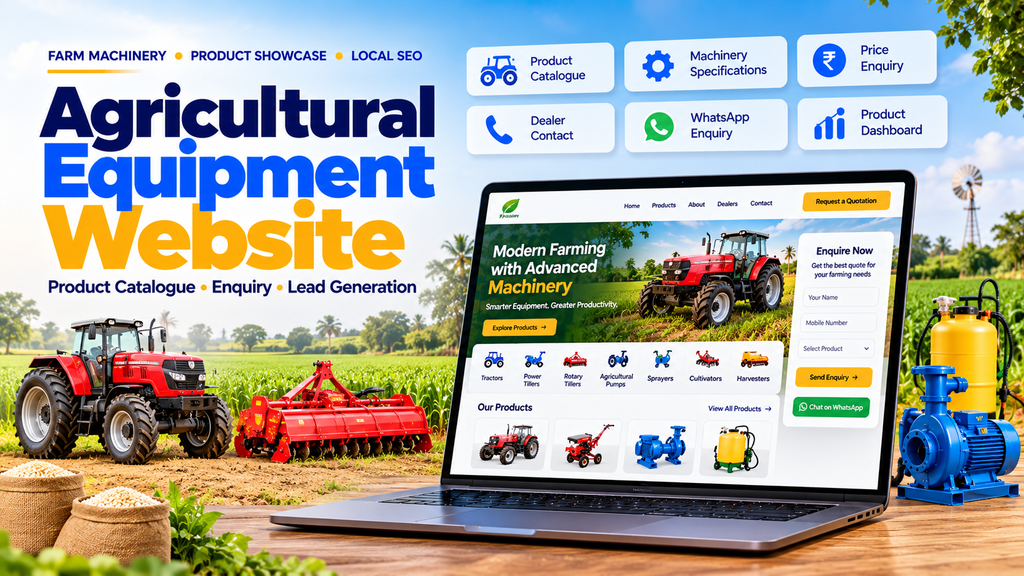
Agricultural equipment dealer website development in Erode focuses on building a responsive product catalogue with machinery categories, product details, enquiry forms, WhatsApp integration, dealer information and search engine optimization.
Whether you sell tractors, power tillers, irrigation pumps, sprayers, cultivators, harvesting equipment or agricultural spare parts, your website should help customers identify suitable products and contact your sales team.
An agricultural equipment dealer website should include a product catalogue, equipment categories, detailed specifications, product photographs, enquiry forms, WhatsApp and click-to-call buttons, dealer locations, service information and mobile-friendly design. Advanced websites may also include inventory management, quotation generation, spare-parts catalogues and CRM integration.
This guide explains the essential features, website development options, indicative costs and SEO strategies for agricultural machinery dealerships in Erode and nearby areas.
1. What Is an Agricultural Equipment Dealer Website?
An agricultural equipment dealer website is an online platform where a dealership can present its machinery, farming equipment, accessories and related services.
Customers can browse product categories, review specifications, compare suitable options and send enquiries to the sales team.
Depending on the business model, the website may operate as a product catalogue, a lead-generation platform or a complete ecommerce website.
2. Why Agricultural Equipment Dealers in Erode Need a Website
Farmers and agricultural businesses often want to understand equipment features before travelling to a dealership or speaking with a salesperson.
A professional website can help dealers:
- Showcase available equipment categories.
- Publish product specifications.
- Share product photographs and demonstrations.
- Receive product-specific enquiries.
- Provide dealership contact information.
- Promote service and maintenance offerings.
- Generate enquiries from relevant search traffic.
- Communicate product availability accurately.
A website supports the sales process, but actual enquiries depend on product demand, website quality, competition and marketing activities.
3. Types of Agricultural Businesses That Benefit
Website development can support different agricultural equipment businesses, including:
- Tractor dealerships.
- Power tiller dealers.
- Agricultural machinery distributors.
- Irrigation pump suppliers.
- Sprayer and spraying equipment dealers.
- Cultivator and tillage equipment suppliers.
- Harvesting equipment dealers.
- Farm implement retailers.
- Agricultural spare-parts suppliers.
- Drip irrigation equipment businesses.
- Farm machinery rental businesses.
- Agricultural equipment service centres.
4. Product Catalogue Website vs Ecommerce Website
Not every agricultural equipment dealer needs an online checkout system. The right approach depends on how products are priced, sold and delivered.
| Feature | Product Catalogue Website | Ecommerce Website |
|---|---|---|
| Product listings | Yes | Yes |
| Specifications and photographs | Yes | Yes |
| Product enquiry forms | Yes | Optional |
| WhatsApp enquiries | Yes | Optional |
| Online checkout | Not required | Yes |
| Online payment | Not required | Optional or required by the sales model |
| Order management | Basic enquiry tracking | Full order workflow |
| Best suited for | Machinery sold through enquiries | Products suitable for online ordering |
For high-value machinery, a catalogue with quotation requests may be more appropriate than displaying fixed prices and accepting instant online orders.
5. Design a Professional Agricultural Equipment Homepage
The homepage should quickly communicate the dealership’s product range and make it easy for customers to enquire.
Recommended homepage sections include:
- Clear introduction to the dealership.
- Featured agricultural equipment.
- Product category navigation.
- Popular machinery and implements.
- Product enquiry button.
- Service and spare-parts information.
- Dealership address and contact details.
- WhatsApp and telephone buttons.
Use real product photographs and verified business information wherever possible.
6. Organize Products Into Clear Categories
A structured catalogue helps visitors find relevant products without browsing every listing.
Possible categories include:
- Tractors.
- Power tillers.
- Rotary tillers.
- Ploughs and cultivators.
- Seeders and planters.
- Harvesting equipment.
- Agricultural pumps.
- Sprayers.
- Drip irrigation systems.
- Farm trailers and implements.
- Spare parts and accessories.
Only include categories that match the dealership’s actual inventory or product offering.
7. Build Detailed Product Pages
Each major product should have a dedicated page containing the information customers need to evaluate it.
A product page may include:
- Product name and model.
- Manufacturer or brand, where authorized.
- Product photographs.
- Product description.
- Technical specifications.
- Compatible accessories.
- Warranty information where confirmed.
- Availability status.
- Request a quotation button.
- Contact information.
8. Add Product Specifications
Specifications help customers understand whether a product meets their requirements.
Depending on the product, specifications may include:
- Model number.
- Rated power.
- Working width.
- Capacity.
- Dimensions.
- Weight.
- Power requirements.
- Compatible equipment.
- Manufacturer’s technical details.
Specifications must be checked against the manufacturer’s current documentation. Avoid copying technical information from unrelated products.
9. Add Product Images and Videos
High-quality images help visitors understand machinery appearance and configuration.
Consider including:
- Front and side views.
- Product details and attachments.
- Equipment operating photographs.
- Short demonstration videos.
- Manufacturer-approved product images.
Use images that the dealership owns or has permission to publish.
10. Add a Product Search and Filter System
A larger catalogue may benefit from product search and filtering.
Depending on the inventory, customers could filter by:
- Product category.
- Brand.
- Model.
- Equipment type.
- Power range.
- Availability.
Only introduce filters that are supported by consistent product data.
11. Add Product Enquiry Forms
Product enquiry forms allow customers to contact the sales team about a specific item.
Recommended fields include:
- Name.
- Phone number.
- Product or model of interest.
- Quantity, where relevant.
- Location.
- Optional message.
Keep forms short and collect only the information required to respond to the enquiry.
12. Add a Request a Quotation Feature
A quotation request feature is useful when equipment pricing depends on the model, configuration, availability or delivery requirements.
A typical workflow is:
- The customer opens a product page.
- The customer selects Request a Quotation.
- The product and model are included in the enquiry.
- The customer submits contact information.
- The dealership receives the enquiry.
- The sales team follows up with verified pricing and availability.
13. Integrate WhatsApp Enquiries
WhatsApp integration can make it easier for customers to contact a dealership from their phones.
Useful features include:
- WhatsApp contact button.
- Product-specific enquiry message.
- Dealer contact information.
- Request a quotation link.
A product-specific message can include the product name and model so that the sales team understands the enquiry context.
14. Add Click-to-Call Functionality
Customers may prefer to speak directly with the dealership about product details, service requirements or availability.
Use a mobile-friendly telephone link so visitors can call without manually copying the number.
Display accurate business hours and contact details.
15. Display Product Availability Carefully
Customers may want to know whether a product is currently available.
Possible availability labels include:
- Available for enquiry.
- In stock, when verified.
- Available on request.
- Contact dealer for current availability.
If stock changes frequently, connect the catalogue to an inventory system or clearly explain that availability must be confirmed by the dealership.
16. Add Agricultural Spare-Parts Catalogue
Dealers selling spare parts may benefit from a dedicated catalogue.
Useful information includes:
- Part name.
- Part number.
- Compatible equipment or model.
- Product photographs.
- Availability information.
- Enquiry form.
Accurate compatibility details help reduce enquiries about unsuitable parts.
17. Add Service and Maintenance Information
Dealerships offering maintenance or repair services can publish a dedicated service section.
Possible content includes:
- Equipment servicing.
- Repair support.
- Spare-parts availability.
- Service enquiry form.
- Service contact details.
- Operating hours.
Describe only the services the dealership actually provides.
18. Add a Machinery Comparison Feature
Where customers regularly compare similar models, a comparison feature can present key specifications side by side.
For example, visitors may compare equipment dimensions, rated power, capacity and included features.
Use verified manufacturer specifications and clearly identify differences between models.
19. Add Dealer Location and Contact Pages
A dedicated contact page should make it easy for customers to find and contact the dealership.
Include relevant information such as:
- Business name.
- Accurate address.
- Telephone number.
- WhatsApp contact.
- Opening hours.
- Directions or map.
- Enquiry form.
Publish only genuine business locations and accurate service information.
20. Add Product Catalogue Management
A content management system can help dealership staff maintain product information without editing code.
Possible administrative features include:
- Add and edit products.
- Manage product categories.
- Upload photographs.
- Update specifications.
- Change availability information.
- Manage product descriptions.
- Update SEO metadata.
21. Add Enquiry Management
An enquiry management dashboard can help staff follow up with prospective customers.
Possible features include:
- Enquiry reference number.
- Customer contact details.
- Product of interest.
- Enquiry date.
- Assigned salesperson.
- Follow-up status.
- Internal notes.
Limit access to customer information to authorized staff.
22. Integrate a CRM System
Dealerships receiving enquiries through multiple channels may benefit from customer relationship management software.
A CRM integration may help organize:
- Website enquiries.
- WhatsApp leads, where supported.
- Telephone follow-ups.
- Quotation status.
- Sales pipeline stages.
- Customer communication history.
Choose an integration that matches the dealership’s existing workflow and budget.
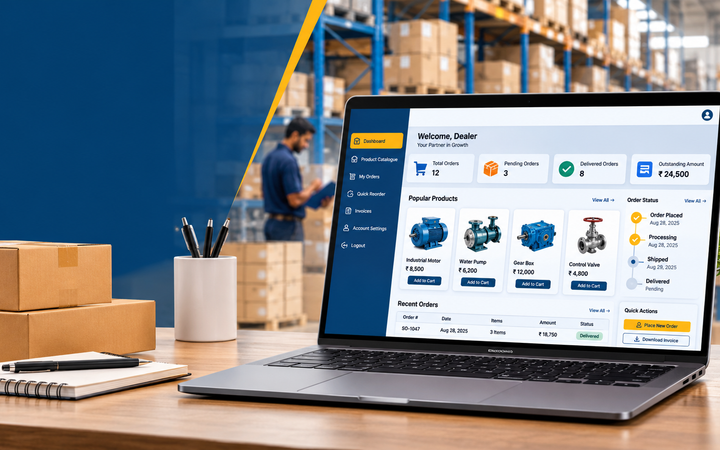
23. Add a Dealer Dashboard
An advanced website may include an administrative dashboard for managing products and sales enquiries.
Depending on requirements, the dashboard may provide:
- Product management.
- Category management.
- Enquiry management.
- Quotation status.
- Inventory updates.
- Staff access controls.
- Basic enquiry reports.
24. Add Quotation Generation
Dealerships handling frequent product enquiries may need a quotation workflow.
Possible features include:
- Customer details.
- Product and model selection.
- Quantity.
- Quoted price.
- Applicable taxes.
- Delivery terms.
- Quotation validity.
- PDF export.
Ensure quotations are reviewed by authorized staff before being sent to customers.
25. Add Product Demonstration Requests
For equipment where a demonstration is appropriate, the website can provide a request form.
Possible fields include:
- Product of interest.
- Preferred date.
- Customer location.
- Contact information.
- Additional requirements.
Do not promise a demonstration until the dealership confirms availability.
26. Add Financing Information Where Available
Some equipment purchases may involve financing through eligible third-party providers.
A website may explain available financing options and provide an enquiry route.
Any financing information, eligibility conditions and interest-rate claims should be verified with the relevant provider. Do not guarantee loan approval.
27. Add Government Scheme Information Responsibly
Customers may ask about agricultural subsidies or government-supported equipment schemes.
If the dealership publishes such information, use current official sources and clearly explain eligibility conditions.
Avoid promising subsidy approval or implying that every product qualifies for a particular scheme.
28. Agricultural Equipment Dealer Website SEO in Erode
Search engine optimization can help relevant product and service pages become discoverable.
Important SEO activities include:
- Product keyword research.
- Unique product descriptions.
- Category page optimization.
- Descriptive page titles.
- Image optimization.
- Internal linking.
- Technical SEO.
- Local SEO.
- Search Console monitoring.
SEO results depend on competition, content quality, technical implementation and other factors. No ranking position should be guaranteed.
29. Agricultural Equipment Website Keyword Examples
Possible keyword themes include:
- Agricultural equipment dealer Erode.
- Farm machinery dealer in Erode.
- Tractor dealer website development.
- Agricultural machinery website design.
- Farm equipment catalogue website.
- Agricultural spare-parts website.
- Irrigation equipment dealer website.
- Agricultural equipment website development in Tamil Nadu.
These are examples for research, not verified search-volume estimates. Prioritize phrases that match the dealership’s actual products and services.
30. Local SEO for Agricultural Equipment Dealers
A dealer serving Erode can improve local discoverability by maintaining accurate business information online.
Important activities include:
- Maintain an eligible Google Business Profile.
- Use consistent business contact information.
- Publish genuine product and premises photographs.
- Request honest customer reviews.
- Keep opening hours updated.
- Build useful local website content.
- Monitor relevant local search queries.
Follow Google’s business profile eligibility requirements. Do not create fake addresses or branches.
31. Target Relevant Areas Around Erode
Depending on the dealership’s genuine service coverage, relevant areas may include:
- Erode.
- Perundurai.
- Bhavani.
- Anthiyur.
- Gobichettipalayam.
- Sathyamangalam.
- Chennimalai.
- Modakkurichi.
- Kavindapadi.
- Ammapettai.
Only mention locations the business actually serves. Avoid creating near-identical pages that differ only by town name.
32. Create Useful Local Landing Pages
Location pages can help explain the products and services available to customers in a particular area.
Useful information may include:
- Relevant product categories.
- Actual service coverage.
- Delivery or service information, if offered.
- Dealer contact details.
- Relevant customer questions.
Each page should provide distinct value rather than repeat generic content.
33. Optimize Product Images for SEO
Use descriptive filenames and accurate alternative text.
Example filename:
agricultural-power-tiller-product-catalogue.webp
Example alt text:
Agricultural power tiller displayed on the dealer’s product catalogue page.
Alt text should describe the actual image and should not be overloaded with keywords.
34. Add Appropriate Structured Data
Depending on the website and its pages, relevant structured data may include:
- Organization.
- LocalBusiness, when appropriate.
- Product.
- BreadcrumbList.
- Article.
Product data must reflect visible, accurate product information. Do not add fabricated prices, ratings, availability or reviews.
Structured data does not guarantee enhanced search results.
35. Build a Mobile-Friendly Catalogue
Customers may browse product catalogues while travelling, visiting farms or speaking with sales representatives.
Important mobile features include:
- Responsive product cards.
- Readable specifications.
- Optimized product images.
- Easy category navigation.
- Visible enquiry buttons.
- Click-to-call and WhatsApp links.
- Simple enquiry forms.
36. Improve Website Speed
Large product photographs and videos can affect loading performance.
Useful optimization methods include:
- Compressing product images.
- Using modern image formats.
- Serving appropriately sized images.
- Lazy-loading below-the-fold images.
- Reducing unnecessary scripts.
- Using suitable caching.
- Monitoring Core Web Vitals.
37. Secure the Website and Enquiry Data
An agricultural dealer website may collect customer names, telephone numbers, locations and purchase enquiries.
Important measures include:
- HTTPS.
- Secure form handling.
- Spam protection.
- Strong administrator authentication.
- Role-based access.
- Regular updates.
- Secure backups.
- Appropriate privacy notices.
38. Track Website Enquiries With Analytics
Analytics can help a dealership understand how visitors use the website.
Possible events include:
- Product enquiry submission.
- Quotation request submission.
- WhatsApp button click.
- Telephone link click.
- Contact form completion.
- Important product page views.
Track confirmed form submissions rather than treating every button click as a successful lead. Avoid sending personal information to analytics platforms.
39. Recommended Website Pages
A typical agricultural equipment dealer website may include:
- Home.
- About Us.
- Products.
- Product Categories.
- Individual Product Pages.
- Brands.
- Agricultural Spare Parts.
- Service and Maintenance.
- Request a Quotation.
- Product Enquiry.
- Dealer Location.
- Blog or Resources.
- Frequently Asked Questions.
- Contact Us.
- Privacy Policy.
The final page structure should reflect the dealership’s actual business model.
40. Agricultural Equipment Dealer Website Development Cost in Erode
The cost depends on the number of products, catalogue functionality, custom design, integrations and ongoing maintenance requirements.
The following figures are illustrative planning ranges, not verified market averages or an official Greap Technologies quotation.
| Website Type | Indicative Budget | Typical Features |
|---|---|---|
| Basic dealer website | ₹10,000–₹20,000 | Business pages, product highlights and contact forms |
| Product catalogue website | ₹20,000–₹45,000 | Product categories, detailed listings and enquiries |
| Advanced dealer website | ₹45,000–₹1,00,000 | Catalogue management, enquiry dashboard and advanced search |
| Custom dealer management platform | ₹1,00,000–₹3,00,000+ | CRM integration, inventory workflows, quotation management and custom reports |
Domain, hosting, premium plugins, third-party integrations, product data entry, messaging services, maintenance and applicable taxes may cost extra.
41. Factors That Affect Website Development Cost
- Number of products.
- Number of product categories.
- Custom design requirements.
- Product filtering and search.
- Enquiry management dashboard.
- Inventory integration.
- Quotation generation.
- CRM integration.
- Online payment requirements.
- SEO and analytics setup.
- Security and maintenance.
42. WordPress vs Custom Website Development
| Factor | WordPress | Custom Development |
|---|---|---|
| Best suited for | Business websites and product catalogues | Specialized workflows and complex integrations |
| Product management | CMS or suitable plugins | Custom product dashboard |
| Enquiry forms | Plugins or custom forms | Custom enquiry workflow |
| Inventory integration | Depends on available integrations | Can be tailored to the existing system |
| CRM integration | Plugin or third-party integration | Custom integration where required |
| Maintenance | Core, theme and plugin updates | Application and dependency maintenance |
Choose based on the dealership’s requirements, budget, internal skills and long-term maintenance needs.
43. Agricultural Equipment Website Development Process
- Understand the dealership’s products and sales process.
- Identify target customers and service areas.
- Plan categories and product page structure.
- Collect verified product specifications.
- Prepare product photographs.
- Design desktop and mobile layouts.
- Develop the product catalogue.
- Implement enquiry and quotation forms.
- Configure contact and WhatsApp links.
- Set up the product management system.
- Implement technical SEO.
- Test forms and mobile usability.
- Configure analytics and Search Console.
- Launch and train authorized staff.
44. Common Agricultural Dealer Website Mistakes
- Using outdated product information.
- Publishing unverified specifications.
- Showing inaccurate stock availability.
- Using poor-quality product photographs.
- Making contact details difficult to find.
- Using lengthy enquiry forms.
- Ignoring mobile visitors.
- Creating duplicate location pages.
- Failing to follow up on enquiries.
- Ignoring website security and backups.
- Not tracking successful form submissions.
45. How to Choose an Agricultural Equipment Website Developer
Before selecting a development company, consider these questions:
- Can the website organize a large product catalogue?
- Can staff update products without coding?
- Can customers enquire about individual models?
- Can the website support quotation requests?
- Can it integrate with an existing CRM or inventory system?
- Will it work properly on smartphones?
- Are technical SEO and analytics included?
- What are the domain and hosting costs?
- Who will maintain the website?
- Can the system be expanded later?
46. Agricultural Equipment Website Development Services in Erode
Dealerships may need different combinations of website and software services.
Possible solutions include:
- Agricultural equipment dealer websites.
- Tractor dealer websites.
- Farm machinery product catalogues.
- Agricultural spare-parts catalogues.
- Product enquiry systems.
- Quotation management systems.
- Inventory integrations.
- Customer relationship management.
- Local SEO.
- Website maintenance.
47. How Greap Technologies Can Help
Greap Technologies provides website development, custom software, SEO and digital growth solutions.
Agricultural equipment dealers can discuss requirements for responsive websites, machinery catalogues, product enquiry forms, WhatsApp integration, quotation workflows, inventory connections and local SEO.
The recommended solution and final cost depend on the agreed scope, product volume and integration requirements.
Visit Greap Technologies to learn more about website development services.
Conclusion
Agricultural equipment dealer website development in Erode can give dealerships a structured way to present machinery, publish specifications and receive enquiries from potential customers.
A useful website combines a searchable product catalogue, detailed product pages, quotation requests, WhatsApp and telephone links, accurate dealer information, mobile-friendly design and technical SEO.
For dealerships with more complex operations, inventory integration, enquiry tracking, CRM and quotation management can extend the website into a broader sales support platform.
Product Catalogue + Verified Specifications + Enquiry Forms + WhatsApp Integration + Local SEO + Enquiry Management = A strong foundation for an agricultural equipment dealer website.
Need an Agricultural Equipment Dealer Website?
Planning a website for a tractor dealership, farm machinery supplier, irrigation equipment business or agricultural spare-parts shop?
Discuss your product catalogue, enquiry forms, quotation management, custom software and SEO requirements with Greap Technologies.
Get a Website QuoteWebsite: www.greap.in
Phone: +91 70923 30168
Frequently Asked Questions
1. What features should an agricultural equipment dealer website have?
It should include product categories, detailed specifications, product photographs, enquiry forms, dealer contact details, WhatsApp integration and mobile-responsive design.
2. How much does an agricultural equipment website cost in Erode?
Illustrative budgets range from ₹10,000–₹20,000 for a basic website to ₹1,00,000–₹3,00,000 or more for a custom management platform. Actual pricing depends on scope and integrations.
3. Can a dealer website display hundreds of products?
Yes. A suitable content management system can organize large catalogues with categories, individual product pages, search and filters.
4. Can customers request quotations online?
Yes. Product-specific forms can capture customer enquiries and send them to the dealership for follow-up.
5. Is online payment necessary for an agricultural equipment website?
No. A catalogue website can generate enquiries without accepting online payments. Ecommerce functionality is optional and depends on the sales model.
6. Can WhatsApp be integrated into the website?
Yes. WhatsApp links can open a conversation with the dealership and can include a prefilled message identifying the product of interest.
7. Can the dealer update product availability?
Yes. Staff can update availability through a content management system or connect the website to an inventory system where supported.
8. Can the website include agricultural spare parts?
Yes. A separate spare-parts catalogue can organize part numbers, compatibility details, photographs and enquiry options.
9. Is WordPress suitable for an agricultural equipment catalogue?
WordPress can be suitable for many product catalogue websites. Custom development may be preferable when specialized workflows or integrations are required.
10. Can SEO help an agricultural equipment dealer reach customers around Erode?
SEO can improve the discoverability of relevant product and service pages. Results depend on competition, content quality, website performance and other factors.
11. Can an agricultural equipment website integrate with inventory software?
Yes, if the existing software supports a suitable integration or a custom connection can be developed.
12. Can Greap Technologies develop agricultural dealer websites?
Agricultural equipment dealers can contact Greap Technologies to discuss product catalogues, enquiry systems, custom software, integrations and SEO requirements.