Corporate Learning Management System (LMS) Development in India
Employee training is an ongoing requirement for businesses that want to develop workforce skills, introduce new processes and maintain consistent working practices. As organizations grow, managing training sessions, course materials, assessments and employee learning records through spreadsheets and separate applications can become difficult.
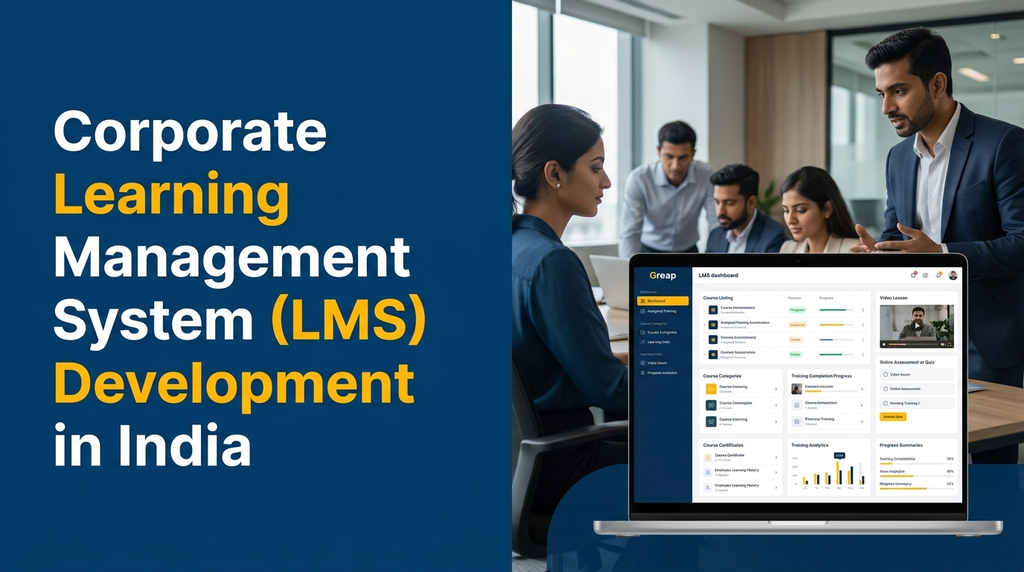
A Corporate Learning Management System (LMS) is a digital platform that helps businesses create, organize, deliver and monitor employee training programmes. It provides a centralized environment for online courses, learning materials, assessments, certificates, training schedules and employee progress reports.
Corporate LMS development in India allows organizations to build a learning platform around their internal training processes, employee roles, departments, compliance requirements and business objectives.
Why Do Businesses Need a Corporate Learning Management System?
Many organizations conduct employee training through classroom sessions, presentations, PDF documents, recorded videos and external courses. These methods can be useful, but coordinating them across departments and locations requires consistent administration.
A corporate LMS brings learning resources and training activities into a centralized system. Employees can access assigned courses, complete assessments and review their learning progress, while administrators can organize training programmes and monitor completion records.
Businesses commonly use an LMS to:
- Organize employee training programmes.
- Deliver online courses and recorded lessons.
- Maintain a centralized training content library.
- Assign courses based on job roles and departments.
- Track course enrolment and completion.
- Conduct quizzes and online assessments.
- Issue course completion certificates.
- Maintain employee learning history.
- Schedule recurring training programmes.
- Generate department-wise training reports.
Who Can Use Corporate LMS Software?
A corporate learning management system can support businesses across different industries. The course content and learning workflows can be configured according to each organization’s operational needs.
1. IT Companies and Software Development Teams
IT companies can use an LMS to organize technical learning, software development practices, security awareness and employee onboarding.
Possible training categories include:
- Programming languages and frameworks.
- Software development processes.
- Internal coding standards.
- Project management practices.
- Application security awareness.
- Technical documentation and support procedures.
2. Manufacturing and Industrial Businesses
Manufacturing companies can deliver structured training for production employees, supervisors, quality teams and maintenance personnel.
Training topics may include:
- Machine operating procedures.
- Workplace safety and awareness.
- Quality control procedures.
- Production process documentation.
- Equipment maintenance guidelines.
- Internal operational standards.
3. Retail and Distribution Companies
Retail businesses can use an LMS to train sales teams, branch employees, warehouse personnel and customer support staff.
Common course topics include:
- Product knowledge.
- Customer service procedures.
- Billing and point-of-sale processes.
- Inventory handling.
- Store operations.
- Sales communication and service standards.
4. Healthcare and Service Organizations
Healthcare and service businesses may use an LMS for internal training, process updates, employee orientation and recurring educational programmes. Content should be reviewed by appropriate subject-matter professionals where specialized instruction is involved.
5. Companies with Multiple Branches
Organizations operating from different offices or locations can distribute consistent training materials and review course completion across branches through one centralized platform.
Essential Features of Corporate Learning Management Software
1. Course and Training Programme Management
Course management is the core module of a corporate LMS. Administrators should be able to create training programmes, organize lessons and control which employees can access them.
Typical capabilities include:
- Create and edit training courses.
- Organize courses into categories.
- Add course descriptions and learning objectives.
- Divide courses into modules and lessons.
- Upload learning materials.
- Set course availability and completion rules.
- Assign trainers or instructors.
- Publish, archive or update course content.
2. Employee and Department Management
A corporate LMS should support employee accounts and organizational structures so training can be assigned to the right people.
Employee records may include:
- Employee name and ID.
- Department and job role.
- Branch or location.
- Joining date.
- Reporting manager.
- Assigned training programmes.
- Course completion history.
Employee information can be maintained directly in the LMS or synchronized with an existing HRMS through a suitable integration.
3. Learning Paths and Role-Based Training
Different employees need different training. A learning path allows administrators to organize courses into a structured sequence based on employee roles, experience or department.
For example:
| Employee Role | Example Learning Path |
|---|---|
| New Employee | Company Introduction, Policies and Workplace Orientation |
| Sales Executive | Product Knowledge, Customer Communication and Sales Process |
| Production Operator | Equipment Procedures, Quality and Safety Training |
| Team Leader | Team Management, Reporting and Performance Review |
| IT Developer | Technical Standards, Security and Development Workflow |
4. Video-Based Learning and Course Materials
The LMS can provide a centralized learning content library where employees access different types of educational materials.
Supported content may include:
- Recorded training videos.
- PDF documents and presentations.
- Text-based lessons.
- Images and diagrams.
- Downloadable reference documents.
- External learning resource links.
- Audio lessons where required.
Video hosting and delivery should be planned according to expected usage, file sizes, bandwidth and storage requirements. Large video libraries may require a dedicated media storage or streaming service.
5. Online Quizzes and Assessments
An assessment module allows organizations to evaluate whether employees have understood the course material.
Assessment features can include:
- Multiple-choice questions.
- True or false questions.
- Multiple-answer questions.
- Short-answer questions.
- Question banks.
- Randomized question selection.
- Configurable passing marks.
- Attempt limits and time limits.
- Automatic scoring for supported question types.
- Trainer-reviewed assessment responses.
Administrators can configure assessment rules according to the purpose and difficulty of each training programme.
6. Course Completion and Certification
Some training programmes require a certificate after employees complete the necessary lessons and assessments.
Certificate management can support:
- Custom certificate templates.
- Employee name and course information.
- Completion date.
- Certificate identification number.
- Trainer or authorized signatory details.
- Downloadable PDF certificates.
- Certificate history and verification records.
- Renewal reminders for selected programmes.
Certificate issuance rules should be configured according to the organization’s actual course completion and assessment requirements.
7. Training Calendar and Scheduling
A training calendar helps administrators organize instructor-led sessions, online events and recurring learning programmes.
Useful scheduling features include:
- Training session creation.
- Trainer assignment.
- Session date and time.
- Employee registration.
- Attendance records.
- Session reminders.
- Training room or online meeting details.
- Session feedback.
8. Employee Learning Dashboard
Employees should have a simple dashboard that displays their assigned training and learning activities.
The employee dashboard may show:
- Assigned courses.
- Courses currently in progress.
- Completed courses.
- Pending assessments.
- Upcoming training sessions.
- Certificates earned.
- Learning history.
- Recommended training programmes.
9. Training Reports and Analytics
Administrators and HR teams need reports to understand how training programmes are being used across the organization.
Common LMS reports include:
- Employee-wise course completion.
- Department-wise learning progress.
- Course enrolment and completion reports.
- Assessment results.
- Training attendance.
- Certificate issuance history.
- Pending and overdue assignments.
- Branch-wise training summaries.
Reports should clearly distinguish course enrolment, course access, lesson completion, assessment results and certificate issuance. These represent different learning activities.
How Does a Corporate LMS Work?
A typical corporate learning management workflow starts when an administrator creates a training programme and assigns it to employees.
- Course creation: The administrator creates a course and adds lessons, videos, documents and assessments.
- Employee selection: The relevant employees, departments or job roles are selected.
- Course assignment: Training is assigned with suitable completion rules and deadlines.
- Employee notification: Employees receive an alert about their assigned training.
- Learning activity: Employees access the course and complete the available lessons.
- Assessment: Employees attempt quizzes or other configured evaluations.
- Completion verification: The system checks the configured completion requirements.
- Certificate issuance: A certificate is generated if the employee meets the defined criteria.
- Reporting: Administrators review employee progress and training records.
Example Corporate LMS Course Structure
A business onboarding programme can be organized into a sequence of learning modules.
| Module | Learning Content | Activity |
|---|---|---|
| Company Introduction | Company overview and departments | Video and reading |
| Workplace Policies | Internal policies and procedures | Document review |
| Job Responsibilities | Role-specific instructions | Learning module |
| Process Training | Daily workflow and tools | Video lessons |
| Knowledge Assessment | Questions based on the course | Online quiz |
Corporate LMS vs Traditional Employee Training
Classroom training and instructor-led sessions remain useful for practical demonstrations, discussions and hands-on learning. An LMS complements these methods by organizing learning resources, assignments and progress records.
| Requirement | Traditional Training | Corporate LMS |
|---|---|---|
| Course distribution | Manual sharing | Centralized course access |
| Learning materials | Separate documents and files | Organized content library |
| Employee assignments | Manual coordination | Role-based course assignment |
| Assessments | Paper or separate forms | Integrated online assessments |
| Completion records | Manual spreadsheets | Digital learning history |
| Certificates | Manual preparation | Configurable certificate generation |
| Reports | Manual compilation | Centralized analytics |
Important Modules in a Corporate LMS Platform
| Module | Purpose |
|---|---|
| Super Admin | Manage the platform, organizations and system settings. |
| Organization Management | Manage company branches, departments and organizational structure. |
| Employee Management | Create employee accounts and assign roles. |
| Course Management | Create, organize and publish learning programmes. |
| Content Management | Upload videos, documents, lessons and learning resources. |
| Learning Paths | Organize role-based and sequential training. |
| Assessment Management | Create quizzes, tests and question banks. |
| Certificate Management | Generate and maintain course certificates. |
| Training Calendar | Schedule instructor-led and online sessions. |
| Reports and Analytics | Review employee progress and training activity. |
Corporate LMS Web Application and Mobile App
An LMS can be developed as a responsive web application, a mobile application or a combination of both. The choice depends on employee access patterns, training content and business requirements.
Administrator Web Dashboard
- Manage employees, departments and roles.
- Create and publish training courses.
- Upload learning materials and videos.
- Assign training programmes.
- Configure assessments and certificates.
- Schedule training sessions.
- Monitor course completion and assessment results.
- Generate reports and analytics.
Trainer and Instructor Portal
- Create and manage assigned courses.
- Upload training materials.
- Schedule learning sessions.
- Review employee submissions.
- Evaluate manual assessments.
- Provide course feedback.
- Monitor assigned learner progress.
Employee Learning Portal
- View assigned training courses.
- Watch lessons and access learning documents.
- Complete quizzes and assessments.
- Track course completion.
- Download available certificates.
- View upcoming training sessions.
- Access learning history.
Mobile Learning Application
A mobile LMS application can make training materials accessible to employees who primarily use smartphones.
Possible mobile features include:
- Employee login and profile.
- Assigned course list.
- Video and document lessons.
- Mobile-friendly quizzes.
- Training notifications.
- Learning progress tracking.
- Certificate access.
Offline learning, video downloads and background progress synchronization require additional design and storage controls. These capabilities should be planned separately rather than assumed to be included in every mobile LMS.
Advanced Features for Enterprise LMS Development
1. SCORM Compatibility
SCORM is a commonly used eLearning content packaging and tracking standard. If a business already owns SCORM-based training content, it may require an LMS that can import and track compatible courses.
SCORM support should be specified by version and expected tracking behaviour, including completion, score and learner progress.
2. xAPI and Learning Record Store Integration
xAPI can support recording learning activities across different environments, depending on the content and systems involved. An organization with advanced learning analytics requirements may consider xAPI and a compatible Learning Record Store.
3. Multi-Tenant Corporate LMS
A multi-tenant LMS can serve several companies through one shared software platform while maintaining logical separation of their data, users, courses and configurations.
Possible capabilities include:
- Separate organization accounts.
- Tenant-specific branding.
- Organization-specific course libraries.
- Separate employee and trainer accounts.
- Tenant-level reports.
- Subscription and billing management, if offered commercially.
- Platform-level administration.
4. Automated Training Reminders
The LMS can send configurable reminders for newly assigned courses, approaching deadlines, scheduled sessions and incomplete assessments. Notifications may be delivered through email, SMS, in-app alerts or supported messaging integrations.
5. Learning Recommendations
A recommendation module can suggest relevant courses based on employee roles, selected interests, completed training or administrator-defined learning paths.
If AI-based recommendations are planned, the system should explain how recommendations are generated and allow administrators to review or override unsuitable suggestions.
6. Multilingual Learning Content
Businesses with employees who prefer different languages may need multilingual course descriptions, lessons, interface labels and assessments.
For organizations operating in Tamil Nadu, a bilingual interface supporting English and Tamil may be useful, depending on the workforce and training content.
Integrations for Corporate Learning Management Software
A corporate LMS may need to exchange information with other business applications.
- HRMS: Synchronize employee records, departments and job roles.
- Payroll systems: Connect selected employee training records where required.
- Single sign-on: Allow employees to access the LMS through an approved identity provider.
- Video hosting: Deliver training videos through suitable storage and streaming services.
- Calendar applications: Share instructor-led training schedules.
- Email and messaging: Send course assignments and learning reminders.
- Video conferencing: Link live training sessions through compatible meeting platforms.
- Business intelligence: Export or connect learning data for advanced reporting.
Integration availability depends on the external application’s APIs, licensing, permissions and technical compatibility.
Security and Data Privacy in Corporate LMS Development
A corporate LMS stores employee information, training records, assessment results and business learning materials. Security controls should be part of the initial architecture.
Important considerations include:
- Role-based access control.
- Secure authentication and session management.
- Restricted access to employee learning records.
- Secure video and document delivery.
- Protection of assessment and question bank content.
- Audit logs for administrative actions.
- Encrypted data transmission through HTTPS.
- Regular database and file backups.
- Defined data retention and deletion policies.
- Secure APIs for external integrations.
Multi-tenant platforms also require careful organization-level access controls so one company’s users cannot access another company’s learning data.
How to Choose the Right LMS Development Approach
Businesses can select an existing LMS product, customize an available platform or develop a fully custom learning management system. The right approach depends on training complexity, integration requirements, ownership preferences and budget.
| Approach | Suitable For | Consideration |
|---|---|---|
| Ready-Made LMS | Businesses with standard training needs | Review available features, licensing and limitations. |
| Customized LMS Platform | Organizations needing selected workflow changes | Check customization flexibility and upgrade compatibility. |
| Custom LMS Development | Businesses with specialized processes or integrations | Requires clear requirements, development and maintenance planning. |
How Much Does Corporate LMS Development Cost in India?
Corporate LMS development cost depends on the number of user roles, course management features, content types, assessment requirements, mobile applications, integrations and hosting architecture.
The following figures are illustrative planning estimates for custom development in India. They are not fixed market prices or a quotation from Greap Technologies.
| Development Scope | Illustrative Budget |
|---|---|
| Basic course management and employee learning portal | ₹35,000–₹60,000 |
| Course management, video lessons and assessments | ₹50,000–₹90,000 |
| Employee training, certificates and reports | ₹65,000–₹1.2 lakh |
| Complete corporate LMS with admin and trainer portals | ₹90,000–₹1.8 lakh |
| Corporate LMS with mobile application and integrations | ₹1.5–₹3 lakh+ |
| Advanced enterprise or multi-tenant LMS platform | ₹3–₹7 lakh+ |
Final development cost depends on the approved requirements and implementation complexity. Cloud hosting, domain registration, video storage and streaming, third-party licences, SMS or email services, integrations, app publishing, content migration, taxes and ongoing maintenance may be additional.
Factors That Affect LMS Development Cost
- Number of organizations, employees and user roles.
- Course creation and content management complexity.
- Video hosting, storage and streaming requirements.
- Assessment rules and certificate generation.
- SCORM or xAPI compatibility requirements.
- Mobile app and offline learning requirements.
- HRMS, SSO and third-party integrations.
- Multilingual content and interface support.
- Analytics, reporting and infrastructure requirements.
How to Choose a Corporate LMS Development Company in India
Selecting an LMS development partner requires more than comparing the initial project budget. Businesses should understand how the proposed system will support their actual training workflow.
Review the following points before starting development:
- Does the development team understand corporate training workflows?
- Can it provide separate admin, trainer and employee interfaces?
- Can courses include videos, documents, quizzes and assessments?
- Does it support role-based learning paths?
- Can certificates and training reports be customized?
- Are HRMS and identity integrations supported where required?
- Can the platform handle the expected number of learners?
- Are security, backup and data ownership clearly addressed?
- Is documentation and ongoing maintenance included in the plan?
- Can the platform be extended as training requirements change?
Why Consider Custom LMS Development from Greap Technologies?
Greap Technologies provides website development, software development and digital growth solutions for businesses. Organizations looking to centralize employee training can discuss a custom learning management platform based on their training structure and business requirements.
Depending on the project scope, a corporate LMS can include:
- Administrator and trainer dashboards.
- Employee learning portal.
- Course and lesson management.
- Video and document-based learning.
- Employee learning paths.
- Quizzes and assessments.
- Certificate generation.
- Training schedules and notifications.
- Learning progress reports and analytics.
- Mobile application and business integrations.
Businesses in Erode and across India can discuss their corporate training software requirements with Greap. The recommended solution should be based on learner numbers, course structure, integration needs and long-term platform plans.
Frequently Asked Questions
1. What is a corporate learning management system?
A corporate learning management system is software that helps businesses create, distribute and monitor employee training. It supports courses, lessons, assessments, certificates and learning progress reports.
2. What is the difference between an LMS and HRMS?
An HRMS manages broader employee processes such as employee records, attendance, leave and payroll. An LMS focuses on employee learning, course delivery, assessments and training progress. The two systems can be integrated.
3. Can a corporate LMS support employee onboarding?
Yes. An LMS can provide onboarding courses covering company information, policies, department processes, job responsibilities and other role-specific learning materials.
4. Can employees access LMS courses from mobile phones?
Yes. A responsive LMS website or dedicated mobile application can allow employees to access courses, videos, documents and assessments from supported smartphones.
5. Can an LMS issue certificates automatically?
Yes. Certificate generation can be automated when employees meet configured completion and assessment requirements. The certificate can be made available as a downloadable PDF.
6. Does corporate LMS software support online exams?
Yes. An LMS can include quizzes, question banks, multiple-choice questions, time limits, passing marks and assessment reports. Manual evaluation can also be included for suitable question types.
7. What is SCORM in LMS development?
SCORM is an eLearning content packaging and tracking standard. It allows compatible learning content to be imported into an LMS and can provide information such as course completion and assessment results.
8. Can one LMS manage employees from multiple branches?
Yes. A corporate LMS can support multiple branches and departments through centralized administration, location-based employee records and branch-wise training reports.
9. How much does corporate LMS development cost in India?
A basic custom corporate LMS may start around ₹35,000–₹60,000 as an illustrative planning estimate. Advanced platforms with mobile apps, integrations, multi-tenant architecture and specialized learning features require a larger budget.
10. Can a company develop its own custom LMS platform?
Yes. A custom LMS can be developed around the company’s employee structure, course formats, assessment requirements, approval processes, integrations and reporting needs.
Planning a Custom Corporate LMS?
Bring employee training, online courses, assessments, certificates and learning progress into one centralized platform. Discuss your corporate LMS requirements with Greap Technologies.
Website: www.greap.in
WhatsApp: Chat with Greap Technologies
Call: 70923 30168
Conclusion
A corporate learning management system gives businesses a structured way to organize employee training, deliver learning materials, conduct assessments and maintain course completion records. Features such as role-based learning paths, certificates, training schedules and analytics can support different workforce development requirements.
For companies in India, the right LMS architecture depends on employee numbers, training formats, integration requirements, security expectations and future expansion plans. A carefully planned custom platform can bring these learning activities together while supporting the organization’s existing processes.