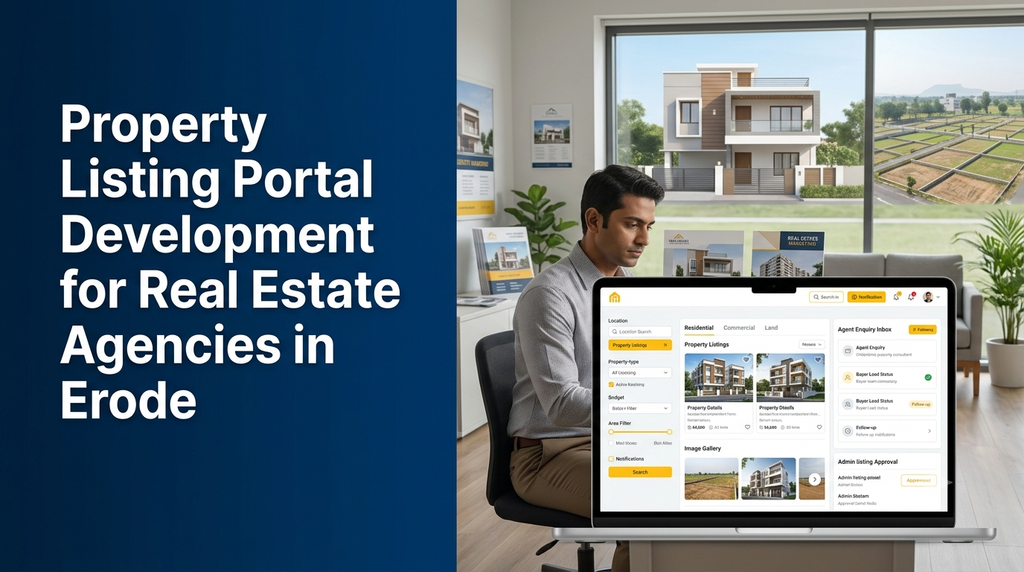
Property Listing Portal Development for Real Estate Agencies in Erode
Buyers and tenants increasingly use online searches to explore houses, apartments, residential plots, commercial spaces and rental properties. Real estate agencies need more than a basic business website to manage these enquiries. A property listing portal provides a central platform to publish properties, organise agent information, help visitors find suitable listings and manage incoming leads.
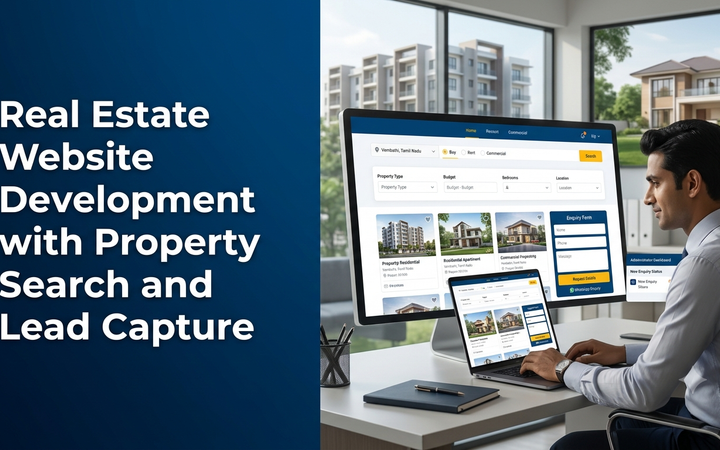
A property listing portal is a website or web application where real estate agencies, brokers, builders or property owners can publish property details for buyers and tenants. It typically includes property search, location and budget filters, image galleries, property detail pages, enquiry forms, agent profiles and an administration dashboard. A custom portal can also include lead management, listing approval, site visit scheduling and CRM integrations.
Why Do Real Estate Agencies Need a Property Listing Website?
Many agencies receive property information through phone calls, WhatsApp messages, spreadsheets and individual agent records. As the number of properties and enquiries grows, maintaining accurate information becomes difficult.
A centralised property portal helps an agency manage its listings and enquiries in one application. It also gives prospective buyers and tenants a structured way to explore available properties before contacting the agency.
- Publish multiple property types on one website.
- Organise properties by location, price, size and category.
- Display photographs, descriptions, amenities and property specifications.
- Receive buyer, tenant and seller enquiries through online forms.
- Assign leads to agents and monitor follow-up status.
- Manage listing approvals, updates and expiry dates.
- Promote selected properties through featured listing sections.
- Build an online presence for the agency and its property inventory.
Who Can Benefit from a Custom Real Estate Portal?
Real Estate Agencies
Agencies handling residential, commercial and land transactions can publish properties through one central website. Administrators can manage agent accounts, listing status, enquiries and property categories.
Independent Property Brokers
Independent brokers can use a professional property website to display their listings, receive enquiries and organise follow-ups without depending entirely on third-party marketplaces.
Builders and Property Developers
Builders can showcase projects, apartment units, residential layouts and commercial developments. Project pages can include approved information, floor plans, image galleries and enquiry options.
Rental Property Managers
Property managers can publish rental houses, apartments, offices and shops with details such as rent, deposit, availability and preferred tenant requirements, where appropriate.
Commercial Property Consultants
Agencies dealing with offices, shops, warehouses, industrial spaces and other commercial properties can organise listings using business-specific filters and property specifications.
Types of Properties a Listing Portal Can Support
A custom portal should allow the agency to configure property categories based on its actual business model.
- Residential houses: Independent houses, villas and residential homes.
- Apartments: Flats, residential units and apartment projects.
- Land and plots: Residential plots, agricultural land and other land categories, with appropriate property details.
- Commercial properties: Shops, offices, showrooms and business spaces.
- Industrial properties: Warehouses, factory buildings and industrial spaces.
- Rental properties: Houses, apartments, offices and shops available for rent or lease.
- New projects: Builder projects and property developments.
Essential Features of Property Listing Portal Development
1. Property Listing Management
The property management module is the foundation of the portal. Authorised users can create, edit, review, publish, unpublish and archive property records.
- Property title and description
- Property category and transaction type
- Location and address fields
- Price or rental details
- Property area and unit configuration
- Bedrooms, bathrooms and other applicable specifications
- Amenities and property features
- Photo galleries and supported documents
- Listing status and availability
- Property reference number
2. Advanced Property Search and Filters
Visitors should be able to narrow down property results using filters that match their requirements. Search functionality is especially important when an agency manages a large property inventory.
- Location, locality or area
- Property type
- Buy, rent or lease
- Minimum and maximum budget
- Land or built-up area
- Bedroom and bathroom count, where applicable
- Furnishing status, where applicable
- Property amenities
- Newest listings and selected sorting options
Search filters should be designed around the agency’s property categories. For example, bedroom filters make sense for houses and apartments but may not be relevant for agricultural land or warehouses.
3. Detailed Property Pages
Every property should have a dedicated page containing its important information. A well-organised detail page helps visitors understand the listing before submitting an enquiry.
- Property name and reference ID
- High-quality property photographs
- Location and locality details
- Price or rental information, where authorised for display
- Property size and specifications
- Property description
- Available amenities
- Agent or agency contact information
- Enquiry and site visit request options
- Similar property suggestions
4. Property Image and Document Management
Real estate listings depend heavily on photographs and supporting information. The portal should provide an organised way to upload, reorder, replace and remove property images.
Depending on the agency’s needs, authorised staff may also attach floor plans, brochures or other permitted documents. The system should validate file types and sizes, optimise images for web delivery and restrict access to private documents.
5. Location-Based Property Search
Location is a major part of property discovery. A portal can organise listings using structured location fields such as district, city, locality, neighbourhood and postal code. Optional map integration can help visitors understand the approximate area of a listing.
For an agency serving Erode, the location structure may include Erode city and nearby areas such as Perundurai, Bhavani, Gobichettipalayam, Sathyamangalam, Modakkurichi, Chennimalai and other service locations.
Map markers should use location information supplied and approved by the agency. Exact property coordinates should not be exposed publicly when the owner or agency has not authorised disclosure.
6. Buyer and Tenant Enquiry Management
Every property page can include an enquiry form that collects relevant contact information and the visitor’s requirements. The system can connect each enquiry to the corresponding property record.
- Visitor name and contact details
- Property reference and enquiry source
- Buy, rent or lease requirement
- Budget and preferred location
- Message or additional requirements
- Enquiry date and assigned agent
- Follow-up status and notes
Enquiry forms should collect only information needed for the stated purpose. Contact details should be protected and made available only to authorised staff.
7. Agent and Staff Management
Agencies with multiple brokers or sales representatives can use role-based agent accounts. Administrators can assign properties and enquiries to agents based on location, category or internal responsibilities.
- Agent profiles and contact information
- Property assignment
- Enquiry assignment and reassignment
- Follow-up records
- Listing activity history
- Agent access permissions
- Performance summaries based on recorded activity
8. Property Listing Approval
If agents or property owners can submit listings, the portal should include an approval workflow. New submissions can remain in a pending state until an authorised administrator reviews the information.
The review process can check required fields, image quality, duplicate records, listing permissions and other agency-defined requirements. Approval by the portal should not be represented as independent legal verification of property ownership or title.
9. Featured and Promoted Listings
An agency may want to highlight selected properties on the home page or relevant category pages. Featured listings can be managed using an admin-controlled priority or promotion period.
If paid listing plans are introduced, the system can include plan configuration, payment records and listing duration. The display should clearly distinguish paid promotion from ordinary search results where applicable.
10. Site Visit Scheduling
Visitors can request a property visit through a form. The agency can review the request, assign an agent and record the scheduled date and time.
A site visit workflow may include confirmation messages, rescheduling, cancellation and visit status. Calendar integration can be added if required.
Important Modules in a Real Estate Listing Portal
| Module | Purpose |
|---|---|
| Super admin | Manage portal settings, users, permissions and system configuration. |
| Property management | Create, update, review and manage property listings. |
| Category management | Configure property types, transaction types and property attributes. |
| Location management | Maintain districts, cities, localities and other searchable location data. |
| Agent management | Create agent accounts, profiles and access permissions. |
| Enquiry management | Collect, assign and track buyer, tenant and seller enquiries. |
| Site visit management | Organise visit requests, schedules and follow-up status. |
| Media management | Manage property images, galleries and permitted documents. |
| Featured listings | Control highlighted property placements and promotion periods. |
| Reports | Review listing activity, enquiry sources and agent follow-ups. |
| SEO management | Manage page titles, descriptions, URLs and indexation settings. |
How a Property Listing Portal Works
- Agency setup: The administrator configures property categories, locations, agents and portal settings.
- Property submission: An authorised user adds property information, photographs and supporting details.
- Listing review: The administrator checks the submission and approves, rejects or requests corrections.
- Publication: Approved listings become visible on the public portal.
- Property discovery: Visitors browse listings and use search filters to find relevant properties.
- Enquiry submission: Interested visitors submit a property-specific enquiry or site visit request.
- Lead assignment: The agency assigns the enquiry to an appropriate agent.
- Follow-up: Agents update contact attempts, visit status and enquiry progress.
- Listing updates: Authorised staff update availability, price information or listing status based on confirmed instructions.
Property Portal SEO for Erode Real Estate Agencies
Search engine visibility is an important part of a property portal. Buyers may search for specific property types, localities, budgets and nearby areas. A well-structured website makes it easier for search engines to understand the available content.
Location and Category Landing Pages
The portal can create useful category and location pages such as houses for sale in Erode, rental properties in Perundurai or residential plots in Bhavani, provided that relevant listings and useful content actually exist for those pages.
SEO-Friendly Property URLs
Use short, descriptive URLs for property detail pages. A stable property reference ID can help identify listings even when a title or description changes.
Unique Property Content
Each listing should contain accurate, distinct descriptions rather than copied text. Property titles, photographs, location details and specifications should match the actual listing.
Technical SEO
- Responsive mobile-friendly pages
- Fast image delivery and appropriate image dimensions
- Descriptive page titles and meta descriptions
- Canonical URLs and duplicate-page controls
- XML sitemap management
- Appropriate indexing rules for filters and search combinations
- Breadcrumb navigation
- Structured data only where the content and schema type genuinely qualify
Search filters can generate many URL combinations. The development team should plan indexation carefully so that thin or duplicate search pages do not overwhelm the site’s crawlable content.
Integrations for a Real Estate Portal
A custom property portal can connect to other business tools to improve enquiry handling and agency operations.
- WhatsApp: Provide a visitor-initiated contact option and approved enquiry notifications.
- Email: Send enquiry confirmations, agent notifications and listing updates.
- SMS provider: Send selected transactional messages through a compatible service.
- Maps: Display approved location information through a supported mapping provider.
- CRM: Transfer enquiries and follow-up information to an existing CRM where integration is available.
- Analytics: Measure relevant website activity and enquiry conversions using configured analytics tools.
- Payment gateway: Collect fees for paid listing plans or subscriptions where required.
Integration availability, provider charges, API limits and technical compatibility should be checked before finalising the project scope.
Security and Data Management
A real estate portal may contain private owner contact information, buyer enquiries, agent records and unpublished property documents. Security should be planned for both the public website and the administration system.
- Role-based permissions for administrators, agents and other users
- Secure login and account recovery
- HTTPS for website and API communication
- Server-side validation of forms and uploaded files
- Protection against common web application vulnerabilities
- Access logs for important administrative activities
- Regular backups and tested recovery procedures
- Defined retention and deletion policies for enquiry data
- Secure handling of API keys and third-party credentials
Mobile-Friendly Property Listing Website
Many visitors explore property websites from smartphones. A responsive portal should make it easy to search, compare and enquire without requiring users to navigate a desktop-style interface on a small screen.
- Mobile-friendly property search and filters
- Swipeable or accessible image galleries
- Readable property descriptions and specifications
- Quick enquiry and contact options
- Responsive agent dashboards
- Convenient listing updates for authorised staff
A progressive web application or dedicated mobile app can be considered if the agency needs additional capabilities such as app-based notifications, saved searches or field-agent workflows.
Technology Stack for Property Portal Development
Technology selection depends on the portal’s expected traffic, listing volume, search complexity, integrations and long-term maintenance requirements.
- Frontend: React, Next.js or another suitable modern web framework.
- Backend: Laravel, Node.js or another maintainable server-side framework.
- Database: PostgreSQL or MySQL for structured property, user and enquiry records.
- Search: Database search for smaller portals or a dedicated search engine for larger listing inventories.
- Image storage: Suitable object storage or managed media services with image optimisation.
- Maps: A compatible mapping provider based on the required features and usage limits.
- Hosting: Managed cloud or server infrastructure selected for expected traffic and operational needs.
A maintainable architecture should support future changes such as additional locations, agent teams, property categories, lead workflows and third-party integrations.
Property Listing Portal Development Cost in India
The development cost depends on the number of modules, property categories, search features, agent accounts, listing workflows, integrations and expected usage. The following figures are illustrative planning estimates for custom development, not fixed quotations or guaranteed market prices.
| Development scope | Illustrative estimate |
|---|---|
| Basic agency website with property listings and enquiry forms | ₹25,000–₹45,000 |
| Property portal with categories, search filters and admin dashboard | ₹40,000–₹75,000 |
| Advanced listings, galleries, location filters and enquiry management | ₹60,000–₹1.1 lakh |
| Multi-agent portal with lead assignment and site visit management | ₹80,000–₹1.5 lakh |
| Real estate portal with CRM, maps and advanced reporting integrations | ₹1.2–₹2.5 lakh+ |
| Multi-agency or subscription-based property marketplace | ₹2.5–₹6 lakh+ |
These estimates are indicative planning ranges. A final quotation requires a detailed review of property workflows, design requirements, user roles, search functionality, data migration and integration scope.
Additional expenses may include domain registration, hosting, image storage, map API usage, SMS and email providers, payment gateway charges, third-party services, data migration, security assessments, taxes, maintenance and ongoing support. Mobile applications and advanced marketplace features may require separate budgets.
How to Choose a Property Portal Development Company
Before selecting a development partner, agencies should prepare a clear list of the workflows they want to digitise. The following checklist can help during discussions with a software development company.
- Can the portal support houses, apartments, plots and commercial listings?
- Can the agency configure its own locations and property attributes?
- Are property search and filters designed for different categories?
- Can administrators approve, update and archive listings?
- Can enquiries be assigned to agents with follow-up records?
- Can the portal support site visit requests and scheduling?
- Does the website include SEO-friendly property detail pages?
- Can the system integrate with WhatsApp, maps or an existing CRM?
- Are backups, security updates and maintenance included in the support plan?
- Will the agency receive the agreed documentation, training and ownership terms?
Property Listing Portal Development for Agencies in Erode
Real estate agencies serving Erode may handle properties across different neighbourhoods and nearby towns. Their portal should organise listings using accurate locality information and allow visitors to find relevant property categories without unnecessary complexity.
Depending on the agency’s service area, location pages may cover Erode, Perundurai, Bhavani, Gobichettipalayam, Sathyamangalam, Chennimalai, Modakkurichi, Anthiyur and other nearby locations. Each page should contain useful information and relevant active listings rather than being created solely to repeat location keywords.
An agency can begin with property publishing, search and enquiry management, then expand into agent dashboards, site visit scheduling, CRM integration and reporting as its operations grow.
Frequently Asked Questions
1. What is property listing portal development?
It is the development of a website or web application where real estate agencies, brokers or property owners can publish property listings, display details, receive enquiries and manage property-related information.
2. Can a property listing portal be customised for an Erode real estate agency?
Yes. A custom portal can be configured for the agency’s locations, property categories, listing process, agent structure, enquiry workflow and branding requirements.
3. Can the website display houses, plots and commercial properties?
Yes. The portal can support multiple property categories with different fields and search filters for houses, apartments, plots, rental properties, offices, shops and other property types.
4. Can agents add their own property listings?
Yes. Agent accounts can be given permission to submit and manage listings. An administrator can review submissions before they are published on the public website.
5. Can visitors search properties by location and budget?
Yes. Search filters can include locality, property category, transaction type, price range, property size and other relevant attributes.
6. Can a property portal integrate with Google Maps?
A portal can integrate with a supported mapping service to display approved property locations or approximate areas. Provider pricing, API limits and location privacy should be considered.
7. Can the portal collect enquiries through WhatsApp?
Yes. It can provide visitor-initiated WhatsApp contact links and, where appropriate, integrate with an approved messaging provider for business notifications.
8. Can the system assign enquiries to different agents?
Yes. Enquiries can be assigned manually or through configurable rules based on location, property category or agent availability. Staff can update follow-up status and notes.
9. Is a property listing portal SEO-friendly?
It can be developed with descriptive property URLs, unique listing content, responsive pages, metadata, structured navigation, image optimisation and suitable indexation controls. Search visibility still depends on content quality, competition and ongoing SEO work.
10. How much does property listing portal development cost in India?
A basic property website can cost less than an advanced portal with agent management, location search, lead tracking, maps and CRM integrations. The final estimate depends on the required modules and project complexity.
11. Can a property portal support multiple real estate agencies?
Yes. A multi-agency marketplace can provide separate agency accounts, listing ownership, subscription plans, agent permissions and central administration. This requires additional planning compared with a single-agency website.
12. Can the agency manage the portal without technical knowledge?
Yes. An administrator dashboard can allow authorised staff to add properties, upload photographs, update details, manage enquiries and publish listings through a user-friendly interface.
Planning a Property Listing Portal for Your Real Estate Agency?
Greap Technologies develops websites, custom software and digital solutions for businesses. If your real estate agency in Erode needs a property listing website, agent dashboard, enquiry management system or custom property marketplace, discuss your requirements with our team.
Visit Greap Technologies Discuss Your Project on WhatsApp Call 70923 30168