WooCommerce Development | Ecommerce Solutions
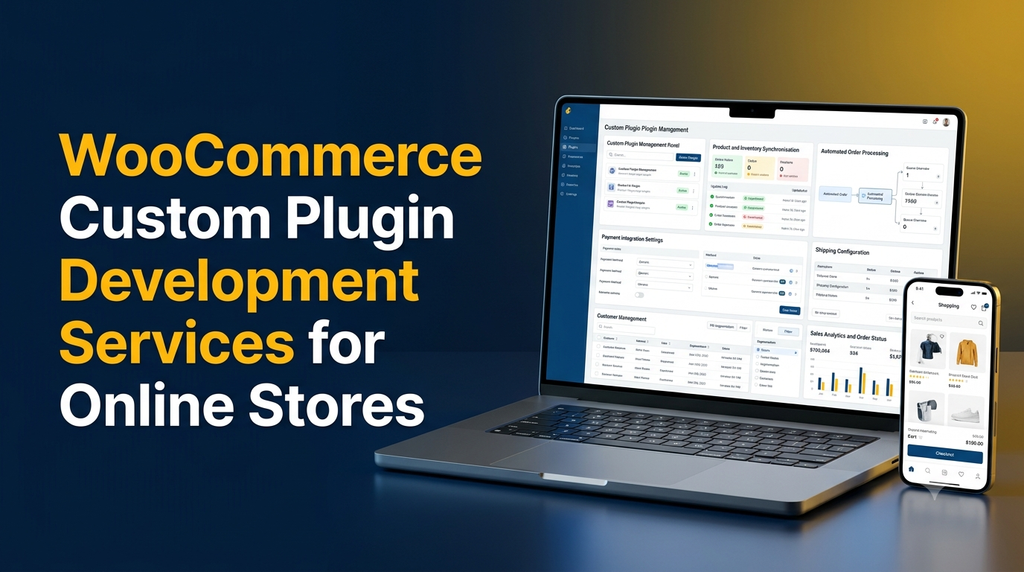
WooCommerce Custom Plugin Development Services for Online Stores
Every online store has different business requirements. While WooCommerce provides a flexible ecommerce foundation, its standard features may not cover every operational need. A store might require specialised payment workflows, custom product options, automated order processing, inventory synchronisation or integration with existing business software.
This is where WooCommerce custom plugin development services become valuable. A custom plugin can extend an online store with functionality designed around its products, customers and business processes instead of forcing the business to adjust its operations to generic software.
1. What Is WooCommerce Custom Plugin Development?
WooCommerce is an ecommerce platform built on WordPress. It provides standard capabilities for managing products, orders, customers, payments and shipping.
A WooCommerce custom plugin is an additional software component developed to introduce specific functionality or modify existing store workflows. It can connect WooCommerce with external applications, automate repetitive activities or provide features that are not available in the store’s existing setup.
For example, an online store may need:
- A customised checkout process for different customer categories.
- Automatic stock updates between a website and physical stores.
- Special pricing for dealers, wholesalers or registered members.
- Integration with accounting, ERP or CRM software.
- Custom product configuration and quotation requests.
- Automated order notifications and internal approval workflows.
2. Why Do Online Stores Need Custom WooCommerce Plugins?
Ready-made plugins can solve many common ecommerce requirements. However, stores with specialised workflows may need functionality that combines several business rules or connects multiple systems.
Business-specific functionality
Build features around actual pricing rules, customer categories, product configurations and order workflows.
Workflow automation
Reduce repetitive manual work through automated notifications, order updates, stock management and data processing.
System integration
Connect WooCommerce with ERP, CRM, accounting, logistics and other business applications.
Better customer experience
Provide specialised product selection, checkout options and customer account features.
3. Types of Custom WooCommerce Plugins
Custom payment gateway plugins
Payment gateway plugins connect an online store with payment providers. Custom development may be required when a business needs a supported payment workflow, specialised transaction handling, custom payment instructions or reconciliation with internal systems.
Product customisation plugins
These plugins allow customers to configure products before purchasing. Examples include size selection, material choices, engraving options, additional services and configurable product attributes.
Inventory management plugins
Inventory plugins can synchronise stock quantities between WooCommerce and other systems. They can also support location-based stock management, stock alerts and customised inventory rules.
Shipping and delivery plugins
Custom shipping functionality can calculate delivery charges based on location, product weight, order value, delivery method or business-specific conditions. Integrations may also support shipment tracking and delivery status updates.
Wholesale and B2B plugins
Businesses selling to distributors, dealers and bulk buyers may need customer-specific pricing, minimum order quantities, quotation requests, credit-based workflows and restricted product visibility.
Automation and notification plugins
These plugins can automate internal notifications, order status updates, customer communications and selected administrative workflows.
4. Essential Features to Include in a Custom WooCommerce Plugin
The right feature set depends on the business requirement. Common development components include:
- Custom admin dashboard: Manage plugin settings, records and workflows.
- Role-based permissions: Control which administrators and staff members can access features.
- WooCommerce integration: Work with products, customers, carts and orders through appropriate platform interfaces.
- API connectivity: Exchange data with external services when supported.
- Automated workflows: Execute defined actions based on business events.
- Validation and error handling: Handle invalid inputs, failed requests and unexpected conditions.
- Logging: Maintain useful records for troubleshooting and monitoring.
- Responsive interfaces: Make customer-facing features usable across mobile, tablet and desktop devices.
- Configuration options: Allow authorised users to update relevant settings without modifying code.
- Compatibility management: Test against supported WordPress, WooCommerce and PHP versions.
5. Popular WooCommerce Plugin Development Use Cases
1. ERP integration
A custom plugin can connect WooCommerce with an ERP system to exchange product information, inventory quantities, customer records and order details. This can help businesses maintain more consistent information across ecommerce and internal operations.
2. CRM integration
Customer and order information can be shared with a CRM platform to support customer service, sales follow-ups and business reporting. Data access should follow appropriate consent, privacy and security requirements.
3. Advanced pricing rules
Wholesale businesses may need different prices for dealers, distributors, retail customers or membership groups. A plugin can implement these rules while considering product variations, minimum quantities and promotions.
4. Custom quotation management
Some products require a quotation instead of immediate checkout. A custom plugin can allow customers to submit product requirements, quantities and contact information, then provide an administrative process for reviewing and responding to enquiries.
5. Multi-location inventory
Stores operating from multiple warehouses or branches may need location-wise inventory tracking. A plugin can connect stock information with defined fulfilment rules and order allocation processes.
6. Subscription and recurring orders
Businesses offering recurring products or services may need subscription management, renewal notifications and payment status tracking. These requirements should be implemented with suitable payment provider support.
6. WooCommerce Custom Plugin Development Process
A structured development process helps reduce compatibility problems and makes the plugin easier to maintain.
- Requirement analysis: Understand the business workflow, user roles, existing plugins and expected outcomes.
- Technical planning: Define the plugin architecture, integrations, data structure and platform compatibility requirements.
- UI and workflow design: Plan customer-facing screens and administrative settings.
- Plugin development: Build the functionality using appropriate WordPress and WooCommerce APIs, hooks and extension points.
- Integration: Connect external services where required and handle authentication, data mapping and API failures.
- Testing: Test normal workflows, edge cases, security, performance and compatibility.
- Deployment: Install the plugin in the production environment after suitable backup and release checks.
- Maintenance: Monitor issues and provide updates when supported platform versions or business requirements change.
7. Technologies Used for WooCommerce Plugin Development
WooCommerce plugins are commonly developed using the WordPress ecosystem. The exact technology choices depend on the required features and integrations.
| Technology | Purpose |
|---|---|
| PHP | Core plugin functionality and server-side processing. |
| WordPress APIs | Plugin settings, hooks, permissions and platform integration. |
| WooCommerce APIs | Product, order, customer and store functionality. |
| JavaScript | Interactive interfaces and dynamic frontend behaviour. |
| HTML and CSS | Customer-facing and administrative interface layouts. |
| MySQL | Structured data storage through WordPress-compatible database practices. |
| REST APIs | Communication with external software and services. |
8. How Much Does WooCommerce Custom Plugin Development Cost?
The cost depends on plugin complexity, the number of features, integrations, interface requirements, security needs and testing effort. A small plugin with one focused function requires a different level of development from an integrated business workflow platform.
| Development category | Typical scope | Indicative cost range |
|---|---|---|
| Basic plugin | Simple custom fields, validation or focused functionality. | ₹8,000–₹20,000 |
| Intermediate plugin | Custom admin settings, workflow rules and selected integrations. | ₹20,000–₹50,000 |
| Advanced plugin | Multiple modules, external APIs and complex business logic. | ₹50,000–₹1,20,000 |
| Enterprise integration | Complex ERP, CRM or multi-system workflows. | ₹1,20,000+ |
These figures are illustrative planning ranges, not fixed market rates or a quotation from Greap Technologies. Actual pricing depends on the requirements, integrations, testing scope and maintenance expectations.
Factors that influence development cost
- Number and complexity of requested features.
- Custom frontend and backend interface requirements.
- Third-party API availability and integration complexity.
- Payment, security and data-handling requirements.
- Compatibility with existing themes and plugins.
- Testing, documentation and ongoing support requirements.
9. Custom Plugin vs Ready-Made WooCommerce Plugin
Ready-made plugins are useful when their features match the store’s requirements. Custom development is worth considering when the business needs a specific workflow or integration that existing solutions cannot support adequately.
| Comparison | Ready-made plugin | Custom plugin |
|---|---|---|
| Features | Predefined functionality | Designed for specific requirements |
| Implementation | Often quicker to configure | Requires development and testing |
| Custom workflows | Limited to available options | Can support specialised workflows |
| Integrations | Depends on provider support | Can be built for required systems |
| Maintenance | Depends on plugin developer | Requires an agreed maintenance plan |
Before developing a custom plugin, review existing solutions carefully. A maintained ready-made plugin may be more practical if it already meets the requirements.
10. Security and Performance Considerations
A custom plugin becomes part of the online store’s technical environment. Its development should follow WordPress security practices and WooCommerce compatibility guidelines.
- Validate and sanitise user input.
- Escape output before displaying it.
- Use appropriate permission checks and nonces for administrative actions.
- Protect API credentials and sensitive configuration values.
- Use secure authentication for external integrations.
- Prevent unnecessary database queries and expensive background operations.
- Test checkout, payment and order workflows carefully.
- Maintain backups and a tested update process.
- Check compatibility with WooCommerce HPOS where applicable.
- Test with the store’s active theme and other essential plugins.
11. Common Mistakes to Avoid
- Installing too many plugins: Unnecessary extensions can increase maintenance complexity and compatibility risks.
- Ignoring existing functionality: Review WooCommerce features before developing duplicate functionality.
- Editing core files: Use supported extension points instead of modifying WordPress or WooCommerce core files.
- Skipping staging tests: Test updates and new functionality before deploying to the live store.
- Ignoring mobile checkout: Customer-facing features should work properly on smaller screens.
- Not planning maintenance: WordPress, WooCommerce, PHP and third-party services can change over time.
- Using unreliable integrations: External API failures should be handled without silently losing important order data.
12. How to Choose a WooCommerce Plugin Development Company
Selecting a development partner is an important decision because a custom plugin may become part of your store’s daily operations.
Consider the following points before choosing a development company:
- Experience with WordPress and WooCommerce development.
- Understanding of your specific ecommerce business model.
- Knowledge of plugin architecture, APIs and integrations.
- Security-conscious coding and testing practices.
- Clear project scope, timeline and pricing.
- Documentation and handover arrangements.
- Post-launch support and update availability.
- Transparent communication throughout development.
13. WooCommerce Custom Plugin Development for Indian Businesses
Indian ecommerce businesses operate across different product categories, delivery locations, payment preferences and customer segments. A store selling textiles may need bulk-order pricing and dealer access, while an electronics business may require warranty registration and service tracking.
Examples of industry-specific plugin requirements include:
- Textile businesses: Fabric specifications, bulk pricing, colour and size variations, and wholesale enquiries.
- Manufacturers: Product configuration, dealer ordering and ERP integration.
- Retail stores: Branch-wise inventory, promotions and customer loyalty workflows.
- Electronics sellers: Warranty registration, product serial numbers and service requests.
- Distributors: Customer-specific pricing, minimum order quantities and quotation workflows.
- Service businesses: Appointment requests, service bookings and payment workflows.
Businesses in Erode, Coimbatore, Chennai and other parts of Tamil Nadu can use custom WooCommerce functionality to connect their online stores with existing business processes.
14. Why Consider Greap Technologies for WooCommerce Development?
Greap Technologies provides website development, software development and digital growth solutions for businesses. Ecommerce requirements can involve more than building product pages: they may include custom workflows, integrations, administration tools and ongoing improvements.
Our development approach focuses on:
- Understanding business requirements before development.
- Planning custom plugin functionality around actual workflows.
- Building responsive and user-friendly interfaces.
- Connecting relevant business applications through supported APIs.
- Considering security, compatibility and maintainability.
- Providing clear project scope and implementation planning.
Need a Custom WooCommerce Plugin for Your Online Store?
Discuss your ecommerce requirements with Greap Technologies. We can help plan custom WooCommerce features, integrations and business-specific workflows.
Discuss Your Project on WhatsApp Visit Greap TechnologiesCall: +91 70923 30168
Frequently Asked Questions
1. What is WooCommerce custom plugin development?
It is the process of creating a WordPress plugin that extends WooCommerce with specific features, business workflows, integrations or store management functionality.
2. Why does an online store need a custom WooCommerce plugin?
A custom plugin can address requirements that standard WooCommerce features or existing plugins do not fully support, such as specialised pricing, ERP integration, inventory synchronisation and custom checkout workflows.
3. Can you develop a custom payment gateway plugin?
Custom payment integration may be possible when the payment provider offers suitable APIs or integration documentation. Payment security, authentication and provider requirements must be considered.
4. Can WooCommerce integrate with ERP software?
Yes. WooCommerce can exchange information with compatible ERP systems through APIs, middleware or other supported integration methods. Typical data includes products, stock, orders and customer information.
5. How long does custom WooCommerce plugin development take?
A small plugin may take a few days, while a complex plugin with multiple modules or external integrations may take several weeks or longer. The timeline depends on scope, testing and third-party dependencies.
6. How much does a WooCommerce custom plugin cost in India?
Costs vary according to complexity and integrations. A simple plugin may require a smaller budget, while advanced business integrations can cost significantly more. A detailed estimate should follow requirement analysis.
7. Can a custom plugin work with an existing WooCommerce store?
Yes, provided the plugin is designed and tested for the store’s WordPress, WooCommerce, PHP, theme and other essential plugin versions.
8. Can custom plugins automate order management?
Yes. Depending on the requirements, plugins can automate selected order status updates, notifications, data synchronisation and internal processing workflows.
9. Are custom WooCommerce plugins secure?
They can be developed with appropriate security practices, including input validation, output escaping, permission checks, secure API authentication and regular testing. Security also depends on the wider website environment and maintenance.
10. Does Greap Technologies provide WooCommerce development services?
Greap Technologies offers website and software development solutions. You can contact the team to discuss WooCommerce customisation, plugin requirements and ecommerce integration projects.
Conclusion
Custom WooCommerce plugin development helps online stores implement functionality that matches their business operations. From product customisation and payment workflows to ERP integration and inventory automation, the right plugin can extend an ecommerce store beyond its standard capabilities.
The best approach is to identify the actual business problem, evaluate existing plugins and WooCommerce features, and develop custom functionality only where it adds meaningful value. Proper planning, security testing and ongoing maintenance are essential for a reliable solution.
If your business needs a customised ecommerce workflow, contact Greap Technologies to discuss your WooCommerce development requirements.