Booking Website Development for Service Businesses in Erode
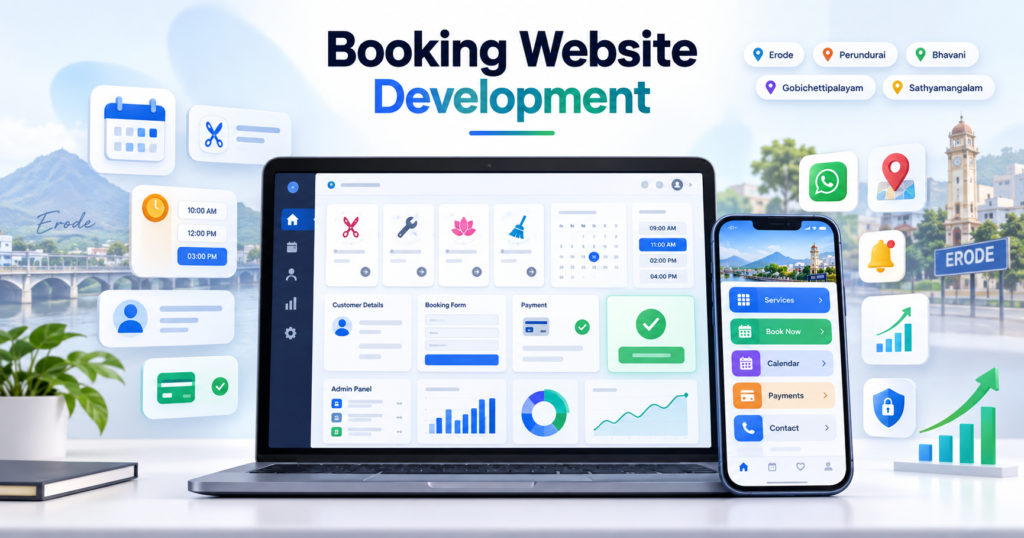
Booking website development for service businesses in Erode helps salons, clinics, consultants, coaching centres, repair services, home-service providers, event businesses, rental companies, fitness centres, travel businesses and other local service providers allow customers to request or schedule services online.
Many service businesses still manage appointments through phone calls, individual WhatsApp conversations and handwritten notes. As booking volume increases, this can lead to missed enquiries, overlapping appointments, unclear availability and unnecessary manual follow-ups.
A professional booking website can allow customers to understand services, choose a preferred date or available time slot, submit their details, make a payment where required and receive a clear booking confirmation or request status.
At Greap Technologies, we provide booking website development for service businesses in Erode, helping local businesses create modern, mobile-friendly and conversion-focused booking websites around their actual appointment workflow.
Quick Answer: What Is Booking Website Development?
Booking website development is the process of creating a website where customers can discover services and complete an appointment or service-booking workflow online.
A custom booking website can include:
- Service pages
- Booking form
- Date selection
- Time-slot selection
- Staff-wise availability
- Service duration settings
- Customer details
- Online payment
- Booking confirmation
- Rescheduling and cancellation
- WhatsApp enquiry
- Email/SMS notifications
- Admin dashboard
- Booking reports
- CRM integration
The booking workflow should match the business type. Some businesses need instant confirmed appointments, while others may prefer customers to submit a booking request that staff approve manually.
Booking Website Development for Service Businesses in Erode: Service Overview
| Detail | Information |
|---|---|
| Service | Booking Website Development |
| Company | Greap Technologies |
| Location | Erode, Tamil Nadu |
| Main Audience | Salons, clinics, consultants, coaching centres, repair services, home services, rentals and local service businesses |
| Main Goal | Allow customers to request or schedule services online |
| Core Features | Services, booking form, slots, payments, confirmations, admin panel and reports |
| Best For | Appointment-based, consultation-based, rental and scheduled service businesses |
| Service Area | Erode District and nearby areas |
Why Service Businesses in Erode Need a Booking Website
Service businesses depend heavily on timely customer communication and accurate scheduling.
When bookings are managed manually, businesses may face:
- Missed customer calls
- Delayed WhatsApp replies
- Double-booking problems
- Unclear staff availability
- No centralized appointment history
- No structured cancellation process
- No payment-status visibility
- No automated reminders
- No booking-source reports
- More repetitive work for staff
A booking website gives customers a structured way to submit or confirm appointments while giving the business a centralized system for managing them.
What Types of Service Businesses Need Booking Websites?
1. Salons and Beauty Parlours
Salons can provide online booking for:
- Haircuts
- Hair treatments
- Facials
- Spa services
- Bridal makeup
- Grooming packages
2. Clinics and Healthcare Services
Clinics can allow patients to request doctor appointments, consultation slots and follow-up visits.
Healthcare booking websites should avoid exposing sensitive patient information publicly and should use appropriate privacy and access controls where patient-specific data is stored.
3. Consultants
Business, finance, legal, tax, career and other consultants can provide consultation scheduling with optional advance-payment support.
4. Coaching Centres and Training Institutes
Education businesses can allow students to book:
- Demo classes
- Admission counselling
- Course consultations
- Assessment sessions
5. Home Service Businesses
Home-service providers can manage bookings for:
- Cleaning
- Plumbing
- Electrical work
- Appliance repair
- Pest control
- Maintenance
6. Fitness Centres and Gyms
Fitness businesses can allow customers to book trial sessions, personal-training slots, consultations or classes.
7. Event and Wedding Service Businesses
Event planners, photographers, makeup artists, decorators and wedding venues can collect date-specific booking enquiries.
8. Rental Businesses
Rental businesses can manage:
- Cars
- Bikes
- Equipment
- Cameras
- Costumes
- Event items
9. Travel and Tourism Businesses
Travel companies can use booking forms for tours, cab requests, travel consultations and package enquiries.
10. Repair and Service Centres
Repair businesses can accept appointments for mobile, laptop, appliance, vehicle or equipment servicing.
Benefits of Booking Website Development for Service Businesses
1. Customers Can Book Outside Business Hours
Customers can review services and submit a booking request even when staff are unavailable to answer calls immediately.
2. Better Appointment Management
Booking records can include:
- Customer name
- Phone number
- Selected service
- Date
- Time
- Assigned staff
- Payment status
- Booking status
- Notes
3. Reduce Repetitive Availability Enquiries
Customers can view service information and available booking options instead of contacting staff only to ask for basic availability.
4. Better Lead Capture
A booking website can capture:
- Appointment requests
- Consultation requests
- Demo bookings
- Trial-session bookings
- Callback requests
- Event-date enquiries
- Service enquiries
5. Better Customer Experience
A simple booking flow can make it easier for customers to understand the service and complete the next step without unnecessary back-and-forth communication.
6. Better Advance-Payment Collection
Where appropriate, businesses can collect:
- Booking advance
- Consultation fee
- Rental deposit
- Event advance
- Full service payment
7. Better Booking Reports
Owners can review booking volume, popular services, cancellations, payment status and other useful operational information.
Important Features of a Booking Website
1. Service Pages
Each major service can have a dedicated page containing:
- Service name
- Description
- What is included
- Duration
- Pricing or starting price where appropriate
- Images
- FAQs
- Booking CTA
- WhatsApp CTA
2. Online Booking Form
The booking form can collect only the information required for scheduling.
Common fields include:
- Name
- Phone
- Service
- Preferred date
- Preferred time
- Address where applicable
- Additional requirements
3. Appointment Calendar
The booking calendar can display:
- Available dates
- Available slots
- Blocked dates
- Holidays
- Staff availability
- Service duration
4. Real-Time Slot Availability
For instant appointment confirmation, the system should verify that a slot is still available when the customer completes the booking.
A typical flow can be:
Choose Service → Select Available Slot → Enter Details → Final Availability Check → Payment if Required → Booking Confirmed
This final availability check is important because two customers may attempt to select the same slot at nearly the same time.
5. Booking Request vs Confirmed Appointment
Businesses should clearly distinguish between:
- Booking Request: customer submits preferred date/time and waits for staff approval.
- Confirmed Booking: the selected slot has been reserved successfully.
Confirmation messages should not tell customers that an appointment is confirmed if staff approval is still required.
6. Admin Panel
The admin dashboard can include:
- Booking list
- Calendar view
- Customer details
- Service selected
- Booking status
- Payment status
- Staff assignment
- Cancellation
- Rescheduling
- Reports
- Settings
7. Staff-Wise Appointment Scheduling
Businesses such as salons, clinics and consultants may need appointments linked to individual staff.
Features can include:
- Staff working hours
- Staff holidays
- Service skills
- Staff-specific slots
- Break times
- Appointment limits
8. Service-Wise Duration
Different services may require different durations.
For example:
- Consultation – 30 minutes
- Service A – 60 minutes
- Service B – 90 minutes
The booking engine should account for duration when calculating available time slots.
9. WhatsApp Integration
A website can provide:
- Click-to-WhatsApp button
- Pre-filled enquiry message
- Booking-support CTA
Example message:
Hi, I want to book a service appointment. Please share the available slots and details.
Automated WhatsApp confirmations or reminders may require an approved WhatsApp Business Platform provider, templates and separate provider charges.
10. Payment Gateway Integration
A booking website can connect with supported payment providers for advance or full payment.
A secure payment workflow can be:
Booking Details → Payment Gateway → Server-Side Payment Verification → Booking Status Updated
Payment success should preferably be verified using supported server-side APIs or webhooks rather than relying only on a browser success page.
11. Booking Confirmation
After a successful booking, customers should receive a clear message showing:
- Booking reference
- Service
- Date
- Time
- Location or service address
- Payment status
- Booking status
12. Rescheduling and Cancellation
Depending on business policy, customers or staff can be allowed to:
- Cancel appointments
- Request rescheduling
- Select another available slot
- View cancellation status
Cancellation and refund rules should be clearly communicated before payment.
13. Appointment Reminders
Reminder notifications can help customers remember scheduled appointments.
Notifications may include:
- Booking received
- Booking confirmed
- Upcoming appointment
- Rescheduled appointment
- Cancellation
- Payment confirmation
14. Customer Management
Customer records can include:
- Contact details
- Booking history
- Selected services
- Payment history
- Cancellation history
- Internal notes
15. Reports and Dashboard
Reports can include:
- Today’s bookings
- Upcoming bookings
- Confirmed bookings
- Cancelled bookings
- Service-wise bookings
- Staff-wise bookings
- Payment report
- Booking-source report
- Monthly booking trend
Best Booking Website Structure for Service Businesses
General Service Business
- Home
- About
- Services
- Service Detail Pages
- Book Appointment
- Pricing / Packages
- Testimonials
- FAQs
- Contact
Salon Booking Website
- Home
- Services
- Packages
- Team
- Book Appointment
- Gallery
- Reviews
- Contact
Clinic Appointment Website
- Home
- Doctors
- Treatments
- Book Appointment
- Location
- FAQs
- Contact
Consultant Booking Website
- Home
- Services
- Consultation Booking
- About Consultant
- Case Studies / Reviews
- FAQs
- Contact
Coaching Centre
- Home
- Courses
- Demo Booking
- Admission Enquiry
- Testimonials
- FAQs
- Contact
Home Service Business
- Home
- Services
- Book Service
- Service Areas
- Pricing
- Reviews
- Contact
Booking Website vs Normal Business Website
| Feature | Normal Website | Booking Website |
|---|---|---|
| Main Purpose | Present business information | Generate and manage bookings |
| Service Pages | Yes | Yes |
| Booking Form | Usually basic contact form | Structured booking workflow |
| Date Selection | Usually not included | Can be included |
| Time Slots | Usually not included | Can be included |
| Payments | Optional | Can be connected to booking |
| Admin Booking Management | Usually limited | Recommended |
Booking Website vs Booking Web Application
| Feature | Booking Website | Booking Web Application |
|---|---|---|
| Main Purpose | Marketing + bookings | Advanced booking operations |
| Public Pages | Core focus | Optional |
| Booking Form | Core feature | Core feature |
| Staff Scheduling | Basic to advanced | Can be advanced |
| Customer Login | Optional | Can be included |
| Multi-Branch | Optional | Can be advanced |
| Reports | Booking-focused | More detailed operational reports |
Small businesses can begin with a booking website and expand into a larger booking web application as appointment volume and operational requirements increase.
Booking Website vs CRM Software
| Feature | Booking Website | CRM Software |
|---|---|---|
| Main Purpose | Capture appointments | Manage leads and follow-ups |
| Public Access | Yes | Mostly internal |
| Slot Selection | Can be included | Usually not core |
| Lead Source Tracking | Can be captured | Strong focus |
| Follow-Up Reminders | Basic to moderate | Strong focus |
| Sales Pipeline | Usually limited | Core feature |
A booking website and CRM can work together. New bookings can enter the CRM for follow-up where the business workflow requires it.
Booking Website SEO for Service Businesses in Erode
Booking website development for service businesses in Erode should include an SEO-friendly structure so service pages can be understood by search engines and potential customers.
Useful SEO elements include:
- Clear SEO titles
- Service-specific pages
- Clean URLs
- Local service information
- Mobile-friendly design
- Fast-loading pages
- Image ALT text
- FAQs
- Internal links
- Relevant structured data
- Google Maps/location information
Relevant search themes may include:
- Booking website development in Erode
- Appointment booking website in Erode
- Service booking website in Erode
- Salon booking website in Erode
- Clinic appointment website in Erode
- Consultant booking website in Erode
SEO can support search visibility, but rankings and enquiry volume depend on competition, website quality, authority, content, local relevance and other factors.
Explore SEO Services for broader organic-search support.
Google Business Profile and Local Booking Journey
For local service businesses, a common customer journey may be:
Google Search / Google Maps → Business Website → Service Page → Booking Page → Appointment Request
The website should maintain consistent business information such as address, phone number, service area and operating hours where applicable.
Digital Marketing Integration for Booking Websites
A booking website can act as the destination for digital campaigns.
Traffic can come from:
- Google Ads
- Meta Ads
- Google Business Profile
- SEO
- Social media
- Referral links
Explore:
Booking Conversion Tracking
Businesses can track important booking actions such as:
- Booking page view
- Booking form started
- Booking form submitted
- Confirmed appointment
- Payment completed
- WhatsApp click
- Phone click
A submitted booking request should not automatically be counted as a completed appointment unless the business workflow actually confirms the appointment.
Booking Website Security and Privacy
Booking websites can collect names, phone numbers, emails, addresses and appointment information. Appropriate security should therefore be included.
Depending on the project, this can include:
- HTTPS
- Secure admin login
- Role-based staff permissions
- Form validation
- Spam protection
- Secure password storage
- Restricted booking-data access
- Database backups
- Secure payment integration
Businesses should collect only information needed to manage the booking or provide the requested service.
Advanced Features for Booking Websites
- Real-time slot availability
- Staff-wise schedules
- Service-wise duration
- Buffer time between appointments
- Recurring appointments
- Customer account
- Booking history
- Advance payments
- Coupons
- Rescheduling
- Cancellations
- Automatic reminders
- Waitlist
- Multi-branch booking
- CRM integration
- Customer portal
- Calendar integration
- Reports and analytics
- Mobile application
Advanced functionality should be added based on the actual booking process rather than making the customer journey unnecessarily complicated.
Booking Website Development Process
Step 1: Requirement Analysis
Important questions include:
- What services can customers book?
- Is the booking request-based or instantly confirmed?
- Do you need fixed time slots?
- Do different services have different durations?
- Do customers select staff members?
- Do you need multiple branches?
- Do you need advance payments?
- What is the cancellation policy?
- Do customers need rescheduling?
- What notifications are required?
- Do you need CRM integration?
Step 2: Booking Workflow Planning
Example instant-booking workflow:
Select Service → Select Date → Select Available Time → Customer Details → Payment if Required → Confirmed Booking → Reminder → Service Completed
Example request-based workflow:
Select Service → Preferred Date/Time → Submit Request → Admin Review → Confirm / Suggest Another Slot → Customer Notified
Step 3: Availability Planning
Define:
- Working days
- Working hours
- Holidays
- Staff availability
- Service duration
- Buffer time
- Maximum simultaneous bookings
Step 4: UI/UX Design
The most important customer action—booking—should remain easy to locate and complete.
Step 5: Website Development
Development can include homepage, service pages, booking engine, admin panel, payment integration and notification system.
Step 6: Content and SEO Setup
Content can include:
- Service details
- Prices/packages where appropriate
- FAQs
- Service areas
- Booking instructions
- Cancellation policy
Step 7: Booking and Payment Testing
Test scenarios such as:
- Successful booking
- Slot already taken
- Payment success
- Payment failure
- Cancellation
- Rescheduling
- Admin confirmation
- Customer notification
Step 8: Mobile and Performance Testing
The full booking flow should work comfortably on mobile devices.
Step 9: Staff Training
Staff should understand how to manage bookings, availability, cancellations, payments and customer updates.
Step 10: Launch and Optimization
After launch, booking reports and customer behaviour can be reviewed to improve the website and booking experience.
Booking Website Features Checklist
| Feature | Recommendation |
|---|---|
| Homepage | Required |
| Service Pages | Required |
| Booking Form | Required |
| Date Selection | Recommended |
| Time-Slot Selection | Recommended for appointment businesses |
| Final Availability Check | Required for instant slot booking |
| Admin Panel | Recommended |
| Booking Status | Recommended |
| Staff Scheduling | Based on requirement |
| Service Duration | Based on booking type |
| Online Payment | Based on requirement |
| Booking Confirmation | Recommended |
| Cancellation / Rescheduling | Based on requirement |
| Appointment Reminders | Recommended |
| WhatsApp CTA | Recommended |
| Email / SMS | Based on requirement |
| Testimonials | Recommended |
| FAQs | Recommended |
| Google Maps / Location | Recommended for location-based businesses |
| SEO Setup | Required |
| Conversion Tracking | Recommended |
| CRM Integration | Based on requirement |
| Mobile Responsive Design | Required |
Common Booking Website Mistakes to Avoid
1. Using Only a Basic Contact Form
Appointment-based businesses often need structured service, date and time information.
2. Showing Slots Without Rechecking Availability
Instant booking systems should verify availability before final confirmation.
3. Calling a Request a Confirmed Booking
Customers should clearly understand whether the appointment is pending approval or already reserved.
4. Asking for Too Much Information
Long forms can create unnecessary friction and may collect information the business does not need.
5. Poor Mobile Booking Experience
The complete flow should be easy to complete from a phone.
6. No Rescheduling or Cancellation Process
Businesses should define what happens when appointment plans change.
7. No Reminder System
Appointment reminders can support better attendance and customer communication.
8. No Admin Availability Control
Staff should be able to block holidays, unavailable times and other exceptions.
9. No Conversion Tracking
Businesses should know which pages and campaigns are generating booking activity.
10. No Local SEO Structure
Service and location information should be structured clearly for customers and search engines.
Erode District Booking Website Development Strategy
Greap Technologies supports service businesses across:
Erode, Perundurai, Bhavani, Anthiyur, Gobichettipalayam, Sathyamangalam, Modakkurichi, Kodumudi, Nambiyur, Thalavadi, Chennimalai, Kavindapadi, Ammapettai, Arachalur, Sivagiri, Punjai Puliampatti, Solar, Surampatti, Veerappanchatram, Nasiyanur and nearby areas.
Location-specific pages should only be created for genuine service areas and should contain unique information relevant to the service and location rather than simply replacing place names.
How Greap Technologies Helps with Booking Website Development
Greap Technologies can build booking websites around the actual scheduling and customer journey of service businesses.
Our booking website development services can include:
- Requirement analysis
- Customer journey planning
- UI/UX design
- Homepage development
- Service pages
- Booking forms
- Appointment calendar
- Slot management
- Staff scheduling
- Admin panel
- Booking status management
- Payment-gateway integration
- Booking confirmations
- Rescheduling/cancellation workflow
- WhatsApp support
- Email/SMS integration
- CRM integration
- Conversion tracking
- Local SEO setup
- Schema implementation
- Mobile-responsive development
- Testing and training
- Maintenance support
Explore related Greap services:
- Website Development Services
- Web Application Development
- Custom Software Development
- API Integration Services
- SEO Services
- Digital Marketing Services
Why Choose Greap Technologies?
Service Workflow-Based Development
We can design booking flows around the actual service, appointment and staff-scheduling process.
Custom Booking Website Development
The booking experience can match your business instead of relying only on a generic contact form.
Mobile-First Booking Experience
Booking forms and calendars can be designed for customers who primarily use mobile phones.
SEO-Friendly Website Structure
Service pages, local content, metadata and structured data can be planned as part of the website.
Integration Support
The website can connect with supported payment, CRM, communication and calendar systems where required.
Complete Digital Support
Greap Technologies also provides custom software, CRM, web applications, mobile apps, SEO and digital marketing services.
Conclusion
Booking website development for service businesses in Erode can help salons, clinics, consultants, coaching centres, home-service providers, event businesses and other service companies provide customers with a clearer way to request or schedule appointments online.
A practical booking website should combine clear service information, mobile-friendly booking, proper availability management, booking confirmation, admin control, notifications and useful reporting.
For businesses with higher booking volume, additional features such as staff-wise schedules, payments, rescheduling, CRM integration, customer portals and multi-branch booking can be introduced as needed.
Greap Technologies helps service businesses in Erode build booking websites around their actual customer journey and appointment workflow.
Need a Booking Website for Your Service Business in Erode?
Greap Technologies can help you build a booking website with service pages, appointment forms, date/time slots, admin control, payments, WhatsApp support, SEO and mobile-responsive design.
Frequently Asked Questions
1. What is booking website development?
Booking website development is the process of creating a website where customers can view services, choose available dates or times, submit appointment requests and complete other booking steps online.
2. Why do service businesses in Erode need a booking website?
A booking website can make it easier to capture appointment requests, organize customer information and reduce repetitive manual scheduling work.
3. What features can a booking website include?
A booking website can include service pages, booking forms, date and time slots, admin management, payment integration, notifications, rescheduling and reports.
4. Can a booking website show real-time appointment availability?
Yes. The system can calculate availability based on working hours, service duration, existing appointments, blocked periods and staff schedules.
5. Can a booking website accept online payments?
Yes. Supported payment gateways can be integrated for consultation fees, advances, deposits or full payments depending on the business workflow.
6. Can customers reschedule or cancel appointments?
Yes. Rescheduling and cancellation can be added according to the business’s booking and refund policies.
7. Can Greap Technologies build custom booking websites?
Yes. Greap Technologies can develop booking websites based on service type, appointment workflow, staff schedules, payment requirements and customer journey.
8. Can booking websites connect with CRM software?
Yes. Booking data can be connected with supported CRM systems to manage customer records, follow-ups and booking-related workflows.
9. Can booking websites work properly on mobile phones?
Yes. Booking websites can be designed responsively so customers can review services and complete booking steps from mobile devices.
10. Can a booking website help generate enquiries?
A well-structured booking website can support enquiry generation by making services, contact options and booking actions easier to discover and complete. Actual enquiry volume depends on traffic, competition, marketing, visibility and the overall customer offer.