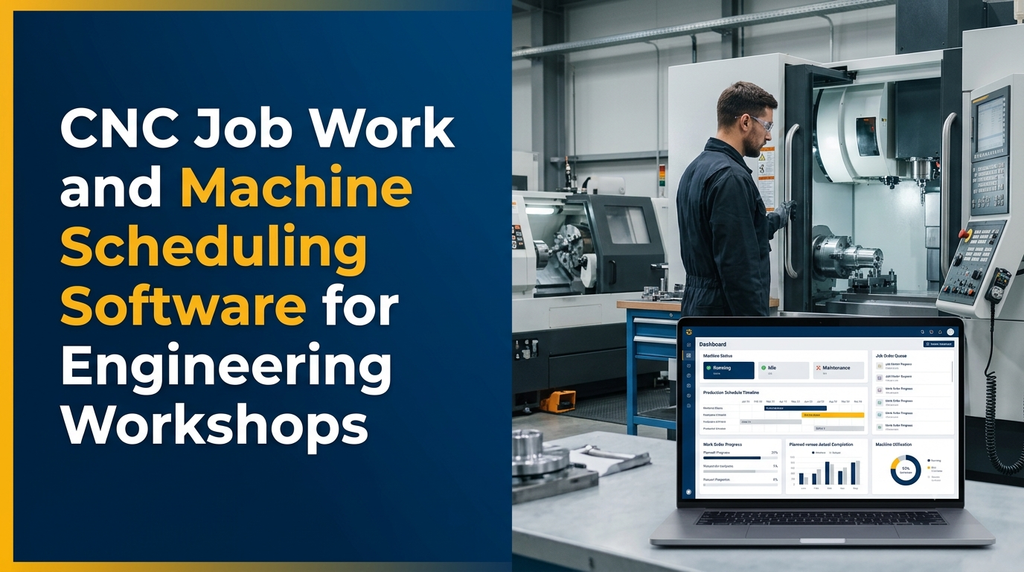
CNC job work and machine scheduling software helps engineering workshops manage customer orders, machining operations, machine availability, production queues, job cards, material consumption, quality inspections and delivery commitments from a centralised application. It gives workshop managers a structured way to plan work across CNC turning machines, milling machines and machining centres while monitoring production progress.
What Is CNC Job Work and Machine Scheduling Software?
CNC job work software is a business application designed for engineering workshops that manufacture components or perform machining operations for customers. It helps manage customer enquiries, quotations, job orders, machining instructions, production records, material usage, inspection and billing.
Machine scheduling software focuses on deciding which job should run on which machine and when. It helps production teams view available capacity, existing commitments, job priorities and expected completion dates.
Combining both functions gives a workshop a connected view of its business and production activities. Instead of maintaining separate registers for orders, machine schedules and job progress, authorised users can work with shared information.
Why Do Engineering Workshops Need CNC Scheduling Software?
A CNC job-work business may receive orders from multiple customers with different component specifications, quantities, materials, tolerances and delivery dates. Each job may require different machines, tools, fixtures, setup procedures and machining operations.
When production planning depends entirely on manual registers or spreadsheets, supervisors may find it difficult to understand the current workload and identify scheduling conflicts.
A suitable software system can help workshops with:
- Centralised customer and job order information.
- Machine-wise production schedules.
- Visibility into available and occupied machine capacity.
- Job priority and delivery date tracking.
- Work-in-progress monitoring.
- Setup time and machining time records.
- Material issue and consumption tracking.
- Inspection, rejection and rework records.
- Job-wise costing and billing information.
- Production and machine utilisation reports.
For workshops in Erode and other industrial areas of Tamil Nadu, the software can be configured around the actual combination of CNC turning, milling, drilling, boring and other machining services provided by the business.
Essential Modules in CNC Job Work Management Software
1. Customer and Enquiry Management
Every job-work order begins with a customer requirement. The system should maintain customer information, component details, drawing references, quantities and commercial discussions.
- Customer contact and billing details.
- Enquiry and quotation references.
- Component name and part number.
- Drawing and revision attachments.
- Material and dimensional specifications.
- Required quantity and delivery date.
- Customer-specific instructions.
Keeping drawing revisions and customer specifications connected with the job order helps teams refer to the correct approved information during production.
2. Quotation and Job Cost Estimation
Before accepting a job, workshops may need to estimate machining time, setup requirements, material expenses, tooling costs and additional operations.
A quotation module can record:
- Customer and component details.
- Estimated material requirements.
- Expected setup and machining time.
- Machine or operation category.
- Tooling and fixture expenses.
- Outside processing charges.
- Quantity-based pricing.
- Quotation validity and approval status.
The application can maintain estimated and actual costs separately. This allows management to review differences after a job is completed.
3. Job Order and Work Order Management
Once a customer confirms a quotation, the workshop can convert it into a job order. The work order becomes the central reference for production planning and progress tracking.
- Unique job and work order numbers.
- Customer purchase order reference.
- Component and drawing details.
- Production quantity and due date.
- Required machining operations.
- Assigned production supervisor.
- Job priority and current status.
- Supporting documents and instructions.
4. CNC Machine Master Management
The system should maintain a record for every machine used in production. This information becomes the foundation for machine scheduling and utilisation reporting.
Machine records may include:
- Machine identification and internal code.
- Machine category and manufacturer.
- Machine specifications and capabilities.
- Work envelope and capacity information.
- Supported machining operations.
- Available shifts and working calendar.
- Maintenance status.
- Machine availability and production status.
Machine capability data should be reviewed by the workshop’s production team. Scheduling should not assign jobs to equipment that cannot safely or technically perform the required operation.
5. Machine Scheduling and Production Planning
Machine scheduling is one of the most important functions in a CNC workshop management system. It helps supervisors organise accepted jobs across available machines and production shifts.
A scheduling module can consider several factors:
- Job delivery date and customer priority.
- Machine availability and working hours.
- Estimated setup and cycle time.
- Required machining capability.
- Material availability.
- Tool and fixture readiness.
- Existing machine commitments.
- Operator or shift availability.
- Planned maintenance periods.
The schedule can be presented as a machine-wise calendar, daily production board or Gantt-style timeline. Supervisors can review the planned sequence and make adjustments when priorities or production conditions change.
6. Job Card and Operation Tracking
A job may pass through multiple machining stages before completion. Job cards help operators and supervisors understand the operations required and record progress.
A digital job card can include:
- Work order and component reference.
- Operation sequence and instructions.
- Machine assignment.
- Planned quantity and completed quantity.
- Setup start and completion records.
- Production start and finish timestamps.
- Operator and shift details.
- Rework and pending quantity.
7. Machine Running Time and Downtime Tracking
Recording machine activity helps management understand how production time is being used. The software can capture running, idle, setup, maintenance and breakdown periods.
Downtime records may include the machine, start and end time, reason category, reported user and maintenance reference. Reports can then summarise downtime by machine, shift or date range.
If automatic machine-state monitoring is required, the workshop should first assess the CNC controller, communication interface, network arrangement and data availability.
8. Raw Material and Inventory Management
CNC workshops may work with customer-supplied material or workshop-purchased materials. The software should support the relevant stock ownership and consumption rules.
- Material grade and specification records.
- Supplier and purchase information.
- Material receipt and inspection.
- Job-wise material issue.
- Material return and scrap entries.
- Available stock and reorder alerts.
- Customer-owned material tracking.
For customer-supplied materials, separate ownership records help distinguish customer stock from the workshop’s own inventory.
9. Tool, Fixture and Consumable Management
Tooling and fixtures are important resources in machining operations. A workshop may choose to maintain tool inventory and usage history within the application.
- Tool and fixture identification.
- Tool issue and return records.
- Tool inventory and purchase history.
- Tool usage and replacement entries.
- Fixture availability.
- Maintenance and inspection records.
- Consumable stock management.
Tool-life monitoring can be added where the workshop has a reliable method of recording usage or collecting compatible machine data.
10. Quality Inspection and Rework Management
Precision machining jobs often have customer-specific dimensional and quality requirements. A quality module can store inspection plans, measurements, approvals and non-conformance details.
- First-piece inspection records.
- In-process inspection entries.
- Final inspection and approval.
- Dimensional measurement records.
- Instrument and inspection references.
- Rejection and rework quantities.
- Non-conformance reports.
- Customer inspection documents.
Inspection values should be recorded against the correct drawing revision and approved tolerance requirements. The software organises the information; qualified personnel remain responsible for inspection decisions.
11. Subcontract and Outside Processing Management
Some engineering jobs require additional services such as heat treatment, plating, coating or specialised finishing. A subcontract module can track the material and job quantities sent to external vendors.
- Subcontractor details and service categories.
- Material issue and return records.
- Outside processing purchase orders.
- Expected completion dates.
- Vendor delivery and inspection status.
- Subcontract charges and supporting documents.
12. Job Work Billing and Dispatch
After the machining work is completed and approved, the system can prepare the job for billing and delivery.
- Completed quantity and accepted quantity.
- Job-wise service charges.
- Additional operation charges.
- Delivery challan references.
- Invoice and payment status.
- Transport and dispatch details.
- Pending delivery reports.
If the workshop already uses accounting software, the CNC application can be designed to exchange relevant invoice and transaction information with that system, subject to integration compatibility.
How Does Machine Scheduling Work in a CNC Workshop?
A practical scheduling workflow begins after the customer order is confirmed. The production planner reviews the job requirements, machine capabilities, material readiness and delivery commitment.
- Receive the order: Create a job order with component details, quantity and required delivery date.
- Review the process: Identify the machining operations and their sequence.
- Check machine capability: Find suitable machines based on approved workshop specifications.
- Check availability: Review existing schedules, maintenance and available production time.
- Confirm material and tooling: Check that required resources are available or planned.
- Allocate production time: Add the job to the machine schedule and assign a shift or production window.
- Release the job: Generate the job card and make instructions available to authorised staff.
- Record progress: Update setup, production, inspection and completion information.
- Reschedule when necessary: Review delays, breakdowns or priority changes and update the plan.
- Complete and dispatch: Record accepted quantities, billing details and delivery status.
Example of a Machine Scheduling Dashboard
A machine scheduling dashboard should help supervisors understand the production workload without opening every individual job card. The following is an illustrative example of how a workshop might organise its schedule.
| Machine | Scheduled job | Planned slot | Status |
|---|---|---|---|
| CNC Turning 01 | Component Job A | Morning shift | Running |
| VMC 01 | Component Job B | Morning shift | Scheduled |
| CNC Turning 02 | Component Job C | Afternoon shift | Pending setup |
| VMC 02 | Component Job D | Afternoon shift | Maintenance |
These entries are illustrative, not actual workshop production data. In a real application, the dashboard should use live information entered by authorised employees or collected through verified equipment integrations.
Important Reports for Workshop Owners and Managers
| Report | What it helps review |
|---|---|
| Machine schedule | Planned jobs and machine-wise production slots. |
| Job order status | Pending, active, completed and delayed orders. |
| Machine utilisation | Recorded running, setup, idle and downtime periods. |
| Production output | Planned quantity compared with recorded output. |
| Material consumption | Material issued, used, returned and scrapped. |
| Quality report | Accepted, rejected and rework quantities. |
| Delivery performance | Completed orders and pending customer commitments. |
| Job costing | Recorded job expenses and estimated cost comparisons. |
Web Application or Mobile App: Which Is Better?
Many engineering workshops benefit from a combination of a centralised web application and mobile-friendly production interfaces.
Web Application for Administration
- Customer and quotation management.
- Job order creation and approval.
- Machine scheduling and production planning.
- Inventory and purchase management.
- Quality and costing reports.
- User permissions and system configuration.
Mobile Application for Shop-Floor Teams
- View assigned jobs and machine schedules.
- Update production status.
- Record completed quantities.
- Submit inspection information.
- Report machine downtime.
- View job instructions and attachments.
A responsive web application may be sufficient for a smaller workshop. A dedicated Android application can be considered when shop-floor usage, device management or offline access requires additional functionality.
Advanced Features for CNC Workshops
1. Gantt-Style Machine Scheduling
A timeline view can show planned jobs across machines and shifts. It helps production planners review overlapping work, available time and schedule changes.
2. Preventive Maintenance Scheduling
The system can maintain maintenance calendars, service history, inspection reminders and breakdown records. Planned maintenance periods can be considered during production scheduling.
3. Drawing and Document Management
Job records can link to component drawings, customer specifications, revision history, setup documents and inspection reports. Access should be restricted according to business permissions.
4. Machine Data Integration
Some CNC machines provide operational information through supported controller interfaces or data collection systems. Integration may allow selected machine status, cycle information or production events to be transferred into the application. Availability depends on the controller model, licensing, connectivity and technical compatibility.
5. Automated Alerts
The software can notify authorised users about delayed jobs, approaching delivery dates, pending inspections, low stock, machine maintenance and approval requests.
6. Multi-Workshop Management
Businesses operating multiple facilities can use a centralised application with location-wise machine lists, production schedules, stock records and management reports.
Security and Data Management
CNC job work applications may contain commercially sensitive information such as customer drawings, component specifications, quotations, production records and supplier details. These records should be protected through suitable technical and operational controls.
- Role-based access for administrators, planners and operators.
- Secure authentication and appropriate session controls.
- Audit logs for important changes and approvals.
- Regular database and document backups.
- Encrypted communication between application and server.
- Controlled access to customer drawings and attachments.
- Documented backup restoration and recovery procedures.
How Much Does CNC Job Work Software Development Cost?
The development cost depends on the number of machines, workflow complexity, scheduling requirements, reporting, mobile access, accounting integration and machine connectivity.
The following figures are illustrative planning estimates for discussing a custom software project in India. They are not fixed Greap quotations or guaranteed market prices.
| Software scope | Illustrative planning range |
|---|---|
| Basic job orders and production entry | ₹25,000–₹45,000 |
| Job work, machine records and scheduling | ₹45,000–₹80,000 |
| Job tracking, inventory and production reports | ₹60,000–₹1.1 lakh |
| Scheduling, quality and job costing | ₹80,000–₹1.4 lakh |
| Multi-module CNC workshop ERP | ₹1.2 lakh–₹2.5 lakh+ |
| Advanced system with mobile apps and machine integrations | ₹2.5 lakh–₹6 lakh+ |
Actual pricing requires a detailed requirement review. Hosting, hardware, machine connectivity equipment, third-party software, SMS or messaging services, data migration, taxes and ongoing maintenance may involve additional expenses.
How to Choose the Right CNC Software Development Company
Before selecting a software development partner, prepare a practical overview of your workshop’s operations. Explain how enquiries become job orders, how machines are allocated, how production progress is recorded and how completed jobs are billed.
Evaluate the development team based on:
- Workflow understanding: Can the team understand CNC job-work operations and production sequences?
- Scheduling flexibility: Can machine calendars, priorities and shift timings be configured?
- Usability: Can operators update job progress without complicated data entry?
- Reporting: Can managers access machine-wise and job-wise information?
- Integration assessment: Will the team check machine controller compatibility before proposing automation?
- Data protection: Are customer drawings and business records protected?
- Scalability: Can the application support additional machines and modules later?
- Support: Is training, maintenance and post-launch support clearly defined?
Why Consider Custom CNC Workshop Software in Erode?
Different CNC workshops have different operating models. A small job-work unit may need a straightforward job card and machine scheduling system, while a larger precision engineering business may require multiple production stages, quality records, material traceability, subcontracting and costing.
Custom development allows the software to reflect these specific requirements instead of forcing every business to follow a standard workflow. It also allows the application to grow in phases as the workshop identifies additional needs.
Greap Technologies provides website development, software development and digital growth solutions for businesses. A CNC workshop software project can begin with a review of existing job cards, machine lists, production schedules, reports and administrative requirements.
Frequently Asked Questions
1. What is CNC job work management software?
It is software used by machining workshops to manage customer orders, quotations, job cards, production operations, machine allocation, quality inspection, billing and dispatch.
2. What is CNC machine scheduling software?
It helps production planners allocate machining jobs to suitable machines and production time slots based on machine capacity, availability, operation requirements, priorities and delivery dates.
3. Can the software schedule multiple CNC machines?
Yes. A custom application can maintain multiple machine calendars, production queues, working shifts and job assignments. Scheduling rules can be configured around each machine’s approved capabilities.
4. Can CNC software track job progress?
Yes. Job progress can be tracked through work orders, operation status, completed quantities, pending quantities, inspection results and dispatch records.
5. Can the system record machine downtime?
Yes. Users can enter breakdown, maintenance, setup and idle periods. Automatic machine-state collection may also be possible when compatible CNC controllers and communication interfaces are available.
6. Can CNC job work software manage customer-supplied materials?
Yes. The system can maintain customer-owned material records, job-wise issues, returns, consumption and remaining balances separately from workshop-owned stock.
7. Can it manage quality inspection and rejection?
Yes. It can record first-piece, in-process and final inspection results, accepted quantities, rejection reasons, rework and approval history.
8. Can CNC software integrate with existing machines?
Integration depends on the machine controller, available communication protocols, data access and any required licences. Each machine should be assessed before estimating integration work.
9. Can workshop staff use the system on mobile phones?
Yes. A responsive web application or dedicated mobile app can allow authorised users to check schedules, update job progress, report downtime and record inspection information.
10. How much does custom CNC job work software cost?
Cost depends on the number of modules, machines, users, reports and integrations. A basic job tracking application requires a different budget from an advanced scheduling and manufacturing ERP platform.
Plan a Better-Connected CNC Engineering Workshop
CNC job work and machine scheduling software can bring customer orders, machine allocation, production tracking, inventory, quality and delivery information into one organised system. The right application should match the workshop’s actual production process and remain easy for employees to use.
If your engineering workshop in Erode or Tamil Nadu is planning to digitise job work and machine scheduling, Greap Technologies can help you discuss a custom software solution based on your business requirements.
Discuss Your CNC Workshop Software Requirements
Explore a custom application for job orders, machine scheduling, production tracking, inventory, inspection and workshop reports.
Visit Greap Technologies | Discuss on WhatsApp | Call 70923 30168