Customer Portal Development for Businesses in Erode
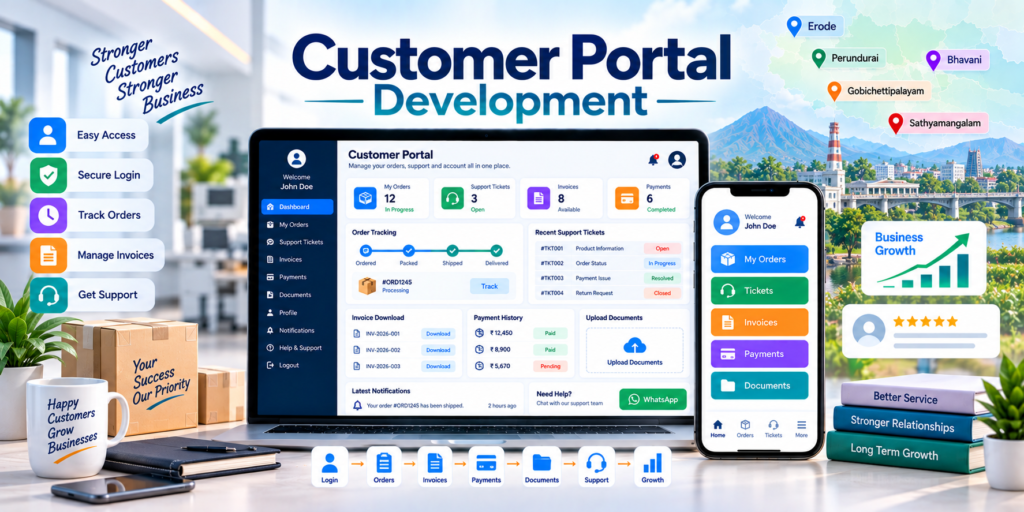
Customer portal development for businesses in Erode helps companies give customers a secure online account where they can view orders, track services, download invoices, check payments, access shared documents, raise support requests and receive important business updates.
Customers increasingly expect convenient access to information without having to call or message the business for every order update, invoice copy, payment detail or service status.
When customer communication depends only on phone calls, WhatsApp conversations, emails and spreadsheets, important information can become scattered across different systems and staff members.
At Greap Technologies, we provide customer portal development for businesses in Erode, helping companies build secure, mobile-friendly and workflow-based customer portals connected with their existing business systems where required.
Quick Answer: What Is Customer Portal Development?
Customer portal development is the process of creating a secure login-based web application where each customer can access information and actions related specifically to their account.
A custom customer portal can include:
- Customer login
- Customer dashboard
- Profile management
- Order tracking
- Service status tracking
- Quotation access
- Invoice downloads
- Payment history
- Online payment links
- Support tickets
- Document upload and download
- Notifications
- Messages
- Return or service requests
- Customer-specific reports
- Admin panel
- Role-based permissions
- CRM, ERP or ecommerce integrations
The portal should show only information that the authenticated customer is authorized to access.
Customer Portal Development in Erode: Service Overview
| Detail | Information |
|---|---|
| Service | Customer Portal Development |
| Company | Greap Technologies |
| Location | Erode, Tamil Nadu |
| Main Audience | Ecommerce, manufacturing, service, wholesale, education, real estate and B2B businesses |
| Main Goal | Give customers secure self-service access to business information and support |
| Core Modules | Login, dashboard, orders/services, invoices, payments, tickets, documents and notifications |
| Best For | Product businesses, service companies, manufacturers, agencies, dealers and institutions |
| Service Area | Erode District and nearby areas |
Why Businesses in Erode Need a Customer Portal
Many customer-service activities are still handled manually through calls, email and messaging apps.
Without a centralized customer portal, businesses may face problems such as:
- Customers repeatedly asking for order status
- Staff manually sharing invoice copies
- Payment information being communicated separately
- Support requests not being tracked consistently
- Documents being scattered across email and WhatsApp
- No clear customer interaction history
- Customers contacting different employees for the same issue
- No centralized place for account information
- More manual work for support teams
A customer portal can give customers direct access to approved account information while allowing the business team to manage everything through an admin system.
What Types of Businesses Can Use a Customer Portal?
1. Ecommerce Businesses
Ecommerce companies can provide customers with:
- Order history
- Order tracking
- Invoices
- Returns
- Exchanges
- Refund status
- Support requests
2. Manufacturing Companies
Manufacturers can provide B2B customers with quotation status, confirmed orders, production updates, dispatch information and invoices.
3. Textile Businesses
Textile businesses can provide:
- Bulk-order tracking
- Sample status
- Quotation access
- Dispatch updates
- Invoice history
- Shared documents
4. Service Businesses
Service companies can provide customers with project status, service requests, support tickets, invoices, documents and communication updates.
5. Real Estate Businesses
Property businesses can provide:
- Booking information
- Payment schedule
- Document access
- Project updates
- Customer support
6. Schools and Colleges
Education institutions can provide applicant or customer-facing access to admission status, permitted documents, payment information and communication updates according to their workflow.
7. Healthcare Businesses
Healthcare portals may support appointment-related information, general service requests and approved documents depending on the project scope.
Healthcare portals require especially careful privacy, permissions and security planning because healthcare-related information can be sensitive.
8. Wholesale and Distributor Businesses
Dealer and distributor portals can provide:
- Order history
- Catalogue access
- Quotation requests
- Payment status
- Invoices
- Support
9. Agencies and Professional Services
Agencies can create client portals for project status, deliverables, reports, invoices, approvals and support requests.
10. Businesses Already Using Custom Software
Companies using CRM, ERP, inventory or order-management software can add a customer-facing portal connected to selected internal data.
Benefits of Customer Portal Development for Businesses
1. Better Customer Self-Service
Customers can access important information without contacting staff for every basic request.
Depending on the business, customers can view:
- Orders
- Services
- Invoices
- Payments
- Documents
- Tickets
- Notifications
2. Reduce Repetitive Manual Communication
A portal can reduce routine enquiries such as:
- Where is my order?
- Can you resend my invoice?
- What is my payment status?
- Has my service request been completed?
- What is the status of my ticket?
3. Centralize Customer Information
Authorized customers can access information linked to their account in one place.
This may include:
- Profile
- Order history
- Invoice history
- Payments
- Documents
- Tickets
- Support history
4. Better Support Management
Support tickets can provide a structured process for:
- New request
- Issue category
- Assigned staff
- Status
- Replies
- Attachments
- Resolution
5. Better Transparency
Clearly displaying order, service or ticket statuses can reduce uncertainty for customers.
6. Better Document Management
Instead of repeatedly sharing documents through separate messages, approved documents can be made available inside the customer’s account.
7. Better Payment Experience
Customers can view payment information and, where required, use supported payment gateways to make payments.
Important Features of a Customer Portal
1. Secure Customer Login
Login options can include:
- Email and password
- Mobile number and password
- OTP-based verification
- Forgot-password flow
- Two-factor authentication, where required
Passwords should be stored securely using appropriate password-hashing methods rather than plain text.
2. Customer Dashboard
The dashboard can show:
- Recent orders
- Active services
- Pending payments
- Open tickets
- Recent invoices
- Recent documents
- Latest notifications
3. Order Tracking
Order information can include:
- Order number
- Order date
- Product details
- Payment status
- Processing status
- Packing status
- Dispatch status
- Courier
- Tracking reference
- Delivery status
4. Service Tracking
Service businesses can show statuses such as:
- Request received
- Scheduled
- In progress
- Waiting for customer
- Completed
- Closed
5. Support Ticket System
A ticket system can include:
- Create ticket
- Issue category
- Description
- Attachments
- Priority
- Status
- Staff reply
- Customer reply
- Ticket history
6. Invoice and Payment Module
Customers can be given access to:
- Invoice list
- Invoice PDF
- Receipt
- Payment history
- Pending amount
- Due date
- Online payment link
- Transaction status
Payment-gateway availability, account approval and transaction charges depend on the selected provider.
7. Document Management
Portal documents can include:
- Invoices
- Quotations
- Agreements
- Reports
- Certificates
- Service documents
- Project files
- Receipts
- Product manuals
8. Secure Document Upload
Where customers need to upload files, the portal should include controls such as:
- Allowed file types
- File-size limits
- Access permissions
- Secure storage
- Upload history
9. Notification Centre
Notifications can include:
- Order updates
- Ticket replies
- New invoice
- Payment reminder
- Document uploaded
- Service update
- Account notification
10. Profile Management
Customers can manage approved profile information such as:
- Name
- Phone
- Company
- Billing address
- Shipping address
- Password
11. Admin Panel
Internal staff can manage:
- Customers
- Orders
- Services
- Invoices
- Payments
- Tickets
- Documents
- Notifications
- User permissions
- Reports
Customer Portal Security and Privacy
Security is one of the most important parts of customer portal development because the application gives users access to private account information.
Depending on the project, security measures can include:
- HTTPS connections
- Secure password hashing
- OTP or multi-factor authentication
- Role-based access control
- Customer-level data isolation
- Session expiration
- Secure password reset
- Login rate limiting
- Audit logs
- User activity logs
- Secure document storage
- File-upload validation
- Database backups
- Restricted admin permissions
A customer should never be able to view another customer’s orders, invoices, tickets or documents.
Businesses should also collect only the customer information necessary for the intended portal functions.
Customer-Level Data Access Control
A properly designed portal should apply access checks on the server side, not only hide information in the user interface.
For example:
Logged-in Customer → Authenticated Account → Authorized Customer ID → Only That Customer’s Orders, Documents and Tickets
This is particularly important for B2B portals where one company may have multiple users and different permission levels.
Best Customer Portal Structure for Businesses
General Customer Portal
- Login
- Dashboard
- Profile
- Orders / Services
- Invoices
- Payments
- Tickets
- Documents
- Notifications
- Help
- Settings
Ecommerce Customer Portal
- Dashboard
- My Orders
- Track Order
- Returns / Exchanges
- Invoices
- Payments
- Support
- Addresses
Manufacturing Customer Portal
- Dashboard
- Quotations
- Orders
- Production Status
- Dispatch
- Invoices
- Documents
- Support
Service Business Portal
- Dashboard
- My Services
- Projects
- Tickets
- Invoices
- Payments
- Documents
- Messages
Dealer Portal
- Dashboard
- Product Catalogue
- Price List
- Place Order
- Order History
- Invoices
- Payment Status
- Support
Customer Portal vs Admin Panel
| Feature | Customer Portal | Admin Panel |
|---|---|---|
| Main User | Customer or client | Business owner and staff |
| Main Purpose | Customer self-service | Internal business management |
| Orders | View own orders | Manage all permitted orders |
| Invoices | View/download own invoices | Create and manage invoices |
| Tickets | Create and reply to own tickets | Assign and resolve tickets |
| Documents | Access authorized documents | Manage document access |
| Reports | Limited account-specific information | Broader business reporting |
| Permissions | Restricted customer access | Internal role-based access |
Customer Portal vs CRM Software
| Feature | Customer Portal | CRM Software |
|---|---|---|
| Main Purpose | Give customers self-service access | Help staff manage leads and relationships |
| Main User | Customer | Sales/support staff |
| Lead Management | Usually not core | Core feature |
| Customer Login | Core feature | Usually internal users |
| Order / Service View | Customer can view own information | Staff can manage customer information |
| Support | Customer-facing | Staff-side workflow |
CRM and a customer portal can work together. Staff can manage customers inside CRM while selected information is securely displayed to customers through the portal.
Customer Portal vs Ecommerce Website
| Feature | Ecommerce Website | Customer Portal |
|---|---|---|
| Main Purpose | Product discovery and online sales | Post-purchase account management and support |
| Public Access | Mostly public | Login-based |
| Product Browsing | Core feature | Optional |
| Cart / Checkout | Core feature | Optional |
| Order History | Can be included | Core customer feature |
| Invoice Access | Can be included | Common feature |
| Tickets | Optional | Common feature |
| Documents | Usually limited | Can be customer-specific |
Customer Portal Design Style
A customer portal should prioritize clarity, security and fast access to common actions.
| User Type | Primary Portal Need |
|---|---|
| Ecommerce Customer | Orders, tracking, returns and invoices |
| B2B Buyer | Quotations, orders, payments and documents |
| Service Client | Projects, support and invoices |
| Dealer | Orders, price lists and account details |
| Real Estate Buyer | Booking, payment and document updates |
Useful interface principles include:
- Clean dashboard
- Simple navigation
- Mobile-first design
- Visible important actions
- Clear status labels
- Fast search
- Responsive tables
- Accessible forms
- Minimal unnecessary information
Customer Portal Integration with CRM and ERP
Customer portal development for businesses in Erode becomes more useful when the portal is connected with existing business software.
A possible architecture can be:
CRM / ERP / Order System → API / Backend → Customer Portal → Customer
Possible integrations include:
- CRM software
- ERP software
- Inventory management
- Order management software
- Accounting software
- Payment gateway
- Ecommerce website
- Document storage
- Email notifications
- WhatsApp notifications
Integration depends on the API access, permissions and capabilities of the existing systems.
Greap Technologies also provides API integration services for suitable integration requirements.
Payment Gateway Integration in Customer Portals
Customer portals can provide payment options for:
- Pending invoices
- Service fees
- Subscription payments
- Booking payments
- Balance payments
A common flow is:
Customer Selects Invoice → Payment Gateway → Payment Result → Portal Status Updated
Payment confirmation should preferably rely on secure server-side verification or supported webhook/API methods rather than only trusting the browser success page.
WhatsApp and Email Notifications
Portal events can trigger communications such as:
- New invoice available
- Order shipped
- Ticket reply received
- Payment reminder
- Service completed
- New document available
Automated WhatsApp communication may require an approved WhatsApp Business Platform provider, approved templates and separate provider charges.
Admin Panel Features for Customer Portals
| Module | Purpose |
|---|---|
| Dashboard | View portal activity |
| Customers | Manage customer accounts |
| Orders / Services | Manage customer-facing status |
| Tickets | Manage support requests |
| Invoices | Manage customer invoices |
| Payments | Track payment status |
| Documents | Manage customer files |
| Notifications | Publish or trigger updates |
| Users & Roles | Control internal access |
| Logs | Review important activity |
| Reports | Analyze portal usage |
| Settings | Configure portal behaviour |
Advanced Features for Customer Portal Development
- OTP login
- Two-factor authentication
- Multiple users under one company account
- Dealer and distributor accounts
- Quotation approval
- Online ordering
- Order tracking
- Project progress tracking
- Ticket workflow
- Document approval
- Digital document sharing
- Payment gateway integration
- Subscription management
- Warranty tracking
- Return requests
- Customer feedback
- Notification centre
- WhatsApp integration
- Email automation
- Activity logs
- Multi-branch customer accounts
- CRM integration
- ERP integration
- Mobile application
Advanced features should be added according to real customer needs rather than making the portal unnecessarily complicated.
Customer Portal Development Process
Step 1: Requirement Analysis
Important questions include:
- Who will use the portal?
- What should customers see after login?
- What information must remain internal?
- Do customers need order tracking?
- Do customers need invoices?
- Do you need tickets?
- Do customers need document uploads?
- Do you need online payments?
- Do you already use CRM or ERP?
- What notification channels are required?
Step 2: Customer Journey Planning
Example:
Login → Dashboard → View Order → Download Invoice → Raise Ticket → Receive Reply → Close Request
Step 3: Data and Permission Planning
Define:
- Customer data
- Internal data
- Customer roles
- Staff roles
- Document permissions
- Integration permissions
Step 4: UI/UX Design
The portal should make common customer tasks easy to find and complete.
Step 5: Portal Development
Development can include authentication, dashboard, account data, tickets, documents, invoices, payments and admin panel.
Step 6: Integration
Connect CRM, ERP, ecommerce, payment or other supported systems where required.
Step 7: Security Testing
Testing should include:
- Login
- Password reset
- Session management
- Customer data isolation
- Role permissions
- File access
- File upload validation
- Payment callback verification
- Unauthorized URL access
Step 8: Functional Testing
Test:
- Dashboard
- Orders
- Tickets
- Invoices
- Payments
- Documents
- Notifications
- Mobile responsiveness
Step 9: Launch and Improvement
After launch, the portal can be improved based on customer usage and support-team feedback.
Customer Portal Features Checklist
| Feature | Recommendation |
|---|---|
| Secure Customer Login | Required |
| Customer Dashboard | Required |
| Profile Management | Required |
| Order Tracking | Based on business type |
| Service Tracking | Based on business type |
| Support Tickets | Recommended |
| Invoice Download | Recommended |
| Payment History | Recommended |
| Online Payments | Based on requirement |
| Document Upload | Based on workflow |
| Document Download | Recommended |
| Notifications | Recommended |
| OTP / MFA | Based on security requirement |
| Admin Panel | Required |
| Staff Accounts | Required |
| Role-Based Permissions | Recommended |
| Audit Logs | Recommended |
| Mobile Responsive Design | Required |
| CRM / ERP Integration | Based on requirement |
| Ecommerce Integration | Based on requirement |
| Mobile App | Based on requirement |
Common Customer Portal Mistakes Businesses Should Avoid
1. Building a Portal Without a Clear Customer Need
Every module should solve a real customer or support-team problem.
2. Complicated Login
Authentication should balance security with usability.
3. Weak Customer Data Isolation
Users should never be able to access another customer’s records.
4. Poor Mobile Experience
Customers should be able to complete common tasks comfortably from mobile devices.
5. No Clear Dashboard
The most important information should be visible immediately after login.
6. Weak Document Security
Private documents should not be exposed through unrestricted public URLs.
7. No Staff-Side Workflow
A customer portal also needs an effective admin workflow for updating customer-facing information.
8. No Integration Planning
CRM, ERP and portal data ownership should be clearly defined to avoid conflicting information.
9. No Activity Logging
Important account actions should be traceable where appropriate.
10. Too Many Unnecessary Features
A portal should remain focused on the actions customers actually need.
Erode District Customer Portal Development Strategy
Greap Technologies supports businesses across:
Erode, Perundurai, Bhavani, Anthiyur, Gobichettipalayam, Sathyamangalam, Modakkurichi, Kodumudi, Nambiyur, Chennimalai, Kavindapadi, Ammapettai, Arachalur, Sivagiri, Punjai Puliampatti, Solar, Surampatti, Veerappanchatram, Nasiyanur and nearby areas.
Location-specific SEO pages should only be created for genuine service areas and should contain unique, useful business information rather than simply replacing the location name.
How Greap Technologies Helps with Customer Portal Development
Greap Technologies can develop customer portals around the actual customer-service and business workflow.
Our customer portal development services can include:
- Requirement analysis
- Customer journey planning
- UI/UX design
- Secure authentication
- Customer dashboard
- Profile management
- Order tracking
- Service tracking
- Support ticket system
- Invoice access
- Payment integration
- Document management
- Notification centre
- Admin panel
- Staff accounts
- Role-based permissions
- Audit logging
- CRM integration
- ERP integration
- Order management integration
- Ecommerce integration
- API integration
- Mobile-responsive development
- Testing
- Staff training
- Maintenance support
Explore related Greap services:
- Custom Software Development
- Web Application Development
- API Integration Services
- Ecommerce Development
- Mobile App Development
Why Choose Greap Technologies?
Workflow-Based Portal Development
We can structure the portal around the information and actions customers actually need.
Custom Portal Development
The portal can match your business process instead of forcing customers into a generic system.
Secure Customer Access
Authentication, customer-level access control, role permissions and secure document handling can be planned from the beginning.
Integration Support
Customer portals can connect with supported CRM, ERP, ecommerce, order-management and payment systems.
Mobile-Friendly User Experience
The portal can be designed for customers who primarily access their accounts using mobile phones.
Complete Digital Support
Greap Technologies can also support websites, ecommerce, CRM, ERP, mobile applications, SEO and digital marketing requirements.
Conclusion
Customer portal development for businesses in Erode can help companies provide customers with secure, convenient access to orders, services, invoices, payments, documents and support requests.
A practical customer portal should combine an easy customer experience with strong authentication, customer-specific data permissions, mobile-responsive design and an effective staff-side admin system.
When connected with suitable CRM, ERP, ecommerce or order-management systems, the portal can become a central self-service layer between the business and its customers.
Greap Technologies helps businesses in Erode develop custom customer portals around their customer journey, internal workflow and integration requirements.
Need a Customer Portal for Your Business in Erode?
Greap Technologies can help you build a secure customer portal with login, dashboard, order or service tracking, invoices, payments, support tickets, documents, notifications and admin panel.
Frequently Asked Questions
1. What is customer portal development?
Customer portal development is the process of creating a secure login-based platform where customers can access authorized account information such as orders, invoices, payments, documents, tickets and service updates.
2. Why do businesses in Erode need a customer portal?
A customer portal can reduce repetitive support enquiries, centralize customer information and provide customers with faster self-service access to important updates.
3. What features should a customer portal include?
A customer portal can include secure login, dashboard, profile management, order or service tracking, tickets, invoices, payments, documents, notifications and an admin panel.
4. Can a customer portal include order tracking?
Yes. The portal can display approved order information such as processing, packing, shipping and delivery status.
5. Can customers download invoices from the portal?
Yes. Authorized customers can be given access to invoice PDFs, receipts and payment information linked to their accounts.
6. Can a customer portal include support tickets?
Yes. Customers can create tickets, upload permitted attachments, view replies and track ticket status.
7. Can a customer portal connect with CRM or ERP software?
Yes. Customer portals can integrate with supported CRM, ERP, ecommerce and order-management systems depending on APIs, permissions and business requirements.
8. Can Greap Technologies build custom customer portals?
Yes. Greap Technologies can develop customer portals based on the business workflow, customer journey, security requirements and integration needs.
9. Can a customer portal work on mobile?
Yes. Customer portals can be designed with responsive layouts so customers can use important functions from mobile phones and tablets.
10. Is customer portal security important?
Yes. Customer portals should use secure authentication, authorization, customer-specific data controls and appropriate protection for documents and account information.