Google Analytics 4 Setup and Conversion Tracking for Erode Businesses
Having a professional business website is important, but how do you know whether your website is actually helping your business grow?
Are customers finding your website through Google? Which pages do they visit? How many visitors click your WhatsApp button, call your business, submit an enquiry or complete a purchase?
Google Analytics 4 (GA4) helps businesses understand website activity and measure important customer interactions.
For businesses in Erode, Perundurai, Bhavani, Anthiyur, Gobichettipalayam, Sathyamangalam and across Tamil Nadu, properly configured website analytics can support better marketing decisions.
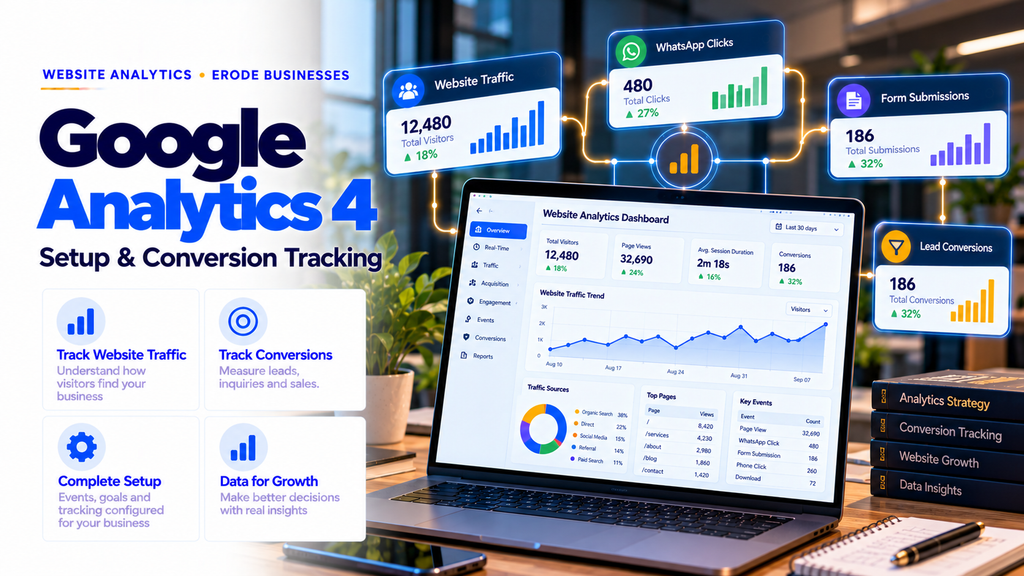
To set up Google Analytics 4, create a GA4 property, add a web data stream, install the Google tag directly or through Google Tag Manager, verify data collection and configure important business actions as events. Mark relevant events as key events to measure actions such as successful enquiry submissions, bookings and purchases.
This guide explains GA4 setup, Google Tag Manager, website traffic reporting, WhatsApp and phone click tracking, lead form tracking, ecommerce measurement, Search Console integration and practical conversion reporting for businesses.
1. What Is Google Analytics 4?
Google Analytics 4 is Google’s analytics platform for measuring website and app interactions.
GA4 uses an event-based measurement model to record activities such as page views, button clicks, form submissions and purchases when correctly configured.
Businesses can use this information to understand how visitors interact with their websites.
2. Why GA4 Matters for Erode Businesses
A business website may attract visitors without generating meaningful enquiries.
GA4 helps businesses investigate the customer journey from traffic acquisition to important website actions.
- Understand website traffic sources.
- Identify popular service pages.
- Measure successful lead submissions.
- Track contact button interactions.
- Analyze ecommerce purchases.
- Compare marketing channels.
- Monitor important website events.
These insights can support decisions about SEO, advertising, content and website improvements.
3. Is Google Analytics 4 Free?
Google Analytics offers a standard version that businesses can use without a subscription fee.
Advanced enterprise requirements may involve additional products or services.
Professional configuration, reporting and technical integration may also involve separate implementation costs.
4. Google Analytics 4 vs Universal Analytics
Universal Analytics was Google’s earlier analytics platform. GA4 uses a different event-based data model.
| Feature | Universal Analytics | GA4 |
|---|---|---|
| Measurement model | Session-focused | Event-based |
| Website and app measurement | Separate approaches | Designed for both |
| Important actions | Goals | Key events |
| Event configuration | Category, action and label model | Event names and parameters |
| Current standard | Legacy product | Current Google Analytics platform |
5. GA4 vs Google Search Console
GA4 and Google Search Console answer different business questions.
| Factor | Google Analytics 4 | Google Search Console |
|---|---|---|
| Main focus | Website activity and events | Google Search performance |
| Traffic sources | Multiple measurable channels | Google Search |
| Search queries | Limited organic query information | Search query performance |
| Indexing status | Not provided | Available |
| Lead tracking | Configured events and key events | Not a complete lead tracking system |
Businesses can use both tools together for more complete reporting.
6. Requirements Before GA4 Setup
- Google account
- Business website
- Permission to edit website code or tag configuration
- Access to relevant website administration
- List of important business actions
- Appropriate privacy and consent arrangements
Before implementation, decide what information the business actually needs to measure.
7. How to Create a Google Analytics 4 Account
- Visit Google Analytics.
- Sign in using an appropriate business Google account.
- Open the administration setup process.
- Create an Analytics account if required.
- Enter a suitable account name.
- Create a GA4 property.
- Configure the reporting time zone and currency.
- Complete the available setup options.
For businesses operating in Tamil Nadu, use the appropriate India reporting time zone and INR when those settings match business requirements.
8. How to Create a GA4 Web Data Stream
- Open the relevant GA4 property.
- Navigate to Data Streams.
- Select Web.
- Enter the website URL.
- Provide a descriptive stream name.
- Review enhanced measurement options.
- Create the web data stream.
The stream provides a measurement ID used for website data collection.
9. What Is a GA4 Measurement ID?
A GA4 web stream uses a measurement ID in a format similar to:
G-XXXXXXXXXX
This identifier associates collected website events with the intended web data stream.
Use the actual ID from your own GA4 property rather than an example value.
10. Methods for Installing Google Analytics 4
Common installation approaches include:
- Google tag installed directly in the website
- Google Tag Manager
- Supported website platform integrations
- Official or compatible content management system integrations
Choose one coordinated implementation strategy to avoid duplicate event collection.
11. What Is Google Tag Manager?
Google Tag Manager, or GTM, is a tag management system used to deploy and manage supported measurement tags.
GTM can help teams manage GA4 events without manually editing website code for every tracking change.
However, GTM still requires proper initial installation, testing and permission management.
12. How to Create a Google Tag Manager Account
- Visit Google Tag Manager.
- Create an account.
- Enter the account name and country.
- Create a container for the website.
- Select Web as the target platform.
- Accept the applicable terms.
- Install the supplied GTM container snippets according to Google’s instructions.
13. Install GA4 Using Google Tag Manager
- Open the website’s GTM container.
- Create a Google tag.
- Enter the appropriate tag ID.
- Configure the required initialization or page triggers.
- Use Preview to test the configuration.
- Check that events reach the intended GA4 property.
- Publish the tested container version.
Review whether another GA4 installation already exists before publishing.
14. GA4 Setup for WordPress Websites
WordPress website owners may configure GA4 using Google Site Kit, supported plugins, theme integrations or Google Tag Manager.
Use a consistent installation method and confirm that page views are not being sent more than once.
15. GA4 Setup for Shopify Stores
Shopify merchants should use supported Google Analytics integrations and compatible customer event tracking methods.
Checkout and purchase tracking may require platform-specific configuration.
Do not assume that adding a generic tracking script automatically provides accurate ecommerce purchase data.
16. GA4 Setup for Laravel and Next.js Websites
Custom websites can integrate GA4 using Google tags or GTM.
For client-side navigation, verify that page views are measured correctly and are not duplicated.
For lead generation forms, send a success event only after the server or application confirms successful submission.
Do not place personal customer information into analytics event parameters.
17. How to Verify GA4 Installation
- Open the business website.
- Accept or configure analytics consent where applicable.
- Open GA4 Realtime reports.
- Navigate through several website pages.
- Confirm that expected events appear.
- Use DebugView and Tag Assistant when troubleshooting.
Some reports require processing time. Realtime and debugging tools are more appropriate for initial implementation checks.
18. What Are Events in GA4?
Events represent measured interactions or activities.
Examples include:
- page_view
- session_start
- first_visit
- scroll
- click
- form_submit
- generate_lead
- purchase
Not every event is collected automatically. Availability depends on the implementation and enhanced measurement settings.
19. Understanding Automatically Collected Events
GA4 automatically collects certain events when measurement is correctly configured.
Examples include session-related events and page views.
These provide a starting point for understanding website activity.
20. What Is Enhanced Measurement?
Enhanced measurement can collect certain website interactions without requiring separate custom tags for every supported event.
Depending on configuration, it may include:
- Page views
- Scroll interactions
- Outbound clicks
- Site search
- Video engagement
- File downloads
- Form interactions
Review each option and test whether it works correctly with your website.
21. What Are Key Events in GA4?
Key events are events identified as particularly important to a business.
Examples include successful enquiry submissions, confirmed appointment bookings and completed purchases.
GA4 previously used the term conversions for important actions. The current GA4 reporting terminology is key events, while Google Ads conversion actions remain a related but distinct concept.
22. GA4 Events vs Key Events
| Factor | Event | Key Event |
|---|---|---|
| Purpose | Measure an activity | Highlight a business-important activity |
| Example | page_view | generate_lead |
| Business importance | Varies | Explicitly designated as important |
| Configuration | Collected or created | Marked as a key event |
23. Important Events for Business Websites
Useful event types may include:
- Successful enquiry submissions
- Appointment confirmations
- Quotation requests
- WhatsApp link clicks
- Phone link clicks
- Email link clicks
- File downloads
- Completed purchases
Prioritize actions that indicate meaningful customer intent.
24. WhatsApp Click Tracking with GA4
Many businesses in Erode use WhatsApp as an enquiry channel.
GA4 can measure clicks on website links that open WhatsApp.
A practical event name might be:
whatsapp_click
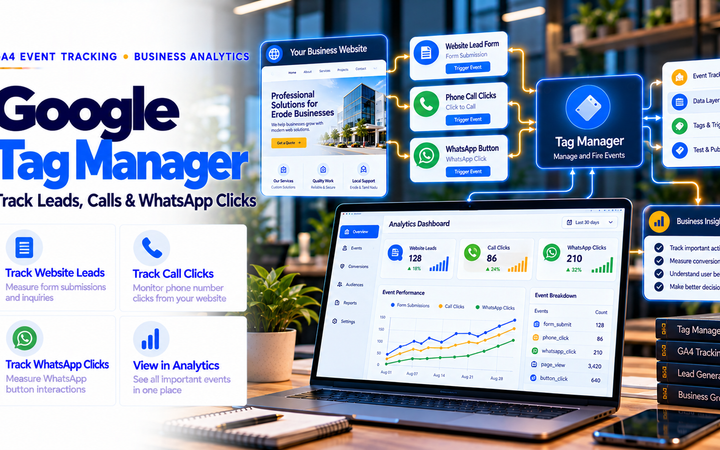
Through GTM, configure a link-click trigger matching the relevant WhatsApp URLs and send the event to GA4.
Test both mobile and desktop behavior.
25. Phone Call Click Tracking
Phone link clicks can be measured using links beginning with:
tel:
Configure an appropriate GTM click trigger and send a descriptive event such as:
phone_click
This measures interaction with the phone link, not whether the call connected or resulted in a sale.
26. Contact Form Submission Tracking
Contact forms are important lead-generation tools for many business websites.
For reliable measurement, send an event only after a form submission succeeds.
Google recommends the event name:
generate_lead
A successful submission can be detected through a confirmed thank-you page, application event or verified form success state.
Avoid counting button clicks as successful form submissions.
27. Tracking Appointment Bookings
Clinics, consultants and service providers may need to measure appointment requests.
Track a confirmed booking or successfully submitted appointment request, depending on the business workflow.
Clearly distinguish appointment enquiries from confirmed appointments in reporting.
28. Tracking Quotation Requests
B2B businesses may use quotation forms instead of online checkout.
Useful measurements include:
- Successful quotation request
- Product enquiry submission
- Demo request
- Consultation request
Use meaningful event names and document exactly what each event represents.
29. Tracking Email Link Clicks
Businesses can measure clicks on email links beginning with:
mailto:
An example event name is:
email_click
Like phone and WhatsApp clicks, this measures intent to contact rather than a confirmed completed enquiry.
30. Tracking File Downloads
Manufacturing, industrial and B2B websites often provide downloadable brochures or product catalogs.
GA4 enhanced measurement may collect supported file download events.
Test the actual download behavior and verify which file information is included.
31. Tracking Ecommerce Purchases
Ecommerce businesses can use GA4’s recommended ecommerce events.
Examples include:
- view_item
- add_to_cart
- begin_checkout
- add_shipping_info
- add_payment_info
- purchase
- refund
Purchase tracking should use confirmed transaction data and avoid duplicate events.
32. Important Ecommerce Parameters
Ecommerce implementations may include:
- Transaction ID
- Currency
- Transaction value
- Product IDs
- Product names
- Quantity
- Item prices
Use Google’s documented parameter formats and ensure values match the actual transaction.
33. Avoid Duplicate Purchase Tracking
Duplicate purchase events can inflate reported revenue and transactions.
Review:
- Multiple installed tags
- Thank-you page reload behavior
- Checkout platform integrations
- Client-side navigation
- Transaction identifiers
Test the entire purchase process before relying on revenue reports.
34. Understanding Users and Sessions
GA4 reports provide metrics describing visitors and website sessions.
Different user metrics answer different questions.
For example, active users and total users are not interchangeable in every report.
Understand the report’s metric definitions before comparing results.
35. Understanding Traffic Acquisition
Traffic acquisition reports help businesses understand where measurable sessions originate.
Common channels include:
- Organic Search
- Direct
- Referral
- Paid Search
- Organic Social
- Paid Social
Channel assignment depends on Google’s rules and the available campaign information.
36. User Acquisition vs Traffic Acquisition
User acquisition reports focus on how users were first acquired.
Traffic acquisition reports focus on the acquisition source associated with sessions.
Businesses should choose the report based on the question they want to answer.
37. How to Track Organic SEO Traffic
- Open GA4 reports.
- Navigate to acquisition reporting.
- Review the Organic Search channel.
- Compare relevant time periods.
- Analyze landing pages and important events.
- Review lead quality using appropriate business systems.
Organic traffic growth should be evaluated alongside meaningful enquiries and business outcomes.
38. How to Track Google Ads Traffic
Businesses running Google Ads can connect eligible Google Ads and GA4 properties.
Correct account linking and conversion configuration can support campaign measurement.
Review attribution, consent settings and conversion action definitions before using data for bidding decisions.
39. What Are UTM Parameters?
UTM parameters help identify campaign traffic sources.
Common parameters include:
- utm_source
- utm_medium
- utm_campaign
- utm_content
- utm_term
Use a consistent naming convention across campaigns.
40. Example UTM Campaign
A business sharing a marketing link on social media might use a URL such as:
https://example.com/services/
?utm_source=instagram
&utm_medium=social
&utm_campaign=website_services
The example is displayed across multiple lines for readability. Actual campaign URLs should be properly constructed as a single valid URL.
Do not use UTM parameters on ordinary internal website navigation links.
41. Tracking Instagram and Facebook Campaigns
UTM-tagged campaign links can help identify visits from social media promotions.
Combine campaign data with GA4 key events to evaluate whether visitors perform important actions.
Do not assume that every social media view or interaction results in a measurable website session.
42. Tracking SEO Leads from Service Pages
For a website development or SEO company, useful measurements include:
- Organic visits to service pages
- Successful contact form submissions
- WhatsApp link clicks
- Phone link clicks
- Quotation requests
Use the combination of traffic and lead data to identify pages that support customer enquiries.
43. GA4 for Textile Businesses in Erode
Textile manufacturers, garment businesses and yarn traders can use GA4 to measure:
- Product catalog views
- Brochure downloads
- Wholesale enquiry submissions
- Quotation requests
- Relevant website traffic sources
These measurements can help assess whether the website supports B2B enquiry generation.
44. GA4 for Manufacturing Companies
Manufacturers can monitor which product categories and capability pages attract visitors.
Useful key events may include successful product enquiries, RFQ submissions and demo requests.
Track downstream lead qualification separately where necessary.
45. GA4 for Ecommerce Stores
Ecommerce businesses can measure product interactions, cart activity, checkout behavior and confirmed purchases.
Revenue reporting should be validated against actual order records.
Differences may occur because of consent choices, tracking limitations, implementation errors or reporting definitions.
46. GA4 for Clinics and Healthcare Websites
Healthcare businesses may measure general website activity and appointment request completions.
Do not send patient names, phone numbers, medical conditions, treatment details or other sensitive personal information through analytics events.
Use appropriate privacy controls and legal guidance for healthcare-related measurement.
47. GA4 for Educational Institutions
Schools, colleges and training centers can measure:
- Course page visits
- Prospectus downloads
- Admissions enquiry submissions
- General contact requests
Keep student personal information out of analytics event parameters.
48. GA4 for Local Service Businesses
Local service providers can measure contact-intent actions such as phone link clicks, WhatsApp clicks and successful enquiry forms.
Businesses serving Erode, Perundurai, Bhavani, Anthiyur, Gobichettipalayam, Sathyamangalam, Chennimalai and nearby towns can evaluate the performance of relevant service pages.
GA4 does not automatically identify every visitor’s exact town or prove that a visitor lives within a particular service area.
49. Connecting GA4 with Google Search Console
Linking eligible GA4 and Search Console properties can make Google Search performance information available within Analytics integrations and reports.
- Verify the website in Search Console.
- Confirm appropriate permissions.
- Open the relevant GA4 property.
- Find the Search Console product link settings.
- Select the correct Search Console property and web data stream.
- Complete the link configuration.
- Review the available Search Console reports.
Search Console clicks and GA4 sessions use different measurement methods and may not match exactly.
50. How to Track Landing Page Performance
Landing page reporting helps identify where website sessions begin.
Compare landing pages using relevant metrics such as sessions, engagement and key events.
For a business website, important landing pages may include the homepage, service pages, product pages and blog articles.
51. Understanding Engagement Rate
GA4 engagement rate represents the percentage of sessions that meet its engaged-session criteria.
An engaged session can qualify through duration, a key event or multiple page or screen views according to Google’s measurement definition.
Interpret engagement rate in the context of the website’s purpose.
52. Understanding Bounce Rate in GA4
In GA4, bounce rate is the percentage of sessions that were not engaged sessions.
It differs from the older Universal Analytics bounce-rate definition.
A high or low bounce rate is not automatically good or bad without considering the page’s purpose.
53. GA4 Explorations for Business Analysis
Explorations provide flexible analysis options beyond standard reports.
Depending on your requirements, you may use:
- Free-form exploration
- Funnel exploration
- Path exploration
- Segment overlap
Use explorations when they answer a specific business question.
54. Funnel Tracking for Lead Generation
A lead-generation funnel might include:
- Visitor lands on a service page.
- Visitor opens the enquiry form.
- Visitor begins entering information.
- Visitor submits the form successfully.
Each stage requires suitable measurement if the business wants to analyze drop-offs.
55. Attribution in Google Analytics 4
Attribution describes how credit for important actions is assigned across marketing interactions.
GA4 supports attribution reporting and settings that depend on the property’s configuration.
Different attribution models and reporting scopes can produce different results.
Do not interpret attributed conversions as proof that a single channel independently caused every sale.
56. Google Consent Mode and Privacy
Consent Mode helps supported Google tags adjust behavior based on user consent signals.
It does not replace a valid consent mechanism or automatically establish legal compliance.
Businesses should review applicable privacy requirements, disclose relevant tracking practices and implement suitable consent controls.
57. Avoid Sending Personally Identifiable Information
Do not send personal information such as:
- Customer names
- Email addresses
- Phone numbers
- Home addresses
- Patient details
- Private form messages
Review page URLs, query parameters and event values to prevent accidental collection of prohibited information.
58. Common GA4 Tracking Mistakes
- Installing GA4 more than once
- Using the wrong measurement ID
- Not publishing GTM changes
- Failing to test events
- Counting button clicks as confirmed leads
- Tracking form attempts instead of successful submissions
- Duplicating purchase events
- Using inconsistent UTM parameters
- Ignoring consent requirements
- Sending personal information through event parameters
- Confusing key events with Google Ads conversion actions
- Reporting WhatsApp clicks as confirmed sales
59. GA4 Setup and Conversion Tracking Checklist
- Create a business-controlled GA4 account.
- Create the correct property and web data stream.
- Configure the reporting time zone and currency.
- Install Google tags or GTM correctly.
- Review enhanced measurement.
- Verify page view tracking.
- Test Realtime and DebugView.
- Configure successful lead submission events.
- Configure relevant contact-intent click events.
- Mark meaningful events as key events.
- Validate ecommerce events if applicable.
- Connect Search Console where appropriate.
- Configure campaign tagging conventions.
- Review consent and privacy settings.
- Create useful business reports.
- Document event definitions.
- Test changes after website updates.
60. Weekly GA4 Monitoring Checklist
- Review traffic acquisition.
- Check important key event trends.
- Look for unexpected tracking changes.
- Review important landing pages.
- Check active campaigns.
- Investigate unusual drops or spikes.
Small websites may prefer a less frequent review when traffic volumes are low.
61. Monthly Website Analytics Report
A useful monthly business report may include:
| Metric | Business Question |
|---|---|
| Users and sessions | How much measurable website activity occurred? |
| Traffic channels | Where did visitors come from? |
| Landing pages | Which pages attract visitors? |
| Key events | How many important actions occurred? |
| Contact-intent clicks | How often did visitors attempt contact? |
| Confirmed leads | How many enquiries were actually received? |
| Purchases | What transactions were measured? |
Use CRM or business records where necessary to verify actual lead and sales outcomes.
62. How Much Does GA4 Setup Cost in Erode?
The standard GA4 platform is free, but professional setup costs depend on the website and measurement requirements.
Factors include:
- Website platform
- Number of forms and conversion actions
- Google Tag Manager configuration
- Cross-domain tracking requirements
- Ecommerce implementation
- Consent management
- Custom dashboards
- Testing and documentation
Request a quotation based on actual deliverables rather than a generic tracking package.
63. How to Choose a GA4 Setup Service Provider
Before selecting a provider, ask:
- Will the GA4 property belong to our business?
- Which events will be configured?
- How will successful leads be distinguished from clicks?
- Will GTM and GA4 be tested for duplicates?
- Are privacy considerations included?
- Will we receive event documentation?
- How will reports be explained?
Retain appropriate ownership and administrative access to your analytics properties.
64. GA4 Setup Services for Erode and Tamil Nadu Businesses
Businesses across Erode district can use website analytics to evaluate SEO, advertising, content and lead generation activity.
Potential services include:
- Google Analytics 4 configuration
- Google Tag Manager setup
- Event and key event tracking
- WhatsApp and phone click measurement
- Lead form success tracking
- Google Search Console integration
- Ecommerce event tracking
- Reporting dashboards
- Tracking audits and troubleshooting
65. How Greap Technologies Can Help
Greap Technologies provides website development, SEO, software solutions and digital marketing services.
Businesses interested in GA4 can discuss their website analytics requirements, lead tracking needs and reporting objectives with Greap Technologies.
Implementation scope should be confirmed according to the website platform, available access and required business events.
Visit Greap Technologies to learn more about website and digital growth solutions.
Conclusion
Google Analytics 4 setup and conversion tracking help businesses understand how visitors interact with their websites and which measurable actions support business goals.
For businesses in Erode and across Tamil Nadu, useful GA4 implementation should focus on accurate event collection, reliable lead tracking, privacy-aware configuration and meaningful reporting.
Instead of measuring website success only through visitor counts, businesses should evaluate qualified enquiries, confirmed bookings, purchases and other relevant outcomes.
GA4 Setup → Event Tracking → Key Event Configuration → Testing → Traffic Analysis → Lead Verification → Reporting → Continuous Improvement.
Need Google Analytics 4 Setup for Your Business Website?
Discuss GA4 configuration, Google Tag Manager, lead tracking and website analytics requirements with Greap Technologies.
Discuss GA4 SetupWebsite: www.greap.in
Phone: +91 70923 30168
Frequently Asked Questions About Google Analytics 4
1. What is Google Analytics 4?
GA4 is Google’s event-based analytics platform for measuring website and app interactions.
2. Is Google Analytics 4 free?
Google offers a standard GA4 service without a subscription fee. Implementation and professional support may involve separate costs.
3. How do I install GA4 on my website?
Create a GA4 property and web data stream, install the Google tag directly or through Google Tag Manager and verify that events are collected correctly.
4. What is the difference between GA4 and Google Tag Manager?
GA4 is an analytics platform. Google Tag Manager is a system for deploying and managing supported tags.
5. What is a key event in GA4?
A key event is an event designated as important to a business, such as a successful lead submission or purchase.
6. Can GA4 track WhatsApp clicks?
Yes. With suitable configuration, GA4 can record clicks on WhatsApp links. These clicks do not confirm that a message was sent.
7. Can GA4 track phone calls?
GA4 can measure clicks on phone links. Confirmed connected calls require additional suitable tracking systems.
8. How do I track contact form submissions?
Configure an event that fires only after successful submission, then mark it as a key event when appropriate.
9. Can GA4 track ecommerce purchases?
Yes. GA4 supports recommended ecommerce events, including purchase, when correctly implemented.
10. Can Google Analytics 4 connect with Search Console?
Yes. Eligible GA4 and Search Console properties can be linked to support combined reporting.
11. Does GA4 show which Google keywords bring visitors?
GA4 does not provide the same detailed organic query reporting as Search Console. Use Search Console for Google Search query performance.
12. Does Greap Technologies provide GA4 setup services in Erode?
Greap Technologies can discuss GA4 configuration, event tracking and website analytics requirements based on an agreed project scope.