
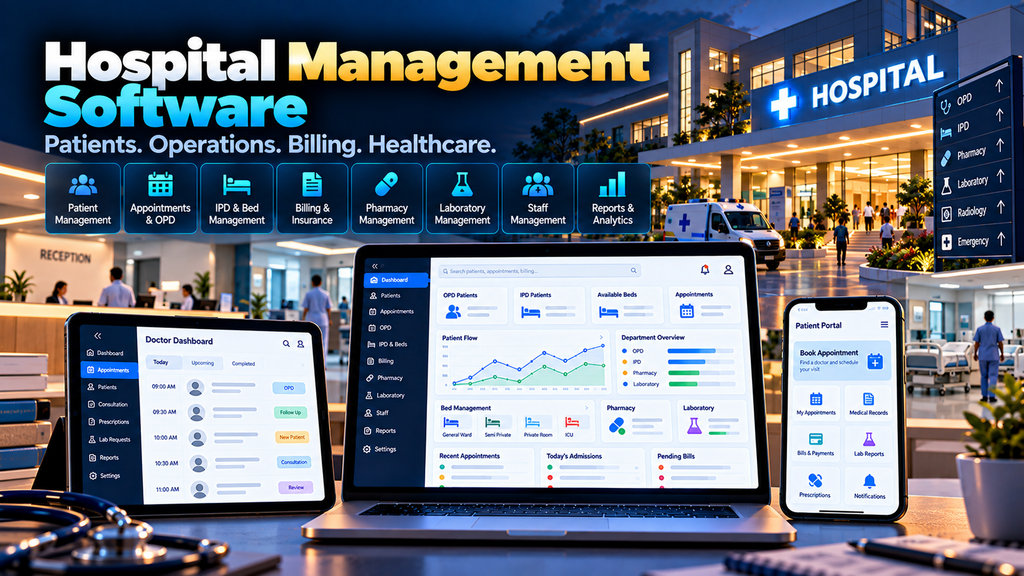
Hospital Management Software Development in Erode can help hospitals and healthcare organizations organize patient registration, appointments, outpatient and inpatient workflows, billing, pharmacy, laboratory operations, bed management, staff activities and administrative reporting through a centralized digital platform.
Hospital operations involve multiple departments that need access to accurate information at different stages of a patient’s visit.
The reception team handles registration and appointments.
Doctors need authorized access to relevant patient information.
Nursing and inpatient teams manage admission-related workflows.
The laboratory handles test requests and results.
The pharmacy manages medicines and dispensing workflows.
The billing team manages charges and payments.
Hospital management needs operational and administrative reports.
When these workflows depend heavily on paper records, spreadsheets and disconnected software, maintaining consistent information between departments can become difficult.
A properly planned Hospital Management System (HMS) can connect relevant hospital workflows while applying appropriate security and access controls.
At Greap Technologies, we develop custom software, web applications, portals and business systems for organizations in Erode and nearby areas.
What Is Hospital Management Software?
Hospital management software is a digital platform designed to support administrative and operational workflows across healthcare organizations.
Depending on the hospital’s requirements, modules can include:
- Patient registration
- Patient identification
- Appointment management
- Doctor scheduling
- Outpatient management
- Inpatient management
- Admission and discharge workflows
- Bed and ward management
- Billing
- Payment records
- Pharmacy management
- Laboratory management
- Inventory management
- Staff management
- Role-based access
- Patient portals
- Notifications
- Administrative reports
- External integrations
The exact system should be designed around the hospital’s operational requirements rather than adding unnecessary modules simply because they are common in other healthcare systems.
Who Can Use Hospital Management Software?
Hospital management systems can be designed for different types of healthcare organizations.
Depending on requirements, these may include:
- Hospitals
- Multi-speciality hospitals
- Speciality hospitals
- Clinics
- Diagnostic centres
- Healthcare groups
- Multi-location healthcare organizations
A small clinic and a multi-department hospital require very different software scopes.
Hospital Management Software vs Hospital ERP
The terms Hospital Management System, HMS and Hospital ERP can describe overlapping types of healthcare software.
An HMS may focus heavily on patient-facing and hospital operational workflows.
A broader ERP-style implementation may also connect areas such as:
- Finance
- Procurement
- Inventory
- Human resources
- Administration
The required modules and integrations matter more than the product label.
1. Hospital Requirement Analysis
Healthcare software development should begin with detailed workflow analysis.
Important questions include:
- How are patients registered?
- How are appointments booked?
- How are outpatient visits managed?
- How are patients admitted?
- How are beds assigned?
- How are laboratory requests processed?
- How does the pharmacy receive relevant requests?
- How are charges generated?
- How are payments recorded?
- Which users can access which records?
- Which external systems need integration?
The answers should shape the architecture and access-control model.
2. Patient Registration
Patient registration creates the foundation for subsequent hospital workflows.
The system can maintain information required by the healthcare organization for legitimate operational purposes.
The registration interface should avoid collecting unnecessary information and should be designed for efficient use by authorized reception staff.
3. Unique Patient Identification
A patient can be assigned an internal unique identifier so records can be connected consistently across authorized modules.
This can reduce dependence on matching records using names alone.
Hospitals should establish procedures for identifying possible duplicate registrations before merging or changing patient records.
4. Patient Search
Authorized users may need to locate existing patient records quickly.
Search can be provided using approved identifiers and other relevant fields.
Search results should expose only information appropriate to the user’s role.
5. Appointment Management
An appointment module can organize consultations according to doctors, departments and available schedules.
A typical workflow can be:
Patient → Department → Doctor → Available Slot → Appointment Confirmation
Appointment rules should match the hospital’s operational process.
6. Doctor Schedule Management
Authorized administrators can configure relevant doctor availability.
The system may maintain:
- Doctor
- Department
- Available days
- Available times
- Configured appointment duration
- Availability exceptions
Scheduling logic should account for the organization’s actual consultation model.
7. Online Appointment Booking
Where appropriate, hospitals can provide patients with an online appointment-booking interface.
A booking process can allow a patient to select:
- Department
- Doctor
- Available appointment slot
The system should clearly communicate that appointment availability and clinical urgency are separate matters.
8. Appointment Status Management
Appointment statuses can help reception and clinical teams understand the current workflow.
Depending on requirements, statuses might include:
- Scheduled
- Checked in
- Waiting
- In consultation
- Completed
- Cancelled
- No-show
The exact statuses should match the hospital’s process.
9. Outpatient Management
An outpatient workflow can connect registration, appointment, consultation and billing-related activities.
A simplified workflow might be:
Registration → Appointment/Queue → Consultation → Relevant Orders → Billing → Visit Completion
Clinical workflows should be defined with appropriate healthcare professionals and hospital administrators.
10. OP Queue Management
Hospitals may need to organize patients waiting for outpatient consultations.
A queue interface can help authorized staff understand:
- Scheduled patients
- Checked-in patients
- Waiting status
- Consultation status
Queue information should be displayed in a way that protects patient privacy.
11. Doctor Interface
Doctors may require a focused interface showing information relevant to their assigned patients and consultations.
Depending on approved requirements, this can provide access to relevant:
- Appointments
- Visit information
- Authorized patient history
- Laboratory information
- Clinical documentation functions
The interface should prioritize clinical workflow and patient privacy rather than presenting unnecessary administrative information.
12. Electronic Patient Records
Healthcare organizations may require electronic storage of patient-related information.
The scope, structure, retention, security and permitted access to these records should be defined carefully according to the hospital’s clinical, legal and regulatory requirements.
Software developers should not independently determine clinical documentation standards.
13. Inpatient Admission Management
When a patient is admitted, the hospital may need to create an inpatient episode connected to the appropriate patient record.
An admission workflow can include:
- Patient
- Department
- Responsible clinical team
- Ward
- Bed
- Admission date and time
- Admission status
The exact workflow should reflect hospital policy.
14. Ward Management
The hospital can configure wards or other inpatient areas according to its actual structure.
Authorized users can then view relevant occupancy and availability information.
15. Bed Management
Bed-management functionality can help authorized staff understand configured bed status.
Possible statuses can include:
- Available
- Occupied
- Reserved
- Unavailable
- Other hospital-defined status
The system should avoid treating software status alone as a substitute for appropriate clinical and operational verification.
16. Bed Assignment
Authorized users can assign an appropriate available bed according to hospital workflow.
The system can record relevant transfer history if a patient moves between beds or wards.
17. Patient Transfer Workflow
Inpatients may need to move between wards, rooms or other care areas.
A transfer workflow can preserve information about:
- Previous location
- New location
- Transfer time
- Authorized user
- Relevant operational information
18. Discharge Workflow
Discharge involves several clinical and administrative activities.
The software can support configured steps such as:
Discharge Initiated → Required Reviews → Billing Completion → Approved Documentation → Discharge Completion
Clinical discharge decisions must remain with appropriately qualified healthcare professionals.
19. Hospital Billing Management
Hospital billing can involve charges from several departments.
Depending on requirements, the billing module can organize relevant charges relating to:
- Consultations
- Procedures
- Laboratory services
- Pharmacy
- Rooms or beds
- Other configured hospital services
Billing rules should be defined by the hospital’s authorized administrative and finance teams.
20. Service and Charge Master
A centralized service master can maintain hospital-approved service information and applicable charges.
Access to create or modify charge information should be restricted to authorized users.
21. Patient Billing
Relevant charges can be associated with the appropriate patient visit or inpatient episode.
The system can then present an itemized billing view according to the hospital’s configured billing structure.
22. Payment Management
Authorized billing users can record payment information according to the hospital’s approved payment processes.
Where online payment is required, a suitable payment provider can potentially be integrated using supported secure methods.
23. Billing Receipts
The system can generate appropriate receipt information for successfully recorded payments.
Receipt formats and accounting requirements should be configured according to hospital policy.
24. Pharmacy Management
A hospital pharmacy module can help authorized users manage relevant medicine inventory and dispensing workflows.
Depending on requirements, it can include:
- Medicine master
- Stock
- Purchases
- Batch information
- Expiry information
- Dispensing records
- Returns
- Inventory reports
Medication-related clinical decisions and dispensing controls must follow applicable professional and organizational requirements.
25. Pharmacy Inventory
The pharmacy can maintain stock information separately from general hospital inventory where required.
Inventory information may include:
- Item
- Batch
- Quantity
- Expiry-related information
- Storage location where required
26. Batch and Expiry Tracking
Where medicines or other products require batch and expiry tracking, the system can maintain relevant records.
Configured reports can help authorized staff identify inventory requiring review.
Actual handling and disposal decisions should follow hospital policy and applicable requirements.
27. Pharmacy Purchase Management
The pharmacy may require workflows for recording approved supplier purchases and receiving stock.
Where the hospital already uses an ERP or purchasing system, integration can be considered instead of duplicating procurement functionality.
28. Laboratory Management
A laboratory module can help organize requests and results between authorized departments.
A simplified workflow can be:
Test Request → Sample Workflow → Processing → Authorized Result Entry/Validation → Result Availability
Laboratory workflows and validation requirements should be established by qualified laboratory and healthcare professionals.
29. Laboratory Test Master
The system can maintain an approved catalogue of available laboratory tests and relevant administrative configuration.
Clinical reference information should only be configured according to appropriately validated hospital requirements.
30. Lab Order Management
Authorized clinical users can create relevant laboratory requests according to the hospital’s workflow.
The laboratory can then access approved requests through its own interface.
31. Lab Result Management
Authorized laboratory users can record and validate results according to established procedures.
The system should maintain appropriate access controls and audit history for result changes.
32. Patient Portal
A patient portal can provide authenticated access to selected information that the hospital has approved for patient access.
Depending on requirements, this may include:
- Appointments
- Billing information
- Payment receipts
- Approved reports
- Other patient-accessible records
The portal should expose only information associated with the authenticated account and permitted by the healthcare organization.
33. Appointment Notifications
The hospital can configure appointment-related notifications through approved communication channels.
Notifications may include:
- Booking confirmation
- Appointment reminder
- Approved schedule change
- Cancellation information
Messages should avoid unnecessarily exposing sensitive health information.
34. Staff Management
A hospital may need to maintain relevant administrative information for:
- Doctors
- Nurses
- Laboratory staff
- Pharmacy staff
- Reception users
- Billing users
- Administrative employees
Human-resources functionality can remain separate or be integrated depending on project scope.
35. Department Management
The hospital’s organizational structure can be represented through configured departments.
Departments can then be associated with relevant doctors, services, appointments and reports.
36. Role-Based Access Control
Hospital software can contain highly sensitive information, so access control is a fundamental requirement.
| User | Example Access |
|---|---|
| Reception | Authorized registration and appointment functions |
| Doctor | Relevant authorized clinical information |
| Nursing User | Relevant assigned inpatient workflows |
| Laboratory User | Authorized laboratory requests and results |
| Pharmacy User | Authorized pharmacy functions |
| Billing User | Authorized billing and payment functions |
| Management | Approved operational reports |
| Administrator | Configured system administration |
Users should receive only the minimum access required for their responsibilities.
37. Hospital Inventory Management
Hospitals may need to maintain inventory beyond pharmacy items.
Depending on scope, inventory can include relevant:
- Medical supplies
- Consumables
- Administrative supplies
- Department-specific items
More complex hospital supply chains may require integration with dedicated inventory or ERP systems.
38. Supplier Management
Where included in scope, authorized users can maintain relevant supplier records.
If procurement is already managed through another system, the hospital software can integrate with it rather than recreating the complete purchasing process.
39. Multi-Branch or Multi-Hospital Management
Healthcare groups operating multiple locations may require centralized software with location-level separation.
The system can potentially support:
- Location-specific patients and visits
- Location-specific doctors
- Location-specific appointments
- Location-specific billing
- Location-specific inventory
- Authorized group-level reporting
Data-sharing rules between facilities should be defined carefully.
40. Hospital Management Dashboard
Administrative dashboards can summarize operational information relevant to each authorized user.
Depending on requirements, a dashboard might include:
- Appointments
- Outpatient activity
- Admissions
- Bed status
- Laboratory workflow
- Pharmacy activity
- Billing information
- Operational alerts
Dashboards should support decision-making rather than displaying unnecessary metrics.
41. Hospital Reports
Authorized users can access reports relevant to their responsibilities.
Examples may include:
- Appointment reports
- Patient registration reports
- Outpatient reports
- Admission reports
- Bed occupancy reports
- Billing reports
- Payment reports
- Pharmacy inventory reports
- Laboratory workflow reports
- Administrative reports
Reports should clearly identify their reporting period, filters and data definitions.
42. Audit Trail
Important actions involving sensitive information should be auditable where appropriate.
An audit trail can record:
- User
- Action
- Date and time
- Relevant record
- Changes where appropriate
Audit logs should themselves be protected against inappropriate access or modification.
43. Data Privacy
Hospital software can process sensitive personal and health-related information.
Privacy planning should consider:
- What information is collected
- Why it is required
- Who can access it
- How access is authenticated
- How long information is retained
- How information is shared
- How records are protected
The healthcare organization should determine the legal, regulatory, contractual and professional requirements applicable to its operations and patient information.
44. Hospital Software Security
Security should be designed into the system from the beginning.
Depending on architecture and requirements, controls can include:
- Strong authentication
- Role-based authorization
- Secure communications
- Session controls
- Input validation
- Audit logging
- Secure file handling
- Backup procedures
- Software updates
- Integration security
Security is an ongoing process rather than a one-time feature.
45. Backup and Recovery
A hospital system may contain operationally important information that changes continuously.
A backup and recovery plan should consider:
- Databases
- Uploaded documents
- Application configuration
- Relevant system files
- Backup retention
- Recovery procedures
Recovery procedures should be tested according to the organization’s continuity requirements.
46. Data Import and Migration
Hospitals moving from spreadsheets, legacy applications or other software may need data migration.
Before migration, existing data should be reviewed for:
- Duplicates
- Incomplete records
- Incorrect formatting
- Obsolete information
- Access restrictions
Migration should be planned carefully because healthcare records may be sensitive and operationally important.
47. Integration with Existing Hospital Systems
A new HMS does not always need to replace every existing application.
Depending on available integration methods, it may connect with:
- Laboratory systems
- Pharmacy systems
- Accounting systems
- ERP software
- Payment providers
- Approved communication services
- Other healthcare systems
Integration feasibility depends on the external system’s APIs, standards and technical capabilities.
48. API Development and Integration
APIs can help authorized systems exchange information without repeated manual entry.
Healthcare integrations require careful attention to:
- Authentication
- Authorization
- Data validation
- Logging
- Error handling
- Privacy
- Security
Only the information required for the integration should be exchanged.
49. Responsive Hospital Management Software
Different hospital users may access the system through different devices.
A responsive web application can support appropriate use across:
- Desktop computers
- Laptops
- Tablets
- Smartphones
The interface should be optimized around each role rather than simply shrinking the same complex dashboard onto a smaller screen.
50. Hospital Mobile App vs Responsive Web Application
Not every hospital management project requires a dedicated mobile application.
A responsive web application may be sufficient for many administrative and portal requirements.
A dedicated mobile app can be considered when requirements justify functionality such as:
- Specific patient experiences
- Mobile-focused staff workflows
- Device capabilities
- Push notifications
- Other app-specific functions
The decision should consider functionality, security, maintenance and long-term cost.
51. Performance and Scalability
Hospital software should be designed around realistic usage.
Planning can consider:
- Number of patients
- Daily registrations
- Appointments
- Concurrent users
- Departments
- Locations
- Uploaded files
- Reports
- Integration traffic
Architecture should be based on measurable requirements rather than unsupported claims of unlimited scalability.
52. Testing Before Hospital Software Launch
Hospital software should undergo careful testing before production use.
Testing can include:
- Functional testing
- Permission testing
- Workflow testing
- Integration testing
- Data-validation testing
- Responsive testing
- Performance testing where required
- Security testing appropriate to the system
- User acceptance testing
Representatives from relevant hospital departments should participate in validating workflows before rollout.
Hospital Management Software Modules
| Module | Purpose |
|---|---|
| Patient Registration | Maintain authorized patient records |
| Appointments | Manage doctor schedules and bookings |
| OP Management | Support outpatient workflows |
| IP Management | Support inpatient admission workflows |
| Ward & Bed Management | Manage configured inpatient locations |
| Billing | Manage configured charges and payments |
| Pharmacy | Manage pharmacy inventory and workflows |
| Laboratory | Manage authorized laboratory workflows |
| Inventory | Manage relevant hospital supplies |
| Staff | Maintain authorized staff information |
| Patient Portal | Provide authenticated patient access |
| Reports | Provide authorized operational reporting |
| Integrations | Connect approved external systems |
Hospital Management Software vs Clinic Management Software
A clinic may primarily need:
- Patient registration
- Appointments
- Consultation workflows
- Billing
- Basic reports
A hospital may additionally require:
- Inpatient management
- Ward and bed management
- Pharmacy
- Laboratory
- Multiple departments
- Complex billing
- More extensive access controls
The software scope should match the healthcare organization’s actual complexity.
Custom Hospital Software vs Ready-Made HMS
Ready-made hospital software can be appropriate when its existing workflows fit the organization’s needs.
Custom hospital software development can be considered when the organization requires:
- Specific workflows
- Unique department structures
- Existing software integrations
- Custom patient portals
- Special billing workflows
- Multi-location requirements
- Custom reports
- Specific access-control requirements
Neither approach is automatically the right choice for every hospital.
The decision should consider requirements, security, implementation complexity, maintenance, integrations and total long-term cost.
How Much Does Hospital Management Software Development Cost in Erode?
There is no universal price for hospital management software.
Development cost can depend on:
- Number of modules
- Number of departments
- User roles
- Patient volume
- Appointment workflows
- Outpatient and inpatient requirements
- Billing complexity
- Pharmacy functionality
- Laboratory functionality
- Patient portal requirements
- Integrations
- Data migration
- Security requirements
- Mobile application requirements
A small clinic-management platform has a different scope from a multi-department hospital system with inpatient management, pharmacy, laboratory, billing and external integrations.
How Long Does Hospital Management Software Development Take?
The timeline depends on the complexity and scope of the system.
Factors can include:
- Requirement analysis
- Department workflow mapping
- UI/UX design
- Number of modules
- Integrations
- Data migration
- Security requirements
- Testing
- User acceptance
- Rollout planning
A realistic timeline should be established after the healthcare organization’s workflows are documented.
Should Hospital Software Be Developed in Phases?
For larger hospital systems, phased implementation can make development, testing and adoption easier to manage.
A possible sequence might be:
- User roles and hospital configuration
- Patient registration
- Appointments and outpatient workflows
- Billing
- Inpatient and bed management
- Laboratory
- Pharmacy
- Patient portal
- External integrations
- Additional reports and modules
The actual implementation sequence should follow operational priorities, safety considerations and technical dependencies.
Hospital Management Software Development in Erode and Nearby Areas
Greap Technologies can develop custom healthcare management systems for organizations in Erode, Perundurai, Bhavani, Gobichettipalayam, Sathyamangalam, Anthiyur, Chennimalai, Modakkurichi, Kavindapadi, Nambiyur, Kodumudi and nearby areas.
Each implementation should be based on the healthcare organization’s requirements rather than creating near-identical systems solely for different locations.
Why Choose Greap Technologies for Hospital Management Software Development in Erode?
Greap Technologies provides custom software development, web application development and digital solutions for organizations in Erode and nearby areas.
Depending on project requirements, a hospital management system can include:
- Requirement analysis
- Patient registration
- Appointment management
- Doctor scheduling
- Outpatient workflows
- Inpatient workflows
- Ward and bed management
- Billing
- Payment integration
- Pharmacy management
- Laboratory management
- Hospital inventory
- Staff management
- Role-based access
- Patient portal
- Dashboards and reports
- Data migration
- API integrations
- Responsive interfaces
- Ongoing technical support
Healthcare software should be approached carefully because it can involve sensitive patient information and workflows that affect real-world healthcare operations.
Our role as a software development company is to implement technology around requirements established by the healthcare organization and appropriate domain professionals.
Explore Greap Technologies, Website Development Services, SEO Services in Erode and Digital Marketing Services.
Conclusion
Hospital management software can help healthcare organizations connect important administrative and operational workflows through a structured digital platform.
A useful system should begin with understanding the actual hospital journey:
Registration → Appointment → Consultation → Relevant Services → Billing → Follow-Up
For inpatient care, additional workflows can include:
Admission → Ward/Bed → Authorized Department Workflows → Billing → Discharge
Depending on the organization, the platform can then connect:
- Pharmacy
- Laboratory
- Inventory
- Patient portals
- Payments
- Multi-location operations
- External healthcare systems
- Administrative reporting
Security, privacy, role-based access and careful workflow validation should be treated as core requirements rather than optional features.
Need Hospital Management Software in Erode?
If your healthcare organization currently manages patient registration, appointments, billing, pharmacy, laboratory or administrative workflows through paper records, spreadsheets and disconnected applications, a custom hospital management platform may help centralize appropriate operations.
Greap Technologies develops custom healthcare software, web applications, portals and business systems for organizations in Erode and nearby areas.
Discuss Your Hospital Management Software Project on WhatsApp
Frequently Asked Questions
1. What is hospital management software?
Hospital management software is a digital system used to organize authorized healthcare administrative and operational workflows such as patient registration, appointments, inpatient management, billing, pharmacy, laboratory and reporting.
2. What does HMS mean?
HMS commonly means Hospital Management System. The exact modules included in an HMS vary according to the healthcare organization’s requirements.
3. Can hospital software manage appointments?
Yes. A custom system can support doctor schedules, available appointment slots, bookings, cancellations and configured appointment statuses.
4. Can an HMS manage outpatient and inpatient workflows?
Yes. Depending on project scope, separate outpatient and inpatient workflows can be developed and connected to relevant authorized patient records.
5. Can hospital software manage billing?
Yes. A billing module can organize approved hospital services, patient charges, payment records and receipts according to the organization’s configured processes.
6. Can hospital management software include pharmacy management?
Yes. Pharmacy functionality can include relevant medicine inventory, batches, expiry information, purchasing and dispensing workflows according to hospital requirements.
7. Can the software include laboratory management?
Yes. A laboratory module can support authorized test-request and result-management workflows defined by the healthcare organization and appropriate laboratory professionals.
8. Can patients book appointments online?
Yes. A patient-facing booking interface can be integrated with configured doctor and department schedules where online booking is appropriate.
9. Can hospital software support multiple branches?
Yes. A custom system can be architected for multiple healthcare locations with appropriate location-level permissions and centralized reporting where required.
10. Is patient data security important in hospital software?
Yes. Healthcare systems can contain highly sensitive personal and health information, making authentication, access control, secure communications, audit logging, backups and appropriate data-handling practices fundamental requirements.
11. How much does hospital management software development cost in Erode?
Development cost depends on modules, departments, users, patient workflows, billing, pharmacy, laboratory functionality, integrations, migration, security requirements and overall system complexity.
12. Does Greap Technologies develop hospital management software in Erode?
Yes. Greap Technologies develops custom web applications and management software for organizations in Erode and nearby areas, with project scope determined by the healthcare organization’s requirements.


