
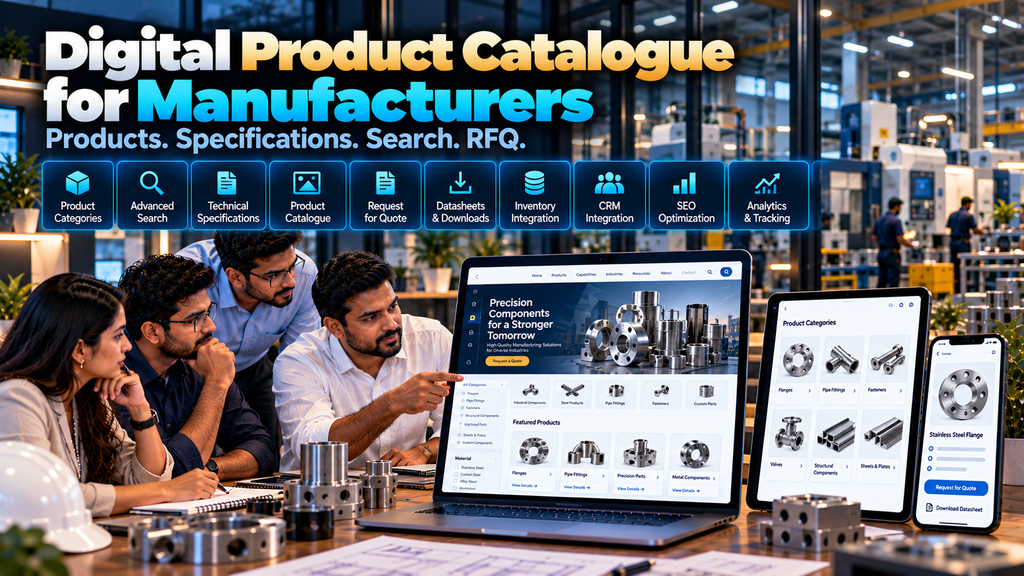
Manufacturers often have dozens, hundreds or even thousands of products, variants, models and technical specifications.
When this information exists only inside printed catalogues, PDF brochures, spreadsheets or files shared manually by sales teams, potential buyers can find it difficult to discover the right product quickly.
Professional product catalogue website development for manufacturers in Erode can organize this information into a searchable digital catalogue where buyers can explore product categories, compare relevant specifications, download approved documents and submit enquiries or quotation requests.
A product catalogue website is not necessarily an ecommerce store. Many B2B manufacturers do not need online checkout because pricing, minimum quantities, customization, freight and commercial terms may depend on each enquiry.
In those situations, a structured catalogue combined with an RFQ workflow can be more suitable.
This guide explains how manufacturers can plan a product catalogue website, which features may be useful, how SEO should be considered and when CRM, ERP, inventory or B2B ecommerce integrations may become relevant.
At Greap Technologies, we develop corporate websites, B2B product catalogues, ecommerce platforms and custom software solutions for manufacturers and businesses in Erode and nearby areas.
What Is a Product Catalogue Website?
A product catalogue website is an online platform that organizes a company’s products into structured categories and product pages.
Depending on the business, visitors may be able to:
- Browse product categories
- Search products
- Filter products
- View product images
- Read descriptions
- Review technical specifications
- View product variants
- Download approved documents
- Request quotations
- Send product enquiries
The exact functionality should follow the manufacturer’s products and sales process.
Product Catalogue Website vs Ecommerce Website
These two website types are related, but they are not the same.
| Product Catalogue Website | Ecommerce Website |
|---|---|
| Focuses on product discovery and information | Supports product discovery plus purchasing workflows |
| Pricing can be optional | Usually requires defined pricing logic |
| Often uses enquiries or RFQs | Usually includes cart and checkout |
| Useful for complex B2B products | Useful when products can be ordered digitally |
| May not require payment integration | May require online payment or account-based purchasing |
A manufacturer should choose based on how customers actually buy.
When Does a Manufacturer Need a Catalogue Website?
A product catalogue website may be useful when:
- The company has many products
- Products are organized into categories
- Buyers need technical specifications
- Pricing varies by quantity or requirement
- Products have multiple variants
- Buyers need downloadable datasheets
- Sales happen through quotations
- Customers regularly ask for catalogues
- Products need organic search visibility
- Dealers or distributors need product information
1. Start With the Product Structure
Do not begin by uploading every product into one large page.
First understand the catalogue structure.
A simple hierarchy could be:
Product Catalogue → Category → Subcategory → Product → Variant
The exact number of levels should depend on catalogue complexity.
2. Define Product Categories
Categories should help customers find products logically.
They may be based on:
- Product type
- Application
- Material
- Industry
- Technology
- Product family
Category names should use terminology customers understand.
3. Avoid Too Many Categories
Creating a separate category for every small difference can make navigation unnecessarily complex.
Group related products where it makes sense for buyers.
4. Use Subcategories When Necessary
Large manufacturing catalogues may need another organizational level.
For example:
Industrial Products → Fasteners → Construction Screws → Product
Subcategories should improve navigation rather than create additional complexity without a clear purpose.
5. Create Useful Product Pages
Important products can have individual pages containing information relevant to a buyer’s evaluation.
Depending on the product, this may include:
- Product name
- Product images
- Short overview
- Features
- Applications
- Materials
- Specifications
- Available variants
- Technical documents
- Related products
- Enquiry or RFQ CTA
6. Product Titles
Product titles should clearly identify the product.
A title that includes useful product terminology is generally more helpful than an internal code that customers may not recognize.
Model numbers and SKUs can still be displayed separately where relevant.
7. Product Descriptions
Descriptions should explain the actual product rather than repeat generic marketing statements.
Useful information can include:
- What the product is
- Where it is used
- Relevant materials
- Important features
- Available options
- Compatibility where applicable
8. Technical Specifications
Technical specifications are especially important for industrial and B2B products.
Depending on the product, specifications might include:
- Dimensions
- Material
- Grade
- Weight
- Capacity
- Finish
- Model
- Other relevant technical attributes
Published specifications should come from verified product information.
9. Specification Tables
Structured tables can make technical data easier to scan.
| Specification | Example Structure |
|---|---|
| Model | Product-specific model |
| Material | Verified material information |
| Size | Available dimensions |
| Finish | Available finish where applicable |
| Application | Relevant intended applications |
The actual fields should be determined by the manufacturer’s product data.
10. Make Specification Tables Mobile-Friendly
Large tables can become difficult to use on smartphones.
Responsive website development should allow technical information to remain readable without breaking the page layout.
11. Product Variants
Products may have variants based on:
- Size
- Material
- Colour
- Finish
- Capacity
- Model
- Configuration
The website should present variants in a way that matches how customers select the product.
12. Decide Whether Variants Need Separate Pages
Not every variant requires a separate URL.
If variants are nearly identical and differ only by size or another attribute, grouping them on one product page may provide a cleaner user experience.
Separate pages may make sense when variants have substantially different information or search intent.
13. Product Images
Clear product images can help buyers understand shape, construction, finish and configuration.
Depending on the product, useful images may include:
- Main product view
- Alternative angle
- Close-up detail
- Application image
- Dimension drawing where appropriate
14. Use Genuine Product Images
Product imagery should accurately represent what the company manufactures or supplies.
Avoid using unrelated product images in a way that could mislead potential buyers.
15. Optimize Product Images
Manufacturing catalogues can become image-heavy.
Optimization may include:
- Appropriate image dimensions
- Compression
- Modern image formats where suitable
- Responsive images
- Lazy loading where appropriate
Read Website Speed Optimization Services in Erode.
16. Product Gallery
A product gallery can allow visitors to examine multiple product views without making the page unnecessarily long.
Gallery interactions should remain easy to use on mobile devices.
17. Product Videos
Some products may benefit from videos showing:
- Product operation
- Installation
- Application
- Manufacturing process
- Product demonstration
Videos should be optimized so they do not unnecessarily slow the page.
18. Product Datasheets
Manufacturers can provide approved downloadable technical documents where useful.
These might include:
- Datasheets
- Specifications
- Brochures
- Drawings
- Installation instructions
- Other approved product documentation
19. Keep Downloads Updated
Outdated PDFs can create confusion when the web page and document show different specifications.
Manufacturers should have an internal process for reviewing published documents.
20. Product Search
Large catalogues can benefit from internal search.
Depending on the catalogue, search may use:
- Product name
- Model
- SKU
- Category
- Application
- Material
21. Search by Product Code
B2B customers who already know a model or product code may want to find it directly.
Supporting relevant identifiers can make repeat product discovery faster.
22. Product Filters
Filters are useful when customers need to narrow a large product catalogue.
Possible filters include:
- Category
- Size
- Material
- Application
- Model
- Finish
- Other product-specific attributes
23. Do Not Add Unnecessary Filters
Filters should correspond to meaningful product differences.
Adding dozens of rarely used filters can make catalogue navigation more complicated.
24. Product Comparison
For products with structured specifications, comparison functionality can help buyers evaluate relevant differences.
This feature is most useful when products share comparable attributes.
25. Related Products
Product pages can link to genuinely related items.
Relationships might include:
- Alternative models
- Compatible products
- Accessories
- Other products in the same family
Related products should help buyers rather than being selected randomly.
26. Product Applications
Some buyers search by problem or application instead of product name.
Product pages can explain where the item is commonly used when that information is accurate.
27. Industry-Based Product Discovery
Manufacturers serving several industries may allow buyers to explore products by application or industry.
For example:
Industry → Relevant Product Families → Product → RFQ
28. Request for Quotation
Many manufacturing products cannot use one public price because commercial terms depend on factors such as quantity, configuration, material, customization or delivery requirements.
An RFQ workflow can support this sales model.
A basic journey can be:
Product → Request Quote → Requirement → Sales Review → Quotation
29. Product-Specific RFQ
When a buyer clicks Request Quote from a product page, the website can automatically associate that product with the enquiry.
This reduces the need for customers to type the product name manually.
30. Multi-Product RFQ
A buyer sourcing several items may want to add multiple products to one quotation request.
A possible workflow is:
Browse → Add to RFQ → Continue Browsing → Review RFQ → Submit Requirement
This can be particularly useful for wholesalers, distributors and procurement teams.
31. RFQ Quantity
Where relevant, buyers can specify expected quantity when requesting a quotation.
This provides additional context to the sales team.
32. Custom Requirement Fields
Products requiring customization may need additional fields for information such as:
- Dimensions
- Material
- Configuration
- Application
- Required quantity
- Other technical requirements
Fields should reflect the actual information sales teams need.
33. Drawing and File Uploads
Custom manufacturing enquiries may require technical drawings or documents.
If uploads are supported, consider:
- File types
- Size limits
- Validation
- Secure storage
- Access permissions
- Retention policies
34. General Product Enquiry
Not every visitor is ready for a formal quotation.
A simpler product enquiry option can be useful for customers who first need technical or availability information.
35. Phone and Business Messaging
Some B2B buyers prefer direct communication.
Product pages can provide suitable contact options such as telephone or supported business messaging where appropriate.
36. Product Catalogue Website SEO
A catalogue website can provide substantial organic-search opportunities when product information is structured properly.
SEO can include:
- Product keyword research
- Category keyword research
- Search-intent analysis
- Product-page optimization
- Category-page optimization
- Technical SEO
- Internal linking
- Image optimization
- Website performance
Explore SEO Services.
37. Product Keyword Research
Potential buyers may search using combinations such as:
- Product name
- Product + manufacturer
- Product + supplier
- Product + wholesale
- Product + specification
- Material + product
- Application + product
- Product + exporter
The relevant search patterns depend on the manufacturer’s market.
38. Category Page SEO
Category pages should be more than grids containing product thumbnails.
Where useful, they can provide:
- Clear category heading
- Brief category explanation
- Relevant subcategories
- Product listings
- Useful filters
- Links to related information
39. Product Page SEO
Individual product pages can use:
- Descriptive titles
- Clear headings
- Original product information
- Specifications
- Applications
- Relevant images
- Related internal links
- Appropriate enquiry CTA
40. Avoid Copying Manufacturer Descriptions Across Products
If many product pages contain almost identical text with only the model number changed, the pages may provide limited additional value.
Use accurate, product-specific information where meaningful differences exist.
41. Product URLs
URLs should be understandable and manageable.
A structure might look like:
/products/category/product-name/
The exact structure should be planned according to the catalogue and website platform.
42. Technical SEO
Large catalogues require careful technical planning.
Review areas such as:
- Crawlability
- Indexability
- Canonical URLs
- XML sitemaps
- Robots directives
- Duplicate URLs
- Pagination where applicable
- Filters and faceted navigation
- Redirects
- Broken links
- Website performance
Read Technical SEO Checklist for Business Websites in Erode.
43. Filter URLs and SEO
Product filtering can potentially generate many URL combinations.
The development and SEO teams should decide which filtered pages, if any, provide enough search value to be indexable.
Allowing every possible filter combination to create an indexable page can create unnecessary URL duplication.
44. Product Structured Data
Where applicable, structured data can provide machine-readable information about visible product content.
Markup should accurately represent information shown to users.
Do not add fabricated prices, ratings, reviews, availability or other information simply to populate structured data fields.
45. Internal Linking
A logical internal-link structure can connect:
Homepage → Product Catalogue → Category → Product → Related Product
Supporting articles can also link to relevant categories and products when useful.
46. Breadcrumbs
Breadcrumb navigation can help visitors understand where a product sits within a large catalogue.
For example:
Home → Products → Category → Product
47. Product Sitemap
Important canonical product and category URLs can be included in the XML sitemap where they are intended for indexing.
Removed, redirected or intentionally non-indexable URLs should be handled appropriately.
48. Website Performance
A catalogue containing hundreds of products can become slow if images, scripts, filters and database queries are not implemented carefully.
Performance should therefore be considered during architecture and development rather than only after launch.
49. Core Web Vitals
Core Web Vitals measure aspects of loading performance, responsiveness and visual stability.
Product galleries, filters and large images should be implemented with these broader user-experience considerations in mind.
Read Core Web Vitals Optimization for Business Websites in Erode.
50. Responsive Product Catalogue
The entire catalogue should work across mobile, tablet and desktop devices.
Pay particular attention to:
- Category navigation
- Search
- Filters
- Product cards
- Product galleries
- Specification tables
- RFQ forms
- Downloads
51. Mobile Filters
Desktop sidebar filters often need a different interaction on smaller screens.
A mobile-friendly filter interface should allow buyers to narrow products without occupying most of the screen.
52. Content Management
Manufacturers should be able to manage catalogue information through an appropriate administration system.
Depending on permissions, authorized staff may manage:
- Categories
- Products
- Images
- Specifications
- Documents
- Applications
- Related products
53. Bulk Product Import
Large catalogues may require importing structured product data from spreadsheets or other supported sources.
Before import, data should be cleaned and mapped carefully.
Typical fields can include:
- SKU
- Product name
- Category
- Description
- Specifications
- Image references
54. Do Not Import Poor Data Blindly
If existing product data contains duplicates, inconsistent category names, missing specifications or outdated descriptions, importing everything directly can transfer those problems into the new website.
Data quality should be reviewed before migration.
55. CRM Integration
Product enquiries and RFQs can potentially be transferred into a CRM or lead-management system.
A workflow can look like:
Product → RFQ → CRM → Sales Assignment → Follow-Up → Quotation → Outcome
Integration feasibility depends on the CRM’s supported methods and the project requirements.
Read WhatsApp CRM and Lead Follow-Up Software for Businesses in Erode.
56. Quotation Software Integration
For manufacturers receiving frequent RFQs, approved enquiry information can potentially connect to an internal quotation workflow.
A possible process is:
RFQ → Review → Quotation → Revision → Approval → Order
Read Quotation and Invoice Management Software Development in Erode.
57. ERP Integration
Catalogue websites may sometimes need information from an ERP.
Potential areas can include:
- Product master data
- Product codes
- Inventory
- Customer information
- Orders
Integration feasibility depends on APIs, permissions, system architecture and the quality of available data.
58. Inventory Integration
Some businesses may want the website to display product availability.
Before doing so, define whether stock information is:
- Real-time
- Periodically synchronized
- Manually updated
The website should not describe periodically synchronized data as real-time stock.
59. Dealer and Distributor Integration
Manufacturers operating through dealers or distributors may later extend a public catalogue into a secure portal.
Potential features include:
- Dealer login
- Product catalogue
- Authorized pricing
- Documents
- Order placement
- Order history
Read Dealer and Distributor Management Software Development in Erode.
60. Catalogue Website to B2B Ecommerce
A catalogue can be designed so the business can later add digital ordering when required.
Future functionality might include:
- Business accounts
- Customer-specific pricing
- Minimum order quantities
- Bulk ordering
- Quick reorder
- Purchase-order workflows
- Online payment where appropriate
Read B2B Ecommerce Website Development for Wholesalers and Manufacturers in Erode.
61. Analytics
Analytics can help manufacturers understand how visitors use the catalogue.
Depending on the implementation, businesses may measure:
- Important landing pages
- Product-page visits
- Category usage
- Product searches
- RFQ submissions
- Contact enquiries
62. Internal Search Analytics
Catalogue search data can sometimes reveal what products visitors are trying to find.
It may also identify searches that return no suitable result, which can help uncover navigation, naming or catalogue-data problems.
63. Measure RFQ Quality
RFQ volume alone does not tell the full story.
Where practical, connect website enquiries with sales outcomes.
For example:
RFQ → Qualified → Quotation → Negotiation → Order / Closed
64. Product Catalogue Security
Security requirements depend on website functionality.
Important areas can include:
- HTTPS
- Secure administration
- Authentication
- Access permissions
- Software updates
- Form validation
- File-upload controls
- Backups
65. Website Maintenance
A catalogue website needs ongoing maintenance because both the website software and product information can change.
Maintenance can include:
- Security updates
- Backups
- Bug fixes
- Product updates
- Document updates
- Performance monitoring
- Technical SEO checks
Read Website Maintenance Services in Erode: What Businesses Need.
66. Product Data Maintenance
Manufacturers should define who is responsible for updating:
- New products
- Discontinued products
- Specifications
- Images
- Datasheets
- Categories
Catalogue accuracy is an operational responsibility, not only a website-development responsibility.
67. Handling Discontinued Products
Do not automatically delete every discontinued product URL without reviewing its use and existing visibility.
Depending on the situation, an old product page may:
- Remain available with discontinued status
- Suggest a replacement product
- Redirect to a relevant successor
- Be removed appropriately when no useful alternative exists
68. Multilingual Product Catalogues
Manufacturers targeting multiple language audiences may require multilingual product information.
Translations should preserve technical terminology and specification accuracy.
69. Export Product Catalogues
Manufacturers targeting international buyers may need additional information about:
- Products
- Specifications
- Applications
- Packaging
- Export enquiry process
- Markets served
Only verified export and compliance information should be published.
70. Product Catalogue Website Development Cost in Erode
There is no single fixed cost for every catalogue website.
Development cost can depend on:
- Number of categories
- Number of products
- Product attributes
- Product variants
- Custom UI/UX
- Search functionality
- Filtering
- Comparison functionality
- RFQ system
- Document management
- Bulk product import
- SEO requirements
- CRM integration
- ERP integration
- Dealer functionality
- Multilingual requirements
A catalogue containing 50 straightforward products and a catalogue containing thousands of configurable industrial products represent very different projects.
71. Why Catalogue Website Quotations Differ
Two development companies can quote different amounts because the scope may be different.
One proposal might include only basic product pages.
Another may include:
- Catalogue architecture
- Custom UI/UX
- Product migration
- Advanced filters
- RFQ functionality
- SEO foundations
- CRM integration
- Performance optimization
- Testing
- Post-launch support
Compare scope rather than only the final amount.
72. Product Catalogue Website Development Process
A structured development process can follow:
Business Discovery → Product Data Review → Catalogue Architecture → UI/UX → Development → Product Migration → SEO → RFQ / Integrations → Testing → Launch → Maintenance
73. Product Data Audit
Before development, review existing catalogue information.
Identify:
- Product categories
- Product names
- SKUs
- Descriptions
- Specifications
- Variants
- Images
- Documents
- Missing data
- Duplicate data
74. Catalogue Architecture
Once the product data is understood, define how customers should navigate it.
For example:
Products → Category → Subcategory → Product → RFQ
For a simpler catalogue:
Products → Category → Product → Enquiry
75. UI/UX Design
Important catalogue interfaces may include:
- Product landing page
- Category page
- Search results
- Filter interface
- Product page
- RFQ list
- RFQ form
76. Product Migration
Existing product information can be migrated from approved sources where technically practical.
Migration should include validation rather than assuming all source data is correct.
77. Testing
Before launch, test:
- Category navigation
- Product pages
- Search
- Filters
- Product variants
- Images
- Technical tables
- Downloads
- RFQ workflows
- Forms
- File uploads
- Mobile layouts
- Integrations
- Important SEO configurations
78. Post-Launch Review
After launch, verify that important catalogue URLs are accessible, RFQs reach the correct team, analytics works as intended and product information displays correctly across supported devices.
How to Choose a Product Catalogue Website Development Company in Erode
A catalogue website requires more planning than simply uploading product photographs into a website template.
Evaluate whether the development company understands:
- B2B websites
- Manufacturing businesses
- Product data
- Catalogue architecture
- Search and filtering
- Technical specifications
- RFQ workflows
- Responsive design
- SEO
- CRM and ERP integration
- Ongoing maintenance
Read Web Development Company in Erode: How to Choose the Right Development Partner.
Questions to Ask Before Developing a Product Catalogue Website
- How should our product categories be organized?
- Should every product have a dedicated page?
- How will product variants be managed?
- Can specifications use structured fields?
- Can customers search by product code?
- Which product filters should we provide?
- Can buyers compare products?
- Can customers download datasheets?
- Can buyers request quotes for individual products?
- Can several products be included in one RFQ?
- Can customers upload drawings?
- How will the catalogue work on mobile?
- What SEO foundations are included?
- Can products be imported in bulk?
- Can RFQs connect with our CRM?
- Can the catalogue connect with our ERP?
- Can ecommerce functionality be added later?
- Who will maintain product information?
Product Catalogue Website Checklist
| Area | What to Check |
|---|---|
| Categories | Can customers understand the product hierarchy? |
| Products | Does each important product provide useful information? |
| Specifications | Is technical data structured and readable? |
| Search | Can buyers find products using relevant terminology or codes? |
| Filters | Can large product lists be narrowed meaningfully? |
| RFQ | Can interested buyers submit useful requirements? |
| Mobile | Do products, filters and specifications work on smaller screens? |
| SEO | Are important category and product pages technically accessible? |
| Integrations | Can required CRM, ERP or other systems connect appropriately? |
| Maintenance | Can authorized staff keep catalogue data current? |
Common Product Catalogue Website Mistakes
- Putting every product on one page
- Using confusing category structures
- Providing only product names and photographs
- Missing technical specifications
- Creating hundreds of thin product pages
- Using inaccurate product images
- Using outdated datasheets
- Ignoring product search
- Adding unnecessary filters
- Ignoring mobile specification tables
- Using difficult RFQ forms
- Allowing uncontrolled filter URLs to create unnecessary duplicate pages
- Ignoring website speed
- Importing poor-quality product data without review
- Not planning ongoing catalogue maintenance
Product Catalogue Website Development in Erode and Nearby Areas
Greap Technologies provides product catalogue, corporate website, B2B ecommerce and custom software development services for manufacturers and businesses in Erode and nearby areas including Perundurai, Bhavani, Chennimalai, Gobichettipalayam, Sathyamangalam, Anthiyur, Modakkurichi, Kavindapadi, Kodumudi, Nambiyur and surrounding locations.
Local content should accurately represent the company’s real services and geographic coverage rather than repeating location names unnaturally.
Why Consider Greap Technologies for a Product Catalogue Website?
Greap Technologies can develop product catalogue websites around the manufacturer’s catalogue structure, customer journey and sales process.
Depending on requirements, the project can include:
- Custom UI/UX
- Responsive development
- Product categories
- Subcategories
- Product pages
- Product variants
- Technical specification tables
- Product galleries
- Datasheet downloads
- Product search
- Advanced filters
- Product comparison
- RFQ functionality
- Multi-product RFQ
- File uploads
- Bulk product migration
- SEO foundations
- Website performance optimization
- Analytics
- CRM integration
- ERP integration
- Dealer functionality
- Website maintenance
The right feature set should be selected after understanding the product data, target buyers and sales workflow.
Explore Website Development Services, Ecommerce Development Services, SEO Services and Greap Technologies.
Final Checklist Before Starting Your Product Catalogue Website
- Identify target buyers
- Collect all product data
- Define product categories
- Identify subcategories
- List product attributes
- Identify variants
- Collect genuine product images
- Review technical specifications
- Collect current datasheets
- Define search requirements
- Define filters
- Define RFQ workflow
- Identify CRM requirements
- Identify ERP requirements
- Plan SEO
- Define analytics
- Assign catalogue-maintenance responsibility
Conclusion
Effective product catalogue website development for manufacturers in Erode is about turning complex product information into a digital experience that buyers can navigate and understand.
The website should help customers move through a logical journey:
Catalogue → Category → Product → Specifications → RFQ → Sales Follow-Up
For a more advanced manufacturing operation, that journey may become:
Product Catalogue → RFQ → CRM → Quotation → ERP → Order
Not every manufacturer needs ecommerce. For businesses where prices depend on quantities, technical requirements or commercial negotiations, a searchable catalogue combined with a well-designed quotation workflow may be more appropriate.
Start with the product data and buyer journey. Then select the website architecture, search, filtering, RFQ and integration features required to support the company’s real sales process.
Looking for Product Catalogue Website Development in Erode?
If your manufacturing business needs a professional online product catalogue with categories, product pages, technical specifications, search, filters and RFQ functionality, Greap Technologies can discuss your catalogue and recommend an appropriate website structure.
Discuss Your Product Catalogue Website on WhatsApp
Frequently Asked Questions
1. What is a product catalogue website?
A product catalogue website organizes a company’s products into digital categories and product pages so customers can browse products, view specifications and submit enquiries or quotation requests.
2. Is a product catalogue website the same as an ecommerce website?
No. A catalogue website can display products without requiring online purchasing. Ecommerce adds transactional functionality such as cart, checkout, ordering or other purchasing workflows.
3. Is a catalogue website suitable for manufacturers?
It can be particularly useful for manufacturers with multiple products, variants, specifications, technical documents or quotation-based sales processes.
4. How much does product catalogue website development cost in Erode?
Cost depends on catalogue size, product attributes, variants, design, search, filters, RFQ functionality, product migration, SEO and required integrations. The scope should be reviewed before estimating development cost.
5. Can customers search products by model number or SKU?
Yes, when product identifiers are stored appropriately and included in the website’s search functionality.
6. Can customers filter products?
Yes. Filters can be developed around meaningful attributes such as category, size, material, application or other product-specific data.
7. Can customers request quotations from product pages?
Yes. Product-specific RFQ functionality can associate the selected product with the customer’s enquiry and collect other relevant requirement information.
8. Can multiple products be included in one quotation request?
Yes. A multi-product RFQ workflow can allow a buyer to build an enquiry list and submit several products together.
9. Can a product catalogue integrate with CRM or ERP software?
Potentially. Integration depends on the external system’s APIs or other supported integration methods, permissions, data structure and project requirements.
10. Is SEO useful for product catalogue websites?
SEO can help relevant category and product pages become discoverable for searches related to the manufacturer’s products, specifications, applications and market. The strategy should focus on useful pages and genuine buyer intent.
11. Can a catalogue website later become a B2B ecommerce website?
Potentially. If future ecommerce is anticipated, the catalogue architecture can be planned with possible business accounts, pricing, ordering and other transactional requirements in mind. The exact upgrade path depends on the technology and requirements.
12. Does Greap Technologies develop product catalogue websites in Erode?
Yes. Greap Technologies provides product catalogue website, corporate website, B2B ecommerce and custom software development solutions for manufacturers and businesses in Erode and nearby areas.


