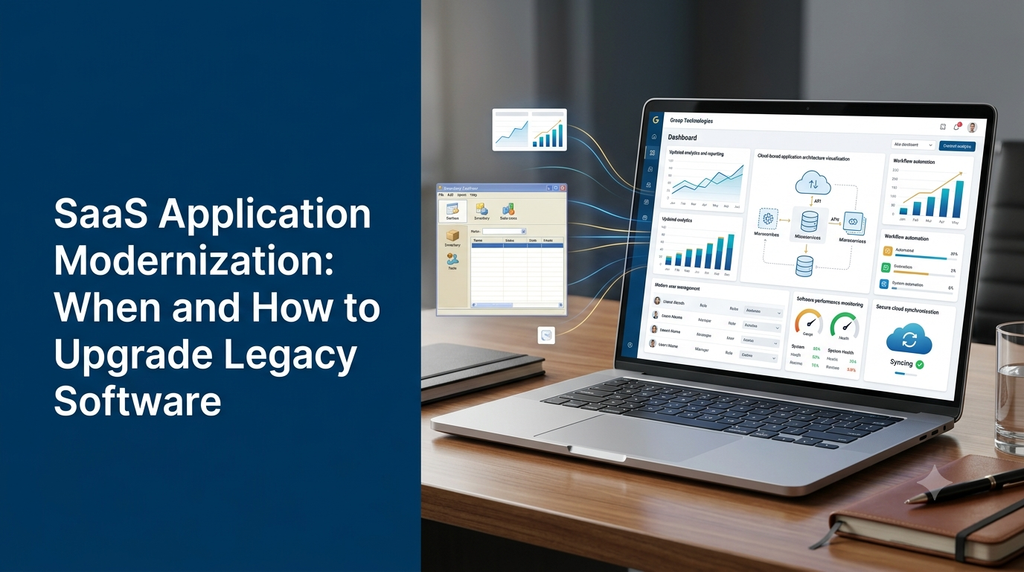
Many businesses depend on software applications that were developed several years ago. These applications may still support important daily operations, but changing business requirements, outdated technologies, security concerns and growing customer expectations can make them difficult to maintain.
SaaS application modernization is the process of improving an existing software application to make it more maintainable, secure, scalable and suitable for current business needs. It may involve upgrading the user interface, replacing outdated technologies, improving the backend architecture, migrating to cloud infrastructure or rebuilding selected application modules.
Modernization does not always mean replacing an entire software system. In many situations, businesses can retain valuable existing functionality while upgrading the parts that create operational or technical problems.
What Is SaaS Application Modernization?
SaaS application modernization refers to upgrading an existing Software as a Service application so it can meet modern technical and business requirements.
A legacy application may have been developed using older programming languages, frameworks, database structures or deployment methods. Although it may continue to work, maintaining and extending it can become increasingly difficult.
Modernization examines the application’s existing structure and identifies which components should be retained, improved, replaced or redesigned.
Depending on the project, modernization may include:
- Updating outdated programming languages and frameworks.
- Redesigning the user interface and user experience.
- Improving database structure and query performance.
- Introducing modern API architecture.
- Moving suitable workloads to cloud infrastructure.
- Strengthening authentication and access management.
- Improving reporting and business dashboards.
- Adding automation and third-party integrations.
- Improving deployment, testing and monitoring processes.
What Is Legacy Software?
Legacy software is an application or system that an organisation continues to use even though its underlying technology, architecture or maintenance approach may be outdated.
Legacy software is not necessarily broken. A business may have relied on it for years because it supports important operations and contains business rules that are difficult to replace.
Examples include:
- Old desktop-based billing and accounting applications.
- Business management software with outdated interfaces.
- Older PHP or other framework-based web applications.
- Applications with tightly connected modules and limited APIs.
- Custom ERP systems that are difficult to extend.
- Customer portals that do not support current mobile devices.
- Older SaaS platforms with limited integration capabilities.
The important question is not simply how old the application is. It is whether the existing system can continue meeting the business’s requirements reliably and economically.
When Should You Modernize a SaaS Application?
Businesses should consider modernization when their existing software begins creating technical limitations, operational difficulties or unnecessary maintenance costs.
1. Slow Application Performance
Pages take too long to load, reports are slow or the application struggles when several users access it simultaneously.
2. Outdated Technology
The application depends on unsupported software versions, outdated libraries or technologies that are difficult to maintain.
3. Security and Compliance Concerns
Existing authentication, permissions, dependencies or infrastructure no longer meet the organisation’s security requirements.
4. Difficult Feature Development
Adding a new feature requires changing several unrelated modules or creates unexpected problems elsewhere in the application.
5. Poor Mobile Experience
Employees and customers cannot use important application functions comfortably on modern smartphones and tablets.
6. Limited Integration Support
The software cannot easily connect with payment gateways, CRM platforms, accounting tools or other business applications.
7. Growing Maintenance Effort
Fixing bugs, maintaining servers and managing old dependencies require increasing development effort.
8. Business Growth Limitations
The existing application cannot comfortably support new users, additional branches, more business processes or new service models.
Benefits of SaaS Application Modernization
Improved Application Performance
Reviewing inefficient database queries, backend processes, caching and infrastructure can improve application responsiveness. Actual improvements depend on the original bottlenecks and the changes made.
Better Security
Modernization provides an opportunity to review authentication, authorisation, encryption, dependencies, logging and deployment practices. Security improvements should be prioritised according to the application’s risk profile.
Improved User Experience
A modern interface can make business software easier to navigate. Responsive layouts, clearer dashboards and simpler workflows can reduce unnecessary steps for employees and customers.
Easier Feature Development
Better-organised code, modular architecture and documented APIs can make future development and maintenance more manageable.
Better Integration Capabilities
Modern APIs and integration architecture can connect the application with payment providers, CRM platforms, accounting tools, inventory software and communication services.
Improved Scalability
Appropriate infrastructure and architecture improvements can help an application handle changing workloads and growing business requirements.
More Reliable Maintenance
Updated dependencies, automated testing, monitoring and deployment practices can make future maintenance more predictable.
Legacy Software Modernization Strategies
There is no single modernization method suitable for every business. The right approach depends on the application’s condition, complexity, budget, risk and future requirements.
1. Rehosting
Rehosting moves an existing application to a different hosting environment or infrastructure with minimal changes to its code. It is sometimes called a lift-and-shift migration.
This approach may be useful when the application works reasonably well but its existing hosting environment needs to change.
Rehosting does not automatically modernize outdated application code, database design or security practices. Those areas may require separate improvements.
2. Replatforming
Replatforming moves an application to a newer technology platform while retaining much of its existing design and business logic.
For example, a business may upgrade its hosting infrastructure, database environment or application runtime without rebuilding the entire system.
3. Refactoring
Refactoring improves the internal structure of existing code without intentionally changing the application’s external behaviour.
Typical refactoring activities include:
- Removing duplicated code.
- Separating unrelated responsibilities.
- Improving database access patterns.
- Reducing unnecessary dependencies.
- Improving code readability and testing.
4. Rearchitecting
Rearchitecting changes the application’s underlying architecture to support new requirements. This may involve separating modules, introducing service boundaries or redesigning how components communicate.
For example, a tightly coupled business application may be redesigned into modular services while keeping the same core business workflows.
5. Rebuilding
Rebuilding means developing a new application or major application components using a modern technology stack. It may be appropriate when the existing codebase is difficult to maintain or cannot reasonably support the required functionality.
Rebuilding requires careful planning because existing data, business rules, user workflows and integrations must be considered.
6. Replacing Selected Modules
Some systems benefit from gradually replacing individual modules instead of rebuilding everything at once.
For example, a business may modernize its reporting dashboard first, then upgrade customer management, billing and inventory modules over time.
Modernization Strategy Comparison
| Strategy | What Changes? | Suitable Situation |
|---|---|---|
| Rehosting | Hosting environment | Infrastructure migration with minimal application changes. |
| Replatforming | Selected platform components | Moving to supported infrastructure or technology versions. |
| Refactoring | Internal code structure | Improving maintainability without changing core behaviour. |
| Rearchitecting | Application architecture | Supporting more complex technical or business requirements. |
| Rebuilding | Major application components or the entire application | When the existing system cannot reasonably meet future needs. |
| Module replacement | Selected features or modules | Gradual modernization with controlled changes. |
Important Areas to Upgrade During SaaS Modernization
1. Frontend and User Interface
The frontend is the part of the application users interact with. Modernization may include responsive design, improved navigation, accessible forms, dashboard improvements and clearer workflows.
Depending on the project, frontend technologies may include React, Next.js or other suitable frameworks.
2. Backend Architecture
Backend modernization can improve how application logic, APIs, authentication and business processes are organised.
Developers may upgrade existing frameworks, separate application modules or introduce API-based communication where it provides a clear benefit.
3. Database Modernization
Database upgrades may involve reviewing table structures, indexes, relationships, query performance, backup procedures and data integrity.
Data migration must be carefully tested to prevent missing, duplicated or incorrectly transformed records.
4. Cloud Infrastructure
Some legacy applications run on infrastructure that is difficult to scale or maintain. A cloud migration may provide more flexible infrastructure options, managed services and monitoring capabilities.
Cloud migration should be planned around workload requirements, security, availability, hosting costs and operational responsibilities.
5. API and Third-Party Integrations
Modern applications often need to communicate with external services. API modernization can help connect payment gateways, CRM platforms, accounting applications and other business systems.
6. Authentication and User Permissions
Older applications may have limited user access controls. Modernization can introduce stronger authentication, role-based access control, session management and suitable audit records.
7. Reporting and Analytics
Business reporting may need to be upgraded to support improved dashboards, filters, export functions and operational insights. Reporting requirements should be defined around the decisions business users need to make.
Modernizing a Multi-Tenant SaaS Application
Multi-tenant SaaS platforms serve multiple businesses through a shared software environment. Modernizing these applications requires additional attention to data separation, permissions, tenant configurations and operational reliability.
Important modernization considerations include:
- Review tenant-level data isolation.
- Improve tenant-specific role and permission management.
- Separate integration credentials by tenant.
- Improve tenant configuration and subscription management.
- Monitor resource usage and performance across tenants.
- Test upgrades against different tenant configurations.
- Plan database migrations without mixing tenant data.
- Provide controlled feature rollout where appropriate.
Modernization should preserve the platform’s tenant boundaries. Changes to shared components need careful testing because an issue may affect multiple customer organisations.
Step-by-Step SaaS Application Modernization Process
A planned modernization project reduces unnecessary changes and helps protect important business operations.
Step 1: Audit the Existing Application
Start by reviewing the current application’s technology stack, database, hosting environment, user roles, integrations and important business workflows.
Identify unsupported dependencies, performance problems, security risks and areas that are difficult to maintain.
Step 2: Understand Business Requirements
Speak with the people who use and manage the application. Understand which features are essential, which workflows create difficulties and what new capabilities are required.
Step 3: Choose the Modernization Strategy
Decide whether the application needs rehosting, replatforming, refactoring, rearchitecting, rebuilding or gradual module replacement. Select the least disruptive approach that meets the requirements.
Step 4: Prepare the New Architecture
Define the application structure, technology stack, database changes, API requirements, infrastructure and security controls. Prepare a migration and rollback plan before making major changes.
Step 5: Modernize in Controlled Stages
Where practical, upgrade smaller components first. This allows the team to validate changes and discover compatibility problems before modifying the entire application.
Step 6: Test the Application
Testing should include:
- Functional testing of important business workflows.
- Database migration and data integrity checks.
- API and third-party integration testing.
- Authentication and permission testing.
- Performance testing for expected workloads.
- Responsive interface testing across devices.
- Regression testing for existing functionality.
- Backup restoration and recovery checks.
Step 7: Deploy with a Rollback Plan
Production deployment should follow a documented release process. Depending on the application, techniques such as staged deployment, feature flags or blue-green deployment may reduce release risk.
Keep a tested recovery and rollback strategy for important application and database changes.
Step 8: Monitor and Maintain
After deployment, monitor application errors, performance, resource usage, integration status and user feedback. Resolve issues and plan future improvements based on actual application behaviour.
Choosing the Right Technology Stack
The best technology stack depends on the application’s existing architecture, development requirements, team capabilities and long-term maintenance plans.
| Technology | Possible Modernization Use |
|---|---|
| Laravel / PHP | Modern backend development and business application upgrades. |
| Node.js | Backend services, APIs and asynchronous processing. |
| React | Modern interactive application interfaces. |
| Next.js | Web application architecture and frontend development. |
| MySQL / PostgreSQL | Structured application data and database management. |
| Redis | Caching and selected background-processing workloads. |
| Docker | Consistent application packaging and deployment environments. |
| Cloud Infrastructure | Hosting, storage, networking, monitoring and managed services. |
Businesses do not need to adopt every new framework or infrastructure technology. A maintainable and well-supported stack is generally more valuable than unnecessary technical complexity.
Common Mistakes to Avoid During Software Modernization
Rebuilding Everything Without an Audit
Replacing the entire system without understanding existing workflows can increase costs and remove business functionality that users depend on.
Ignoring Existing Business Rules
Legacy applications often contain important business logic that may not be documented. Understand and validate these rules before changing the implementation.
Moving Data Without Proper Validation
Database migration should include backups, test migrations, record counts, integrity checks and reconciliation procedures.
Ignoring User Training
A modern interface may introduce different workflows. Employees and administrators should receive suitable guidance before the upgraded application becomes the primary system.
Underestimating Third-Party Integrations
Existing applications may depend on external services that behave differently from the new system. Every important integration should be documented and tested.
Skipping Backup and Recovery Planning
A modernization project should include verified backups and a recovery strategy. A backup should not be considered reliable until restoration has been tested.
Choosing Technology Without a Business Reason
A technology upgrade should solve a requirement such as maintainability, security, scalability or integration support. Using a popular framework alone does not guarantee a better application.
SaaS Application Modernization Cost in India
Modernization cost depends on the condition of the existing application, the amount of code that can be reused, database complexity, integrations, required redesign and deployment requirements.
A limited upgrade to a few application modules is different from a complete rebuild of a complex business platform. The development estimate should be prepared after reviewing the existing system.
| Modernization Scope | Illustrative Development Range |
|---|---|
| Basic UI and frontend modernization | ₹20,000 – ₹50,000 |
| Selected backend and framework upgrades | ₹25,000 – ₹70,000 |
| Database and API modernization | ₹30,000 – ₹90,000 |
| Cloud migration and deployment improvements | ₹25,000 – ₹80,000 |
| Multiple-module SaaS modernization | ₹75,000 – ₹2,00,000+ |
| Large-scale application rebuild | ₹1,50,000 – ₹5,00,000+ |
These figures are illustrative planning estimates, not fixed market prices or guaranteed quotations. Actual cost may vary significantly depending on source-code quality, application size, data migration, feature requirements, integrations, security work, testing and deployment complexity. Hosting, third-party services and ongoing maintenance may be additional.
Factors That Affect Modernization Cost
- Age and technical condition of the existing application.
- Programming languages and frameworks currently in use.
- Number of modules and user roles.
- Database size, structure and migration complexity.
- Number of third-party integrations.
- Required UI and UX redesign.
- Cloud infrastructure and deployment requirements.
- Security improvements and testing requirements.
- Data migration, training and post-launch support.
How to Measure the Success of Modernization
A modernization project should be evaluated against the problems identified during the initial assessment. Simply completing a technology upgrade does not prove that the project achieved its goals.
Useful evaluation measures include:
- Application performance: Page response times, API latency and report generation time.
- Reliability: Application availability, error rates and incident frequency.
- Maintainability: Time required to fix issues and deliver planned changes.
- Security: Dependency health, access-control quality and resolved security findings.
- User experience: User feedback, task completion and support requests.
- Integration reliability: Synchronisation errors, failed events and recovery time.
- Operational cost: Hosting, maintenance and infrastructure expenses.
Establish baseline measurements before the upgrade and compare them with results after deployment. This provides a more objective view of the modernization project’s impact.
Build and Modernize Business Software with Greap Technologies
Greap Technologies provides website development, custom software development and digital growth solutions for businesses. We help organisations plan software applications according to their operational requirements and future development goals.
If your existing business software is difficult to maintain, has an outdated interface, lacks integration capabilities or needs a more scalable architecture, modernization can help address those limitations.
Our software development services can include:
- Legacy application assessment and modernization planning.
- Custom SaaS application development.
- Frontend and backend upgrades.
- Database modernization and migration planning.
- API development and third-party integrations.
- Multi-tenant SaaS architecture improvements.
- Business dashboards and workflow automation.
- Software maintenance and ongoing improvements.
Planning to Upgrade Your Existing Business Software?
Discuss your current application, modernization goals and development requirements with Greap Technologies.
Discuss Your Project on WhatsApp Visit Greap TechnologiesPhone: +91 70923 30168
Frequently Asked Questions
1. What is SaaS application modernization?
SaaS application modernization is the process of upgrading an existing software application through technology improvements, architecture changes, security enhancements, user interface updates or cloud migration to meet current business and technical requirements.
2. When should a business modernize legacy software?
A business should consider modernization when its software has performance problems, unsupported technologies, increasing maintenance requirements, security concerns, limited integration capabilities or difficulty supporting new business requirements.
3. Does legacy software always need to be replaced?
No. Some legacy applications can continue operating with targeted upgrades, refactoring or infrastructure improvements. The right approach depends on the application’s condition and future requirements.
4. What is the difference between software modernization and rebuilding?
Software modernization is a broader process that can include selective upgrades, refactoring, migration and architectural improvements. Rebuilding is one possible modernization strategy in which major application components or the entire application are developed again.
5. Can an old PHP application be modernized?
Yes, depending on its source code, dependencies and hosting environment. Modernization may include upgrading supported PHP versions, replacing outdated libraries, improving database queries, restructuring application modules and updating the user interface.
6. Can legacy software be migrated to the cloud?
Many legacy applications can be moved to cloud infrastructure. However, some may need code, database, storage or configuration changes before migration. The migration approach should be selected after reviewing application compatibility and operational needs.
7. How much does SaaS application modernization cost in India?
Cost depends on application size, technology condition, database complexity, integrations and required upgrades. A small modernization project may require a modest budget, while a large-scale rebuild can require significantly more development effort. A technical assessment is needed for an accurate estimate.
8. How long does a software modernization project take?
A limited upgrade may take a few weeks, while a complex SaaS modernization or application rebuild may take several months. The timeline depends on project scope, testing, data migration and integration requirements.
9. How can businesses avoid data loss during modernization?
Use verified backups, test database migrations, validate record counts and relationships, test restoration procedures and prepare a documented rollback plan. Production migration should follow a controlled release process.
10. Can a SaaS application be modernized without interrupting business operations?
Depending on the architecture and project scope, downtime can often be reduced through phased upgrades, staged deployment, data synchronisation and carefully planned releases. Some changes may still require a maintenance window.
Conclusion
SaaS application modernization helps businesses keep existing software useful as technology and operational requirements change. From updating outdated frameworks and improving database performance to redesigning interfaces and moving suitable workloads to the cloud, modernization can address important limitations without necessarily replacing everything.
The best approach begins with a technical assessment, clear business objectives and a realistic upgrade roadmap. Careful data migration, testing, security planning and deployment management are essential for protecting existing operations.
Greap Technologies helps businesses plan and develop modern software solutions. Contact our team to discuss upgrading your existing application or developing a new SaaS platform.