
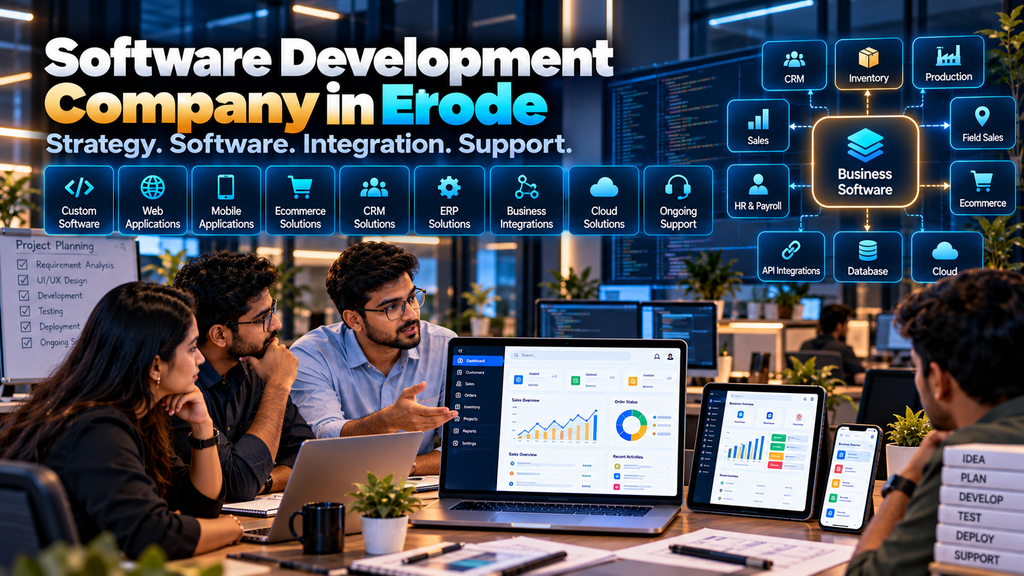
Choosing a software development company in Erode is an important decision when your business needs more than standard off-the-shelf software can comfortably provide.
Your requirement may begin with a simple problem: sales follow-ups are being tracked manually, quotations take too much coordination, inventory information is spread across files, production updates are difficult to follow, or management lacks one clear view of business operations.
In other cases, a company may already use several applications but need them connected through a more structured digital workflow.
Custom software development can help turn those requirements into a web application, internal business platform, CRM, ERP-related system, mobile application, customer portal or other purpose-built software.
But selecting a development company should not be based only on price or a long list of features.
This guide explains the services a software development company can provide, what affects development cost, how custom software projects work, and what businesses should evaluate before choosing a software development partner in Erode.
At Greap Technologies, we provide website development, custom software development, ecommerce and digital growth solutions for businesses in Erode and nearby areas.
What Does a Software Development Company Do?
A software development company helps businesses plan, design, build, test, deploy and maintain digital applications.
Depending on the project, services may include:
- Requirement analysis
- Business process analysis
- Custom software development
- Web application development
- Business management software
- CRM development
- ERP-related development
- Inventory software
- Production management software
- Dealer and distributor software
- Warehouse management software
- Field sales software
- Attendance and payroll software
- Quotation and invoice software
- Customer and dealer portals
- Mobile application development
- API development
- Third-party integrations
- Data migration
- Testing
- Deployment
- Software maintenance and support
The exact scope should be determined by the business problem rather than by trying to include every possible feature.
Why Businesses Consider Custom Software Development
Many businesses initially manage operations using combinations of:
- Spreadsheets
- Paper records
- Messaging applications
- Separate accounting software
- Independent department applications
These tools can be perfectly reasonable for some workflows.
Problems can appear when the business grows and the same information needs to move repeatedly between people, departments and systems.
Custom software may be considered when there is a clear requirement for a more structured workflow.
1. Start With the Business Problem
The first step in software development should not be choosing a programming language.
Start by defining the problem.
For example:
- What process is difficult today?
- Who performs it?
- What information do they use?
- Where does that information originate?
- Who approves the next step?
- What reports are required?
- Which existing systems are involved?
A clear problem statement helps prevent unnecessary software development.
2. Map the Existing Business Process
Before digitizing a process, understand how it currently works.
A sales workflow might look like:
Lead → Follow-Up → Requirement → Quotation → Approval → Order
A manufacturing workflow could look like:
Sales Order → Material Requirement → Production Planning → Production → Quality Check → Finished Goods → Dispatch
The software should support the actual business process rather than forcing employees into a workflow that does not fit operations.
3. Identify Software Users
Different users need different information and permissions.
Potential users can include:
- Business owners
- Management
- Sales teams
- Accounts teams
- Production teams
- Warehouse teams
- HR teams
- Field employees
- Dealers
- Distributors
- Customers
User roles should be defined before screens and permissions are designed.
4. Custom Software Development
Custom software is developed around specific business requirements.
It can be appropriate when existing software does not comfortably support:
- Business-specific workflows
- Special approval processes
- Custom pricing
- Unique reporting
- Multiple department workflows
- Special integrations
- Dealer or customer portals
Custom software is not automatically the best option for every business. If a suitable ready-made product already solves the requirement economically, that should also be evaluated.
5. Web Application Development
Many modern business applications are developed as browser-based web applications.
Depending on the architecture, authorized users can access the application through supported browsers without installing conventional desktop software on every device.
Web applications can be suitable for:
- CRM
- Inventory
- Order management
- Production management
- Dealer management
- HR systems
- Customer portals
- Management dashboards
6. Mobile Application Development
Some workflows benefit from dedicated mobile applications.
Examples can include:
- Field sales
- Delivery operations
- Service technicians
- Employee self-service
- Customer applications
A dedicated mobile app is not necessary for every software project. A responsive web application may be sufficient when the required functionality works effectively through a browser.
7. CRM Software Development
Customer Relationship Management software can organize sales and customer workflows.
Depending on requirements, CRM functionality may include:
- Leads
- Customers
- Lead assignment
- Sales stages
- Follow-ups
- Tasks
- Notes
- Quotations
- Sales reports
8. WhatsApp CRM and Lead Follow-Up Software
Businesses receiving customer enquiries through supported business messaging channels may need those conversations connected with their lead-management process.
A structured workflow can look like:
Customer Enquiry → Lead Record → Salesperson → Follow-Up → Quotation → Status
Messaging integrations should use supported official business technologies and APIs where required.
Read WhatsApp CRM and Lead Follow-Up Software for Businesses in Erode.
9. Field Sales Management Software
Businesses with salespeople visiting customers, dealers or distributors may need a system designed around field activity.
Potential modules include:
- Sales representatives
- Customers
- Territories
- Visit planning
- Visit records
- Follow-ups
- Orders
- Expenses
- Targets
- Sales reports
Location information should only be collected when there is a legitimate business requirement, with appropriate policies, access controls and retention decisions.
Read Field Sales Management Software for Businesses in Erode.
10. Quotation and Invoice Management Software
Businesses creating frequent quotations may benefit from a structured quotation workflow.
Software can potentially manage:
- Customers
- Products and services
- Price information
- Quotation creation
- Quotation revisions
- Approvals
- Quotation status
- Conversion into supported downstream documents
- Invoice workflows
- Reports
Tax, accounting and statutory requirements should be defined by the business with appropriate professional guidance and then implemented according to approved rules.
Read Quotation and Invoice Management Software Development in Erode.
11. Dealer and Distributor Management Software
Manufacturers and brands working through dealer or distributor networks may require specialized software.
Features can include:
- Dealer accounts
- Distributor accounts
- Territories
- Product catalogues
- Pricing
- Orders
- Order approvals
- Outstanding information
- Targets
- Schemes
- Claims
- Returns
- Reports
Explore Dealer and Distributor Management Software Development in Erode.
12. Inventory Management Software
Inventory software can help businesses maintain structured information about stock movement.
Depending on requirements, functionality can include:
- Items
- Stock receipts
- Stock issues
- Transfers
- Adjustments
- Locations
- Stock levels
- Transaction history
- Reports
The system should have clear rules defining how and when stock changes.
13. Warehouse Management Software
A warehouse management system goes beyond basic stock quantities by supporting warehouse operations.
Potential workflows include:
Receiving → Putaway → Storage → Picking → Packing → Dispatch
Depending on requirements, barcode-supported workflows, bin locations, transfers and warehouse reports can also be included.
Read Warehouse Management Software Development in Erode.
14. Production Management Software
Manufacturing businesses may need software connecting production plans with materials, work orders and finished goods.
Potential modules can include:
- Products
- Bill of materials
- Raw materials
- Production orders
- Production planning
- Work stages
- Material consumption
- Finished goods
- Quality workflows
- Production reports
Read Production Management Software for Manufacturing Companies in Erode.
15. Transport and Logistics Management Software
Transport and logistics businesses may require software for coordinating vehicles, trips, dispatches and deliveries.
Potential functionality includes:
- Vehicles
- Drivers
- Trips
- Dispatch
- Delivery
- Freight
- Expenses
- Proof of delivery
- Documents
- Reports
GPS or external logistics integrations depend on the selected provider’s supported technology and APIs.
Read Transport and Logistics Management Software Development in Erode.
16. Employee Attendance and Payroll Software
HR and payroll workflows can involve:
- Employee records
- Attendance
- Shifts
- Leave
- Salary structures
- Payroll inputs
- Payroll processing
- Payslips
- Reports
Payroll software should implement the rules approved by the organization. It should not be assumed to guarantee legal, tax or employment compliance automatically.
Read Employee Attendance and Payroll Software Development in Erode.
17. School Management Software
Educational institutions may require software for:
- Admissions
- Student records
- Attendance
- Fees
- Timetables
- Examinations
- Staff
- Parent portals
- Reports
Student and child-related information requires appropriate privacy, security and access-control planning.
Read School Management Software Development in Erode.
18. Hospital Management Software
Healthcare organizations may require software connecting administrative and operational workflows such as:
- Patient registration
- Appointments
- Outpatient workflows
- Admissions
- Billing
- Pharmacy
- Laboratory workflows
- Bed management
- Staff
- Reports
Patient and health information is sensitive. Healthcare organizations should define applicable clinical, privacy, security and regulatory requirements with appropriate qualified professionals.
Read Hospital Management Software Development in Erode.
19. ERP Software Development and Integration
ERP is a broad term that can cover connected business processes across multiple departments.
Depending on requirements, an ERP-related system can connect:
Sales → Purchase → Inventory → Production → Warehouse → Finance → Management Reporting
Businesses should avoid treating “ERP” as a requirement by itself. The actual modules and workflows need to be defined.
20. Customer Portal Development
A customer portal can allow authorized customers to access relevant information or perform approved actions.
Potential features include:
- Account information
- Orders
- Quotations
- Invoices
- Documents
- Support requests
- Other customer-specific information
Customers should only have access to information they are authorized to view.
21. Dealer Portal Development
A dealer portal can provide business customers with controlled access to:
- Products
- Dealer pricing
- Orders
- Order history
- Documents
- Claims
- Relevant account information
The exact functionality depends on the dealer-management process.
22. Management Dashboard Development
Dashboards can bring important operational information into one view.
A dashboard should focus on information that supports a real management decision.
Adding large numbers of charts without a clear purpose can make a dashboard harder to use.
23. Reporting Software
Reports can help users understand transactions and operational activity.
Depending on the application, reports may include:
- Sales reports
- Order reports
- Inventory reports
- Production reports
- Attendance reports
- Expense reports
- Customer reports
Report definitions should be agreed with the relevant business stakeholders.
24. Approval Workflow Development
Many businesses require one employee to create a transaction and another to approve it.
Approval workflows may apply to:
- Quotations
- Orders
- Purchases
- Discounts
- Expenses
- Leave
- Payroll
Software should clearly define what happens when an item is approved, rejected or returned for correction.
25. Role-Based Access Control
Not every user should have access to every part of business software.
| Example Role | Possible Access |
|---|---|
| Administrator | Configured system administration |
| Sales User | Authorized customers, leads and sales workflows |
| Warehouse User | Authorized stock and warehouse workflows |
| HR User | Authorized employee and HR information |
| Manager | Approved dashboards, reports and workflows |
Actual permissions should be designed around responsibilities and the sensitivity of information.
26. Multi-Branch Software
Businesses with several branches may need to separate operational data while still providing management with consolidated information.
Multi-branch requirements can affect:
- Users
- Inventory
- Customers
- Orders
- Approvals
- Reports
27. API Development
An API can allow approved systems to exchange information programmatically.
Custom APIs may be used when:
- A mobile application needs backend data
- A customer portal needs business information
- Two internal applications need to communicate
- An approved third-party service needs integration
API design should include authentication, authorization, validation and appropriate security controls.
28. Third-Party Software Integration
Businesses rarely operate every process inside one application.
Custom software may need to connect with:
- Accounting software
- ERP systems
- CRM systems
- Ecommerce platforms
- Payment providers
- Shipping providers
- Messaging services
- Attendance devices
- Other business platforms
Integration feasibility depends on APIs, documentation, permissions, licensing and technical capabilities provided by the external system.
29. Ecommerce Integration
Custom business software can potentially connect with ecommerce workflows.
A broader business flow may look like:
Ecommerce Order → Inventory → Warehouse → Dispatch → Delivery
Manufacturers may extend this to:
Order → Inventory Check → Production if Required → Finished Goods → Dispatch
Explore Ecommerce Development Services.
30. Accounting Software Integration
Businesses may need approved transaction information to move between operational software and accounting systems.
Before development, define:
- Which system owns each record
- Which information moves between systems
- When synchronization happens
- What happens when synchronization fails
Financial and tax rules should be determined by the business and its appropriate professionals.
31. Data Import and Migration
Businesses moving from spreadsheets or existing software may need to migrate data.
Migration can involve:
- Customers
- Products
- Employees
- Suppliers
- Opening inventory
- Other approved historical information
Old data should be reviewed and cleaned where necessary before import.
32. Avoid Migrating Unnecessary Data
Moving every old record into a new system is not always useful.
Businesses should decide what historical information is genuinely required for operations, reporting or applicable record-keeping requirements.
33. Software UI/UX Design
Business software should make routine tasks understandable.
UI/UX planning can consider:
- Navigation
- Forms
- Tables
- Search
- Filters
- Dashboards
- Approvals
- Mobile layouts
A business application does not need unnecessary visual effects to be effective.
34. Responsive Business Software
If employees need to use the system across laptops, tablets and phones, responsive behaviour should be planned from the beginning.
Some complex administration screens may still work best on larger displays, while selected field workflows can be optimized for mobile use.
35. Software Security
Security requirements depend on the application and the information it handles.
Common considerations include:
- Secure authentication
- Role-based authorization
- Secure communications
- Input validation
- Session management
- Secure API design
- Audit logging where appropriate
- Dependency updates
- Backup and recovery
Applications handling payroll, health, financial or other sensitive information require additional care.
36. Audit Trail
An audit trail can record important system actions where accountability is required.
Depending on the application, this may include:
- Record creation
- Approvals
- Status changes
- Important edits
- Other relevant actions
Audit logs should be designed according to actual business and security requirements.
37. Data Privacy
Custom software should collect only information required for legitimate business processes.
Organizations should define:
- Why information is collected
- Who can access it
- How long it is retained
- How it is protected
- How it is deleted or archived where appropriate
38. Backup and Recovery
Businesses should understand what data is backed up and how recovery would work if a problem occurs.
A backup strategy can consider:
- Database backups
- Uploaded documents
- Application configuration
- Relevant source or deployment assets
- Backup frequency
- Retention
- Restore testing
39. Cloud-Based Software
Some custom applications are deployed using cloud infrastructure.
The appropriate hosting architecture depends on:
- Application requirements
- User volume
- Security
- Availability requirements
- Integrations
- Budget
- Technical management
“Cloud” by itself does not guarantee better performance, security or scalability.
40. Software Performance
Performance requirements should be defined according to realistic usage.
Developers may need to consider:
- Database queries
- API response times
- Large reports
- File uploads
- Concurrent users
- Background processing
41. Software Scalability
Scalability means planning the application so that realistic future growth can be handled without unnecessary redesign.
Growth may involve:
- More users
- More branches
- More transactions
- More products
- Additional integrations
- New modules
It does not mean building every future feature into the first release.
42. Software Testing
Testing should cover actual business workflows.
Depending on the project, testing can include:
- Functional testing
- Permission testing
- Form validation
- Workflow testing
- Integration testing
- Responsive testing
- Error handling
- Data validation
43. User Acceptance Testing
Before full production use, selected business users should validate whether the software correctly supports the agreed workflows.
Developers understand the application, but business users understand the operational process.
Both perspectives are important.
44. Software Deployment
Deployment moves an approved software version into its production environment.
Deployment planning may include:
- Infrastructure
- Configuration
- Database setup
- Security settings
- Data migration
- Integrations
- Backup configuration
- Production testing
45. Employee Training
Software only becomes useful when people understand how to use it correctly.
Training can focus on role-specific workflows rather than attempting to teach every employee every part of the application.
46. Software Documentation
Depending on project requirements, useful documentation can include:
- User instructions
- Administrator information
- Workflow documentation
- Integration documentation
- Deployment information
47. Software Maintenance
Custom software usually requires ongoing technical attention after launch.
Maintenance can include:
- Bug fixes
- Security updates
- Dependency updates
- Performance improvements
- Integration maintenance
- Compatibility work
- Minor enhancements
48. Software Support
Before choosing a development company, understand the support model.
Ask:
- How are issues reported?
- What support is included?
- What counts as a bug?
- What counts as a new feature?
- Who handles urgent production problems?
- How are future enhancements estimated?
49. Custom Software vs Ready-Made Software
| Factor | Custom Software | Ready-Made Software |
|---|---|---|
| Workflow | Can be developed around agreed requirements | Business generally adapts to available workflows |
| Initial Setup | Requires design and development | Often faster to start |
| Customization | Depends on project scope and architecture | Depends on product capabilities |
| Maintenance | Requires defined technical ownership | Core product typically maintained by vendor |
| Integrations | Can be developed where technically feasible | Depends on available integrations/APIs |
| Cost Model | Project and ongoing maintenance costs | Often subscription/licence plus implementation costs |
Neither option is universally better.
If a ready-made application meets the requirements with reasonable configuration, custom development may be unnecessary.
50. When Does Custom Software Make Sense?
Custom development can make sense when:
- The workflow is genuinely business-specific
- Existing products create significant process gaps
- Multiple systems need specialized integration
- Special customer or dealer workflows are required
- The business needs controlled ownership of custom functionality
51. When Might Ready-Made Software Be Better?
A ready-made product can be a practical choice when:
- The requirement is standard
- A mature product already covers the workflow
- Fast deployment is a priority
- The business is comfortable adapting to the product
- Customization requirements are limited
52. How Much Does Software Development Cost in Erode?
There is no single price for custom software development because the scope can vary substantially.
Development cost can depend on:
- Number of modules
- Workflow complexity
- Number of user roles
- UI/UX requirements
- Web and mobile requirements
- Integrations
- Data migration
- Reports
- Dashboards
- Security requirements
- Testing
- Infrastructure
- Support
A quotation tool for a small team and a multi-branch ERP-style platform are very different projects and should not be expected to have the same cost.
53. Why Software Development Cost Varies
Two projects that appear similar from their names can have very different requirements.
For example, “inventory software” could mean a basic stock register or a system with:
- Multiple warehouses
- Barcode workflows
- Batch tracking
- Purchase integration
- Sales integration
- Production consumption
- Transfers
- Approval workflows
- ERP integration
Software cost should therefore be evaluated from documented scope rather than the project title alone.
54. Fixed-Cost vs Phased Software Development
A well-defined project may be estimated around an agreed scope.
For larger or evolving systems, phased development can sometimes be more practical.
A phased approach may look like:
Phase 1: Core Workflow → Phase 2: Integrations → Phase 3: Advanced Reporting → Phase 4: Additional Modules
The appropriate commercial model depends on requirement certainty and project complexity.
55. Do Not Choose a Software Company Only by Price
A lower quotation is not automatically a poor choice, and a higher quotation is not automatically better.
Compare what each proposal actually includes.
Review:
- Requirement analysis
- Modules
- User roles
- Integrations
- UI/UX
- Testing
- Deployment
- Data migration
- Training
- Support
- Maintenance
56. Ask for a Detailed Scope of Work
A software proposal should make the project boundaries understandable.
The scope can document:
- Modules
- Features
- User roles
- Approvals
- Reports
- Integrations
- Data migration
- Platforms
- Testing
- Deployment
- Support
57. Clarify What Is Not Included
Exclusions can be as important as inclusions.
Ask whether the quotation excludes:
- Hosting
- Third-party APIs
- Messaging charges
- Payment-provider charges
- SMS services
- External licences
- Hardware
- Large historical data migration
- Future modules
58. Understand Third-Party Costs
Custom software may depend on external services.
Possible recurring expenses can include:
- Cloud infrastructure
- Domain
- Email services
- SMS
- Business messaging services
- Mapping services
- External APIs
- Payment providers
- Other licensed software
Third-party pricing and policies can change independently of the software developer.
59. How Long Does Custom Software Development Take?
Development time depends on scope and complexity.
Factors include:
- Requirement clarity
- Number of modules
- UI/UX
- Integrations
- Data migration
- Feedback cycles
- Testing
- Client approvals
A realistic schedule should be created after the development team understands the requirements.
60. Consider Phased Software Development
Large software projects do not always need to launch every feature at once.
A phased approach can prioritize the workflows that provide the clearest operational value.
For example:
- Customer and product masters
- Core transactions
- Approvals
- Reports
- Integrations
- Additional automation
The actual sequence should follow business priorities and technical dependencies.
61. Check Relevant Development Experience
When evaluating a software development company, look beyond the number of years it has operated.
Consider whether the team has relevant experience with:
- Business applications
- Databases
- APIs
- Authentication
- Role-based permissions
- Reporting
- Integrations
- Responsive interfaces
- Deployment
62. Review Relevant Software Projects
Where appropriate examples can be shared, understand the problem each project was designed to solve.
Ask about:
- The original requirement
- The users
- The workflow
- The architecture
- The integrations
- The support model
For private business systems, developers may not be able to expose confidential client data or unrestricted demonstrations.
63. Evaluate Requirement Analysis
Requirement analysis is one of the most important parts of custom development.
A software company should ask detailed questions before claiming to know exactly what the system should contain.
64. Evaluate Technical Communication
You should not need to be a software engineer to understand the proposed solution.
A development partner should be able to explain:
- What will be built
- How users will work with it
- What systems will connect
- What limitations exist
- What third-party dependencies exist
65. Ask About Technology Selection
Do not choose a development company only because it advertises a particular programming language or framework.
Technology should be selected based on:
- Application requirements
- Architecture
- Security
- Integrations
- Maintenance
- Deployment environment
- Team expertise
66. Clarify Software Ownership
Before development begins, understand the contractual arrangement for:
- Custom source code
- Database
- Business data
- Design assets
- Documentation
- Third-party libraries
- Licensed components
Third-party and open-source components remain subject to their applicable licence terms.
67. Clarify Hosting and Infrastructure
Ask where the application will run and who is responsible for managing the environment.
Possible models include:
- Developer-managed hosting
- Client-managed infrastructure
- Cloud infrastructure
- Other appropriate deployment arrangements
Responsibilities for billing, access, backup and maintenance should be clear.
68. Ask About Source-Code Access
Source-code access and ownership should follow the project agreement.
Businesses should understand what they will receive, what third-party dependencies exist and what is required to operate the application.
69. Ask About Future Enhancements
Business processes change.
Ask how future features will be:
- Requested
- Analyzed
- Estimated
- Developed
- Tested
- Released
70. Avoid Building Every Feature on Day One
One common custom-software mistake is trying to reproduce every possible business process in the first release.
This can increase project complexity before the core workflow has been validated.
Prioritize essential workflows first.
71. Do Not Automate a Broken Process Without Reviewing It
Software can make a workflow faster, but it can also make an inefficient process faster.
Before development, review unnecessary approvals, duplicate data entry and unclear responsibilities.
72. Avoid Unnecessary Dashboards
A dashboard should help someone make a decision.
If nobody can explain what action a chart supports, the chart may not be necessary.
73. Avoid Excessive Employee Tracking
Software should not collect employee information merely because the technology makes it possible.
For field teams, customer visits, tasks, orders and follow-ups may often provide more useful operational information than continuous location monitoring.
Where location or other employee data is legitimately required, businesses should define purpose, access, precision, retention and appropriate employee information or notice.
74. Do Not Treat Activity Metrics as Automatic Performance Ratings
The number of calls, visits, tasks or records created does not automatically determine employee quality or performance.
Operational metrics need appropriate business context and should not be turned into simplistic employee rankings by default.
75. Software Development Process
A structured custom-software project can follow:
Discovery → Process Analysis → Requirements → Architecture → UI/UX → Development → Integrations → Testing → User Acceptance → Deployment → Support
The exact process can vary depending on project size.
Questions to Ask a Software Development Company in Erode
- How will you understand our business process?
- What requirements need to be documented before development?
- Which modules do you recommend and why?
- What technology will be used and why?
- How will user roles and permissions work?
- Can the software integrate with our existing systems?
- What limitations do those integrations have?
- How will our existing data be migrated?
- How will security be handled?
- What testing is included?
- How will user acceptance testing work?
- Who controls the hosting environment?
- What are the source-code and data ownership terms?
- What third-party costs apply?
- What support is available after launch?
- How are future features handled?
Software Development Company Evaluation Checklist
| Area | What to Evaluate |
|---|---|
| Business Understanding | Does the team understand the actual workflow? |
| Requirement Analysis | Are requirements documented before development? |
| Relevant Experience | Can the team handle similar technical requirements? |
| UI/UX | Are routine business tasks easy to perform? |
| Architecture | Does the proposed architecture fit the requirements? |
| Integrations | Are external-system dependencies clearly understood? |
| Security | Are authentication, permissions and data protection considered? |
| Testing | Are real business workflows tested? |
| Ownership | Are code, data and infrastructure responsibilities clear? |
| Support | Is post-launch support defined? |
| Cost | Is pricing connected to a documented scope? |
| Communication | Can technical decisions be explained clearly? |
Common Mistakes When Choosing a Software Development Company
- Choosing only by the lowest quotation
- Starting without documented requirements
- Requesting too many features initially
- Ignoring user roles and permissions
- Ignoring data migration
- Assuming every third-party system can be integrated
- Ignoring security
- Not clarifying source-code ownership
- Not clarifying third-party costs
- Skipping user acceptance testing
- Not planning post-launch support
- Automating inefficient workflows without reviewing them
Freelancer vs Software Development Company in Erode
Both freelancers and software companies can successfully deliver projects.
The right option depends on the scope.
Consider:
- Project complexity
- Number of technical disciplines required
- Integration requirements
- Testing requirements
- Project management
- Support needs
- Long-term maintenance
- Budget
Evaluate the actual capability and proposed delivery model rather than assuming one type of provider is automatically better.
Local Software Company vs Remote Development Company
A local software development company can be useful when a business prefers direct discussions, on-site requirement analysis where appropriate or a development team familiar with local business operations.
A remote team can also be suitable when it has the required technical capability and communication process.
Location should be considered alongside experience, technical capability, process, communication, support and cost.
Software Development for Manufacturing Companies in Erode
Manufacturing businesses can require connected workflows involving:
Sales → Orders → Materials → Production → Warehouse → Dispatch → Reporting
Depending on the organization, this may connect production management, inventory, dealer management, warehouse operations and logistics.
Software Development for Distributors and Wholesalers in Erode
Distributor and wholesale businesses may need software connecting:
Customer / Dealer → Order → Inventory → Warehouse → Dispatch → Delivery
Additional requirements may include pricing, territories, outstanding information, field sales and B2B ecommerce.
Software Development for Service Businesses in Erode
Service businesses may need systems focused on:
- Leads
- Customers
- Follow-ups
- Quotations
- Tasks
- Service workflows
- Invoices
- Reports
Software Development in Erode and Nearby Areas
Greap Technologies provides software and website development services for businesses in Erode and nearby areas including Perundurai, Bhavani, Gobichettipalayam, Sathyamangalam, Anthiyur, Chennimalai, Modakkurichi, Kavindapadi, Nambiyur, Kodumudi and surrounding locations.
Local content should reflect genuine service coverage rather than creating many near-identical pages only to target location keywords.
Why Consider Greap Technologies for Software Development in Erode?
Greap Technologies provides custom software, website development, ecommerce and digital growth services for businesses in Erode and nearby areas.
Depending on project requirements, our software-development work can involve:
- Business requirement analysis
- Workflow planning
- Custom software development
- Web applications
- CRM systems
- Sales software
- Inventory systems
- Production software
- Warehouse software
- Dealer and distributor platforms
- HR and payroll systems
- Customer portals
- Dealer portals
- Dashboards
- API development
- Third-party integrations
- Data migration
- Testing
- Deployment
- Maintenance and support
The appropriate software architecture should be selected after understanding the business process, users, integrations and long-term requirements.
Explore Greap Technologies, Website Development Services, Ecommerce Development Services, SEO Services and Digital Marketing Services.
Final Checklist Before Choosing a Software Development Partner
Before approving a software project, confirm that you understand:
- The business problem being solved
- The workflows being digitized
- The modules included
- The users and permissions
- The integrations required
- The data to be migrated
- The technology and architecture
- The testing process
- The deployment model
- The security responsibilities
- The source-code arrangement
- The data ownership arrangement
- The third-party costs
- The maintenance model
- The post-launch support process
Conclusion
Choosing a software development company in Erode should begin with your business process rather than a list of technologies or features.
The right development approach depends on what your employees, customers, dealers or management actually need to accomplish.
A well-planned software project can connect previously separate workflows into a more structured digital process.
For example:
Lead → Quotation → Order → Inventory → Production → Warehouse → Dispatch → Delivery → Reporting
But not every business needs every stage, and not every process needs custom software.
Before selecting a development partner, compare requirement analysis, relevant experience, technical architecture, integrations, security, testing, ownership, cost structure and post-launch support.
The goal should be software that fits a real business requirement and can be maintained as that requirement evolves.
Looking for a Software Development Company in Erode?
If your business is planning a CRM, ERP-related system, production platform, inventory system, field sales application, dealer portal, HR system or another custom business application, Greap Technologies can discuss the workflow and help define an appropriate development scope.
Discuss Your Software Project on WhatsApp
Frequently Asked Questions
1. What services does a software development company in Erode provide?
Services can include requirement analysis, custom software development, web applications, CRM, inventory, production, warehouse, sales, HR systems, mobile applications, APIs, integrations, data migration, testing and ongoing support.
2. How much does custom software development cost in Erode?
Cost depends on modules, workflow complexity, user roles, UI/UX, integrations, mobile requirements, data migration, reports, security, testing, infrastructure and support. A reliable estimate requires a defined project scope.
3. How long does custom software development take?
The timeline depends on requirement clarity, number of modules, integrations, data migration, design, testing and approval cycles. Larger systems can also be developed in phases.
4. Is custom software better than ready-made software?
Not always. Ready-made software can be suitable when it already supports the required workflow. Custom development becomes more relevant when a business has specialized processes, integrations or functionality that standard products do not adequately support.
5. Can custom software integrate with our existing accounting or ERP system?
Potentially. Integration feasibility depends on the existing system’s APIs, supported interfaces, permissions, documentation and technical architecture.
6. Can custom software work on mobile devices?
Yes. A business application can be developed as a responsive web application or, when requirements justify it, with a dedicated mobile application.
7. Can software be developed for manufacturing companies?
Yes. Manufacturing software can support requirements such as production planning, material management, work orders, inventory, warehouse operations, quality workflows, dispatch and reporting depending on the company’s process.
8. Can software be developed for dealers and distributors?
Yes. Dealer and distributor systems can support dealer accounts, territories, pricing, orders, inventory visibility, targets, schemes, claims, returns and reporting according to the required workflow.
9. Who owns the data in custom software?
Data ownership, application access and source-code rights should be clearly defined in the project agreement. Third-party software and components may remain subject to separate licence terms.
10. Does custom software need maintenance?
Yes. Ongoing work can include bug fixes, security and dependency updates, integration maintenance, performance work, infrastructure management and future enhancements depending on the architecture.
11. What should I check before choosing a software development company?
Evaluate requirement analysis, relevant technical experience, workflow understanding, integrations, security, testing, data migration, ownership terms, project scope, communication and post-launch support.
12. Does Greap Technologies provide custom software development in Erode?
Yes. Greap Technologies provides custom software, web application, business software, ecommerce and related technology-development services for businesses in Erode and nearby areas.


