Workflow Automation Software for Small and Medium Businesses in Erode
Running a small or medium business involves many daily activities. Customer enquiries need attention, purchase requests require approval, employees must complete assigned tasks, quotations need preparation, and managers must monitor business operations.
When these activities are managed through spreadsheets, paper records, personal messaging accounts, and disconnected software, employees may spend considerable time coordinating routine work.
For example, a manufacturing company may need to receive a customer enquiry, prepare a quotation, obtain approval, confirm an order, check inventory, and assign production tasks. If each stage is handled manually, it can become difficult to track responsibility and progress.
This is where workflow automation software in Erode can help.
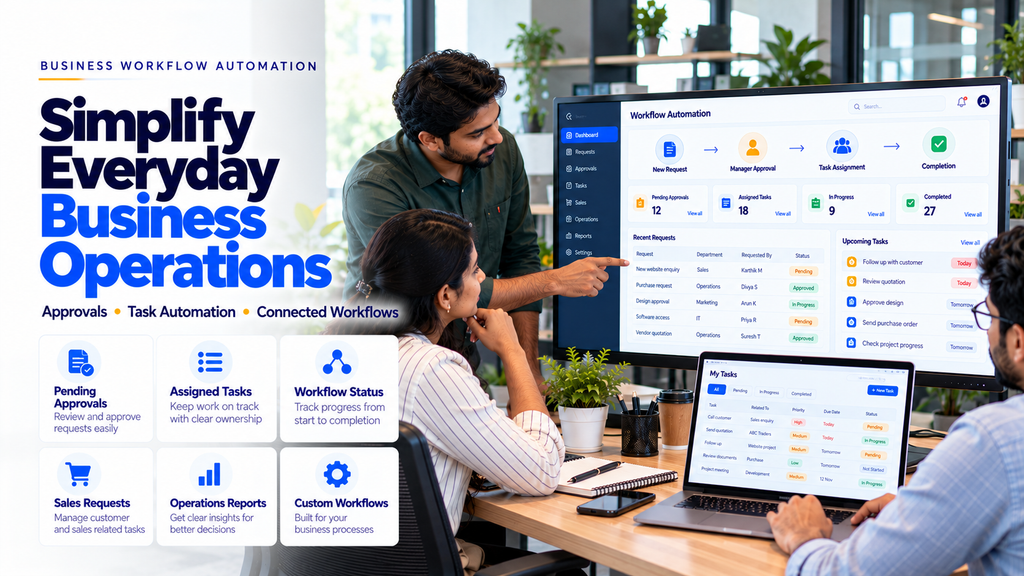
Workflow automation software connects business activities into structured processes. It can create tasks, route requests for approval, update records, send internal notifications, and maintain a history of completed actions.
For small and medium businesses in Erode, suitable workflow automation can help reduce repetitive administrative work and improve visibility into day-to-day operations.
In this guide, we explain how workflow automation works, which processes can be automated, how custom software is developed, what integrations may be required, and how businesses can plan an implementation.
What Is Workflow Automation Software?
Workflow automation software is an application that coordinates tasks, approvals, notifications, and data updates according to defined business rules.
Instead of employees manually passing information between departments, the software can manage selected steps automatically.
Common workflow automation features include:
- Task creation and assignment
- Approval routing
- Status tracking
- Internal notifications
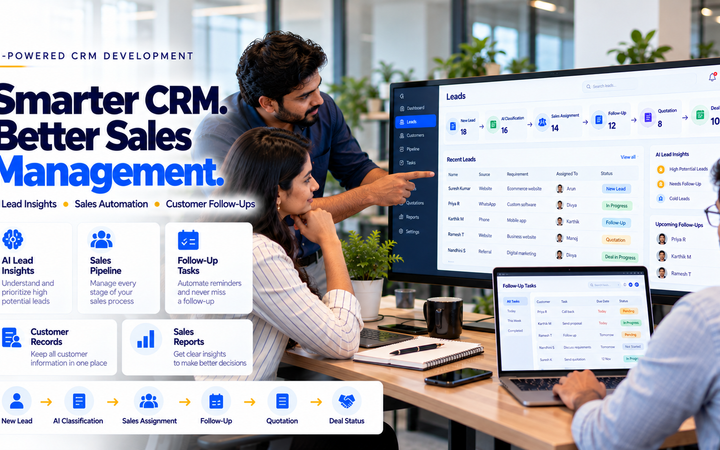
- Document handling
- Customer enquiry routing
- Sales follow-up reminders
- Inventory-related alerts
- Reporting dashboards
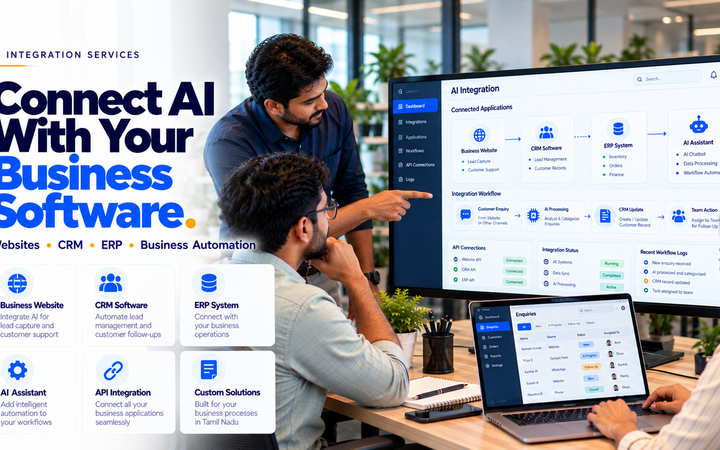
- Business software integration
Workflow automation does not necessarily require artificial intelligence. Many useful processes can be automated using conventional software rules.
How Does Business Workflow Automation Work?
A workflow normally begins with a trigger, such as a new enquiry, submitted request, approved quotation, or inventory update.
The system then follows predefined rules to determine the next action.
For example, when an employee submits a purchase request, the software may route it to an authorized manager.
After approval, the system can create the next task and notify the responsible employee.
If the request is rejected or requires clarification, the workflow should support an appropriate alternative path.
Why Small and Medium Businesses in Erode Need Workflow Automation
Businesses across Erode operate in industries such as textiles, manufacturing, wholesale distribution, retail, logistics, healthcare administration, and professional services.
Many of these businesses manage activities across multiple employees or departments.
Common operational challenges include:
- Repeated manual data entry
- Delayed approvals
- Unclear task ownership
- Difficulty tracking pending work
- Disconnected customer and order records
- Manual follow-up reminders
- Inconsistent reporting
- Limited visibility into departmental activities
A structured workflow management system can help businesses address these challenges when it is designed around their actual operating processes.
1. Customer Enquiry Workflow Automation
Businesses may receive customer enquiries through websites, email, phone calls, advertisements, and approved messaging channels.
A workflow automation system can help organize these enquiries.
Potential features include:
- Website enquiry integration
- Lead assignment rules
- Customer requirement records
- Follow-up reminders
- Lead status tracking
2. Sales Workflow Automation
Sales teams may need to coordinate multiple activities before confirming an order.
Common stages include:
- New enquiry
- Requirement discussion
- Quotation preparation
- Approval
- Customer follow-up
- Order confirmation
Automation can help employees understand which step is pending and who is responsible.
3. Automated Follow-Up Reminders
Follow-up tasks can be difficult to manage when employees handle many enquiries simultaneously.
A workflow system can create internal reminders based on agreed dates or business rules.
Possible features include:
- Follow-up scheduling
- Pending task lists
- Overdue reminders
- Employee notifications
- Completion tracking
Customer-facing automated messages should only be sent through appropriate channels and in accordance with applicable consent and platform requirements.
4. Approval Workflow Automation
Many businesses require approval before completing certain activities.
Examples include:
- Purchase requests
- Expense claims
- Discount requests
- Quotation approvals
- Leave applications
- Vendor onboarding
Approval workflows should support role-based permissions, comments, and audit records.
5. Purchase Request Automation
Purchase requests often require coordination between employees, managers, and procurement teams.
A custom workflow may include:
- Purchase request submission
- Department approval
- Budget or policy checks
- Purchase order preparation
- Vendor communication
- Order status tracking
Financial and purchasing decisions should follow authorized business rules.
6. Purchase Order Workflow Automation
Purchase order automation can help businesses organize procurement activities.
Potential features include:
- Approved purchase request conversion
- Purchase order draft creation
- Supplier selection
- Approval routing
- Order tracking
- Receipt confirmation
Supplier terms, quantities, taxes, and prices should be verified before orders are finalized.
7. Inventory Workflow Automation
Inventory-related workflows may help employees respond to stock changes and material requirements.
Possible features include:
- Low-stock notifications
- Reorder request creation
- Stock transfer requests
- Goods receipt tasks
- Inventory adjustment approvals
Inventory decisions should use accurate stock records and approved business rules.
8. Sales Order Processing Automation
Businesses may need to coordinate order confirmation, inventory checks, dispatch preparation, and invoicing.
The workflow should handle exceptions such as unavailable stock, order changes, or failed integrations.
9. Quotation Workflow Automation
Quotation workflows can help sales teams prepare and track commercial proposals.
Potential features include:
- Quotation request creation
- Customer record retrieval
- Product or service selection
- Draft quotation preparation
- Approval routing
- Quotation status tracking
- Follow-up reminders
Final pricing and contractual terms should be validated by authorized employees.
10. Invoice Workflow Automation
Invoice workflows may connect completed sales activities with accounting processes.
Possible applications include:
- Invoice draft preparation
- Approval workflows
- Invoice status tracking
- Payment reminder tasks
- Accounting software integration
Tax calculations and financial records must follow applicable requirements and approved accounting rules.
11. Employee Task Management Automation
Managers may need to assign and monitor tasks across departments.
Workflow software can support:
- Task assignment
- Due dates
- Priority settings
- Task status updates
- Internal comments
- Completion records
Clear task ownership helps employees understand their responsibilities.
12. Employee Leave Approval Automation
Leave approval workflows can help businesses organize administrative requests.
A typical process may include:
Leave policies and employee records should be managed according to applicable employment requirements and internal rules.
13. Employee Onboarding Workflows
Employee onboarding may involve multiple administrative tasks.
Possible workflow steps include:
- Document collection
- Account setup requests
- Equipment assignment
- Orientation scheduling
- Policy acknowledgement
- Onboarding completion tracking
Personal employee information should be protected through appropriate access controls.
14. Document Approval Automation
Businesses may require review and approval of internal documents.
Examples include:
- Purchase documents
- Quotations
- Internal policies
- Contracts
- Project documents
Workflow features may include version history, reviewer assignment, comments, and approval records.
15. Customer Support Workflow Automation
Customer support teams may need to classify and assign incoming requests.
Possible workflow:
Customers should have a way to contact a human employee when an issue cannot be resolved automatically.
16. CRM Workflow Automation
Customer relationship management software can use workflows to organize sales activities.
Potential features include:
- Lead capture
- Lead assignment
- Follow-up reminders
- Quotation tracking
- Sales pipeline updates
- Customer activity reporting
Businesses may combine conventional automation with selected AI-assisted CRM features.
17. WhatsApp Business Workflow Integration
Some businesses may want to connect approved WhatsApp Business communication workflows with internal software.
Potential applications include:
- Customer enquiry routing
- Support ticket creation
- Lead record updates
- Approved customer notifications
- Follow-up task generation
Integrations should use authorized services and follow applicable platform policies, consent requirements, and messaging restrictions.
18. Email Workflow Automation
Email-based workflows may help businesses organize selected incoming requests and notifications.
Possible features include:
- Enquiry classification
- Task creation
- Approval notifications
- Internal reminders
- Document routing
Email access should be authorized and protected through appropriate security controls.
19. Workflow Automation for Manufacturing Businesses
Manufacturing businesses may coordinate customer enquiries, quotations, materials, production tasks, and dispatch activities.
Potential workflows include:
- Production request approval
- Material requisition
- Purchase request routing
- Production task assignment
- Quality check tasks
- Dispatch approval
Workflows should be designed around actual manufacturing processes and operational controls.
20. Workflow Automation for Textile Businesses in Erode
Textile businesses may manage enquiries, quotations, material requirements, job work, and dispatch activities.
Possible automation requirements include:
- Customer enquiry tracking
- Yarn or fabric quotation workflows
- Purchase request approvals
- Production task routing
- Quality check records
- Dispatch coordination
Product specifications and production records should be based on verified operational data.
21. Workflow Automation for Wholesale and Distribution
Wholesalers and distributors may need to coordinate orders, stock availability, dealer enquiries, and dispatch.
Potential workflows include:
- Dealer enquiry routing
- Sales order approval
- Stock availability checks
- Purchase requisitions
- Dispatch task assignment
- Order status notifications
22. Workflow Automation for Retail Businesses
Retail businesses may benefit from selected automation workflows.
Examples include:
- Stock replenishment requests
- Supplier purchase approvals
- Customer support tickets
- Store maintenance tasks
- Inventory adjustment approvals
23. Workflow Automation for Logistics Businesses
Logistics companies may need to coordinate shipment requests, vehicle assignments, dispatch tasks, and delivery updates.
Potential workflows include:
- Shipment request registration
- Dispatch assignment
- Delivery status updates
- Document approval
- Exception handling
- Customer support routing
Integration feasibility depends on the existing transport management systems and available APIs.
24. Workflow Automation for Healthcare Administration
Healthcare organizations may use workflow automation for selected administrative activities.
Examples include:
- General enquiry routing
- Appointment request management
- Administrative approvals
- Inventory requests
- Staff task coordination
Clinical decisions and sensitive patient information require appropriate professional oversight and additional safeguards.
25. Workflow Automation for Service Businesses
Service companies may need to coordinate enquiries, proposals, project tasks, and customer support.
A typical workflow may include:
The workflow should reflect the company’s actual service delivery process.
26. Workflow Automation vs Manual Business Processes
| Manual Process | Automated Workflow |
|---|---|
| Employees manually assign tasks | Tasks can be assigned using defined rules |
| Approvals may depend on messages or paper forms | Requests can be routed through an approval system |
| Follow-ups rely on manual reminders | Scheduled reminders can be generated |
| Status updates may be scattered | Progress can be recorded centrally |
| Reports may require manual compilation | Reports can use recorded workflow data |
Manual processes may remain suitable for simple activities. Automation becomes more useful when workflows are repeated, involve multiple employees, or require consistent tracking.
27. Workflow Automation vs Business Process Automation
Workflow automation usually focuses on coordinating specific tasks and approval sequences.
Business process automation may cover broader processes involving multiple departments and systems.
For example, an approval workflow may automate a purchase request.
A broader procurement automation project may connect purchase requests, supplier management, purchase orders, goods receipt, and accounting systems.
28. Custom Workflow Software vs Ready-Made Automation Tools
| Ready-Made Tools | Custom Workflow Software |
|---|---|
| Predefined features and integrations | Tailored to specific business requirements |
| May offer faster initial setup | Requires development and testing |
| Customization depends on the provider | Can implement specialized approval rules |
| Often subscription-based | May involve development and maintenance costs |
| Limited by supported integrations | Can connect systems with suitable APIs |
Businesses should compare total cost, integration requirements, maintenance, and workflow complexity before choosing an approach.
29. Does Workflow Automation Require AI?
No. Many business workflows can be automated using conventional software rules.
Examples include:
- Task assignment
- Approval routing
- Scheduled reminders
- Status updates
- Notifications
AI may assist with selected activities such as enquiry classification, document summarization, and business knowledge search.
AI-generated outputs should be reviewed when they affect important operational or financial decisions.
30. Workflow Automation Software Architecture
A custom workflow management system may include:
- Responsive web application
- Secure backend
- Workflow engine
- Task database
- User authentication
- Role-based permissions
- Approval rules
- Notification service
- Integration APIs
- Reporting dashboard
- Audit logs
The architecture should be selected according to business requirements and expected usage.
31. Mobile-Friendly Workflow Automation Software
Employees and managers may need to review tasks while working away from their desks.
A responsive workflow application can support:
- Mobile task lists
- Approval requests
- Task status updates
- Internal notifications
- Document review
- Basic reporting
Interfaces should remain usable on smartphones, tablets, and desktop devices.
32. User Roles and Approval Permissions
Workflow software may require different access levels.
Possible roles include:
- Administrator
- Department Manager
- Approver
- Employee
- Reporting User
Permissions should determine which tasks, documents, and approval actions each user can access.
Approval rules should also define who can delegate, reject, or override requests.
33. Security and Data Privacy
Workflow software may process employee information, customer records, commercial documents, and internal business data.
Important security measures include:
- Secure authentication
- Role-based access controls
- Appropriate encryption
- Input validation
- Secure API credentials
- Audit logging
- Backup and recovery
- Data retention controls
- Monitoring and incident response
Businesses should comply with applicable privacy requirements and avoid unnecessary data collection.
34. Handling Workflow Errors and Exceptions
Not every business process follows the expected path.
Possible exceptions include:
- Missing information
- Rejected approvals
- Unavailable approvers
- Integration failures
- Duplicate requests
- Cancelled tasks
- Changes in business requirements
A reliable workflow system should support error handling, manual review, and appropriate recovery procedures.
35. Custom Workflow Automation Development Process
- Requirement Analysis: Understand existing business processes.
- Workflow Mapping: Identify triggers, tasks, decisions, and approvals.
- Automation Feasibility: Select suitable processes for automation.
- UI/UX Design: Create employee and manager interfaces.
- Database Design: Structure workflow and task records.
- Backend Development: Implement business rules and APIs.
- Integration: Connect approved business systems.
- Security Testing: Verify permissions and data protection.
- Functional Testing: Test normal and exception scenarios.
- Deployment: Introduce the application to employees.
- Training: Explain workflows and responsibilities.
- Maintenance: Monitor and improve the software.
36. How to Measure Workflow Automation Performance
Businesses should define measurable objectives before implementing automation.
Possible indicators include:
- Task completion time
- Approval turnaround time
- Number of overdue tasks
- Manual data entry effort
- Workflow error rate
- Process completion rate
- Employee adoption
- Reporting preparation time
Results should be compared with a documented baseline to understand whether the automation is providing practical value.
37. Benefits of Workflow Automation Software
Reduced Repetitive Administration
Suitable workflows can automate routine assignments, notifications, and record updates.
Better Task Visibility
Employees and managers can review pending work.
More Consistent Approvals
Requests can follow defined authorization rules.
Improved Department Coordination
Connected workflows can help departments share relevant status information.
Centralized Process Records
Completed actions and approvals can be recorded in one system.
Structured Reporting
Managers can review workflow activity using recorded data.
Actual benefits depend on process design, integration quality, and employee adoption.
38. Limitations of Workflow Automation
Workflow automation also introduces operational considerations.
Possible challenges include:
- Incorrect business rules
- Integration failures
- Incomplete input data
- Employee training requirements
- Changing approval structures
- Maintenance costs
- Data privacy concerns
- Need for manual exception handling
Businesses should avoid automating unclear or unstable processes without first reviewing how they operate.
39. How Much Does Workflow Automation Software Cost in Erode?
The development cost depends on the project scope and technical requirements.
Factors include:
- Number of workflows
- Approval complexity
- User roles
- Number of departments
- CRM or ERP integrations
- Document handling
- Custom reporting
- Mobile interface requirements
- Data migration
- Hosting and maintenance
A simple approval application and a multi-department automation platform require different development efforts.
Businesses should request a requirements-based quotation separating initial development from recurring infrastructure and support costs.
40. How Long Does Workflow Automation Development Take?
Development timelines depend on workflow complexity, integrations, design requirements, and testing.
A single approval workflow may require less effort than a platform connecting sales, procurement, inventory, accounting, and HR activities.
Businesses should agree on milestones, acceptance criteria, and responsibilities before development begins.
41. How to Choose a Workflow Automation Software Development Company in Erode
Before selecting a development provider, consider:
- Understanding of your business processes
- Custom software development capabilities
- Workflow design experience
- Integration capabilities
- Security practices
- Mobile-friendly interface design
- Testing procedures
- Documentation and employee training
- Maintenance arrangements
A suitable solution should address real operational requirements rather than introduce unnecessary features.
42. Workflow Automation for Businesses Across Erode District
Small and medium businesses in Erode and surrounding locations may consider workflow automation based on their operational requirements.
Relevant locations include:
- Erode
- Perundurai
- Bhavani
- Anthiyur
- Gobichettipalayam
- Sathyamangalam
- Modakkurichi
- Kodumudi
- Nambiyur
- Chennimalai
- Kavindapadi
- Ammapettai
- Arachalur
- Sivagiri
- Punjai Puliampatti
- Thalavadi
- Solar
- Surampatti
- Veerappanchatram
- Nasiyanur
Workflow requirements should be based on the company’s industry, employee structure, and existing software systems.
43. Common Workflow Automation Mistakes
- Automating a poorly defined process
- Using unnecessary approval stages
- Failing to define task ownership
- Ignoring rejected or cancelled requests
- Using incomplete business data
- Skipping user permission controls
- Ignoring integration errors
- Failing to train employees
- Ignoring mobile usability
- Assuming automation guarantees business growth
- Launching without realistic testing
- Failing to maintain workflow rules
44. Workflow Automation Implementation Checklist
- Identify repetitive business processes.
- Map current workflows.
- Define triggers and outcomes.
- Identify approval requirements.
- Assign employee responsibilities.
- Review existing software systems.
- Plan integrations.
- Define user permissions.
- Design employee dashboards.
- Plan notifications.
- Test exception scenarios.
- Review security and privacy.
- Train employees.
- Measure process performance.
- Monitor and improve workflows.
45. How Greap Technologies Can Help
Greap Technologies can help businesses discuss workflow automation requirements as part of custom software development, CRM integration, and business process automation projects.
Depending on the agreed project scope, solutions may include:
- Business workflow requirement analysis
- Custom workflow management software
- Approval automation
- Task assignment workflows
- Sales process automation
- CRM integration
- Purchase request workflows
- Inventory-related automation
- Document approval systems
- Employee task management
- Reporting dashboards
- Role-based access controls
- Testing and maintenance
Explore Greap Technologies for custom software development, workflow automation, and business software solutions.
Conclusion
Workflow automation software for small and medium businesses in Erode can help companies organize repetitive tasks, approvals, notifications, and operational records.
Potential applications include sales workflows, customer enquiries, purchase requests, inventory tasks, employee approvals, and customer support processes.
However, successful automation depends on clear requirements, accurate business rules, suitable integrations, security controls, and employee training.
A practical implementation approach is:
For small and medium businesses across Erode district, starting with one well-defined workflow can be a practical way to evaluate automation before expanding into a larger business management platform.
Need Workflow Automation Software for Your Business?
Greap Technologies can help you discuss custom workflow development, approval automation, task management, and business software integration requirements.
Frequently Asked Questions
1. What is workflow automation software?
Workflow automation software coordinates tasks, approvals, notifications, and data updates according to defined business rules.
2. Is workflow automation suitable for small businesses?
Yes. Small businesses may benefit from automating repetitive processes when the expected value justifies implementation and maintenance costs.
3. Can workflow automation software manage approvals?
Yes. Custom systems can route requests to authorized approvers and record approval decisions.
4. Can workflow automation connect with CRM software?
Yes. Integration may be possible through supported APIs or custom software development.
5. Can WhatsApp be integrated with workflow automation?
Selected workflows may be integrated through authorized WhatsApp Business Platform services, subject to platform policies and consent requirements.
6. Does workflow automation require artificial intelligence?
No. Many business workflows can be automated using conventional rules. AI may assist with selected information-processing tasks.
7. Can workflow automation support manufacturing businesses?
Yes. Manufacturing businesses may use workflows for purchase requests, material requisitions, production tasks, approvals, and dispatch coordination.
8. Can employees use workflow automation software on mobile?
Yes. Responsive web applications can support task management and approvals on smartphones and tablets.
9. Is workflow automation software secure?
Security depends on authentication, permissions, data handling, integrations, testing, and ongoing maintenance.
10. How much does workflow automation software development cost in Erode?
Cost depends on workflow complexity, user roles, integrations, reporting, infrastructure, and support requirements.
11. Can workflow automation integrate with ERP software?
Integration may be possible when the ERP system provides suitable APIs or approved technical access.
12. Does Greap Technologies develop workflow automation software in Erode?
Greap Technologies can help assess workflow automation requirements and develop suitable custom business software solutions according to the agreed project scope.