AI Automation Services in Erode: How Businesses Can Reduce Manual Work
Running a business involves many activities that happen repeatedly every day.
Customer enquiries need responses. Sales teams must follow up with potential customers. Staff update spreadsheets, prepare quotations, send invoices, check order statuses, and create reports.
These activities are important, but many repetitive steps can consume time that employees could otherwise spend on customer service, sales, planning, and business operations.
This is where AI automation services in Erode can help businesses explore more efficient ways of working.
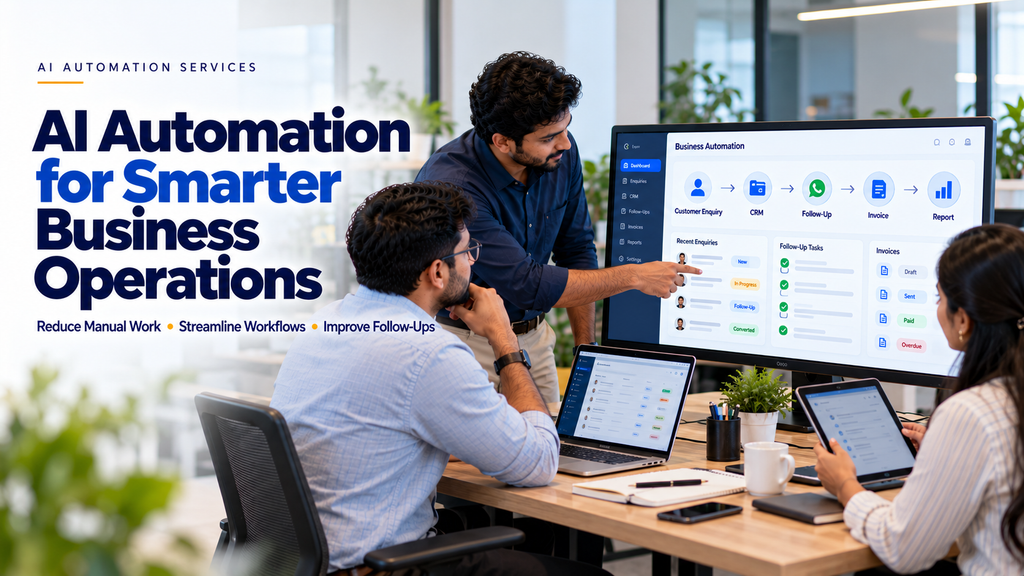
AI automation combines software workflows, business rules, integrations, and artificial intelligence where appropriate to reduce unnecessary manual activity.
For businesses in Erode and across Tamil Nadu, automation opportunities may exist in customer enquiries, sales follow-ups, inventory management, manufacturing workflows, ecommerce operations, and administrative processes.
However, not every task requires artificial intelligence. Many business problems can be solved more reliably using straightforward workflow automation.
In this guide, we explain what AI automation means, which business activities can be automated, how implementation works, and what businesses should consider before investing in automation software.
What Is AI Automation?
AI automation refers to systems that combine automated workflows with artificial intelligence capabilities to perform or support defined business activities.
Depending on the application, AI may help classify information, understand customer messages, summarize documents, extract data, or generate suggested responses.
Traditional automation can then handle predictable actions such as creating records, assigning tasks, sending approved notifications, or updating workflow statuses.
For example:
Customer Enquiry → Identify Requirement → Create CRM Lead → Assign Salesperson → Schedule Follow-Up
In this example, AI may help interpret an unstructured customer message, while standard software rules handle lead creation and assignment.
AI Automation vs Traditional Automation
| Traditional Automation | AI-Assisted Automation |
|---|---|
| Uses predefined rules and conditions | Can interpret some unstructured information |
| Suitable for predictable tasks | Useful for tasks involving language or classification |
| Example: Send a reminder on a scheduled date | Example: Categorize an incoming customer enquiry |
| Usually produces predictable outcomes | May produce uncertain results requiring review |
| Often simpler to maintain | May require monitoring, evaluation and safeguards |
The best solution may use traditional automation, AI-assisted automation, or a combination of both.
Why Businesses in Erode May Need Automation
Businesses across different industries often manage repetitive processes using spreadsheets, phone calls, messaging apps, paper records, and separate software systems.
Common challenges include:
- Customer enquiries stored in different places
- Delayed sales follow-ups
- Repeated manual data entry
- Difficulty tracking quotation status
- Missed internal task reminders
- Manual invoice preparation
- Inventory information updated late
- Time-consuming report preparation
- Limited visibility into ongoing work
Automation can help address some of these problems when the workflow is clearly understood and the right software systems are available.
1. Customer Enquiry Automation
Businesses may receive enquiries through their websites, email, social platforms, and messaging channels.
When information is handled manually, enquiries may be overlooked or recorded inconsistently.
A customer enquiry automation system can:
- Capture enquiries from connected channels
- Create customer records
- Record enquiry sources
- Assign enquiries to staff
- Send appropriate acknowledgements
- Schedule follow-up tasks
- Track enquiry status
Example Workflow
Website Form → New Lead → CRM Record → Sales Assignment → Follow-Up Task
AI may be used to classify the enquiry when the customer’s message requires interpretation.
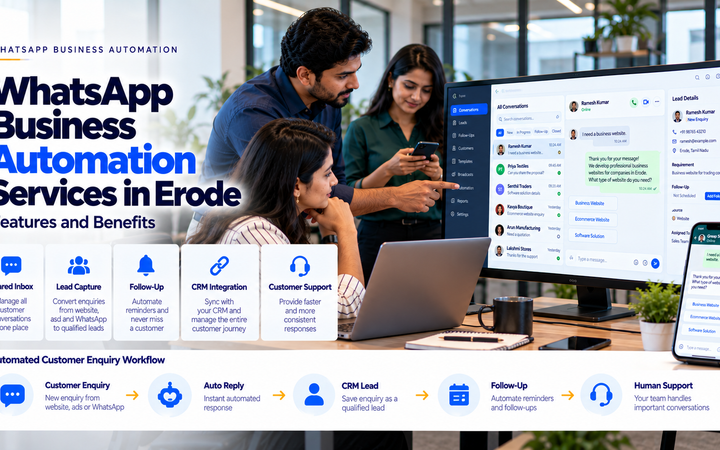
2. WhatsApp Business Automation
WhatsApp is one communication channel that businesses may use for customer enquiries, order updates, and support.
Depending on the approved integration and platform capabilities, businesses can automate selected messaging workflows.
Examples include:
- Initial enquiry acknowledgement
- Appointment reminders
- Order status notifications
- Approved follow-up messages
- Customer support routing
- CRM updates
Businesses must use authorized WhatsApp Business Platform integrations and comply with applicable messaging policies, including consent and template requirements.
Automation should not become unsolicited mass messaging.
3. Lead Follow-Up Automation
Following up with potential customers is a common operational challenge for service businesses.
Sales teams may need to remember when a customer requested a quotation, whether a response was sent, and when the next discussion should happen.
Lead follow-up automation can help organize these activities.
Possible Features
- Lead status tracking
- Follow-up scheduling
- Staff reminders
- Quotation follow-up tasks
- Lead assignment
- Activity history
- Supervisor reporting
For example:
New Lead → Contact Attempt → Requirement Discussion → Quotation → Follow-Up → Outcome
The workflow should respect customer preferences and allow staff to intervene when necessary.
4. CRM Automation
Customer relationship management software helps businesses organize customer information and interactions.
Automation can support CRM workflows by reducing repeated administrative steps.
Potential applications include:
- Automatically creating leads
- Assigning customers to sales teams
- Updating lead stages
- Generating follow-up tasks
- Recording communication history
- Notifying staff about pending activities
AI-assisted functions may help summarize customer conversations or categorize requests, subject to suitable privacy and accuracy controls.
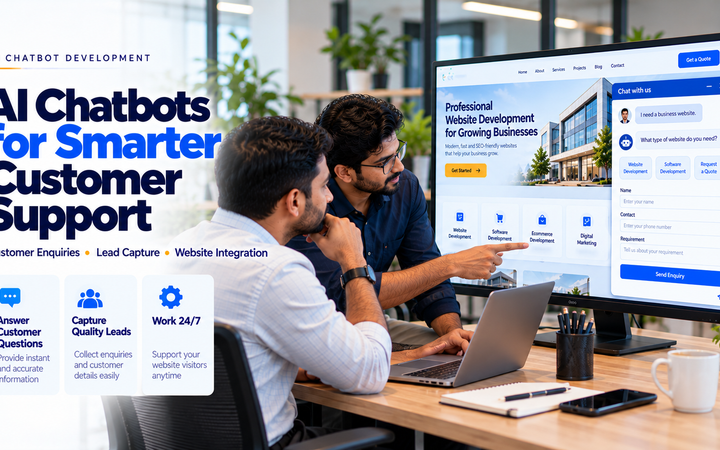
5. AI Chatbots for Business Websites
A website chatbot can help visitors find information or submit enquiries.
Depending on the implementation, a chatbot may:
- Answer common service questions
- Explain available products
- Collect basic enquiry information
- Direct visitors to relevant pages
- Help initiate appointment requests
- Escalate complex questions to staff
A chatbot should not invent pricing, policies, availability, or business capabilities.
Important decisions and uncertain responses should have appropriate human review or escalation options.
6. Quotation Automation
Preparing quotations manually can involve repeatedly entering customer details, products, prices, and terms.
A quotation management system may help businesses:
- Maintain customer records
- Use approved product or service catalogues
- Generate quotations from templates
- Track quotation versions
- Manage approval workflows
- Record quotation status
- Schedule follow-up tasks
Pricing calculations and contractual terms should follow verified business rules rather than unreviewed AI-generated values.
7. Invoice and Billing Automation
Businesses often spend time preparing invoices and updating payment records.
Suitable software can automate selected billing activities, such as:
- Invoice generation from approved orders
- Invoice numbering
- Customer detail retrieval
- Payment status updates
- Payment reminders
- Accounting system synchronization
Tax calculations, statutory invoice fields, and accounting records must be handled according to applicable requirements.
Financial information should be validated before invoices are finalized.
8. Order Management Automation
Order management automation can help businesses coordinate customer orders across different departments.
A typical workflow may be:
Order Received → Validation → Approval → Processing → Dispatch → Status Update
Potential features include:
- Order capture
- Order status tracking
- Staff notifications
- Inventory checks
- Dispatch coordination
- Customer updates
9. Inventory Automation
Inventory management involves tracking stock movements, quantities, and reorder requirements.
Software automation can help businesses:
- Update stock after approved transactions
- Generate low-stock alerts
- Track stock transfers
- Maintain item records
- Generate stock reports
- Support reorder planning
AI-based forecasting may be useful when reliable historical data is available, but forecasts should be reviewed before purchasing decisions.
10. Purchase Order Automation
Purchase order workflows often involve requests, supplier selection, approvals, and status tracking.
Automation can help coordinate these stages.
Example:
Purchase Request → Approval → Purchase Order → Supplier Confirmation → Goods Receipt
Businesses can define approval limits and retain human authorization for significant purchases.
11. Manufacturing Workflow Automation
Manufacturing businesses may benefit from automated tracking of production activities.
Depending on the operation, systems may support:
- Production order creation
- Job assignment
- Material requirement tracking
- Production status updates
- Quality checkpoints
- Dispatch coordination
- Operational reporting
AI may assist with forecasting or anomaly detection when appropriate data and safeguards exist.
Safety-critical machinery decisions require suitable engineering controls and should not rely on unverified AI outputs.
12. AI Automation for Textile Businesses in Erode
Textile businesses may manage orders, materials, production stages, inventory, and dispatch activities across multiple teams.
Automation opportunities can include:
- Customer order entry
- Yarn inventory notifications
- Production order tracking
- Job-work coordination
- Order status updates
- Dispatch notifications
- Business reporting
For example, a textile business could configure automatic notifications when an approved order moves from production to dispatch.
The system should reflect the company’s actual workflow rather than forcing every business into the same process.
13. AI Automation for Wholesale and Distribution Businesses
Wholesale businesses may receive orders from dealers, retailers, and distributors through multiple channels.
Potential automation features include:
- Dealer order capture
- Order confirmation workflows
- Stock availability checks
- Credit approval routing
- Dispatch updates
- Sales reporting
- Payment follow-up tasks
Business-specific approval rules are important, especially for credit limits and financial transactions.
14. AI Automation for Ecommerce Businesses
Ecommerce stores may automate selected activities across the customer journey.
Examples include:
- Order notifications
- Customer support routing
- Abandoned cart workflows where permitted
- Inventory synchronization
- Shipping status updates
- Returns processing
- Product information management
AI-assisted customer support can be useful for common questions, but order-specific answers should come from accurate connected systems.
15. AI Automation for Clinics and Appointment-Based Businesses
Appointment-based businesses may use automation for administrative workflows.
Possible applications include:
- Appointment requests
- Booking confirmations
- Appointment reminders
- Schedule notifications
- Administrative follow-up tasks
Healthcare-related information requires additional privacy and security controls.
AI automation should not independently provide clinical diagnoses or treatment decisions without appropriate professional oversight.
16. AI Automation for Real Estate Businesses
Real estate businesses may manage enquiries from websites, property listings, and advertising campaigns.
Potential workflows include:
- Lead capture
- Property interest categorization
- Agent assignment
- Site visit scheduling
- Follow-up reminders
- Lead status reporting
17. AI Automation for Retail Businesses
Retail businesses may use automation to coordinate customer enquiries, orders, stock, and reporting.
Examples include:
- Low-stock notifications
- Order confirmations
- Customer service routing
- Sales report generation
- Supplier reorder tasks
18. AI Automation for Service Companies
Service companies often manage enquiries, quotations, appointments, project tasks, and customer follow-ups.
A suitable automation system may help with:
- Enquiry assignment
- Task creation
- Quotation tracking
- Service scheduling
- Customer notifications
- Completion reporting
19. Automated Business Reporting
Preparing reports manually can require collecting information from multiple systems.
Automated reporting can help consolidate approved data into structured summaries.
Examples include:
- Daily sales reports
- Pending enquiry reports
- Order status summaries
- Inventory reports
- Outstanding payment reports
- Production status reports
AI-generated summaries should be checked against source data, especially when used for financial or operational decisions.
20. AI Document Processing
Businesses often receive documents such as purchase orders, invoices, forms, and supplier records.
AI-assisted document processing may help extract information from suitable documents.
For example:
Incoming Document → Data Extraction → Validation → Staff Review → System Entry
Human review is important when extracted values affect financial records, customer commitments, or compliance.
21. Email Workflow Automation
Email automation can help businesses organize routine communication.
Possible applications include:
- Classifying incoming enquiries
- Routing messages to departments
- Creating CRM records
- Drafting suggested replies
- Sending approved notifications
AI-generated replies should not be sent automatically in sensitive or high-impact situations without suitable review.
22. What Business Tasks Should Be Automated First?
Businesses should start with repetitive tasks that are well understood and have clear success criteria.
Good initial candidates often include:
- Routine notifications
- Lead assignment
- Follow-up reminders
- Form-to-CRM data transfer
- Order status updates
- Scheduled reports
Tasks involving uncertain information, legal commitments, major payments, or sensitive decisions may require stronger human oversight.
23. How to Identify Automation Opportunities
Begin by mapping how employees currently complete a task.
Ask:
- What starts the process?
- Who performs each step?
- Which information is required?
- Which steps are repeated?
- Where do delays occur?
- Which decisions need approval?
- Which software systems are involved?
- What should happen when something fails?
This analysis helps identify where automation can provide practical value.
24. Example: Manual vs Automated Lead Management
| Manual Process | Automated Workflow |
|---|---|
| Staff copies enquiries into a spreadsheet | Website form creates a CRM record |
| Manager manually assigns leads | Rules assign leads to the appropriate team |
| Staff remember follow-up dates | System creates follow-up tasks |
| Sales status is updated inconsistently | Staff use a defined lead pipeline |
| Manager prepares reports manually | Dashboard summarizes recorded activities |
The effectiveness of automation depends on correct configuration, staff adoption, and data quality.
25. How AI Automation Integrates With Existing Software
Businesses may already use accounting software, CRM platforms, ecommerce systems, or custom applications.
Automation can sometimes connect these systems through supported APIs, webhooks, or approved integrations.
For example:
Website → CRM → Quotation System → Order Management → Reporting
Before development, confirm whether each system supports the required integration and what permissions are available.
26. Custom AI Automation vs Ready-Made Software
| Ready-Made Solution | Custom Automation |
|---|---|
| May offer faster initial setup | Can be tailored to specific workflows |
| Uses predefined features | Can support specialized business rules |
| May have subscription costs | May involve development and maintenance costs |
| Customization depends on the platform | Flexibility depends on the designed architecture |
The right choice depends on requirements, budget, integration needs, and long-term maintenance.
27. Benefits of AI Automation for Businesses
When implemented appropriately, automation can offer several potential benefits.
Reduce Repetitive Work
Routine data transfers, reminders, and status updates can require less manual effort.
Improve Process Consistency
Defined workflows help teams follow the same operational steps.
Improve Task Visibility
Managers can review pending work and recorded statuses more easily.
Support Customer Communication
Automated acknowledgements and reminders can support timely communication.
Reduce Avoidable Data Entry
Connected systems can reduce repeated entry of the same information.
Support Business Reporting
Structured data can make operational reporting easier.
Actual outcomes depend on the business process, implementation quality, and staff usage.
28. Limitations of AI Automation
AI automation also has limitations.
Potential challenges include:
- Incorrect AI-generated information
- Inconsistent source data
- Integration limitations
- Unexpected workflow failures
- Employee training requirements
- Privacy concerns
- Ongoing software maintenance
- API and usage costs
Businesses should plan for these issues before automating important operations.
29. Data Privacy and Security
Automation systems may process customer names, phone numbers, enquiries, financial records, or business documents.
Security planning should include:
- Role-based access controls
- Secure API credentials
- Appropriate encryption
- Data minimization
- Audit logs
- Backup and recovery
- Retention policies
- Vendor and integration reviews
- Compliance with applicable data protection requirements
Sensitive information should not be shared with AI services without evaluating the relevant permissions, contracts, and privacy implications.
30. Why Human Approval Still Matters
Some business activities should remain subject to human approval.
Examples include:
- Final quotation approval
- Major purchase authorization
- Financial adjustments
- Contractual commitments
- Sensitive customer complaints
- Healthcare-related decisions
A useful design principle is:
Automate Routine Steps → Flag Exceptions → Request Approval → Complete the Workflow
31. AI Automation Implementation Process
A structured implementation process helps businesses avoid automating poorly understood workflows.
- Requirement Analysis: Understand the business process and objectives.
- Workflow Mapping: Document existing activities and responsibilities.
- Opportunity Assessment: Identify suitable automation tasks.
- Solution Design: Define business rules, AI functions, integrations, and safeguards.
- Development: Configure or build the required system.
- Testing: Verify normal scenarios, exceptions, and failure handling.
- Deployment: Introduce the system to actual users.
- Training: Explain how staff should operate and monitor the workflow.
- Maintenance: Review performance, errors, and changing business needs.
32. How to Measure Automation Success
Businesses should define measurable outcomes before implementing automation.
Possible indicators include:
- Manual processing time per task
- Number of repeated data entries
- Task completion time
- Follow-up completion rate
- Workflow error rate
- Staff time spent on exceptions
- Customer response time
- Operational cost per process
Compare results with a documented baseline instead of assuming automation automatically produces savings.
33. How Much Do AI Automation Services Cost in Erode?
The cost of AI automation depends on the scope and complexity of the solution.
Important factors include:
- Number of workflows
- Required software integrations
- Custom development requirements
- AI model or API usage
- Messaging platform charges
- Data migration
- Security requirements
- User roles and permissions
- Testing and deployment
- Ongoing maintenance
A basic automated enquiry workflow and a complete multi-department business automation platform will require different budgets.
Businesses should request a requirements-based quotation that separates development, third-party subscriptions, usage charges, and support costs.
34. How to Choose an AI Automation Company in Erode
Before selecting a provider, consider the following questions.
Do They Understand Your Business Workflow?
The solution should be based on actual operational requirements rather than generic AI features.
Can They Integrate Existing Systems?
Confirm integration capabilities and any platform limitations.
Do They Explain Where AI Is Necessary?
Not every automation task requires an AI model.
How Are Errors Handled?
The system should provide appropriate logging, alerts, retries, and human escalation.
What Security Controls Are Included?
Review data access, storage, credentials, and privacy requirements.
What Support Is Available?
Clarify maintenance responsibilities, usage costs, and future changes.
35. AI Automation Opportunities Across Erode District
Businesses operating in Erode and surrounding areas may explore automation based on their industry and operational needs.
These locations include:
- Erode
- Perundurai
- Bhavani
- Anthiyur
- Gobichettipalayam
- Sathyamangalam
- Chennimalai
- Modakkurichi
- Kodumudi
- Nambiyur
- Kavindapadi
- Ammapettai
- Arachalur
- Sivagiri
- Punjai Puliampatti
- Thalavadi
Automation requirements depend more on the business workflow than on the town where the company operates.
36. Common AI Automation Mistakes
- Automating a process before understanding it
- Using AI for tasks that simple rules can handle
- Connecting systems without checking data quality
- Ignoring staff training
- Failing to handle workflow exceptions
- Allowing unreviewed AI outputs to make important decisions
- Ignoring customer communication preferences
- Using unauthorized messaging integrations
- Overlooking data privacy
- Failing to monitor recurring API costs
- Assuming automation guarantees business growth
- Launching without realistic testing
37. AI Automation Readiness Checklist
- Identify repetitive business activities.
- Document the current workflow.
- Define the expected business outcome.
- Identify required data sources.
- Check existing software integrations.
- Separate rule-based and AI-assisted tasks.
- Define user roles and permissions.
- Identify activities requiring approval.
- Review customer privacy requirements.
- Define error-handling procedures.
- Estimate implementation and usage costs.
- Test a limited pilot workflow.
- Train employees.
- Measure actual results.
- Expand only after validating the process.
38. How Greap Technologies Can Help With AI Automation
Greap Technologies can help businesses explore practical automation requirements as part of software development, integration, and digital transformation projects.
Depending on the agreed project scope, solutions may include:
- Business workflow analysis
- AI automation planning
- CRM workflow development
- Lead management automation
- WhatsApp Business Platform integration
- Website enquiry automation
- AI-assisted chatbot integration
- Quotation workflow development
- Invoice and order workflow integration
- Inventory notification systems
- Custom business software development
- API integrations
- Business reporting dashboards
- Testing and maintenance
Explore Greap Technologies for website development, software development, and digital business solutions.
Conclusion
AI automation services in Erode can help businesses explore ways to reduce repetitive manual work and improve the organization of everyday operations.
Useful automation opportunities may exist in customer enquiries, CRM workflows, lead follow-ups, quotations, invoicing, inventory, order management, and business reporting.
However, the best automation solution is not necessarily the one with the most AI features.
It is the one that solves a genuine business problem, works reliably with existing processes, protects information, and provides measurable operational value.
A practical approach is:
Identify Manual Work → Map the Process → Choose Suitable Automation → Build and Test → Train Staff → Measure Results
For businesses in Erode and across Tamil Nadu, starting with one clearly defined workflow can be a practical way to evaluate automation before expanding to more complex operations.
Want to Reduce Manual Work in Your Business?
Greap Technologies can help you discuss your existing business workflows and explore suitable automation or custom software solutions.
Frequently Asked Questions
1. What are AI automation services?
AI automation services involve designing and implementing workflows that combine software automation with AI capabilities where appropriate to support business activities.
2. How can AI automation reduce manual work?
Automation can reduce repeated data entry, routine notifications, task assignment, follow-up scheduling, and other predictable administrative activities.
3. Which businesses can use AI automation in Erode?
Manufacturers, textile businesses, wholesalers, retailers, ecommerce companies, clinics, real estate firms, and service providers may have suitable automation opportunities.
4. Can WhatsApp enquiries be automated?
Selected messaging workflows can be automated through authorized WhatsApp Business Platform integrations, subject to platform rules, customer permissions, and technical requirements.
5. Can AI automatically follow up with sales leads?
Systems can schedule reminders, route leads, and send permitted communications. Sensitive or important customer interactions may still require staff involvement.
6. What is CRM automation?
CRM automation uses software rules and integrations to organize customer records, assign leads, track activities, and support follow-up processes.
7. Can AI automation work with existing business software?
Integration may be possible when the existing software provides suitable APIs, webhooks, or other approved connection methods.
8. Does every business automation need artificial intelligence?
No. Many tasks can be handled more simply and reliably using conventional workflow automation.
9. Is AI automation secure?
Security depends on the implementation, access controls, data handling, integrations, monitoring, and maintenance. Businesses should assess privacy and security requirements before deployment.
10. How much does AI automation cost in Erode?
Costs depend on workflow complexity, integrations, development requirements, AI usage, messaging charges, security, and ongoing support.
11. How long does it take to implement AI automation?
The timeline depends on the number of workflows, existing systems, data readiness, integration requirements, testing, and staff training.
12. Does Greap Technologies provide AI automation services in Erode?
Greap Technologies can help assess AI automation requirements and develop or integrate suitable business workflows according to the agreed project scope.