
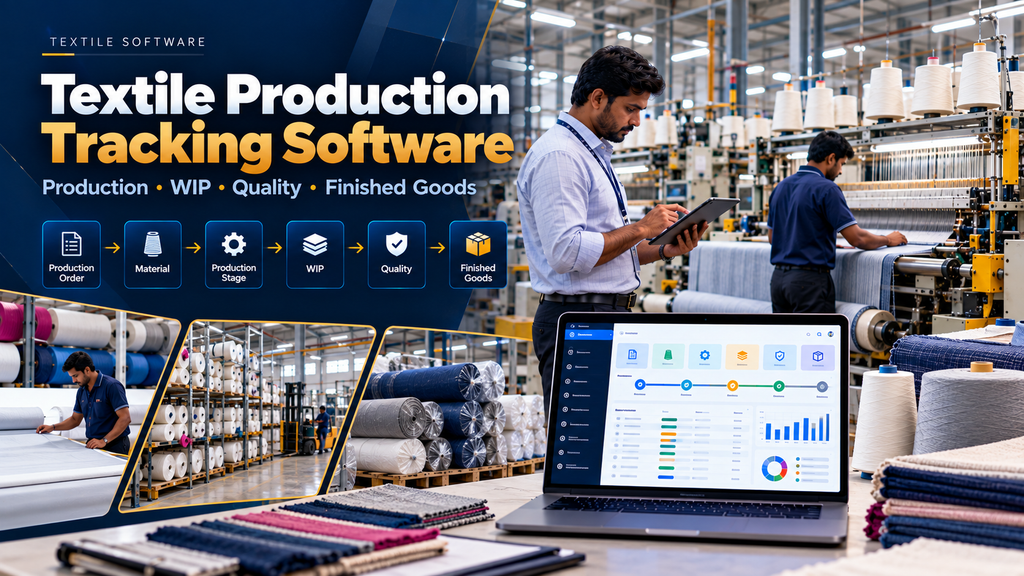
Textile manufacturing can involve several connected production activities between raw material and finished goods. Depending on the business, this can include yarn, weaving, processing, dyeing, job work, fabric production, garment manufacturing, quality checks, packing and warehouse operations.
When production information is maintained through paper registers, spreadsheets, messaging groups and separate software systems, understanding the current status of an order can require repeated manual follow-up between departments.
Textile production tracking software for manufacturers in Erode can help organize production orders, stages, work-in-progress, material status, job work, quality and finished-goods information through a centralized digital workflow.
The objective is not simply to collect more factory data. A useful production tracking system should answer practical questions such as what is currently being produced, which stage an order has reached, what remains pending and what has been completed.
At Greap Technologies, we develop custom textile and manufacturing software based on the actual production workflows of businesses in Erode and nearby areas.
What Is Textile Production Tracking Software?
Textile production tracking software is a manufacturing application that records and organizes the progress of textile production from an approved production requirement through defined manufacturing stages.
Depending on the textile manufacturer, the software can include:
- Production orders
- Material availability
- Material issue
- Production planning references
- Stage-wise production tracking
- Work-in-progress
- Quantity tracking
- Machine or loom references
- Job-work tracking
- Quality workflows
- Rework or reprocessing
- Finished goods
- Warehouse transfers
- Production dashboards
- Production reports
- ERP integrations
Textile Production Tracking vs Textile ERP
A textile ERP is a broader business system. Production tracking focuses specifically on manufacturing progress.
| Textile Production Tracking | Textile ERP |
|---|---|
| Production orders | Sales and customer management |
| Production stages | Purchase and suppliers |
| WIP tracking | Inventory and warehouses |
| Production quantities | Production and job work |
| Quality status | Sales, dispatch and integrations |
| Finished production | Enterprise-wide reporting |
For a broader system, read Textile ERP Software Development in Erode: Features and Benefits.
Textile Production Tracking vs General Production Tracking Software
General production tracking software can work across many manufacturing industries.
Textile production tracking software can be configured around textile-specific materials, stages, job-work relationships, lots or batches, fabric production and other textile workflows.
This page therefore focuses on textile manufacturing rather than duplicating the broader Production Tracking Software for Manufacturing Companies in Erode topic.
Typical Textile Production Tracking Workflow
A simplified manufacturing flow can look like:
Production Requirement → Production Order → Material Availability → Material Issue → Production Stage → WIP → Quality → Finished Goods → Warehouse
The exact production route should be configured according to the manufacturer’s actual process.
1. Production Requirement
Production can begin from a confirmed customer order, internal stock requirement, approved production plan or another defined business requirement.
2. Sales Order to Production
For make-to-order textile manufacturing, a common relationship is:
Customer Order → Sales Order → Production Requirement → Production Order
Read Textile Order Management Software Development in Erode.
3. Production Order Management
An approved production order can become the primary reference connecting the production requirement with materials, production stages, WIP, quality and finished goods.
4. Production Order Number
A unique production-order reference can improve traceability across manufacturing transactions.
5. Product or Material Reference
The production order should clearly identify what is being manufactured using the approved product, fabric, yarn, style or other relevant textile reference.
6. Planned Production Quantity
The approved quantity can be maintained against the production order according to the manufacturer’s defined unit of measure.
7. Required Production Date
Relevant planned dates can help production teams coordinate priorities and downstream operations.
8. Textile Production Route
Different textile products can follow different manufacturing routes.
The software should therefore support configurable routes rather than forcing every product through the same stages.
9. Production Stage Master
Relevant manufacturing stages can be standardized so production records use consistent terminology.
10. Stage Sequence
Where the production process requires an ordered sequence, approved stages can be arranged accordingly.
11. Alternative Production Routes
Some products may bypass certain stages or require additional processing.
The system should support legitimate process differences where required.
12. Yarn Production Tracking
Textile businesses involving yarn can maintain the production references needed for their specific workflow.
Technical production fields should be defined by the manufacturer’s qualified operational personnel.
13. Weaving Production Tracking
For weaving businesses, production can be associated with relevant loom and fabric-production records.
Production Order → Yarn → Loom Allocation → Weaving → Fabric → Quality
Read Powerloom Management Software Development in Erode.
14. Dyeing Production Tracking
Dyeing and processing units can track approved production stages against the appropriate batch or processing order.
Material Receipt → Batch → Processing → Quality → Finishing → Completed Material
Read Dyeing Unit Management Software Development in Erode.
15. Garment Production Tracking
Garment manufacturers can track production across their defined apparel-manufacturing stages.
Production Order → Materials → Cutting → Stitching → Finishing → Quality → Packing
Read Garment Production Management Software Development in Erode.
16. Material Availability
Before production begins, authorized users can review relevant recorded material availability where inventory integration exists.
17. Material Requirement
The system can derive or maintain material requirements according to approved product and manufacturing information.
18. Material Shortage
When required material is unavailable, the production system can communicate the shortage to the appropriate purchasing or inventory workflow.
19. Avoid Blind Automatic Purchasing
A material shortage should not automatically create a supplier purchase without considering existing orders, stock reservations, approved alternatives and procurement decisions.
20. Purchase Integration
Where required, material shortages can connect with procurement.
Read Purchase Order Management Software Development in Erode.
21. Material Issue to Production
Materials issued from stores can be associated with the appropriate production order.
22. Material Return
Unused material returned from production should be recorded through an appropriate inventory transaction.
23. Lot and Batch Traceability
Where textile operations require lot or batch traceability, relevant references can remain connected with production records.
The required level of traceability should be defined by the manufacturer.
24. Production Start
Authorized production transactions can indicate when an approved order has entered the defined production workflow.
25. Stage-Wise Production Updates
Production users can record progress as material moves through defined manufacturing stages.
26. Planned Quantity at a Stage
Where useful, the system can maintain the quantity expected to move through a production stage.
27. Recorded Completed Quantity
Authorized entries can record quantities completed according to the company’s production rules.
28. Remaining Production Quantity
Where appropriate, outstanding quantities can be calculated from approved planned and completed values.
29. Partial Production Completion
Production should not be forced into a single completion transaction.
Multiple production entries can contribute toward completion of the same production order.
30. Work-in-Progress Tracking
Work in progress represents production that has started but has not yet reached the manufacturer’s defined finished stage.
31. Stage-Wise WIP
Where useful, WIP can be organized according to the production stage at which material is currently recorded.
32. Order-Wise WIP
Authorized users can review WIP according to the originating production or customer order.
33. Product-Wise WIP
WIP information can also be organized according to relevant textile products or categories.
34. WIP Definition Matters
Before implementing WIP reports, the manufacturer should define when material enters WIP and when it becomes finished production.
35. Production Transfer Between Stages
Where required, a controlled transaction can record material moving from one defined production stage to another.
36. Internal Production vs Job Work
Some textile operations happen inside the manufacturer’s facility while others may be performed by external job workers.
The software should distinguish these workflows clearly.
37. Job Work Tracking
Production sent outside the factory can remain connected with the relevant production order.
A possible workflow is:
Production Order → Material Issue → Job Worker → Processing → Partial / Full Receipt → Quality → Next Stage
38. Job Worker Management
Approved job workers can be maintained for legitimate production and commercial workflows.
39. Material Sent for Job Work
Relevant material movements can be recorded when material leaves the manufacturer’s control for external processing.
40. Partial Job Work Receipt
The system should support partial receipts when the complete job-work quantity does not return in one transaction.
41. Outstanding Job Work Quantity
Authorized users can review quantities recorded as still outstanding with external processors.
42. Job Work Traceability
Where required, external processing can remain connected with the original production order and subsequent manufacturing stages.
43. Machine or Loom References
Production entries can be associated with relevant machines or looms where machine-level information supports the manufacturing process.
44. Machine-Wise Production
Authorized users can review recorded production information according to machine where required.
45. Machine Integration
Automatic machine-data capture depends on the equipment, controllers, supported protocols, documentation and factory infrastructure.
Integration should be evaluated against the actual machinery rather than assumed to be available.
46. Manual Production Entries
Where machine integration is unavailable or unnecessary, authorized users can record production through appropriately designed interfaces.
47. Tablet Production Entry
A tablet-friendly interface can provide selected shop-floor workflows where tablets are practical in the factory environment.
48. Mobile Production Entry
Selected production updates can also be made available through responsive mobile interfaces when appropriate.
49. Barcode or QR Tracking
Barcode or QR identifiers can potentially support production orders, materials, WIP, batches or finished goods where they fit the physical factory process.
50. Do Not Add Barcode Tracking Without a Process
Labels and scanning should solve a defined operational problem rather than being added simply because the technology is available.
51. Production Hold
An authorized user can place a production order or relevant quantity into a defined hold status when operational review is required.
52. Production Resume
After the appropriate decision has been made, authorized users can return the work to its approved production workflow.
53. Quality Management Integration
Quality checks can be connected with relevant textile-production stages.
54. In-Process Quality
Where required, material can undergo inspection before progressing to the next manufacturing stage.
55. Final Quality
Completed production can undergo the manufacturer’s final approved inspection before becoming finished goods.
56. Quality Hold
Material requiring further review can remain in a hold state rather than being unintentionally treated as completed stock.
57. Rework and Reprocessing
Where technically appropriate and approved, material requiring further work can enter a controlled rework or reprocessing workflow.
58. Preserve Production Traceability During Rework
The system can retain relevant links between the original production record and subsequent approved processing.
59. Quality Decisions Remain Human Decisions
Software can organize quality information and workflow status. Technical acceptance or rejection decisions should follow the manufacturer’s approved quality process.
60. Finished Production
The system should clearly define the point at which production becomes completed according to the manufacturer’s workflow.
61. Finished Goods Creation
Approved completed quantities can move into the relevant finished-goods inventory process.
62. Production-to-Warehouse Transfer
A controlled workflow can record finished material moving from production to the appropriate warehouse.
63. Warehouse Integration
Production and warehouse systems should share clearly defined inventory information rather than maintaining conflicting stock records.
Read Warehouse Management Software Development in Erode.
64. Production-to-Dispatch Workflow
For make-to-order manufacturing, the broader flow can be:
Customer Order → Production → Quality → Finished Goods → Packing → Dispatch
65. Partial Production and Partial Dispatch
Where appropriate, completed quantities can potentially become available for fulfilment before the entire production order is completed.
The business rules for partial fulfilment should be defined clearly.
66. Textile Production Dashboard
A role-specific dashboard can provide a concise view of current production information.
Depending on requirements, it can show:
- Open production orders
- Planned production
- Active production
- Stage-wise WIP
- Orders on hold
- Material shortages
- Outstanding job work
- Material awaiting quality review
- Completed production
- Finished goods awaiting transfer
67. Production Order Report
Production orders can be reviewed by product, status, planned date or other relevant business dimensions.
68. Stage-Wise Production Report
Recorded production can be organized according to manufacturing stage.
69. WIP Report
A WIP report can help authorized users understand where recorded in-process material currently sits within the defined workflow.
70. Job Work Pending Report
Material recorded as sent to external processors but not fully received can be presented through a pending job-work view.
71. Production Completion Report
Completed production can be reviewed according to order, product, period or other useful dimensions.
72. Quality Status Report
Quality information can be organized according to the manufacturer’s approved workflow and recorded status.
73. Material Usage Information
Where planned and actual material transactions are maintained, authorized users can review the information in context.
74. Production Variance Requires Context
A difference between planned and recorded production or material quantities can have multiple causes.
Software should present the underlying data without automatically assigning blame to an employee or team.
75. Production Reports Should Support Decisions
Reports should be created because they answer useful production questions, not simply to increase the number of reports in the application.
76. Useful Production Questions
- Which production orders are currently open?
- Which stage has each order reached?
- What quantity has been recorded as completed?
- What remains in WIP?
- Which material is awaiting quality review?
- What has been sent for job work?
- What job-work quantity remains outstanding?
- Which completed production is ready for warehouse transfer?
77. Production Tracking vs Employee Tracking
Production tracking should focus on the manufacturing process, materials, orders and quantities.
Raw timestamps, machine output or quantity records should not automatically be converted into simplistic worker-performance rankings.
78. Role-Based Access
Users can receive access according to their legitimate responsibilities.
Possible roles include:
- Production planner
- Stores user
- Production supervisor
- Shop-floor user
- Job-work coordinator
- Quality user
- Warehouse user
- Management user
- Administrator
79. Shop-Floor User Interface
Shop-floor users generally need focused screens for specific tasks rather than access to the complete ERP interface.
80. Production Planner Interface
Planning users may require broader visibility into production requirements, materials, stages, job work and completion status.
81. Management Dashboard
Management users can receive consolidated production information relevant to operational decision-making.
82. Audit Trails
Important production, inventory and status changes can retain appropriate audit information.
83. Multi-Unit Textile Manufacturing
Manufacturers operating multiple units can maintain unit-specific production information while providing authorized consolidated reporting.
84. Inter-Unit Production Movement
Where production moves between company units, appropriate transfer transactions can preserve the operational trail.
85. Textile Order Management Integration
Customer demand can flow into production without forcing sales users to manage detailed shop-floor transactions.
Sales Order → Production Requirement → Production Tracking → Finished Goods → Dispatch
86. Textile ERP Integration
Production tracking can operate as a specialized module within a wider textile ERP.
Sales → Materials → Purchase / Inventory → Production → Job Work → Quality → Finished Goods → Warehouse → Dispatch
87. Manufacturing ERP Integration
For businesses with wider manufacturing operations, production tracking can connect with a broader ERP architecture.
Read Manufacturing ERP Software Development in Erode.
88. Source of Truth Architecture
When multiple applications are integrated, the manufacturer should define which system owns each category of information.
| Information | Possible Authoritative System |
|---|---|
| Customer Orders | ERP / Order Management |
| Material Inventory | ERP / Warehouse |
| Production Orders | Production System |
| Production Progress | Production Tracking System |
| Job Work | Production / ERP |
| Quality Status | Production / Quality System |
| Finished Goods | ERP / Warehouse |
89. API Integration
Integration feasibility depends on the APIs or other supported integration methods provided by the relevant external systems, along with documentation, authentication and permissions.
90. Avoid Duplicate Production Records
If an existing system already owns a production transaction, connected applications should exchange the required information instead of independently maintaining conflicting versions where practical.
91. Data Migration
Existing production information may be stored in spreadsheets, registers or older software.
Migration should focus on information required for the new system.
92. Master Data Cleaning
Before migration, manufacturers should review relevant master data for:
- Duplicate products
- Duplicate materials
- Inconsistent units
- Duplicate production-stage names
- Inactive machines
- Duplicate job workers
- Obsolete product records
- Inconsistent warehouse names
93. Opening WIP
If active production is migrated into the new system, opening WIP should be carefully verified so the application begins with accurate production status.
94. Security and Backups
Production software can contain commercially important manufacturing information.
Authentication, authorization, backups, software updates and recovery planning should be included in implementation.
95. Performance and Scalability
Production systems can accumulate large numbers of transactional records over time.
The architecture should account for expected production orders, users, stages, locations, reports and integrations.
96. Benefits of Textile Production Tracking Software
When appropriately designed and adopted, potential operational benefits can include:
- Centralized production-order information
- Structured stage-wise production records
- Better visibility into recorded WIP
- Connected material transactions
- Job-work visibility
- Connected quality workflows
- Structured finished-production records
- Better coordination with warehouse operations
- Role-specific production dashboards
- Reduced duplicate data entry where systems are integrated
Actual outcomes depend on the manufacturer’s process, implementation, source data and user adoption.
97. Textile Production Tracking vs Spreadsheet Tracking
| Spreadsheet / Manual Tracking | Production Tracking Software |
|---|---|
| Production updates may exist in multiple files | Updates can connect to production orders |
| WIP may require manual consolidation | Defined WIP can be organized centrally |
| Job work may be tracked separately | External processing can remain linked to production |
| Quality information may be disconnected | Quality status can connect with production stages |
| Finished production may require reconciliation | Completion can connect with finished-goods workflows |
98. Custom Textile Production Software vs Ready-Made ERP
A ready-made ERP can be appropriate when its production model closely matches the manufacturer’s operations.
Custom development can be considered when the business has specialized production routes, job-work workflows, stage tracking, WIP definitions, quality processes or integration requirements.
The choice should be based on operational fit rather than assuming one approach is universally better.
99. Start With a Production Tracking MVP
A focused initial version can include:
Production Order → Material Issue → Production Stage → WIP → Quality → Finished Goods
Job work, machine integration, advanced planning and additional reporting can be introduced later where required.
100. Phased Implementation
A possible implementation plan is:
Phase 1: Production Orders + Materials + Production Stages
Phase 2: Production Entries + WIP + Quality
Phase 3: Job Work + Finished Goods + Warehouse
Phase 4: ERP Integration + Machine Integration + Advanced Reporting
101. Textile Production Tracking Software Cost in Erode
There is no universal fixed price for custom textile production tracking software.
Cost can depend on:
- Number of users
- Number of production units
- Production stages
- Product complexity
- Material tracking requirements
- WIP requirements
- Job-work workflows
- Quality workflows
- Machine integrations
- ERP integrations
- Reports and dashboards
- Data migration
- Security requirements
- Training
- Maintenance and support
102. Development Timeline
Development time depends on the number of workflows, integrations, migration requirements and testing complexity.
A detailed requirement and production-process study should be completed before providing a reliable implementation schedule.
103. Textile Production Tracking Software Development Process
A structured development process can follow:
Factory Study → Production Workflow Mapping → Requirements → Architecture → UI/UX → Development → Integration → Data Migration → Testing → UAT → Training → Deployment → Support
104. User Acceptance Testing
Representative production users should test realistic factory scenarios before full deployment.
Important scenarios can include:
- Production-order creation
- Material availability
- Material issue
- Production-stage updates
- Partial production
- Stage transfer
- WIP reporting
- Production hold
- Job-work issue
- Partial job-work receipt
- Quality hold
- Rework
- Finished-goods completion
- Warehouse transfer
- User permissions
- Reports
- Integrations
105. Training and Adoption
Training should be relevant to each user’s responsibilities.
Production operators may need simple transaction screens, while planners and management users may need broader production visibility.
Common Textile Production Tracking Software Mistakes
- Developing software before mapping the actual production process
- Forcing every textile product through one production route
- Using inconsistent material and product masters
- Ignoring partial production
- Failing to define WIP clearly
- Ignoring external job work
- Ignoring partial job-work receipts
- Maintaining conflicting inventory across systems
- Duplicating production transactions
- Confusing planned quantities with recorded production
- Calling manual updates real-time machine tracking
- Assuming every machine supports direct integration
- Ignoring quality holds and rework
- Using production data as simplistic worker scoring
- Creating unnecessary reports
- Migrating unclean master data
- Starting with too many modules
- Ignoring UAT and user training
Questions to Ask Before Developing Textile Production Tracking Software
- What products do we manufacture?
- What starts a production order?
- What production routes do we use?
- Which stages need tracking?
- How do we define WIP?
- How are materials issued?
- Do we require lot or batch traceability?
- Which processes happen internally?
- Which processes are outsourced?
- How is job work tracked?
- Do we require machine-level information?
- Can our machines provide integration data?
- How are production quantities recorded?
- How are quality checks handled?
- How is rework handled?
- When does production become finished goods?
- How does finished material reach the warehouse?
- Which system owns inventory?
- Which ERP integrations are required?
- Which reports are actually useful?
Textile Production Tracking Software in Erode and Nearby Areas
Erode and its surrounding textile region includes businesses involved in yarn, weaving, textile processing, fabric manufacturing, garment production, textile trading and related operations.
Greap Technologies develops custom textile and manufacturing software for businesses in Erode and nearby areas including Perundurai, Chennimalai, Bhavani, Anthiyur, Gobichettipalayam, Sathyamangalam, Modakkurichi, Kavindapadi, Nambiyur and surrounding locations.
Local SEO content should represent genuine service coverage rather than repeating near-identical pages for every location.
Why Consider Greap Technologies for Textile Production Tracking Software?
Greap Technologies develops software around the manufacturer’s actual workflow rather than beginning with a fixed list of generic ERP modules.
Depending on requirements, textile production tracking software can include:
- Production orders
- Material availability
- Material issue and return
- Production stages
- Production entries
- WIP
- Lot or batch references
- Job-work tracking
- Machine or loom references
- Quality workflows
- Rework
- Finished goods
- Warehouse transfers
- Production dashboards
- Reports
- Role-based access
- Audit trails
- ERP integration
- Supported machine integrations
- Data migration
- Responsive interfaces
- Maintenance and support
Explore Greap Technologies for custom textile and manufacturing software development.
Final Checklist Before Starting
- Map actual production routes
- Standardize product and material masters
- Define production-order creation
- Define material issue and return
- Define production stages
- Define WIP
- Define partial production
- Map job-work workflows
- Define partial job-work receipt
- Define quality workflows
- Define rework
- Define finished-goods creation
- Map warehouse transfer
- Define user roles
- Identify required reports
- Define source of truth
- Verify machine integrations
- Clean migration data
- Verify opening WIP
- Plan UAT and training
Conclusion
Textile production tracking software for manufacturers in Erode can provide a structured way to connect production orders, materials, manufacturing stages, WIP, job work, quality and finished goods.
A core production workflow can be:
Production Order → Material → Production Stage → WIP → Quality → Finished Goods → Warehouse
For businesses using external processing, it can extend to:
Production Order → Internal Production → Job Work → Receipt → Quality → Next Stage → Finished Goods
The important part is not tracking every possible factory activity. The software should capture the information required to understand production progress and coordinate the next operational action.
Within the wider textile software structure, Textile Order Management can manage customer demand, this production tracking system can manage manufacturing progress, and Textile ERP can connect the broader business workflow.
Looking for Textile Production Tracking Software in Erode?
If your textile factory currently tracks production through registers, spreadsheets, messaging groups or disconnected applications, Greap Technologies can study your existing production process and plan a custom tracking system around your requirements.
Discuss Your Textile Production Tracking Requirements on WhatsApp
Frequently Asked Questions
1. What is textile production tracking software?
Textile production tracking software organizes production orders, material movements, production stages, WIP, job work, quality and finished-production information for textile manufacturers.
2. Can the software track different textile production stages?
Yes. Production routes and stages can be configured around the manufacturer’s actual operations rather than using one fixed workflow for every textile product.
3. Can it track WIP?
Yes. Once the manufacturer defines how WIP should be represented, the system can organize in-process quantities according to production orders and stages.
4. Can it track job work?
Yes. Material sent to external processors can remain connected with production orders, including partial receipts and outstanding quantities where required.
5. Can it track weaving production?
Yes. For weaving businesses, production orders can connect with relevant yarn, loom, weaving, fabric and quality workflows.
6. Can it track dyeing and textile processing?
Yes. Processing businesses can configure production around their approved batch, processing, quality and finishing workflows.
7. Can it track garment production?
Yes. Garment manufacturers can configure relevant stages such as material preparation, cutting, stitching, finishing, quality and packing according to their actual workflow.
8. Can textile production tracking software integrate with machines?
Potentially. Direct integration depends on the machinery, controllers, supported communication methods, documentation and factory infrastructure.
9. Can it integrate with Textile ERP?
Yes. Production tracking can operate as a specialized module within a broader textile ERP, with clearly defined ownership of sales, inventory, production, warehouse and other information.
10. Can production data be updated from mobile devices?
Selected workflows can be made available through responsive mobile or tablet interfaces when this suits the factory’s operational environment.
11. How much does textile production tracking software cost in Erode?
Cost depends on users, production routes, stages, WIP requirements, job work, quality, reports, integrations, migration, security and support. A detailed requirement study is needed before estimating a custom project.
12. Does Greap Technologies develop textile production tracking software in Erode?
Yes. Greap Technologies develops custom textile and manufacturing software for businesses in Erode and nearby areas based on their production, inventory and integration requirements.


