
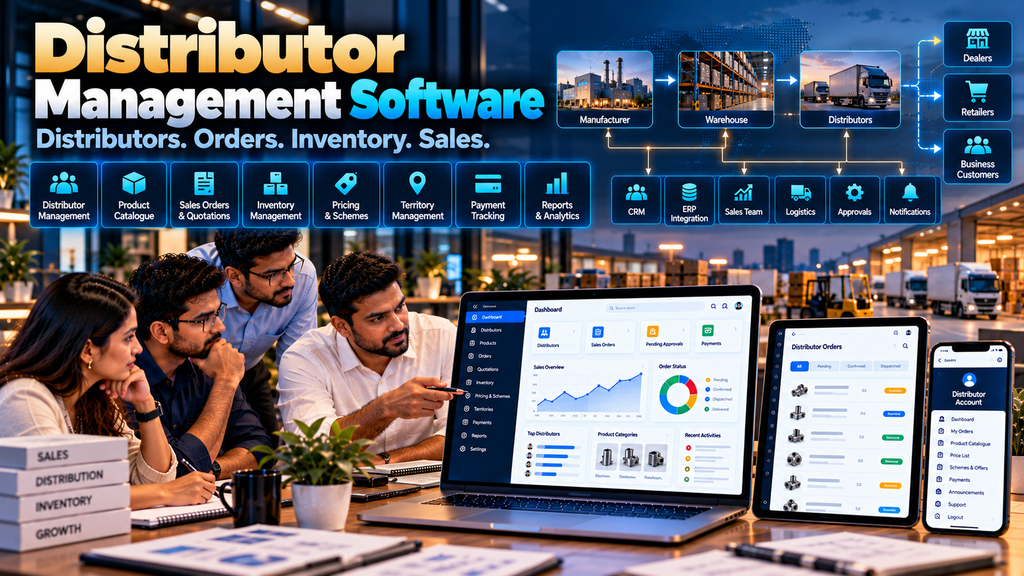
Manufacturers and distribution businesses often work with multiple distributors across different products, territories, branches and sales teams.
As the network grows, distributor records, product information, pricing, orders, quotations, payments, inventory coordination and sales communication can become difficult to manage through spreadsheets, phone calls, messaging applications and disconnected software.
Custom distributor management software development in Erode can bring relevant distribution workflows into one structured system designed around how the business actually operates.
A distributor management system, often referred to as DMS software, can help authorized teams manage distributor accounts, products, orders, territories, pricing, payment information, documents and reporting while connecting with CRM, ERP, warehouse or other business systems where appropriate.
However, DMS software should not be treated as a collection of every possible feature. The right system depends on the company’s distribution model, existing software, product catalogue, commercial rules and operational processes.
This guide explains the major features, integrations, security considerations, development process and cost factors businesses should evaluate before developing distributor management software.
At Greap Technologies, we develop custom business software, B2B portals, websites and ecommerce solutions for manufacturers, distributors and growing businesses in Erode and nearby areas.
What Is Distributor Management Software?
Distributor management software is a digital system used to organize and manage selected workflows between a company and its distribution network.
Depending on the business, it can support:
- Distributor master records
- Distributor onboarding
- Product catalogues
- Pricing
- Order management
- Quotation workflows
- Inventory information
- Payment and account information
- Territory management
- Sales-team coordination
- Documents
- Approvals
- Notifications
- Reports
- CRM and ERP integrations
The system should reflect the company’s actual distribution workflow rather than forcing every business into the same process.
Who Can Use Distributor Management Software?
DMS software can be relevant to businesses such as:
- Manufacturers
- Wholesalers
- Distributors
- Multi-branch distribution businesses
- Industrial suppliers
- FMCG distribution businesses
- Building-material suppliers
- Textile businesses
- Machinery and equipment suppliers
- Other B2B product businesses
Suitability depends on the company’s workflow rather than industry name alone.
Distributor Management Software vs Dealer Portal
These systems can work together, but their primary purposes are different.
| Distributor Management Software | Dealer / Distributor Portal |
|---|---|
| Primarily manages internal distribution workflows | Primarily provides external account access |
| Used by management, sales and operations teams | Used mainly by authorized dealers or distributors |
| Can manage territories, approvals and distributor records | Can provide catalogue, pricing, orders and documents |
| Can integrate multiple operational systems | Can expose approved information from those systems |
| Broader internal control and reporting | Self-service interface for business partners |
Read Dealer Portal Development for Manufacturers and Distributors in Erode.
1. Start by Mapping the Distribution Process
Before software development begins, document how distribution currently works.
A basic workflow might be:
Manufacturer → Distributor → Dealer / Retailer → Customer
Another company may operate:
Manufacturer → Regional Distributor → Dealer → Business Customer
Some companies may sell directly to distributors without another dealer layer.
The software architecture should reflect the actual model.
2. Identify Current Operational Problems
Common issues can include:
- Distributor information stored in multiple spreadsheets
- Repeated manual order entry
- Different price lists being shared manually
- Difficulty tracking order status
- Product information distributed through separate files
- Disconnected sales follow-up
- Manual approval processes
- Limited visibility across branches or territories
These problems should be verified within the business before deciding what to automate.
3. Distributor Master Management
A central distributor master can maintain approved information about each distributor.
Depending on requirements, fields may include:
- Distributor code
- Business name
- Contact details
- Billing information
- Shipping information
- Territory
- Assigned sales representative
- Account status
- Pricing group
- Relevant business documents
4. Avoid Collecting Unnecessary Information
The system should collect information required for legitimate business processes.
Access to sensitive or restricted business information should be limited according to user responsibilities.
5. Distributor Onboarding
A structured onboarding process can replace scattered email and spreadsheet workflows.
A possible flow is:
Distributor Application → Internal Review → Approval → Account Creation → Commercial Setup → Activation
6. Approval Workflows
Different organizations may require approval from:
- Sales
- Regional management
- Finance
- Administration
- Other authorized roles
Only approval steps that are genuinely required should be included.
7. Distributor Status
Accounts can have clearly defined statuses such as active, inactive or pending according to the company’s process.
Status changes can control access to relevant workflows.
8. Distributor Classification
Some businesses classify distributors according to commercial arrangements.
Classification might relate to:
- Distribution type
- Region
- Product authorization
- Pricing group
- Business division
Classification should reflect formal business rules rather than subjective assumptions.
9. Territory Management
Companies operating across multiple regions may associate distributors with defined territories.
Territory information can support:
- Distributor assignment
- Sales routing
- Regional reporting
- Product availability rules
- Internal coordination
10. Multiple Distributors in One Territory
The software should not assume that every region has exactly one distributor.
Territory relationships should be configurable according to the company’s distribution model.
11. Product Master
The system can maintain or retrieve structured product information.
Depending on architecture, product data may include:
- SKU
- Product name
- Category
- Subcategory
- Unit
- Variants
- Specifications
- Product status
12. Define the Product Source of Truth
If an ERP already owns product master data, duplicating product management inside the DMS may create inconsistencies.
Before development, determine which system is authoritative for product information.
13. Product Catalogue
Internal teams and authorized distributors may need access to an organized catalogue.
The catalogue can provide:
- Categories
- Product search
- Filters
- Specifications
- Product images
- Approved documents
Read Product Catalogue Website Development for Manufacturers in Erode.
14. Distributor-Specific Products
Some distributors may be authorized for only selected product families.
Where required, product access can depend on:
- Distributor account
- Region
- Business division
- Product authorization
15. Distributor Pricing
B2B pricing can be more complex than retail pricing.
A DMS may need to support:
- Standard distributor prices
- Pricing groups
- Quantity-based pricing
- Product-specific arrangements
- Account-specific pricing
- Time-limited approved pricing
The pricing engine should follow documented commercial rules.
16. Price List Management
If price lists are used, the system can potentially manage:
- Effective dates
- Product prices
- Distributor groups
- Revised price lists
- Authorized visibility
17. Pricing Source of Truth
Where pricing is maintained in an ERP or another commercial system, determine whether the DMS should retrieve, synchronize or independently maintain that information.
Maintaining the same pricing manually in several systems can increase the risk of inconsistencies.
18. Minimum Order Quantity
MOQ rules can be associated with products where the business uses minimum quantities.
These rules should be based on the company’s approved ordering policy.
19. Distributor Order Management
Order management is often a central DMS workflow.
A basic process can look like:
Distributor → Products → Quantity → Order Submission → Validation → Approval / Processing → Dispatch
20. Internal Order Entry
Not every distributor order must originate from a portal.
Authorized internal users may need to enter an order received through an approved offline channel.
The system can then maintain a structured order record.
21. Online Distributor Orders
If distributors have portal access, they can potentially place orders directly.
This can connect the external dealer/distributor interface with the internal DMS workflow.
22. Quick Order
Repeat buyers who know product codes may benefit from a quick-order interface.
Instead of navigating categories, the distributor can enter:
SKU → Quantity → Add → Review
23. Bulk Orders
Businesses with large orders may require bulk-entry workflows.
Validation should check products, quantities and other relevant business rules before the order is accepted.
24. Repeat Orders
Where suitable, users can create a new order based on a previous order.
Current prices, availability and commercial rules should be revalidated rather than blindly copying old values.
25. Order Approval Workflow
Some orders may require approval.
A workflow could be:
Order Submitted → Validation → Sales Approval → Commercial Approval → Processing
Other businesses may not need this workflow at all.
Approval steps should follow actual company policy.
26. Order Status
Orders can move through defined operational statuses.
For example:
- Submitted
- Under review
- Approved
- Processing
- Dispatched
- Completed
- Cancelled
The exact terminology should match the company’s process.
27. Order History
Authorized internal users can search and review previous orders.
Where a distributor portal exists, distributors can be given access only to their own relevant order history.
28. Order Documents
Depending on the business process, orders may be associated with approved documents such as:
- Purchase orders
- Quotations
- Invoices
- Dispatch documents
- Other business documents
29. Quotation Management
When pricing depends on quantity or requirements, a quotation workflow may come before an order.
A process can be:
Requirement → Quotation → Revision → Approval → Order
Read Quotation and Invoice Management Software Development in Erode.
30. Convert Approved Quotations Into Orders
Where appropriate, approved quotation data can be used to create an order without re-entering the same information.
The system should still validate current business rules before final processing.
31. Inventory Visibility
Distribution teams may need inventory information during order processing.
The software should clearly define whether inventory information is:
- Real-time
- Periodically synchronized
- Manually maintained
32. Do Not Misrepresent Inventory Data
If inventory is updated every few hours, the system should not imply that the displayed quantity is a live real-time figure.
Data freshness should be communicated appropriately where important.
33. Multi-Warehouse Inventory
Companies operating multiple warehouses may need location-specific inventory information.
Depending on the workflow, an order can potentially be allocated to an appropriate warehouse.
34. Warehouse Management Integration
After an order is approved, warehouse operations may take over.
A possible integrated workflow is:
Distributor Order → Approval → Warehouse → Pick / Pack → Dispatch → Status
Read Warehouse Management Software Development in Erode.
35. Dispatch Management
The DMS may store or receive approved dispatch information.
This can include:
- Order reference
- Dispatch date
- Dispatch status
- Shipment reference
- Relevant transport information
36. Logistics Integration
Businesses with more complex transportation workflows may connect order information with logistics-management software.
Read Transport and Logistics Management Software Development in Erode.
37. Payment and Account Information
Depending on requirements and existing accounting systems, authorized users may need access to selected commercial account information.
This might include:
- Invoices
- Payments recorded
- Outstanding information
- Credit-related information where appropriate
The source of financial information should be clearly defined.
38. Do Not Duplicate Accounting Logic Unnecessarily
If accounting information is already maintained in a dedicated accounting or ERP system, it may be more appropriate for the DMS to retrieve approved information rather than recreate the entire accounting process.
39. Credit Limits
Some businesses operate distributor credit arrangements.
If credit information affects ordering, the rules should come from the company’s approved finance process.
Financial decisions should not be generated from arbitrary software scoring.
40. Outstanding Payment Information
Where appropriate, authorized teams or distributor accounts can view relevant outstanding information sourced from the appropriate financial system.
Access should be carefully controlled.
41. Distributor Returns
Businesses with formal return workflows may include return requests in the DMS.
A possible flow is:
Return Request → Review → Approval / Rejection → Product Handling → Resolution
The rules depend on the company’s return policy.
42. Claims and Issue Management
Where required, the software can record distributor service issues or claims and route them to appropriate internal teams.
This creates a structured record instead of relying entirely on disconnected messages.
43. Distributor Documents
A DMS can organize approved distributor documents such as:
- Agreements
- Product catalogues
- Price lists
- Technical documents
- Business forms
- Approved marketing resources
44. Document Access Control
Restricted documents should be available only to users with appropriate authorization.
A hidden link alone should not be treated as access control.
45. Sales Representative Management
Distributors can be associated with internal sales representatives where the business operates this way.
This can help route:
- Distributor enquiries
- Orders requiring review
- Follow-ups
- Account communication
46. Field Sales Integration
Businesses with field sales teams may connect distributor information with field sales workflows.
For example:
Sales Representative → Distributor Visit → Requirement → Follow-Up → Order / Opportunity
Read Field Sales Management Software for Businesses in Erode.
47. Avoid Employee Surveillance
Sales software should focus on legitimate business workflows and useful operational information.
Activity counts or location information should not automatically be treated as a complete measure of employee performance.
Location features should be used only where there is a legitimate business requirement with appropriate access and privacy practices.
48. CRM Integration
CRM integration can help connect distributor relationships with sales communication.
Potential data can include:
- Distributor accounts
- Contacts
- Enquiries
- Sales opportunities
- Follow-ups
Integration depends on the CRM’s supported APIs or other integration methods.
49. Lead and Follow-Up Workflows
New distributor enquiries or opportunities can potentially move into a structured follow-up process.
For example:
Enquiry → Assignment → Requirement → Follow-Up → Quotation → Order / Closed
Read WhatsApp CRM and Lead Follow-Up Software for Businesses in Erode.
50. ERP Integration
An ERP may already contain important information required by the DMS.
Potential integration areas include:
- Products
- Pricing
- Distributor accounts
- Inventory
- Orders
- Invoices
- Payments
Integration feasibility depends on the ERP’s APIs, supported integration methods, permissions, documentation and architecture.
51. Define the Source of Truth for Every Data Type
| Information | Possible Source |
|---|---|
| Products | ERP / Product Master |
| Distributor Accounts | DMS / ERP / CRM |
| Pricing | ERP / Pricing System |
| Inventory | ERP / Warehouse System |
| Sales Follow-Up | CRM |
| Financial Information | ERP / Accounting System |
The actual architecture should be decided based on the company’s existing systems.
52. API Integration
Modern business systems often exchange information through APIs.
Before planning an integration, review:
- API availability
- Documentation
- Authentication
- Rate limits
- Data formats
- Permissions
- Error handling
53. Do Not Assume Every Software Product Can Integrate
Some third-party systems provide extensive APIs, while others provide limited or no supported integration options.
Integration feasibility should be verified before promising functionality.
54. Distributor Portal Integration
The internal DMS can provide approved information to an external distributor portal.
A connected architecture might look like:
ERP / DMS → Distributor Portal → Distributor Order → DMS / ERP → Warehouse
55. B2B Ecommerce Integration
Businesses with digital ordering requirements may combine DMS functionality with a B2B ecommerce platform.
Relevant features can include:
- Business accounts
- Account-specific pricing
- MOQ rules
- Bulk ordering
- Quick reorder
- Purchase-order workflows
Read B2B Ecommerce Website Development for Wholesalers and Manufacturers in Erode.
56. Role-Based Access Control
A DMS may have several user types.
Examples include:
- Administrator
- Management
- Sales manager
- Sales representative
- Operations user
- Finance user
- Warehouse user
- Distributor user
Each role should receive only the permissions needed for its responsibilities.
57. Authentication and Authorization
Authentication verifies who a user is.
Authorization determines what that authenticated user can access or change.
Both should be considered throughout the system.
58. Data Isolation
If distributors access the software through a portal, each distributor should only be able to retrieve information it is authorized to access.
Authorization should be enforced by the application, not merely by hiding interface elements.
59. Audit Trail
Important business actions may require an audit trail.
Depending on requirements, this can record:
- Order creation
- Approvals
- Pricing changes
- Status changes
- Account changes
- Other important administrative actions
60. Notifications
The software can notify appropriate users about defined business events.
Examples include:
- New distributor application
- Order submitted
- Approval required
- Quotation updated
- Order-status change
Notifications should help users act rather than create unnecessary noise.
61. Business Messaging
Where messaging integrations are required, businesses should use official supported business messaging technologies and comply with applicable platform requirements.
62. Distributor Dashboard
A management dashboard can summarize relevant operational information.
Depending on requirements, it may display:
- Open orders
- Pending approvals
- Order status
- Product demand
- Outstanding workflow items
The dashboard should focus on information that supports decisions and actions.
63. Reporting
Reports can organize distribution information by relevant dimensions such as:
- Period
- Product
- Category
- Distributor
- Region
- Order status
Reporting requirements should be defined before development instead of adding large numbers of unused reports.
64. Distributor Performance Data
Software can report objective business data such as orders, sales or returns where the underlying information is available.
However, a single metric should not automatically be treated as a complete judgment of distributor quality because territories, product mix, demand and commercial conditions can differ.
65. Exporting Reports
Where required, authorized users can export selected reports in supported formats for legitimate business analysis.
Export permissions should reflect the sensitivity of the information.
66. Mobile-Friendly DMS
Sales and management teams may need to access selected workflows from phones or tablets.
Responsive development can support:
- Distributor search
- Order review
- Approvals
- Product lookup
- Dashboard information
67. Web Application vs Mobile App
A responsive web application may be sufficient for many DMS requirements.
A dedicated mobile app may be considered when the business requires mobile-specific functionality, offline workflows or other capabilities that justify separate app development.
The decision should follow the workflow rather than assuming every software project needs an app.
68. Security
Distributor management systems can contain commercially sensitive information.
Security considerations can include:
- HTTPS
- Secure authentication
- Role-based permissions
- Authorization checks
- Input validation
- Session security
- Secure file handling
- Dependency updates
- Logging
- Backups
69. Backup and Recovery
The business should define:
- What data is backed up
- Backup frequency
- Storage location
- Retention requirements
- Restoration procedure
70. Software Performance
Performance should be considered when the system manages large product catalogues, many orders, reports and external integrations.
Architecture may need to consider:
- Database design
- Indexing
- Efficient queries
- Pagination
- Caching where appropriate
- API performance
- Background processing where appropriate
71. Scalability
A DMS should support reasonable expected business growth.
Growth may involve:
- More distributors
- More users
- More products
- More branches
- More orders
- Additional territories
- New integrations
Scalability requirements should be based on realistic expected usage.
72. Data Migration
Existing distributor information may need to be migrated from:
- Spreadsheets
- Legacy software
- CRM systems
- ERP systems
- Other structured sources
73. Clean Data Before Migration
Migration is an opportunity to identify:
- Duplicate distributor records
- Inactive accounts
- Missing information
- Inconsistent codes
- Outdated contact information
Poor source data should not be imported blindly into the new system.
74. Start With an MVP Where Appropriate
A first release does not necessarily need every possible distribution feature.
An initial system might focus on:
- Distributor master
- Product master integration
- Pricing
- Order management
- Basic approvals
- Order status
- Essential reports
Further functionality can be added after core workflows have been validated.
75. Distributor Management Software Development Cost in Erode
There is no universal fixed price for custom DMS development.
Cost can depend on:
- Number of workflows
- User roles
- Distributor structure
- Product complexity
- Pricing logic
- Order workflows
- Approvals
- Inventory requirements
- Warehouse integration
- CRM integration
- ERP integration
- Financial-system integration
- Reports
- Portal functionality
- Data migration
- Security requirements
- Maintenance and support
A standalone order-management system and a deeply integrated enterprise distribution platform are very different development projects.
76. Why DMS Development Quotations Differ
One quotation may cover basic distributor records and order entry.
Another may include:
- Business-process analysis
- Custom UI/UX
- Distributor onboarding
- Complex pricing
- Approvals
- Inventory integration
- ERP integration
- Distributor portal
- Data migration
- Reporting
- Training
- Ongoing support
Compare the detailed scope and exclusions before comparing only price.
77. Development Timeline
Timeline can depend on:
- Business-process complexity
- Number of modules
- Integration availability
- Data quality
- Approval requirements
- Migration
- Testing
- User acceptance
A realistic schedule should be prepared after requirement analysis.
78. Distributor Management Software Development Process
A structured development process can follow:
Business Study → Requirements → Workflow Mapping → Data & Integration Review → Architecture → UI/UX → Development → Integration → Migration → Testing → UAT → Deployment → Training → Support
79. Business Requirement Study
Before development, understand:
- Distribution structure
- Distributor types
- Products
- Pricing
- Order process
- Approval process
- Inventory process
- Sales-team workflow
- Existing software
80. Workflow Mapping
Map major processes visually before implementing them.
For example:
Distributor → Order → Approval → Inventory Validation → Warehouse → Dispatch → Invoice / Account System
81. Software Architecture
Architecture should consider current requirements, integrations, security, data ownership and reasonable future growth.
Technology selection should follow these requirements rather than being chosen only because a particular framework is popular.
82. UI/UX Design
Important screens can include:
- Dashboard
- Distributor list
- Distributor profile
- Product catalogue
- Order entry
- Order review
- Approval queue
- Order history
- Reports
- Administration
83. Development and Integration
Modules and integrations can then be implemented according to the approved architecture and requirements.
Integration behaviour should include suitable handling for unavailable services, failed requests and data-validation problems.
84. Testing
Testing should cover:
- Authentication
- Authorization
- Distributor records
- Products
- Pricing rules
- Orders
- Approvals
- Inventory information
- Reports
- Documents
- Notifications
- Integrations
- Responsive layouts
85. User Acceptance Testing
Users familiar with real distribution operations should test representative business scenarios before production deployment.
This helps identify workflow differences that may not be obvious during technical testing.
86. Training
Training may be required for:
- Administrators
- Sales teams
- Operations teams
- Finance users
- Warehouse users
- Other authorized users
Training should focus on the tasks each role actually performs.
87. Maintenance and Support
After deployment, custom software may require:
- Bug fixes
- Security updates
- Backup monitoring
- Performance improvements
- Integration maintenance
- Feature enhancements
- Compatibility updates
How to Choose a Distributor Management Software Development Company in Erode
Distributor management software combines software engineering with business-process understanding.
When evaluating a development company, consider whether it can understand:
- Manufacturing and distribution workflows
- Distributor account structures
- B2B pricing
- Order management
- Approval workflows
- Inventory and warehouse processes
- CRM and ERP integration
- Role-based permissions
- Data migration
- Security
- Maintenance and support
Read Software Development Company in Erode: Services, Cost and How to Choose.
Questions to Ask Before Developing Distributor Management Software
- What distributor processes are currently manual?
- How are distributor accounts structured?
- Do distributors have territories?
- Where is product master data maintained?
- How is distributor pricing determined?
- Where is pricing maintained?
- How are orders currently received?
- Which orders require approval?
- Where is inventory maintained?
- Do we operate multiple warehouses?
- How is dispatch managed?
- Where are invoices and payments maintained?
- Do distributors need portal access?
- Do sales representatives need mobile access?
- Does the software need CRM integration?
- Does it need ERP integration?
- Which reports are genuinely required?
- What data needs migration?
- Which roles and permissions are required?
- What support is required after deployment?
Distributor Management Software Checklist
| Module | Key Requirement |
|---|---|
| Distributor Master | Accounts, contacts, status and classification |
| Territories | Regional and sales relationships |
| Products | Catalogue and product master integration |
| Pricing | Approved distributor pricing rules |
| Orders | Entry, validation, approval and status |
| Inventory | Availability and source-system integration |
| Warehouse | Order fulfilment workflow where required |
| Finance | Approved account information and integration |
| CRM | Relationships, enquiries and follow-up |
| Portal | Secure distributor self-service |
| Reports | Operational and management reporting |
| Security | Authentication, authorization and access control |
Common Distributor Management Software Development Mistakes
- Starting development without mapping distribution workflows
- Trying to automate every process in version one
- Duplicating product data across systems unnecessarily
- Maintaining conflicting pricing in multiple systems
- Assuming all distributors use the same commercial rules
- Displaying synchronized inventory as real-time
- Creating unnecessary approval steps
- Ignoring distributor portal requirements
- Using weak role and permission controls
- Importing poor-quality data without cleaning it
- Building reports nobody uses
- Assuming every third-party system provides an API
- Ignoring integration failure handling
- Ignoring user training
- Not planning maintenance and support
Distributor Management Software for Manufacturers in Erode
Manufacturers can use DMS software to connect selected workflows across distributors, internal sales teams, warehouses and other business systems.
A connected process might look like:
Manufacturer → DMS → Distributor → Order → ERP → Warehouse → Dispatch
The actual architecture depends on the company’s existing systems.
Distributor Management Software for Wholesalers
Wholesalers may use distribution software for product management, distributor or dealer accounts, pricing, orders, stock information and business reporting.
Features should reflect how the wholesaler actually sells and fulfils products.
Distributor Management Software for Multi-Branch Businesses
Multi-branch businesses may need additional structures for:
- Branches
- Warehouses
- Territories
- Users
- Inventory
- Orders
- Reporting
Access rules should clearly define which information each branch and user can view or modify.
Distributor Management Software Development in Erode and Nearby Areas
Greap Technologies develops custom business software for manufacturers, distributors, wholesalers and other businesses in Erode and nearby areas including Perundurai, Bhavani, Gobichettipalayam, Sathyamangalam, Anthiyur, Chennimalai, Modakkurichi, Kavindapadi, Kodumudi, Nambiyur and surrounding locations.
Software requirements should be based on real business workflows rather than adding location keywords or generic modules that do not support the operation.
Why Consider Greap Technologies for Distributor Management Software?
Greap Technologies develops custom software around business processes and integration requirements.
Depending on the project, a distributor management solution can include:
- Distributor master management
- Distributor onboarding
- Territory management
- Product management
- Distributor pricing
- Quotation workflows
- Order management
- Approval workflows
- Inventory visibility
- Warehouse integration
- Dispatch information
- Distributor account information
- Document management
- Sales-team workflows
- CRM integration
- ERP integration
- Distributor portal
- Notifications
- Dashboards
- Reports
- Role-based access
- Audit trails
- Data migration
- Responsive web application development
- Maintenance and support
The appropriate modules should be selected after studying the company’s existing distributor, sales, order, warehouse and financial workflows.
Explore Greap Technologies, Website Development Services, Ecommerce Development Services and Digital Marketing Services.
Final Checklist Before Starting DMS Development
- Map the complete distribution workflow
- Identify distributor types
- Define territories
- Clean distributor master data
- Identify the product source of truth
- Document pricing rules
- Define order workflows
- Define approval workflows
- Identify the inventory source
- Map warehouse processes
- Define dispatch requirements
- Identify financial-system requirements
- Define CRM integration
- Define ERP integration
- Decide whether a distributor portal is required
- Define user roles and permissions
- Define essential reports
- Plan data migration
- Plan user acceptance testing
- Plan training and ongoing support
Conclusion
Effective distributor management software development in Erode starts with understanding how products, distributors, orders and information move through the business.
A basic digital distribution workflow can look like:
Distributor → Order → Approval → Processing → Dispatch → Status
For a business with integrated systems, it may become:
Distributor Portal → DMS → ERP → Warehouse → Logistics → Order Status
Sales-related workflows can also connect:
Distributor → Enquiry → CRM → Follow-Up → Quotation → Order
The objective is not to replace every human decision with software. Commercial negotiation, distributor relationships, exception handling and strategic decisions may still require experienced teams.
The purpose of a well-designed DMS is to structure repetitive workflows, centralize appropriate information and connect systems where integration creates genuine operational value.
Looking for Distributor Management Software Development in Erode?
If your business currently manages distributors, pricing, orders, inventory and sales information across spreadsheets or disconnected systems, Greap Technologies can study your workflow and plan a custom distributor management solution around your requirements.
Discuss Your Distributor Management Software on WhatsApp
Frequently Asked Questions
1. What is distributor management software?
Distributor management software is a digital system for managing selected distribution workflows such as distributor records, products, pricing, orders, approvals, inventory information, documents and reporting.
2. What is DMS software?
DMS commonly refers to a Distribution Management System or Distributor Management System. Its exact modules vary depending on the company’s distribution process.
3. Can DMS software manage distributor orders?
Yes. Custom software can support order entry, validation, approvals, processing, order history and status according to the company’s workflow.
4. Can different distributors have different prices?
Yes, where the business uses documented distributor-specific, group-based, quantity-based or other approved pricing rules.
5. Can distributor management software integrate with ERP?
Potentially. Integration depends on the ERP’s APIs or other supported integration methods, permissions, documentation, data structure and project requirements.
6. Can DMS software connect with warehouse management?
Yes, where compatible systems and integration methods are available. Approved orders can potentially flow into warehouse fulfilment workflows.
7. Can distributors access the system directly?
They can be given secure portal access when self-service functionality is required. The distributor-facing portal should use appropriate account-level authorization.
8. Can DMS software show inventory?
Yes, when suitable inventory data is available. The interface should accurately indicate whether information is real-time, periodically synchronized or maintained through another process.
9. Can distributor software integrate with CRM?
Potentially. CRM integration can support distributor records, contacts, enquiries and sales follow-up when supported integration methods are available.
10. Can DMS software work on mobile devices?
Yes. A responsive web-based DMS can support selected workflows across desktop, tablet and mobile devices. A dedicated mobile application can also be considered when the workflow justifies it.
11. How much does distributor management software development cost in Erode?
Cost depends on modules, user roles, pricing complexity, order workflows, inventory requirements, integrations, reporting, data migration, security and support. Requirements should be studied before estimating a custom system.
12. Does Greap Technologies develop distributor management software in Erode?
Yes. Greap Technologies develops custom software, B2B portals, ecommerce platforms and business websites for manufacturers, distributors and other businesses in Erode and nearby areas.


